-
-
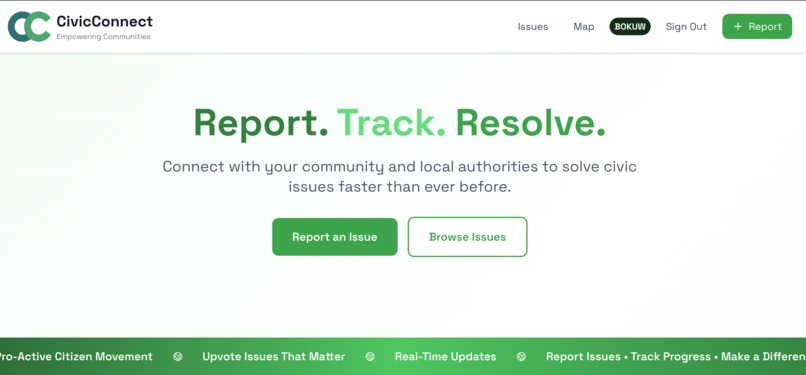
Landing Page
-

Logo
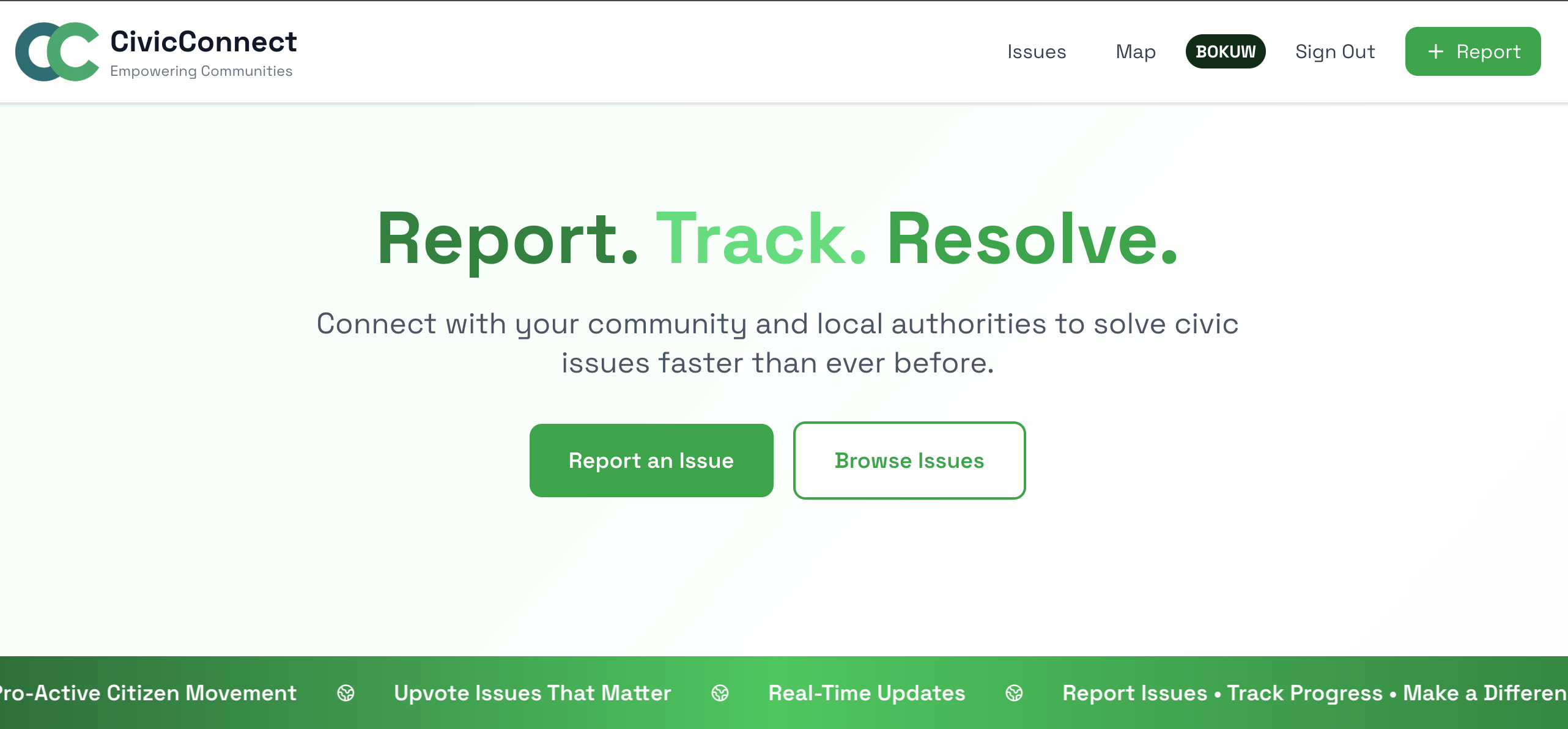

CivicConnect: Bridging Citizens and Local Government
Inspiration
During a conversation with my neighbors, I realized a common frustration, people saw bad stuff around the community like potholes, broken streetlights, or illegal dumping, and had little to no way of reporting these things to the proper authorities. People didn't know where to report problems, and when they did, there was no way to track if anything was being done.
There was a time a broken streetlight in our neighborhood remained unfixed for months simply because no one knew how to report it. This disconnect between citizens and local authorities was creating neglected communities and eroding trust in local government.
After seeing this Hackathon post, albeit late, I thought perhaps I could build a solution for this. That's when I began putting CivicConnect together.
What it does
CivicConnect is a comprehensive civic engagement platform that empowers citizens to actively participate in improving their communities:
For Citizens:
- Report Issues Easily: Take a photo, add a description, and submit in under a minute
- GPS Auto-Location: Automatically captures the exact location of issues
- Track Progress: See real-time status updates from report to resolution
- Community Voting: Upvote issues that matter most to prioritize them
- Interactive Map: Visualize all community issues color-coded by status
- Filter & Search: Find specific issues by category, status, or location
For Local Authorities:
- Admin Dashboard: Manage all reported issues in one centralized location
- Status Management: Update issue status (Reported → In Progress → Resolved)
- Priority Insights: See which issues have the most community support
- Efficient Workflow: Sort, filter, and prioritize issues based on data
Key Features:
- Photo upload with visual evidence
- Geolocation-based reporting
- Interactive Leaflet.js map with real-time markers
- Live statistics dashboard
- Community-driven prioritization through upvotes
- Real-time updates across all users
- Fully responsive design (works on any device)
- Secure authentication (anonymous or registered users)
How I built it
Technology Stack:
Frontend:
- Next.js 15 with App Router for a quick React framework
- Tailwind CSS for fast, responsive UI development
- Leaflet.js & React-Leaflet for interactive mapping
- Lucide React for consistent icons
- ShadCnUI toast notifications
- date-fns for date formatting
Backend & Infrastructure:
- Supabase as our backend-as-a-service platform:
- PostgreSQL database for storing issues and user data
- Row Level Security (RLS) for data protection
- Real-time subscriptions for live updates
- Authentication (anonymous + email/password)
- Storage for image uploads
- Vercel for seamless deployment and hosting
Key APIs:
- Browser Geolocation API for GPS coordinates
- OpenStreetMap tiles for map rendering
Development Process:
Foundation & Setup
- Set up Next.js project with TypeScript and Tailwind
- Designed database schema with proper relationships
- Implemented Supabase authentication flows
- Created reusable React components
Core Features
- Built the issue reporting form with validation
- Implemented image upload to Supabase Storage
- Integrated GPS coordinate capture
- Created the homepage with real-time statistics
Mapping & Admin
- Integrated Leaflet.js with Next.js (overcame SSR challenges)
- Implemented interactive map with markers
- Built admin dashboard with issue management
- Added filtering and sorting functionality
- Implemented the upvoting system
Polish & Testing
- Responsive design refinements for mobile
- Added loading states and error handling
- Comprehensive testing of all user flows
Challenges I ran into
Challenge 1: Map Integration with Next.js Leaflet.js expects to run in a browser environment, but Next.js uses server-side rendering. The map would crash on initial load.
Solution: I used Next.js dynamic imports with ssr: false to ensure the map components only loaded on the client side. This taught me about the differences between SSR and client-side rendering.
Challenge 2: Real-Time Data Synchronization I wanted users to see instant updates when admins changed issue statuses, but managing this state across multiple users was complex.
Solution: I implemented Supabase Realtime subscriptions and learned to properly handle WebSocket connections. I also added optimistic UI updates for better user experience.
Challenge 3: Anonymous vs Authenticated Users I wanted to allow issue reporting without accounts (low friction), but needed authentication for upvoting (to prevent spam).
Solution: I implemented Supabase's anonymous authentication, which creates temporary users. This taught me about balancing user experience with security.
Challenge 5: GPS Accuracy & Privacy Some users were hesitant to share precise locations, and GPS wasn't always accurate indoors.
Solution: I made GPS optional and added a manual location name field as a fallback.
Challenge 6: Database Security with RLS Supabase's Row Level Security policies were confusing at first, and I accidentally locked myself out of my own data during testing.
Solution: I learned to write comprehensive RLS policies and test them thoroughly. I now understand the importance of database-level security.
Accomplishments that I'm proud of
Technical Achievements:
- Built a fully functional MVP in 5 days from scratch
- Successfully integrated complex mapping functionality with Leaflet.js
- Implemented seamless image upload with compression and optimization
- Created real-time updates
- Achieved 100% responsive design that works beautifully on all devices
- Implemented secure authentication with proper RLS policies
Design & UX:
- Created a clean, modern interface that my non-technical friends found intuitive
- Built with accessibility in mind (semantic HTML, keyboard navigation)
- Designed an intuitive user flow that requires no tutorial
Impact Potential:
- Built a scalable solution that can serve communities of any size
- Created a cost-effective platform (runs on free tiers during testing)
- Made it open-source ready for community contributions
- Designed with real government workflows in mind
Personal Growth:
- Learned new technologies (Supabase storage, Leaflet.js, RLS)
- Delivered a complete project on time
- Overcame multiple technical challenges independently
Most importantly, I'm proud that this isn't just a tech demo - it's a real solution that could really improve communities. I've already had friends ask when they can start using it in their neighborhoods!
What I learned
Technical Skills:
- Next.js 5 App Router: Mastered the new routing system, server components, and client components
- Supabase Deep Dive: Learned PostgreSQL, RLS policies, real-time subscriptions, authentication flows, and storage
- Geospatial Data: Understanding coordinates, distance calculations, and map projections
- State Management: Complex React state across multiple pages and real-time updates
- File Handling: Image compression, upload progress, and storage optimization
Development Practices:
- Rapid Prototyping: How to build an MVP quickly without sacrificing quality
- User-Centric Design: Always thinking about the end user's experience
- Security First: Implementing proper authentication and authorization from the start
- Error Handling: Gracefully handling failures and providing helpful feedback
- Performance Optimization: Lazy loading, code splitting, and image optimization
Problem-Solving:
- Breaking Down Complexity: Large problems become manageable when broken into small steps
- Research Skills: Finding solutions in documentation, forums, and community resources
- Debugging Strategies: Systematic approaches to identifying and fixing issues
- Trade-off Decisions: Balancing features, time, and technical debt
Soft Skills:
- Time Management: Prioritizing features for a hackathon deadline
- Documentation: Writing clear README files and code comments
- Communication: Explaining technical concepts in the demo video
- Persistence: Not giving up when facing challenging bugs
Biggest Lesson: The importance of solving real problems. This wasn't just a coding exercise - I talked to actual community members, understood their pain points, and built something that addresses genuine needs. Technology is most powerful when it serves people.
What's next for CivicConnect
Short-term:
- Email/SMS Notifications: Alert users when their reported issues are updated
- Advanced Search: Full-text search across all issues
- Enhanced Analytics: Charts showing resolution trends, response times, and community engagement
- Multi-language Support: Starting with Spanish and French
- Accessibility Audit: Ensure WCAG 2.1 AA compliance
Medium-term:
- AI-Powered Features:
- Automatic issue categorization using image recognition
- Duplicate issue detection to reduce redundancy
- Priority scoring algorithm based on urgency and impact
- Native Mobile Apps: iOS and Android apps with push notifications
- Comments & Discussion: Allow citizens to discuss issues and collaborate
- Gamification: Badges and leaderboards for active community members
- Public Reports: Shareable analytics for transparency
Long-term:
- Government Integration: API for connecting with existing 311 systems
- Multi-tenant Architecture: Support multiple cities/communities on one platform
- Advanced Mapping: Heat maps, clustering, and route optimization for city workers
- Verified Users: System for identifying city officials and contractors
- Fundraising Integration: Allow citizens to contribute to fix specific issues
- Business Intelligence: Predictive analytics for infrastructure planning
Community & Adoption:
- Pilot Program: Partner with 2-3 small towns for beta testing
- Open Source (maybe, maybe not): Release core platform on GitHub for community contributions
- Educational Outreach: Present at local government conferences
- Marketing Campaign: Social media presence and community engagement
Technical Improvements:
- Performance: Implement caching and CDN for global reach
- Testing: Add comprehensive unit and integration tests
- Security: Regular security audits and penetration testing
- Documentation: Complete API documentation for developers
Vision: Transform CivicConnect into the standard platform for civic engagement worldwide. Imagine a world where every community, regardless of size or budget, has access to professional-grade tools for citizen participation. Where fixing a pothole is as easy as sending a text. Where local governments have data-driven insights to serve their communities better.
CivicConnect isn't just an app - it's a movement toward more responsive, transparent, and collaborative governance.
Built With
- javascript
- leaflet.js
- map:1-corelocationprovider:-corelocation-framework-reported-a-kclerrorlocationunknown-failure.-page.js:58-user-location-not-available.-using-default-center.-geolocationpositionerror-{code:-2
- next.js
- postgresql
- react
- shadcnui
- supabase
- tailwind-css
- vercel

Log in or sign up for Devpost to join the conversation.