-
-
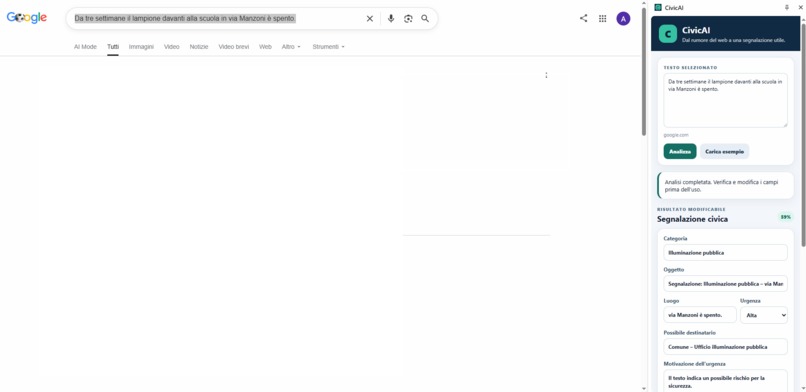
Select text on any webpage and turn it into a structured civic report with local AI.
-

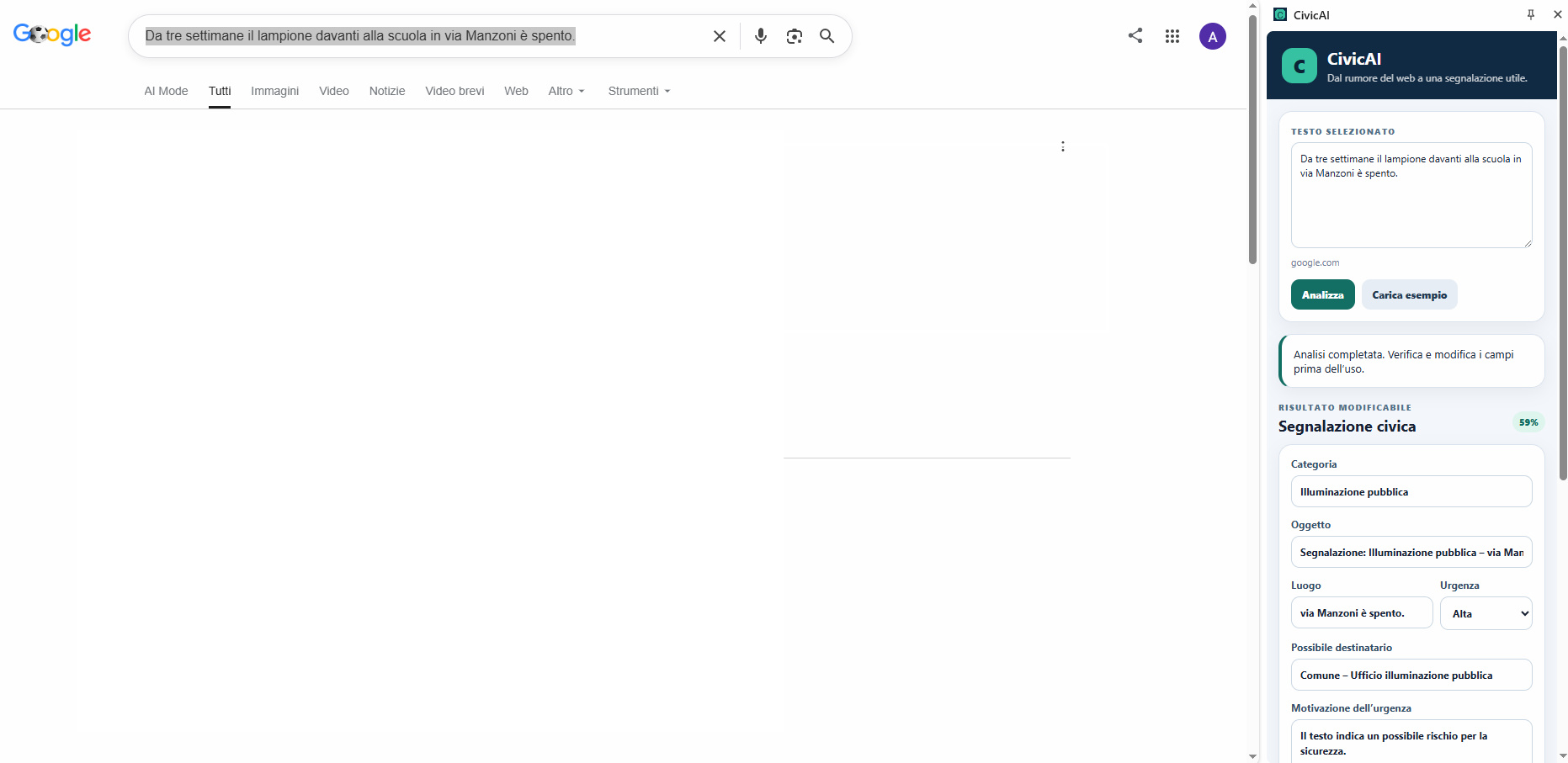
CivicAI classifies the issue, estimates urgency, and suggests the appropriate public recipient.
-

Review missing details, edit the generated report, and copy it without sending any data to a server.

Inspiration
Civic problems are often first described informally: in a social media post, a local news article, a neighborhood forum, or a message shared between residents.
A broken streetlight, an overflowing waste container, a dangerous pothole, or a blocked drain may be clearly described, but turning that description into a useful and structured report still requires time, context, and knowledge of the appropriate public authority.
CivicAI was created to reduce that friction.
The idea is simple: select a piece of text on any webpage, right-click, and transform it into a structured civic report without sending the text to a server.
What it does
CivicAI is an open-source browser extension for Google Chrome and Microsoft Edge.
The user can:
- Select text on a webpage.
- Choose “Analyze with CivicAI” from the context menu.
- Open the CivicAI side panel.
- Run a completely local analysis.
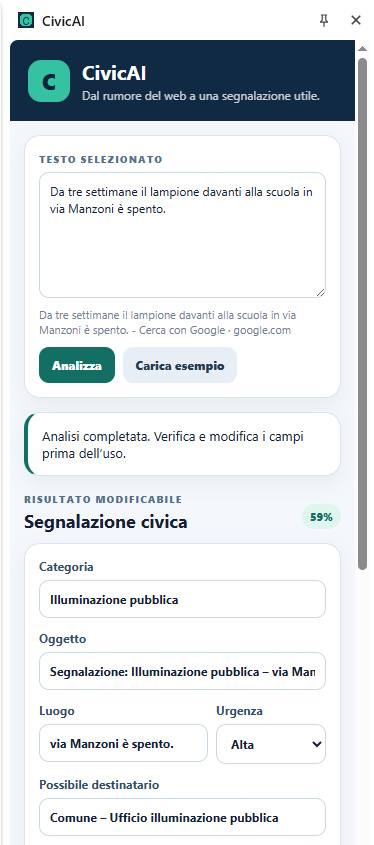
- Receive an editable civic report containing:
- issue category;
- confidence score;
- suggested subject;
- location information when available;
- urgency level and explanation;
- suggested recipient;
- missing information;
- a ready-to-edit report draft.
CivicAI currently recognizes categories such as:
- public lighting;
- roads and potholes;
- waste and urban hygiene;
- drains and flooding;
- public green spaces;
- non-civic content.
The interface automatically supports English, Italian, Spanish, French, and German.
Privacy-first local AI
CivicAI was designed around a strict privacy principle:
Text selected by the user should not need to leave the device in order to be understood.
The extension does not use:
- API keys;
- cloud inference;
- a remote backend;
- user accounts;
- analytics;
- telemetry;
- external data collection.
The selected text is processed directly inside the browser using a quantized multilingual ONNX model.
Remote model loading is explicitly disabled at runtime.
This makes CivicAI suitable for civic reports that may contain sensitive details, addresses, personal observations, or information about vulnerable locations.
How I built it
CivicAI is built as a Manifest V3 browser extension using:
- JavaScript;
- HTML and CSS;
- Chrome and Microsoft Edge extension APIs;
- the browser side panel API;
- Transformers.js;
- ONNX Runtime Web;
- a quantized multilingual MiniLM sentence-transformer model;
- WebAssembly.
The local model is:
Xenova/paraphrase-multilingual-MiniLM-L12-v2
To keep the GitHub repository lightweight and auditable, large runtime and model files are not committed directly.
Instead, CivicAI includes a pinned PowerShell setup script that downloads:
- the browser-compatible Transformers.js runtime;
- the required ONNX Runtime WebAssembly file;
- the quantized ONNX model.
No npm install command is required.
The script also generates local SHA-256 hashes for the downloaded assets.
Technical approach
The selected text is stored locally by the extension and passed to the side panel.
When the user starts the analysis, CivicAI:
- Loads the local multilingual embedding model.
- Converts the selected text into a semantic vector.
- Compares it with multilingual civic category examples.
- Chooses the most relevant civic category.
- Estimates a confidence score.
- Extracts useful contextual information.
- Produces a structured, editable report draft.
The model is loaded lazily, so the side panel remains usable even before the AI runtime has initialized.
After the first initialization, subsequent analyses are faster.
Challenges
Running AI entirely inside a browser extension
The main technical challenge was running a multilingual model locally while respecting Manifest V3 security restrictions.
Modern browser extensions do not allow arbitrary remote scripts, and browser modules cannot resolve Node-style package imports automatically.
An initial browser runtime attempted to import a bare module called onnxruntime-common, which the extension could not resolve.
The solution was to use a browser-compatible, version-pinned Transformers.js standalone bundle and configure its local model and WebAssembly paths explicitly.
Model filename compatibility
The selected runtime expected the quantized model to use a specific filename:
model_quantized.onnx
The original model asset had to be aligned with that runtime convention before inference could work reliably.
Reproducible installation without publishing large binaries
The model is too large to include comfortably in the normal GitHub repository.
I therefore created a setup script that reconstructs the complete local runtime after the repository is downloaded.
This keeps the source repository readable while preserving a reproducible installation process.
Keeping the interface synchronized
During cross-browser testing, the selected text updated correctly but the source metadata could continue displaying the previous page title.
The analysis itself used the new text, but the interface was confusing.
I fixed this by separating the selected text from the source indicator and displaying only the current website domain.
What I learned
Building CivicAI demonstrated that useful multilingual AI functionality can run directly inside a browser without depending on a cloud API.
I also learned how important the following are for local-first AI products:
- choosing a model appropriate for browser inference;
- controlling every runtime dependency;
- testing lazy model initialization;
- respecting extension Content Security Policy restrictions;
- separating application source code from generated binary assets;
- documenting third-party licenses clearly;
- testing identical workflows across Chrome and Edge;
- designing interfaces that remain understandable even when model loading takes time.
Accomplishments
CivicAI currently provides:
- fully local multilingual civic-text analysis;
- no backend and no API key;
- no telemetry or account registration;
- support for Chrome and Microsoft Edge;
- automatic interface localization;
- semantic civic-category classification;
- structured and editable report generation;
- a reproducible setup script;
- an open-source repository;
- privacy, security, dependency, model, and third-party license documentation.
The working prototype was tested successfully on both Chrome and Microsoft Edge.
What is next
Future versions could include:
- additional civic categories;
- country-specific public authority suggestions;
- optional local maps and location confirmation;
- report export to PDF or structured JSON;
- accessibility improvements;
- Firefox support;
- local OCR for civic issues found in images;
- user-defined civic categories;
- better confidence calibration;
- additional languages;
- optional integration with official municipal reporting portals.
The long-term goal is to make civic participation easier while ensuring that residents remain in control of their own data.
Built With
- chrome
- css3
- edge
- extensions
- github
- html5
- javascript
- local
- machine
- manifest
- microsoft
- multilingual
- privacy
- processing
- runtime
- sentence
- transformers
- transformers.js
- v3
- web
- webassembly

Log in or sign up for Devpost to join the conversation.