-
-
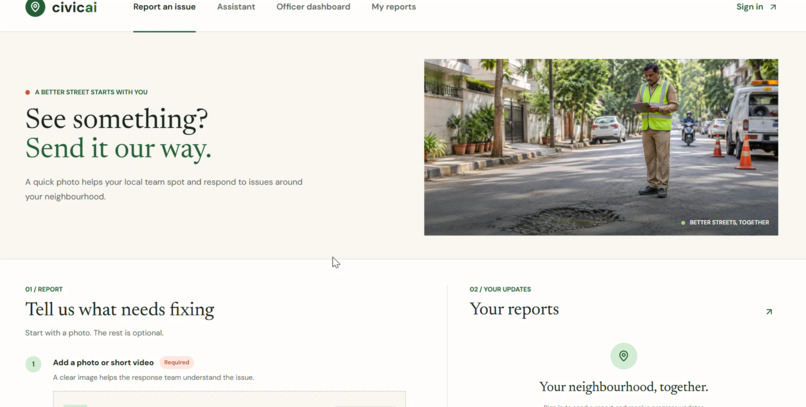
Front page
-
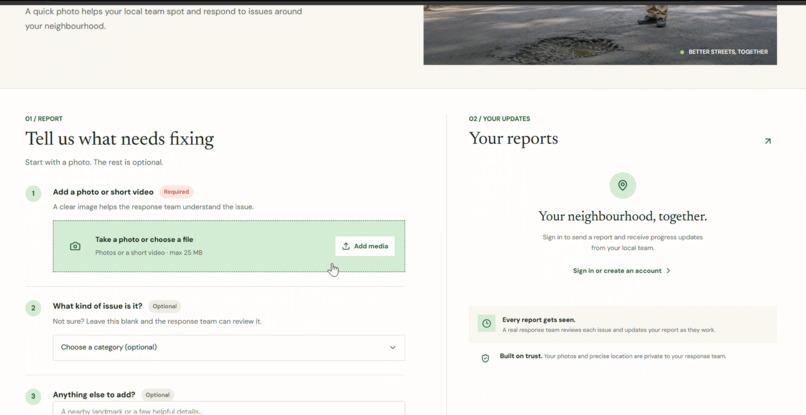
Login page
-
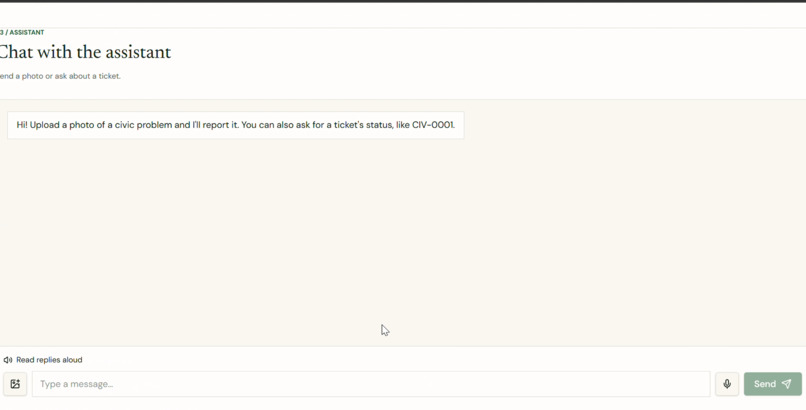
AI Assistant
-
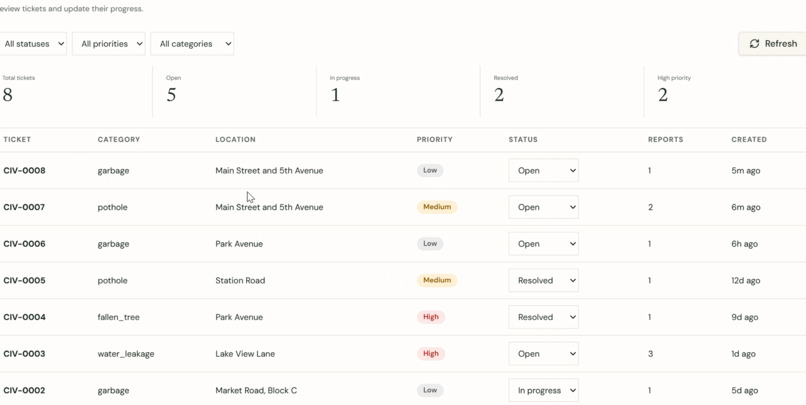
Dashboard
-
AI Assistant
Inspiration
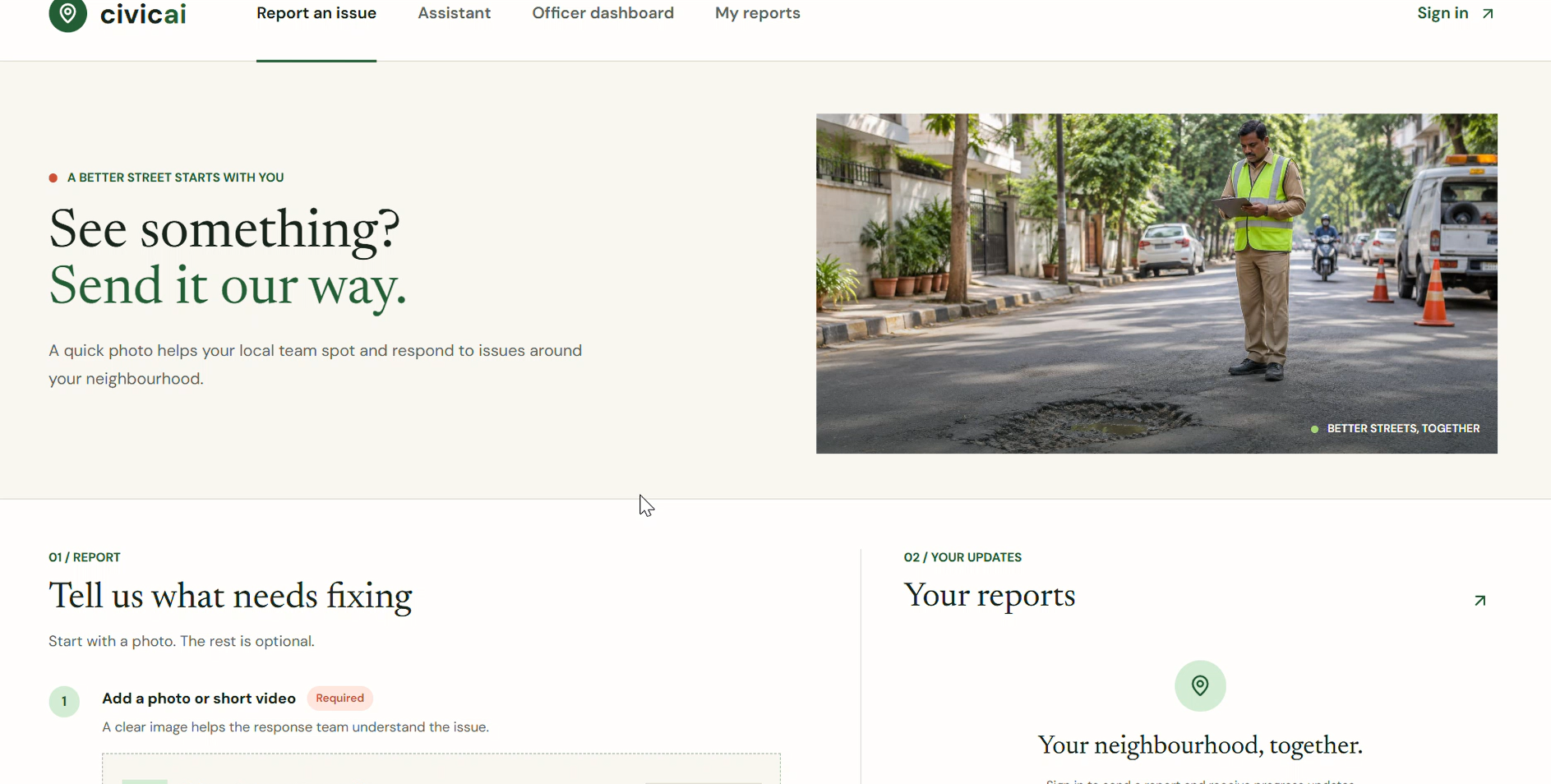
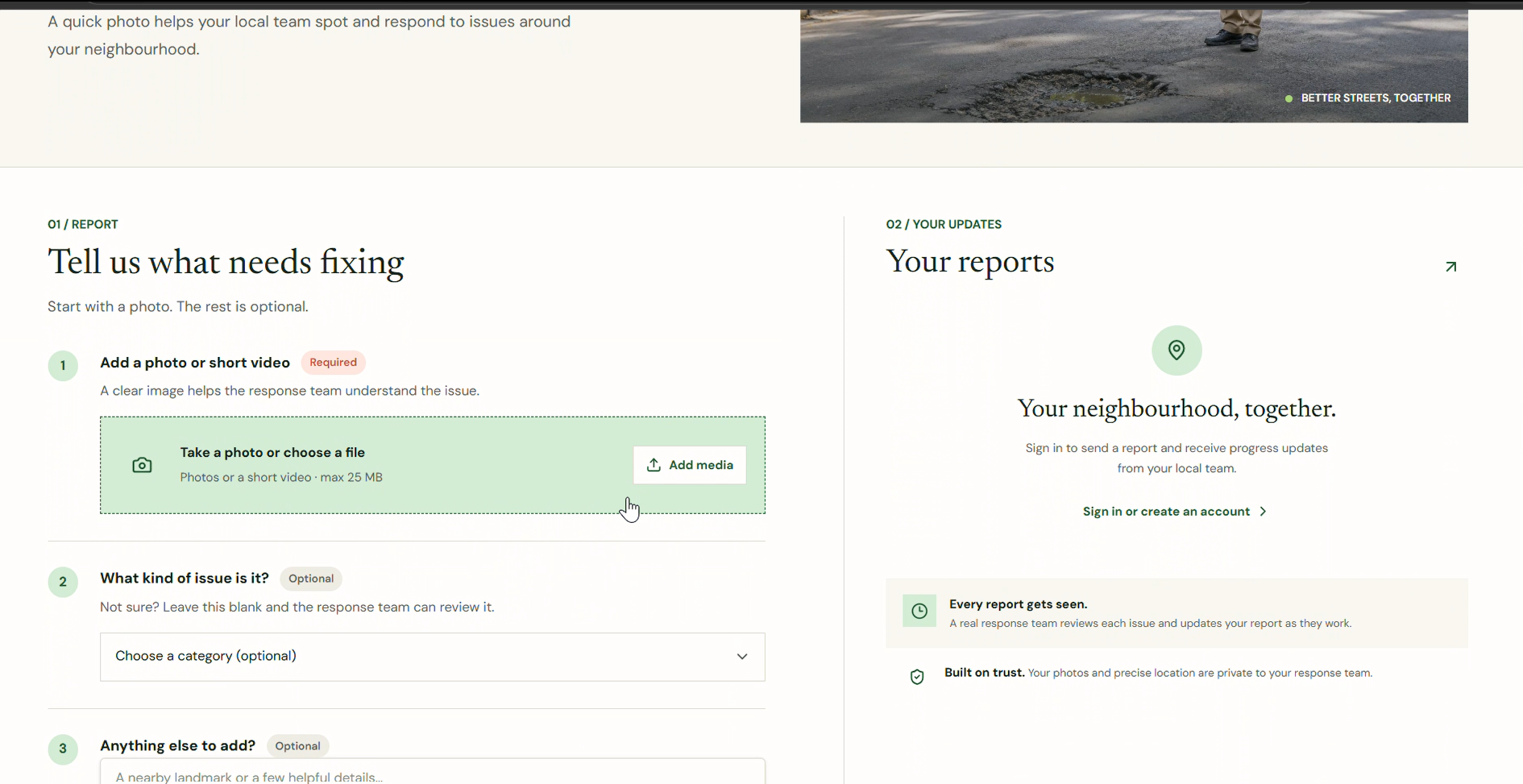
Reporting a civic problem like a pothole, a pile of garbage or a leaking pipe usually means finding the right office, filling in a form and never hearing back. I wanted to see whether a voice assistant, the kind people already talk to at home, could make that as easy as sending a photo and saying where it is. The Alexa+ track was a good fit for testing that idea.
What it does
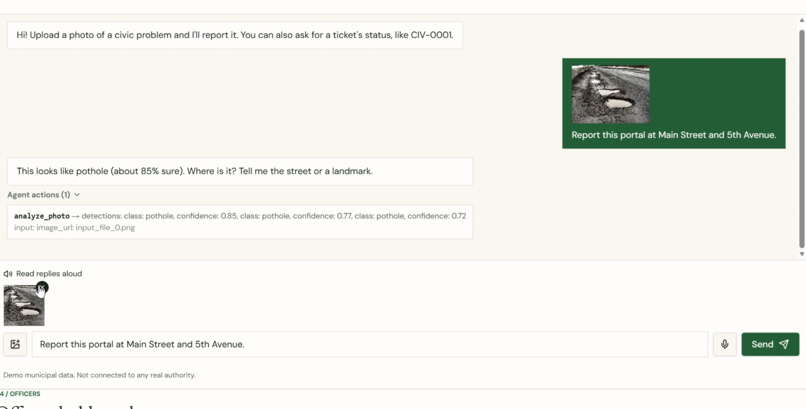
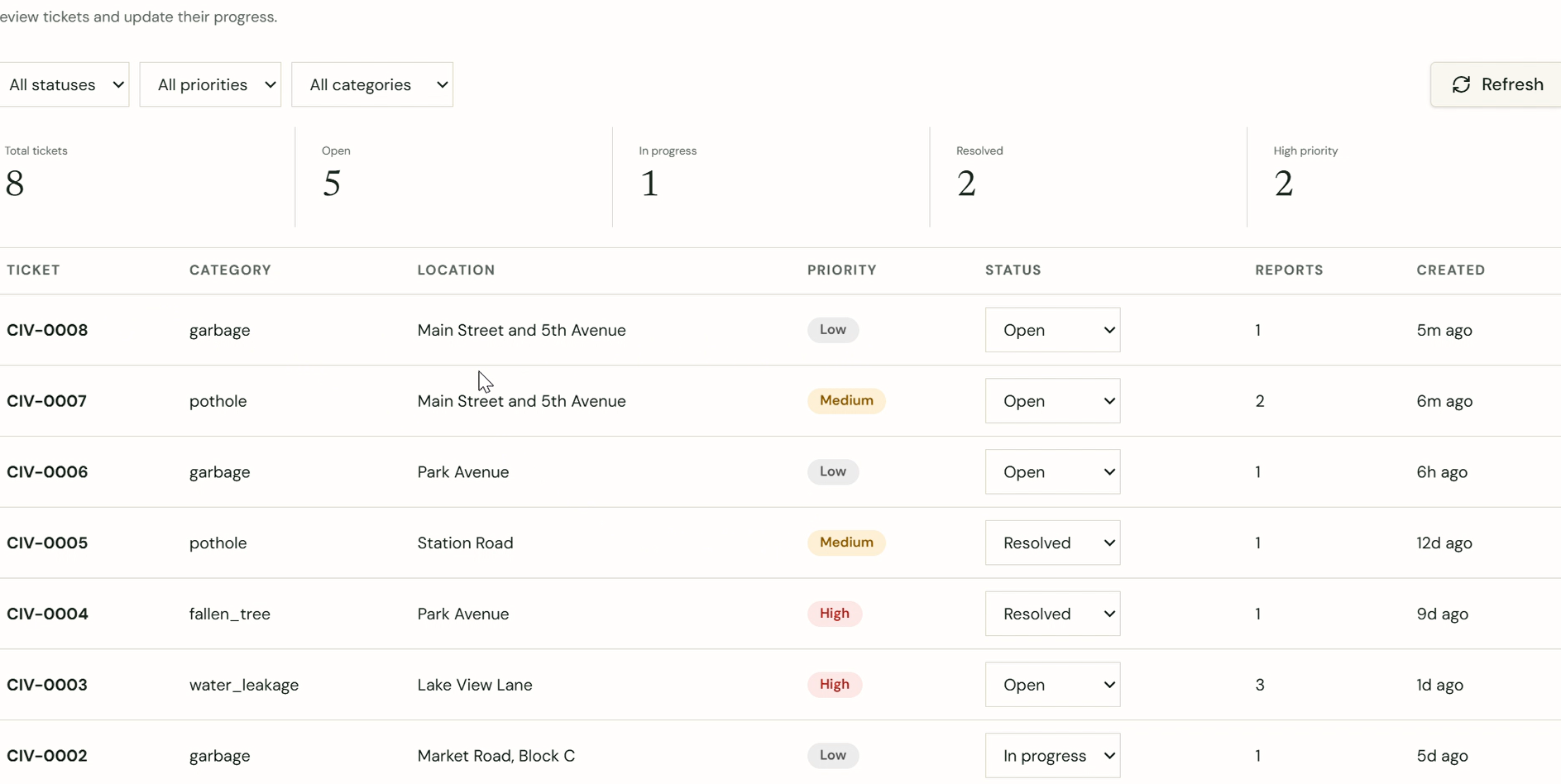
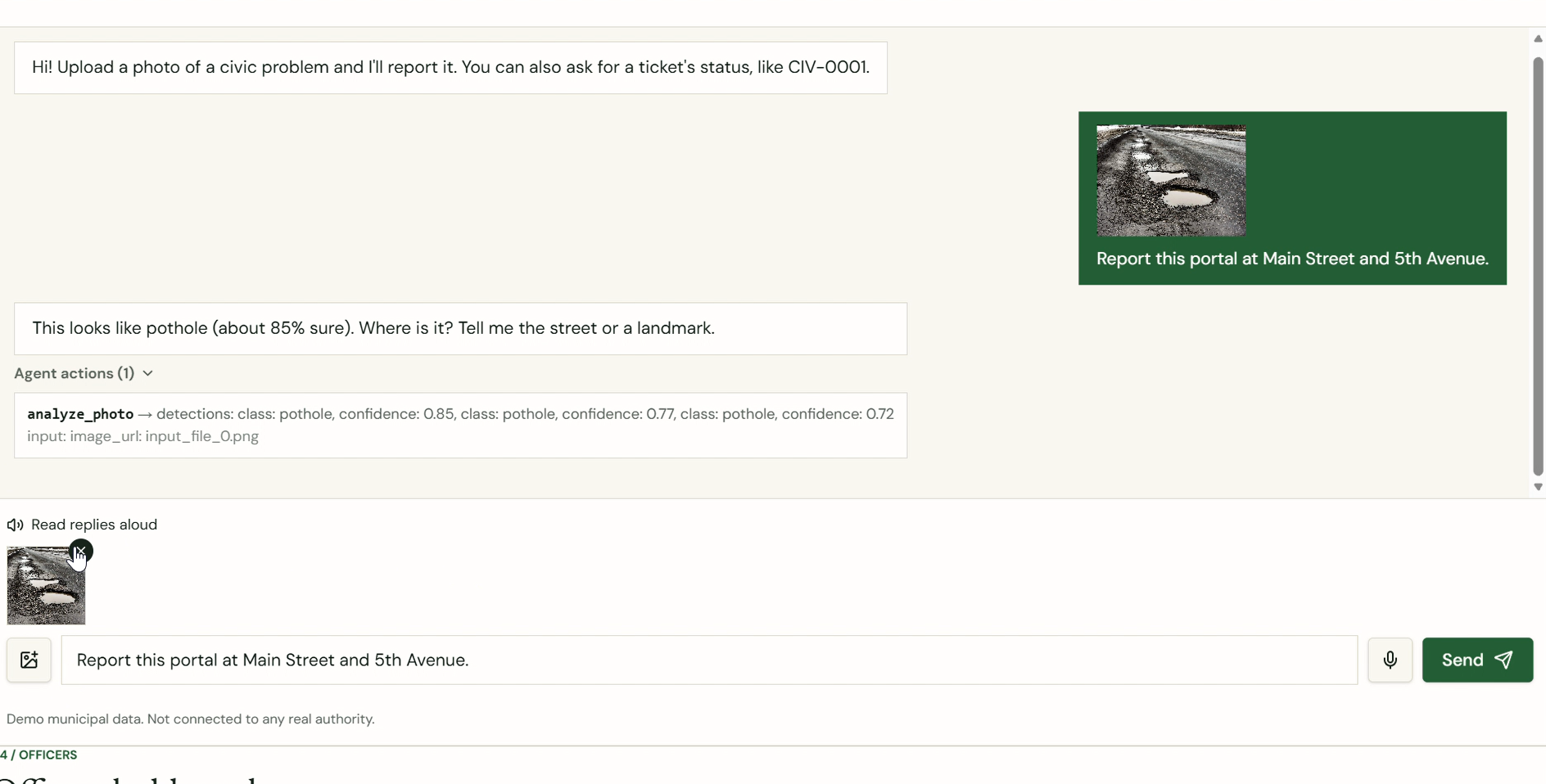
CivicAI is a simulated Alexa+ experience for reporting civic problems. A citizen sends a photo or speaks to the assistant. A computer vision model analyses the photo, and an AI agent decides what to do next: it asks for the location if it's missing, checks whether the problem was already reported, creates a ticket, and answers status questions. Repeat reports of the same problem at the same place are merged into one ticket, and its priority rises as reports accumulate. Officers use a dashboard to review tickets and update their status, and the citizen can ask the assistant for the status by voice. Every tool call the agent makes is shown in the chat under "Agent actions". All municipal data is demo data, and nothing is sent to a real authority.
How I built it
- Vision: I trained a YOLO11 model in Google Colab on datasets from Roboflow Universe, which I merged into four classes: pothole, garbage, fallen tree and water leakage.
- Backend: FastAPI with a SQLite ticket database, duplicate detection and priority escalation.
- Agent: A Gemini model chooses between four tools (analyze_photo, check_duplicate, create_ticket, get_ticket_status). A scripted planner takes over if the Gemini API is unavailable or rate-limited, and each response says which one answered.
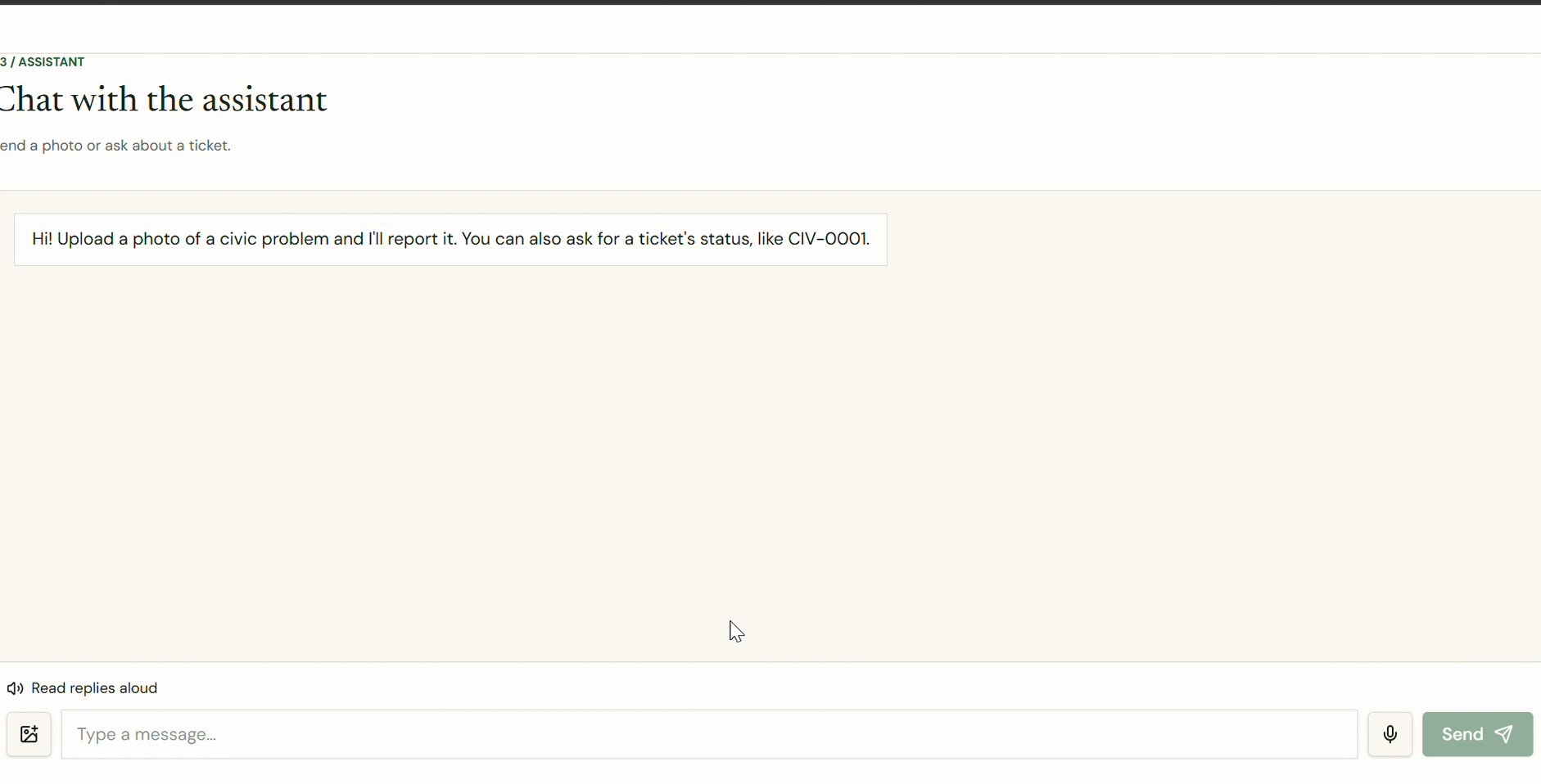
- Frontend: A Lovable-generated React app, extended with the Assistant chat page, an Agent actions trace and an Officer Dashboard. Voice input and spoken replies use the browser's Web Speech API.
- AI tools used: Lovable for the web app, Claude for coding help and debugging, and Gemini as the agent's model. Narration in the demo video is AI-generated. Dataset selection, model training, testing and design decisions were done by me.
Challenges I ran into
- The agent claimed things it hadn't done. In one test, the model said a report had been added to an existing ticket, but it had only checked for duplicates and never saved anything. I fixed it by tightening the instructions and adding a guard in code that makes the agent finish the save before it replies.
- A weak class. Garbage detection started with only 36 training images and missed too often. I found a larger dataset, retrained, and the class improved.
- Model names changed. My first Gemini model name stopped working, so I listed the models my key could use and switched to a current one.
- Windows blocked tools. Application Control blocked pip.exe and the frontend dev tools on my laptop, so I ran packages through Python directly and used Lovable's hosted preview instead.
- Hosting and accounts. A free Docker host turned out to need a paid plan, and my AWS sign-up needed an identity check I chose not to complete, so I kept everything running locally and used Gemini instead of Bedrock.
Accomplishments that I'm proud of
- The full loop works end to end: photo or voice, vision model, agent decisions, ticket, officer update, and the citizen hearing the new status.
- The agent asks for a missing location instead of guessing, and merges duplicates instead of creating noise.
- The scripted fallback means the demo keeps working even when the AI service doesn't.
- The Agent actions panel makes the agent's decisions visible and checkable.
What I learned
- An agent has to be tested for what it says as well as what it does. A model can sound confident about an action it never performed.
- Small datasets limit a vision model more than any setting does, and improving one weak class is mostly a data problem.
- Keeping API keys in environment variables, and rotating any that leak, matters from the first day.
- Free-tier services change quickly, so building a fallback is cheaper than hoping.
What's next for CivicAI
- More issue types, such as drainage, streetlights and electrical hazards, which need more training images.
- Location handling that understands GPS and fuzzy text, so "Main St" and "Main Street" count as the same place.
- Deploying the backend so people can try it without my laptop, and adding sign-in for officers.
- Wrapping the four tools as an MCP server, so a real Alexa+ integration could call them.
- Photos taken by real users to measure accuracy, and a way for officers to correct the model's labels so it improves.

Log in or sign up for Devpost to join the conversation.