-
-
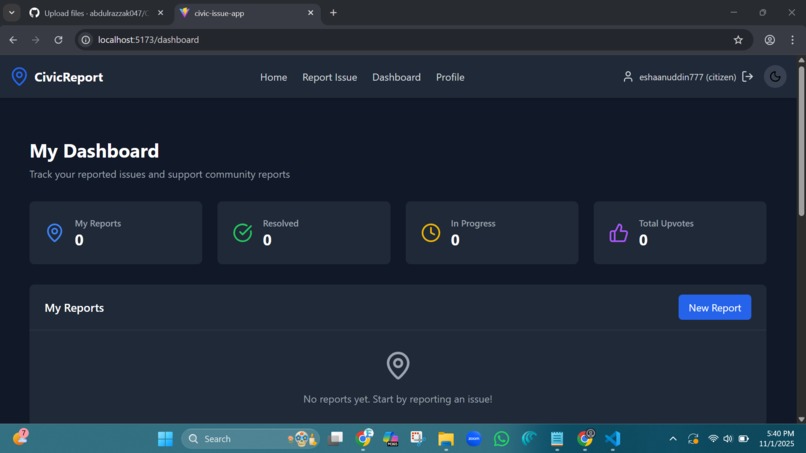
Dashboard
-
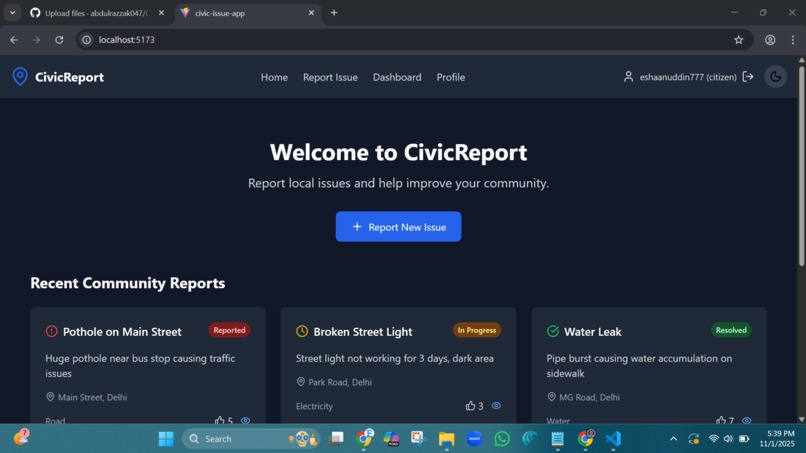
Reporting
CivicReport
A comprehensive web application for citizens to report and track civic issues in their community, with administrative tools for managing reports and improving local infrastructure.
Features
For Citizens
- Issue Reporting: Submit detailed reports with photos, location, and categorization
- AI-Powered Suggestions: Get automatic category and priority suggestions based on report description
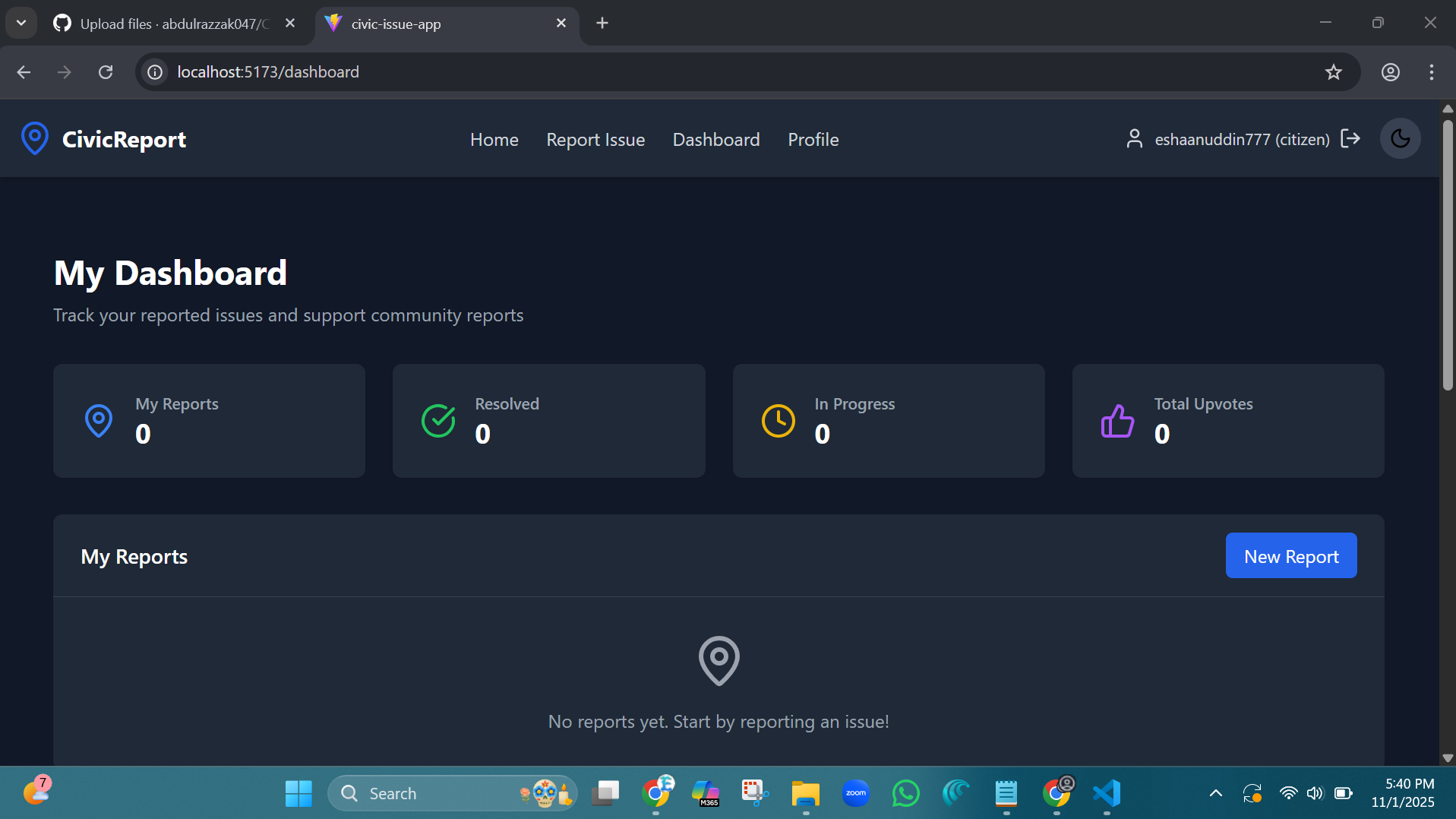
- Personal Dashboard: Track your submitted reports and their progress
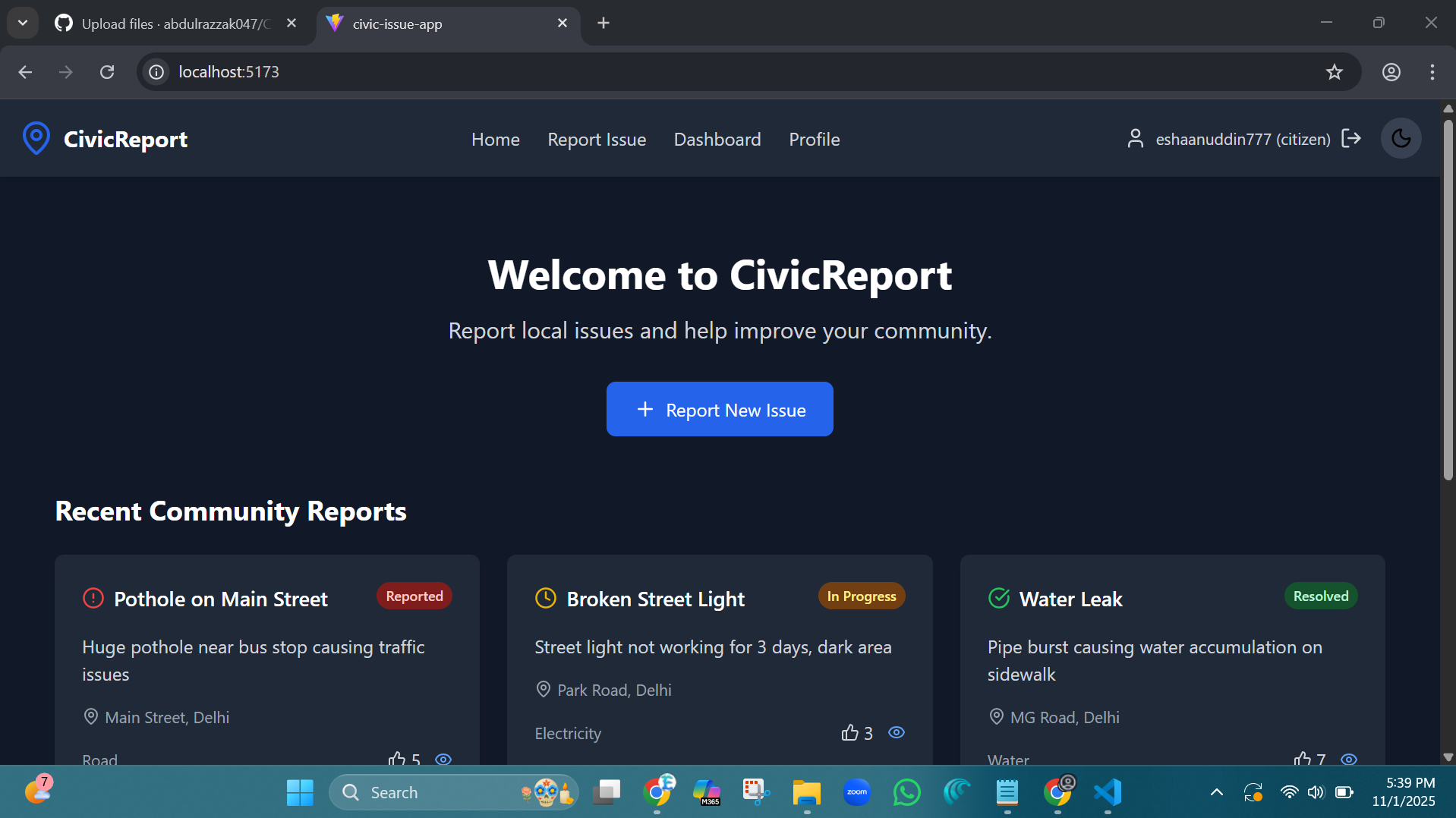
- Community Support: Upvote and support other community reports
- Real-time Updates: Monitor report status changes (Reported → Verified → In Progress → Resolved)
- Map Integration: Visualize report locations on an interactive map
For Administrators
- Admin Dashboard: Comprehensive overview of all civic reports
- Status Management: Update report statuses and track resolution progress
- Analytics: View statistics on total reports, active issues, and resolution times
- Filtering & Search: Filter reports by status and type for efficient management
- Bulk Operations: Manage multiple reports simultaneously
General Features
- User Authentication: Secure login/registration system with role-based access
- Responsive Design: Mobile-friendly interface with dark mode support
- Real-time Notifications: Toast notifications for user actions
- Data Persistence: Local storage for user sessions and report data
- File Uploads: Support for image and video attachments to reports
Technology Stack
Frontend
- React 19 - Modern React with latest features
- TypeScript - Type-safe development
- Vite - Fast build tool and development server
- Tailwind CSS - Utility-first CSS framework
- React Router - Client-side routing
- Zustand - Lightweight state management
- React Query - Data fetching and caching
- React Hook Form - Form handling with validation
- Leaflet - Interactive maps
- Chart.js - Data visualization
- Lucide React - Modern icon library
- React Hot Toast - Notification system
Authentication
- Firebase Auth - For Authentication
Development Tools
- ESLint - Code linting
- PostCSS - CSS processing
- Autoprefixer - CSS vendor prefixing
- TypeScript ESLint - TypeScript linting
Project Structure
civic-issue-app/
├── public/
│   └── vite.svg
├── src/
│   ├── assets/
│   │   └── react.svg
│   ├── components/
│   │   ├── Footer.tsx
│   │   ├── Header.tsx
│   │   └── Layout.tsx
│   ├── contexts/
│   │   └── AuthContext.tsx
│   ├── data/
│   │   └── mockData.ts
│   ├── pages/
│   │   ├── AdminDashboard.tsx
│   │   ├── Dashboard.tsx
│   │   ├── Home.tsx
│   │   ├── Login.tsx
│   │   ├── Profile.tsx
│   │   ├── Register.tsx
│   │   ├── Report.tsx
│   │   └── ReportDetails.tsx
│   ├── stores/
│   │   └── reportStore.ts
│   ├── App.tsx
│   ├── index.css
│   └── main.tsx
├── index.html
├── package.json
├── tsconfig.json
├── vite.config.ts
├── tailwind.config.js
├── postcss.config.js
└── eslint.config.js
Installation
Clone the repository
git clone <repository-url>
cd civic-issue-app
Install dependencies
npm installStart the development server
npm run devOpen your browser Navigate to
http://localhost:5173(or the port shown in your terminal)
Usage
Getting Started
- Register an account or login with existing credentials
- Browse community reports on the home page
- Submit a new report using the "Report New Issue" button
- Track your reports in the personal dashboard
Demo Accounts
- Citizen Account: [email protected] / password
- Admin Account: [email protected] / admin
Key Workflows
Reporting an Issue
- Navigate to the Report page
- Fill in the issue details (title, description, category, location)
- Upload photos/videos if available
- Use AI suggestions for better categorization
- Submit the report
Managing Reports (Admin)
- Access the Admin Dashboard
- View analytics and report statistics
- Filter reports by status and type
- Update report statuses as they progress
- Monitor resolution times and community engagement
Available Scripts
npm run dev- Start development servernpm run build- Build for productionnpm run preview- Preview production buildnpm run lint- Run ESLint
Report Categories
- Road (potholes, traffic signals, etc.)
- Electricity (street lights, power outages, etc.)
- Water (leaks, quality issues, etc.)
- Waste (illegal dumping, collection problems, etc.)
- Sanitation (public facilities, cleanliness, etc.)
- Traffic (congestion, parking, etc.)
- Other (miscellaneous issues)
Report Status Flow
- Reported - Initial submission by citizen
- Verified - Confirmed by administrators
- In Progress - Work has begun on the issue
- Resolved - Issue has been fixed
Contributing
- Fork the repository
- Create a feature branch (
git checkout -b feature/amazing-feature) - Commit your changes (
git commit -m 'Add some amazing feature') - Push to the branch (
git push origin feature/amazing-feature) - Open a Pull Request
License
This project is licensed under the MIT License - see the LICENSE file for details.
Future Enhancements
- Real API integration (currently uses mock data)
- Push notifications for report updates
- Advanced analytics and reporting
- Mobile app companion
- Integration with government systems
- Multi-language support
- Offline functionality
Built With
- api
- firebase
- firebaseauth
- javascript
- react
- tailwind
- typescript

Log in or sign up for Devpost to join the conversation.