Inspiration
Research tools often stop at search or chat. I wanted something that could stay with me while I read: explain a difficult page, show where an answer came from, remember the useful parts, and connect ideas across an entire library.
CiteMind is my attempt to make research feel like working beside a patient research partner instead of querying a document box.
Open-source inspiration
I was also inspired by OpenClaw and the broader open-source movement around assistants that feel persistent, capable, and present inside a real desktop workflow.
CiteMind applies that inspiration to a different problem: evidence-grounded research across personal books and PDFs, with page-aware retrieval, inspectable citations, structured memory, knowledge graphs, study tools, and local-first control.
What it does
CiteMind is a local-first Windows research workspace for books and PDFs.
Read and investigate
- Layered PDF extraction: Imports normal, scanned, and complex PDFs using embedded-text extraction, PDF.js fallback, and optional OCR.
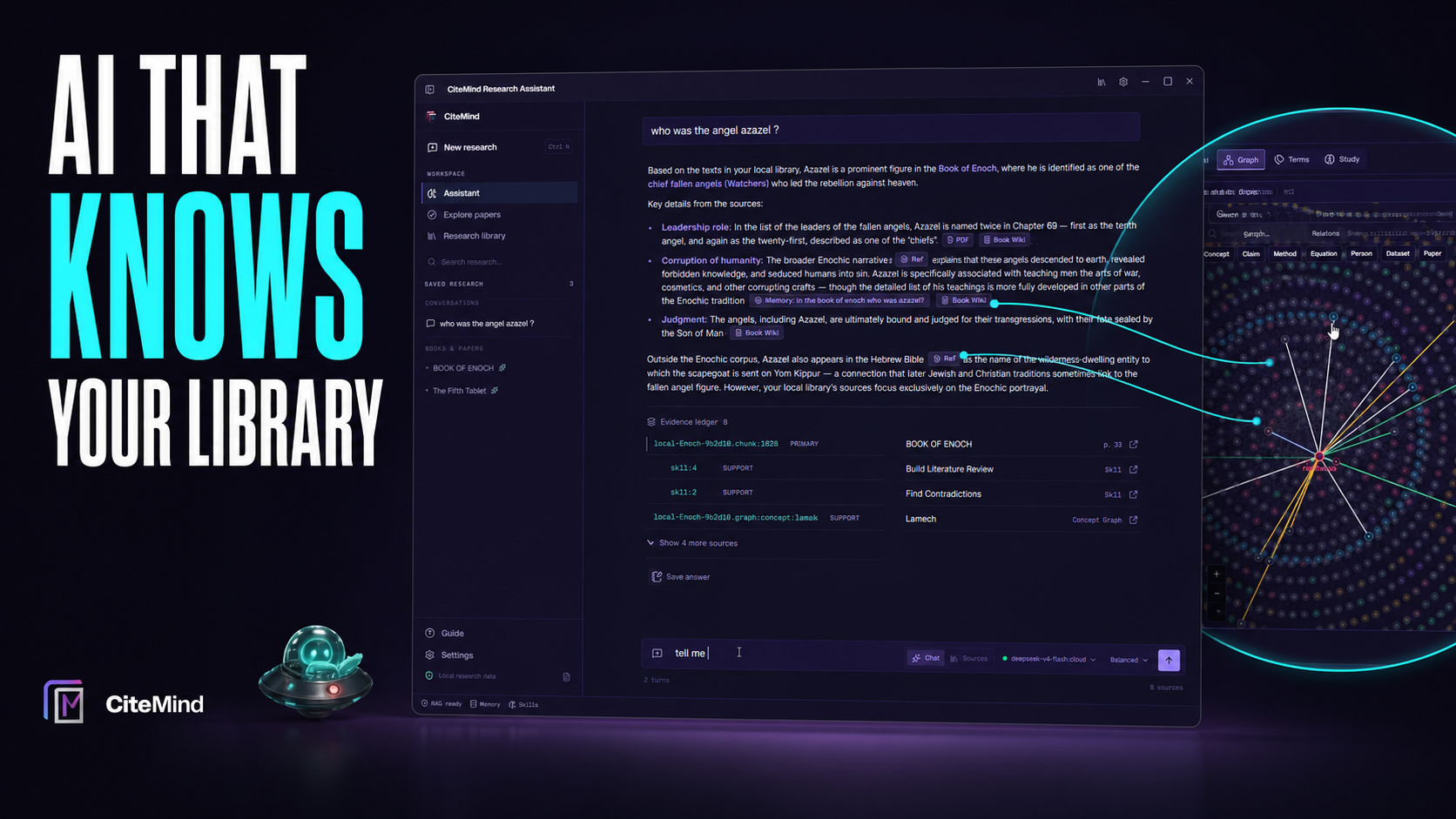
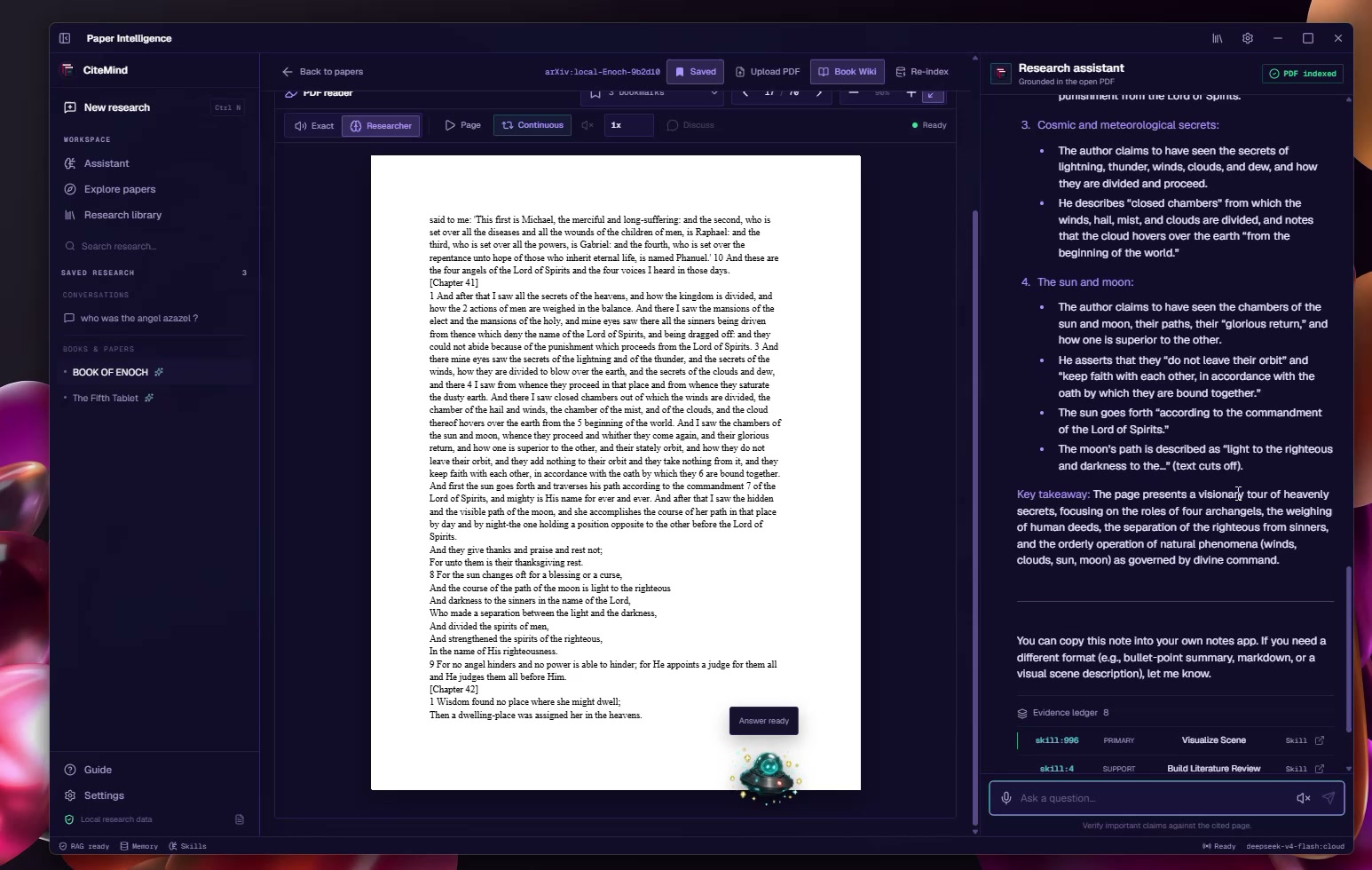
- Page-aware RAG: Builds a searchable index with page-preserving chunks, citations, and an inspectable evidence ledger.
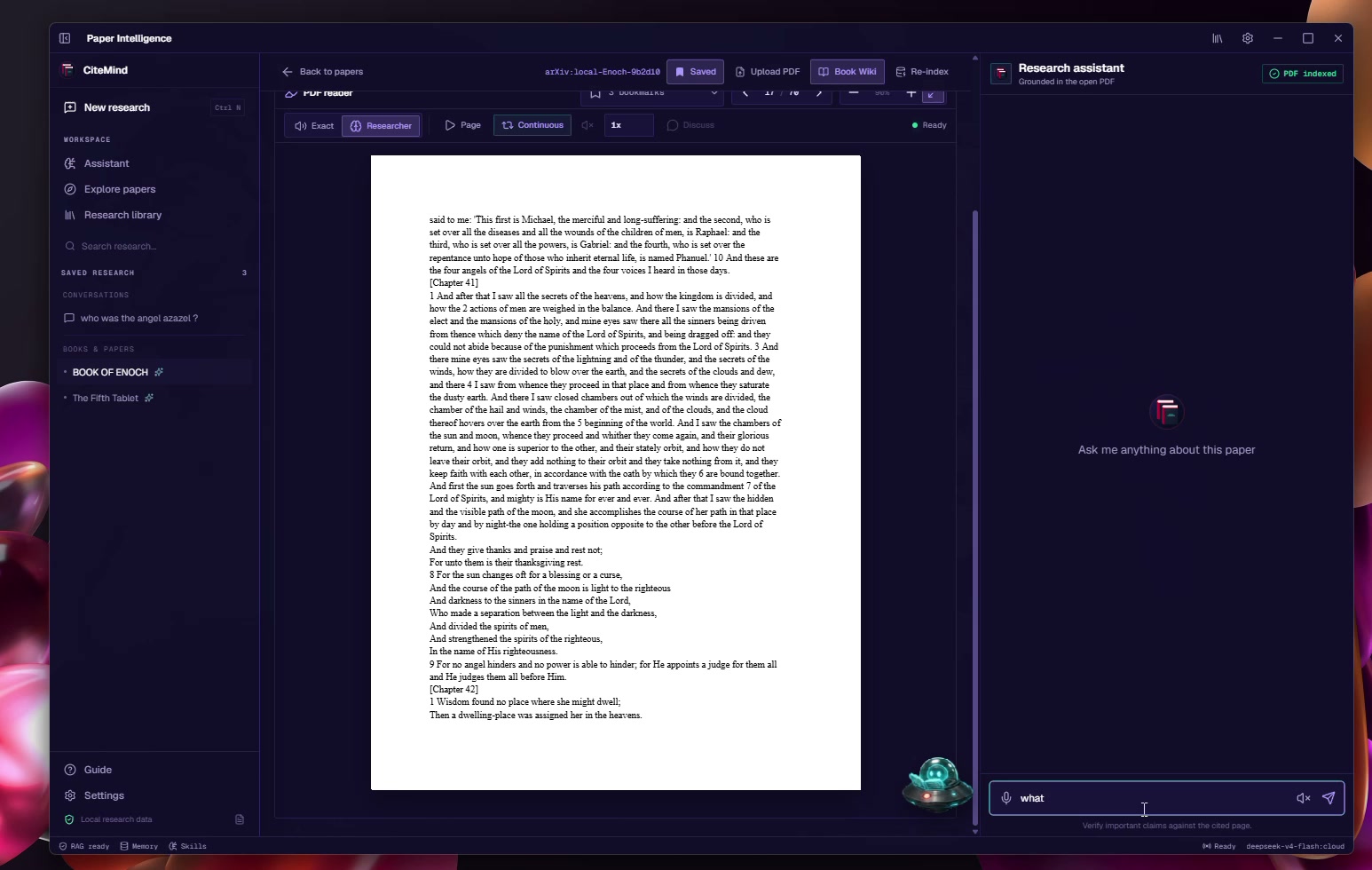
- Page-aware assistant: Tracks the exact PDF page being viewed, so questions such as "explain this page" remain grounded.
- Continuous voice reading: Reads books aloud, highlights the active passage, advances pages automatically, and supports researcher-style narration.
- Cross-library answers: Searches PDF passages, Book Wiki entries, graph relationships, and saved research memories across multiple books.
Learn and create
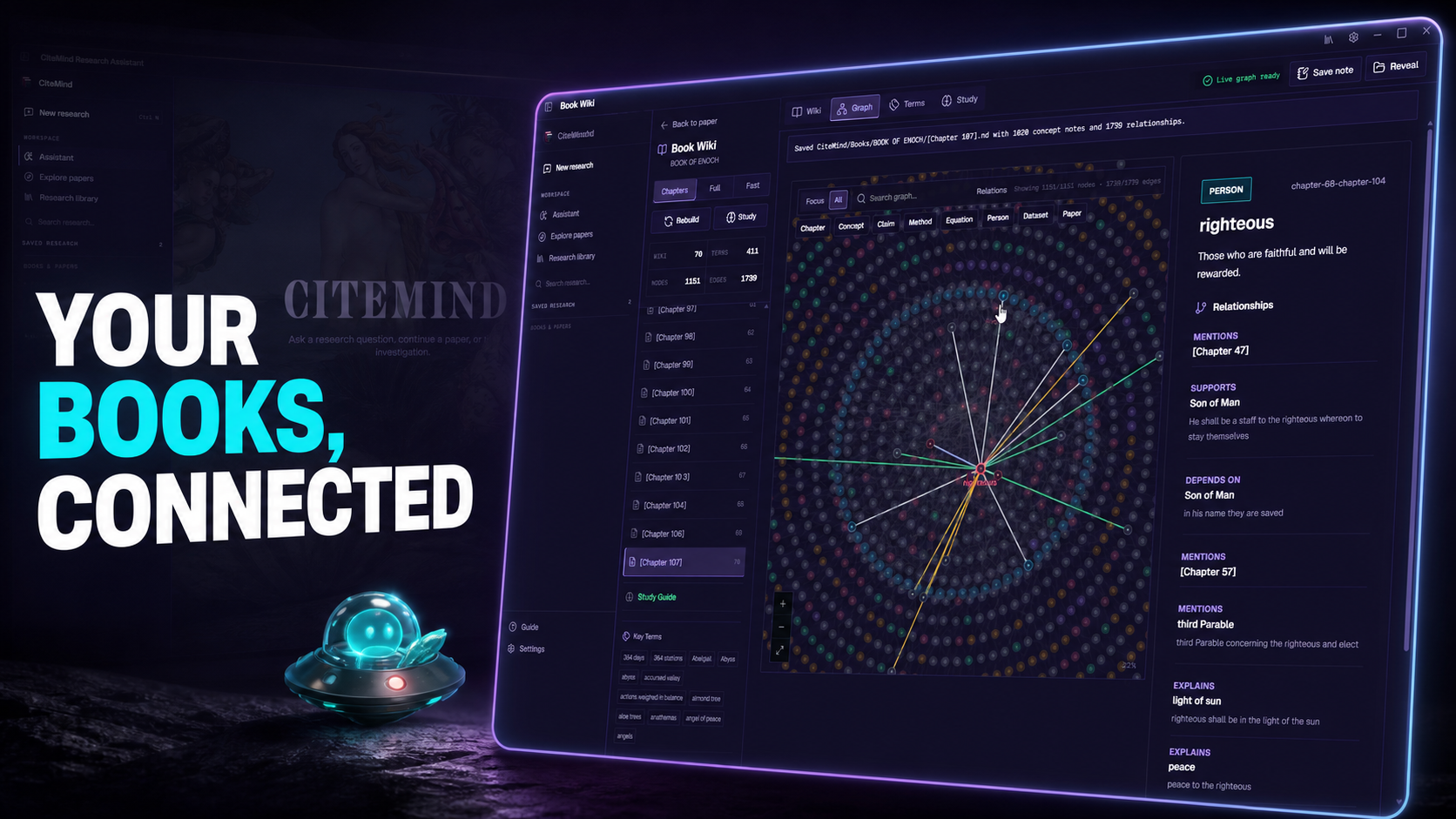
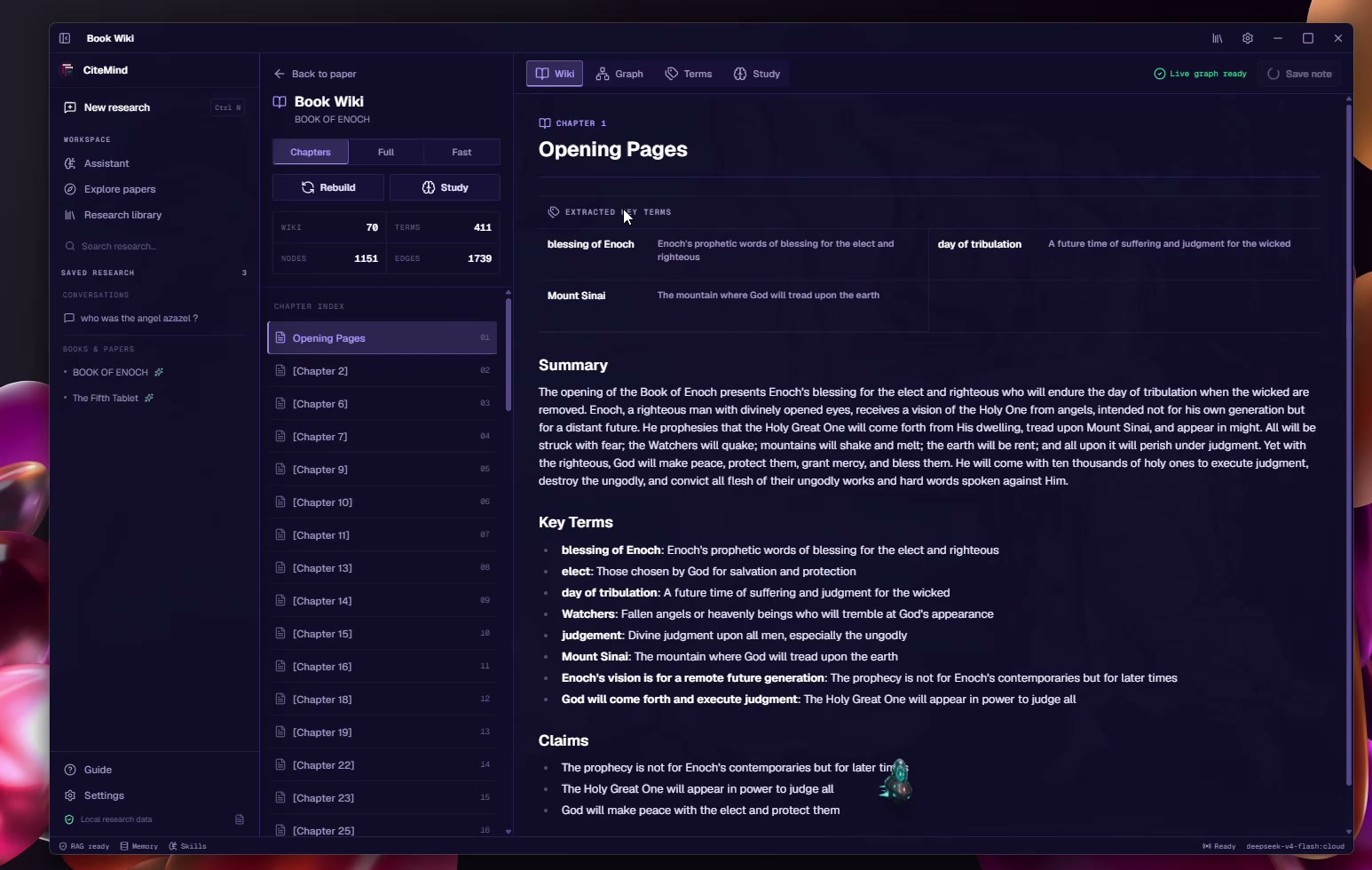
- Book Wiki: Converts a book into chapters, summaries, concepts, claims, evidence, key terms, and study material.
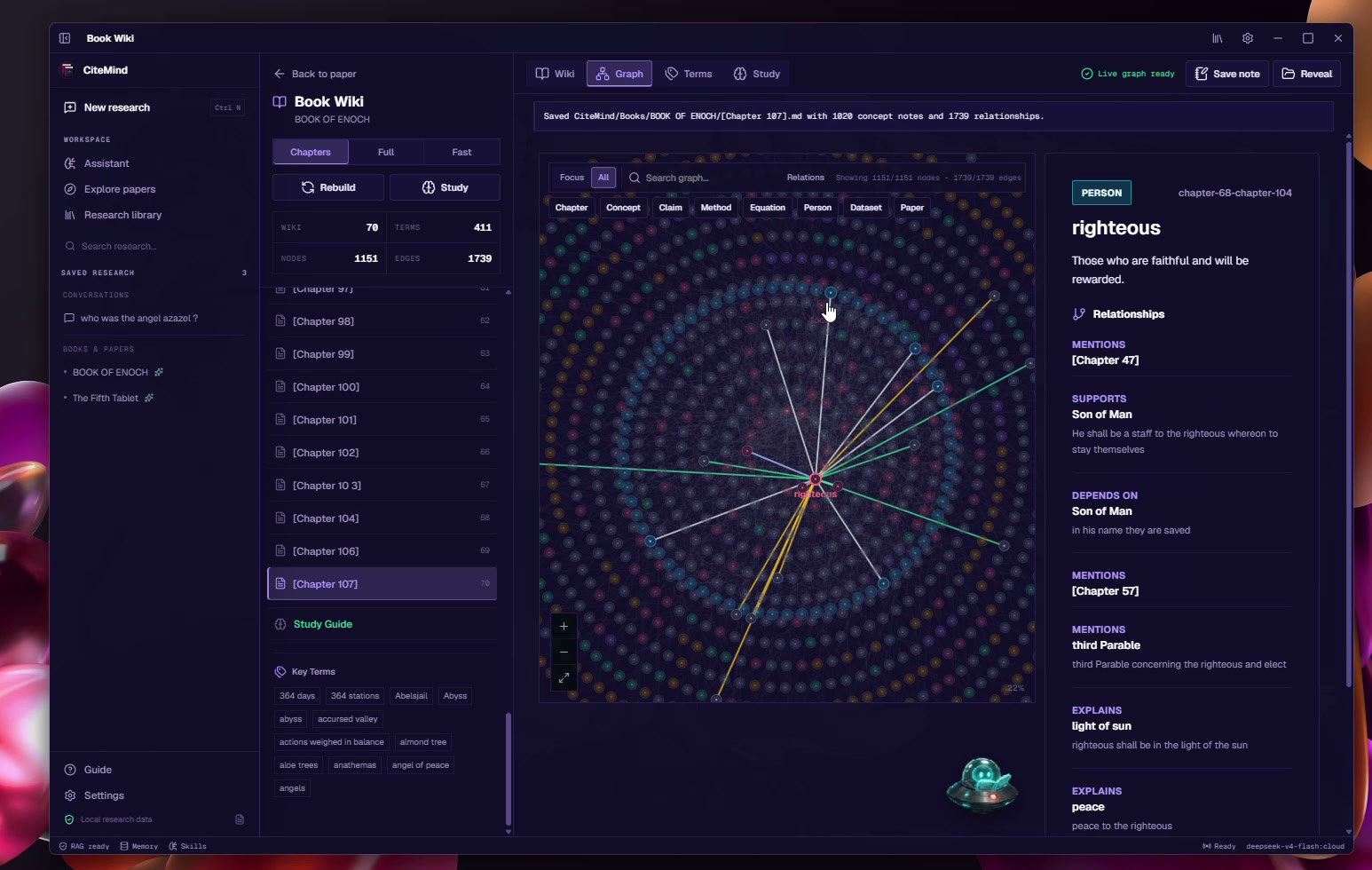
- Knowledge graph: Connects chapters, concepts, people, claims, and recurring ideas in an interactive visual network.
- Study Essay Builder: Lets a student select an exact PDF page range, reading level, and teaching focus.
- Grounded essay generation: Produces a coherent explanatory essay using evidence only from the selected pages.
- Native PDF export: Turns the finished essay into a polished PDF containing the source title, selected page range, and cited resources.
- Image generation skill: The
/imagecommand turns the current PDF page or research context into a detailed visual reconstruction and saves both the image and scene prompt inside the conversation.
Remember and extend
- Research memory: Saves conversations, notes, bookmarks, compressed memories, and reusable research skills without allowing chat context to grow forever.
- Obsidian export: Exports structured notes, backlinks, page citations, tags, and graph connections.
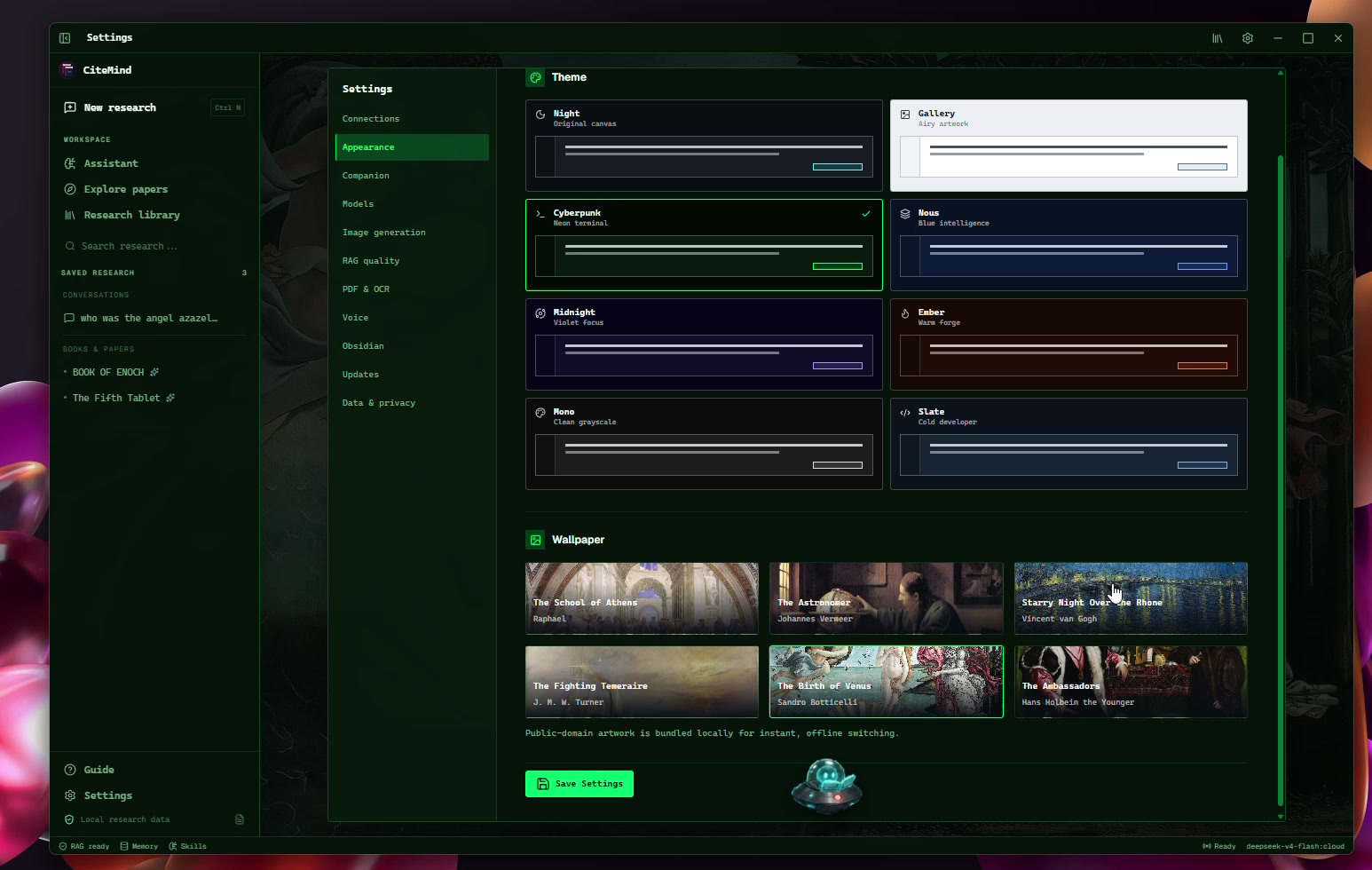
- Desktop companions: Adds animated research companions that react while the user reads, investigates, and creates.
- Real Windows distribution: Runs as an installable Tauri desktop application with signed updates delivered through GitHub.
The goal is not simply to summarize a PDF. CiteMind helps a person build understanding that survives across pages, books, and research sessions.
How I built it
CiteMind combines a native desktop layer with a dense research interface:
- Desktop runtime: Tauri 2 and Rust for Windows integration, file handling, PDF processing, local storage, background work, and updates.
- Frontend: React 19 and TypeScript.
- Research database: SQLite stores papers, chunks, embeddings, conversations, memories, skills, bookmarks, wiki content, and graph relationships.
- Model support: Local models through Ollama and optional cloud models through OpenRouter.
- Retrieval: Semantic PDF chunks are combined with Book Wiki content, graph evidence, saved memories, and exact page context.
- Image generation: OpenRouter and xAI Grok Imagine Image Quality transform grounded research context into an optimized scene prompt and return the image directly in chat.
- Study Essay pipeline: The selected page range is retrieved as a bounded evidence set, converted into a structured explanatory essay at the chosen reading level, and passed to a native Rust PDF exporter.
Answers expose page citations and an evidence ledger instead of hiding retrieval behind the response. The essay workflow follows the same principle: every lesson remains tied to the pages that produced it.
View the CiteMind source repository
How I used Codex and GPT-5.6
I used ChatGPT with Codex as my primary engineering collaborator throughout the project.
Codex helped me:
- Inspect and understand the existing React, Rust, Tauri, and SQLite architecture.
- Implement cross-module features instead of generating isolated prototypes.
- Diagnose PDF extraction, OCR, retrieval, and runtime failures using real logs.
- Improve GraphRAG retrieval and page-level evidence handling.
- Profile UI, graph, storage, and mascot performance.
- Create tests and verify production builds.
- Package the Windows release and signed update workflow.
- Design, implement, and verify the page-grounded Study Essay Builder and native Rust PDF exporter.
GPT-5.6 was used during the core build session to reason through architectural changes and turn product ideas into verified code. I kept the work grounded in the live repository and runtime evidence: changes were checked with TypeScript, ESLint, Vitest, Cargo tests, production builds, screenshots, and real PDFs rather than accepted as generated code without verification.
Challenges
Keeping a complex desktop workspace responsive
The app combines a PDF renderer, streaming chat, live graph, speech, OCR, persistent storage, and an animated companion inside one WebView. Each feature had to be useful without making reading or navigation feel heavy.
Preserving page provenance
The assistant must know not only what text was retrieved, but which PDF page supports a claim. Page identity has to survive extraction, chunking, embedding, retrieval, citation, essay generation, and PDF export.
Supporting difficult PDFs
Scanned and unusual PDFs required layered extraction rather than assuming one parser would work for every document. CiteMind preserves available text when OCR fails and reports extraction quality instead of silently losing the book.
Accomplishments
- A real distributable product: CiteMind installs on Windows in seconds and works with personal PDFs.
- Research that remembers: Useful findings can be compressed, stored, and retrieved alongside book evidence.
- Inspectable answers: Citations and evidence remain visible instead of being hidden behind a confident response.
- Living Book Wikis: Books become structured learning spaces with chapters, terms, claims, study material, and graph relationships.
- Study Essay Builder: A student can select the exact pages they want to understand, choose a reading level and learning goal, generate a grounded essay, and export it as a cited PDF.
- Creative research tools: Image generation lives directly inside chat and remains attached to the research conversation.
- Production delivery: Signed GitHub updates keep the Windows installation current.
What I learned
Building CiteMind taught me that trustworthy AI research is less about one model response and more about the surrounding system:
- Provenance must survive every processing stage.
- Retrieval quality matters as much as model quality.
- Persistent memory must be selective and inspectable.
- Failure handling should preserve usable evidence.
- Interfaces should help users verify, connect, and reuse knowledge.
Codex was most useful when I treated it as an engineering collaborator with access to real logs, tests, and source code rather than as a one-shot code generator.
What's next
- Deepen claim-level evidence verification.
- Improve cross-book graph reasoning.
- Expand the conversational voice agent.
- Add macOS support.
- Improve index management for very large research libraries.
- Add more learning and export workflows around the Study Essay system.
Built With
- codex
- github-actions
- gpt-5.6
- graphrag
- image-generation
- ollama
- openrouter
- pdf.js
- react
- rust
- sqlite
- tauri
- typescript
- xai-grok-imagine
