-
-
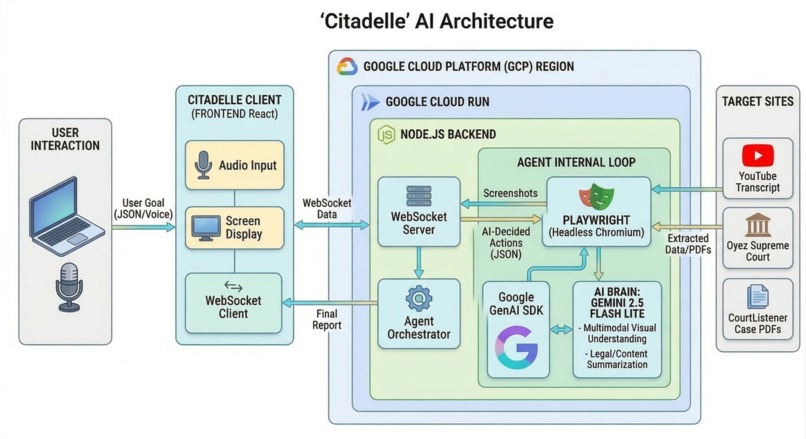
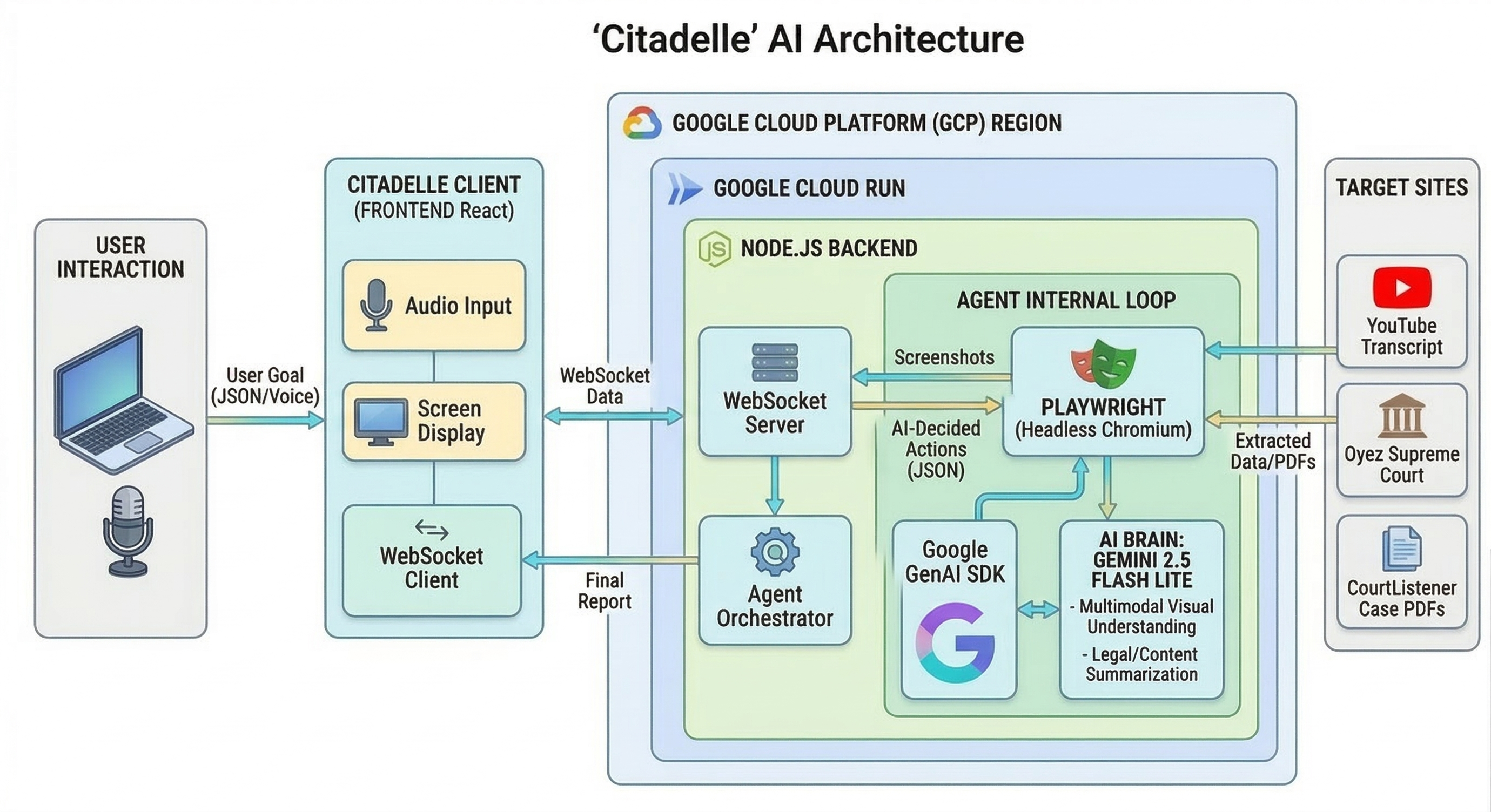
Architecture Diagram for 'Citadelle Vision'
-
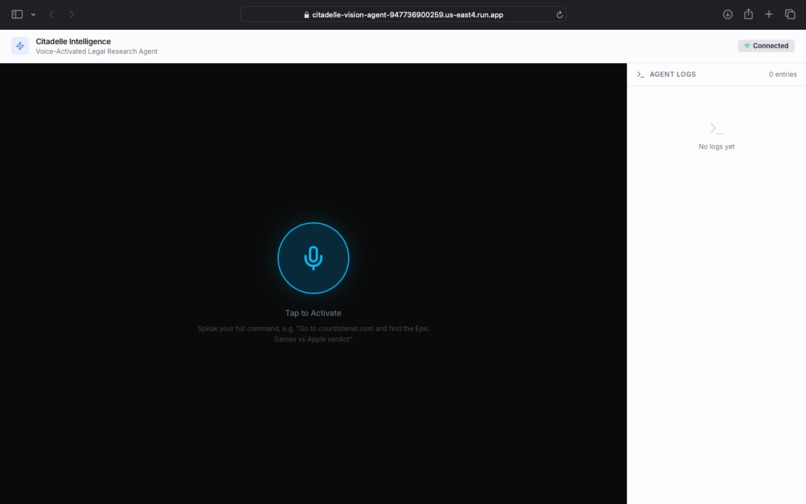
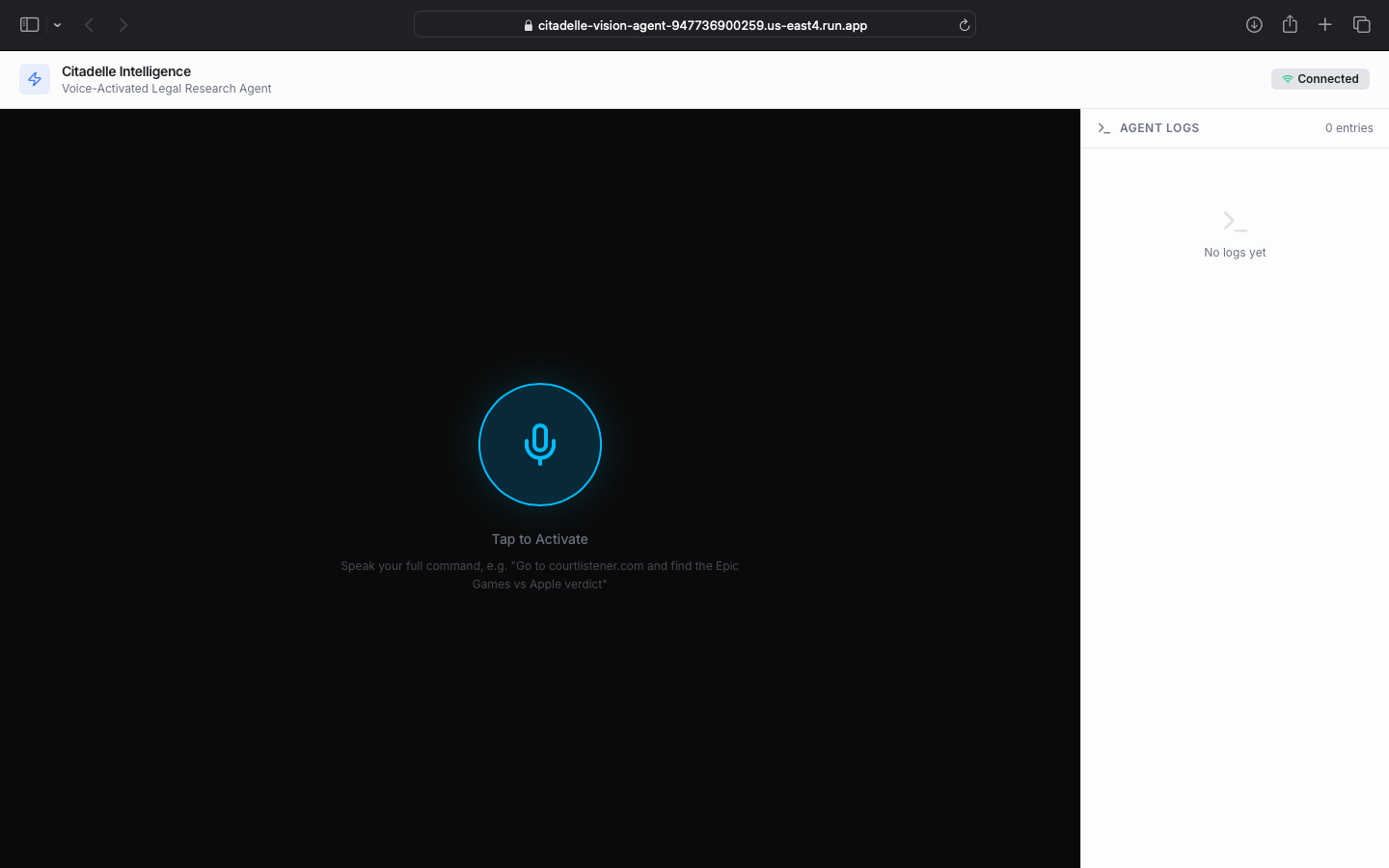
Landing page featuring the Voice-Activated Legal Research Agent interface.
-
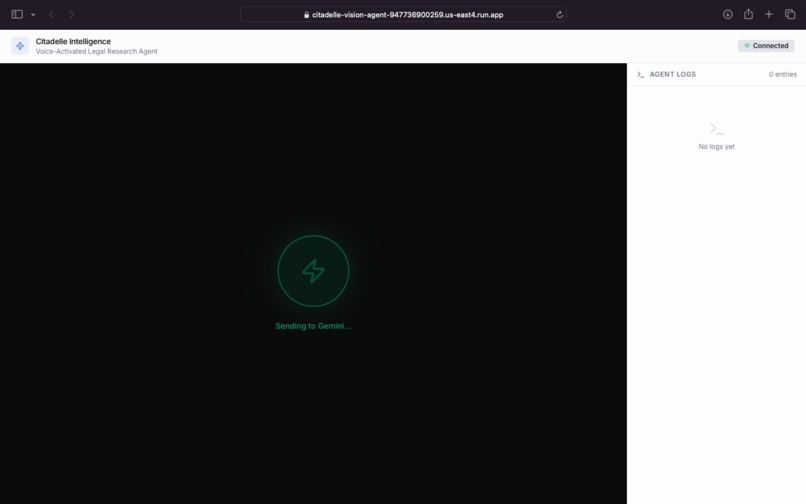
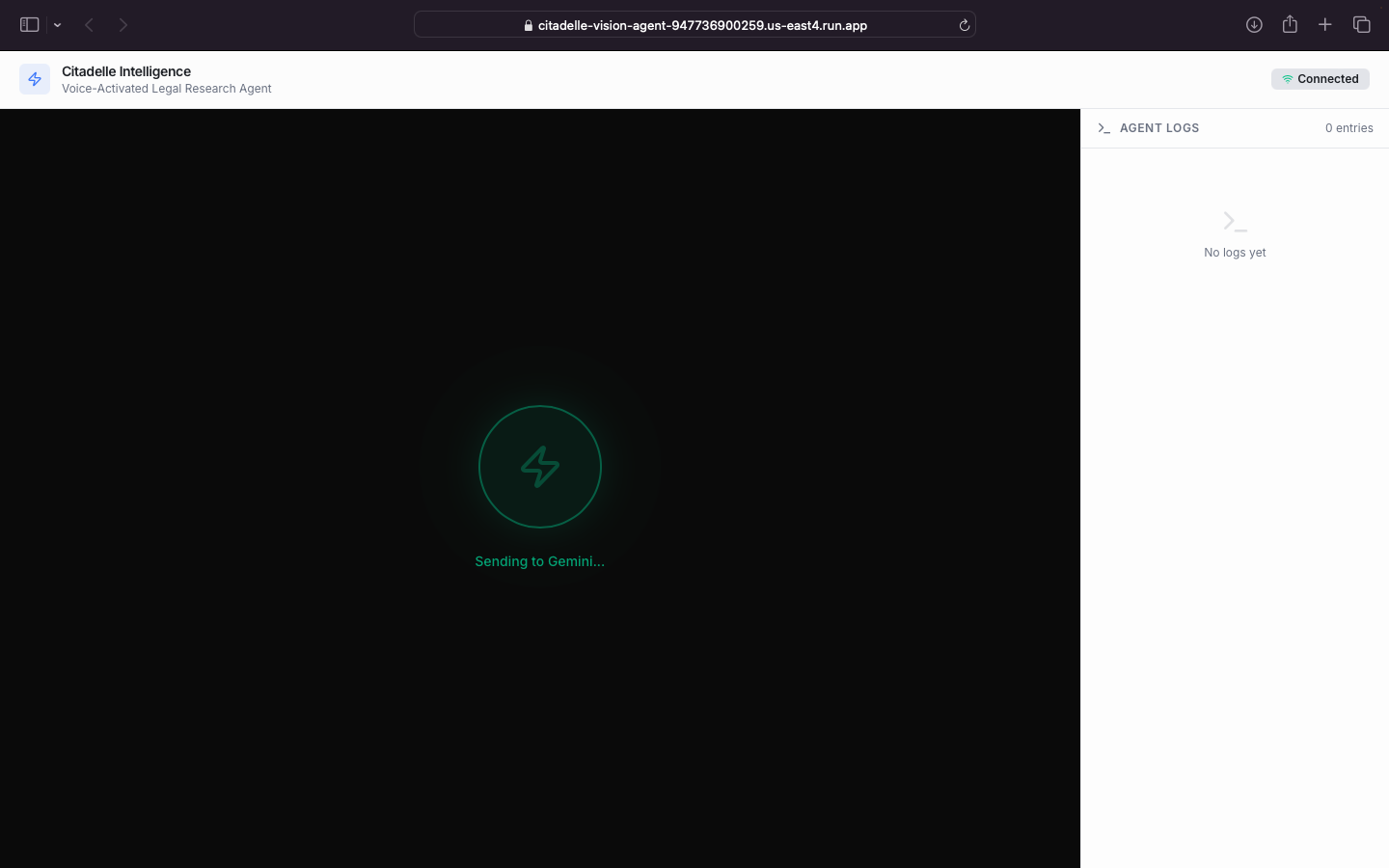
Audio processing: Sending the user's voice command directly to Google Gemini for reasoning.
-
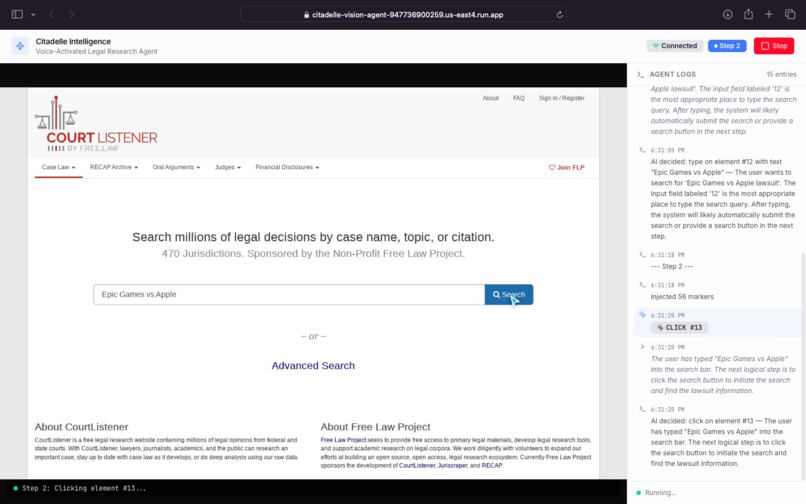
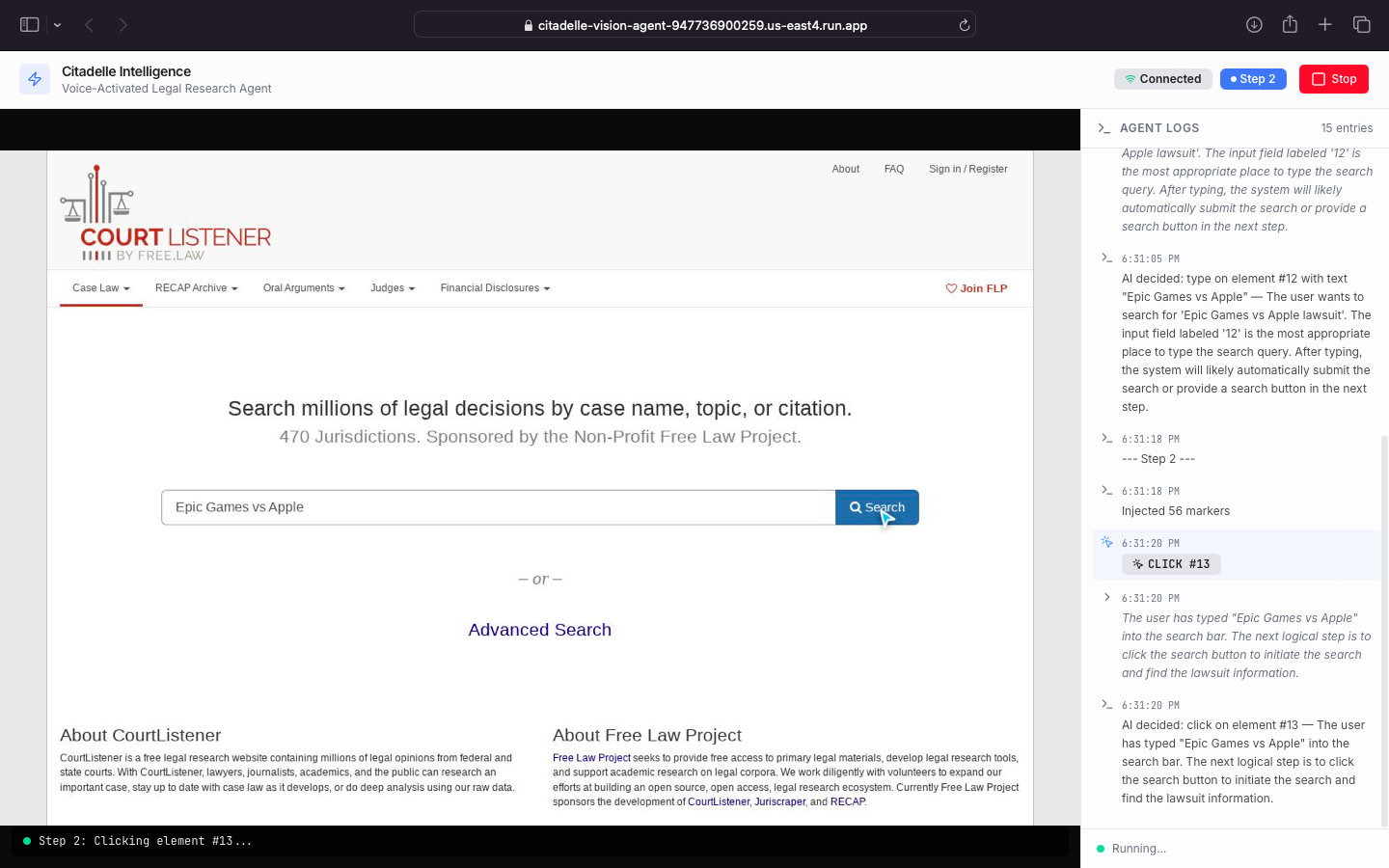
Agentic UI automation: Gemini autonomously driving the browser to execute the search query.
-
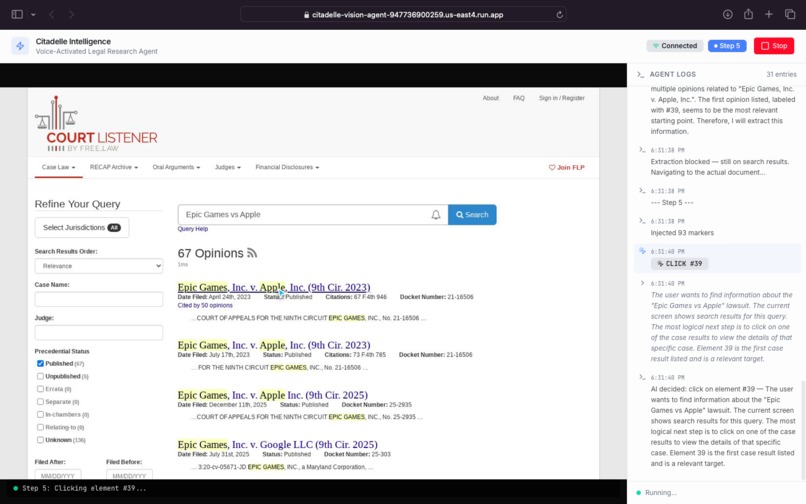
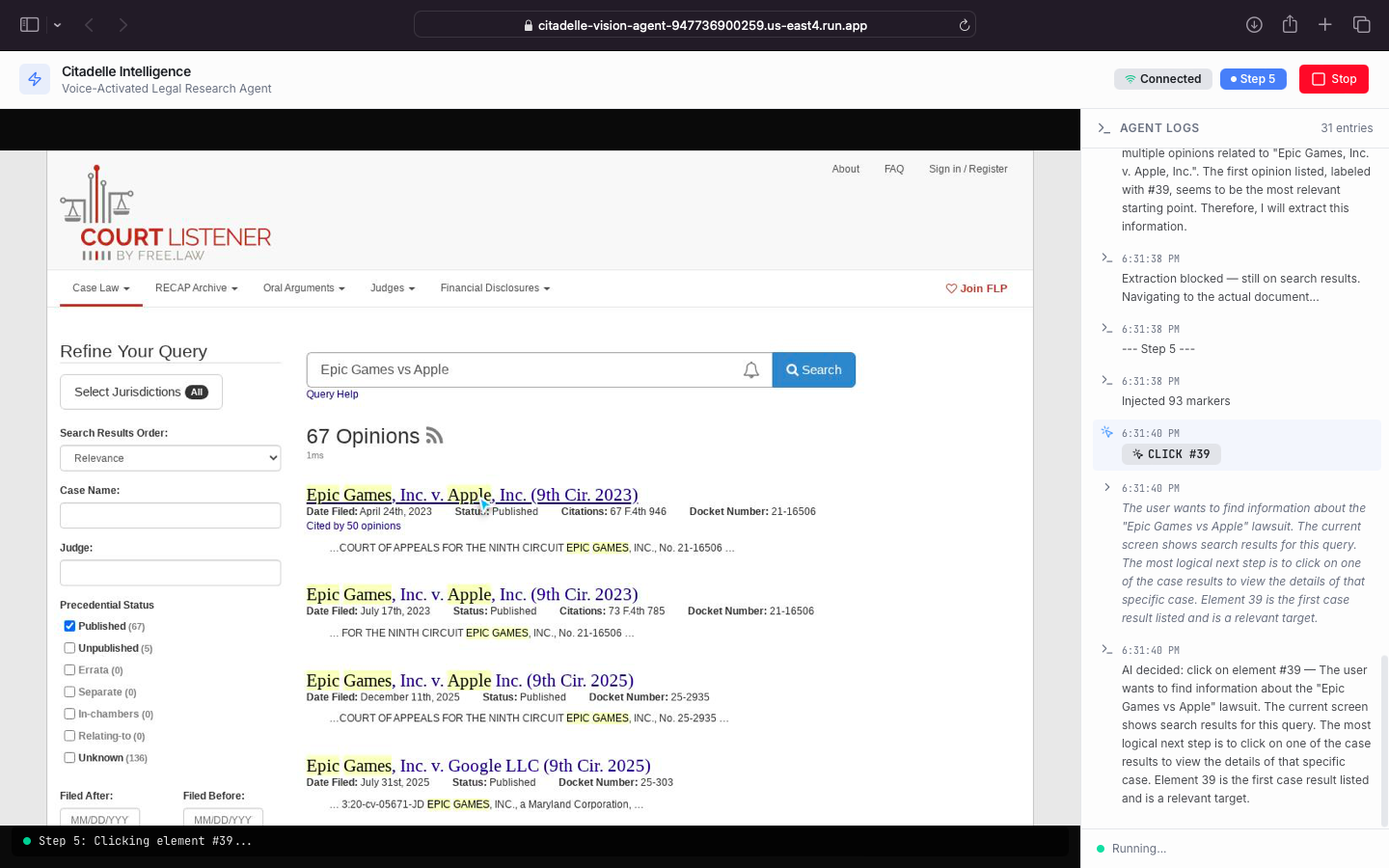
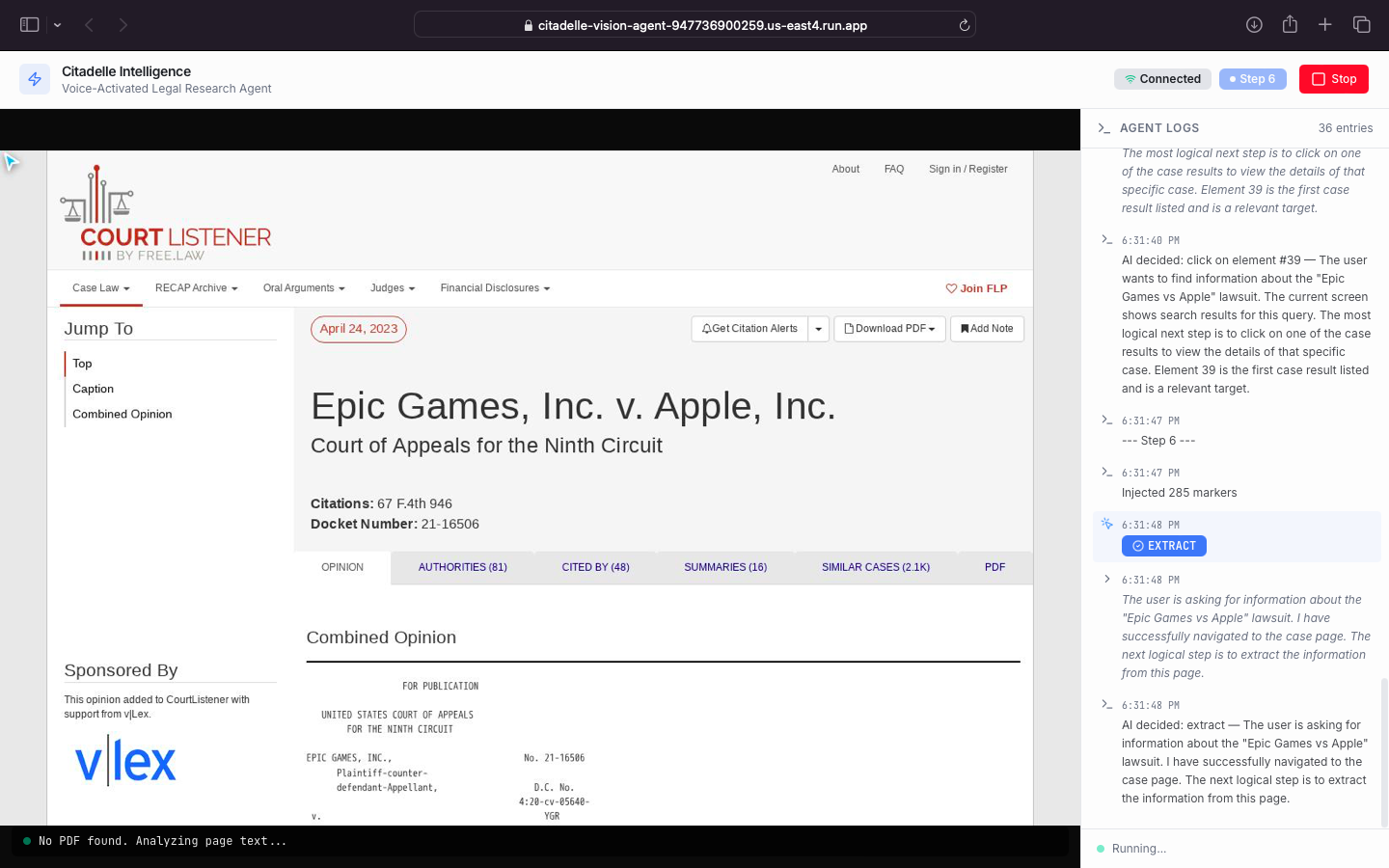
Visual reasoning: Gemini analyzing search results and autonomously selecting the most relevant case.
-
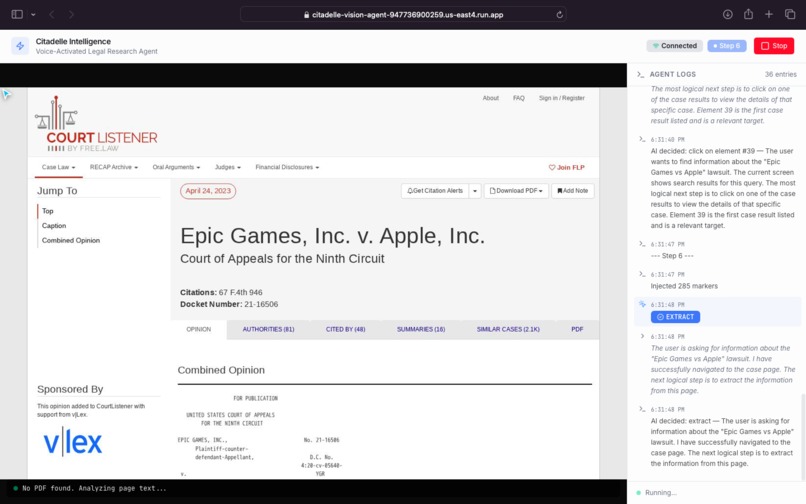
Autonomous navigation: Gemini successfully opening the target court case for deep data extraction.
-
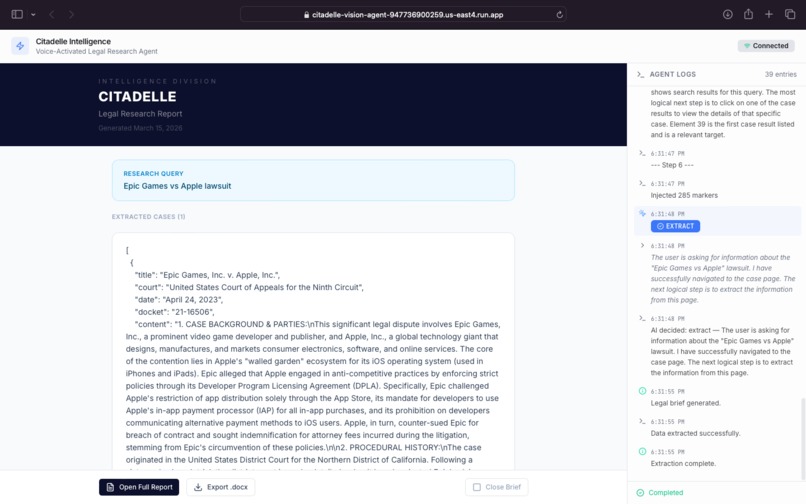
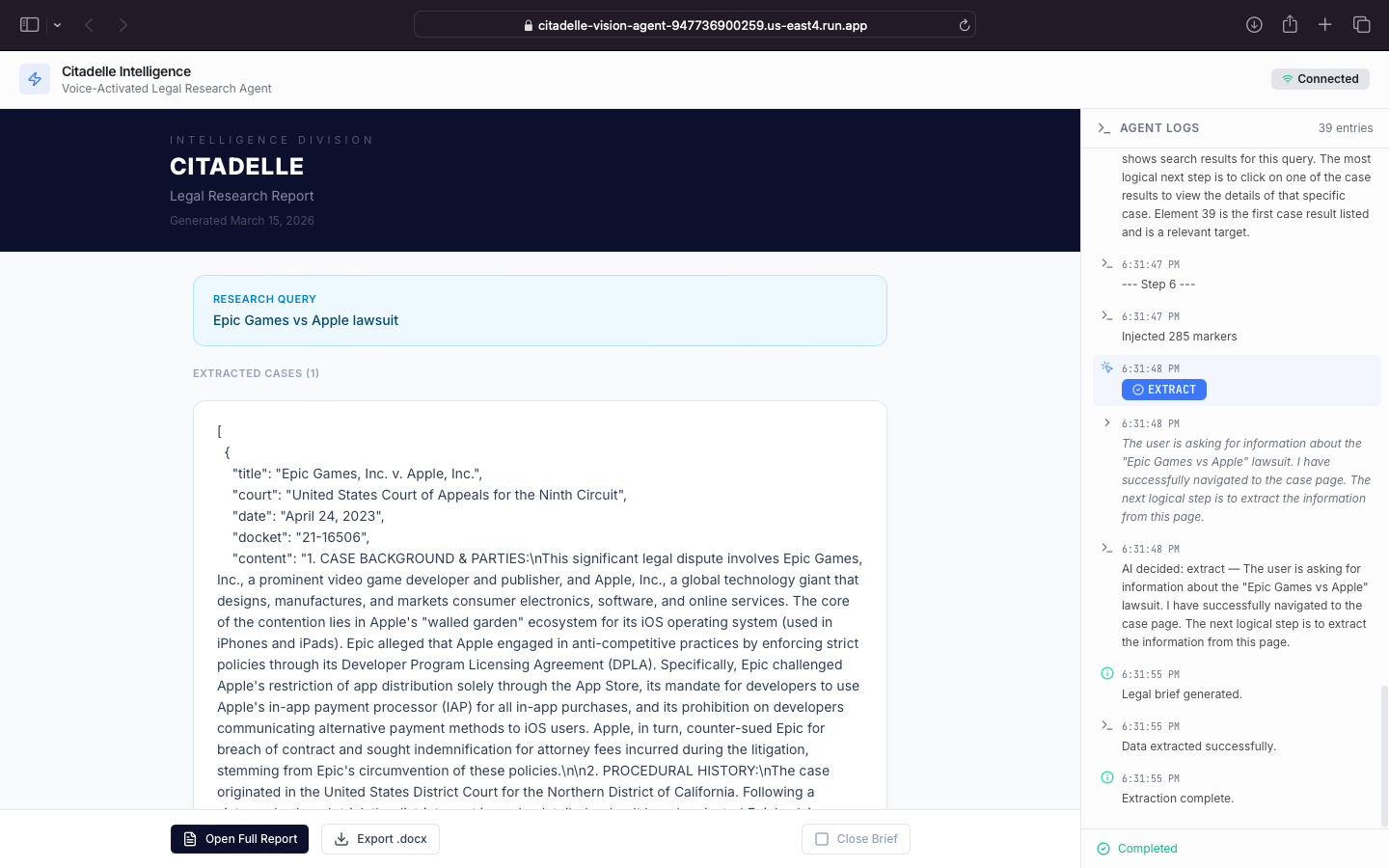
The final synthesized legal brief generated by Gemini, ready for PDF/DOCX export.
Inspiration
Legal and academic professionals waste over 5 hours a week doing repetitive manual research—clicking through complex databases, finding PDFs, and watching long analysis videos just to extract key arguments. Existing "AI legal assistants" are essentially just chatbots; they wait for you to bring the documents to them. I wanted to build an AI that actually does the legwork for you.
What it does
Citadelle Intelligence is an autonomous, multimodal UI Navigator. Instead of relying on rigid APIs, Citadelle uses computer vision to "see" and interact with the web exactly like a human lawyer would.
When a user gives a voice or text command (e.g., "Find the Epic Games vs. Apple lawsuit on CourtListener and summarize it"), Citadelle:
- Opens a headless browser and navigates to the target site (CourtListener, Oyez, or YouTube).
- Maps the visual DOM and sends a screenshot to Google Gemini.
- Gemini decides where to click, type, or scroll based on the visual context.
- Once the target document or video is found, the agent extracts the PDF or transcript.
- Gemini acts as a "Senior Legal Partner," analyzing the raw data and outputting a highly structured, exportable Executive Brief.
How we built it
- AI Brain: Google Gemini Multimodal (via Google GenAI SDK) for multimodal visual understanding and complex legal text summarization.
- Agentic Eyes & Hands: Playwright runs a headless Chromium instance, injecting bounding boxes into the DOM so Gemini can target specific UI elements.
- Backend: Node.js (Express) with WebSockets for real-time streaming of the agent's actions and screenshots to the user.
- Frontend: A clean, responsive React interface.
- Cloud Infrastructure: The entire application, including the headless browser, is containerized via Docker and deployed on Google Cloud Run to ensure scalable, serverless execution.
Challenges we ran into
I faced two massive hurdles. First, stabilizing the "ghost cursor" was incredibly difficult. Manipulating a headless browser to interact with dynamic web pages often resulted in the agent getting stuck, misclicking, or breaking the loop. We had to implement precise bounding-box injections and anti-looping rules to keep the agent on track. Second, migrating this DOM-manipulating beast to the cloud was tricky. Standard Node environments crash without browser binaries, so we had to create a custom Docker image using Microsoft's Playwright base, carefully balancing 4 GiB of memory on Google Cloud Run to prevent out-of-memory errors during heavy PDF extractions.
Accomplishments that we're proud of
I am incredibly proud of breaking the "text box" paradigm. Citadelle doesn't feel like a chatbot; it feels like you are watching an invisible assistant control a computer. Successfully getting the agent to navigate the highly complex UI of the Supreme Court database (Oyez) and extract 8 precedent cases without hallucinating a single click was our biggest win.
What we learned
I learned that Multimodal AI (vision + text) is far superior to traditional HTML scraping. By letting Gemini "see" the UI with bounding boxes, the agent becomes resilient to website redesigns. If a "Download" button moves, Gemini still finds it.
What's next for Citadelle Vision
I plan to expand the agent's capabilities to securely log into premium legal databases (like Westlaw or LexisNexis) using authorized credentials, and implement a long-term memory system using Firestore so the agent remembers precedents across different research sessions.


Log in or sign up for Devpost to join the conversation.