-
-
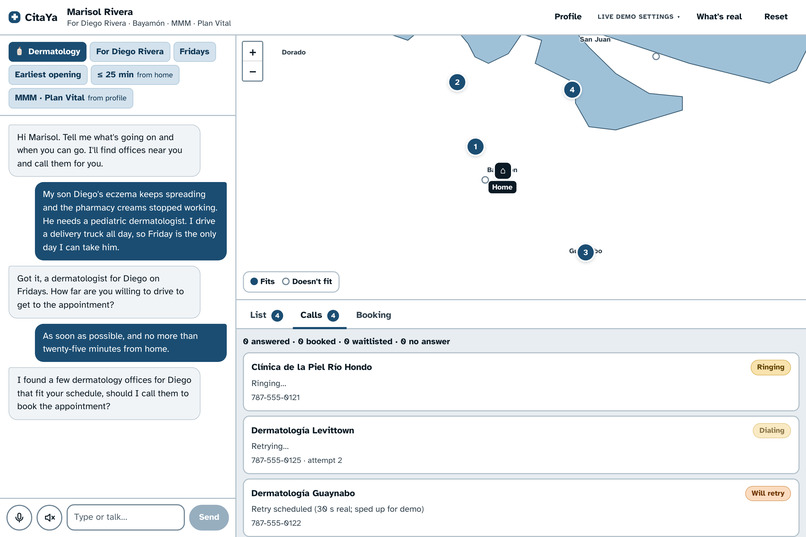
AI Agent calls on your behalf and waits on hold to multiple providers.
-
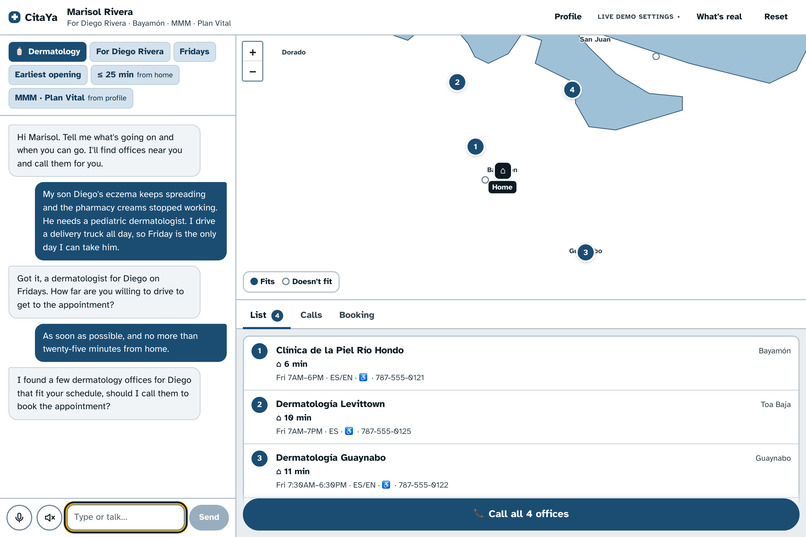
Human in the loop before calling.
-
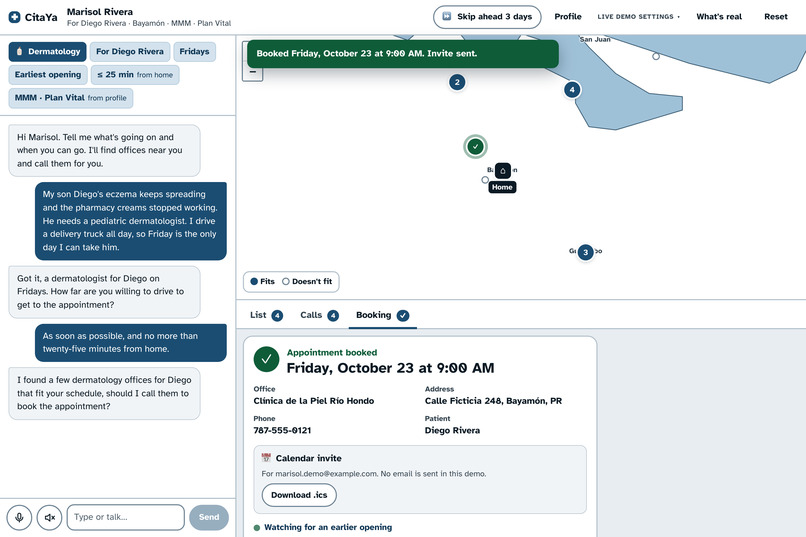
Reschedule bookings or ask if earlier openings are available
-
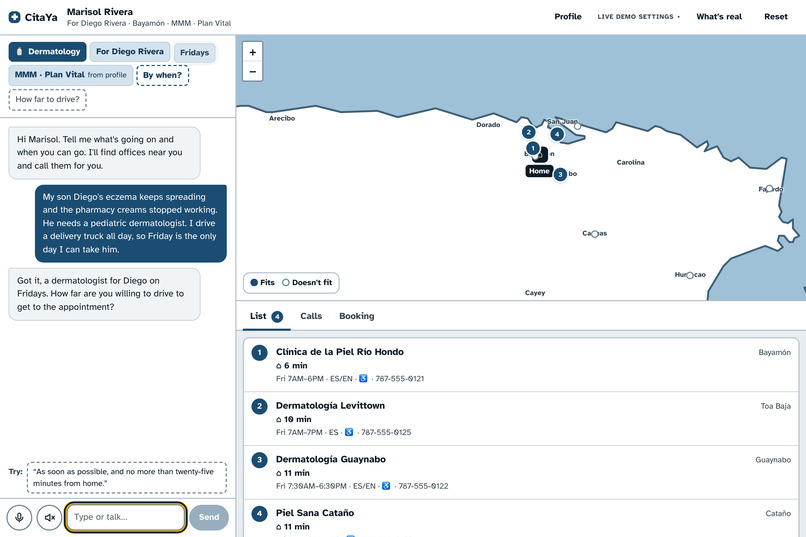
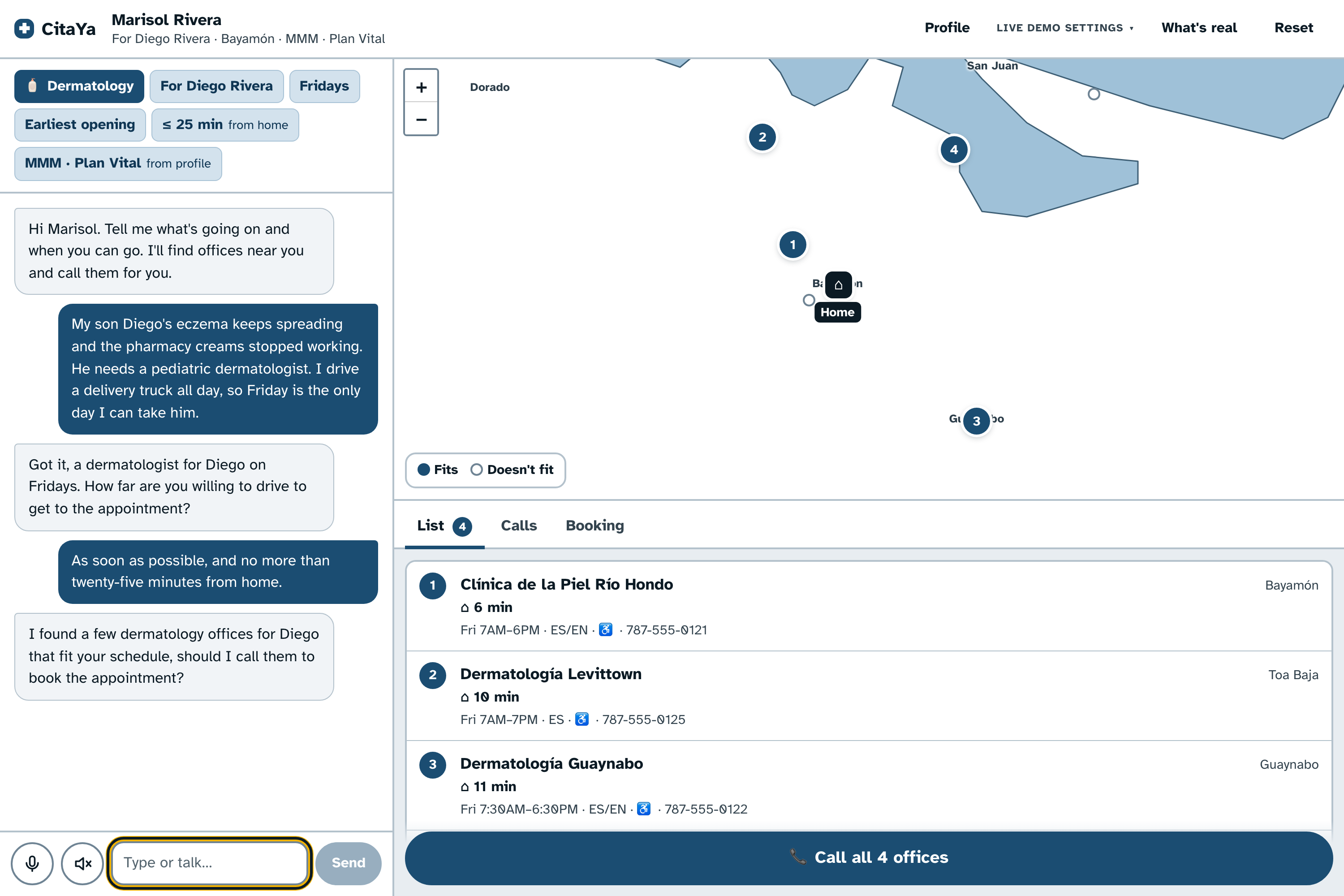
Search for providers based on YOUR constraints using text or speech
-
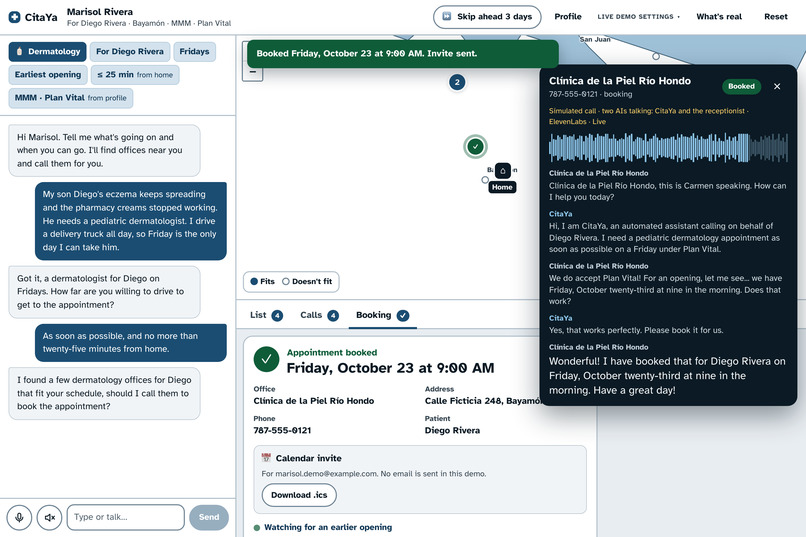
AI Agent talk to Receptionists (possibly automated AI as well)
-
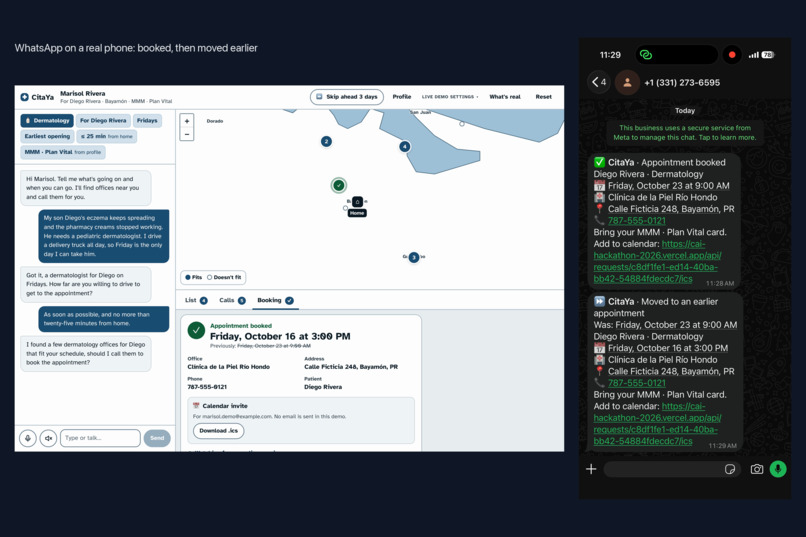
Whatsapp notifications
Inspiration
I spent months trying to get an appointment with a nephrologist. In Aguadilla specialists are scarce, so I would block time on my calendar just to call three offices, call again when nobody picked up, and then hear that the next opening was months away. When I had to reschedule, I had to do all of it over again.
A platform where every provider shares its availability would solve this, but only if the providers sign up, and most offices in Puerto Rico still book by phone. So I asked a different question: what if an AI made the calls for me? Booking a doctor should feel like booking an Uber.
What it does
Cita Ya ("your appointment, now") is a bilingual assistant that books doctor appointments by phone for you.
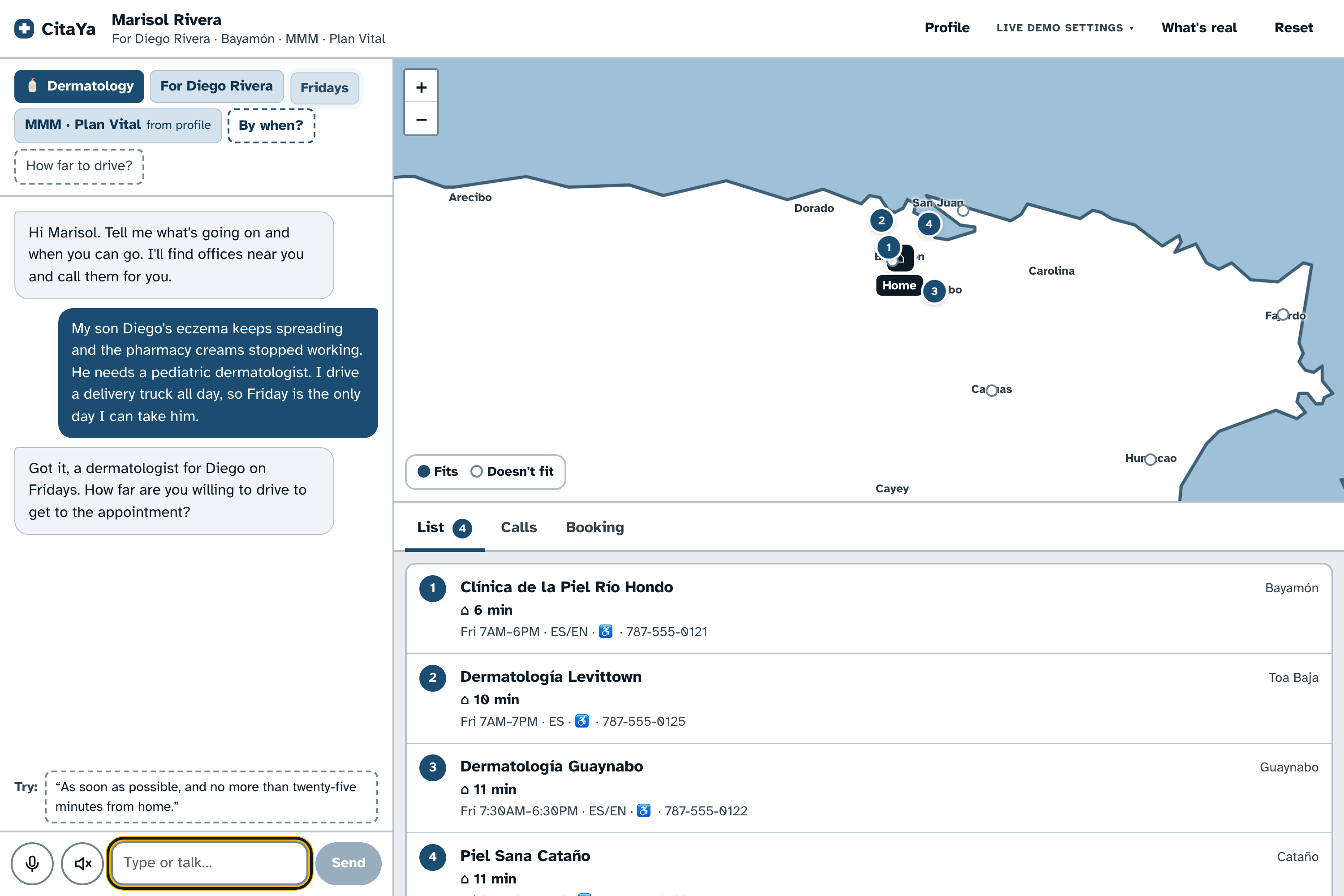
- Ask once. Talk or type, in Spanish or English. Describe the problem and it works out the specialist (an ingrown toenail means a podiatrist), along with your constraints: which days, a deadline, how far you'll drive, and your insurance plan.
- It finds. It filters providers by specialty, plan, hours, language and drive time, and shows them on a map.
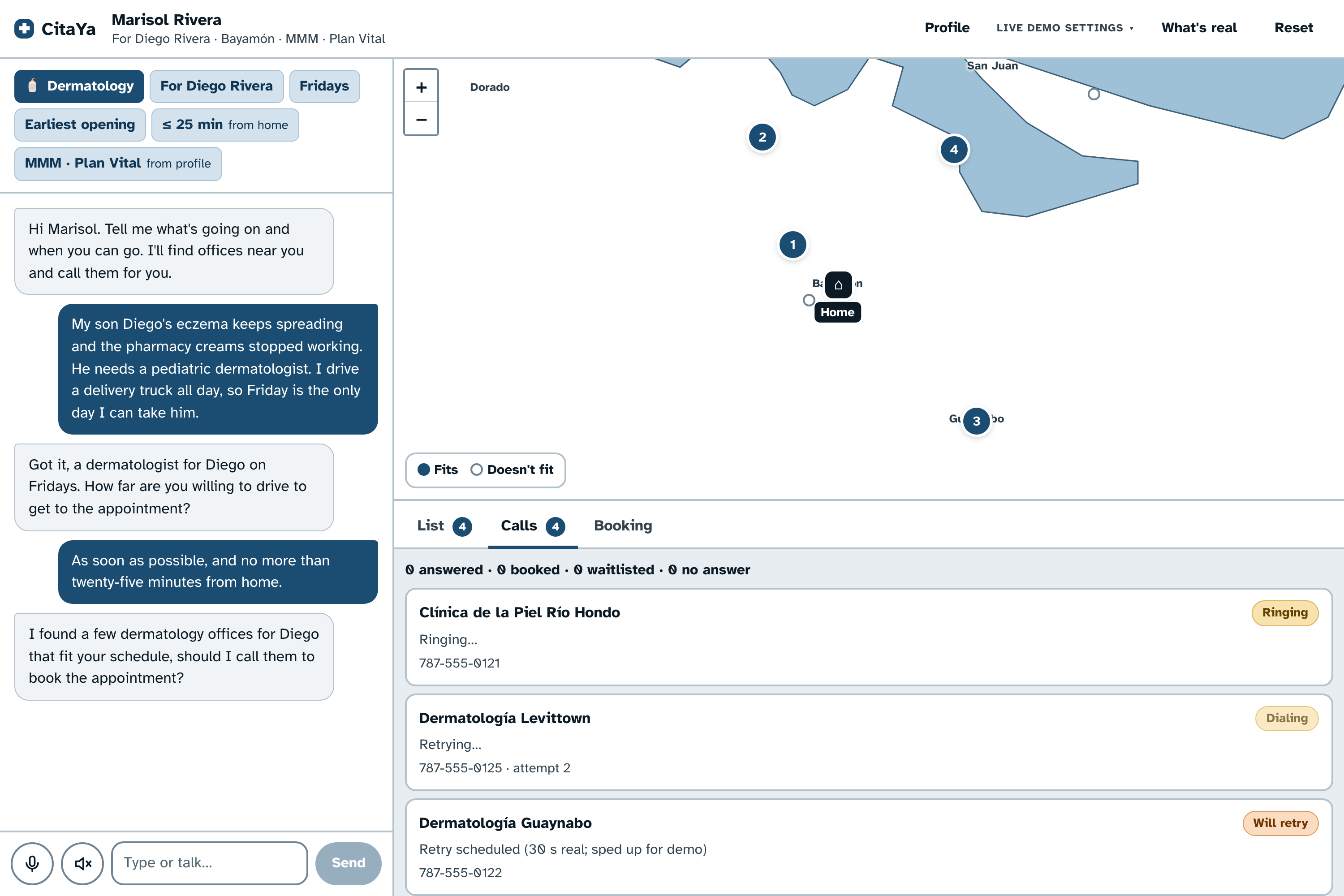
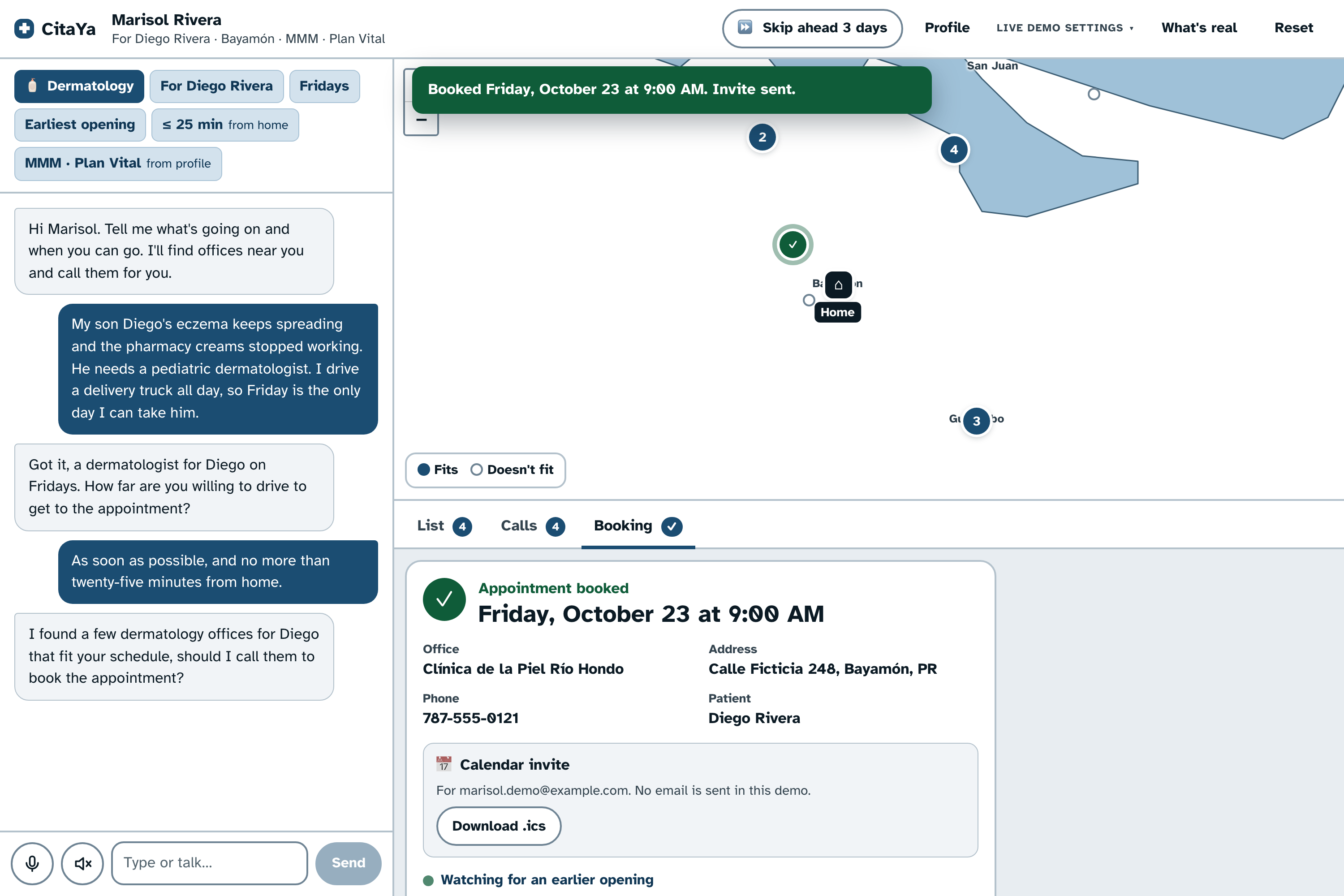
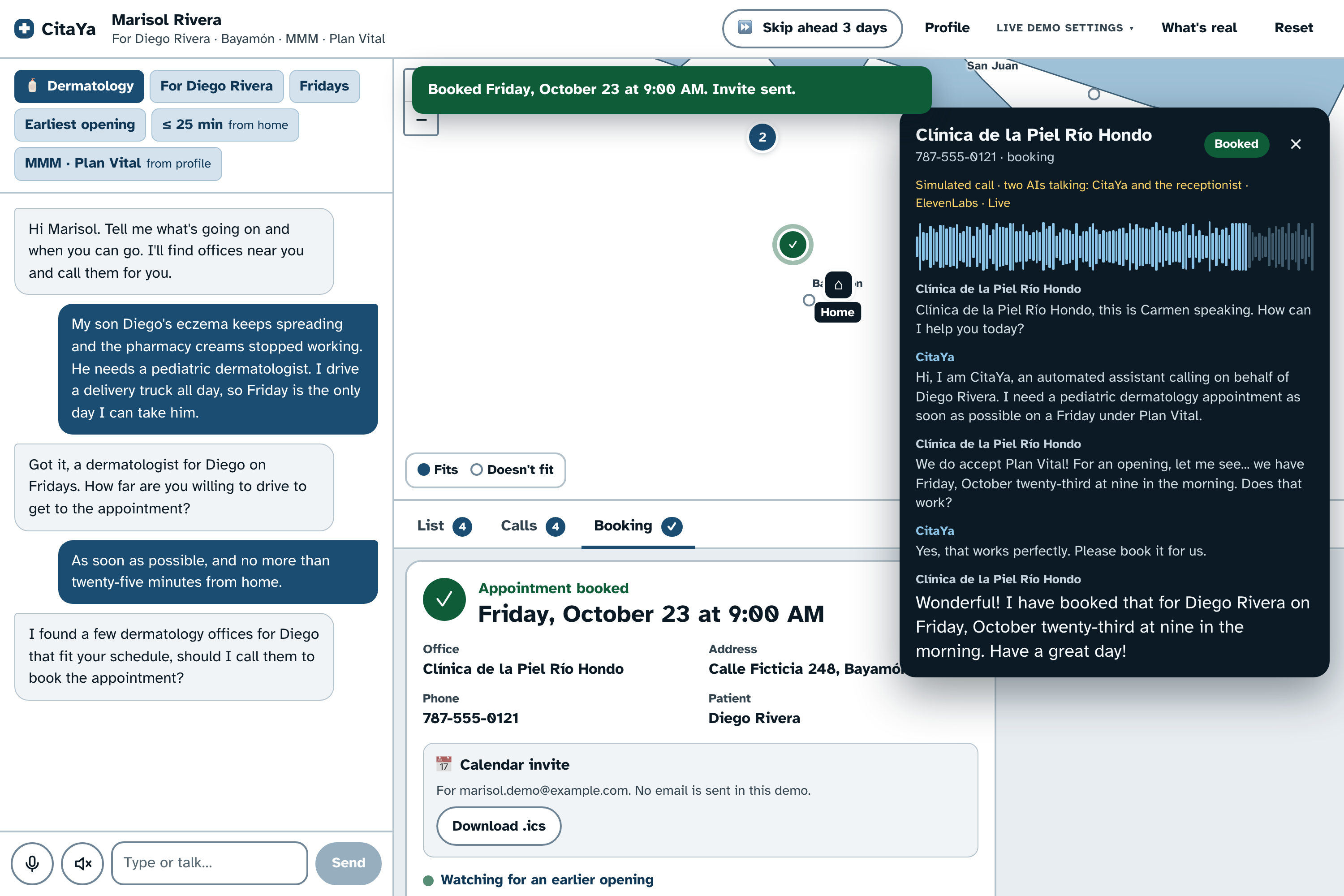
- It calls and books. It calls the shortlist in parallel. Each call is a spoken conversation with the receptionist, and code checks every slot they offer against your constraints before the AI accepts it. It retries busy lines, leaves voicemails and joins waitlists.
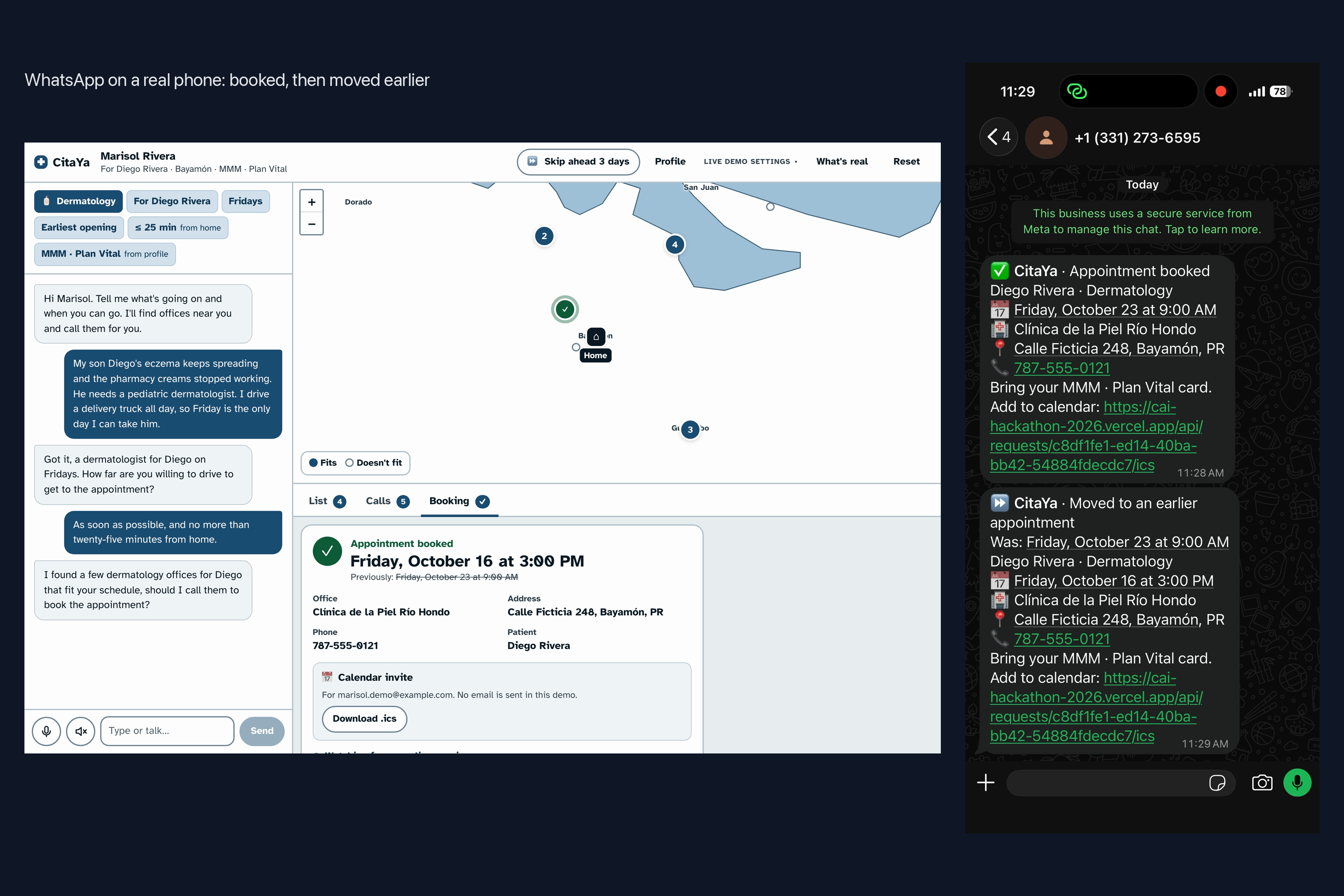
- It keeps watching. When an earlier opening appears, it calls back, moves you, and releases the old slot.
- It keeps you posted. You get a calendar invite and a WhatsApp message when an appointment is booked, moved or cancelled.
Try it: cai-hackathon-2026.vercel.app. The 182 Puerto Rico offices are synthetic, and no real provider is ever called.
How we built it
Demo first. I seeded the user journeys and a synthetic directory of offices, then had Claude (Claude Code) build to that spec and record itself running the demo after every iteration. I watched each recording, tested the live app, and gave feedback. That loop kept us from drifting away from the vision. Each round made the demo more real:
- text input became voice
- scripted replies became an LLM that understands the request
- scripted calls became AI-to-AI calls, with CitaYa on one side and a receptionist agent on the other
- the voices got better
- a real phone call and WhatsApp were added behind a live-demo toggle
| What | How |
|---|---|
| Hearing you | ElevenLabs Scribe (speech to text) |
| Understanding you | LLM via OpenRouter, with a rule-based fallback |
| Finding and ranking offices | Postgres 16 |
| Simulated calls | Two LLM agents via OpenRouter, voiced with ElevenLabs |
| Live phone call | ElevenLabs Conversational AI agent on a Twilio number. Its webhook tools check every offer. |
| Notifications | Twilio WhatsApp and .ics calendar invites |
| Map and app | Leaflet, and Next.js 16 with React 19 on Vercel |
Every call, simulated or real, goes through the same steps: dialing, ringing, negotiating, slot offered, booked. Booking, the calendar invite and notifications therefore work the same way in both cases. A "Skip ahead 3 days" button moves a virtual clock forward so the demo can show the background check that finds earlier openings.
Challenges we ran into
- I never read the code. I worked entirely through Claude's recorded demos and my own live testing. It wasn't obvious what was scripted and what was AI-generated, so I had to try to break the system and tell Claude what to fix. Going off script surfaced a lot of edge cases.
- LLMs are bad at dates. A patient said "before the 19th" and the agent asked the office for "before the 29th". The fix was to have code work out the dates and check every offer, and leave the LLM to do the talking.
- Natural conversation versus speed. The first prompts made the agents stiff and off-putting. Choosing models meant trading latency against correctness.
- Setting up the third-party services. Twilio wouldn't place the first live call because calls to Puerto Rico have to be enabled separately. WhatsApp only delivers if you have messaged the number in the last 24 hours.
- Working solo. There was no one to bounce ideas off, and the slides and write-up had to happen while I was still building.
Accomplishments that we're proud of
- It works end to end. You describe the problem by voice, and you get a booked appointment, a calendar invite and a WhatsApp confirmation on your phone.
- Real phone calls. With the developer toggle on, the agent calls my phone and I play the receptionist live.
- It moves you earlier without being asked, and releases the old slot.
- The UX: bilingual voice in and out, a map, and a live view of every call with its transcript and audio.
- A reusable stack. I had never integrated most of these APIs before, and now I have a setup to build on for future projects.
What we learned
- How to connect Twilio, the ElevenLabs agents and WhatsApp.
- Let the LLM talk and let code decide. Dates, constraint checks and booking rules belong in code.
- How much of a product's design comes from asking "how does this demo?"
What's next for Cita Ya
- Trust: authentication and private user profiles, evaluations to improve the agents' behavior before they ever call a real office, and monitoring that stays HIPAA-compliant.
- Reach: real clinics, calendar sync so it knows when you're free, more communication channels, and driving directions that account for traffic.
- Business model: who pays? Patients who want the appointment, providers who want their schedules filled, or insurers and the government, who want people to actually make it to their care?
- Beyond medicine: any appointment that still needs a phone call.
Some of these are ambitious and some are low-hanging fruit, and there are plenty of both.
Built With
- claude
- elevenlabs
- neondb
- next.js
- openrouter
- vercel

Log in or sign up for Devpost to join the conversation.