Inspiration
If you've ever built circuits or worked on Arduino projects, you've probably accidentally damaged a component at least once. Often, these mistakes are caused by something as simple as choosing the wrong resistor or overlooking a connection. For beginners, these small errors can lead to wasted money and lots of damaged equipment.
For those interested in electronics but unsure where to start, the barriers can be even greater. Two common concerns are:
- "I want to start building circuits, but I don't know what projects to begin with or how to build them."
- "I want to experiment with electronics, but I'm afraid of damaging my equipment and having to replace expensive components."
We wanted to make electronics more accessible by creating a platform that reduces these barriers!
Using emerging AI technologies and Model Context Protocol (MCP) integrations, we developed CircuitGuard, a platform that combines AI-powered guidance with physics-based circuit simulations.
Our goal is to help beginners understand their circuits, identify potential risks, and experiment with greater confidence.
We believe this technology can be especially impactful for younger students, aspiring engineers, and hobbyists who may lack access to expensive equipment or experienced mentors.
What it does
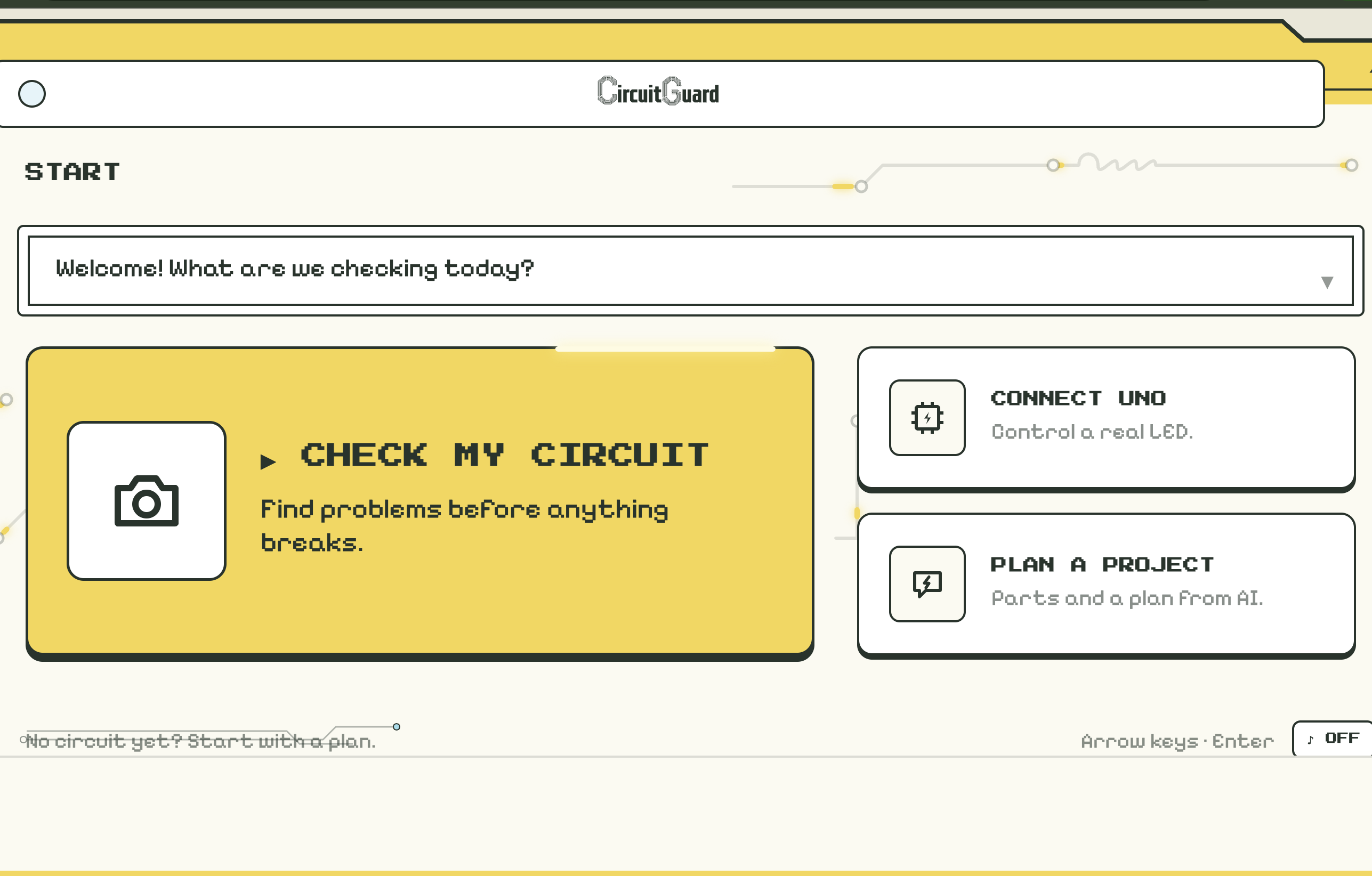
CircuitGuard is an AI-powered circuit troubleshooting platform designed to help users understand, analyze, and experiment with electronic circuits.
Our web application includes three main features:
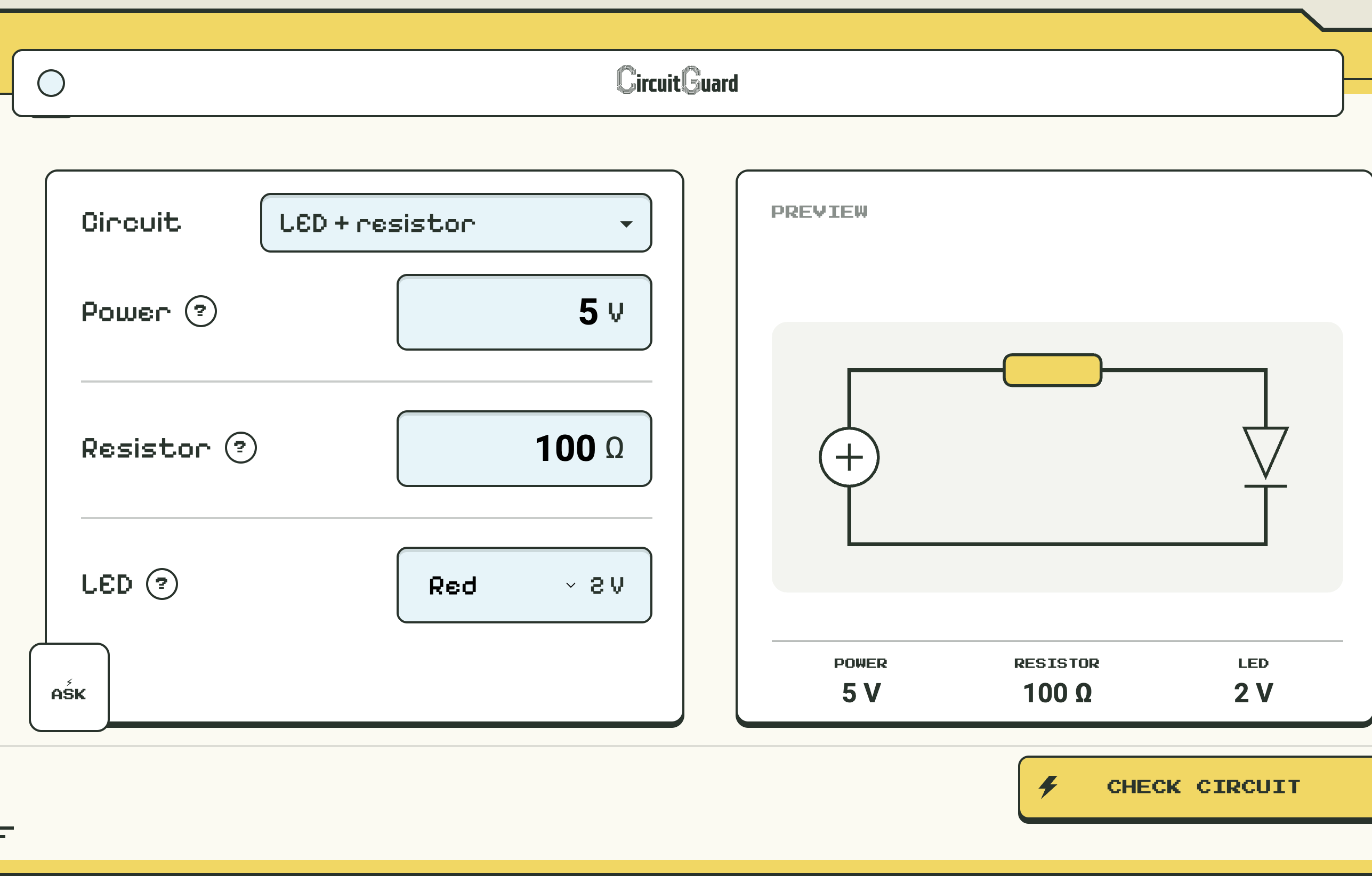
1. Check My Circuit
Users select a circuit configuration and enter specifications such as voltage, resistance, and component properties, including an LED's forward voltage.
CircuitGuard sends these values to our backend, which uses PhysBox's circuit simulation tools to analyze the configuration.
The platform identifies potential issues, such as excessive current or missing resistors, and suggests safer component values.
Users can then compare their original circuit with the recommended correction to understand why the change matters.
For example, during testing, we simulated a red LED connected to a 5V supply with a 100Ω resistor. The simulation measured approximately 28.02 mA. After increasing the resistance to 220Ω, the current dropped to approximately 13.29 mA.
This demonstrates how CircuitGuard helps users identify potentially harmful circuit configurations before physically building them.
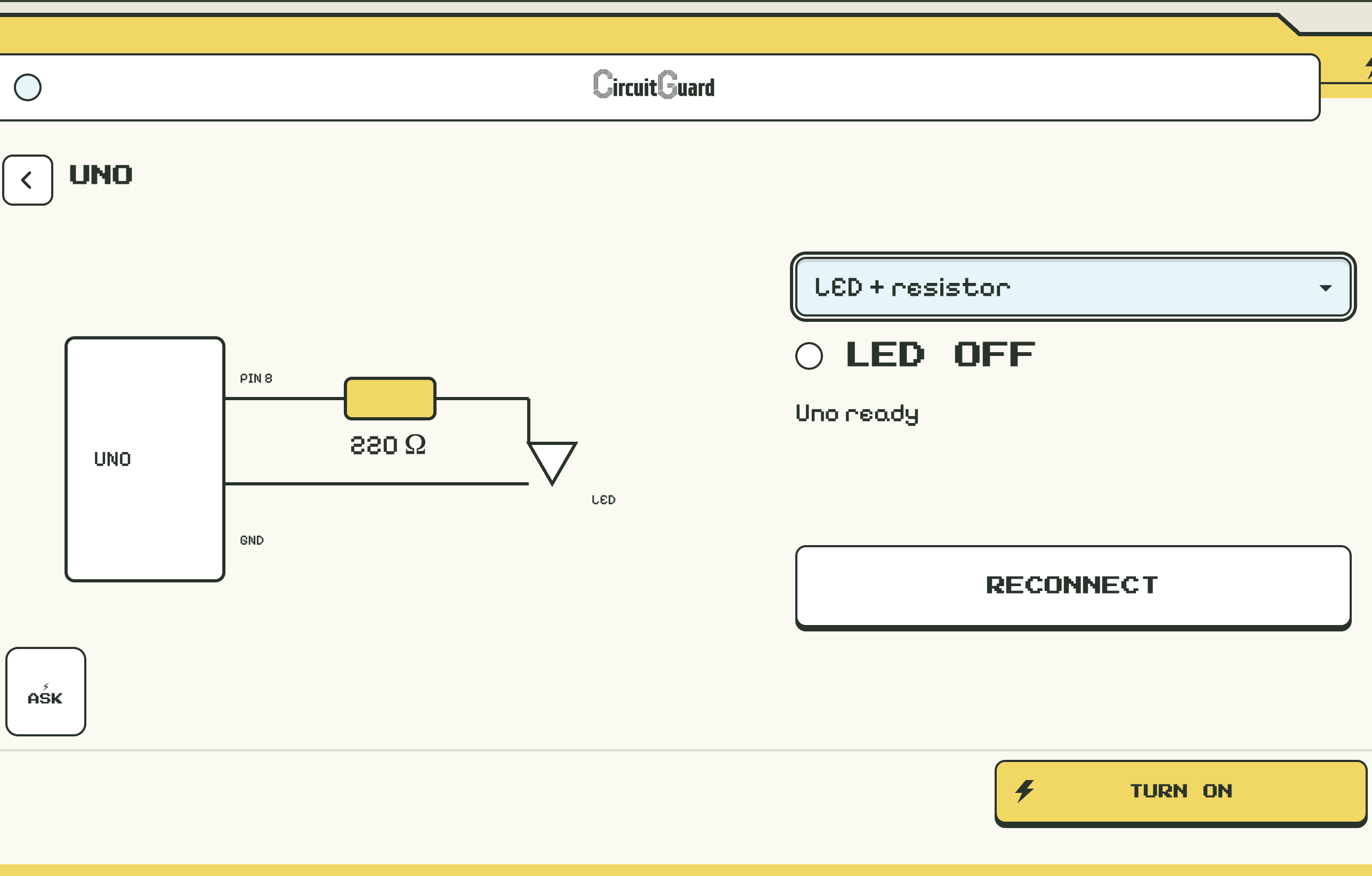
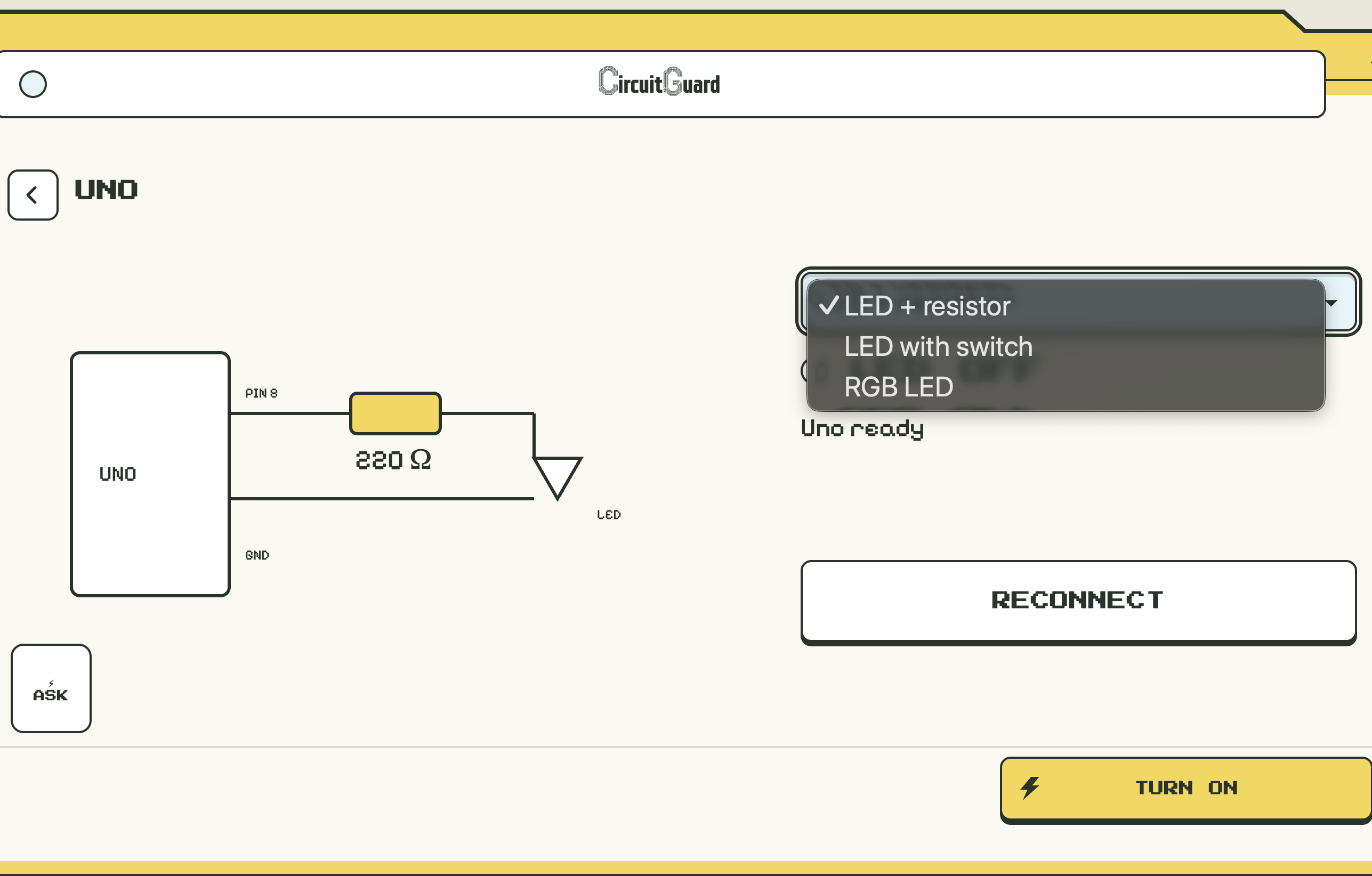
2. Connect Uno
CircuitGuard connects software based circuit analysis with physical Arduino hardware.
Using an Arduino Uno connected through USB, users can interact with a physical LED circuit through the web application.
Our prototype demonstrates LED ON/OFF functionality, allowing users to observe how software commands translate into real-world hardware behavior.
This feature helps bridge the gap between virtual simulations and physical electronics.
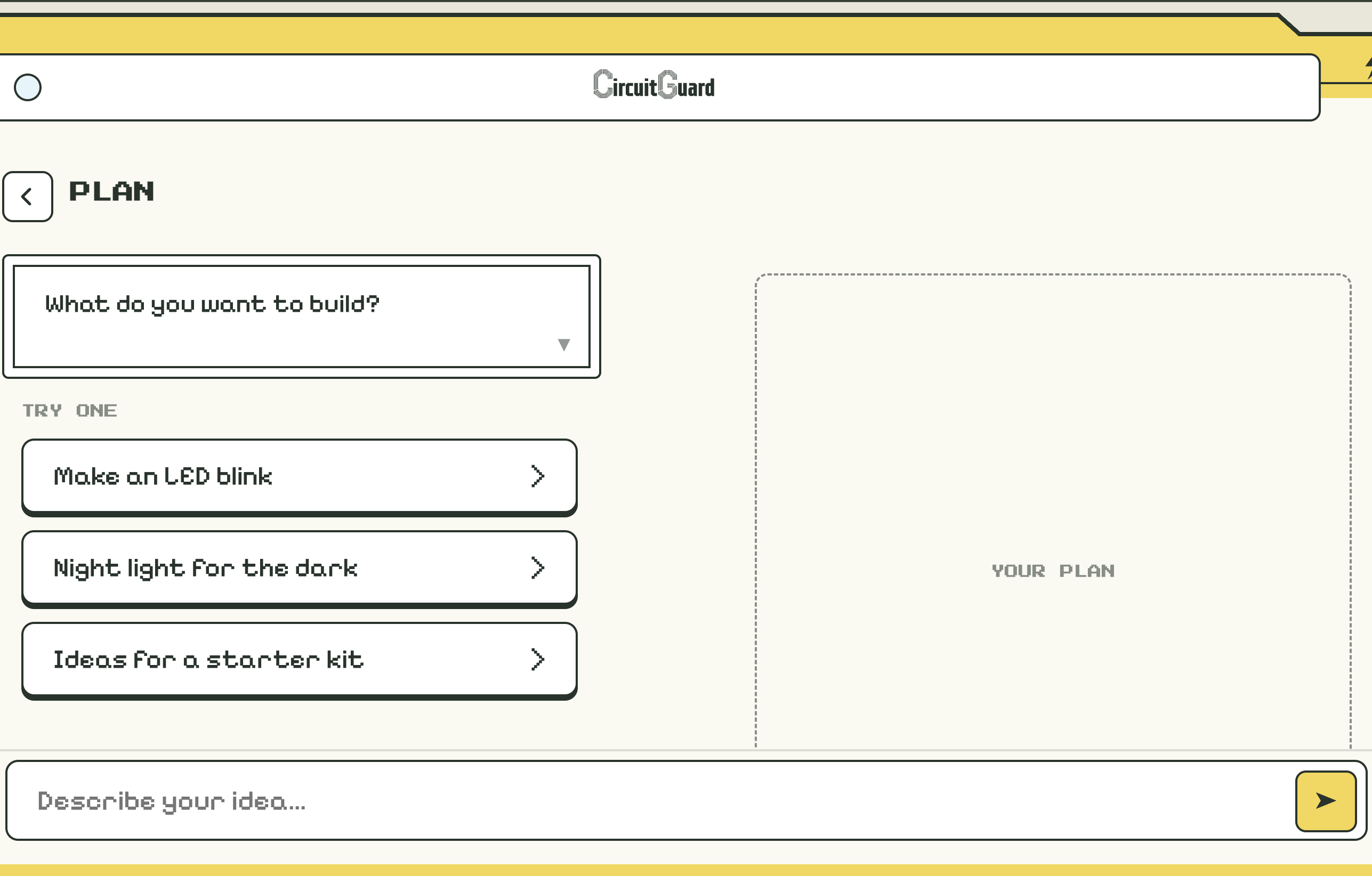
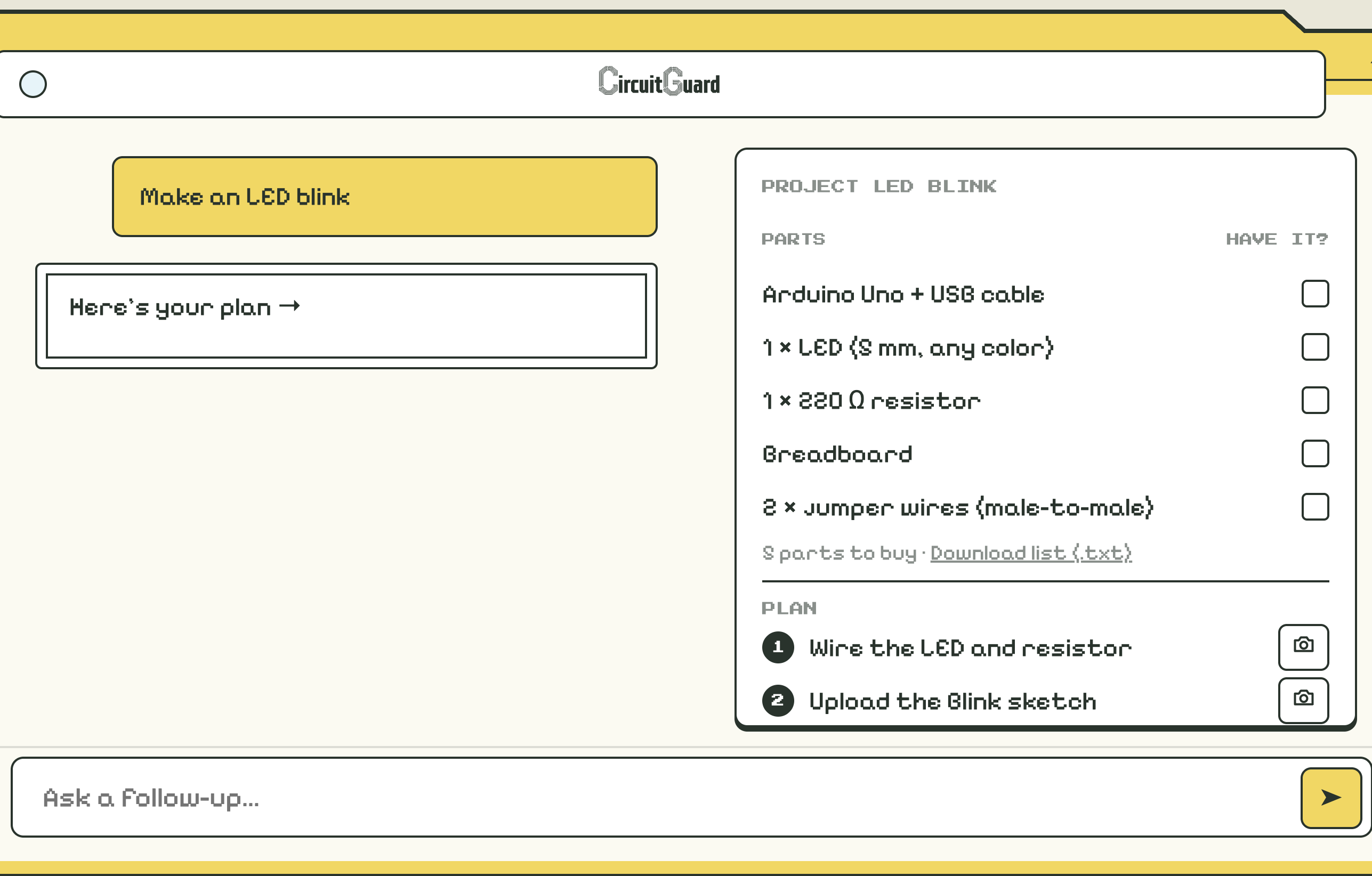
3. Plan a Project
This feature is designed to help beginners who are interested in electronics but don't know where to start.
By providing project guidance and explanations, CircuitGuard aims to make learning electronics less intimidating and more approachable.
The goal is to give users a starting point for experimenting with circuits while helping them understand the components and principles involved.
How we built it
We developed CircuitGuard using a combination of web development, backend APIs, AI integration, physics simulation, and physical hardware.
Our frontend provides an interactive interface where users can enter circuit parameters, review simulation results, and interact with connected hardware.
We used FastAPI and Python to build the backend, which processes user inputs and coordinates communication between the frontend, simulation tools, and Arduino.
One of the central technologies behind CircuitGuard is PhysBox's Model Context Protocol (MCP) integration, which enables AI-assisted interaction with physics-based circuit simulations.
Instead of relying exclusively on AI-generated predictions, our application uses simulated electrical measurements to support its analysis.
For hardware integration, we used an Arduino Uno, LEDs, resistors, and physical circuit components to demonstrate how our software could interact with real electronics.
We used GitHub for version control and collaboration and Vercel to deploy our frontend.
Together, these technologies allowed us to create a system that connects user inputs, circuit simulations, AI explanations, and physical hardware.
Challenges we ran into
One of our biggest challenges was integrating several different technologies into a single functioning application within the hackathon's 48-hour time limit.
Our project required communication between the frontend, FastAPI backend, PhysBox simulation tools, Claude AI, and Arduino hardware.
Getting these components to communicate reliably required extensive debugging and coordination.
Another challenge was accurately handling incomplete or unsafe circuit configurations.
For example, when a circuit was missing a resistor, we needed to identify the problem without presenting an unreliable current measurement as a trustworthy result.
We also encountered challenges connecting our locally running simulation and Arduino hardware to our deployed frontend.
Because our hardware and simulation services depended on a local computer, maintaining a reliable connection between the deployed website and local services required additional configuration and testing.
Finally, we had to balance implementing new features with ensuring our existing functionality remained reliable before the submission deadline.
Accomplishments that we're proud of
Our biggest accomplishment was bringing together AI, physics-based simulation, and physical electronics in a single project.
We successfully demonstrated circuit simulations that could measure electrical values and identify potentially unsafe configurations.
One exciting milestone was simulating an LED circuit with excessive current and demonstrating how changing the resistor value reduced that current.
We also successfully established communication between our software and a physical Arduino Uno, allowing us to control an LED through software commands.
Beyond the technical achievements, we're proud of how our team collaborated across frontend development, backend engineering, AI integration, and hardware development.
Within a limited timeframe, we transformed an idea into a working prototype aimed at solving a problem that many beginner electronics enthusiasts experience.
What we learned
Throughout this project, we gained experience integrating multiple technologies into a single application.
We learned how Model Context Protocol integrations can connect AI systems with specialized simulation tools, allowing AI to work with actual simulation results rather than relying entirely on generated responses.
We also gained practical experience developing APIs, integrating frontend and backend systems, and connecting software applications with Arduino hardware.
One of our most important takeaways was understanding the difference between an AI-generated recommendation and a recommendation supported by simulated measurements.
We also learned the importance of clear communication, version control, and prioritizing working features during time-constrained development.
Most importantly, this project reinforced our belief that engineering tools should be accessible to people who are just beginning to learn.
What's next for CircuitGuard
Our long-term goal is to develop CircuitGuard into a more comprehensive electronics learning and troubleshooting platform.
We want to expand support beyond basic LED circuits to include more complex configurations involving sensors, motors, and additional electronic components.
We also hope to improve our Arduino integration so users can compare simulated circuit behavior with measurements from physical hardware.
Another priority is expanding our project-planning feature to provide beginners with personalized project recommendations, component lists, and step-by-step building instructions.
In the future, we envision CircuitGuard becoming an interactive learning environment where students can design, simulate, troubleshoot, and eventually build their own electronics projects with greater confidence.
Our goal is to make learning electronics more accessible, affordable, and less intimidating for the next generation of engineers.


Log in or sign up for Devpost to join the conversation.