-
-
CircuitSense_Architecture
-
CircuitSense_Cover
-
CircuitSense_demopic
Inspiration
Every year, $44 billion worth of electronics gets thrown away — not because it's broken beyond repair, but because diagnosing hardware is slow, manual, and requires expertise most people don't have.
As an electronics engineering student, I've spent countless late nights squinting at PCBs, Googling part numbers, and flipping between datasheets. I thought — why can't I just point my camera at a board and have an AI tell me what I'm looking at?
That's how CircuitSense was born.
What it does
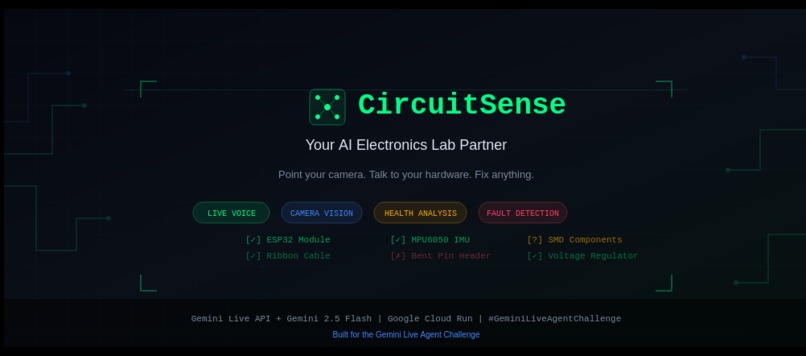
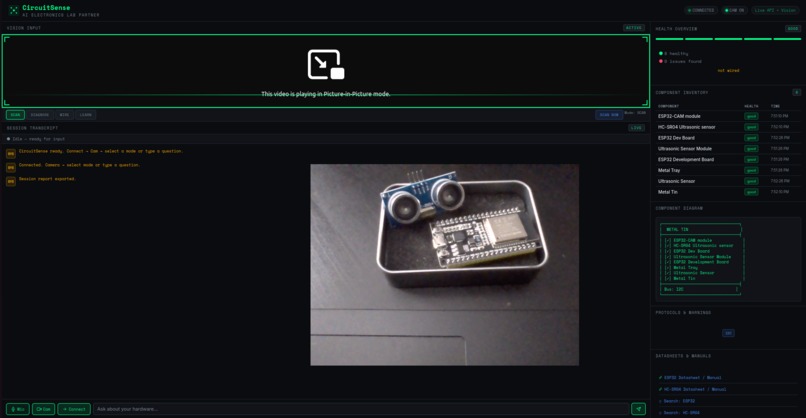
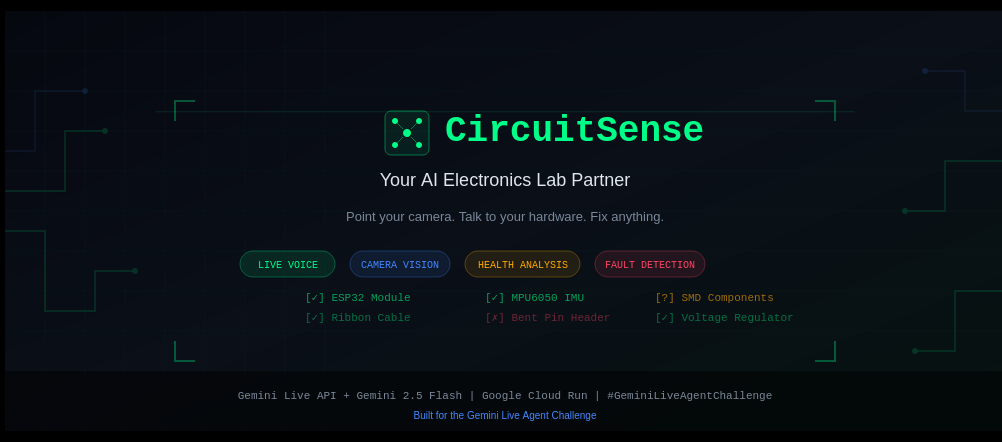
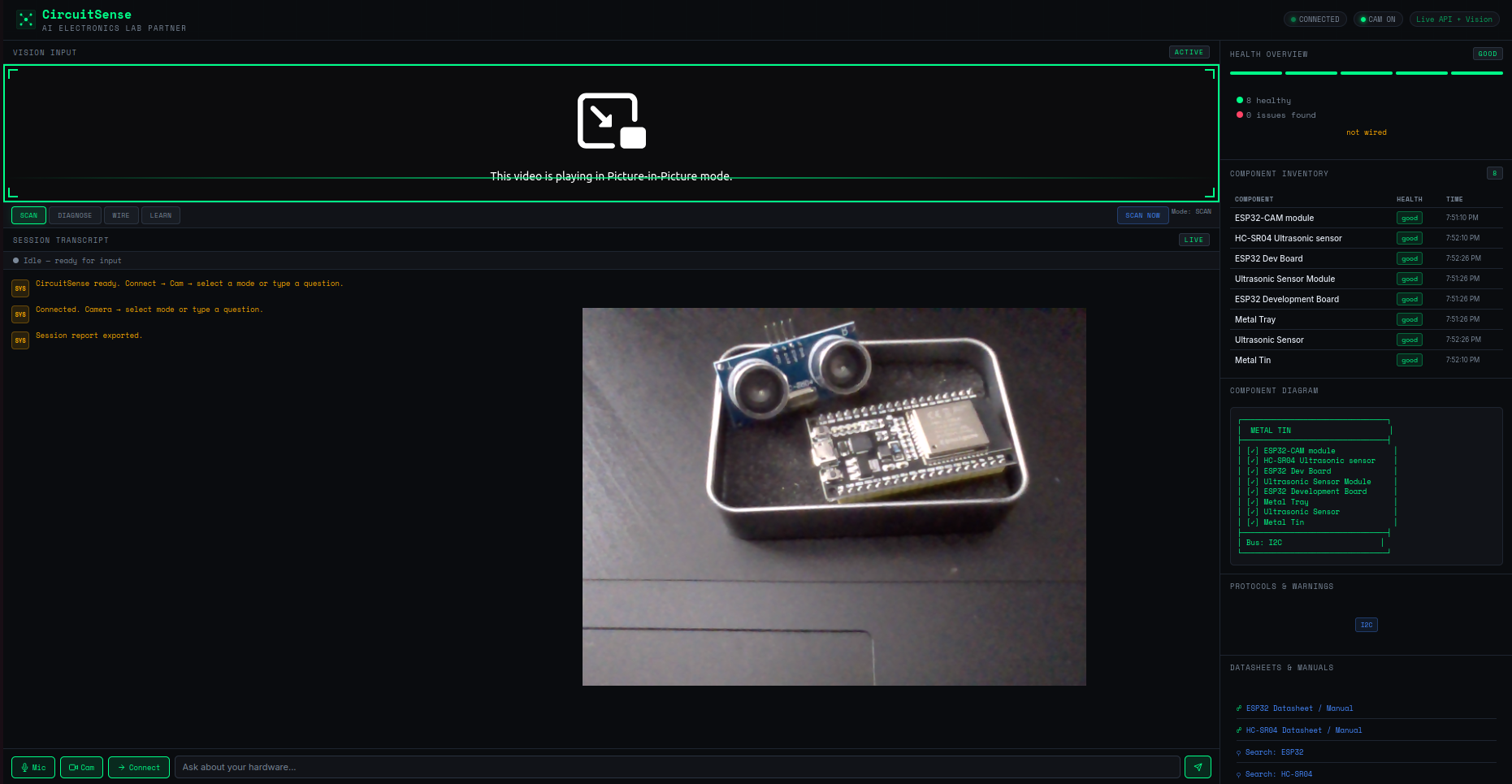
CircuitSense is an AI electronics lab partner that sees your hardware through your camera in real-time. It:
- Identifies every visible component with health assessments
- Detects physical faults — bent pins, cold solder joints, burnt traces, corrosion
- Generates ASCII wiring diagrams on demand
- Links to relevant datasheets automatically
- Scores overall board health as a percentage
- Suggests project ideas based on detected components
- Exports session reports as documented lab notebooks
Four specialized modes — SCAN, DIAGNOSE, WIRE, and LEARN — let users switch between identification, fault-finding, wiring help, and beginner-friendly explanations.
How I built it — The Dual-Engine Architecture
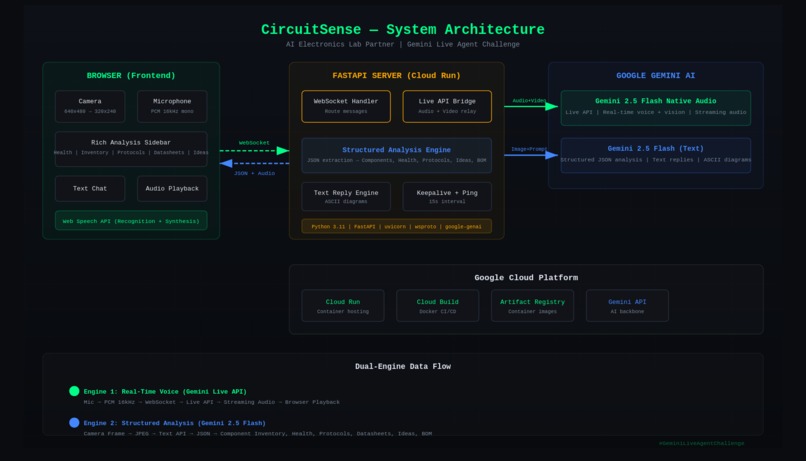
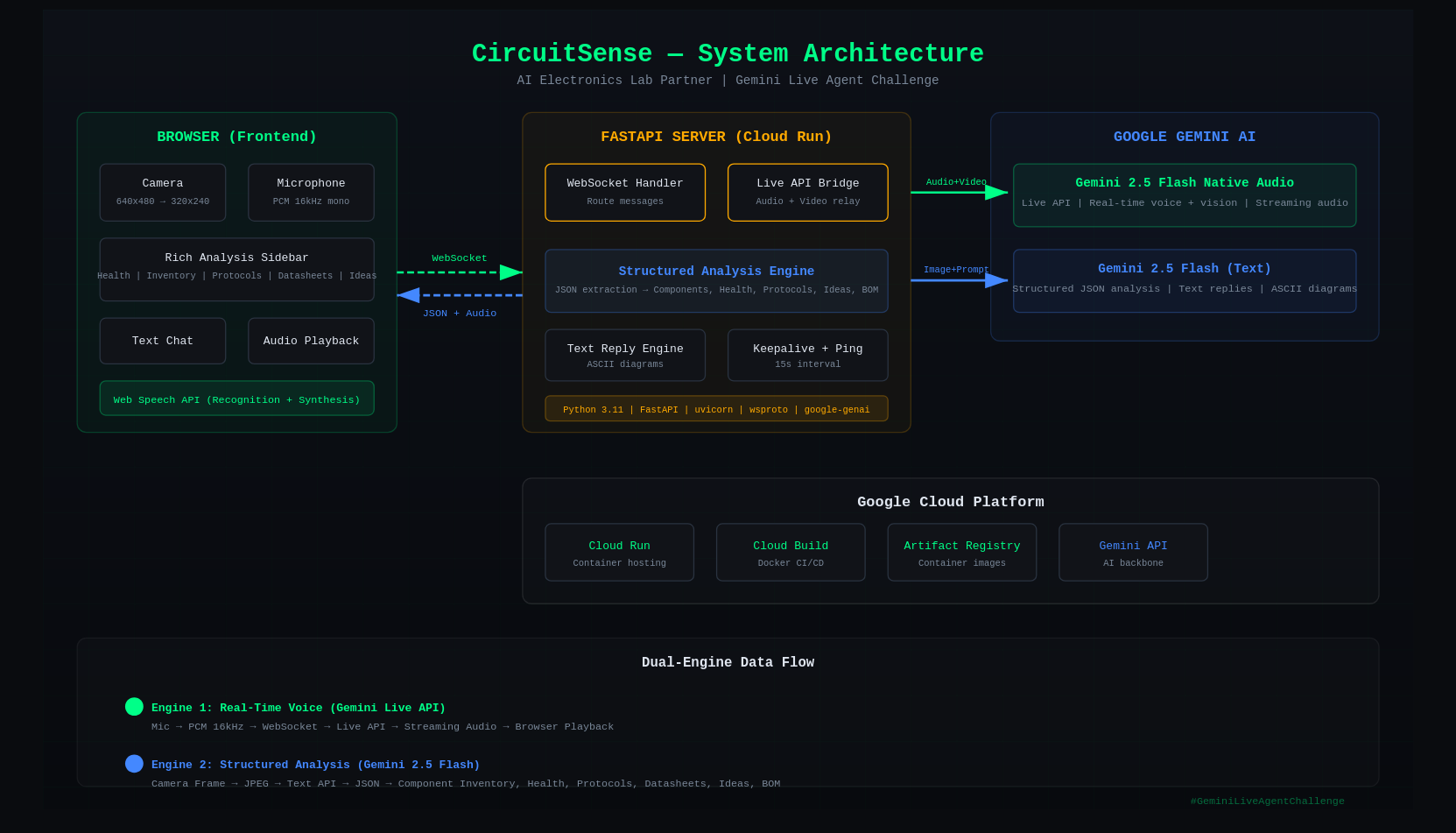
The key architectural insight: one model can't do real-time voice AND structured analysis well. So CircuitSense runs two Gemini models simultaneously.
Engine 1 — Gemini Live API (gemini-2.5-flash-native-audio-latest)
Handles real-time voice conversation with camera vision. Streams audio responses back to the browser. Sees the camera feed and responds naturally to spoken questions.
Engine 2 — Gemini 2.5 Flash (text model) Runs structured analysis every 15 seconds. Produces JSON with component inventory, health assessments, protocol detection, datasheet keywords, and project ideas. Populates the entire sidebar independently of the voice model.
Engine 2's analysis results are fed into Engine 1 — so when you ask a voice question, the voice engine already knows exactly what components are on the table.
The result: The sidebar is always updating, even while the voice model is thinking. The user never stares at a blank screen.
Stack:
- Backend: Python, FastAPI, WebSocket (wsproto)
- Frontend: Vanilla JS, Web Audio API, HTML5 Canvas
- AI: Google GenAI SDK — Gemini 2.5 Flash Native Audio + Gemini 2.5 Flash
- Cloud: Google Cloud Run, Cloud Build, Artifact Registry
- Deployment: Docker, automated
deploy.sh
Challenges I faced
Audio resampling: Browser microphones record at 48kHz but Gemini Live API expects 16kHz PCM. Built a client-side linear interpolation resampler that converts in real-time. Without this, the AI couldn't understand any speech.
Camera frames interrupting the model: Every frame sent to the Live API would interrupt the model mid-thought, causing it to restart or go silent. Solved with an ai_responding flag that pauses frame sending while the model is generating a response.
JSON truncation: The analysis model sometimes returned incomplete JSON for complex boards. Fixed with response_mime_type="application/json" to force valid output, plus a fallback parser that handles markdown wrapping and trailing commas.
WebSocket keepalive: Browser-to-server WebSocket would die after ~60 seconds of inactivity. A ping-pong heartbeat every 15 seconds solved this.
Component hallucination: The Live API would "see" components that weren't there (claiming every board was an ESP32). Solved by simplifying the system prompt and feeding Engine 2's verified analysis into Engine 1.
What I learned
- Real-time multimodal AI is a different beast — latency, streaming, and state management create problems that don't exist in request-response architectures.
- Two models beat one — running a fast structured model alongside a slow conversational model gives the best of both worlds.
- Browser audio APIs are painful — sample rates, buffer sizes, encoding, and echo cancellation all matter enormously.
- Prompt engineering for vision is hard — the same model can identify components perfectly or hallucinate wildly depending on 3 words in the system prompt.
What's next
- Wiring validation — compare connections against known-good schematics
- PCB comparison mode — diff a faulty board against a reference
- Persistent storage with Firestore for multi-session hardware tracking
- Mobile-optimized PWA for use in actual labs and workshops
- Multi-language support for electronics students worldwide
**Cloud Deployment Proof:** [CircuitSenseCloud_DEMO.mp4](https://github.com/kryptonus/CircuitSense/blob/main/CircuitSenseCloud_DEMO.mp4)
Built With
- docker
- fastapi
- gemini-2.5-flash
- gemini-live-api
- google-cloud-run
- google-genai-sdk
- html5
- javascript
- python
- web-audio-api
- websocket


Log in or sign up for Devpost to join the conversation.