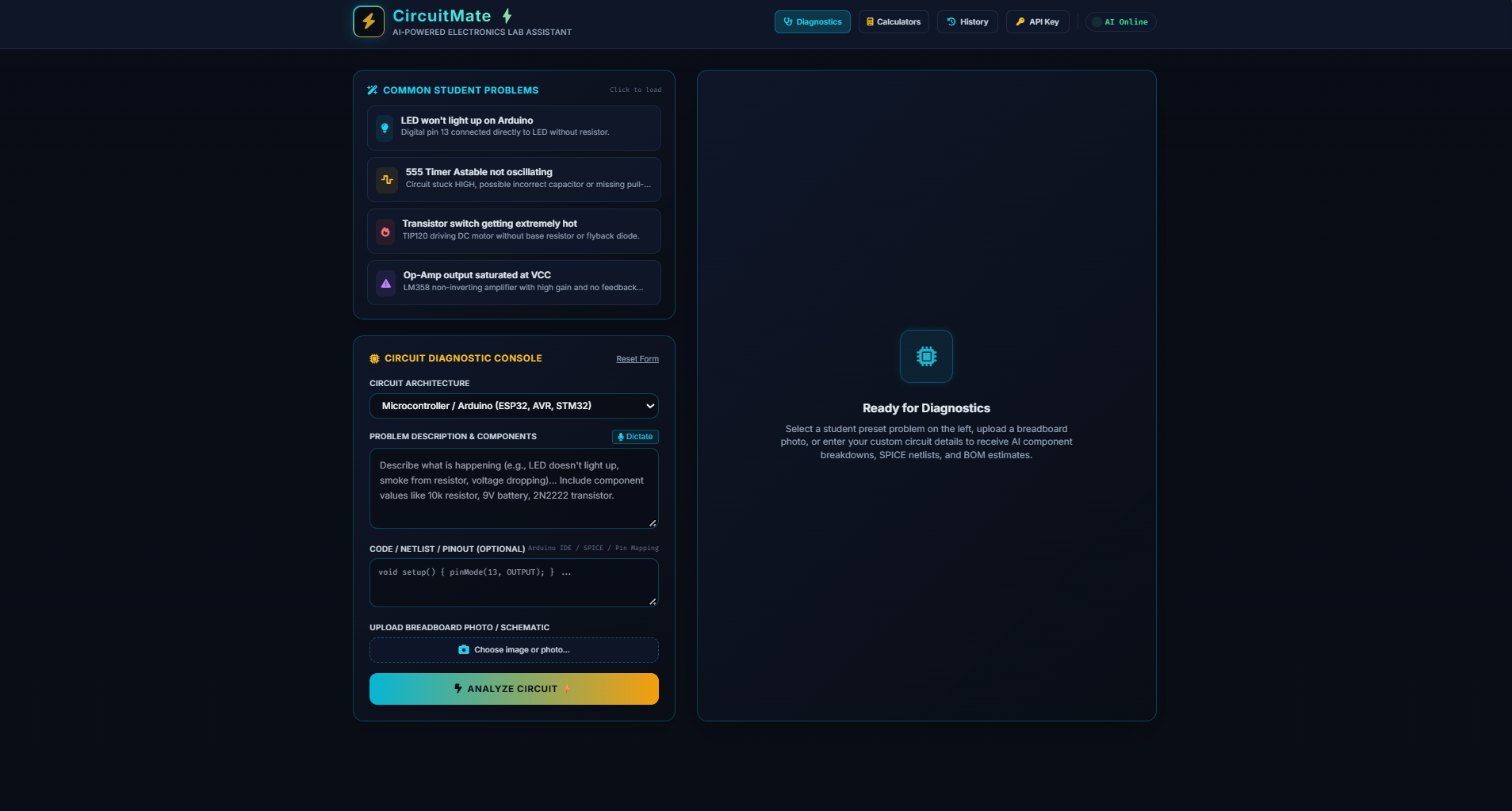
CircuitMate ⚡ — Project Description & Technical Overview1. Executive SummaryCircuitMate ⚡ is an advanced, AI-powered electronics laboratory assistant designed specifically for electrical engineering students, makers, hobbyists, and STEM educators. In a typical electronics lab, students often encounter wiring confusion, component identification challenges, and frustrating troubleshooting roadblocks (such as non-oscillating timers, op-amp distortion, or incorrect pinouts). CircuitMate bridges the gap between theoretical schematics and practical workbench execution by instantly analyzing any circuit problem or design query and providing structured, step-by-step guidance.2. Target Audience & Use CasesElectronics & Electrical Engineering Students: Quickly verify pinouts, component ratings, and connections before breadboarding physical circuits.Makers & DIY Hobbyists: Troubleshoot microcontroller projects (like Arduino or ESP32 sensors) and power supply circuits without digging through endless forums.STEM Educators: Use quick pre-built prompt pills to demonstrate circuit principles, safety precautions, and failure modes in the classroom.3. Core Features & CapabilitiesA. Intelligent Circuit Analysis EnginePowered by the Gemini API (gemini-3-flash-preview), CircuitMate accepts natural language descriptions of circuits, schematics, or symptoms of failure and returns structured JSON containing:Circuit Overview: A clear engineering explanation of how the circuit functions and its primary purpose.Safety Precautions: Critical warnings regarding voltage limits, thermal dissipation, and capacitor polarity.Power & Specs: Estimated operating voltage, power consumption ($P = VI$), and component counts.B. Structured Lab TabsOnce analyzed, information is organized into four intuitive tabs:Overview Summary: High-level description, safety rules, and operating specs.Components & Functions: Inventory table of active and passive components with roles and key ratings.Pin-to-Pin Wiring Guide: Clear step-by-step connection rules (e.g., IC Pin 8 -> VCC Rail) to prevent short circuits.Troubleshooting Guide: Common failure symptoms, root electrical causes, and practical debugging procedures.C. Immersive Dark-Mode Lab AestheticsDesigned with an industrial electronics aesthetic (#070a12 dark background, electric cyan #38bdf8, and neon yellow #facc15 accents).Live Oscilloscope Animation: Features an HTML5 canvas rendering real-time sine wave oscillations during the AI processing phase.Glassmorphic UI: Modern translucent panels with subtle glows for an authentic digital lab workbench feel.D. Workflow EnhancementsQuick Lab Prompt Pills: One-click triggers for common student experiments (e.g., Arduino IR Line Follower, 555 Timer Astable Circuit, Op-Amp Distortion Fix, H-Bridge Motor Driver, Buck Converter Design).History & LocalStorage Management: Automatically stores past queries and analysis results in browser storage, accessible via a slide-out history drawer.Export & Copy Utilities: Export complete reports as formatted Markdown files (.md) or copy raw JSON reports to the clipboard for lab notebooks.Flexible API Configuration: Built-in runtime API key handling with an optional custom key configuration modal.4. Technical ArchitectureSingle-File Architecture: Built entirely in a single, self-contained HTML file incorporating Tailwind CSS (via CDN), FontAwesome icons, Google Fonts (Inter & JetBrains Mono), and vanilla JavaScript.Robust Fallback System: Includes a built-in simulation fallback mode that activates if network requests or API limits are encountered, ensuring uninterrupted student lab workflows.Client-Side Persistence: Utilizes localStorage for analysis history and custom API key settings, maintaining state across browser sessions.
circuitmate
An AI-powered electronics troubleshooting assistant — converting circuit symptoms and images into structured fault diagnosis, engineering calculations. Built for students, hobbyists
Updates

Leave feedback in the comments!
Log in or sign up for Devpost to join the conversation.