Inspiration
When someone builds their first electronic circuit, the most difficult part is often understanding what cannot be seen. A breadboard looks like a collection of holes, but some are electrically connected while others are isolated. A circuit may look correct even when an extra wire creates a dangerous bypass.
We wanted to turn these invisible relationships into something learners could explore directly. CircuitFlow AR brings circuit building, electrical understanding, and troubleshooting into a single spatial learning experience.
What it does
CircuitFlow AR is an interactive electronics laboratory designed for augmented reality glasses. It follows three connected learning experiences: Build, Understand, and Diagnose.
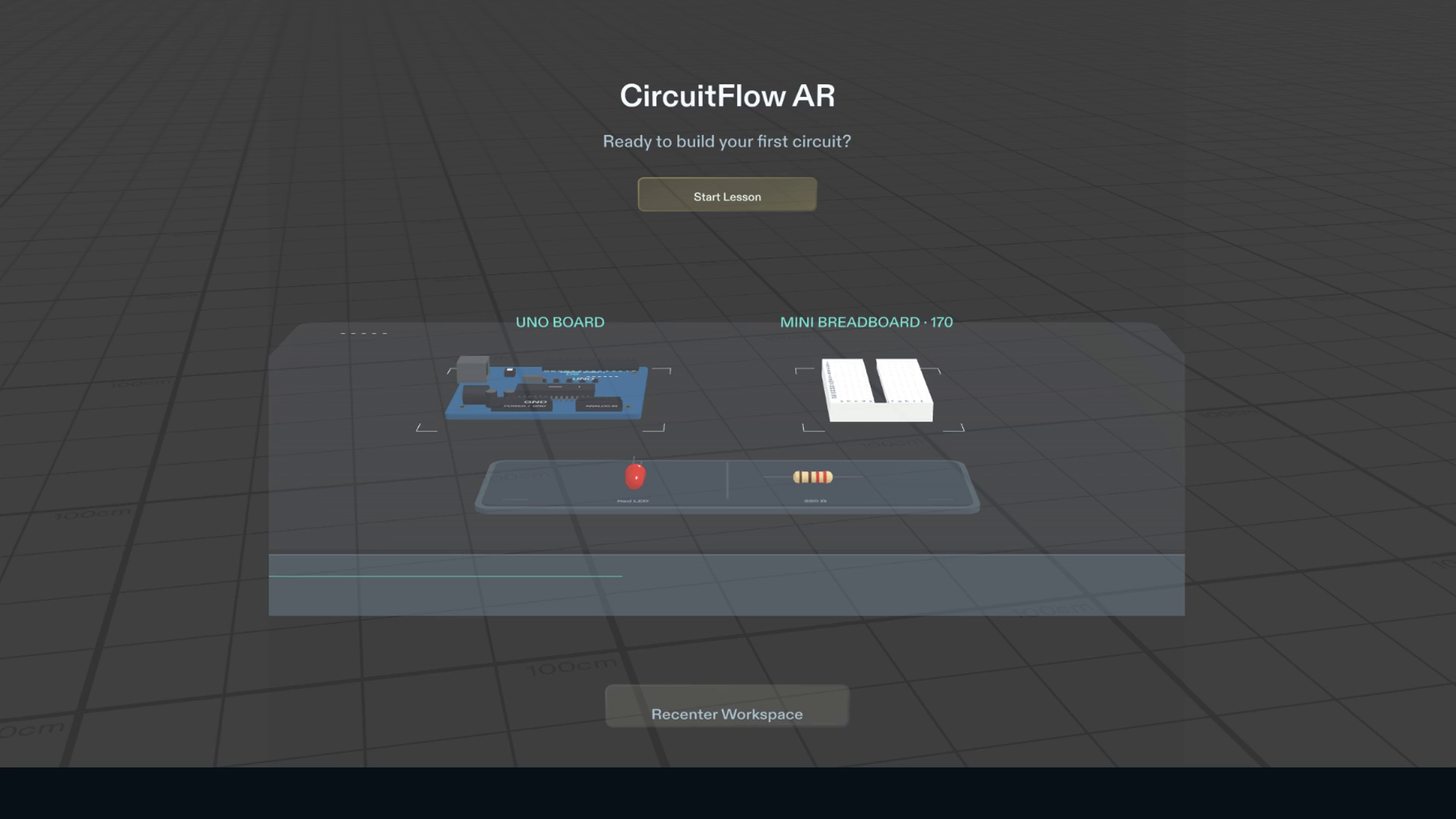
Build: Learners assemble a circuit using a virtual Uno-compatible controller, a 170-point breadboard, a red LED, and a 220-ohm resistor. They place the components, connect D9 and GND, and run the circuit. Incorrect placements, reversed LED polarity, and invalid wiring are rejected with contextual feedback.
Understand: Reveal Connections exposes three electrically connected breadboard groups, each containing five holes. Learners can inspect the hidden relationships between physical connections. Show Current Path then illustrates conventional current travelling through the resistor and LED. Animated arrows appear during HIGH and disappear during LOW, synchronized with the blinking LED.
Diagnose: Fault Detective introduces an additional wire that bypasses the resistor. Learners inspect three candidate connections and decide which wire to remove. Incorrect attempts are rejected, while removing the faulty bridge restores the circuit after electrical validation.
The virtual workbench remains fixed in the surrounding environment. Recenter preserves learning progress, while Restart allows learners to repeat the exercise.
How we built it
We developed CircuitFlow AR using Lens Studio, TypeScript, Spectacles Interaction Kit, and Spectacles UI Kit. An AI coding agent, Codex, assisted implementation through the CLAD plugin and Lens Studio MCP, following a design brief prepared with the Devpost Learn workflow.
The electronics are represented using procedural 3D geometry. A connectivity-based electrical model distinguishes independent breadboard strips, resistor terminals, LED polarity, and valid current paths.
The same validation logic is used during construction, before execution, and during fault diagnosis. The LED blink and current-path visualization share an execution clock rather than relying on unrelated visual animations.
Challenges we ran into
One challenge was balancing accurate electronics with usable spatial interactions. Breadboard holes are physically close together, but interaction targets must remain easy to select. We separated contextual controls from the components while keeping every electrical connection mapped to its actual hole.
Another challenge was preserving the working circuit while introducing additional learning modes. Reveal Connections, current visualization, and fault diagnosis needed to operate without disrupting the original lesson.
We also addressed Lens Studio script-reference issues and verified that the public project could restore its required dependencies from official sources.
Accomplishments that we're proud of
CircuitFlow AR delivers a complete lesson rather than a collection of disconnected demonstrations. Learners can build, run, understand, break, diagnose, and repair a circuit within the same workspace.
The project passed 110 of 110 local runtime verification checks, covering component placement, electrical validation, execution timing, and the additional learning modes.
The complete experience was exercised in Lens Studio's SPECS Interactive Preview, including invalid interactions, actual circuit repair, Restart, and Recenter.
We also published a reproducible source repository with installation instructions and official dependency-restoration steps.
What we learned
Building for spatial computing requires more than translating a conventional interface into 3D. The position of an instruction, the size of an interaction target, and the visibility of the physical object all affect whether the experience feels understandable.
We also learned the importance of separating visual plausibility from electrical correctness. A wire that appears connected should not automatically count as a valid circuit. That distinction became central to both our validation model and Fault Detective experience.
What's next
We would like to test CircuitFlow AR on physical Spectacles, evaluate hand tracking and viewing comfort, and expand the laboratory with additional circuits and troubleshooting challenges.
The current submission has been verified using Lens Studio SPECS Interactive Preview. Physical Spectacles testing and LEAF testing have not yet been performed.
Built With
- clad
- codex
- interaction
- kit
- lens
- mcp
- procedural
- snap
- spectacles
- studio
- typescript
- ui

Log in or sign up for Devpost to join the conversation.