-
-
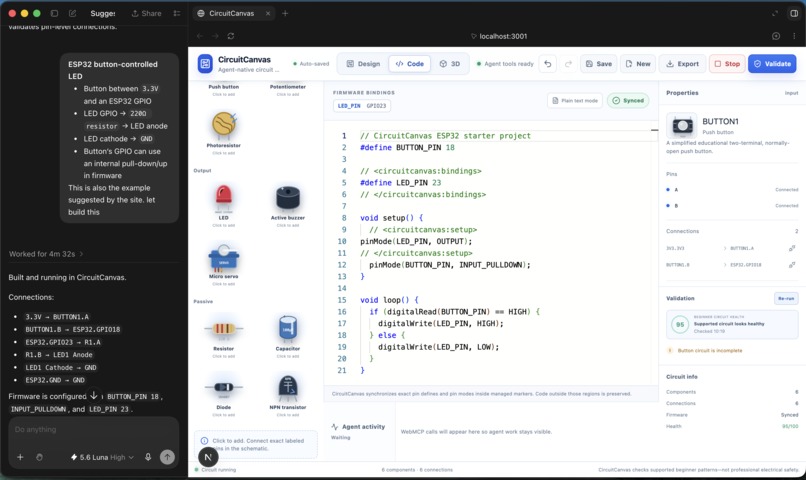
Code view
-
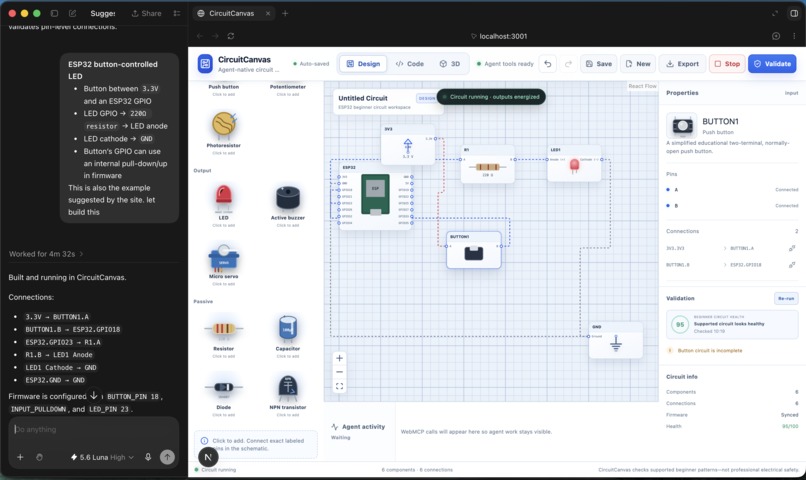
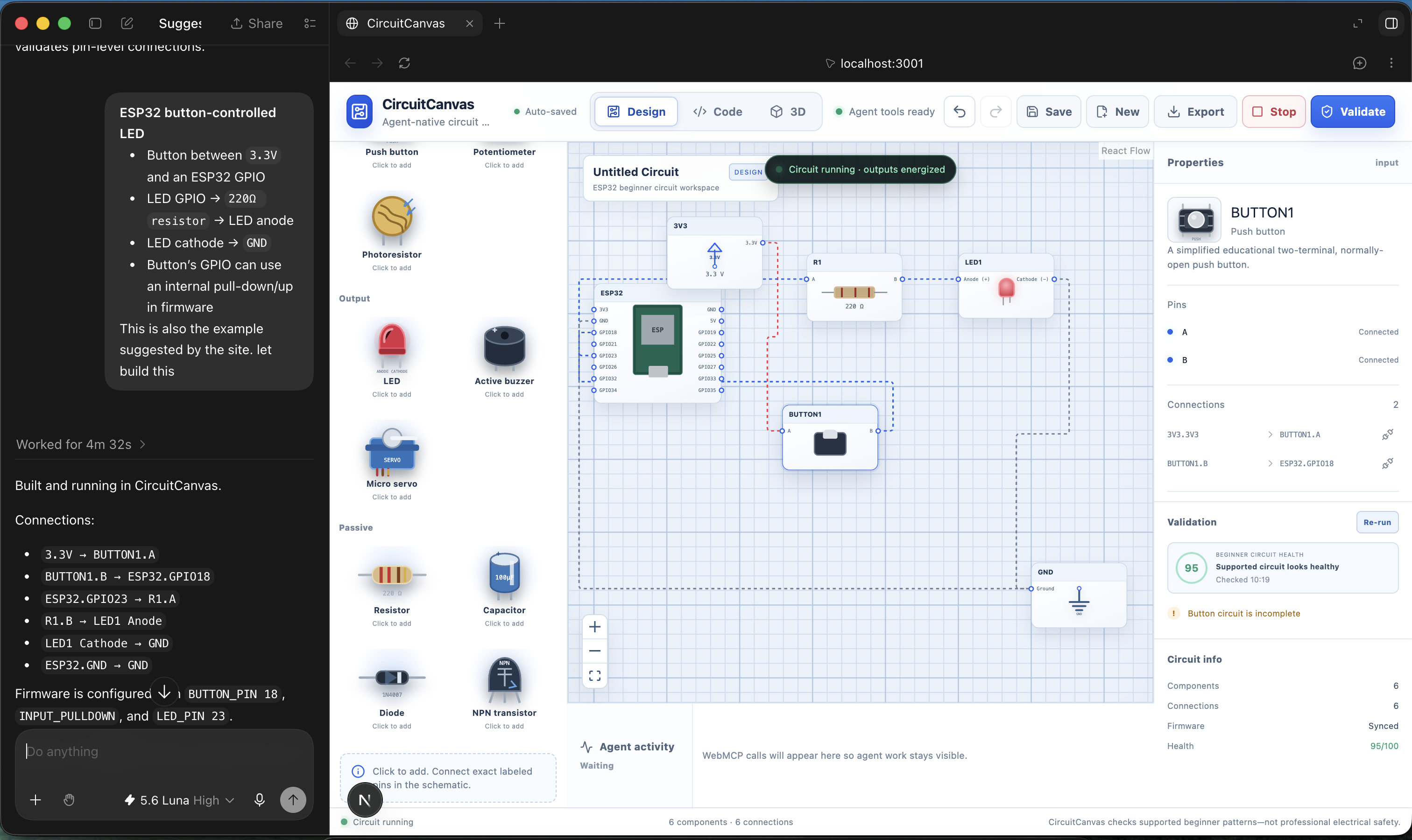
Design view
-
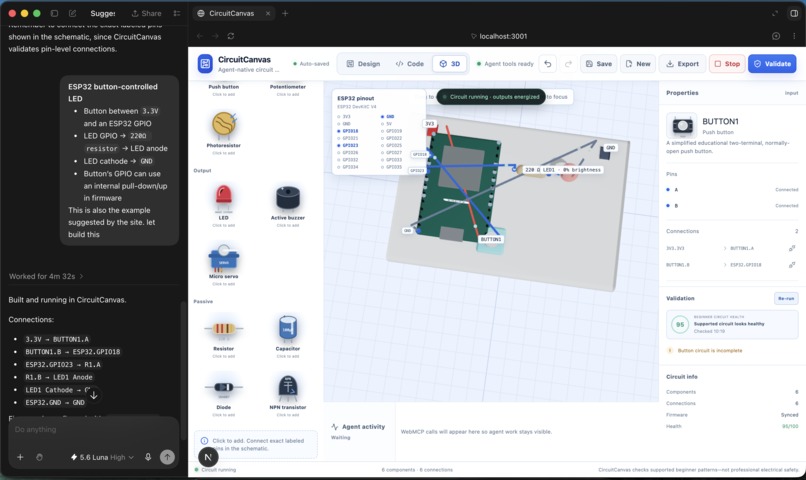
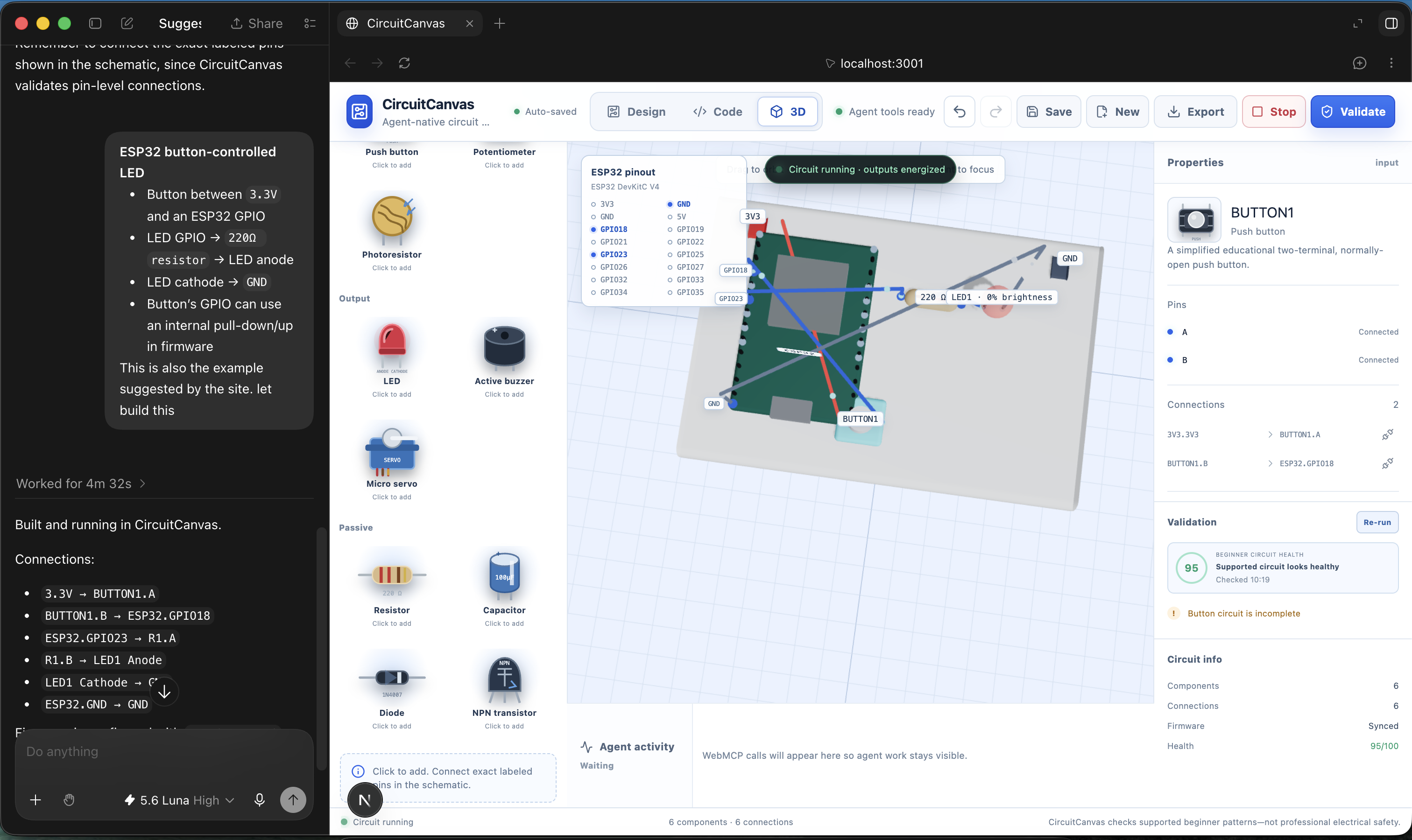
3D view
Inspiration
CircuitCanvas was inspired by the gap between how people understand electronics and how browser agents interact with software.
A circuit is more than a visual arrangement of boxes and wires. It has exact components, pins, electrical paths, firmware bindings, and safety constraints. An agent that only sees pixels can connect the wrong GPIO, miss a resistor, or lose synchronization between the schematic and the code.
We wanted to build a workspace where people and AI agents could genuinely collaborate. Our goal was to enable an agent to understand what each component and connection means, make safe changes, explain its reasoning, and work alongside the user in the same project.
What We Built
CircuitCanvas is an agent-native ESP32 circuit designer with:
- An exact-pin React Flow schematic editor.
- A physical 3D view with components, pin anchors, wires, labels, and animated current flow.
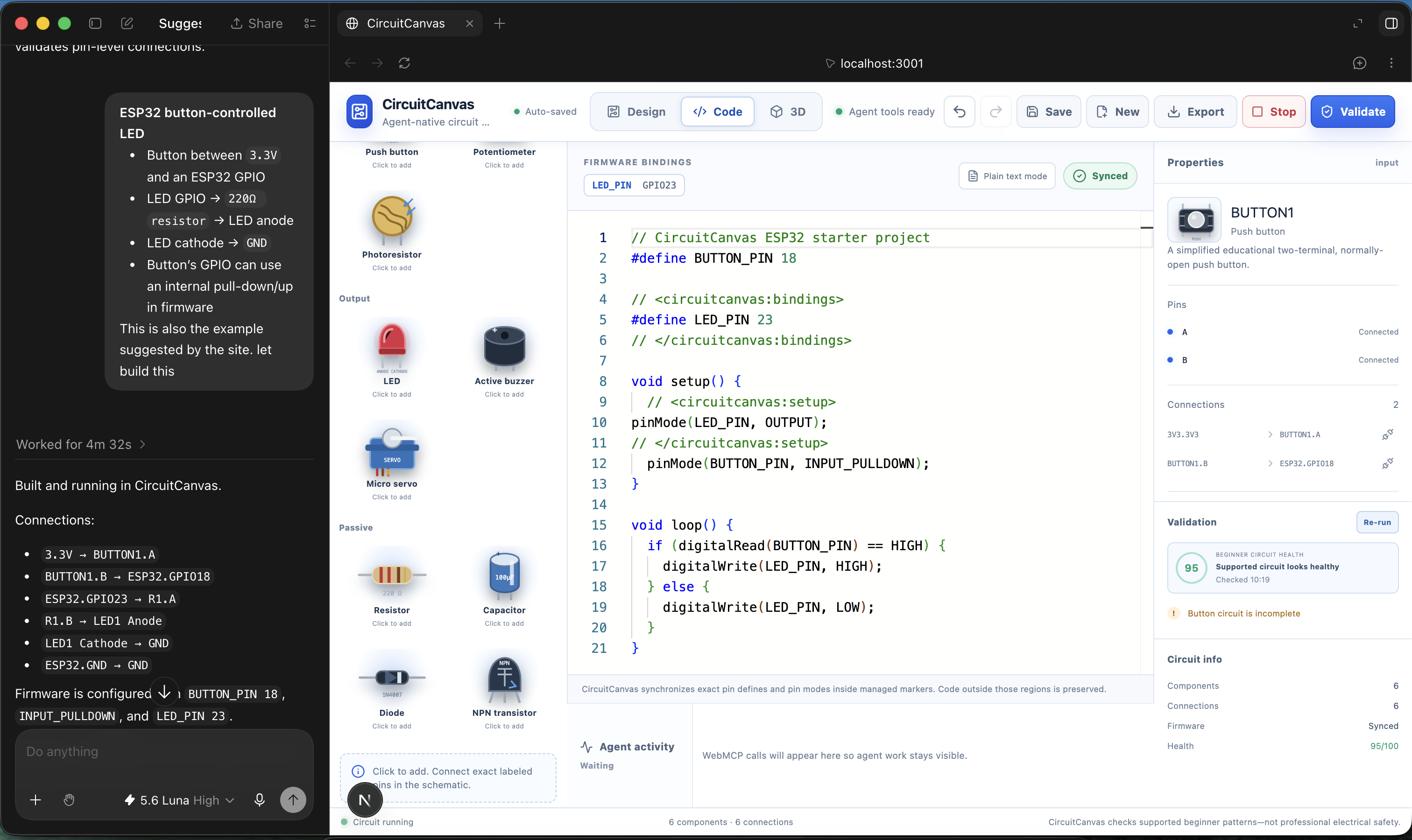
- An Arduino-style firmware editor with two-way synchronization between code and circuit connections.
- Deterministic validation for beginner mistakes such as missing resistors, invalid GPIOs, reversed LEDs, and missing ground paths.
- Firmware-aware visual simulation for supported digitalRead() and digitalWrite() patterns.
- Potentiometer-controlled LED brightness.
- Undo and redo, project saving, loading, exporting, and local persistence.
- 29 WebMCP tools that allow browser agents to inspect, build, modify, validate, simulate, explain, and export circuits.
The central architectural decision was to maintain one canonical CircuitProject. The schematic, 3D scene, firmware, validator, simulator, history, persistence, and WebMCP responses are all projections of that shared state.
How We Built It
We built the application with Next.js, React, TypeScript, Zustand, Zod, React Flow, React Three Fiber, Monaco Editor, and WebMCP.
Human actions and agent actions both pass through the same typed domain command layer. This ensures that connecting a pin through WebMCP has the same validation, synchronization, persistence, and undo behavior as connecting it manually in the schematic.
WebMCP exposes structured tools such as:
- get_circuit_summary
- get_available_pins
- add_component
- connect_components
- update_firmware
- validate_circuit
- run_simulation
- set_simulation_input
- set_potentiometer_wiper
- save_project
- export_project
This allows an agent to inspect the circuit before acting instead of guessing from screen coordinates.
What We Learned
We learned that agent-native interfaces need more than tool registration. The underlying application state must be structured, stable, and safe enough for an agent to use.
We also learned the importance of:
- Exposing exact IDs instead of relying on labels or visual positions.
- Centralizing component and pin definitions.
- Keeping validation deterministic for safety-sensitive feedback.
- Synchronizing firmware and circuit changes as one undoable operation.
- Making agent actions visible through activity history.
- Designing tools around meaningful user tasks instead of arbitrary internal functions.
Challenges
The biggest challenge was keeping multiple representations synchronized. A single GPIO change can affect the schematic wire, 3D endpoint, firmware binding, validation result, simulator output, and undo history.
Solving this required treating the canonical project model as the only source of truth.
Another challenge was creating useful firmware simulation without pretending to be a full electrical simulator. CircuitCanvas intentionally supports a small, transparent Arduino-style subset instead of making unsupported claims about arbitrary C++ execution.
We also had to handle the differences between human and agent interaction. Humans can select a line visually, drag a component, adjust a potentiometer, or press Delete. WebMCP needed equivalent structured operations so agents could perform those same actions reliably.
Result
CircuitCanvas demonstrates a practical way for people and browser agents to work together on electronics.
The agent can understand the circuit structurally, make validated changes, operate the simulation, explain what it changed, and leave the user with a synchronized visual, physical, and firmware representation of the project.
Built With
- monaco-editor
- next.js
- react
- react-flow
- react-three-fiber
- typescript
- zod
- zustand

Log in or sign up for Devpost to join the conversation.