-
-
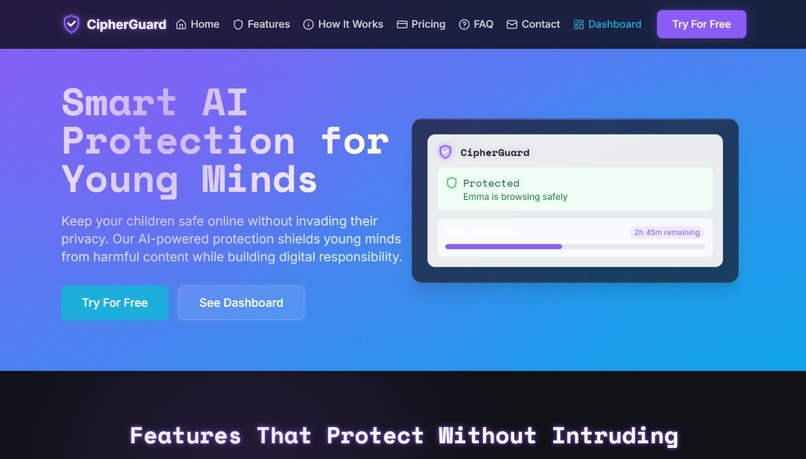
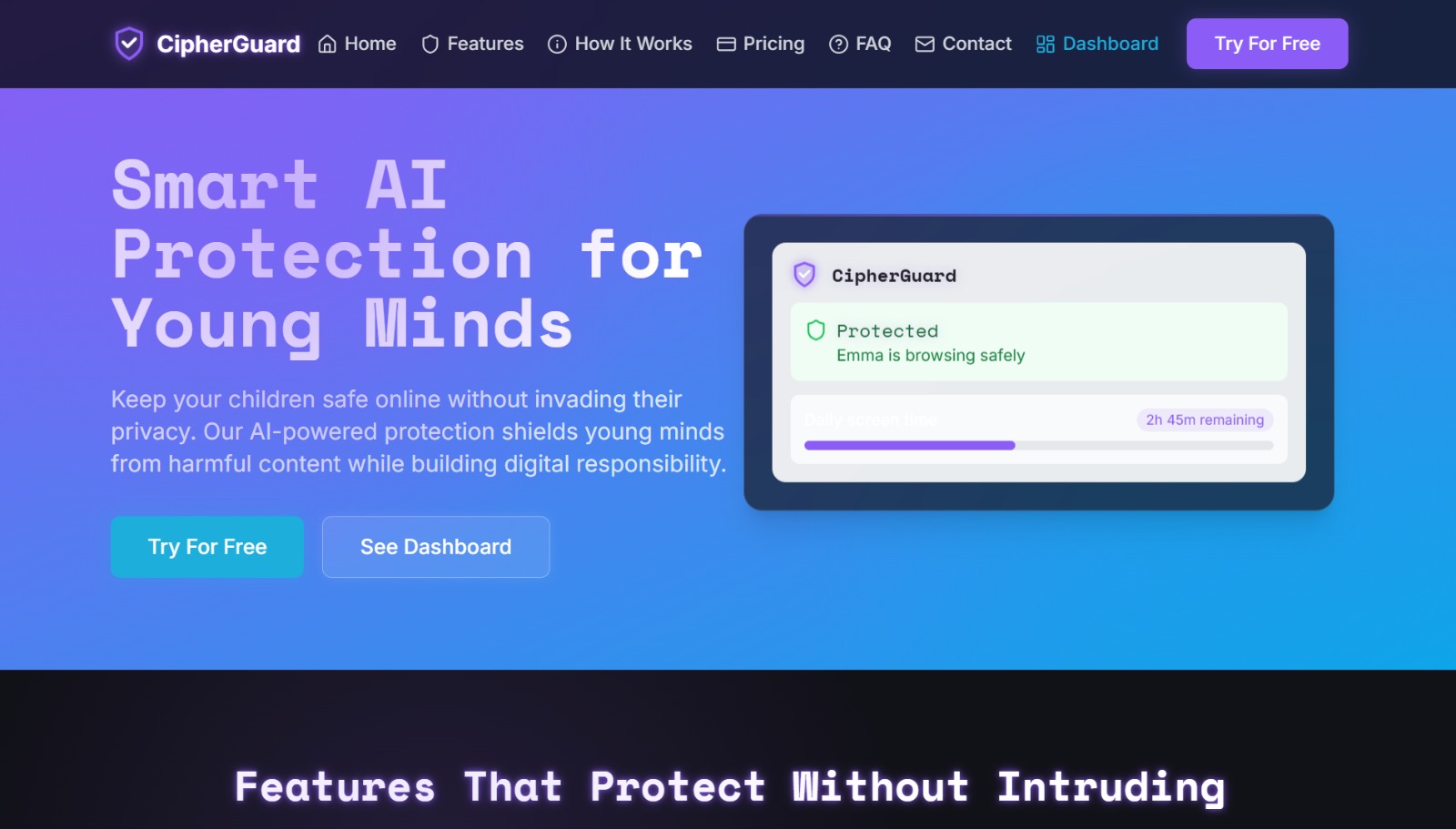
Landing page
-
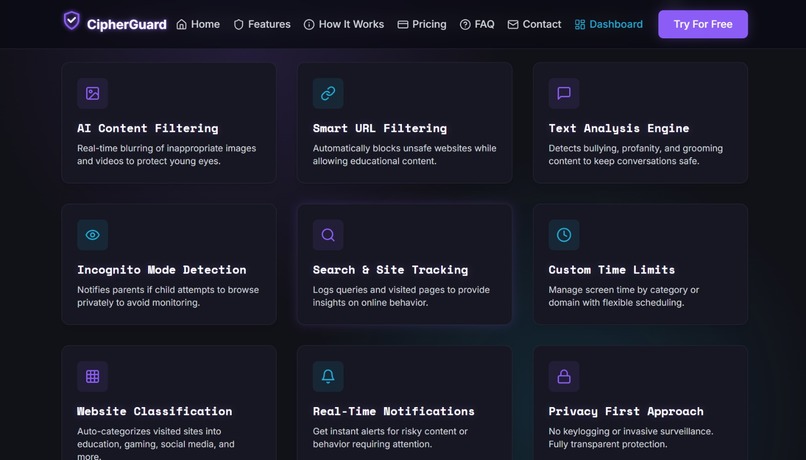
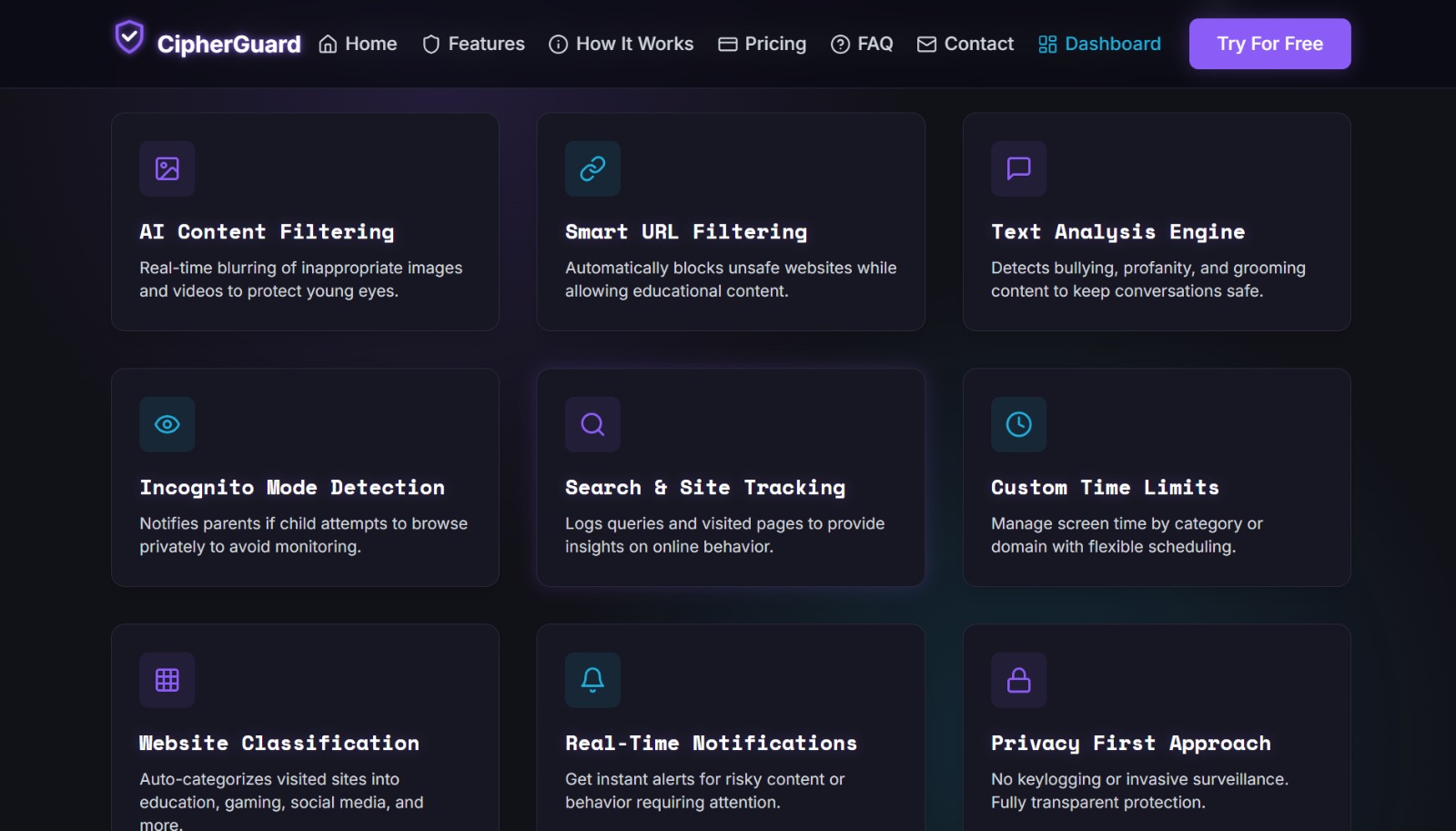
Features in Brief
Inspiration
We were inspired by a harsh reality: When me and my friends were working on a project, my friend's younger brother was sitting just beside us and by a chance, an add got popped up, he was directed and was exposed to unfiltered content. Then we realised that there are so many children today, who navigate a digital landscape fraught with dangers that existing parental control tools simply can't handle. Traditional solutions are either too restrictive (destroying trust), too easily bypassed (incognito mode, VPNs), or too outdated to understand modern threats. We watched parents struggle between two impossible choices—either micromanage every click or leave their kids vulnerable online. We knew there had to be a smarter way. Digital parenting deserves intelligence, not just locks and blocks. That's why Team Phoenix created CipherGuard—a solution that protects without suffocating, monitors without invading, and uses AI to stay ahead of evolving online threats.
What it does:
CipherGuard is an AI-powered Chrome extension that provides intelligent, real-time protection for children online while maintaining transparency and trust with parents.
Core Protection Features:
- AI-Based Image/Video Blurring: Automatically detects and blurs NSFW media in real-time, shielding kids from inappropriate visual content
- Smart URL Filtering: Blocks harmful websites instantly using AI-powered classification and custom blacklists
- Text Content Analysis: Flags toxic language, cyberbullying, threats, and abusive behavior across messages and webpages
- Incognito Mode Detection: Tracks and alerts parents when private browsing is attempted, promoting transparency
- Search & Site Monitoring: Logs search queries and visited websites to help parents understand their child's online interests and risks
- Intelligent Website Classification: Uses machine learning to categorize and rate site content for smarter filtering
Parent Dashboard Features:
- Customizable time limits for specific websites
- Detailed usage reports (site-wise and time-based analytics)
- Real-time activity tracking and alerts
- Multi-child account management with individual rules
- AI-generated insights and recommendations
Unlike competitors like BlockSite, Net Nanny, or Google Family Link, CipherGuard offers context-aware blocking, on-page content scanning, adaptive block modes, and AI-ML based report generation—features that make it truly next-generation.
How we built it
Frontend: Chrome Extension with JavaScript for browser integration and real-time content monitoring
Backend: Hybrid architecture using Node.js and FastAPI for high-performance request handling and ML model serving
AI/ML Stack:
- TensorFlow for image/video content detection models
- LangChain for intelligent text analysis pipelines
- Scikit-Learn for classification algorithms
- Perspective API for toxicity detection in text content
- LLM Integration (ChatGPT, Gemini, Perplexity) for advanced content understanding
Development Tools:
- Lovable, Windsurf, and Claude for rapid prototyping
- FlowiseAI for building ML workflows
Architecture Flow:
- Extension Layer: Monitors active tabs, extracts URLs, tracks time spent, and enforces restrictions locally
- Backend Layer: Authenticates accounts, stores rules, receives usage data, calculates limits, and provides real-time status updates
- Dashboard Layer: Provides parents with analytics, control settings, and account management
The extension periodically syncs with the backend to fetch updated rules (blacklists and time limits) and sends usage data for analysis. When limits are exceeded or blacklisted sites are accessed, the extension immediately blocks access and alerts parents through the dashboard.
Challenges we ran into
1. Real-Time Performance vs. Accuracy: Balancing the speed of content detection with accuracy was critical. We couldn't afford false positives (blocking safe content) or false negatives (missing harmful content). We optimized our ML models using lightweight TensorFlow implementations and implemented smart caching strategies.
2. Incognito Mode Detection: Chrome extensions have limited APIs for detecting private browsing. We had to develop creative workarounds using tab monitoring and session tracking to identify when children attempted to bypass controls.
3. Privacy vs. Protection Balance: We needed to monitor activity without becoming invasive surveillance tools. We implemented privacy-by-design principles—logging only necessary data, storing it securely, and giving parents transparent control over what's collected.
4. Browser Performance Impact: Running AI models in-browser could slow down the user experience. We solved this by offloading heavy computations to our FastAPI backend and implementing efficient edge-case handling in the extension.
5. Adaptive Content Classification: Modern websites use dynamic loading and obfuscated content. Training our AI to handle diverse content types (social media, gaming platforms, educational sites) required extensive dataset curation and model fine-tuning.
6. Cross-Platform Synchronization: Ensuring seamless rule updates across devices and maintaining consistent protection without internet dependency required building robust offline caching mechanisms.
Accomplishments that we're proud of
Built a fully functional AI-powered parental control system from scratch in a limited timeframe
Solved real problems that existing solutions ignore—incognito detection, context-aware blurring, and intelligent content analysis
Successfully integrated multiple AI/ML technologies (TensorFlow, LangChain, Perspective API) into a cohesive, high-performance system
Created a scalable business model with clear revenue streams (premium subscriptions, institutional licensing, affiliate partnerships)
Designed an intuitive parent dashboard that makes complex analytics accessible and actionable
Aligned with SDG 16 (Peace, Justice, and Strong Institutions) by promoting child safety and digital well-being
Demonstrated innovation over competition—our feature comparison clearly shows how CipherGuard outperforms BlockSite, Net Nanny, and Google Family Link
Balanced security with trust— our transparent approach respects both parent needs and child privacy
Beta testing successful — made our beta testing where more than 500 users used it and we received a positive feedback, where we got an average rating of 4.6/5
What we learned
Technical Growth:
- Deploying machine learning models in production environments with performance constraints
- Building secure, scalable backend architectures using Node.js and FastAPI
- Working with Chrome Extension APIs and their limitations
- Implementing real-time data synchronization across distributed systems
- Optimizing AI inference for edge computing scenarios
Product Development:
- The importance of user-centric design—parents need simplicity, kids need freedom
- Privacy isn't optional—it's foundational to building trustworthy safety tools
- Real-world parental control problems are far more nuanced than blocking websites
- Iterative testing is crucial when accuracy directly impacts child safety
Business Strategy:
- Multiple revenue streams (subscriptions, licensing, partnerships) create sustainability
- Institutional markets (schools, EdTech, NGOs) offer massive scaling opportunities
- Child safety is a growing market with urgent, unmet needs
Team Collaboration:
- Dividing complex tasks across AI, backend, and frontend requires constant communication
- Rapid prototyping tools (Lovable, Windsurf, Claude) accelerate development cycles dramatically
- Documentation and code quality matter even in hackathons—they save debugging time
What's next for CIPHER
Multi-Device Syncing: Synchronize blocklists and settings across devices via cloud storage for seamless protection everywhere
Faster, More Accurate Detection: Optimize our AI models for sub-second response times with improved accuracy through continual learning
Real-Time WhatsApp Notifications: Send instant alerts to parents via WhatsApp bot for faster response to concerning activities
Offline Mode & Local Caching: Support offline detection by caching blocklists locally so protection works without internet connection
Community Platform for Parents: Build a discussion forum where parents can share insights, compare anonymized statistics, and learn best practices
Mobile App Expansion: Extend CipherGuard beyond Chrome to mobile browsers and native apps
Advanced Analytics: Implement predictive models that identify concerning behavioral patterns early
Strategic Partnerships: Collaborate with schools, mental health organizations, and child safety NGOs
Global Reach: Localize content detection for multiple languages and cultural contexts
Enterprise Features: Develop advanced institutional dashboards for schools with bulk management and compliance reporting
Team Phoenix | Vansh Singla & Dev Garg Maharaja Agrasen Institute of Technology, Delhi
Built With
- aiml
- express.js
- javascript
- langchain
- node.js
- python
- react
- tensorflow
- typescript


Log in or sign up for Devpost to join the conversation.