-
-
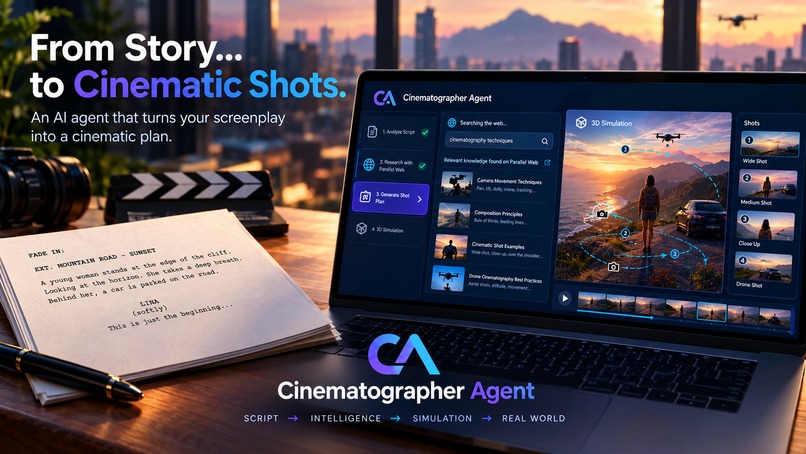
CA PRESENTATION
-
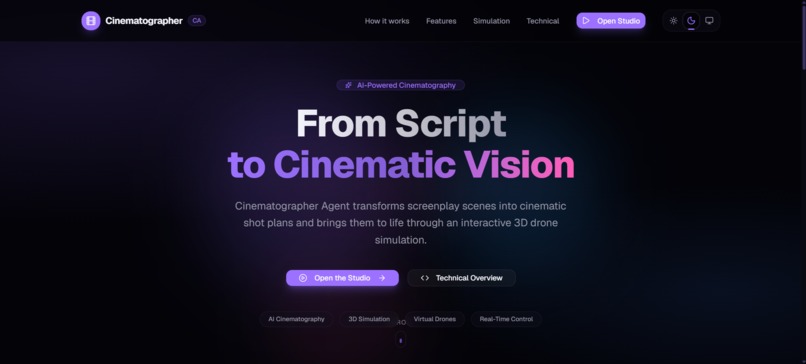
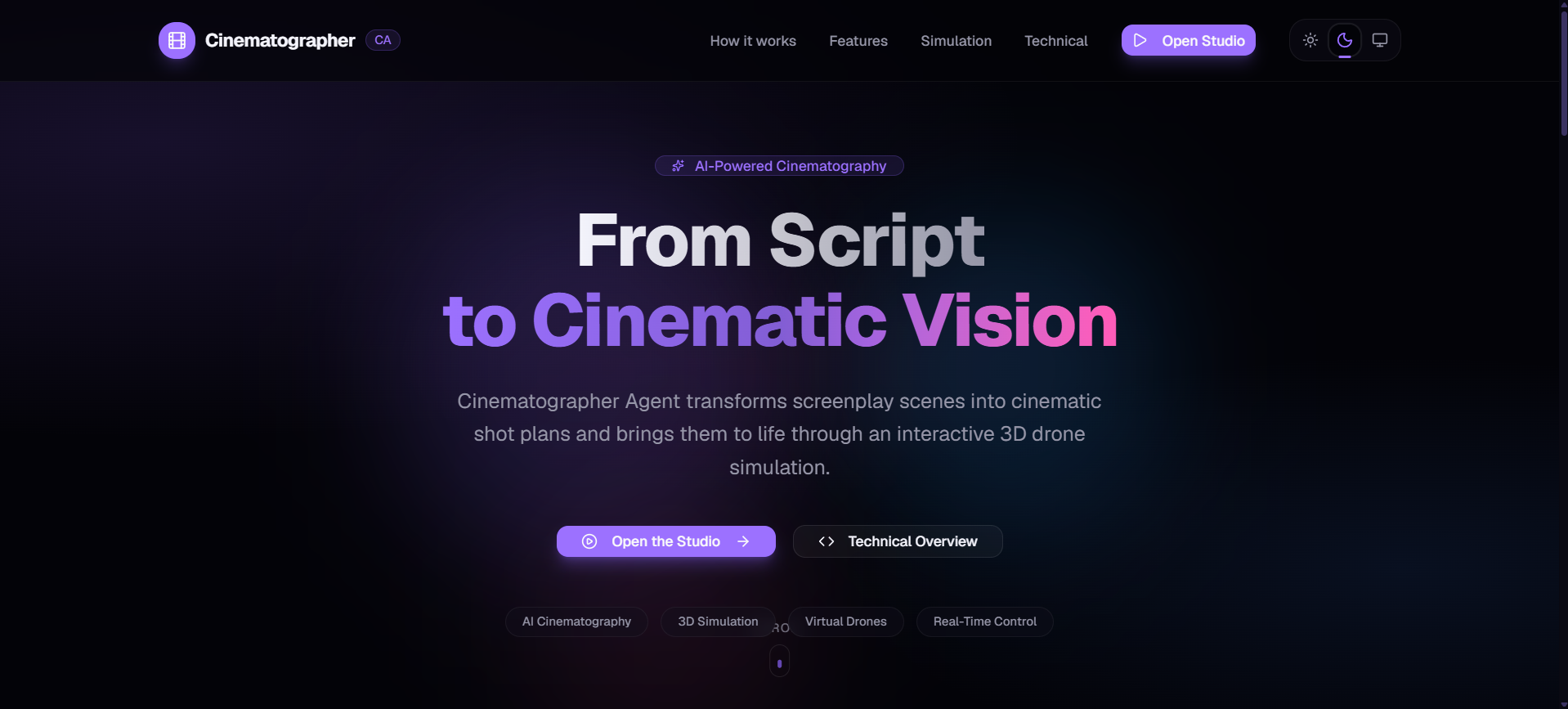
CA HERO
-
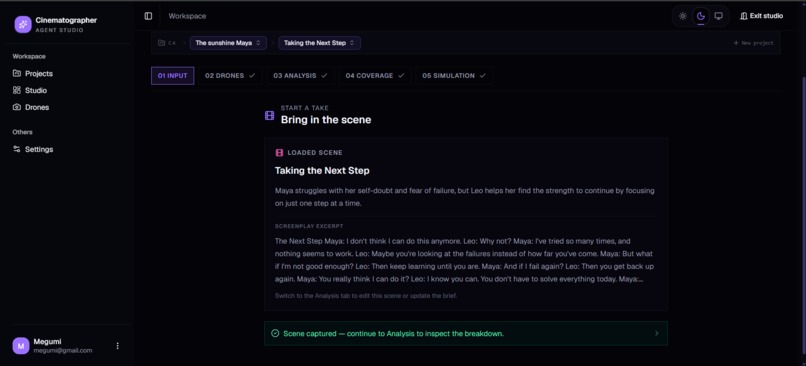
CA STUDIO
-
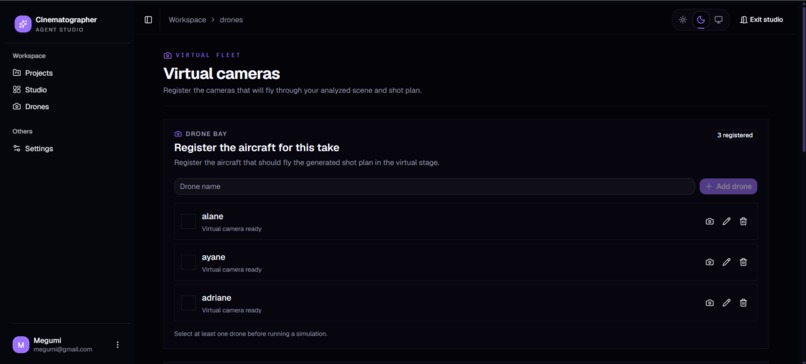
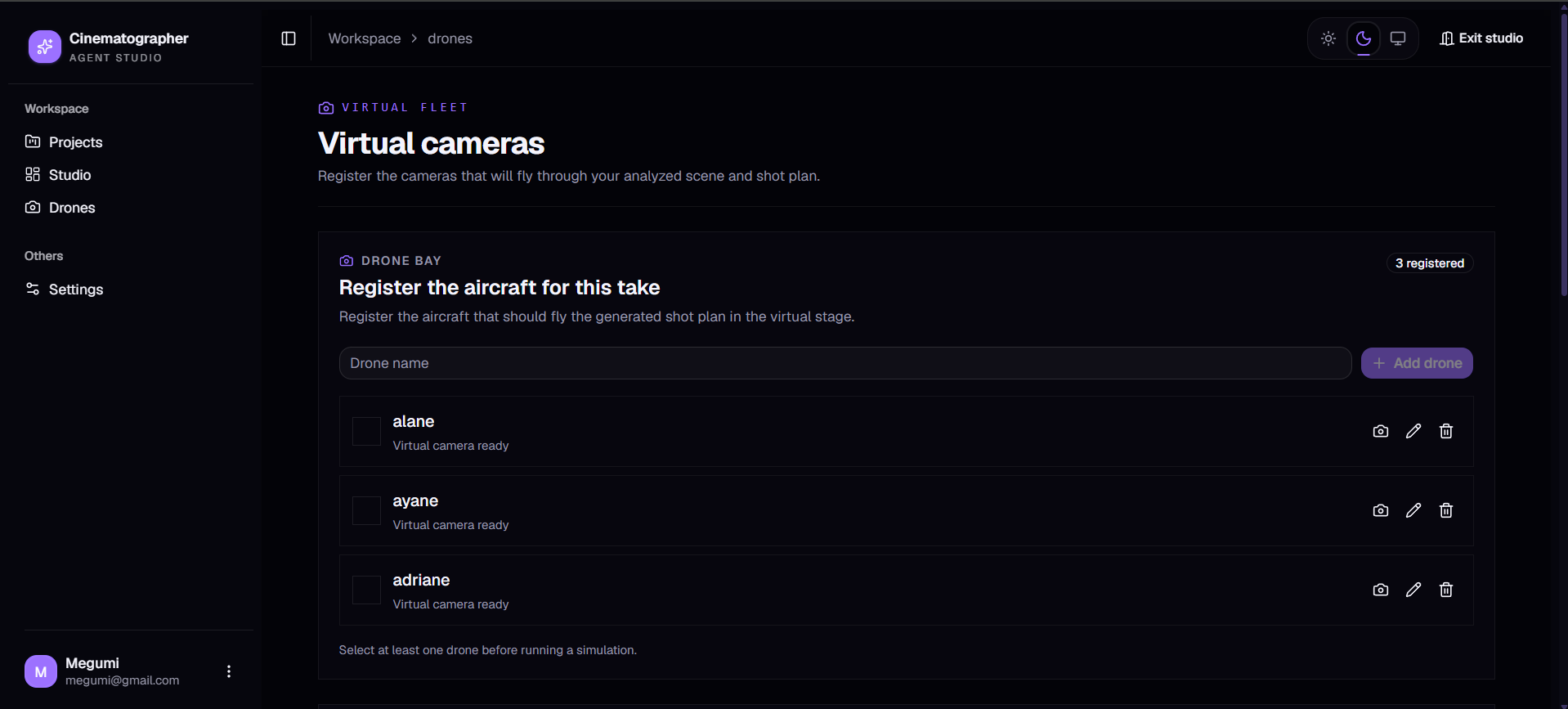
CD DRONES MANAGEMENTS
-
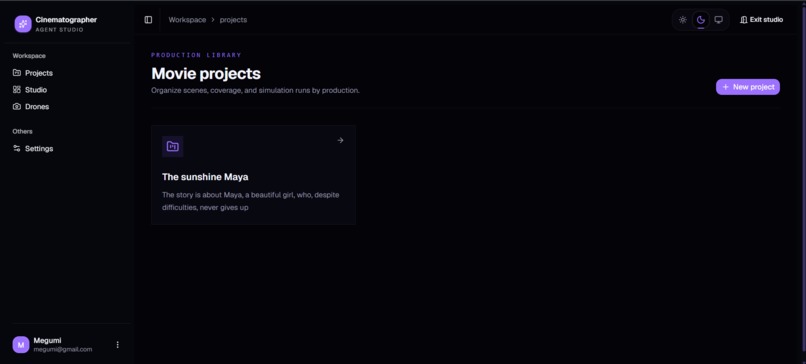
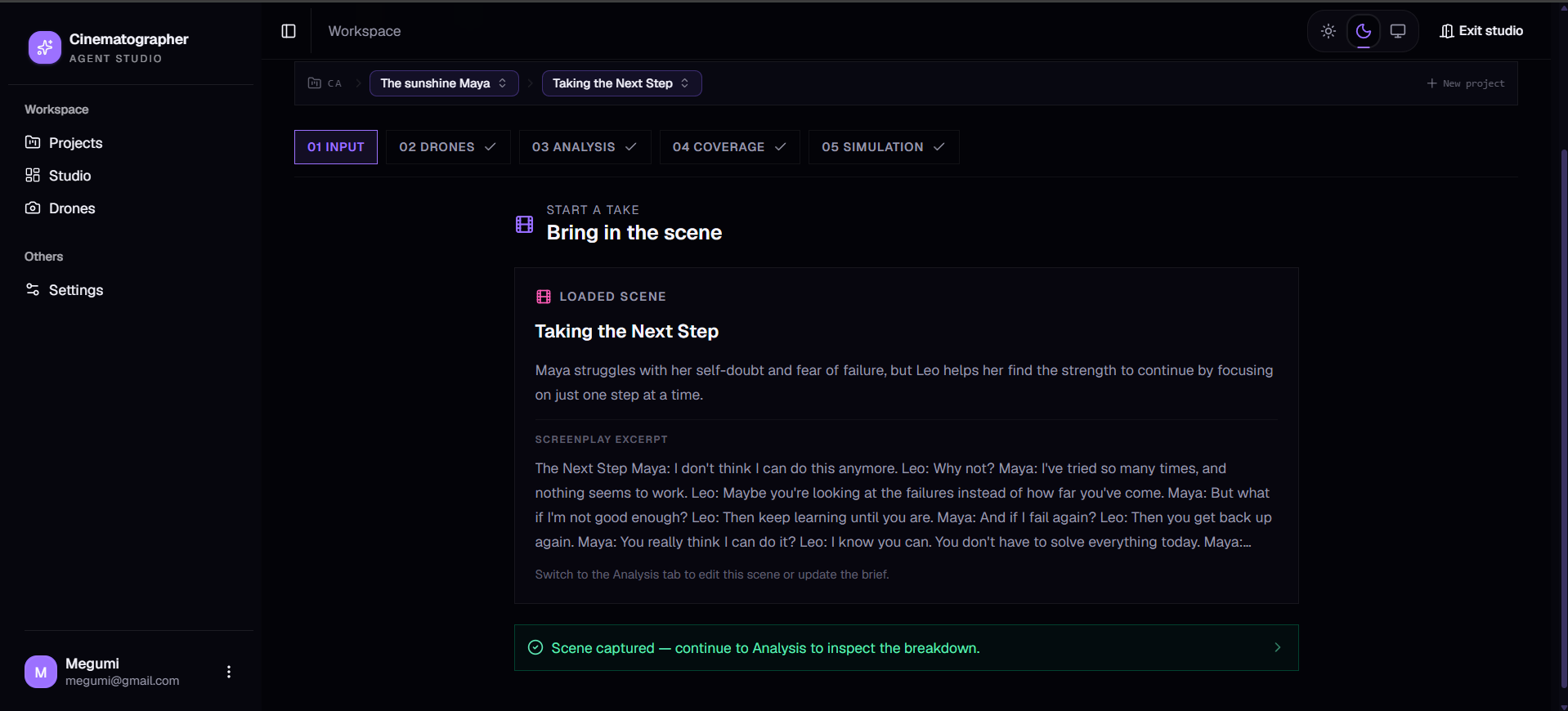
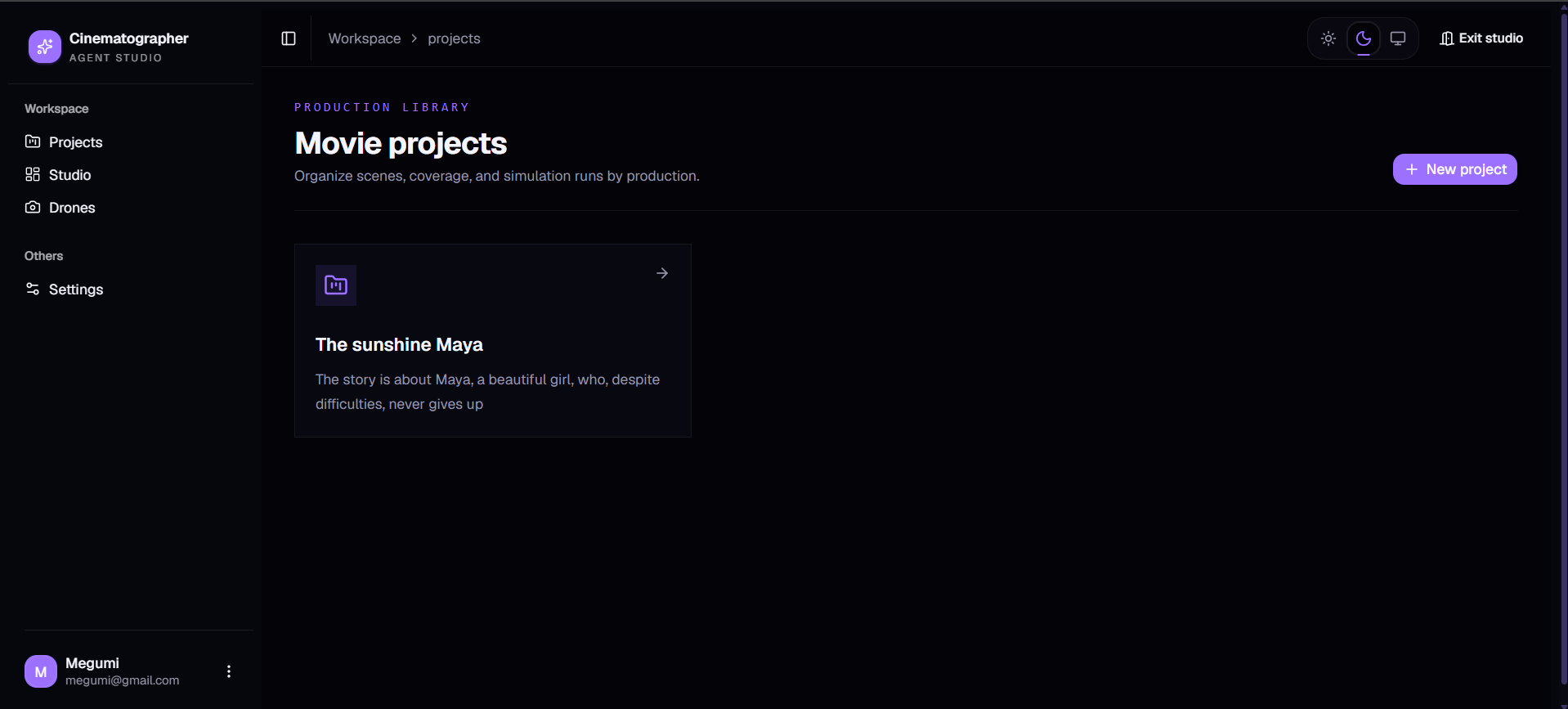
CA PROJECTS
-
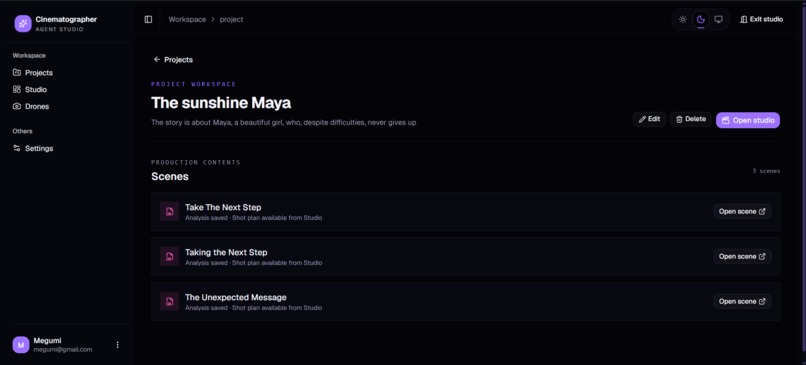
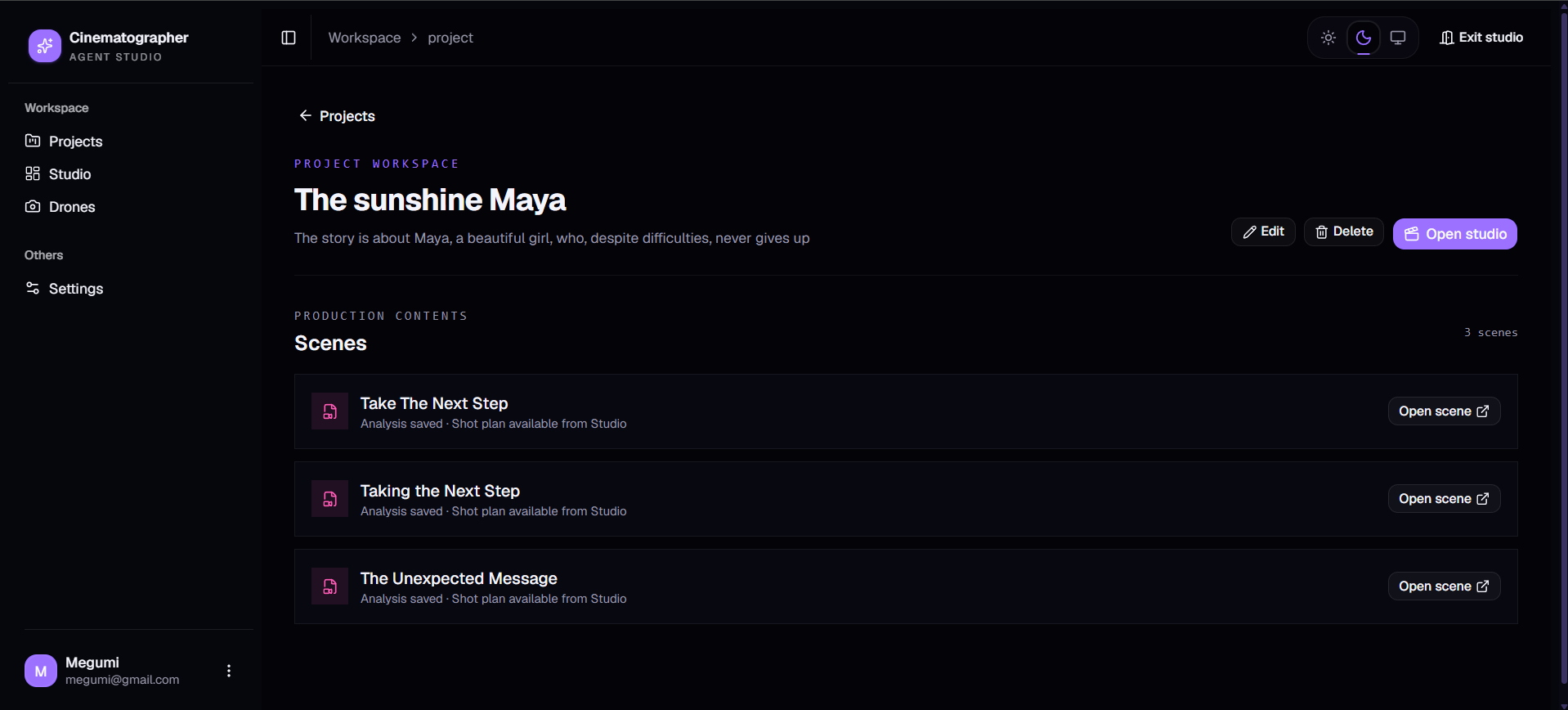
CA SCENES IN PROJECT
-
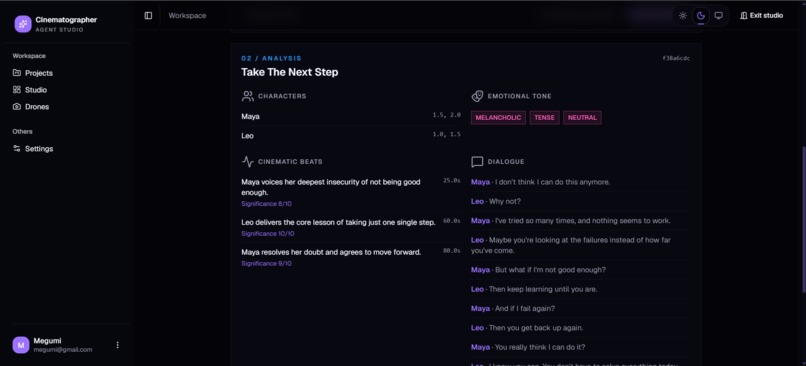
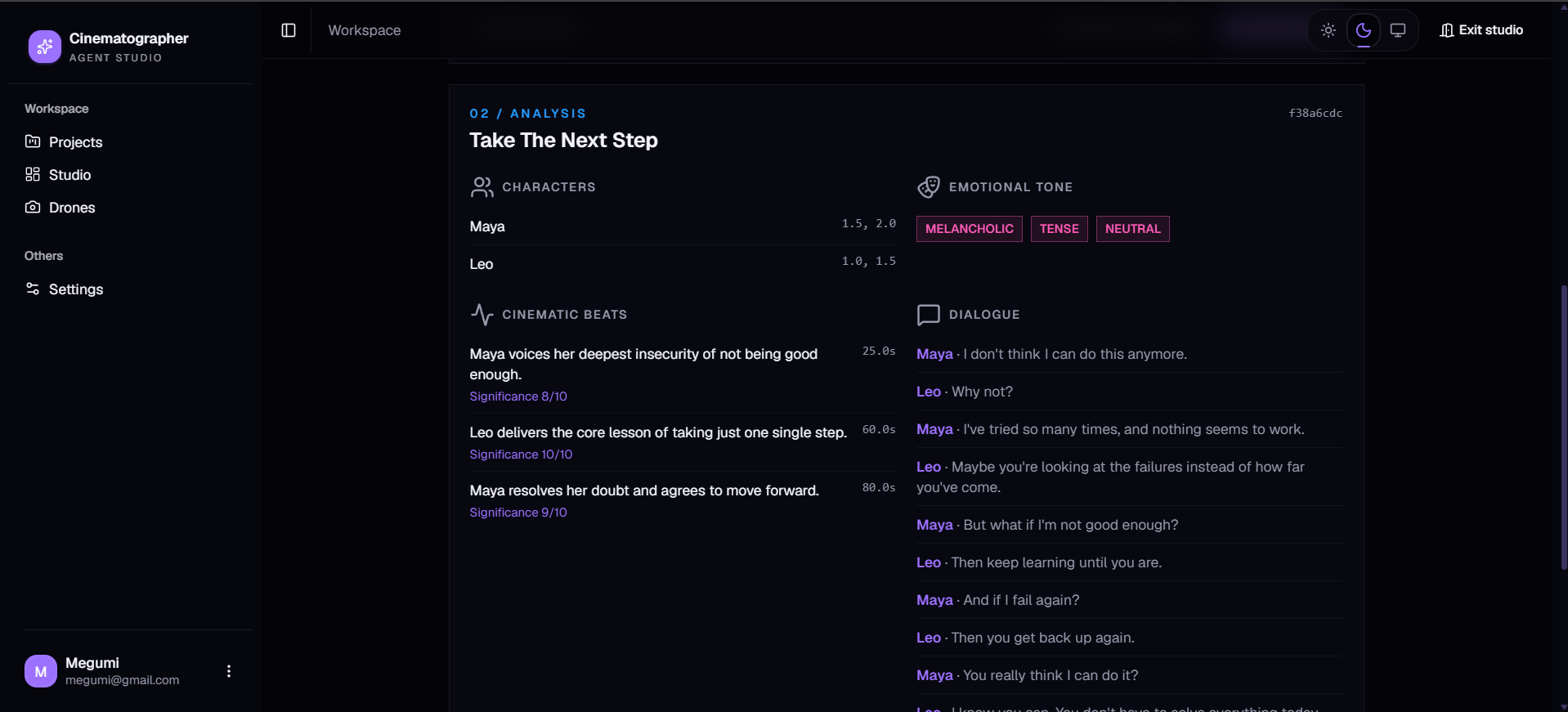
CA ANALYSIS
-
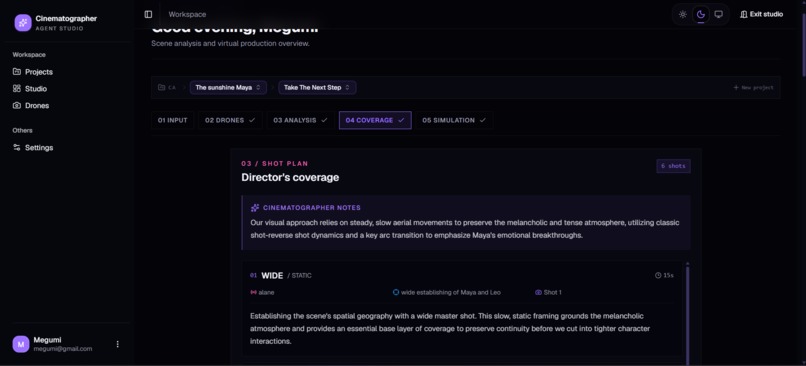
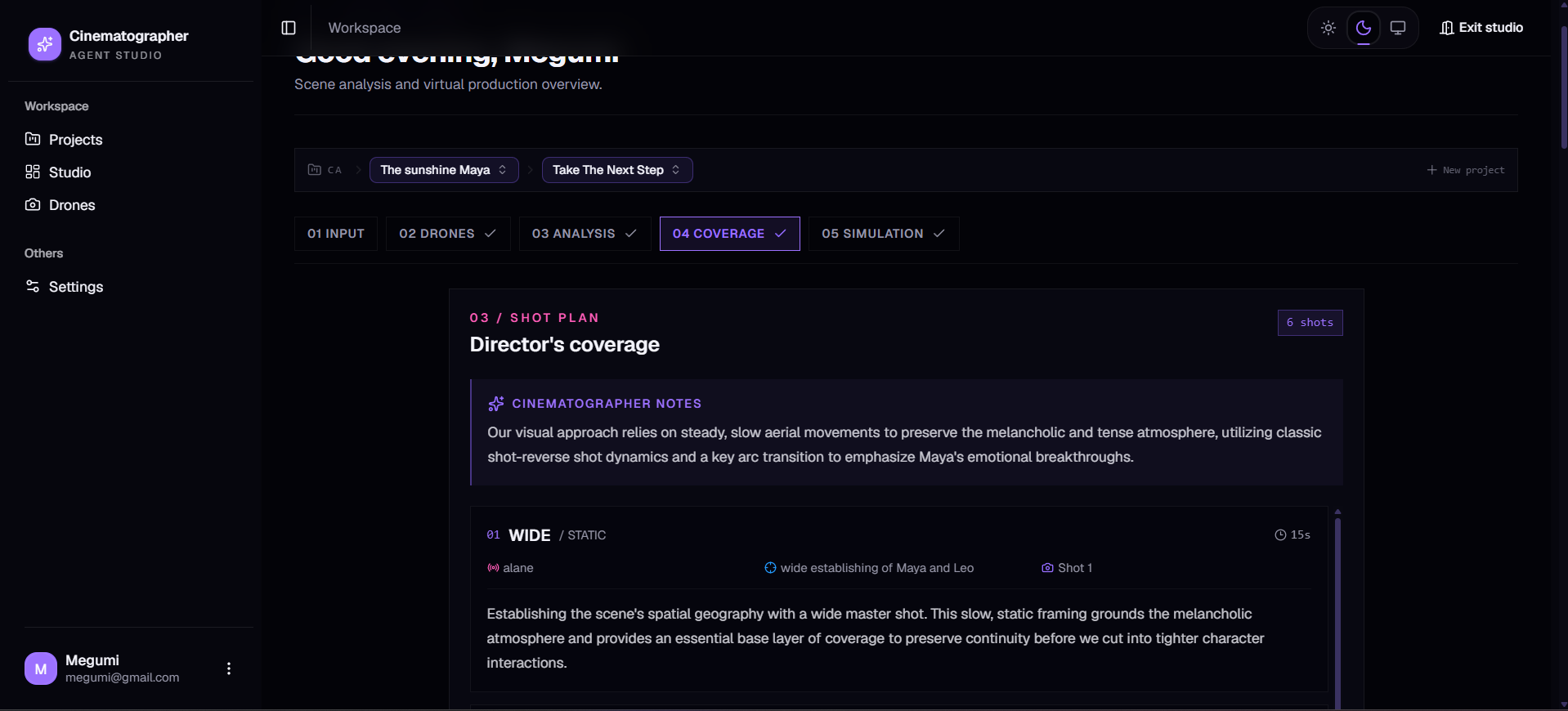
CA SHOOT PLAN
-
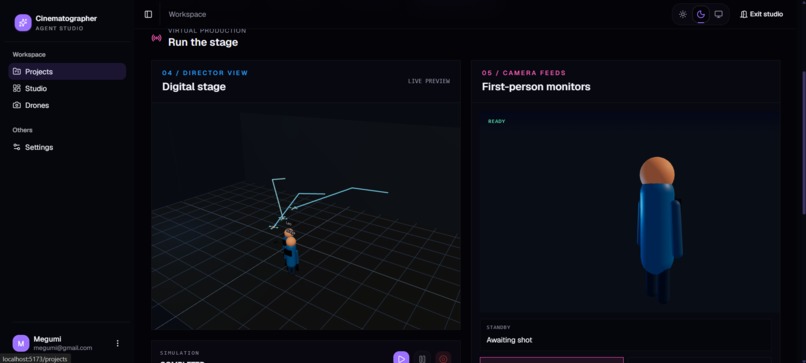
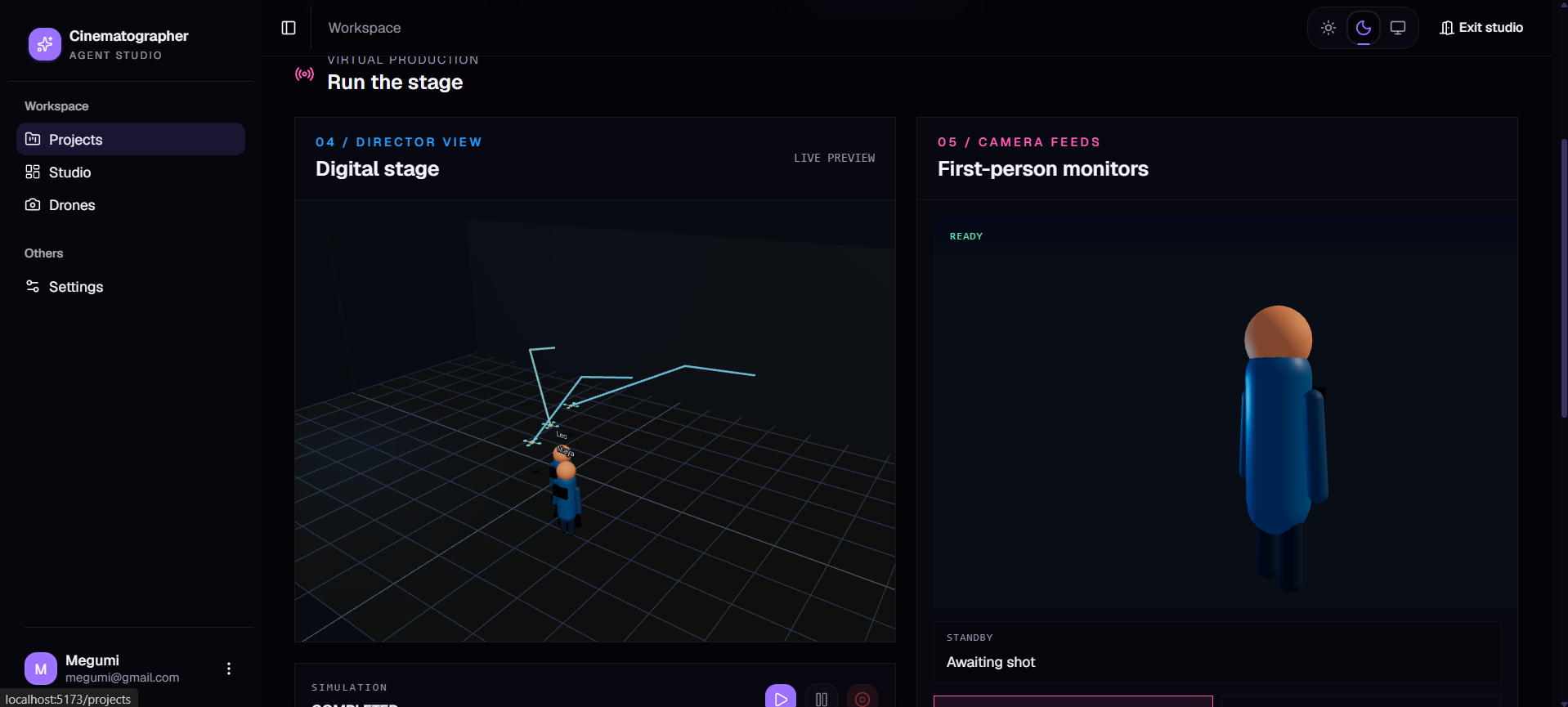
CA SI;U
Cinematographer Agent
Research. Plan. Film. Simulate.
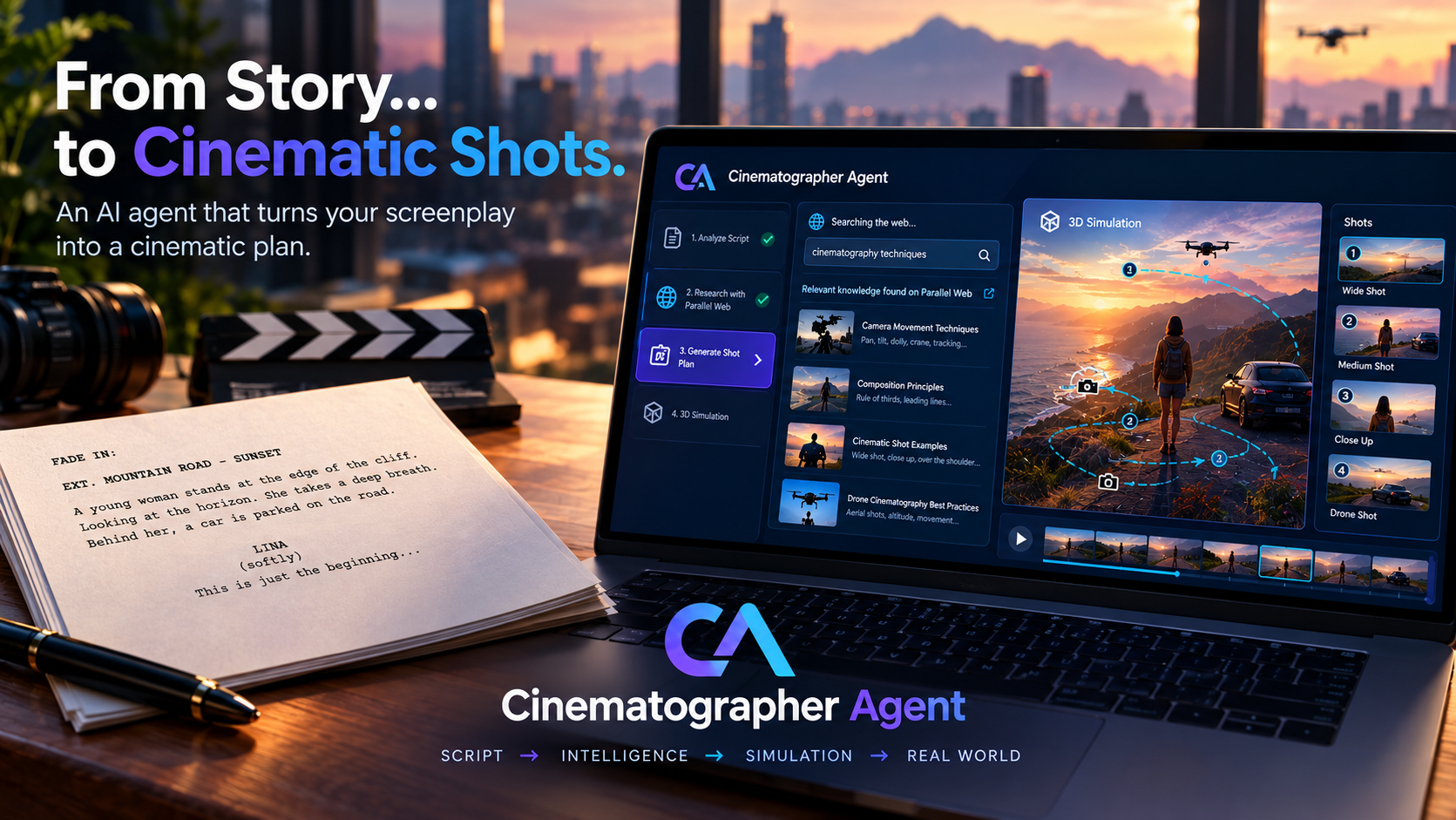
Cinematographer Agent is an AI cinematography system that reads a screenplay, researches how the scene should be filmed, creates an explainable shot plan, and executes that plan in a live 3D drone simulation.
Instead of asking an AI to simply "choose a camera angle", we give it a much harder job:
Understand the scene → research real cinematography techniques → explain the choices → plan the shots → simulate the camera movement → continuously evaluate the frame.
The result is an AI cinematographer that can show not only what it would film, but also why.
Inspiration
A cinematographer has to make hundreds of creative decisions.
Where should the camera be?
How close should it be to the actors?
Should the camera move or stay still?
Which shot communicates tension, romance, fear, or sadness?
These decisions normally come from years of experience, film language, research, and intuition.
We asked:
What if an AI agent could read a screenplay and learn how to film it?
We did not want the AI to simply generate a camera angle from its general knowledge.
We wanted it to research cinematography techniques first.
For example, a tense confrontation might require tighter framing and careful use of the 180-degree rule. A melancholic farewell might benefit from a slower camera movement and a wider composition.
This led us to build Cinematographer Agent: a multi-agent system where Gemini acts as the reasoning engine and Parallel provides the research that grounds the cinematography decisions in real sources.
What it does
Cinematographer Agent turns a screenplay scene into a live cinematography simulation.
The system works in five stages.
1. Select the drones
Before the scene is analyzed, the system determines which available virtual drones should be used for the cinematography plan.
The selected drones become the available camera resources for the rest of the pipeline.
This allows the generated shot plan to work with actual drones available in the simulation rather than relying on arbitrary camera identifiers generated by the AI.
2. Understand the screenplay
The Scene Analyzer reads the scene and extracts:
- Characters
- Character positions
- Actions
- Dialogue
- Emotional tone
- Important cinematic beats
- Narrative importance
- Relationships between characters
The director can also provide a desired visual style, such as:
"Shoot this like Denis Villeneuve."
The requested style is then considered throughout the cinematography pipeline.
3. Research how the scene should be filmed
This is where Parallel becomes a core part of the system.
The Research Agent analyzes the emotional tone and important cinematic beats, then uses Parallel's Search API to find relevant cinematography research.
For example:
Scene beat: Two characters are having an increasingly tense confrontation.
The research agent may search for topics related to:
- Cinematography for tension
- Close-up techniques
- Shot-reverse-shot
- 180-degree rule
- Camera movement during confrontation
The returned sources are not just displayed as search results.
They are passed to the cinematography agent as evidence.
This means the AI can connect a camera decision to an actual source.
4. Create an explainable shot plan
The Cinematographer Agent receives:
- The screenplay analysis
- The emotional beats
- The director's requested style
- The cinematography research returned by Parallel
It then creates a structured shot plan.
Each shot contains information such as:
- Camera
- Shot type
- Camera position
- Target
- Movement
- Duration
- Narrative beat
- Cinematography rationale
- Supporting research
For example:
Shot: Close-up Purpose: Increase tension during the confrontation Movement: Slow push-in Rationale: The tighter framing increases the emotional intensity of the exchange. Research: Source retrieved by Parallel
This creates an important difference from a normal AI-generated shot list:
the director can trace the reasoning behind each shot.
5. Bring the plan to life
The shot plan is then executed inside a real-time 3D simulation.
Virtual drones move around the actors and execute the planned camera trajectories.
The simulation runs continuously and streams its state to the director's interface.
A separate Vision Agent monitors the virtual camera composition.
It evaluates the current frame and can recommend actions such as:
REFRAMETRACK_SUBJECTADJUST_ALTITUDEABORT_SHOT
If the composition becomes poor, the system can react instead of blindly following the original plan.
The director can therefore watch the AI cinematographer work in real time.
Why Parallel matters
Parallel is not a decorative integration.
It is the research layer of the cinematographer.
Without research, the AI could produce a plausible-looking shot list.
With Parallel, the system can answer:
"Why did you choose this shot?"
and connect that decision to external cinematography research.
The research is carried through the pipeline:
Screenplay → Cinematic Beat → Parallel Research → Cinematography Decision → Shot → 3D Simulation
This gives the system a traceable chain from story to camera.
That is the core idea behind our Parallel integration.
The multi-agent architecture
Cinematographer Agent uses four specialized agents.
Scene Analyzer
Understands the screenplay.
Input: screenplay Output: structured scene analysis
Research Agent
Finds relevant cinematography knowledge using Parallel.
Input: emotional tone + cinematic beats Output: relevant research sources
Cinematographer Agent
Turns the scene and research into a cinematography plan.
Input: scene analysis + research + director style Output: structured shot plan
Vision Agent
Evaluates the simulated camera composition while the scene is running.
Input: virtual camera state + scene state Output: composition score + recommended action
The agents are deliberately small and specialized.
Each agent has one responsibility.
This makes the system easier to test, debug, and extend.
How we built it
Backend
Python + FastAPI
The backend contains the four AI agents and the simulation engine.
We use structured JSON responses and Pydantic models so that AI output can be validated before it enters the simulation.
The backend also provides:
- Real-time WebSocket communication
- PostgreSQL persistence
- Simulation management
- Virtual drone management
- Authentication
- Shot execution
- Vision analysis
The simulation runs at 10 Hz, allowing the drones to move smoothly while the system continues to receive AI analysis.
Parallel integration
The Research Agent uses the official Parallel web-search integration.
Instead of sending vague search queries, it creates structured research requests around individual cinematic topics.
For each important emotional beat, the agent creates:
- A clear research objective
- A small set of focused keywords
The returned sources are stored with the shot plan so that the research can be traced back to the resulting camera decision.
Frontend
React + TypeScript + Vite + React Three Fiber
The Studio interface lets the director:
- Enter a screenplay
- Analyze the scene
- Generate cinematography research
- Review the shot plan
- Start the simulation
- Watch the virtual drones
- Monitor AI vision feedback
The 3D director view displays:
- Actors
- Drones
- Camera positions
- Camera trajectories
- Shot execution
- Live vision feedback
What makes it different?
There are many AI tools that can generate text about filmmaking.
There are also tools that can generate shot lists.
Our goal was to connect the entire workflow.
Most importantly:
The AI does not simply generate a shot list.
It researches cinematography first.
Then it explains its decisions.
Then it executes those decisions in a simulation.
Then another AI agent evaluates the resulting composition.
So the complete loop is:
READ → RESEARCH → PLAN → SIMULATE → EVALUATE
Challenges we faced
Making AI output reliable
At first, the cinematography agent sometimes generated drone names that did not exist.
We solved this by making the application responsible for identifiers.
The pipeline validates drone names and controls fields such as shot IDs and sequence numbers instead of blindly trusting the model.
Getting useful results from web search
A generic query such as:
"How do you film a tense scene?"
does not always provide the best research.
We found that focused research requests work much better.
The Research Agent therefore creates a specific objective and a small number of concise keywords for each cinematic beat.
This makes the research more relevant to the actual scene.
Keeping the simulation responsive
AI calls can take time.
We did not want a slow Vision Agent response to stop the simulation.
Vision analysis therefore runs asynchronously with a timeout.
If a new analysis is not available in time, the simulation continues using the latest valid result.
The director experience remains live.
Vision without a physical camera
Our cameras are simulated, so they do not produce real images.
Instead, the Vision Agent receives a structured description of the virtual frame, including:
- Camera position
- Shot parameters
- Character positions
- Subject distance
- Current narrative beat
- Frustum information
It uses this information to evaluate the composition.
This allows us to experiment with autonomous cinematography without requiring physical drones.
Learning new backend technologies
This was also my first time using Alembic ORM-based database migrations.
This added another learning challenge, but it also gave me practical experience with technologies I had not worked with before.
Working with limited time and team constraints
As a student, managing my schedule during the hackathon was difficult. I also tried to work with a team, but the team was not very reactive.
What we are proud of
Parallel is part of the reasoning loop
Parallel research is directly connected to cinematography decisions.
A judge can inspect a shot and follow the research that influenced it.
This makes the AI's reasoning more transparent.
The system is resilient
The pipeline is designed so that one slow component does not stop everything.
If research is temporarily unavailable, the shot planning process can continue with the available information.
If vision analysis is delayed, the simulation continues using the previous valid analysis.
If an AI response contains invalid identifiers, the application validates and corrects the structured output before execution.
One shared schema
The backend agents, API, and frontend use a shared cinematography data model.
This prevents different parts of the application from developing incompatible representations of scenes, shots, and vision analysis.
What we learned
The biggest lesson was that agent design matters as much as model capability.
Instead of asking one large AI agent to do everything, we divided the workflow into focused responsibilities:
Analyze. Research. Plan. Evaluate.
We also learned that research quality matters.
Parallel works best when the search request is precise and connected to the actual cinematic problem.
Finally, structured AI output makes the system much easier to integrate with software.
Instead of parsing unpredictable text, every agent produces validated structured data.
What's next?
Real drone integration
The virtual drone abstraction can eventually be connected to physical flight controllers using technologies such as MAVLink or a drone SDK.
Real camera vision
The Vision Agent could eventually receive actual camera frames instead of simulated camera state.
Collaborative directing
A director and camera operator could work together in the same live simulation.
More cinematography styles
The system could build a larger library of cinematography styles and visual references.
Production exports
The generated shot plan could eventually be exported into formats used by real film-production workflows.
Built for the Parallel Track
Cinematographer Agent is built around one central idea:
An AI cinematographer should not only tell you what shot to use. It should be able to explain why.
Parallel provides the research layer that makes that possible.
Screenplay → Research → Cinematography → Simulation → Evaluation
We built Cinematographer Agent to turn that complete process into an autonomous, interactive experience.
Project tagline
An AI cinematographer that researches how to film a scene, plans every shot, and flies the cameras in a live 3D simulation.
Built With
- alembic
- fastapi
- framer-motion
- gemini
- google-generativeai
- javascript
- lucide-react
- parallel-web
- psql
- pydantic
- python
- react
- shadcn
- three
- typescript
- uvicorn
- vite

Log in or sign up for Devpost to join the conversation.