-
-
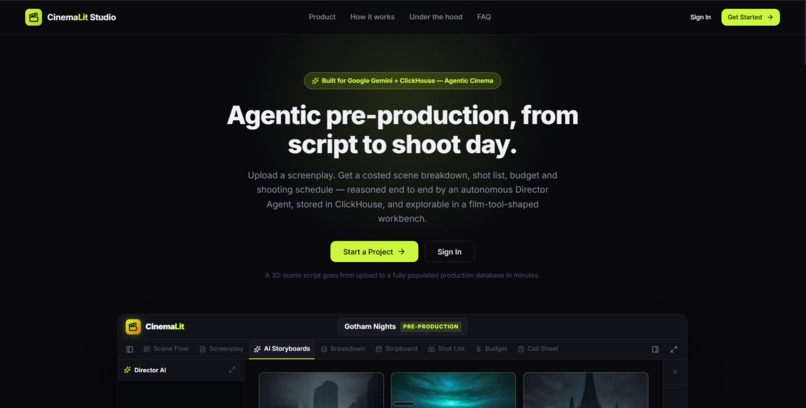
CinemaLit : Landing Page
-
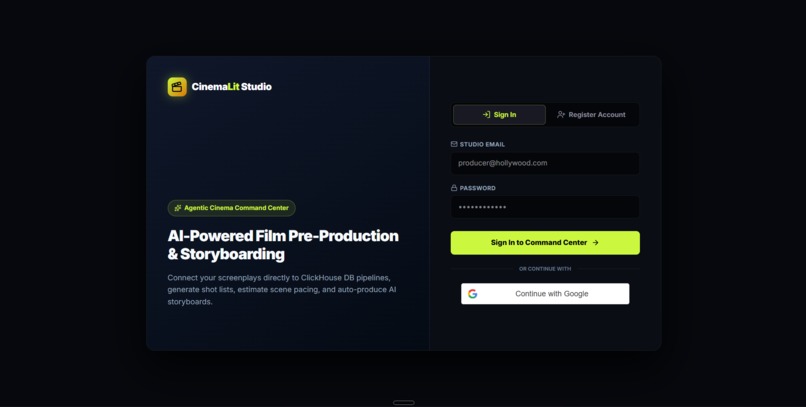
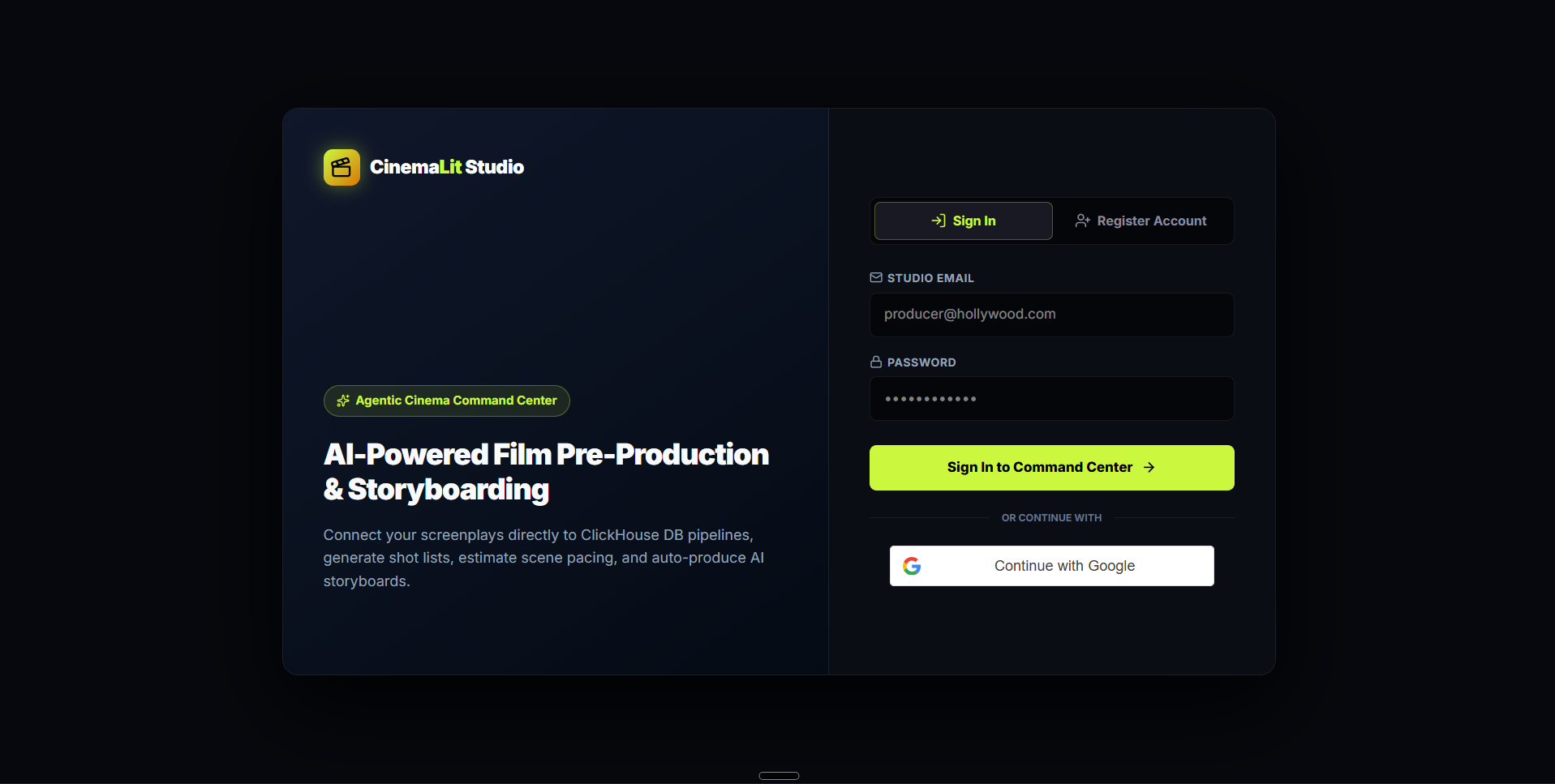
CinemaLit : Login Page
-
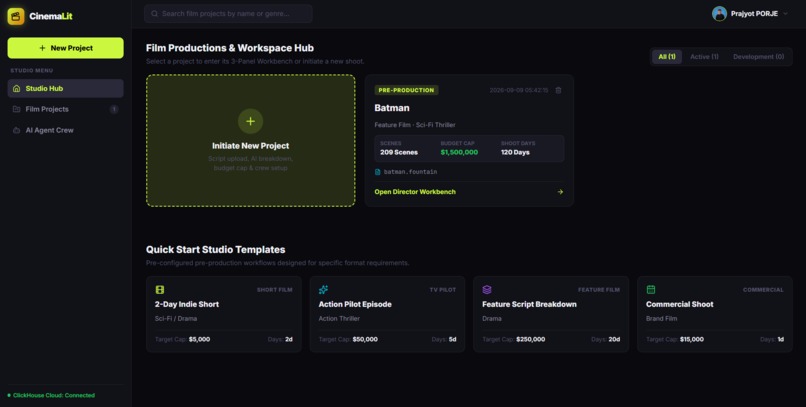
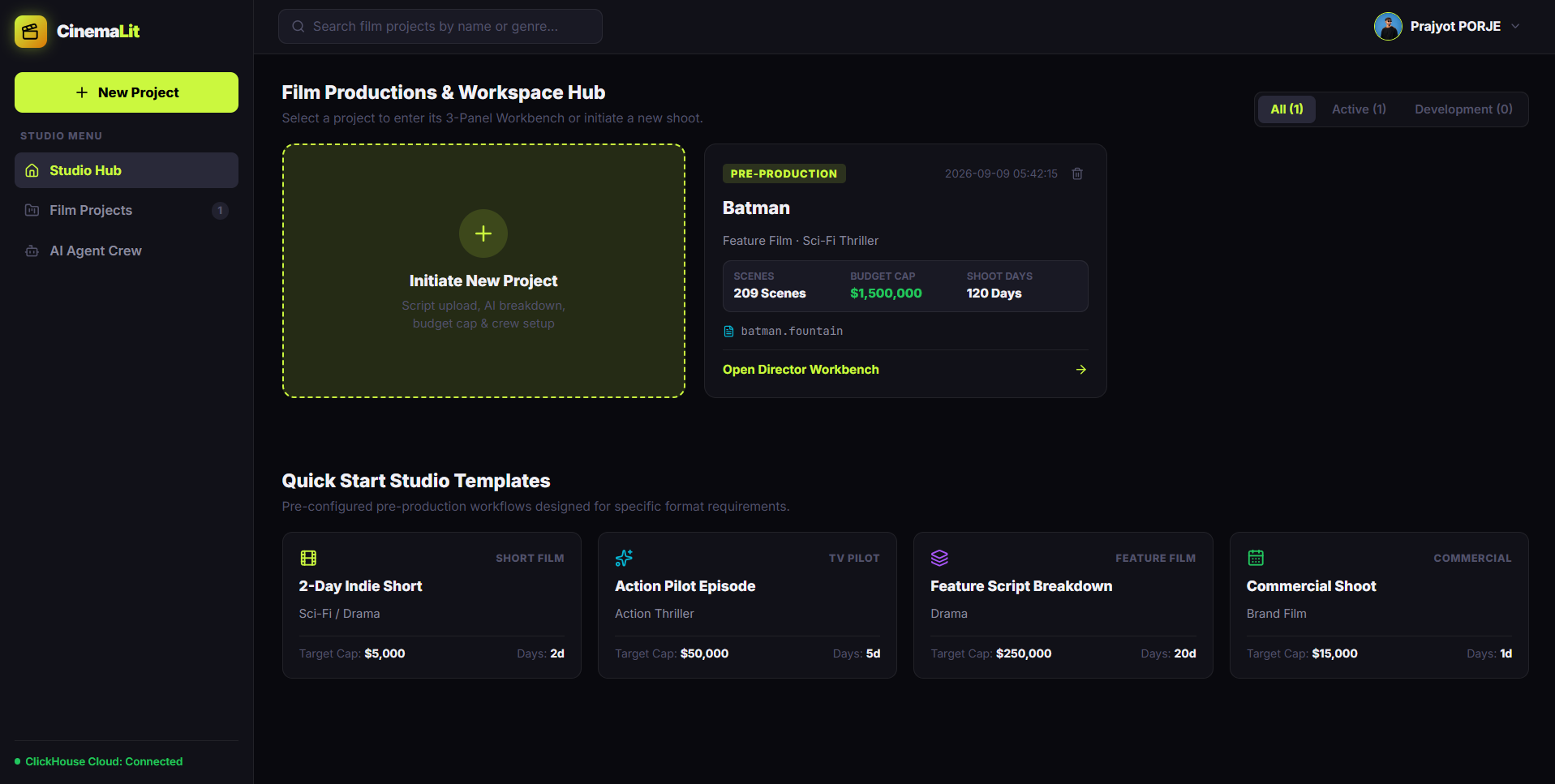
CinemaLit: Studio Hub & New Project Creation
-
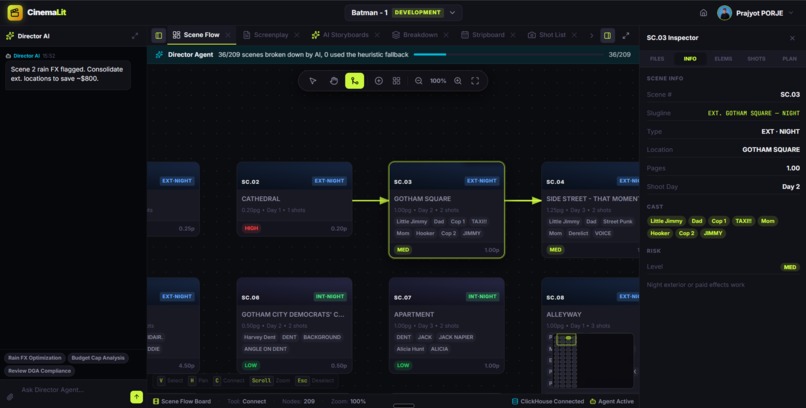
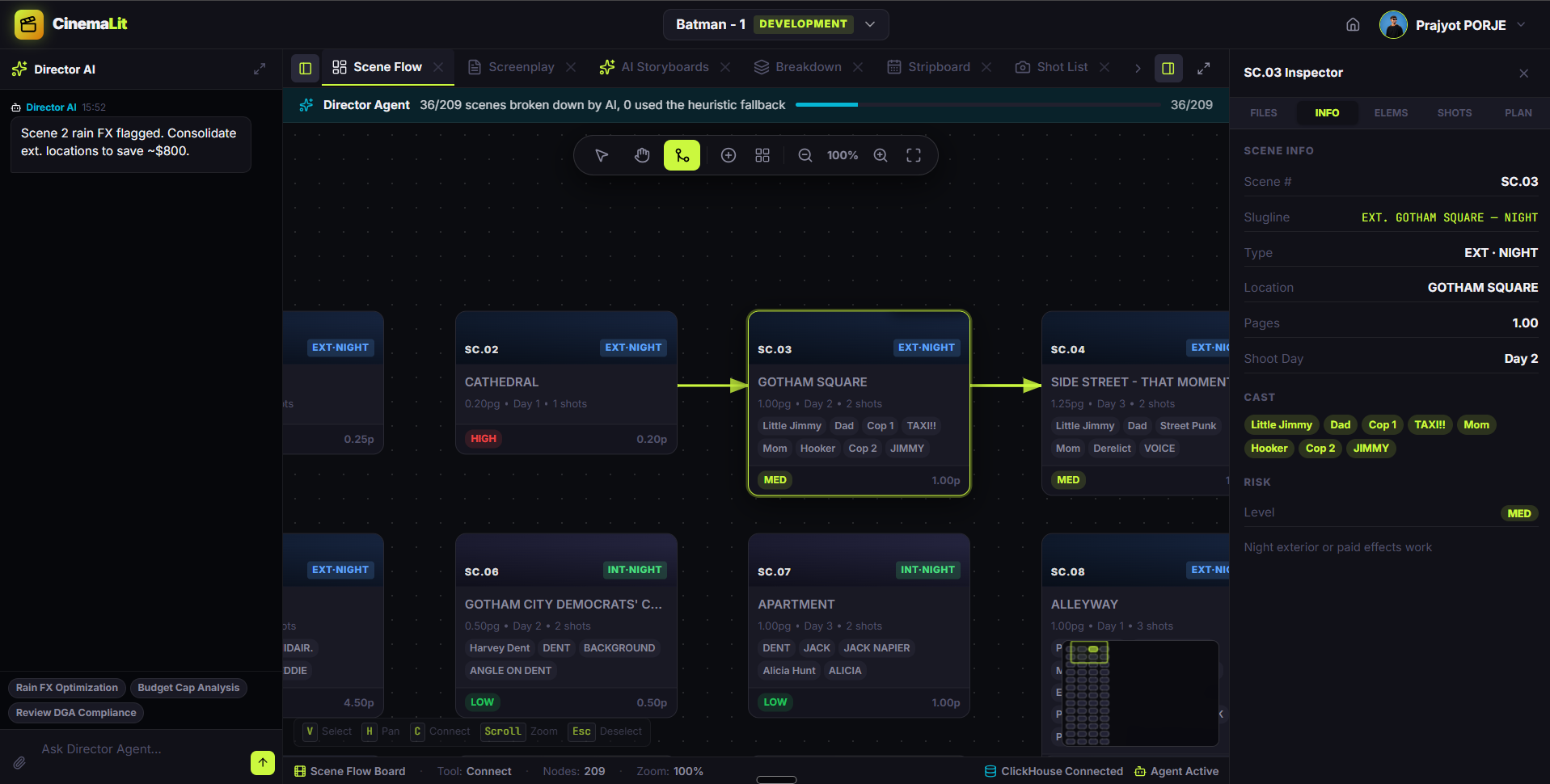
CinemaLit: Scene Flow Board
-
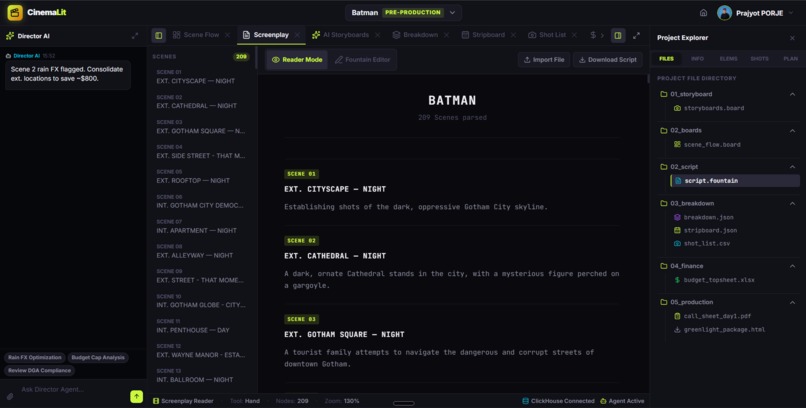
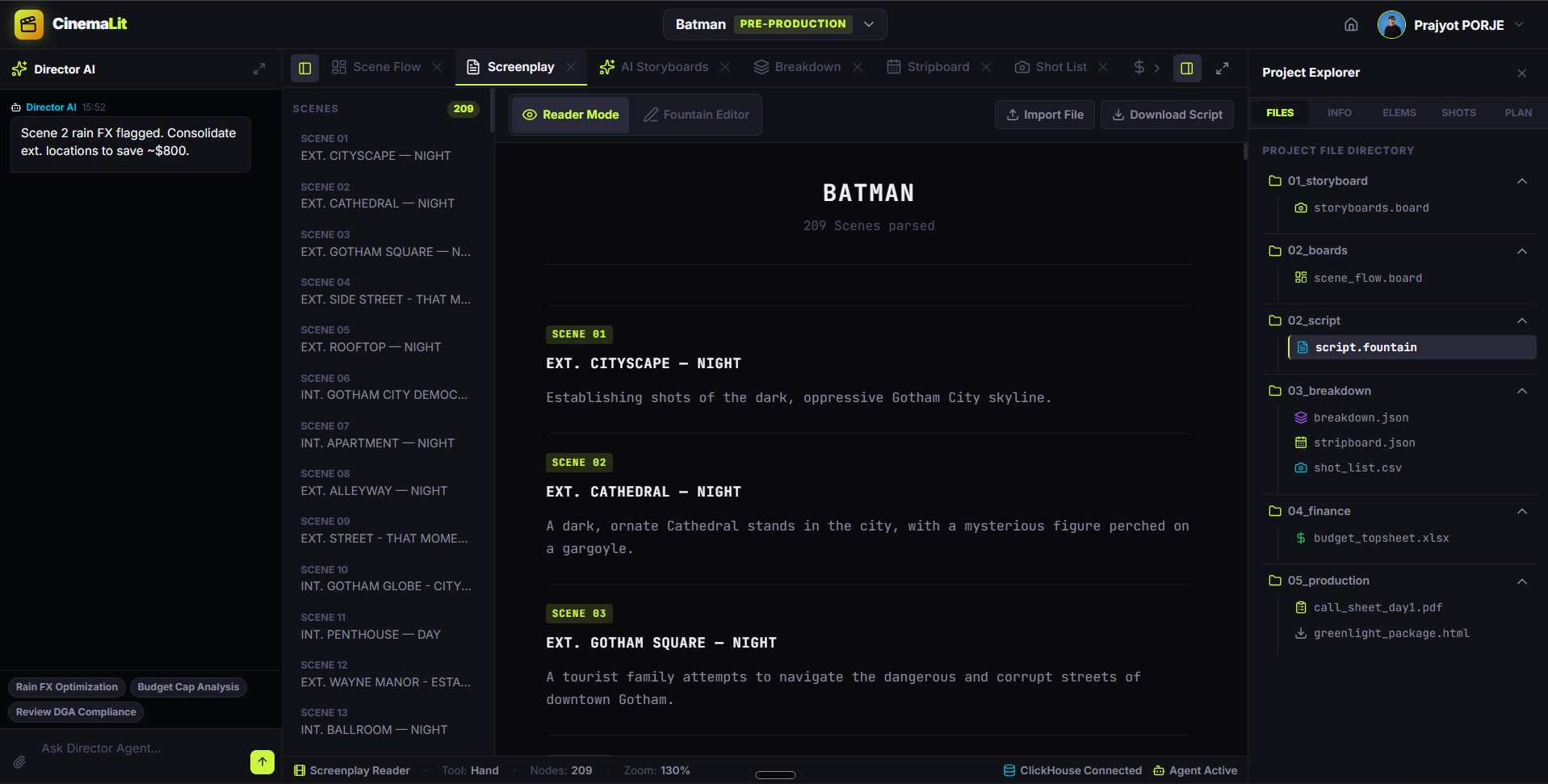
CinemaLit: Screenplay Reader
-
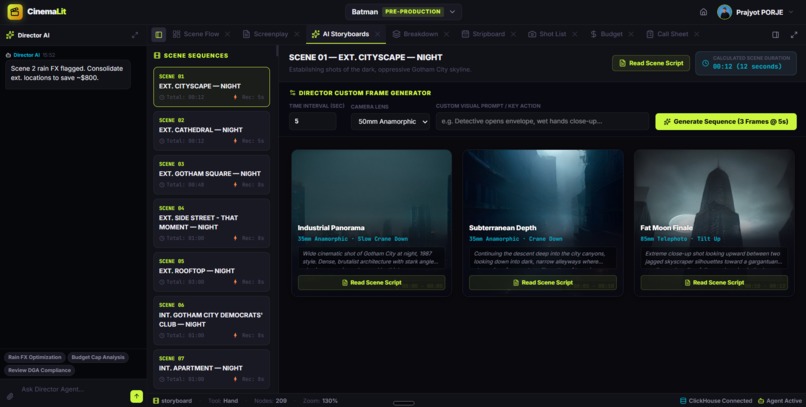
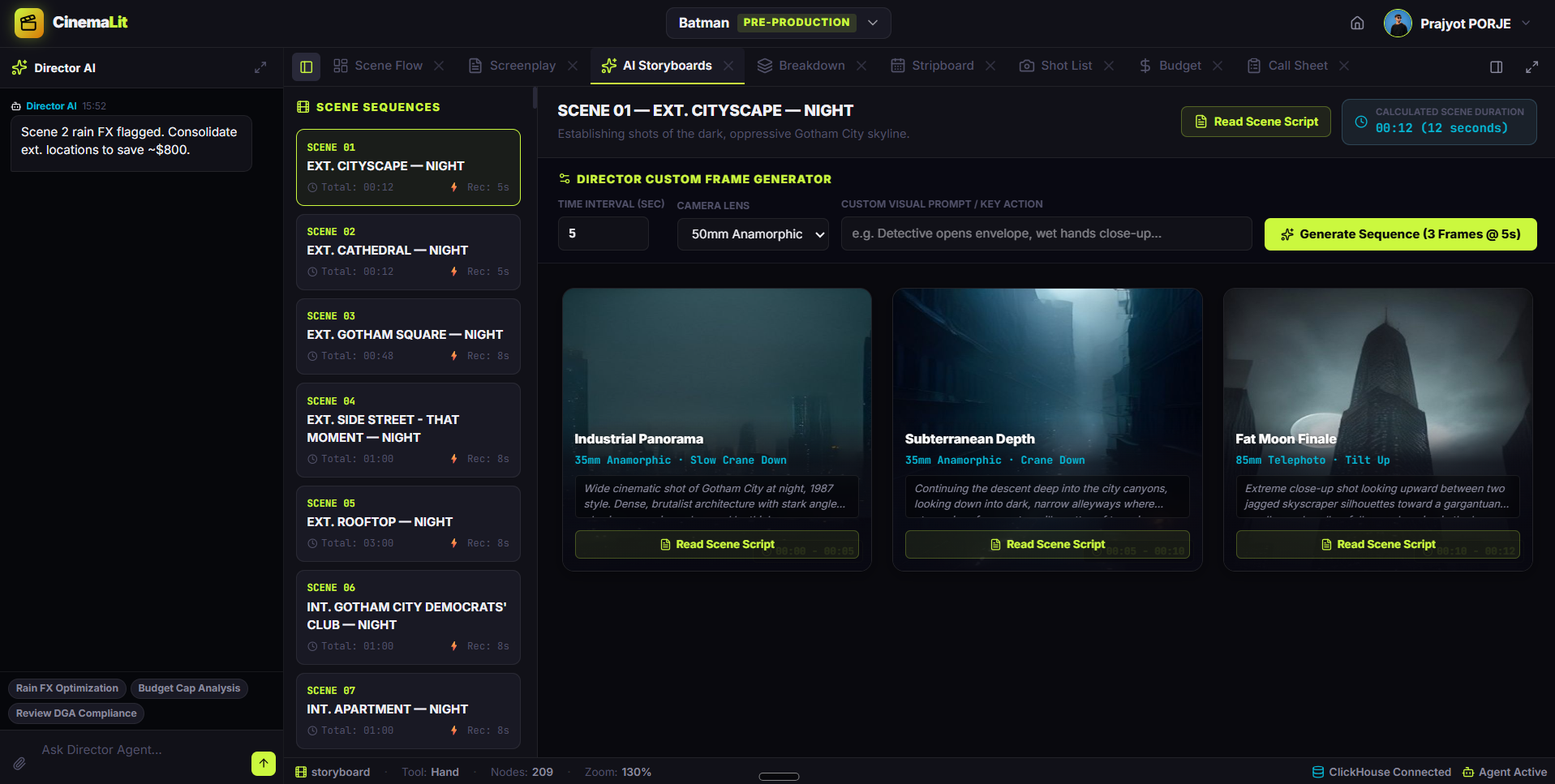
CinemaLit: AI Storyboard Generator
-
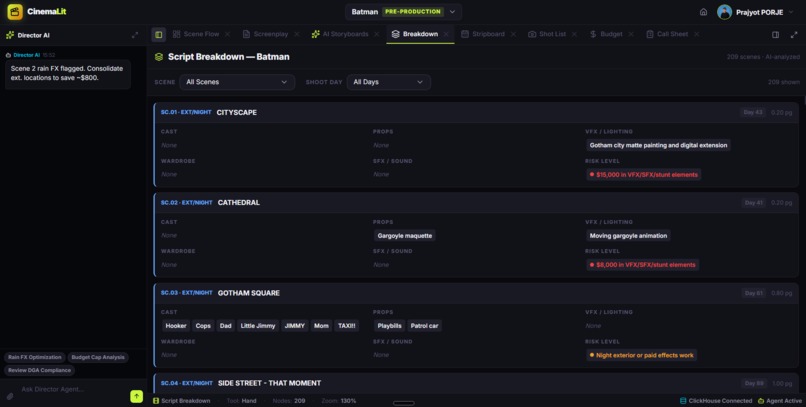
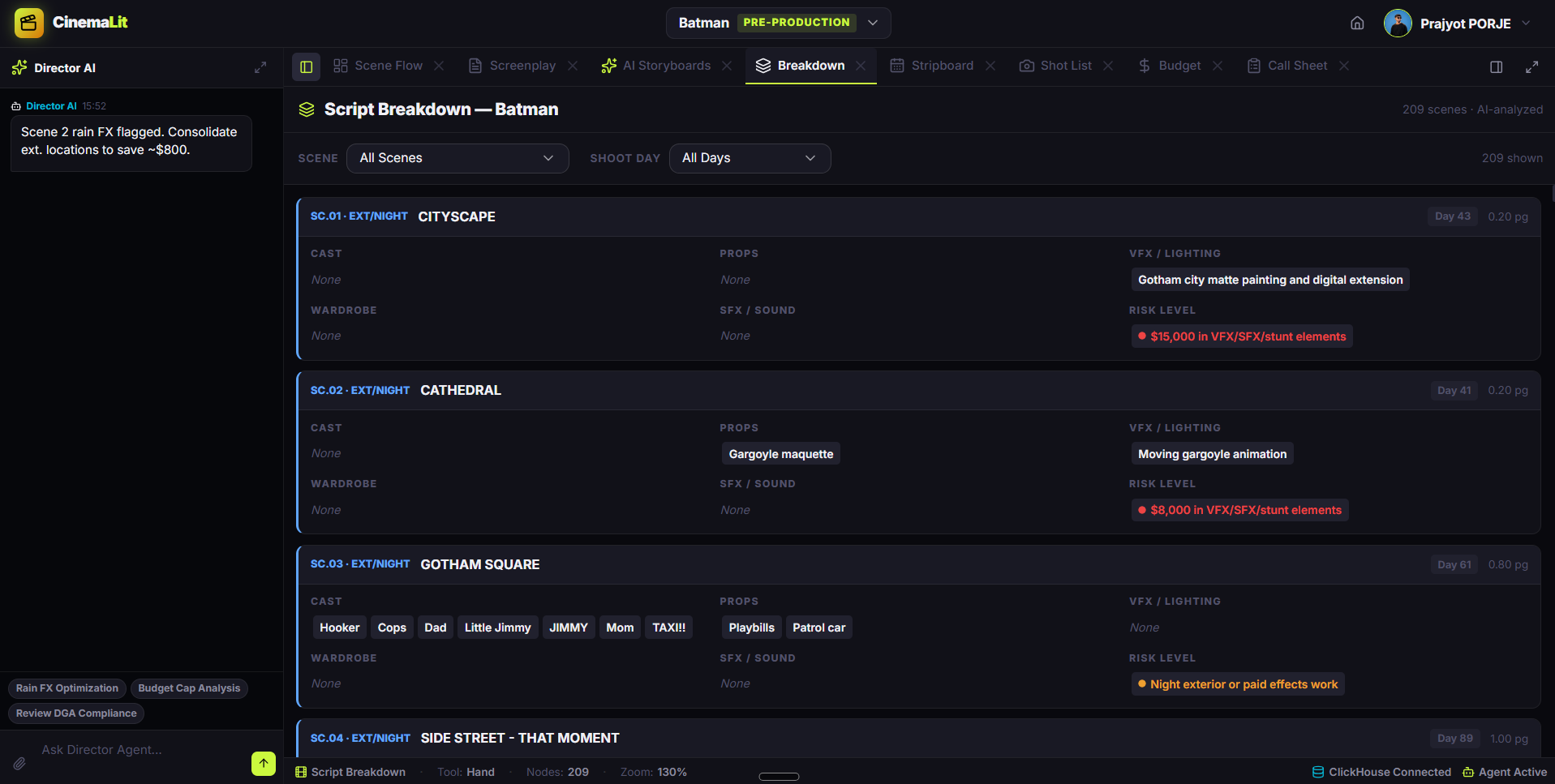
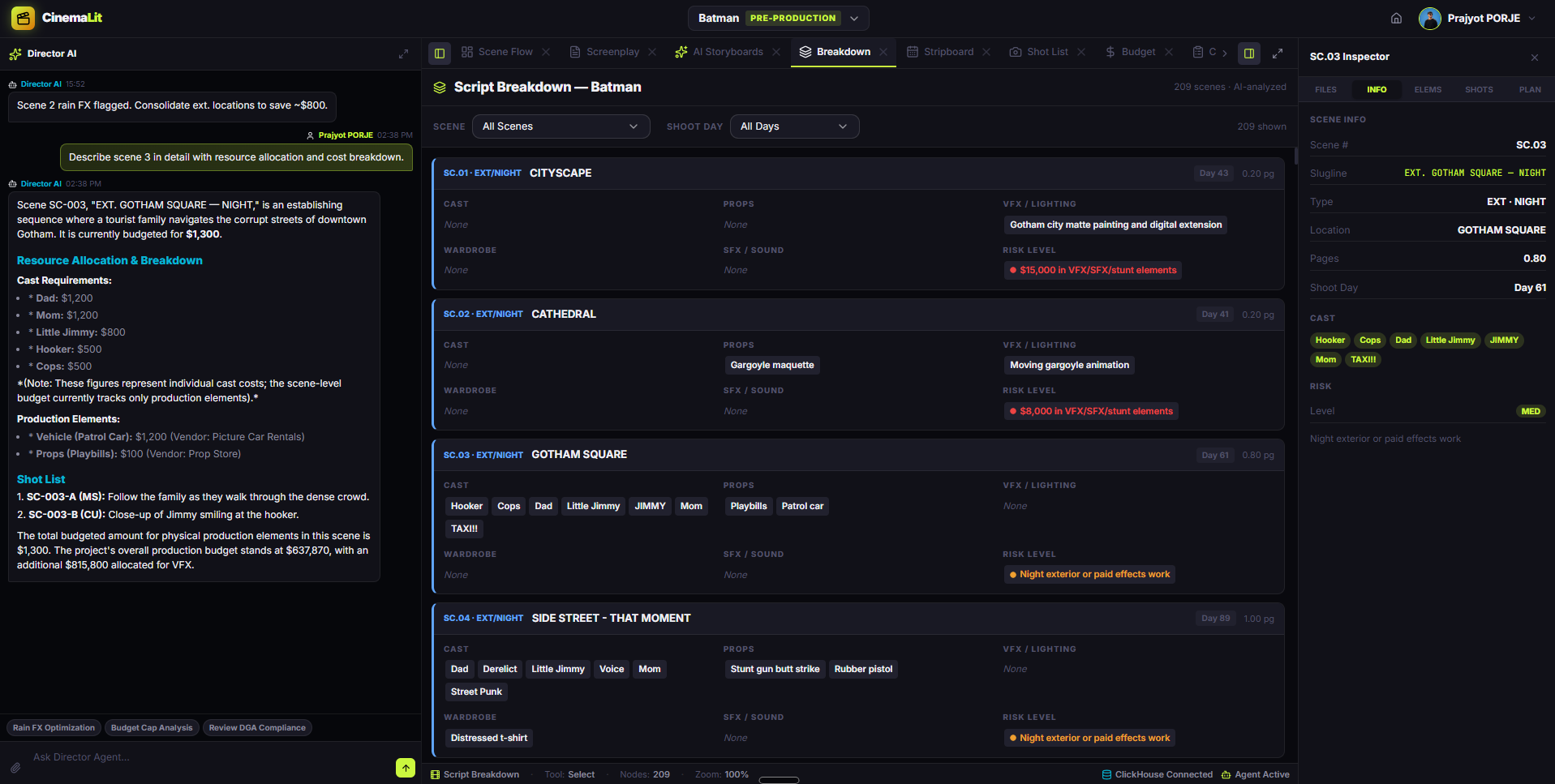
CinemaLit: Script Breakdown
-
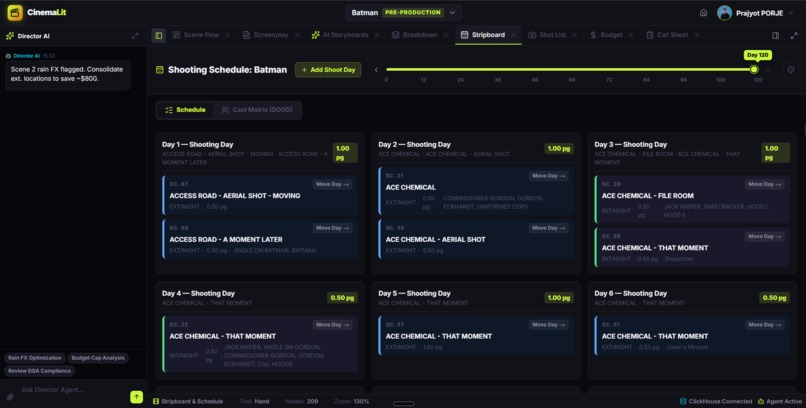
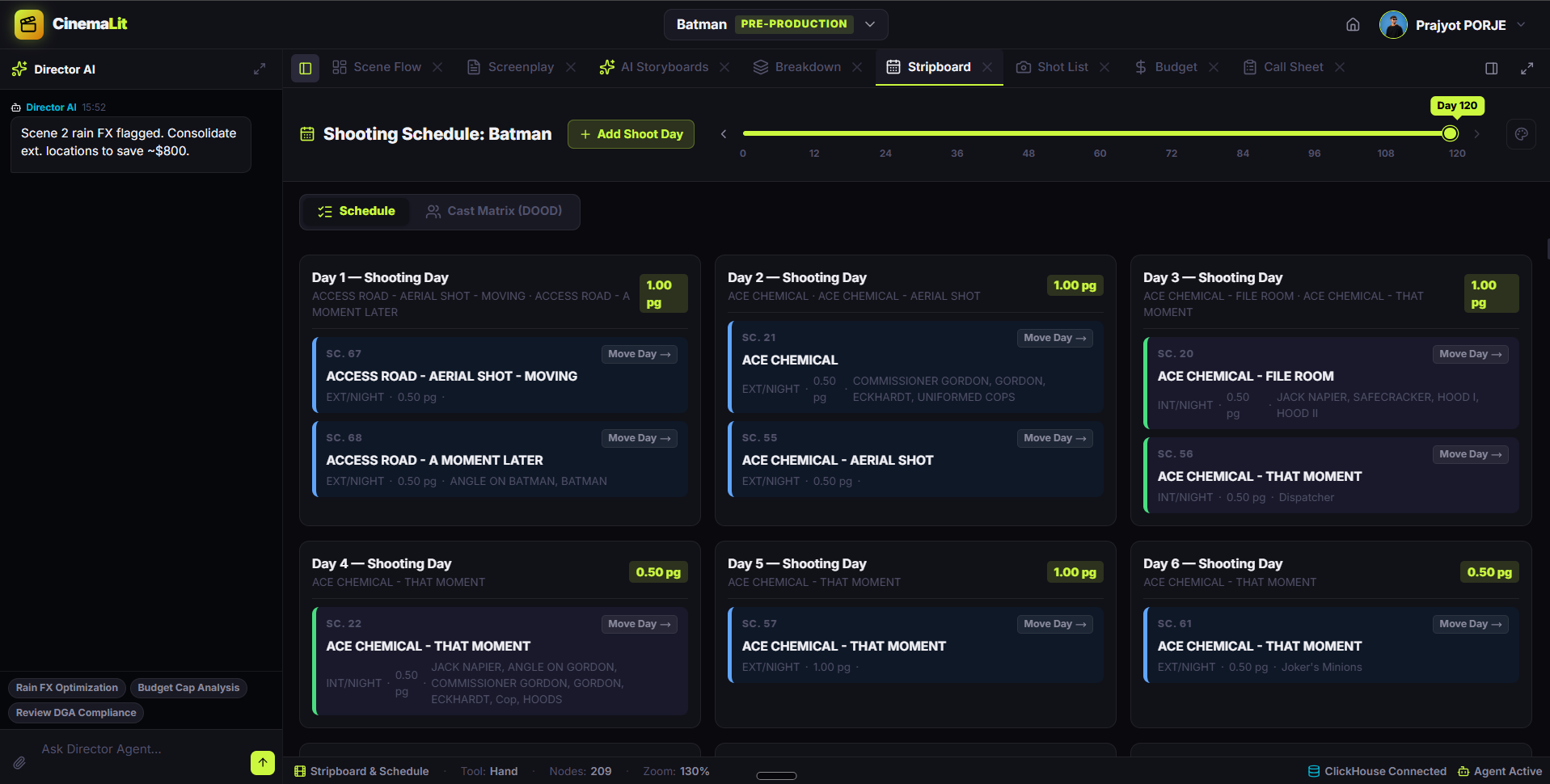
CinemaLit: Shooting Schedule
-
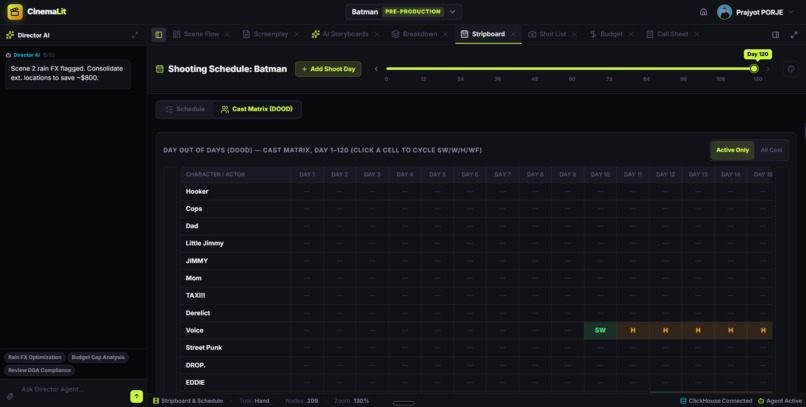
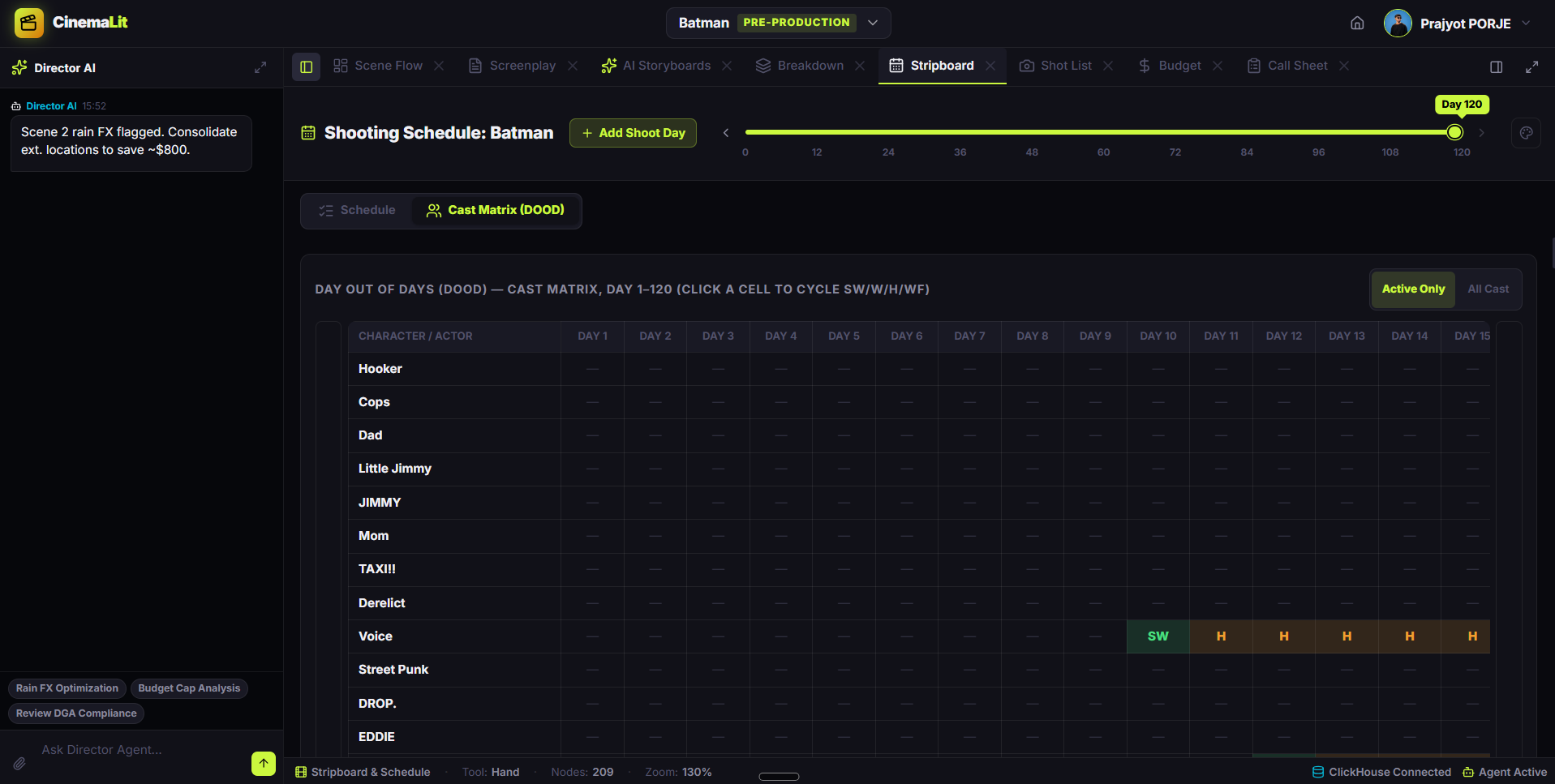
CinemaLit: Cast Matrix (DOOD)
-
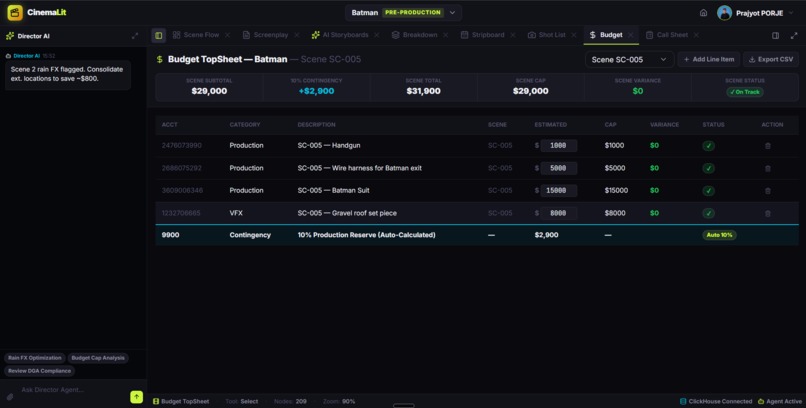
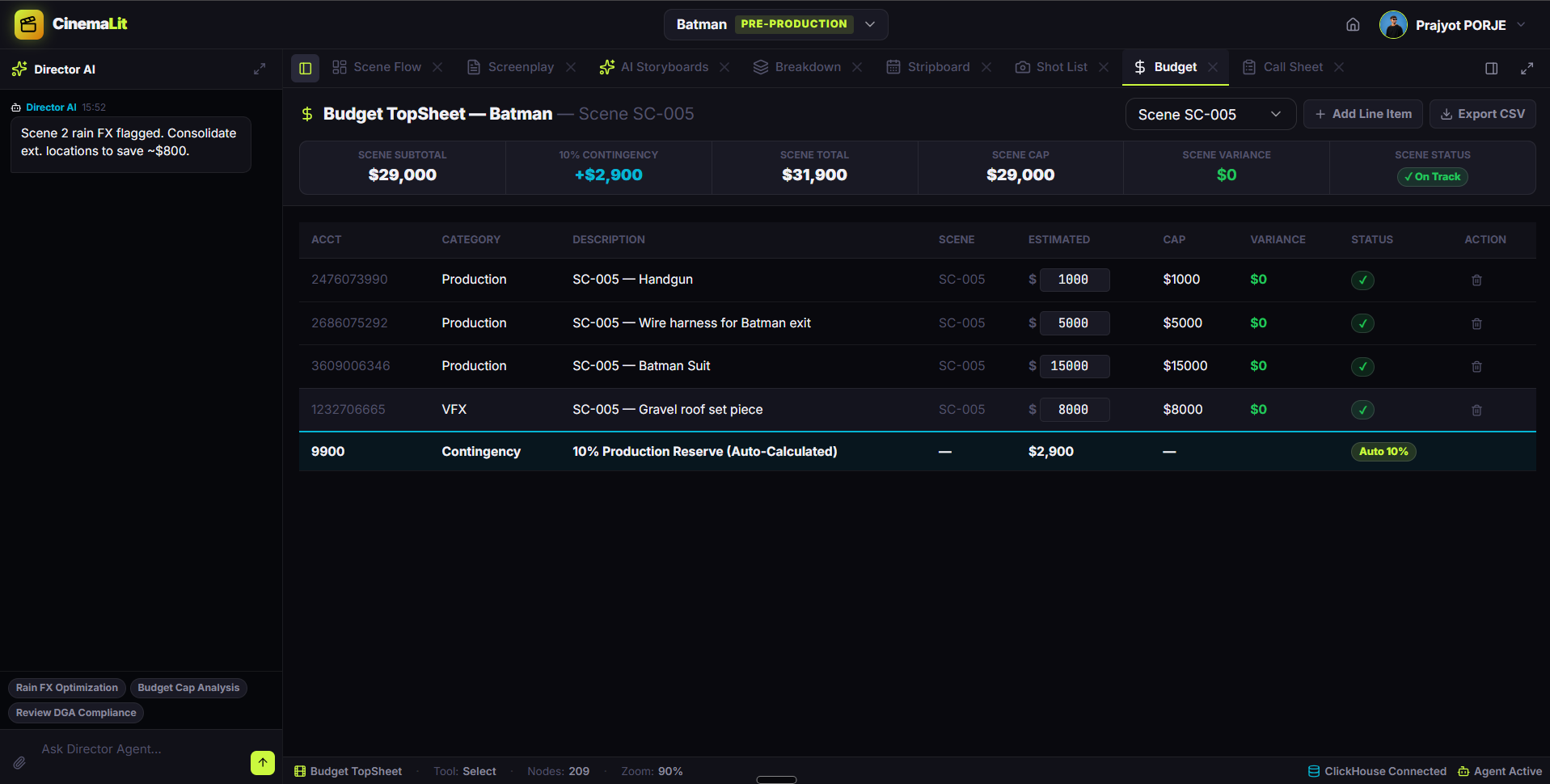
CinemaLit: Budget TopSheet
-
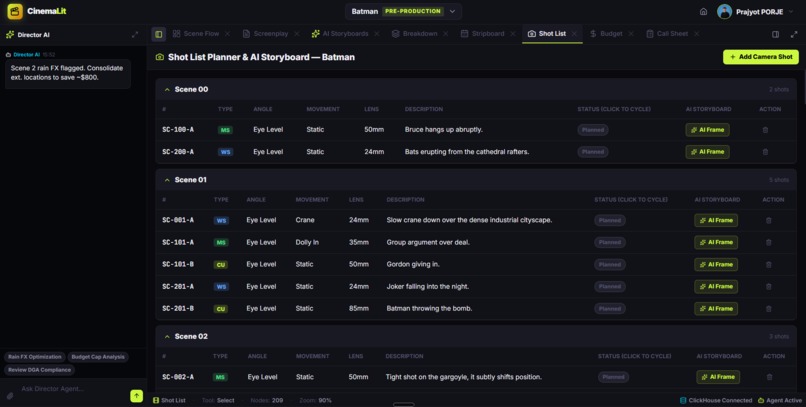
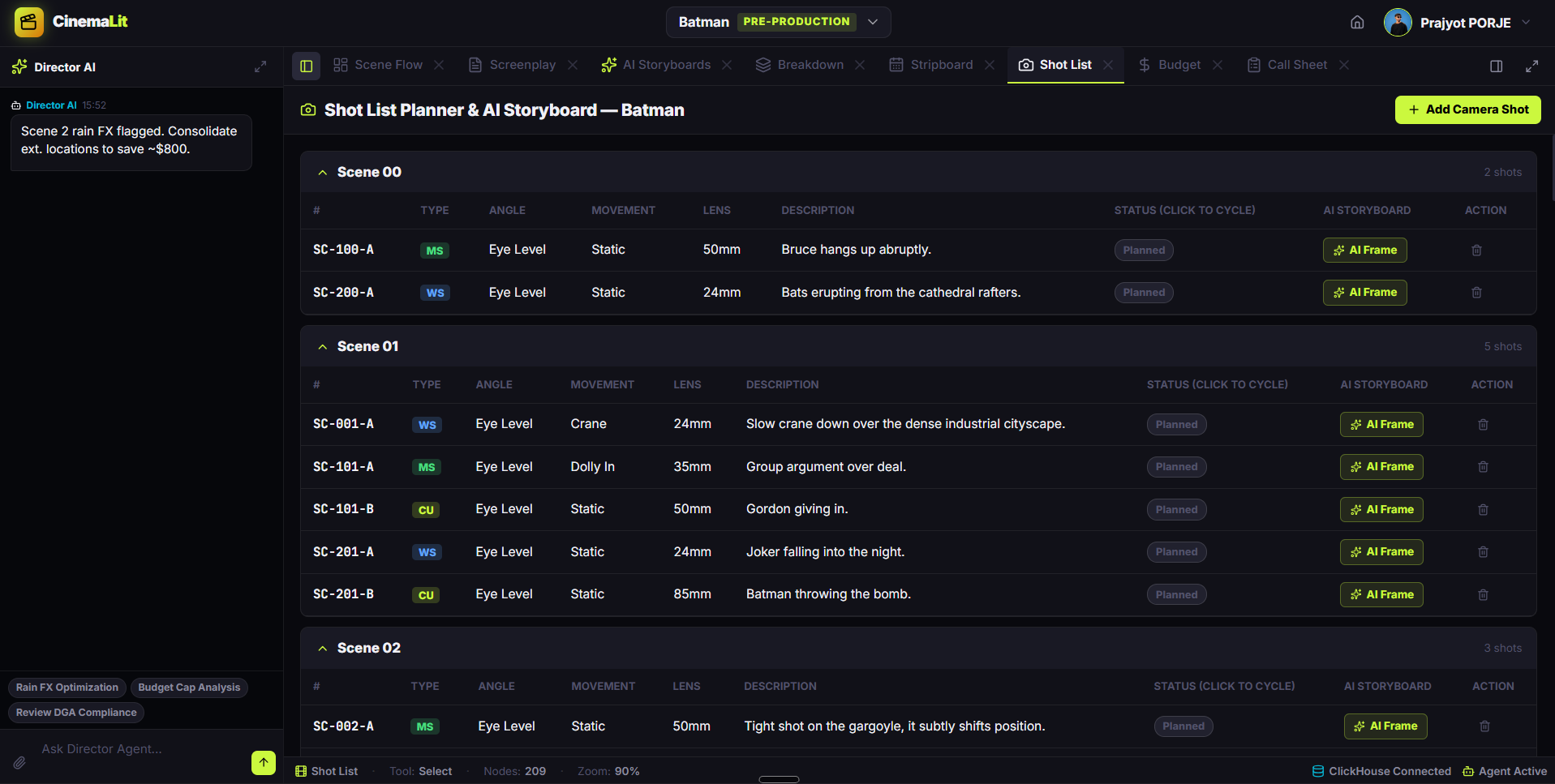
CinemaLit: Shot List Planner
-
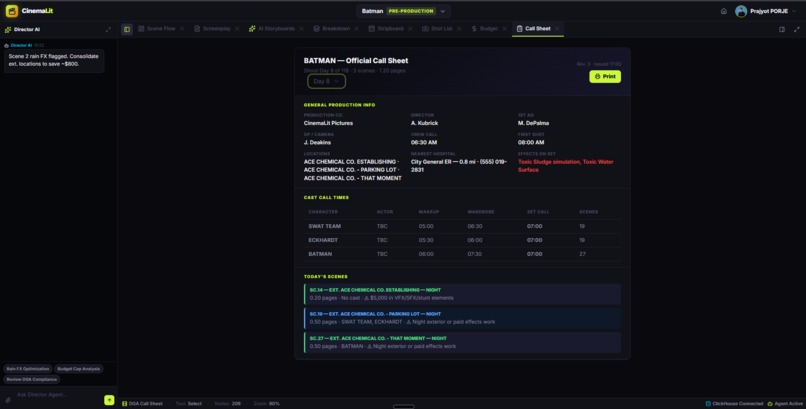
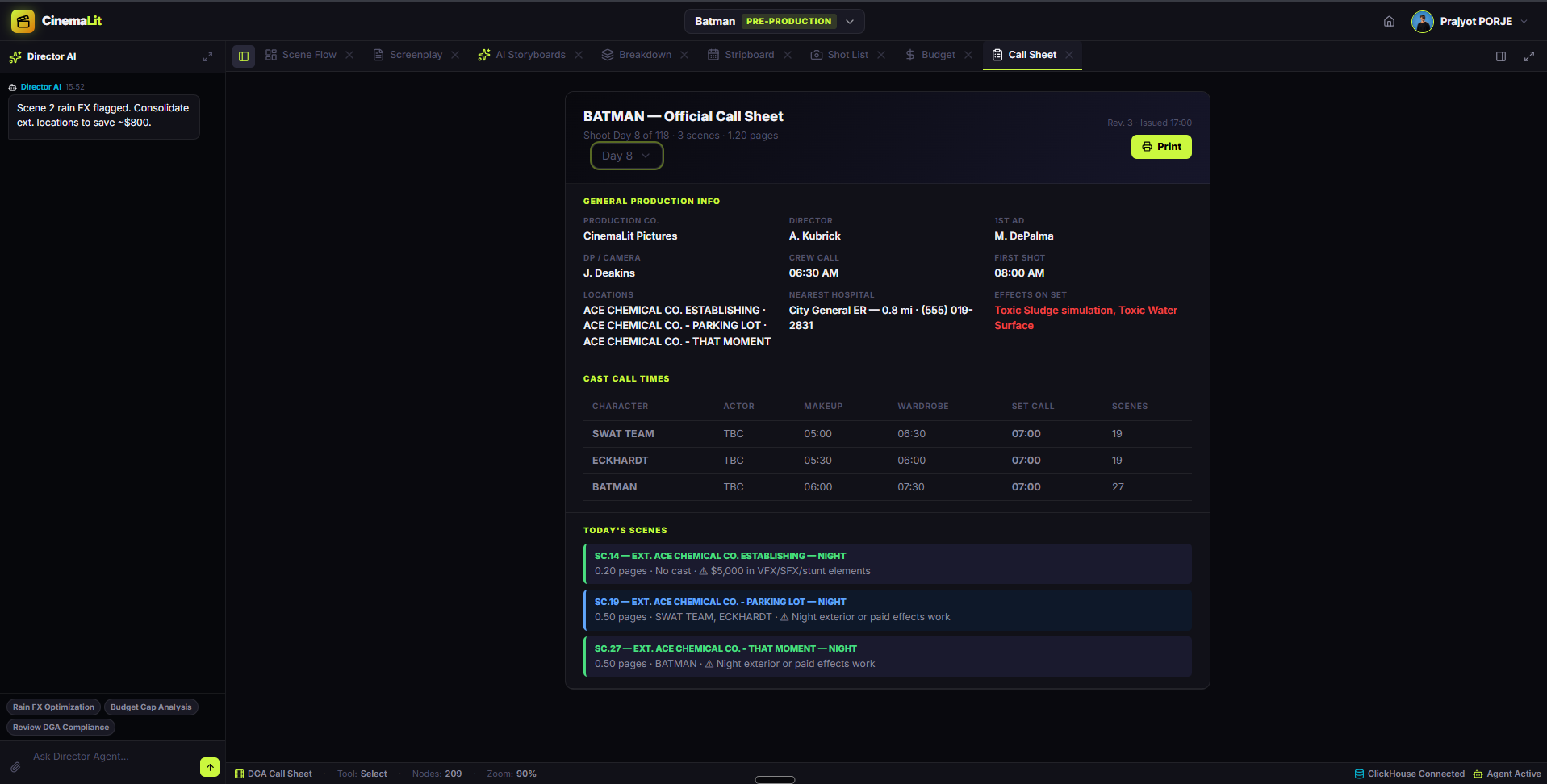
CinemaLit: Official Call Sheet
-
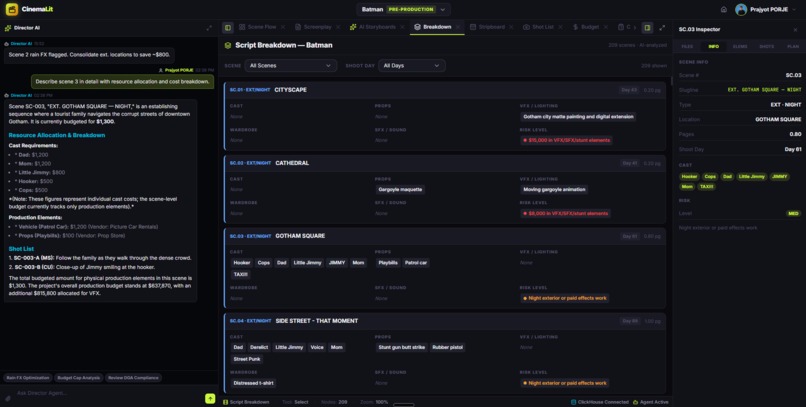
CinemaLit: Director AI & Scene Inspector
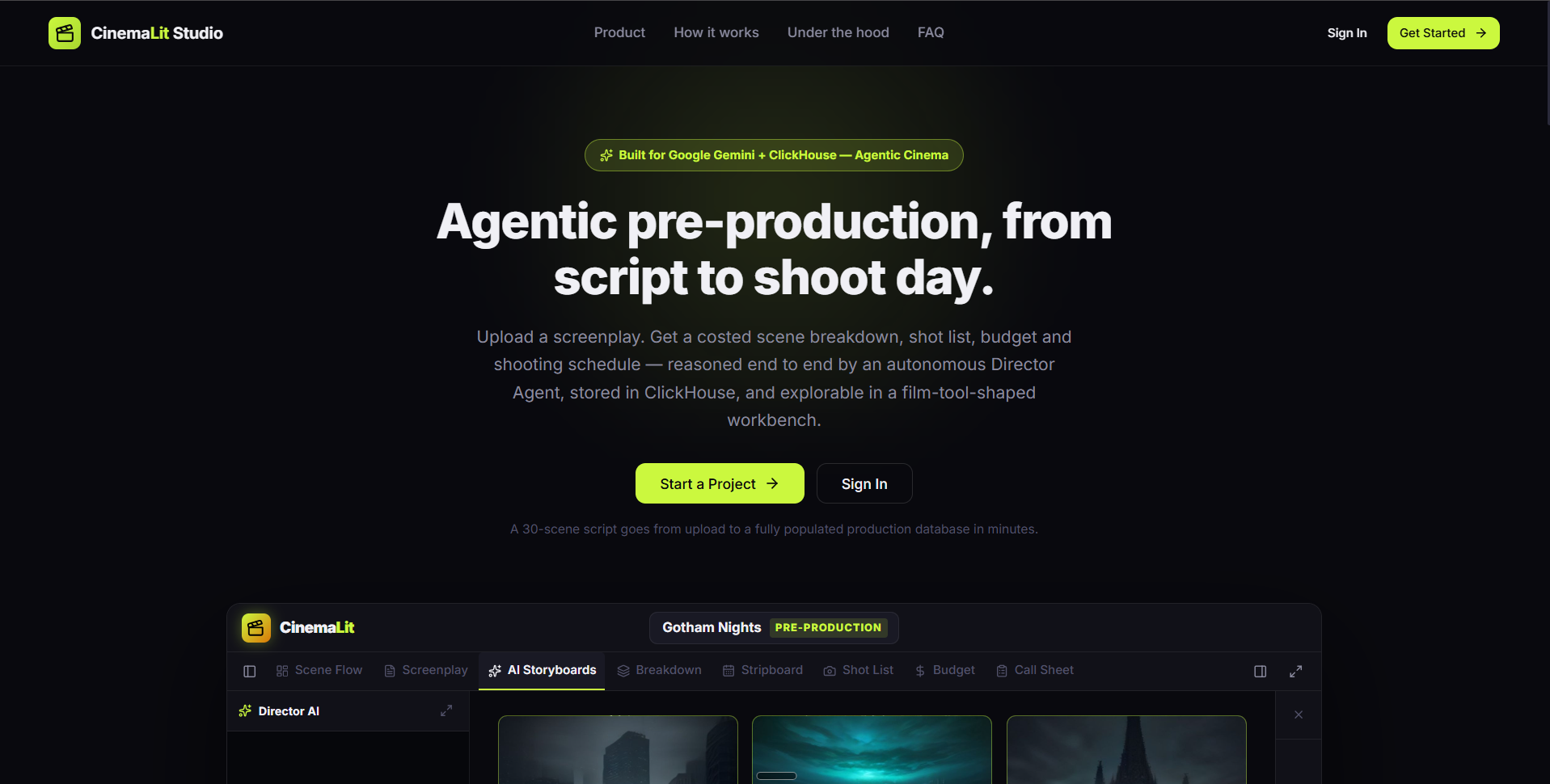
CinemaLit Studio 🎬
Upload a screenplay. Get a costed pre-production package. Built by an agent, stored in ClickHouse.
Track: ClickHouse · Agent runtime: Google ADK (Agent Development Kit) + Gemini One line: CinemaLit Studio turns a raw screenplay into a complete, queryable, costed pre-production package — scene breakdown, cast, elements, shot list, budget, shooting schedule and AI storyboards — driven end to end by an autonomous Director Agent whose entire memory is a ClickHouse Cloud database.
🎯 Inspiration
Pre-production on a low-budget film is a week of unpaid clerical work that happens before anyone shoots a single frame.
A 1st Assistant Director reads the script line by line and hand-builds, by hand, in spreadsheets:
- a scene breakdown — for every scene: who is in it, what props, wardrobe, VFX, SFX, stunts, vehicles and animals appear, and what each of them costs;
- a shot list — lens, framing and camera movement, per scene;
- a budget — every element rolled up into account categories against a hard cap;
- a stripboard — scenes packed into shoot days grouped by location and time of day, so the unit doesn't drive back and forth across town;
- call sheets — per day: who is called, which scenes, what hazards;
- storyboards — which on a micro-budget simply get skipped, because nobody can afford a storyboard artist.
Every one of those artifacts is derivable from the script. None of them is derived automatically by the tools that exist today. Movie Magic, StudioBinder and their peers are data-entry tools: they hand you an empty grid and let you type. The human does the reasoning; the software stores the typing.
We wanted to invert that relationship completely.
The Director states intent. The agent does the clerical reasoning. The human reviews, corrects and approves.
🎬 What it does
You upload a .fountain / .txt / .fdx / .pdf screenplay, name the production, set a budget cap and a target number of shoot days, and hit Create.
From that single input, the Director Agent autonomously:
- Splits the screenplay into scenes with a regex pass — free, zero tokens, ~100% reliable on standard screenplay formatting;
- Breaks down every scene — synopsis, INT/EXT, time of day, page count, risk level and risk note, cast with realistic day rates by role tier, every prop / wardrobe / VFX / SFX / stunt element with a cost and a plausible vendor, and a shot list a DP could actually walk onto set and shoot (shot code, lens in mm, movement, framing);
- Derives the budget directly from the breakdown, so the topsheet and the breakdown sheet can never disagree — a line item is never invented independently of the element that caused it;
- Packs scenes into shoot days, grouped by location and time of day so the unit shoots a location out before moving — a whole-project decision no single-scene model call can make correctly;
- Generates timed storyboard frames — frame-by-frame timing, camera spec, and a rendered image per frame;
- Writes every row into ClickHouse Cloud while streaming live progress back to the browser the whole time.
A feature-length script goes from upload to a fully populated, SQL-queryable production database in minutes.
Then you work in it. Nine views, all reading live ClickHouse rows:
| View | What it gives you |
|---|---|
| Scene Canvas | The scene graph — draggable nodes with slugline, pages, risk, cast and shoot day; pan, zoom, minimap, auto-arrange |
| Screenplay | Formatted reader + Fountain editor; import .fountain / .txt / .md / .fdx / .pdf, export .fountain, re-ingest an edited draft |
| Storyboard | Per-scene AI keyframe sequences with director-controlled interval, lens and custom prompt |
| Breakdown | The classic breakdown sheet — cast, props, wardrobe, VFX, SFX per scene, colour-coded by the standard INT/EXT × DAY/NIGHT strip convention |
| Stripboard | The shooting schedule by shoot day, with a day-out-of-days grid |
| Shot List | Every shot: type, angle, movement, lens, status |
| Budget | Topsheet — account, category, estimated vs cap, over/under |
| Call Sheet | Per shoot day: scenes, pages, cast called, hazards — printable |
| SQL Console | A real ClickHouse console inside the film tool — schema browser, query presets, Ctrl+Enter to run — plus natural-language "ask the data" |
And the Director Agent chat sits on the left rail across every view, scoped to the active project, with a one-click DGA schedule compliance audit.
Crucially, the agent doesn't just read. Ask it in plain English:
"Scene 14 needs a squib hit and a breakaway bottle, budget them realistically" "Move all the night exteriors to day 3" "Add Marcus as a Day Player at $650 and put him in scenes 4, 9 and 22"
…and it calls the corresponding write tool against the live production database. It edits the production, not a chat transcript.
🏗️ How we built it
The shape of the system
Browser  ·  React 19 + TypeScript + Vite + zustand
   │  REST + JWT (Google Identity OAuth or email/password)
   ▼
web/server.py  ·  Python 3.11 stdlib ThreadingTCPServer — no web framework
   │  serves the built SPA and the JSON API from one process
   │
   ├── auth + read endpoints ────────────────► ClickHouse Cloud
   │
   └── every AI endpoint
          ▼
   cinemalit_agent  ·  Google ADK
      root_agent "cinemalit_director"  —  27 tools, flat
        ├─ 13  production-database tools  (read + write, SELECT-guarded)
        ├─ 12  crew tools                 (risk, breakdown, budget, schedule,
        │                                  ops, governance, audit, memory)
        └─  2  pipeline tools             (ingest script, generate storyboards)
              ├─ breakdown_agent    — schema-constrained, zero tools
              └─ storyboard_agent   — schema-constrained, zero tools
                        ▼
              ClickHouse Cloud  ·  every single write
The agent is the product, not a feature
There is no "AI assistant" sidebar bolted onto a manual tool. Every meaningful write to the production database goes through the Director Agent. Creating a project does not call an ingest function — it asks the agent, in English, to ingest the project, and the agent decides to call ingest_project_script, then chains into generate_project_storyboards if storyboards were requested. The UI is a view of what the agent produced and a place to correct it.
The agent carries 27 tools on one flat root agent:
Production database (13) — query_production_db (SELECT-only), get_scene_details, get_scene_script, get_project_budget, add_scene_element, delete_scene_element, add_budget_item, delete_budget_item, add_cast_member, remove_cast_member, add_shot, delete_shot, reschedule_scene.
Crew (12) — analyze_script, list_scenes, find_risks, production_breakdown, estimate_budget_pressure, suggest_budget_savings, generate_schedule, create_production_tasks, request_gate_approval, get_audit_log, ask_gemini_direct, query_studio_memory.
Pipeline (2) — ingest_project_script, generate_project_storyboards.
Three agents, not one — for a measurable reason
The root agent carries all 27 tool declarations on every turn. A per-scene breakdown needs none of them: the scene text is already in hand and the output shape is fixed. So bulk work is delegated to two ADK sub-agents defined with a Pydantic output_schema and no tools at all:
breakdown_agent— a 1st AD doing a script breakdown, returningSceneBreakdownBatchstoryboard_agent— a storyboard artist / DP, returningSceneStoryboard
Both are declared include_contents="none", so batch 12 does not drag batches 1–11 into its context. A breakdown call therefore costs one small structured response instead of a multi-turn, 27-declaration tool loop.
Batching, because one call per scene doesn't survive a feature
The first version made one Gemini call per scene. A 209-scene script meant 209 calls, six at a time — and at that volume, hitting a rate limit or a timeout on some of them is close to guaranteed. A failed scene came back completely empty: no cast, no elements, nothing.
So scenes are grouped into batches by a character budget rather than a fixed scene count, so that a batch of many short scenes and a batch containing one unusually long scene both stay bounded. A batch never splits a scene — it always takes the next one whole.
For \(N\) scenes with body lengths \(|s_i|\), clamped at 6,000 characters each, against a batch budget \(C = 9000\):
$$ B \;\approx\; \left\lceil \frac{\sum_{i=1}^{N} \min!\big(|s_i|,\,6000\big)}{C} \right\rceil $$
which cuts the call count roughly in proportion to batch size — and with it, the number of independent chances to hit a 429.
A zero-AI floor, so a scene is never empty
Character detection does not depend on the model at all. An ALL-CAPS cue line before dialogue is a character — that's a screenplay formatting convention, not a guess. So the regex pass extracts cast for free, and those names are merged into every scene's cast list (_merge_heuristic_cast) whether or not the AI call succeeded. If a whole batch fails, _save_heuristic_only still writes heuristic cast plus a keyword element pass, marked needs_review, so a scene card shows something rather than nothing. The job status reports done vs partial honestly, with an exact count of how many scenes used the fallback.
Scheduling is arithmetic, not a model call
The breakdown agent has no visibility into the shoot's total day count or any other scene's location, so every scene comes back with its own guess at a shoot day. Scheduling is inherently a whole-project decision, and standard 1st AD practice — group by location and time of day, fill each day to the page target — needs no model call at all.
With total page count \(P = \sum_i p_i\) and a target of \(D\) shoot days:
$$ \bar{p} \;=\; \frac{P}{D} \qquad\text{scenes fill day } d \text{ until } \sum_{i \in d} p_i > \bar{p} $$
with a guard so a single scene longer than \(\bar{p}\) still starts on day 1 rather than pushing itself onto day 2. The whole assignment then lands as one ClickHouse mutation using transform() over the scene-id array — not \(N\) mutations, because a feature runs to ~90 scenes and ClickHouse mutations are expensive.
Storyboard timing uses the industry rule of one script page ≈ 60 seconds:
$$ T_{\text{scene}} \;=\; \max\big(6,\; 60 \cdot p_{\text{scene}}\big)\ \text{seconds} \qquad F \;=\; \left\lceil \frac{T_{\text{scene}}}{\Delta t} \right\rceil $$
where \(\Delta t\) is the director-controlled frame interval.
🗄️ ClickHouse: the agent's memory, not its cache
This is the part we care most about, and it is deliberate architecture rather than a checkbox.
ClickHouse Cloud is the single system of record. There is no Postgres alongside it, no JSON state file, no vector store, no in-model memory. Scenes, cast, cast-to-scene links, elements, shots, budget lines, storyboard frames, background jobs, governance gates and the audit trail are all ClickHouse rows. The agent's "memory" is a table you can SELECT from.
Database cinemalit, 12 tables:
projects · jobs · scenes · cast_members · scene_cast · elements · shots · budget_items · storyboards · users · governance_gates · agent_audit_log
Everything except users is scoped by project_id. Production tables are ReplacingMergeTree, ordered by (project_id, <entity_id>), and every read uses FINAL.
What we actually learned building on it
1. Deterministic ids turn re-ingest into an upsert. The original design generated ids with SELECT MAX(id) + 1, which both raced whenever two ingests overlapped and ignored project scoping entirely. Every id is now a crc32 hash of its natural key — (project_id, scene_number), (project_id, character_name), (project_id, shot_code). Combined with ReplacingMergeTree, re-ingesting an edited script overwrites its own rows by inserting over them. No ALTER … UPDATE per scene; readers collapse the duplicate with FINAL before the next background merge does it permanently.
2. DELETE mutations swallow concurrent inserts. This one cost us real debugging time and is the single most useful thing we learned. The stale-row cleanup originally ran before the new inserts — delete the project's rows, then write the fresh ones. Against ClickHouse Cloud this silently lost scenes on roughly two runs in three: a lightweight DELETE is applied as an async mutation that can still consume rows inserted while it is in flight. The fix is an ordering rule, now enforced everywhere in the codebase:
Insert first. Sweep afterwards, and only for keys you did not just write.
Since every id is deterministic, a re-ingest naturally overwrites its own rows, so the only thing left to sweep is whatever the new script no longer contains. The same rule applies to regenerating one scene's storyboard: the frame trim deletes only frame_num > len(new_frames).
3. FINAL is not optional on the read path. projects is also a ReplacingMergeTree, so an edited screenplay leaves the superseded row in place until a merge happens. Without FINAL, a re-ingest could read the old (or empty) script_text and rebuild the project from the previous draft.
4. The jobs table is the progress bus. Ingest runs for minutes on a background thread while the browser polls /api/jobs. No websockets, no queue broker, no Redis — the agent's pipeline tools update a jobs row (status, total, done, message, error) and the UI reads it. If the client disconnects mid-ingest, nothing is lost; reopen the tab and the progress is still there, because progress is state in the database, not state in a connection.
5. Analytics-grade storage makes the product feature possible. Because everything is rows in a columnar database rather than model context, the app ships a real SQL console. "Show me every night exterior with a stunt element over $2,000" is a query, not a prompt. Both the console and the agent's query_production_db tool are guarded: SELECT-only, plus a scoping check that rejects any query touching a project-scoped table without a project_id = '…' filter, so one production can never read another's rows.
6. ClickHouse Cloud's remote MCP server — wired, and honestly reported. cinemalit_agent/mcp_tools.py connects the agent to ClickHouse Cloud's hosted MCP endpoint (https://mcp.clickhouse.cloud/mcp) over Streamable HTTP with Basic auth, filtered with tool_filter down to the only three tools that belong in an LLM's hands — list_databases, list_tables, run_select_query — deliberately excluding the control-plane organization / billing / backup tools the same server also exposes. We chose the remote MCP server over spawning a local uvx mcp-clickhouse subprocess specifically because a hosted Agent Engine deployment can make an outbound HTTPS call but cannot spawn subprocesses.
It is wired but not enabled in the shipped agent. Every call returned a service-scope permission error against our API key even with Service API Reader roles granted, and we chose not to burn the remaining hackathon time chasing a credential-scope problem when the 12 native crew tools already provide complete ClickHouse data access with none of that complexity. The module is kept, documented, and one line away from being re-enabled. We would rather show you a working system with an honest note than a demo that quietly fails in front of a judge.
✨ Google Cloud & Gemini in the runtime
| Where | What it does |
|---|---|
Google ADK (google.adk.agents.Agent) |
Defines the root Director Agent and both schema-constrained sub-agents. Tool discovery comes from the Python functions' own names and docstrings. |
| ADK Runner | InMemoryRunner drives every turn; sessions are keyed per signed-in user and per project, so two productions never share a conversation. |
Gemini (gemini-3.1-flash-lite in the deployed config) |
Runs the director reasoning, all tool selection, the batched scene breakdown, storyboard frame planning, the DGA audit and natural-language "ask the data". |
| Gemini structured output | Pydantic output_schema on both sub-agents — SceneBreakdownBatch and SceneStoryboard — so bulk pipeline output is parsed, never scraped. |
| Gemini multimodal | Chat accepts an image or a PDF attachment natively (up to 15 MB) — Gemini reads layout directly, with no local text extraction step. Attach a location photo or a reference PDF straight into the director conversation. |
| Google Identity Services | Google OAuth sign-in alongside email/password; both issue the same app JWT. |
| Cloud Run–ready container | Multi-stage Dockerfile: Node builds the Vite SPA, Python 3.13 serves the API, the built SPA and the in-process agent from one image, honouring $PORT. |
One honest note on images. Gemini writes the storyboard plan — frame count, timing, camera spec and the vivid per-frame visual prompt. The final raster is generated by the free flux endpoint at pollinations.ai, because Gemini's image models (gemini-2.5-flash-image, imagen-*) return limit: 0 on the free tier and require a billing-enabled Google Cloud project, which we couldn't stand up for a hackathon submission. That path is a single function (_generate_image) and swaps back to generate_content the moment billing exists. Every frame row carries an is_placeholder flag, and the job status reports the real-vs-placeholder split explicitly, so the UI never dresses a fallback up as a generated image.
🧱 Challenges we ran into
A DELETE that ate our data two runs in three. Described in full above. The symptom — scenes randomly missing after a re-ingest, but only sometimes — looked like a model failure for far too long before it turned out to be mutation/insert ordering. The lesson generalises: in ClickHouse, deletion is a mutation, and a mutation is not a transaction boundary.
One call per scene doesn't scale to a feature. 209 scenes meant 209 chances to fail, and one failure meant one entirely empty scene. Fixing it took both halves: character-budget batching to cut the call count, and a zero-AI heuristic floor so a failure degrades instead of erasing.
Storyboard directories collided across projects. Frames were written to scene_01/ — and two different productions both have a Scene 1, so one project's frames silently overwrote another's. The project_id is now part of the path, and because that path is derived from a model-supplied argument reachable from freeform chat, generate_project_storyboards validates project_id against a strict character allowlist before it ever touches the filesystem.
Cross-project data leakage is the real risk in a multi-tenant agent. An LLM will happily reuse a project_id from three turns ago. The defence is layered: every tool takes a required project_id; the system instruction forbids guessing or reusing one; _scoped_select_error rejects any SELECT that touches a project-scoped table without a literal project_id filter; and ownership is checked server-side on every request, independent of anything the model says.
Teaching an agent which of its own tools to trust. We ship both a real budget reader (get_project_budget, which sums actual budget_items rows) and a synthetic what-if planner (estimate_budget_pressure, a flat-rate formula against a hypothetical cap). Early on, the agent cheerfully answered "what's my budget?" with the hypothetical. The fix was making the distinction explicit and non-negotiable in the instruction — and having query_studio_memory refuse budget questions outright and redirect to the real tool.
Rate limits are a design constraint, not an error case. Image generation is throttled with its own semaphore (PIPELINE_IMAGE_WORKERS, default 2) separate from the breakdown worker pool (PIPELINE_WORKERS, default 6), with exponential backoff on 429 specifically, because the two workloads have completely different limits.
🏆 Accomplishments we're proud of
- The agent genuinely runs the product. Project creation, ingest, breakdown, budgeting, scheduling, storyboarding and every natural-language edit go through ADK tool calls. Turning the agent off doesn't degrade a feature — it removes the product.
- A film tool with a SQL console in it. Directors get the industry-shaped views; the same rows are one
Ctrl+Enteraway for anyone who wants to interrogate them directly. - Failure degrades instead of erasing. Heuristic cast floor, keyword element fallback, placeholder image flagging,
partialjob status with exact counts. Nothing pretends to have succeeded. - Budget and breakdown cannot drift. Budget lines are derived from breakdown elements rather than generated separately, so the topsheet always reconciles with the sheet it came from.
- No web framework, no ORM, no queue broker. Python's stdlib HTTP server, ClickHouse over HTTP, and the
jobstable as the progress bus. The whole backend is legible in an afternoon. - A governance trail.
governance_gatesandagent_audit_logrecord what the agent did and who approved it. The Director stays in the chair — the agent never silently commits money.
📚 What we learned
- Give an agent a real database and its "memory problem" mostly dissolves. Persistence, multi-tenancy, auditability and queryability all become schema questions with well-known answers, instead of prompt-engineering questions with none.
- The cheapest reasoning is the reasoning you don't send to a model. Scene splitting is a regex. Character detection is a formatting convention. Day-packing is arithmetic. Reserving the model for genuinely interpretive work — what's in this scene, what does it cost, how do we shoot it — made the system faster, cheaper and considerably more reliable.
- Tool count is a per-turn cost. Splitting bulk work onto zero-tool, schema-constrained sub-agents was the single biggest efficiency win in the project.
- Structured output plus a validation floor beats either alone.
output_schemamakes the good path clean; the heuristic floor makes the bad path survivable. - Multi-tenant safety has to live below the model. Prompt instructions are necessary and insufficient. The server-side ownership check and the SQL scoping guard are what actually keep two productions apart.
🚀 What's next for CinemaLit Studio
- Deploy the agent to Vertex AI Agent Engine. The in-process bridge (
cinemalit_agent/bridge.py) is explicitly a pre-deployment shim — same call site in the server, hosted endpoint behind it. - Re-enable the ClickHouse Cloud remote MCP toolset once the service-scope credential issue is resolved; the wiring and the tool filter are already written.
- Gemini image models for storyboards the moment billing exists — a one-function swap, already isolated behind
_generate_image. - Materialized views for the topsheet. Budget rollups by category are a natural ClickHouse
AggregatingMergeTreetarget as projects grow past a few thousand rows. - Continuity and cast-availability reasoning — day-out-of-days optimisation that minimises actor hold days, not just company moves.
- Multi-user productions — real per-project roles (director, line producer, 1st AD) on top of the existing ownership model, with the audit log becoming the collaboration history.
- Vendor and location grounding — replace plausible vendor names with real, searchable local vendors and location options.
🛠️ Built with
google-adk · gemini · google-genai · google-identity-services · clickhouse-cloud · clickhouse · mcp · python · react · typescript · vite · zustand · pydantic · pyjwt · docker · cloud-run · fountain · github-actions
⚙️ Try it yourself
git clone https://github.com/whitechart-studio/CinemaLit.git
cd CinemaLit

cp .env.example .env                                   # add GOOGLE_API_KEY, CLICKHOUSE_*, JWT_SECRET
cp cinemalit_agent/.env.example cinemalit_agent/.env   # keep the ClickHouse values identical

python -m venv .venv
.venv/bin/python -m pip install -e .
.venv/bin/python -m pip install -r cinemalit_agent/requirements.txt

python scripts/migrate_v2.py                           # ⚠️ drops & recreates the production tables

cd cinemalit-studio && npm install && npm run build && cd ..
python -m web.server                                   # → http://localhost:8000
Register, click New Project, drop in scripts/sample_script.fountain (or scripts/batman.fountain for a feature-length run), and watch the agent build the production.
Set CLICKHOUSE_SECURE=true for ClickHouse Cloud (port defaults to 8443); docker compose up -d brings up a local ClickHouse on 8123 instead.
📄 License
MIT — see LICENSE. Fully open source, including the agent definition, every tool, the pipeline and the schema migrations.
Built With
- clickhouse
- clickhouse-cloud
- cloud-run
- docker
- fountain
- gemini
- github-actions
- google-adk
- google-cloud
- google-genai
- google-identity-services
- mcp
- pydantic
- pyjwt
- python
- react
- typescript
- vite
- zustand


Log in or sign up for Devpost to join the conversation.