-
-
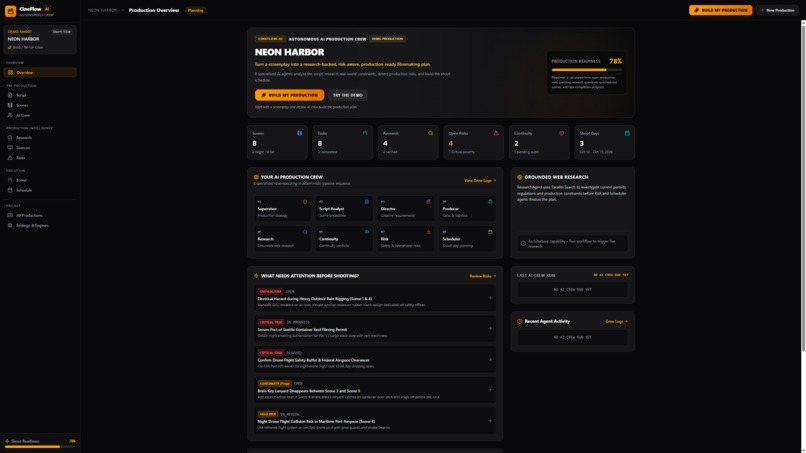
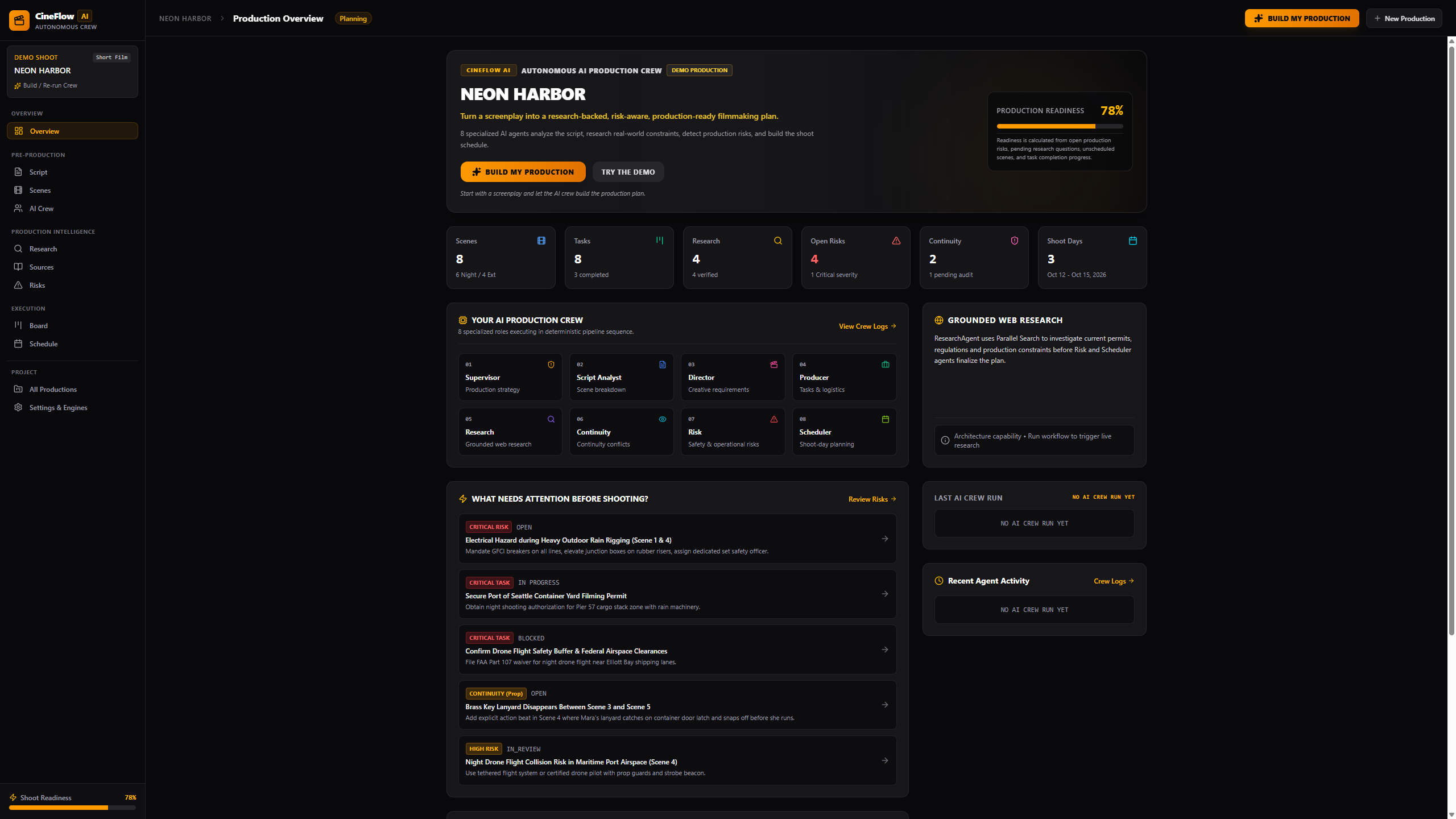
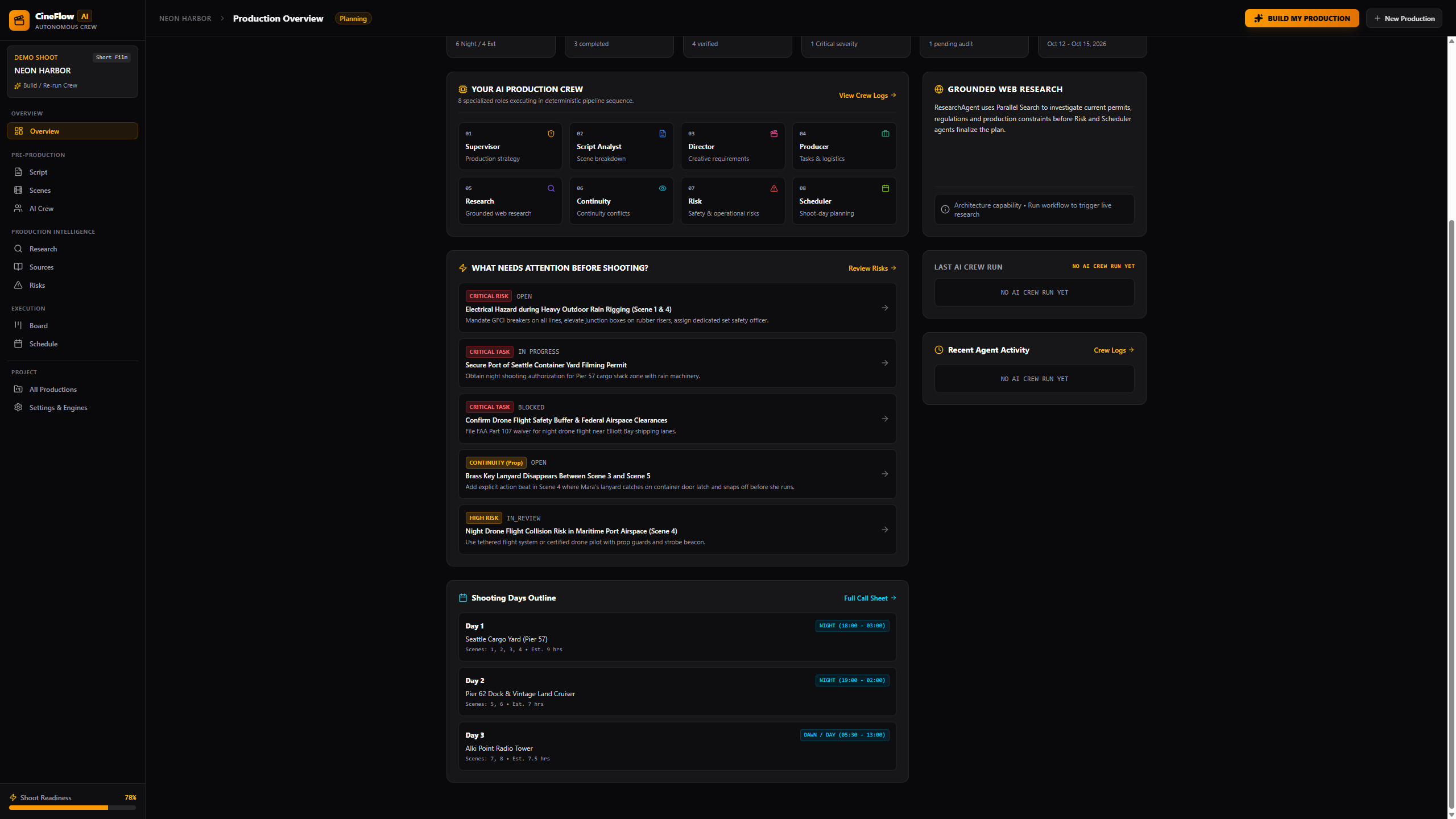
CineFlow AI overview: NEON HARBOR production readiness dashboard
-
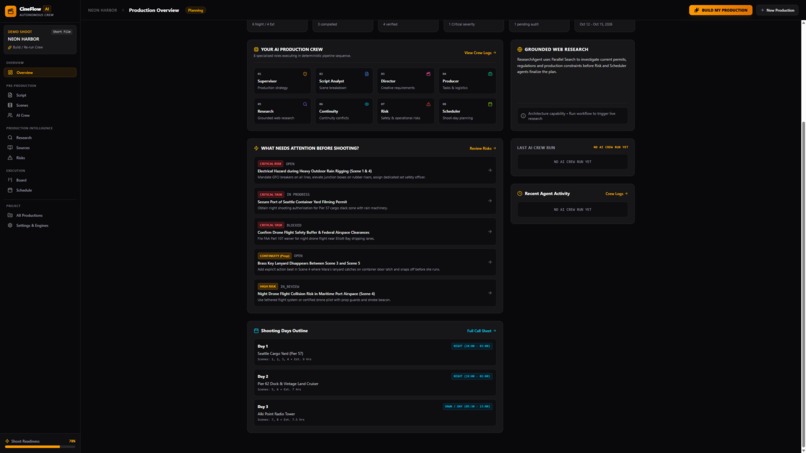
Production overview showing scenes, tasks, risks, crew, and readiness score
-
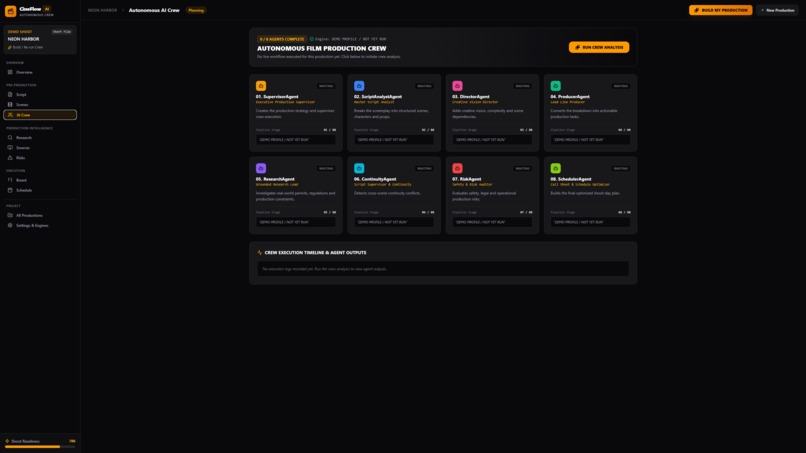
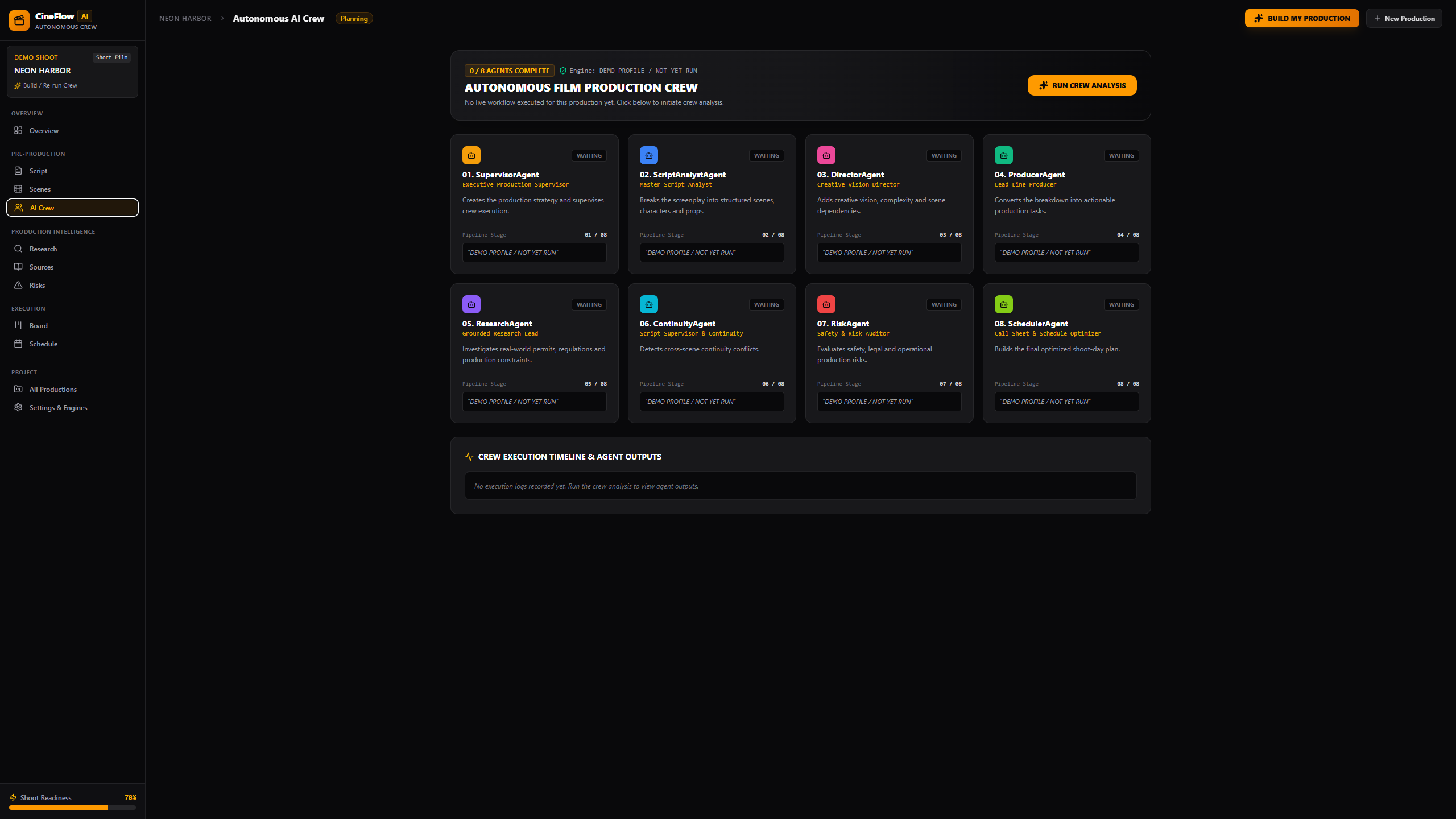
Eight-agent AI crew dashboard for screenplay-to-production planning
-
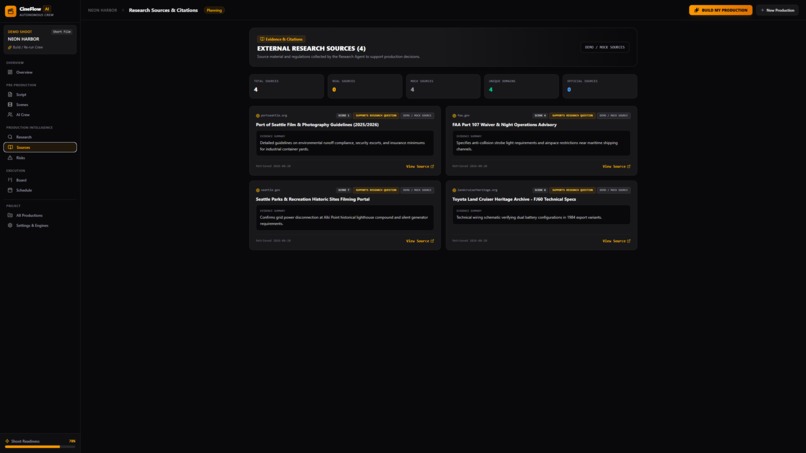
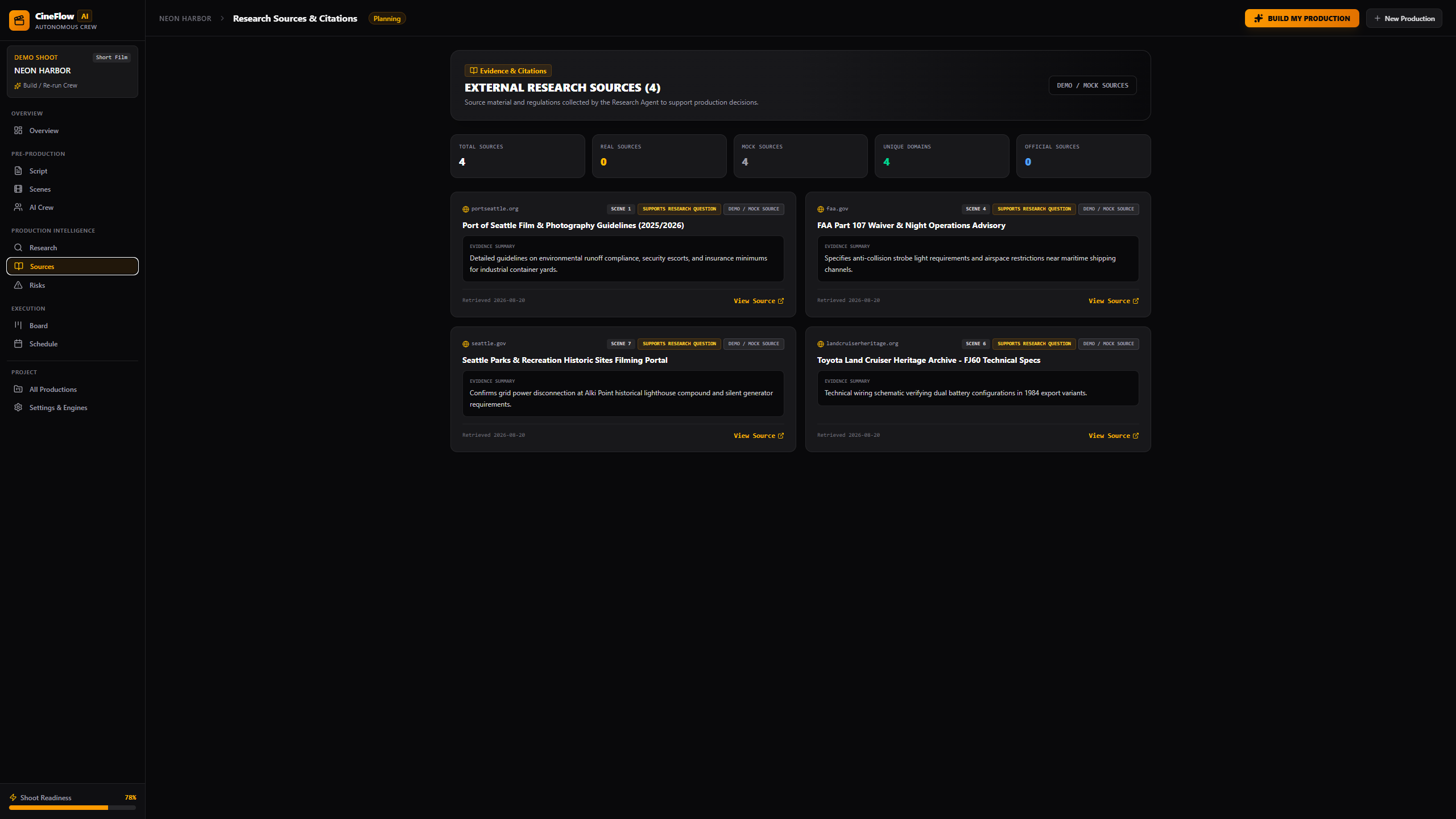
Research sources and citations with explicit DEMO / MOCK labels
-
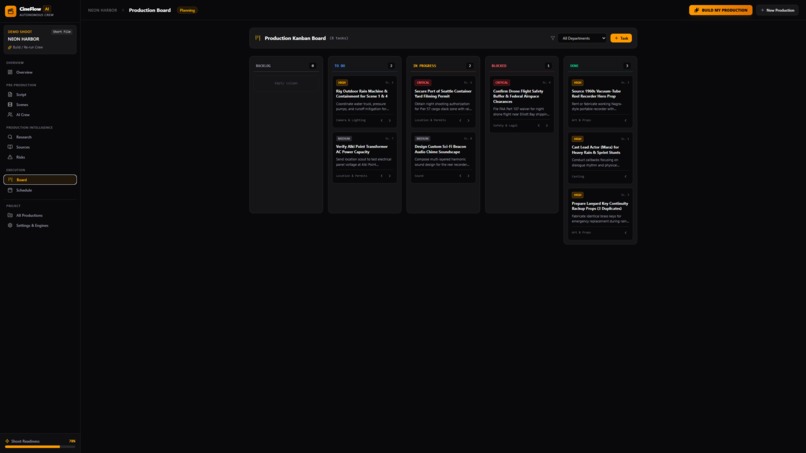
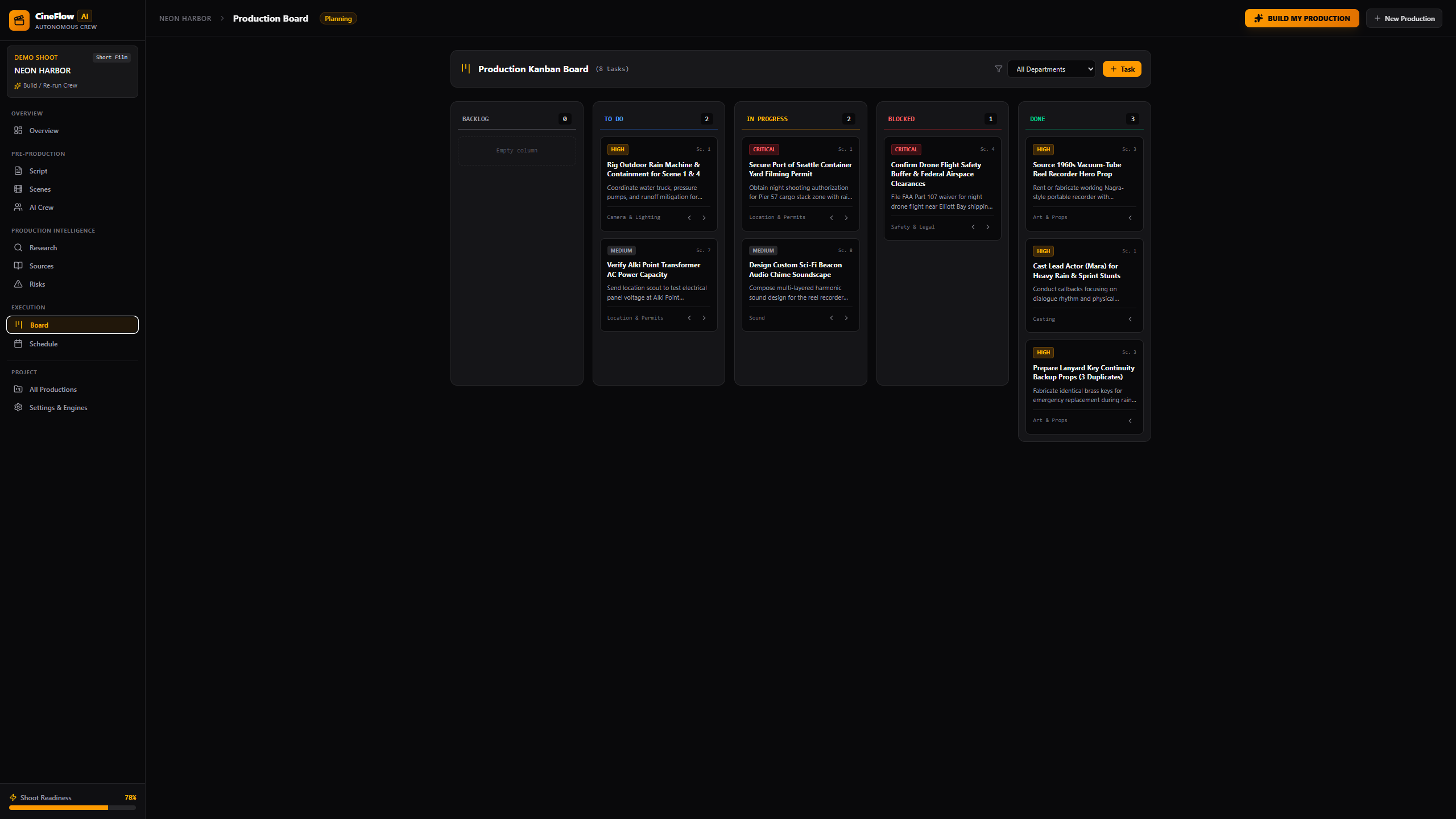
Production Kanban board with tasks, blockers, and department workflow
-
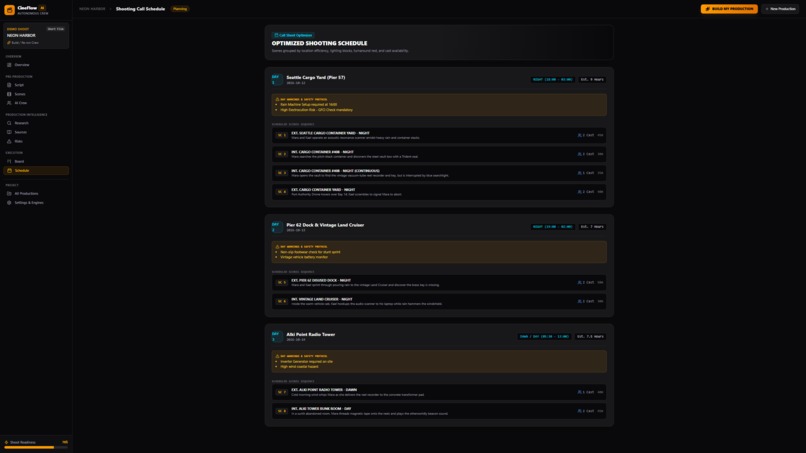
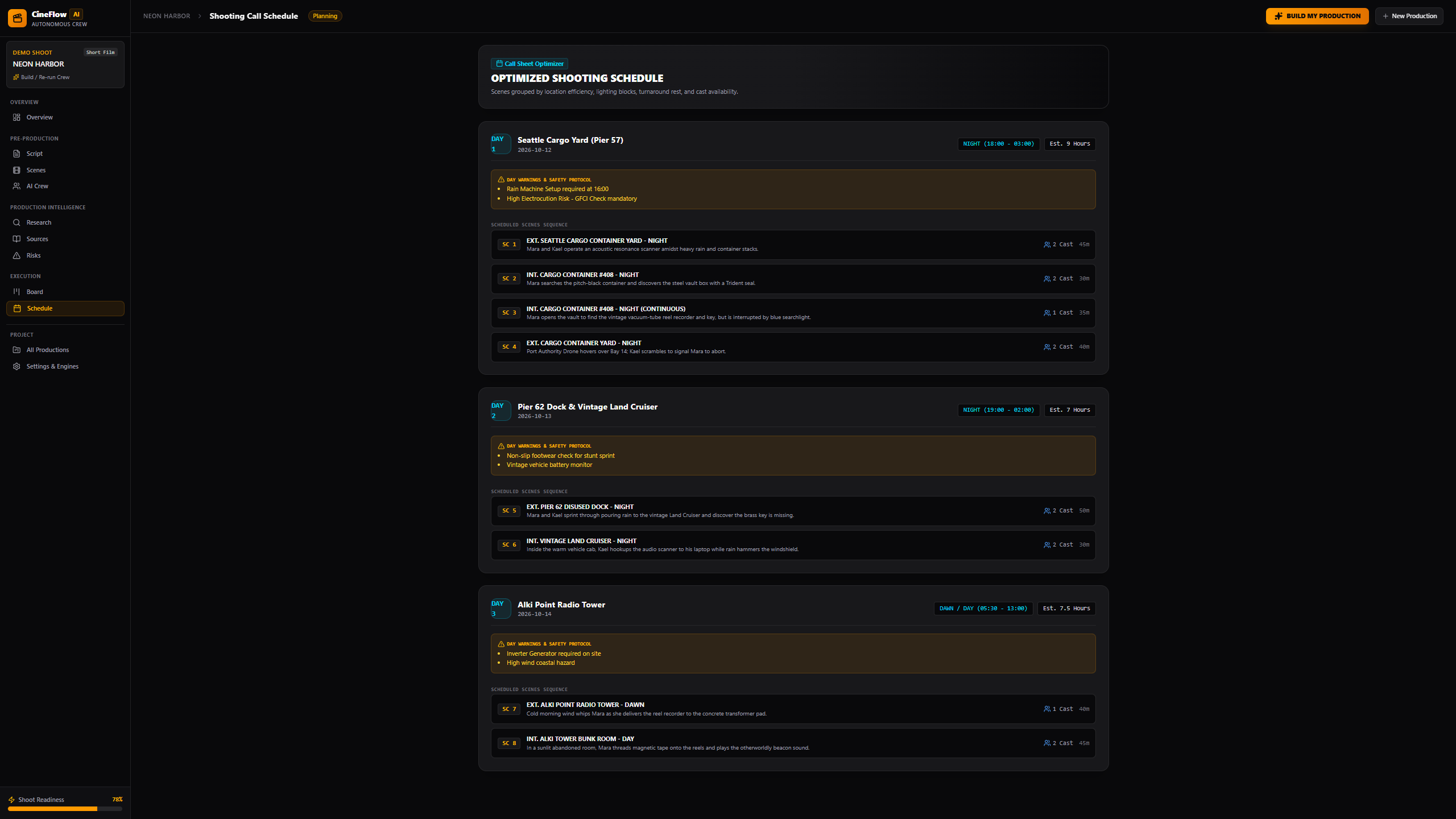
Three-day shooting schedule and production planning view
CineFlow AI
Film production begins with a screenplay, but turning that screenplay into a safe and executable shooting plan is still a highly manual process. Producers must identify locations, characters, props, permits, continuity dependencies, safety risks, departmental tasks, and scheduling constraints.
A single missed permit or continuity issue can delay an entire production. We created CineFlow AI to explore how an autonomous multi-agent crew could help filmmakers move from script to shoot faster, while keeping every recommendation transparent and reviewable.
What it does
CineFlow AI transforms a screenplay into a structured production plan.
The included demo project, NEON HARBOR, has a budget of $45,000, three shooting days, and scenes around Seattle’s industrial waterfront.
CineFlow AI generates:
- Scene and screenplay breakdowns
- Character, prop, wardrobe, and location manifests
- Departmental production tasks
- Permit and regulatory research
- Grounded research sources
- Continuity checks
- Production risk assessments and mitigation steps
- Location-aware shooting schedules
- A production readiness score
The results are presented through nine views: Overview, Script, Scenes, AI Crew, Research, Sources, Risks, Board, and Schedule.
How we built it
CineFlow AI uses a Google ADK SequentialAgent to coordinate eight specialized LlmAgent workers:
- SupervisorAgent — interprets production parameters and manages the workflow.
- ScriptAnalystAgent — extracts scenes, characters, props, and script elements.
- DirectorAgent — analyzes pacing, visual requirements, and camera coverage.
- ProducerAgent — creates departmental production tasks.
- ResearchAgent — researches permits and regulations using Parallel Search.
- ContinuityAgent — checks wardrobe, props, and cross-scene continuity.
- RiskAgent — identifies safety and production risks.
- SchedulerAgent — builds a location-optimized shooting schedule.
The live workflow uses:
- Google Agent Development Kit
- Gemini on Vertex AI
- Google Cloud
- Parallel Search API
- TypeScript and Node.js
- React, Vite, Express, and Tailwind CSS
- Server-Sent Events for live agent progress
Parallel Search is integrated as an ADK FunctionTool. The ResearchAgent invokes it during the live workflow to find municipal permit requirements, drone restrictions, safety rules, and other production-related information. Returned URLs are displayed in the Research and Sources views.
Honest execution modes
CineFlow AI clearly separates its two runtime modes.
LIVE — GOOGLE ADK + VERTEX AI
With valid Google Cloud credentials and a Parallel API key, the RUN LIVE AI CREW action launches the real Google ADK workflow. Eight Gemini-powered agents run sequentially, and the ResearchAgent invokes the real Parallel Search API.
The interface displays the badge:
LIVE — GOOGLE ADK + VERTEX AI
LOCAL DEMO — SIMULATION — NO LIVE AI PROVIDERS
The RUN LOCAL DEMO action provides a deterministic offline demonstration without calling Google ADK, Gemini, Vertex AI, or Parallel Search.
All simulated research sources are explicitly marked:
DEMO / MOCK
The interface never presents simulated results as live provider output.
Challenges we ran into
One major challenge was keeping structured production data consistent across eight agent handoffs. We created shared schemas and mapping functions so every agent could contribute to the same production state.
Another challenge was grounding research results. Permit and safety recommendations must remain connected to verifiable sources, so we designed the ResearchAgent around Parallel Search and preserved source URLs for review.
We also needed to prevent local demonstration data from being confused with live AI output. Separate launch actions, runtime guards, visible badges, and source labels make the active execution mode clear.
Finally, we repaired the dependency lockfile to support clean installation across Linux, macOS, and Windows environments.
Accomplishments that we are proud of
- Built an eight-agent Google ADK production workflow
- Integrated Parallel Search as a real agent tool
- Created a live streaming AI Crew dashboard
- Added server-side runtime checks for live execution
- Kept provider credentials on the server side
- Created transparent LIVE and LOCAL execution modes
- Passed 277 automated tests across 12 test suites
- Added automated secret and competition-compliance checks
- Produced installation, judge-testing, and three-minute demo documentation
What we learned
We learned that a useful agentic application requires more than multiple model calls. Each agent needs a focused responsibility, a predictable output structure, shared workflow state, clear failure handling, and transparent evidence.
We also learned that research tools are most valuable when their results remain traceable. Showing the original sources allows filmmakers and judges to verify important production recommendations.
What’s next for CineFlow AI
Next steps include durable cloud workflow storage, collaborative production workspaces, screenplay file import, human approval checkpoints between agents, expanded budgeting tools, additional regional permit sources, and deployment as a production-ready Google Cloud service.
Our goal is to make CineFlow AI a practical co-pilot for independent filmmakers and production teams—from the first screenplay breakdown to the final call sheet.
Built With
- express.js
- gemini
- google-cloud
- googleadk
- node.js
- parallelsearch
- react
- server-sentevents
- tailwindcss
- typescript
- vertexa
- vite

Log in or sign up for Devpost to join the conversation.