-
-
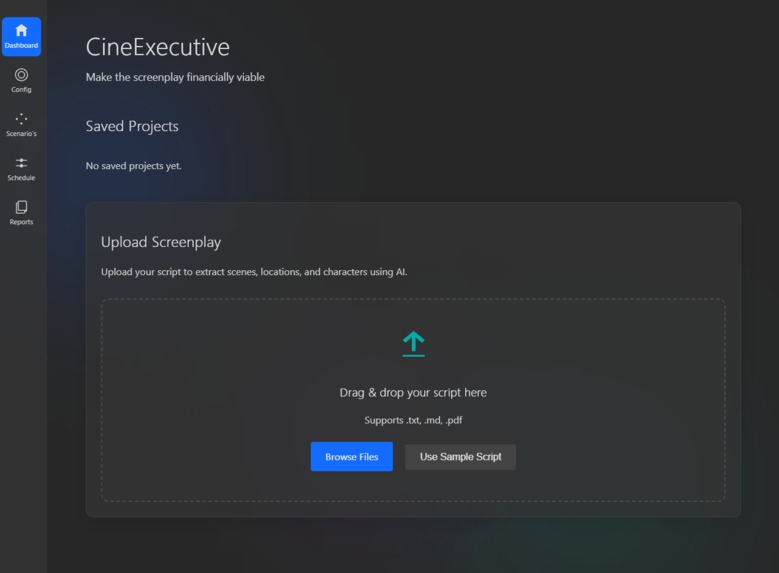
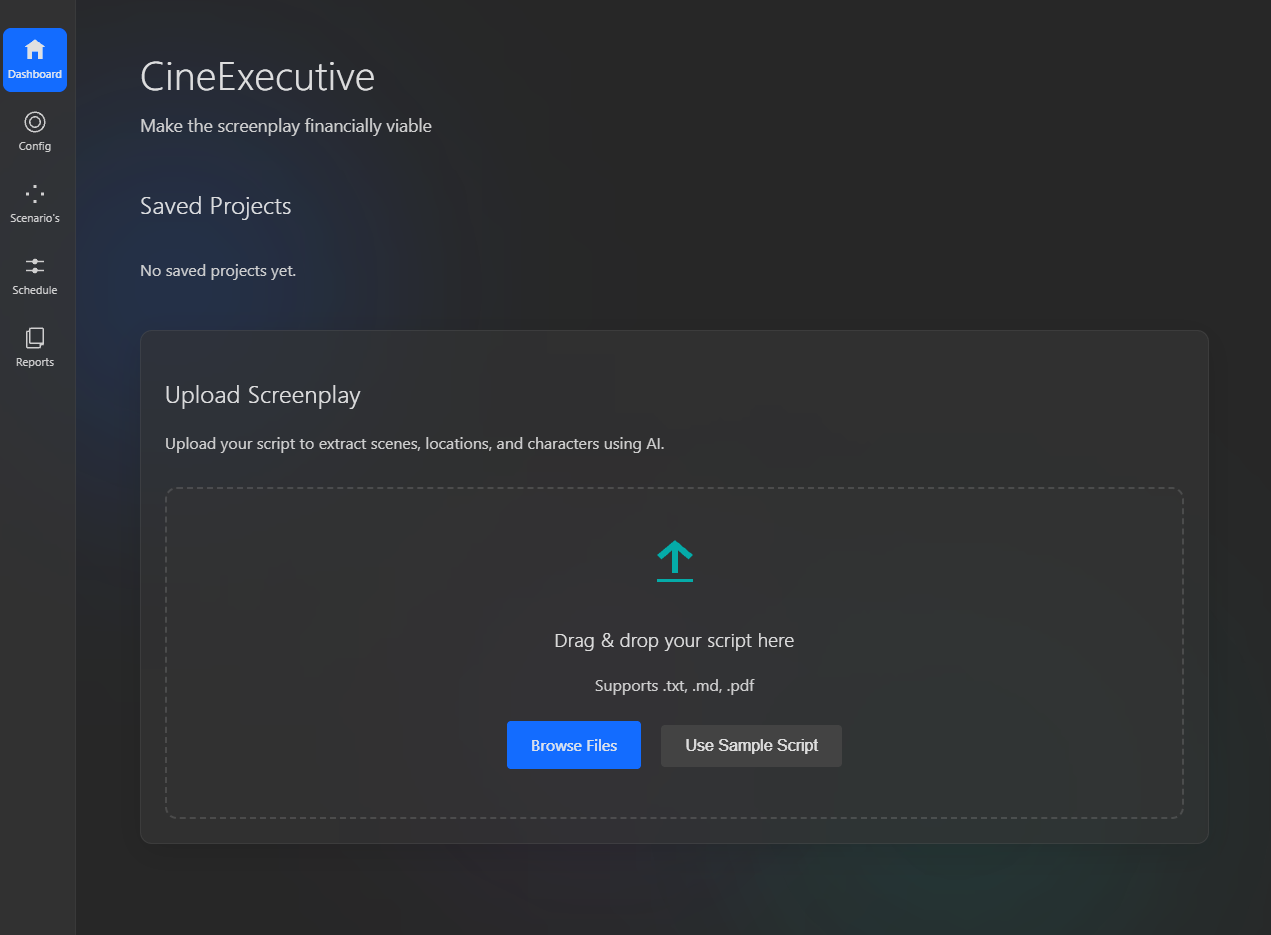
Upload a film script. Or use the sample script
-
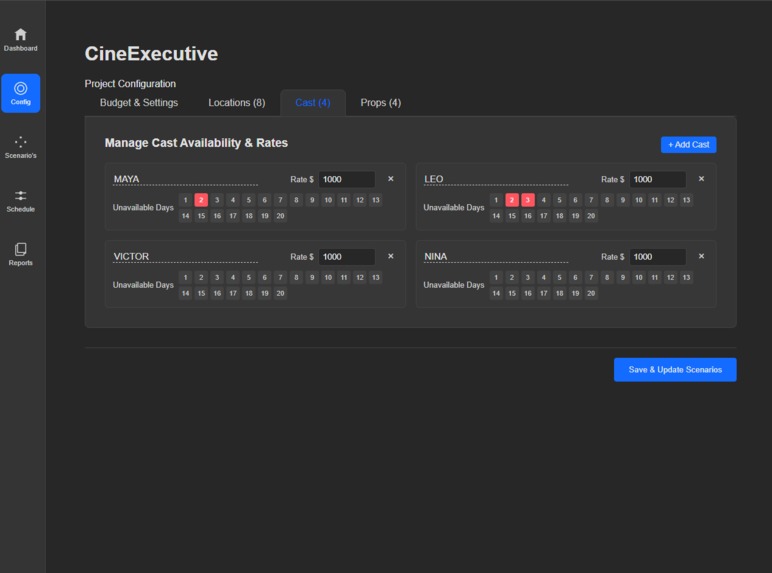
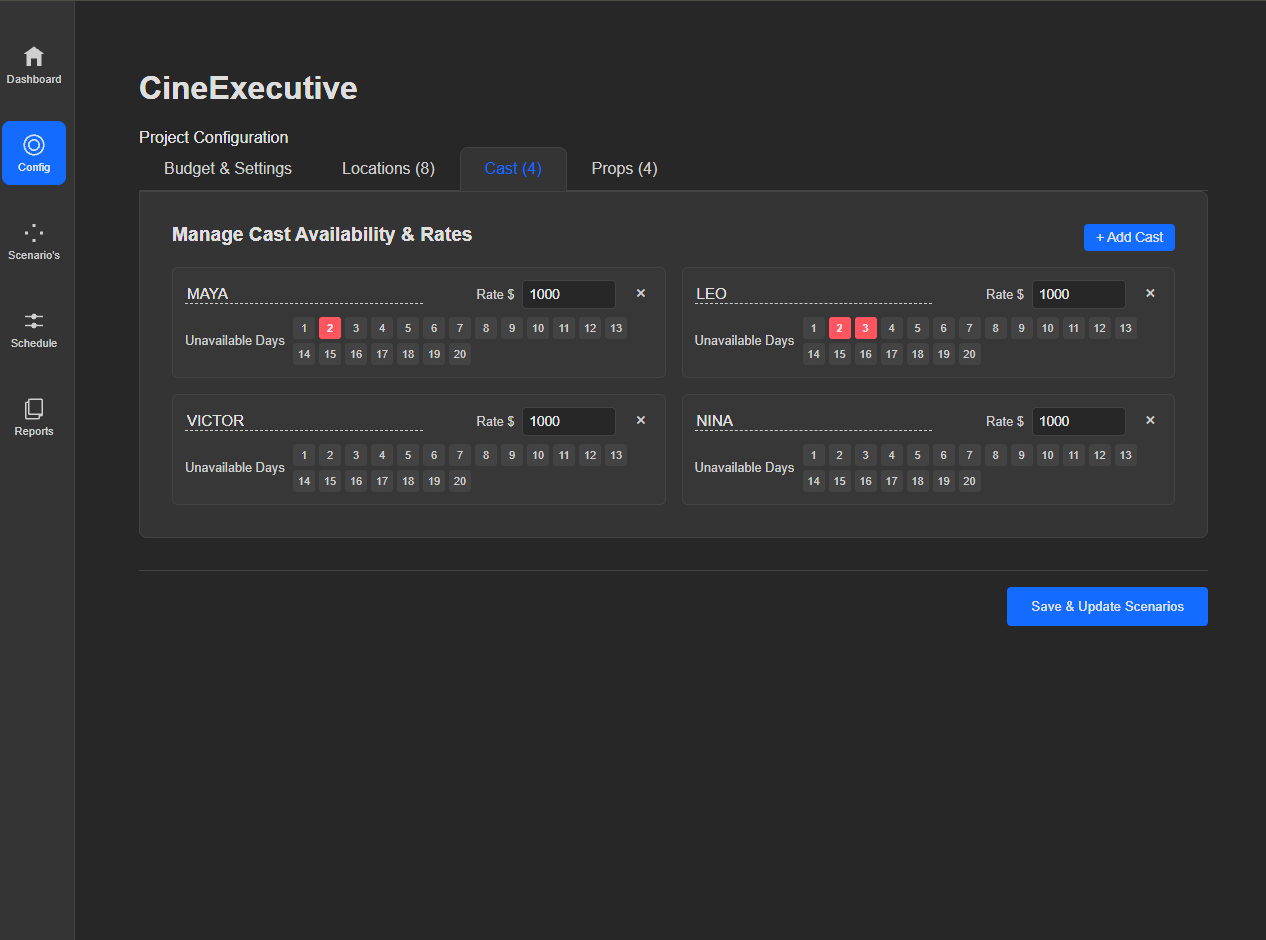
You can enter when actor or location is not available
-
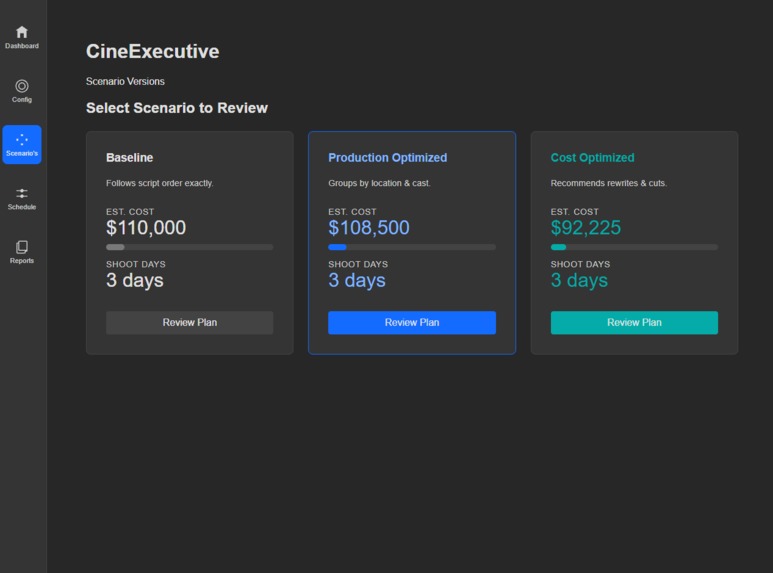
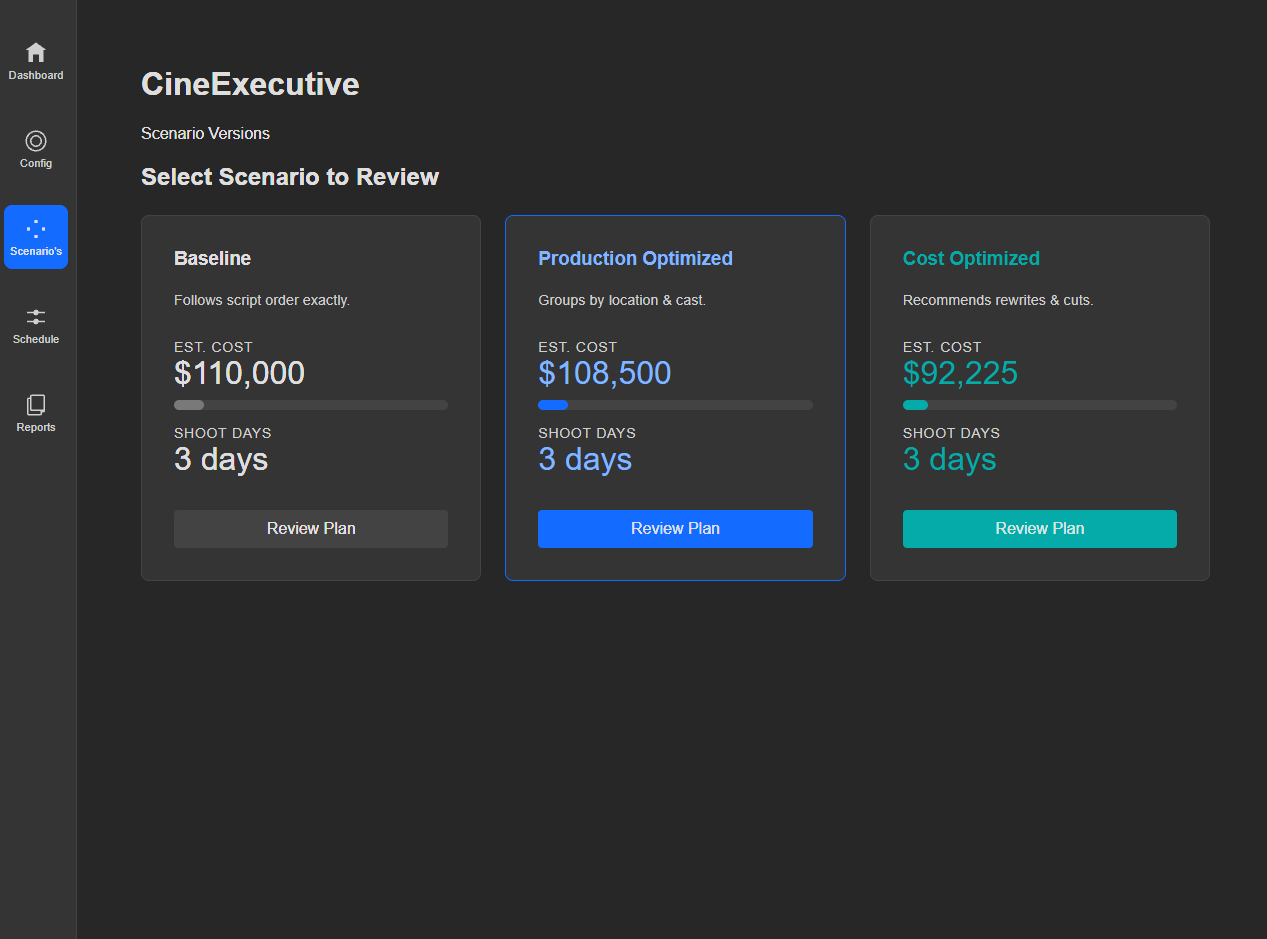
Select a scenario which best fits your budget and needs
-
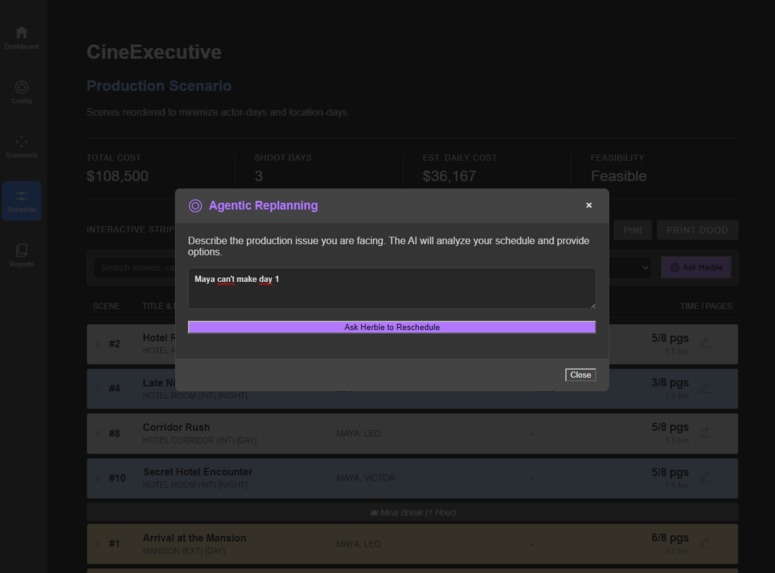
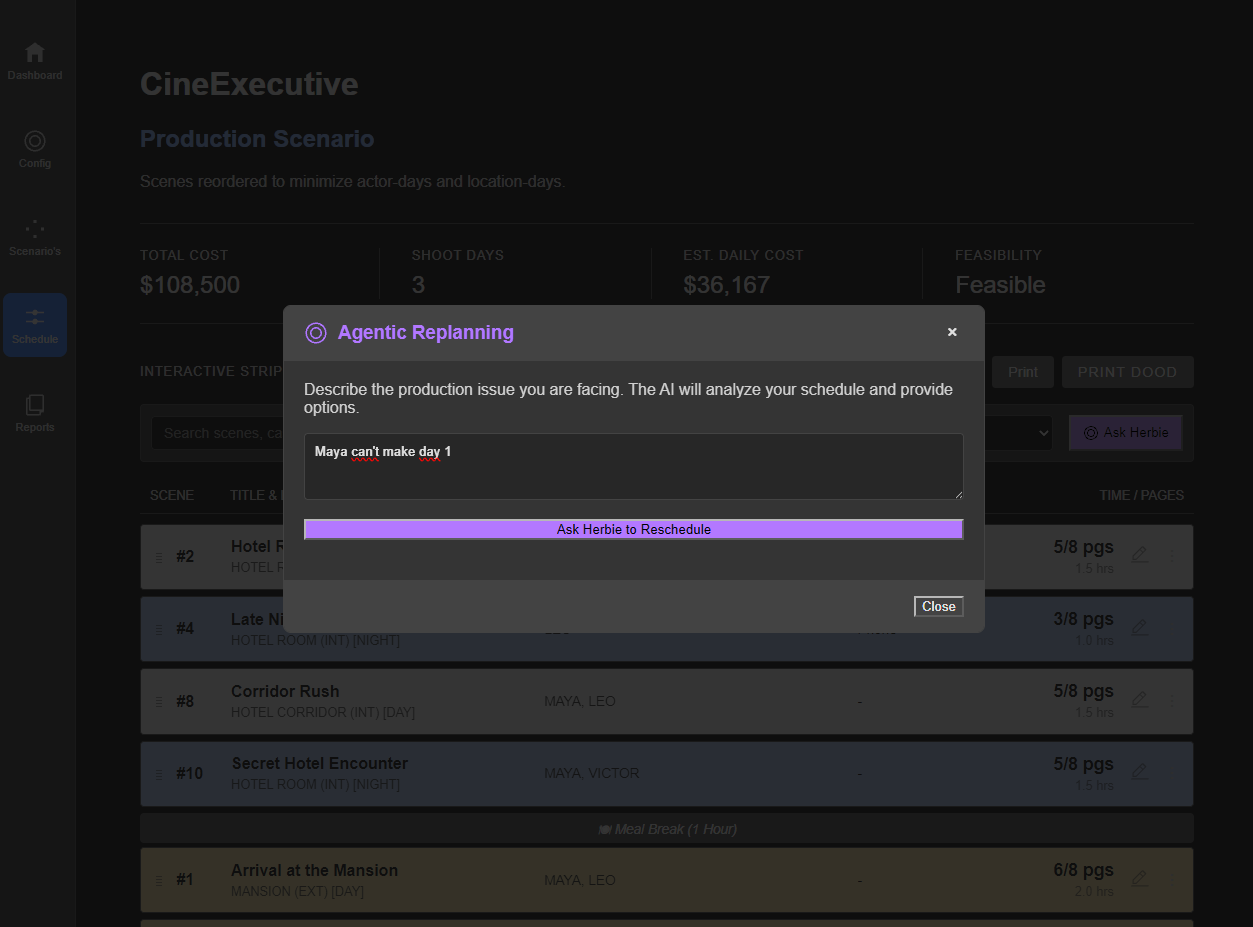
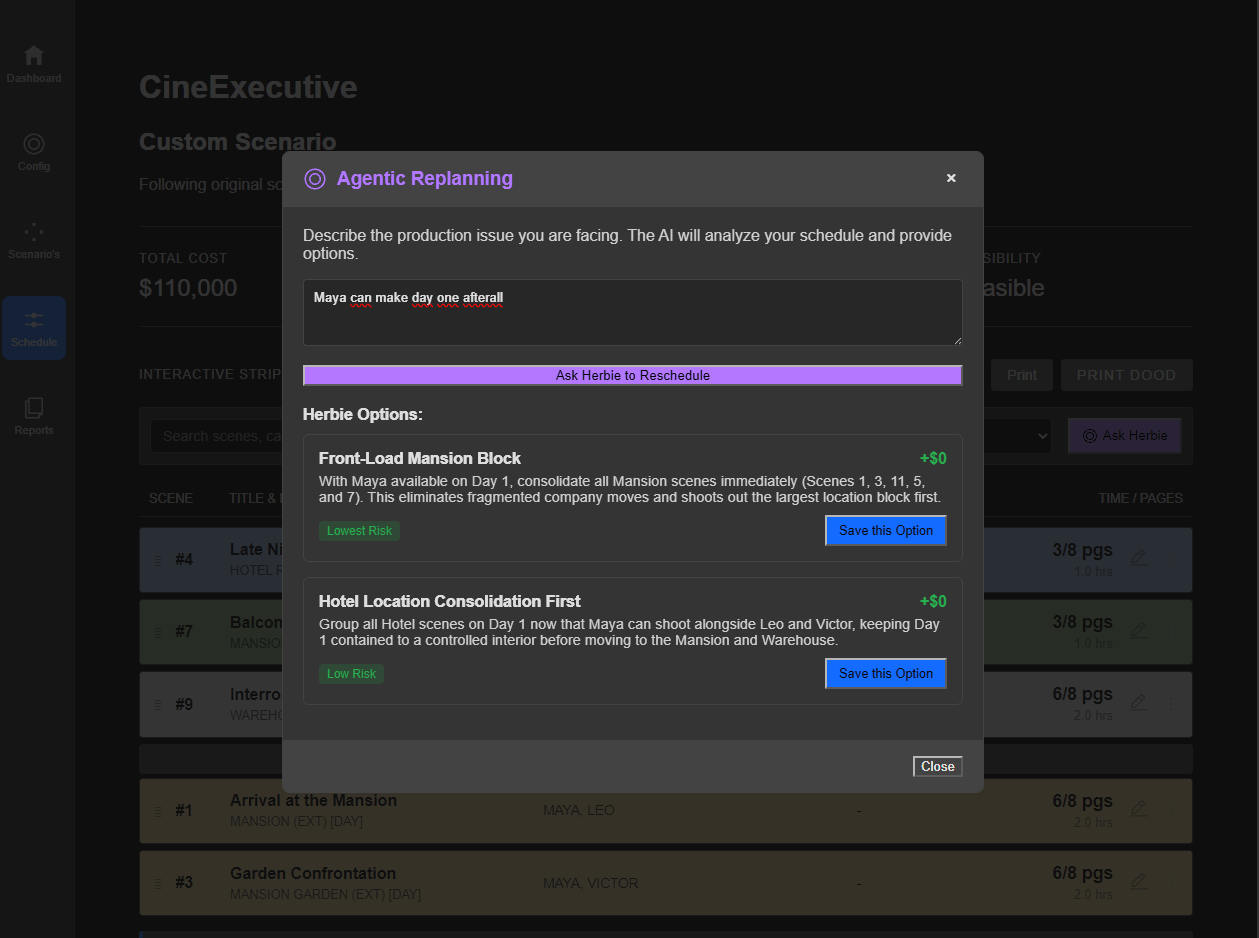
Type in what is the problem
-
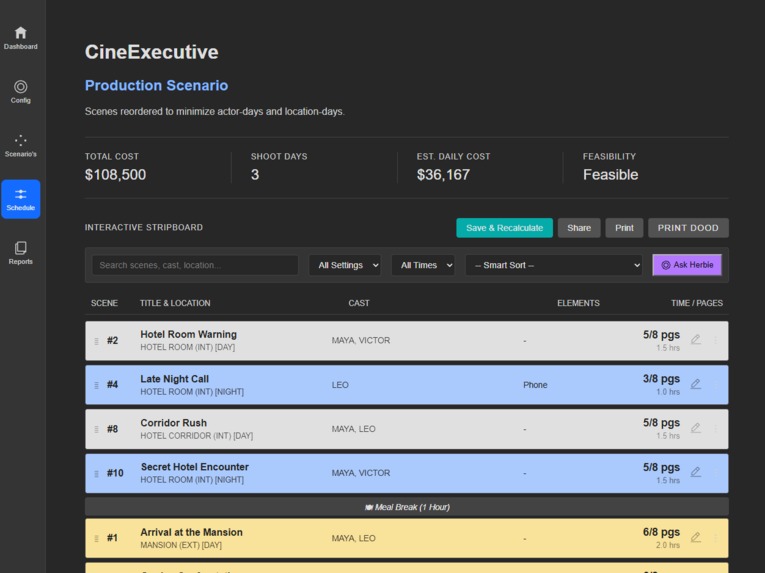
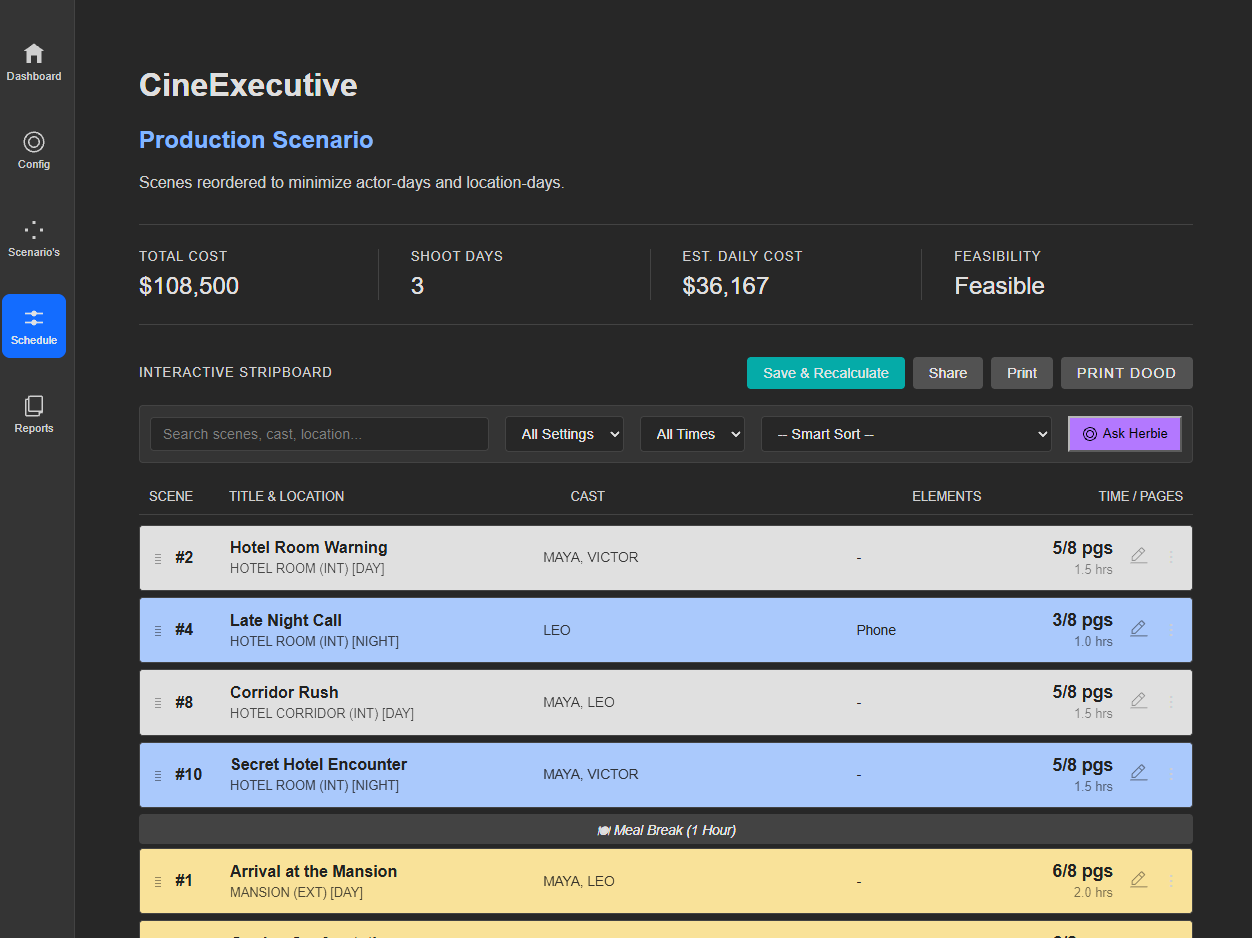
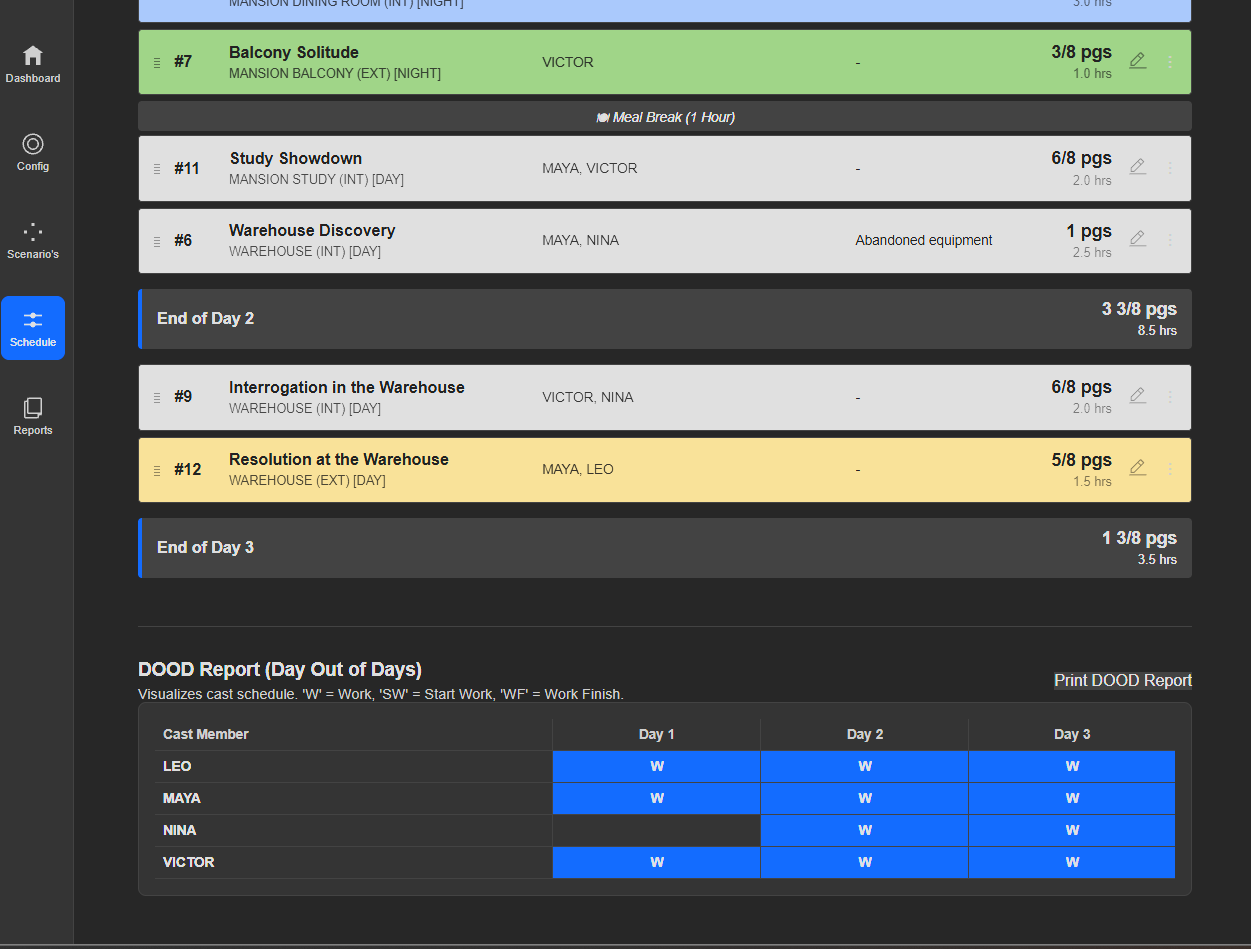
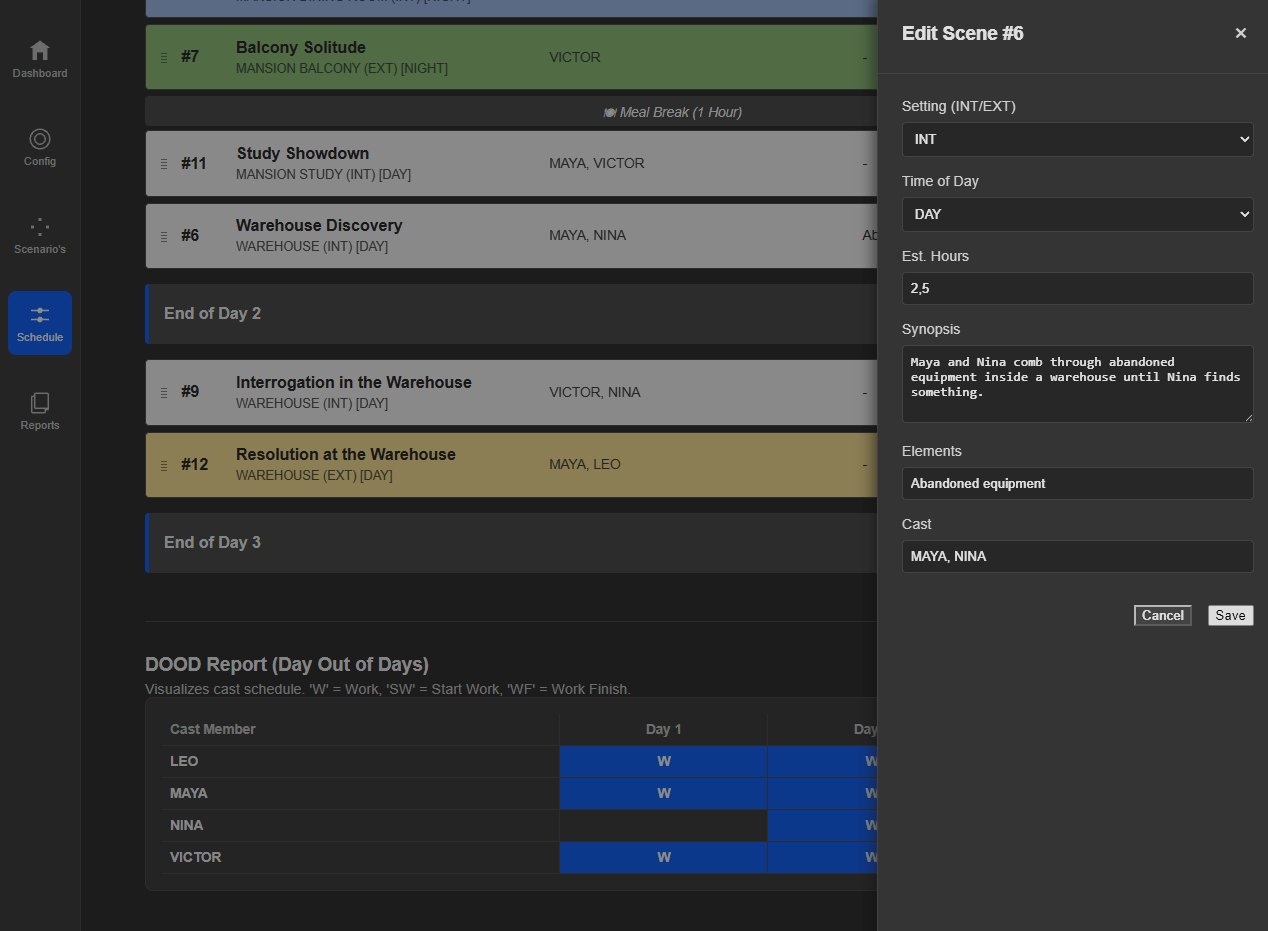
Move around scene's, edit script, actors or props. or ask Herbie (AI) to reschedule, when an asset can't make it.
-
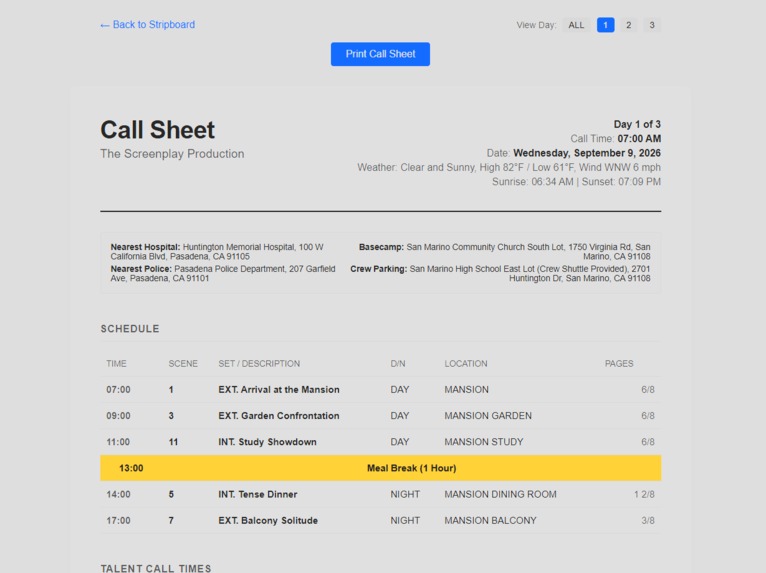
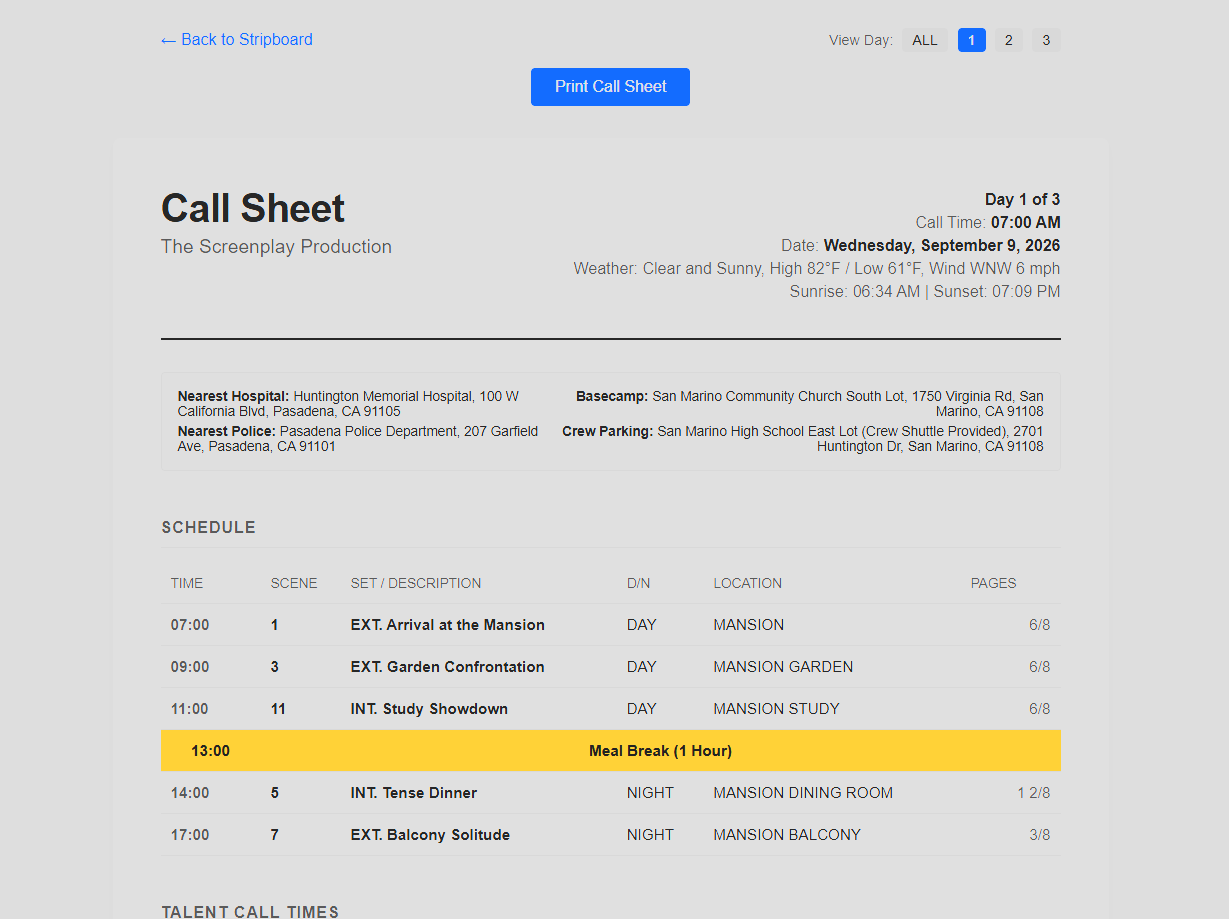
Print callsheets, with up-to-date locations and weather.
-
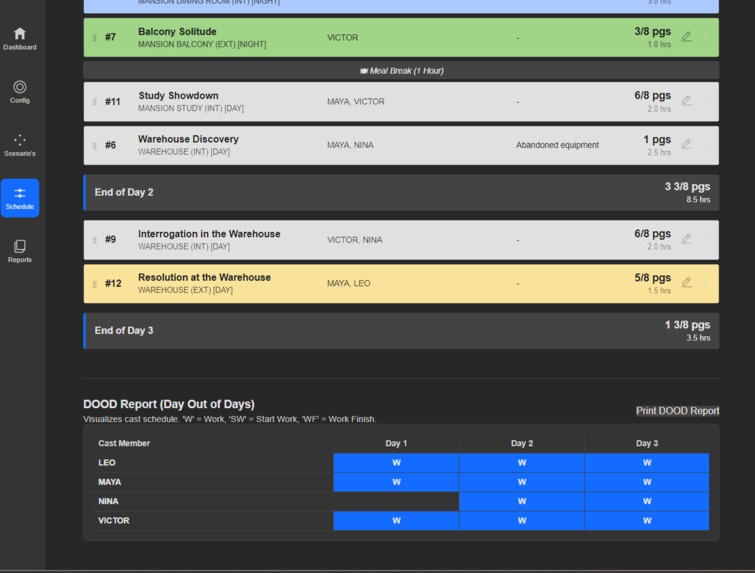
Also print or look at the DOOD report
-
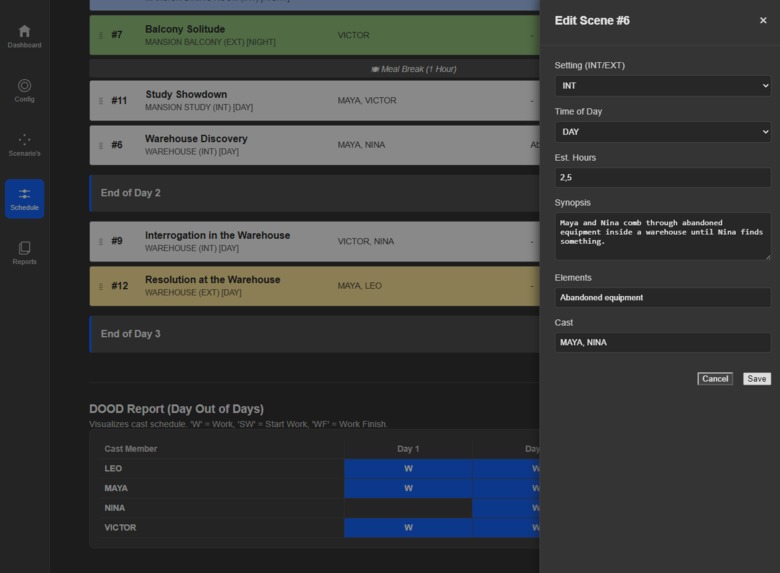
Edit information as you go
-
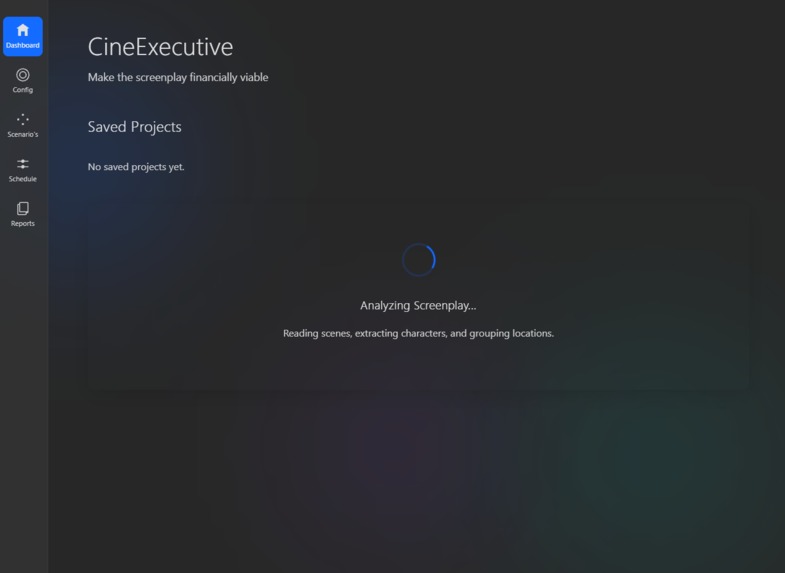
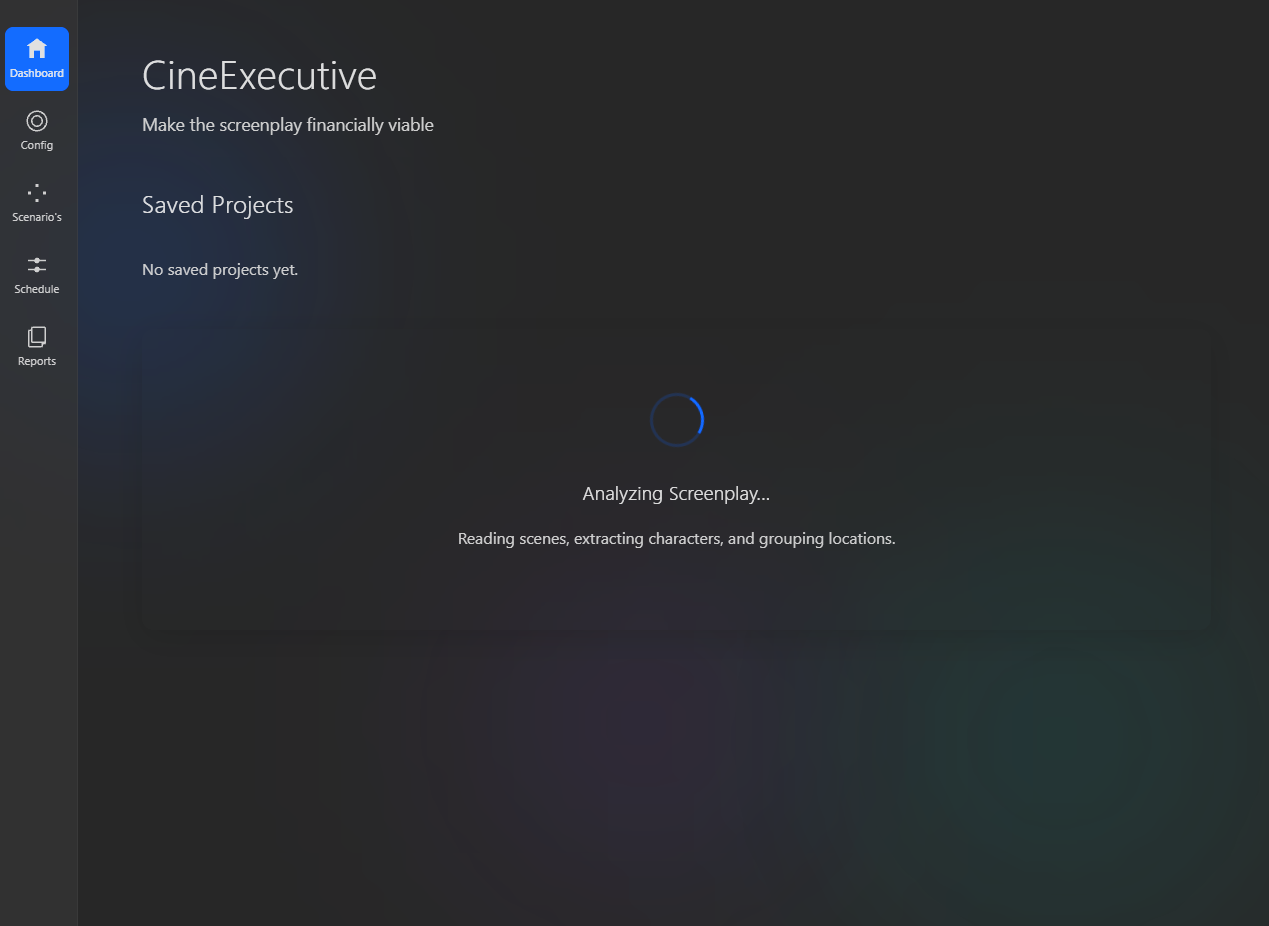
Ai is processing the scripts for actors, props and locations
-
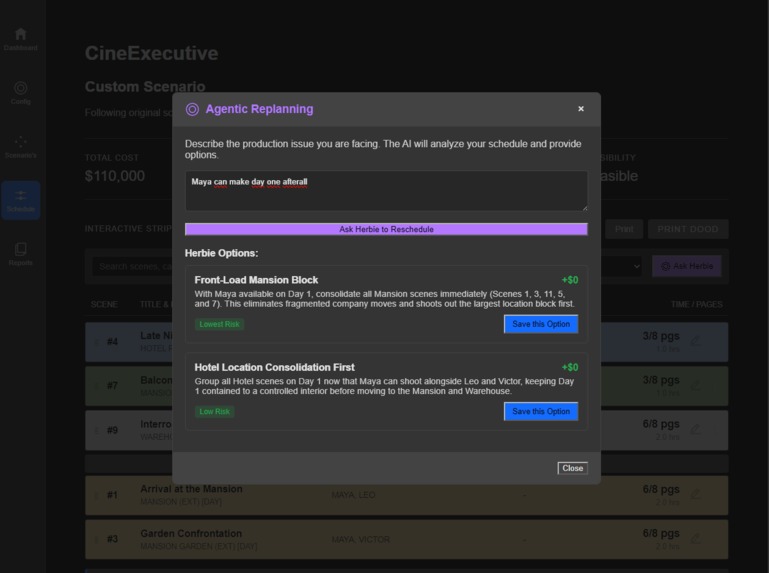
Or when the problem changes again, and the ai gives you the options and cost
Inspiration
I started by researching how film productions are planned today. I wanted to understand where production teams lose the most time.
One problem kept appearing: schedules rarely stay fixed.
An actor can become unavailable. A location can suddenly be cancelled. Weather can make an exterior scene impossible. A shooting day can run longer than expected.
Existing planning tools help create schedules. But changing a schedule can still require significant manual work.
That became the core idea behind CineExecutive:
What if a production schedule could continuously adapt to reality?
Instead of only generating a shooting plan, the system should recalculate it. It should consider actors, locations, travel time, weather and production constraints. You can ask Herbie (AI with Gemini) to alter schedules if for example an actor or location not available.
How I built it
I first mapped the workflow of a film production.
The application starts with the screenplay.
Gemini analyzes the screenplay and automatically extracts production information. This includes scenes, characters, locations and scheduling information.
That information becomes structured production data.
I used IBM Bob to create the initial application architecture. I also used Bob to build features, debug integrations and iterate on the interface.
Its environment felt familiar because it resembled VS Code. That made navigating and editing the project much easier.
The first version was built using Python and Streamlit.
During development, debugging became difficult. Several parts of the application were tightly connected.
This made it harder to understand where errors originated.
I therefore rebuilt the interface and application flow in PHP. That gave me more control over individual components and debugging.
Challenges
One major challenge was designing the scheduling logic.
The system should not only create a schedule. It should also respond intelligently when something changes.
For example, if an actor becomes unavailable on Tuesday, CineExecutive could move that actor's scenes to Thursday.
It could then reorganize Tuesday using the remaining cast and locations.
That change can also affect travel time, costs and other shooting days.
This makes scheduling a connected optimization problem.
Another challenge was tool availability during development.
I initially used IBM Bob extensively for architecture and implementation. Later, I reached the available token limit in Bob.
At that point, I continued development with Gemini.
This meant switching between AI development tools while keeping one codebase consistent. It also forced me to understand the code instead of relying on one assistant.
Designing for real production work
Another challenge was deciding how much information users should see.
Film production planning contains a huge amount of data.
Showing everything creates complexity. Showing too little makes the system difficult to trust.
I designed the workflow around decisions producers actually make.
Users can review scenes, locations and cast information. They can adjust constraints and compare different schedules.
Production documents also need to work outside the application.
Call sheets and shooting plans are designed to be printable. They can include addresses, weather and practical production information.
This matters because the final output is used by people on set.
What I learned
The biggest lesson was that AI extraction was not the hardest problem.
AI can identify scenes, characters and locations surprisingly well.
The harder problem is turning that information into a reliable production plan.
Changing one constraint can affect the entire schedule.
I also learned that usability matters as much as optimization.
A producer needs to understand why a schedule changed. Otherwise, even a better schedule may not be trusted.
What's next
The next step is making CineExecutive collaborative.
Film planning is rarely done by one person. Producers, assistant directors, production managers and other crew members all need to review and update the same plan.
I would like to add multi-user collaboration.
Team members could:
- work together in the same production
- see who changed what
- leave suggestions on schedules or production decisions
- approve or sign off changes
- assign responsibilities to specific team members
This would turn CineExecutive from a planning tool into a shared production workspace.
Another useful next step is version history.
When a schedule changes, the team should be able to compare the old and new plan.
They could see what changed, why it changed, and what impact it had on cost, travel and shooting days.
The goal is to make production decisions traceable, not just automated.

Log in or sign up for Devpost to join the conversation.