Inspiration
AI image generation has advanced at an exponential rate over the past few years and we are at a point where we have to second-guess our gut instinct.
What it does
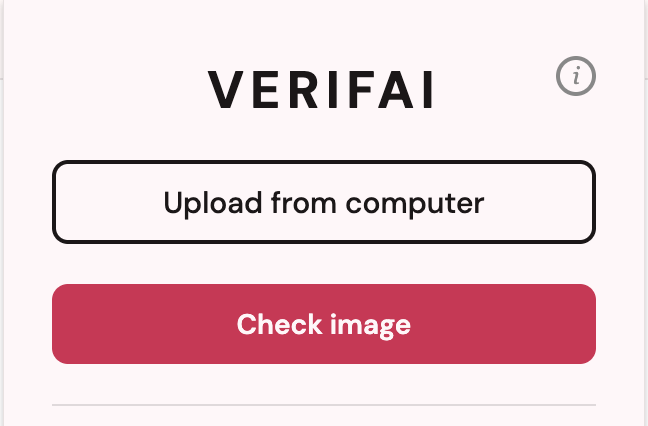
Verifai is a Chrome extension that helps you identify whether an image is real or AI-generated. Right-click on any image on the web and select “Check if image is AI-generated” and let Verifai do its job. Verifai also has an option that lets you upload files directly from your computer.
How we built it
Tech stack
- React + Vite (Chrome extension popup UI)
- PyTorch / ONNX (model training and export)
onnxruntime-web/ WASM (in-browser inference)- FastAPI + Uvicorn (optional backend for URL-based detection)
- Chrome Manifest V3
We trained a PyTorch CNN model from scratch using the CIFAKE dataset. The architecture is deliberately kept small and simple: two Conv2d + BatchNorm + ReLU + MaxPool blocks feeding into a 128-unit fully connected layer with 0.5 dropout and a sigmoid output for binary classification. We trained with Binary Cross Entropy loss and Adam optimizer, then exported the model to ONNX for efficient web inference.
The ONNX model (model.onnx + model.onnx.data) is bundled directly into the extension and runs entirely in the browser via onnxruntime-web/wasm — no server round-trip required. Images are resized to 32×32 and normalized with ImageNet-style mean/std before being passed to the model. The output probability is mapped to three labels: ai-generated (≤ 0.25), real (≥ 0.75), or unknown (the middle range). Scan results are persisted in chrome.storage.local so the background script and popup stay in sync.
We also built a FastAPI backend with POST /detect/url and POST /detect/file endpoints for server-side inference, including validation for image type, file size, corrupt uploads, public URLs, and redirect limits to avoid SSRF-style issues.
Challenges we ran into
The dataset we were given isn’t a great representation of the images you usually encounter on the internet. Our model was trained on and expects 32x32 images and we had trouble picking out the correct resizing algorithm that preserved the correct features. We also had to think carefully about cross-origin image fetching (many images on the web block direct access) and settle on confidence thresholds that felt honest rather than arbitrarily decisive.
Getting ONNX Runtime to play nicely inside a Chrome Manifest V3 extension was probably our biggest technical hurdle. MV3's service worker environment has strict restrictions on what can run and when, and we spent real time wrestling with WASM initialization, bundler config, and scope limitations before landing on a stable setup.
Accomplishments that we're proud of
- Fully local inference: the core detection path runs 100% in the browser with no data leaving the user's machine.
- Honest uncertainty: building in the "unknown" label instead of forcing a confident answer felt like the right call, and making it a first-class result was a deliberate design decision we're proud of.
- End-to-end ownership: we trained the model from scratch, exported it, integrated it into a working browser extension, and shipped a FastAPI backend with real input validation and a test suite — a full stack in a hackathon window.
- Chrome MV3 + ONNX WASM: this combination doesn't have much prior art, and getting it working reliably was a genuine engineering win.
What we learned
Building this forced us to think carefully about the entire ML deployment loop — not just training a model, but what it means to run it reliably in an environment as constrained as a browser extension. We deepened our understanding of ONNX export gotchas, WASM threading limitations in service workers, and how small preprocessing mismatches can completely break inference. We also learned that communicating model confidence honestly to users is harder than it sounds: thresholds feel arbitrary until you dig into your output distribution and think about what "I don't know" actually means to someone who just wants a quick answer.
On the product side, building a Chrome extension from scratch with MV3 taught us a lot about the background/popup communication model and the importance of shared state via chrome.storage when your UI and your inference pipeline live in different contexts.
What's next for Verifai
- Better model: the current CNN is intentionally small and fast, but a larger architecture (ResNet-style or a fine-tuned ViT) trained on a more diverse, modern dataset — including images from current diffusion models — would improve accuracy and reduce false positives on stylized artwork.
- Improved calibration: we want to tune the confidence thresholds more rigorously using a held-out validation set, and potentially surface a raw probability bar rather than just a three-way label.
- Visual explanations: showing which regions of the image contributed most to the classification (e.g. via Grad-CAM overlays) would help users understand why the model flagged something.
- Scan history: right now only the latest result is stored. A history view in the popup would let users review everything they've checked in a session.
- Batch scanning: a mode that scans all images on a page at once and flags suspicious ones with inline badges.
- Fully hardened local mode: further polish on the private-inference path — ensuring nothing ever phones home, and adding an explicit privacy indicator in the UI so users can see the inference happened on-device.

Log in or sign up for Devpost to join the conversation.