-
-
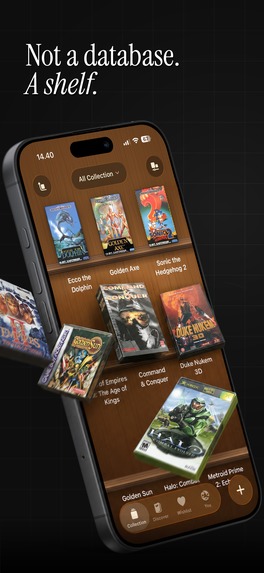
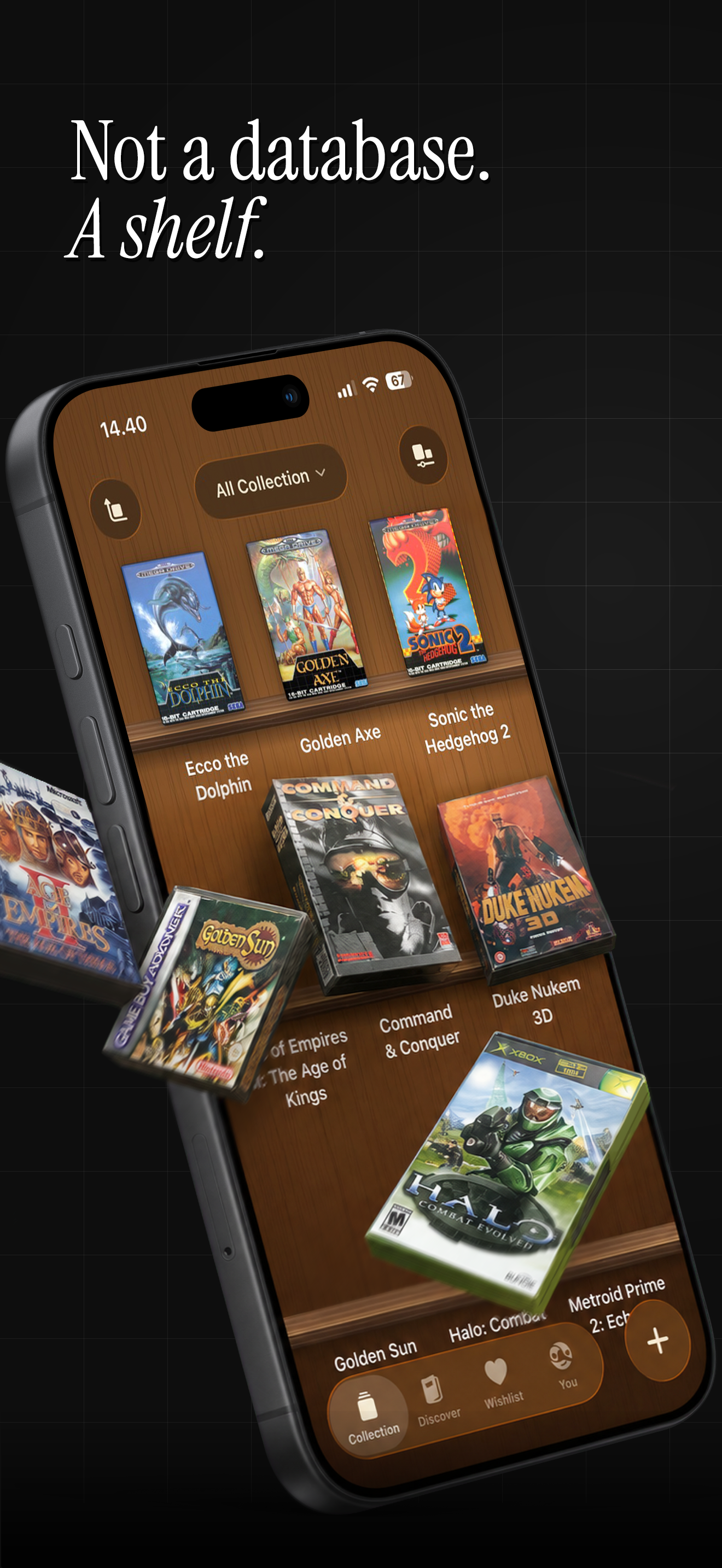
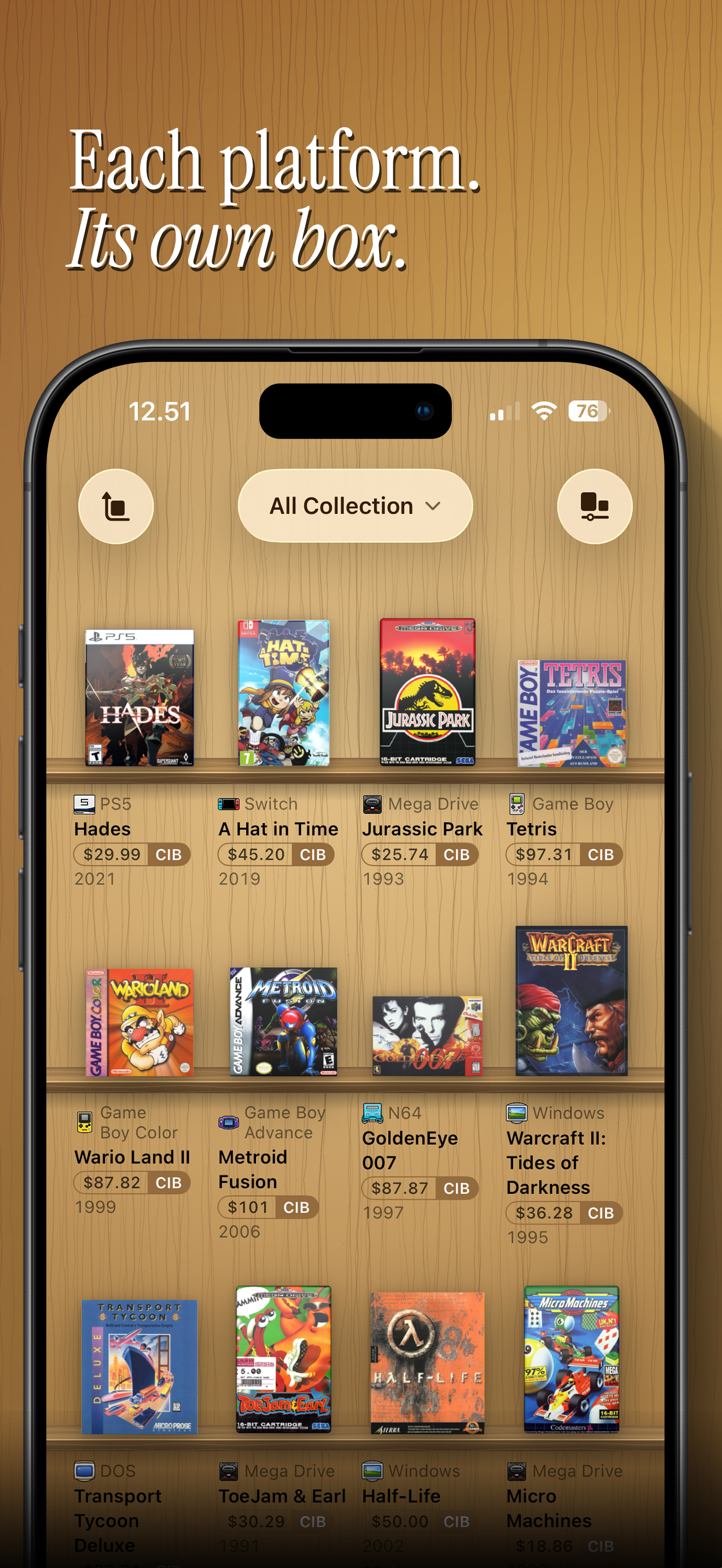
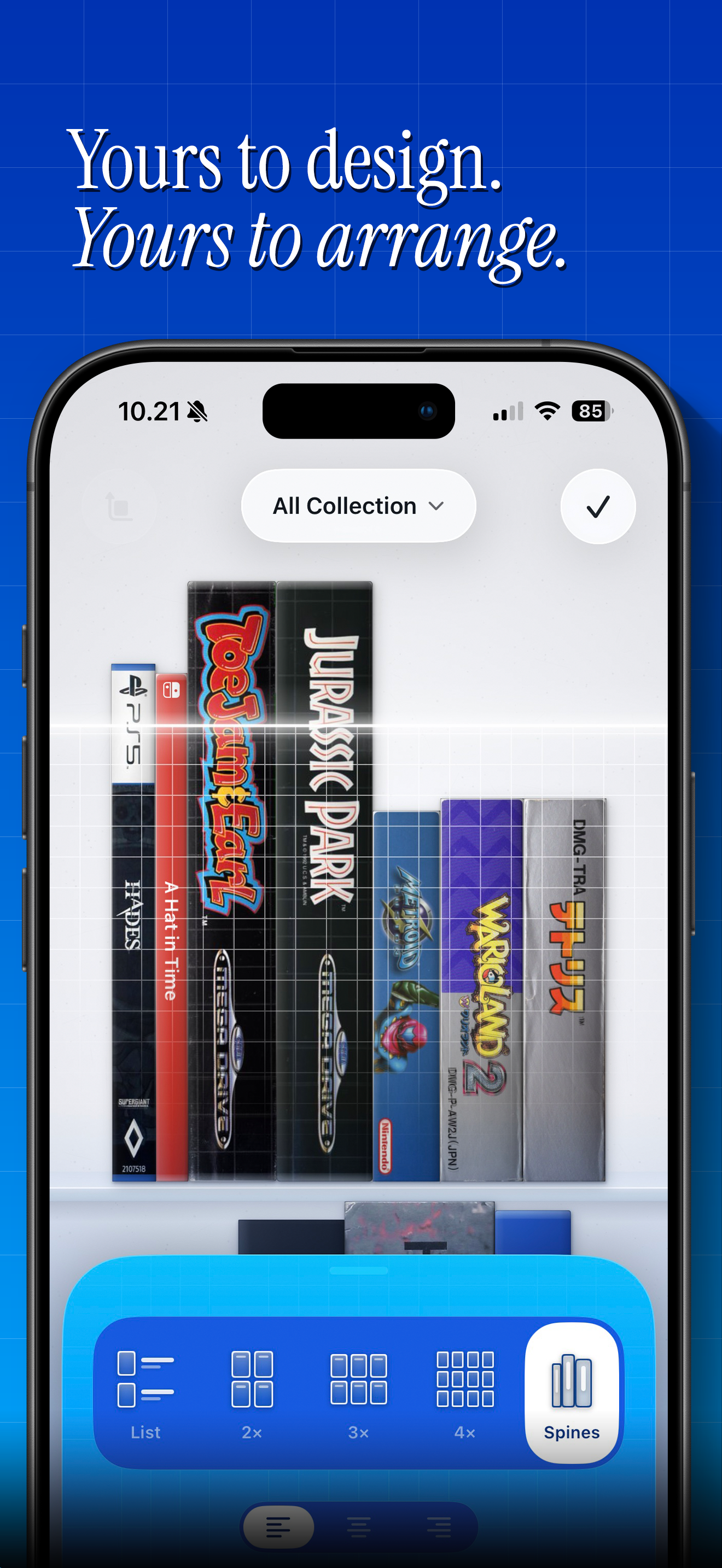
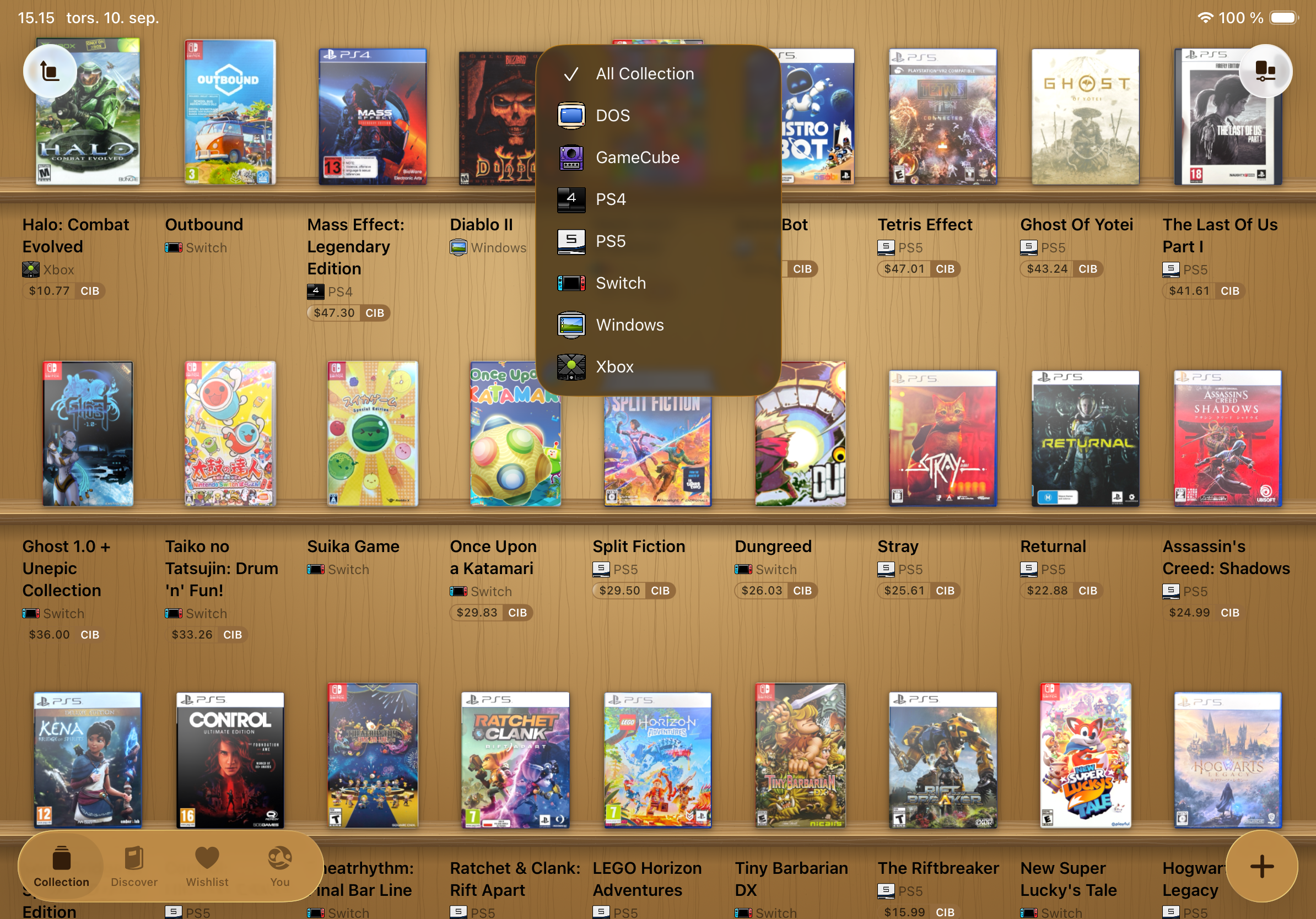
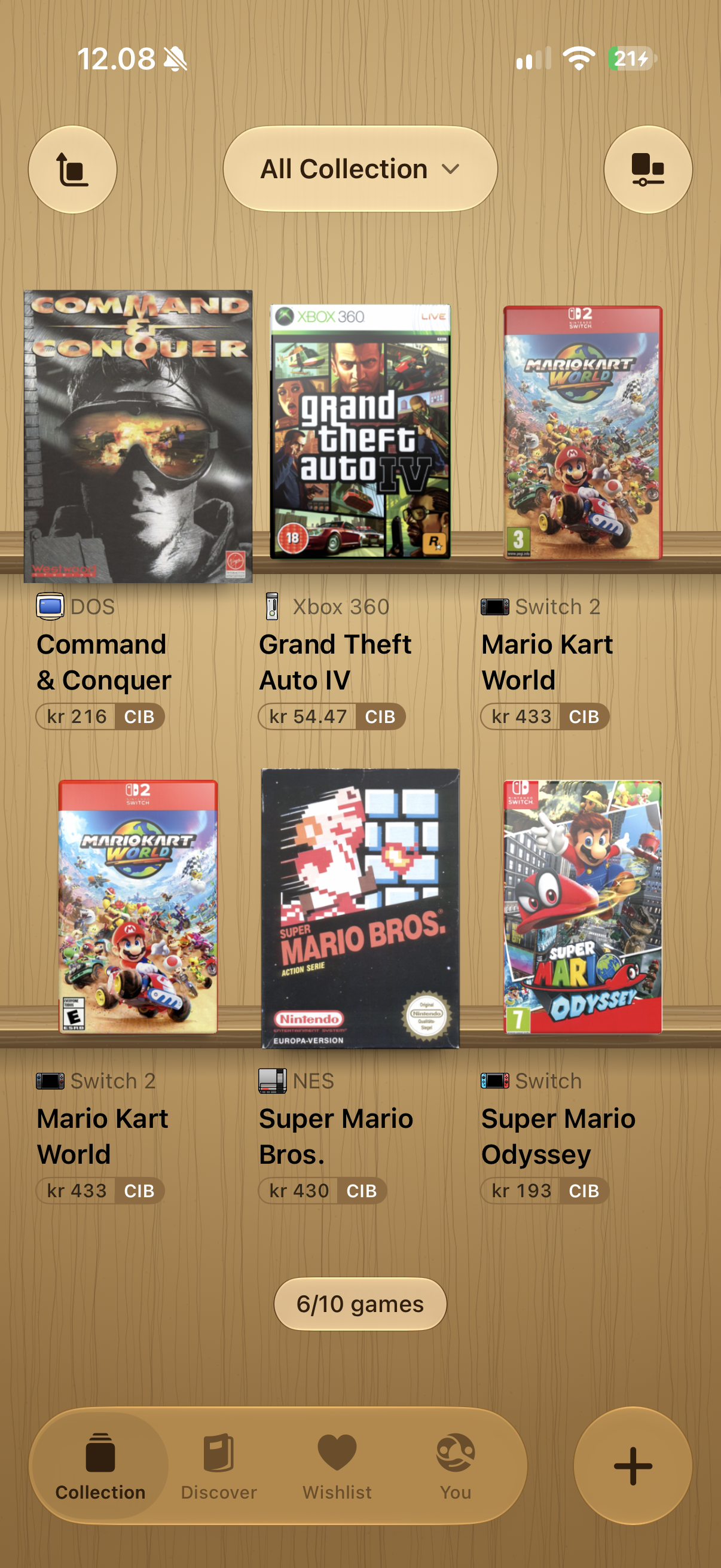
Your physical game collection on an interactive 3D shelf.
-
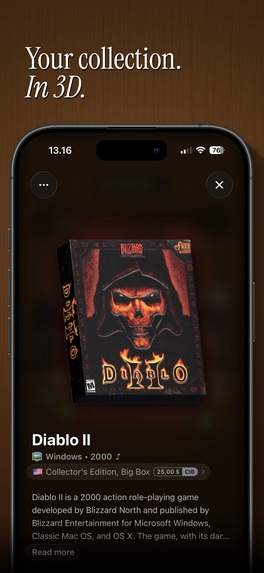
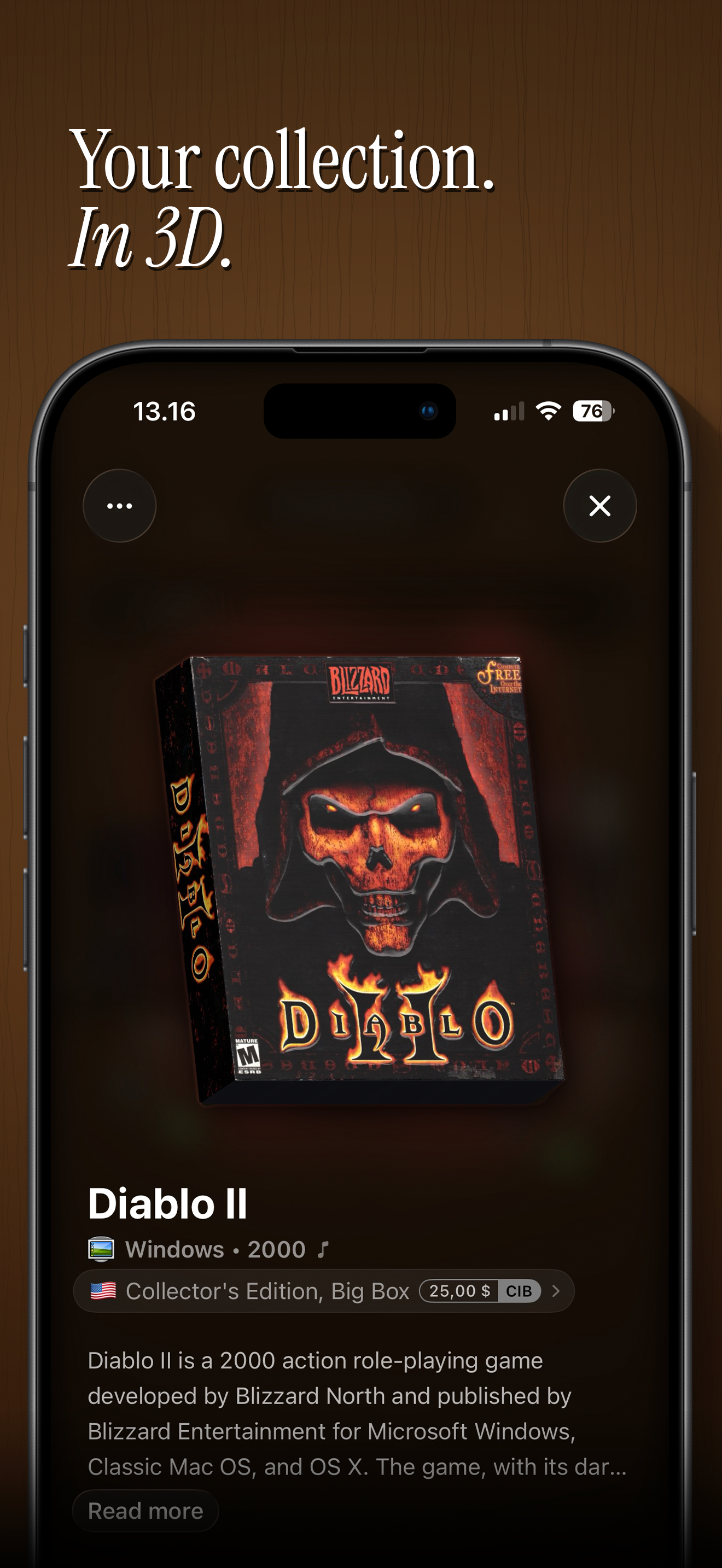
Pick up and rotate each box to explore its artwork, spine and back.
-
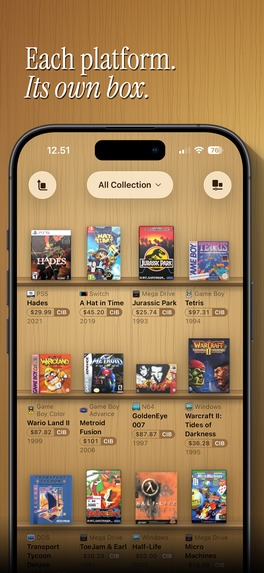
Platform-specific cases recreate the shapes, materials and details of physical game packaging.
-
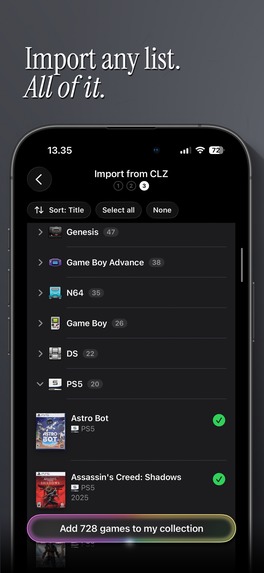
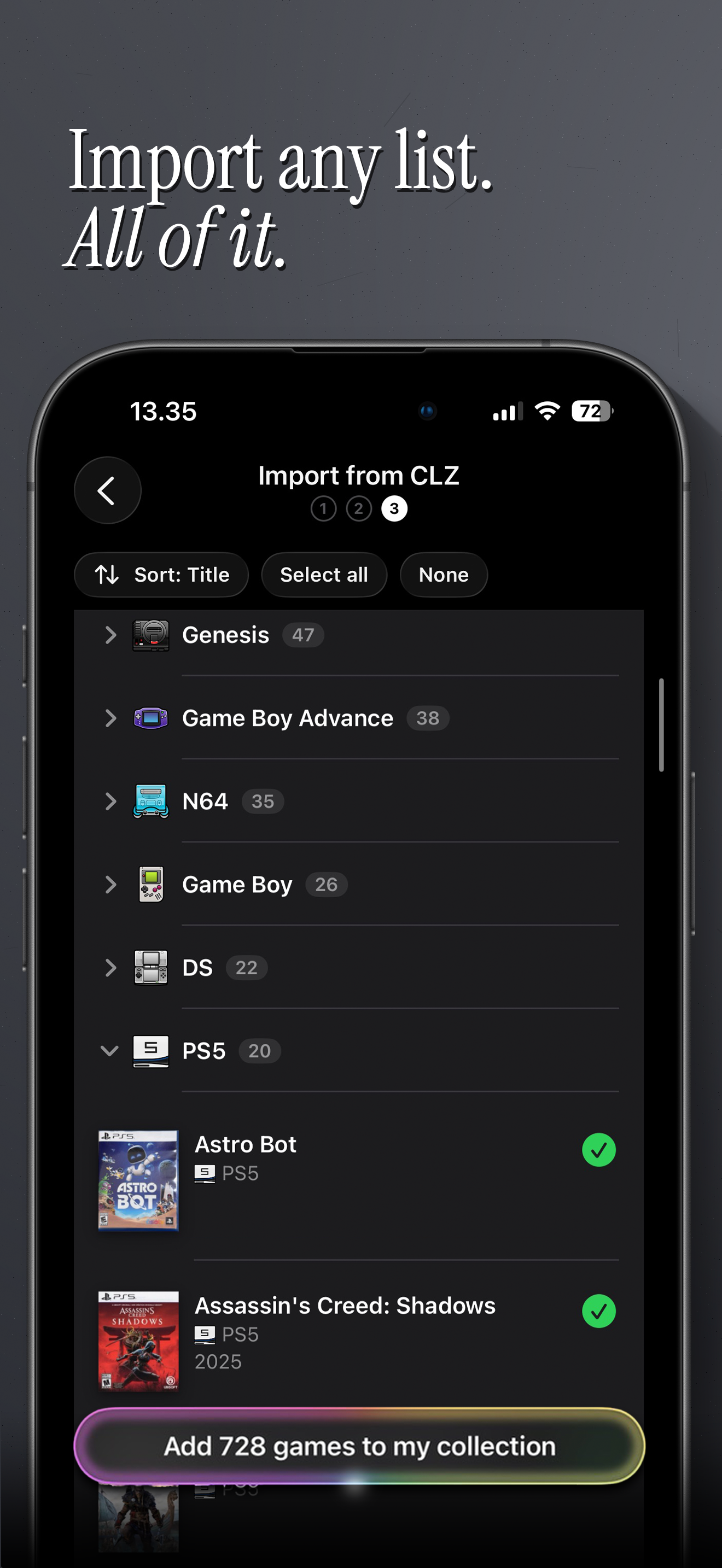
Bring your existing collection from another app or spreadsheet without starting over.
-
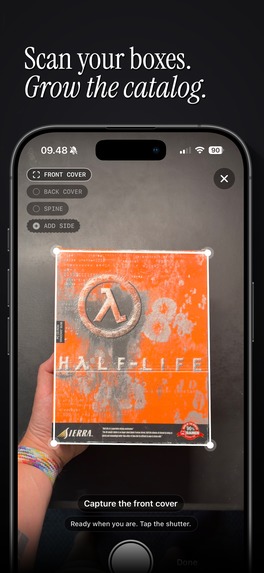
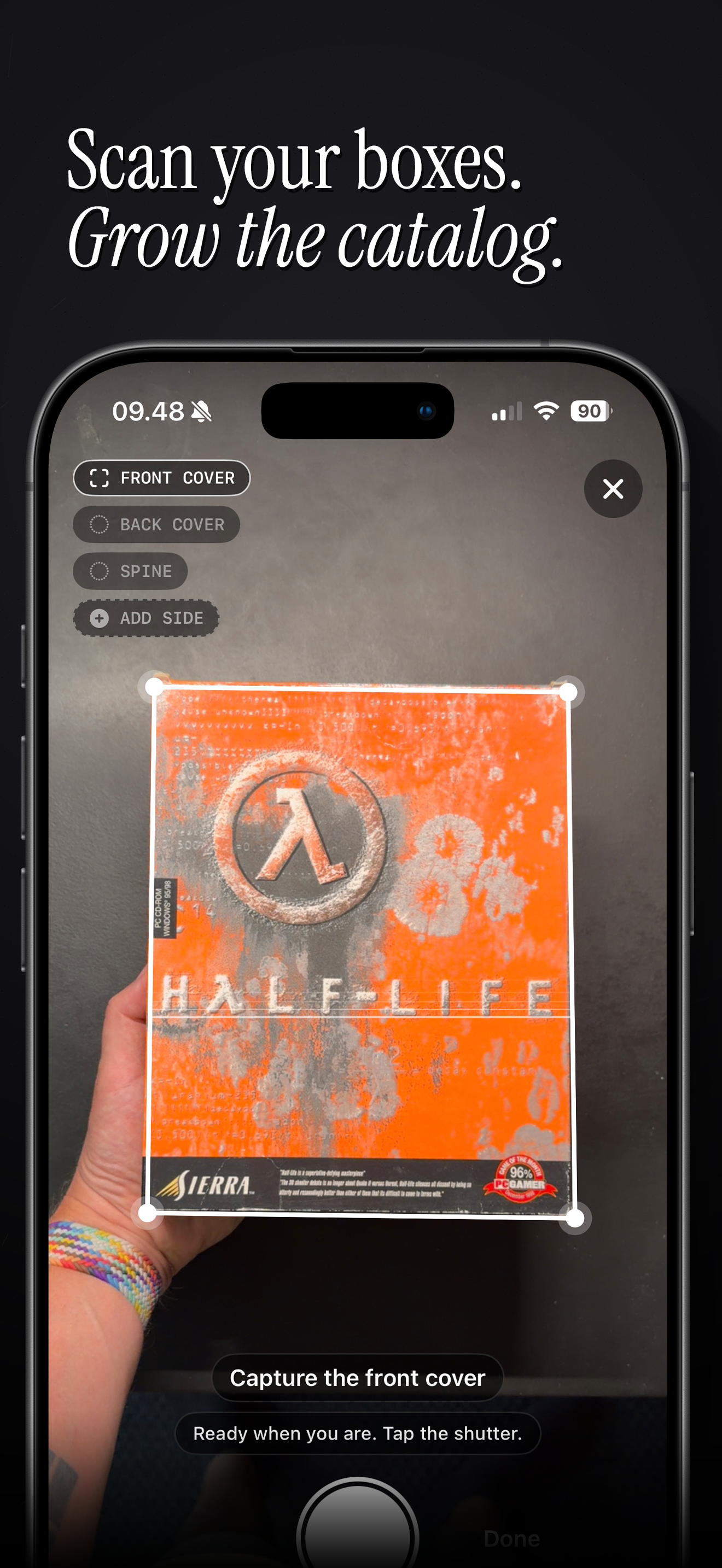
Scan your own boxes and contribute missing artwork to help the shared catalogue grow.
-
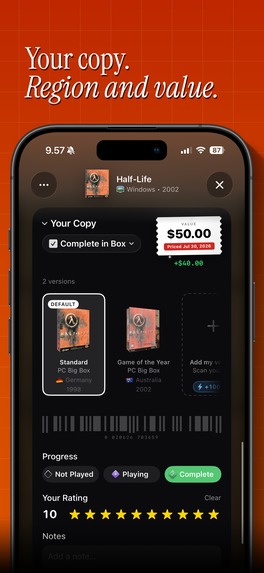
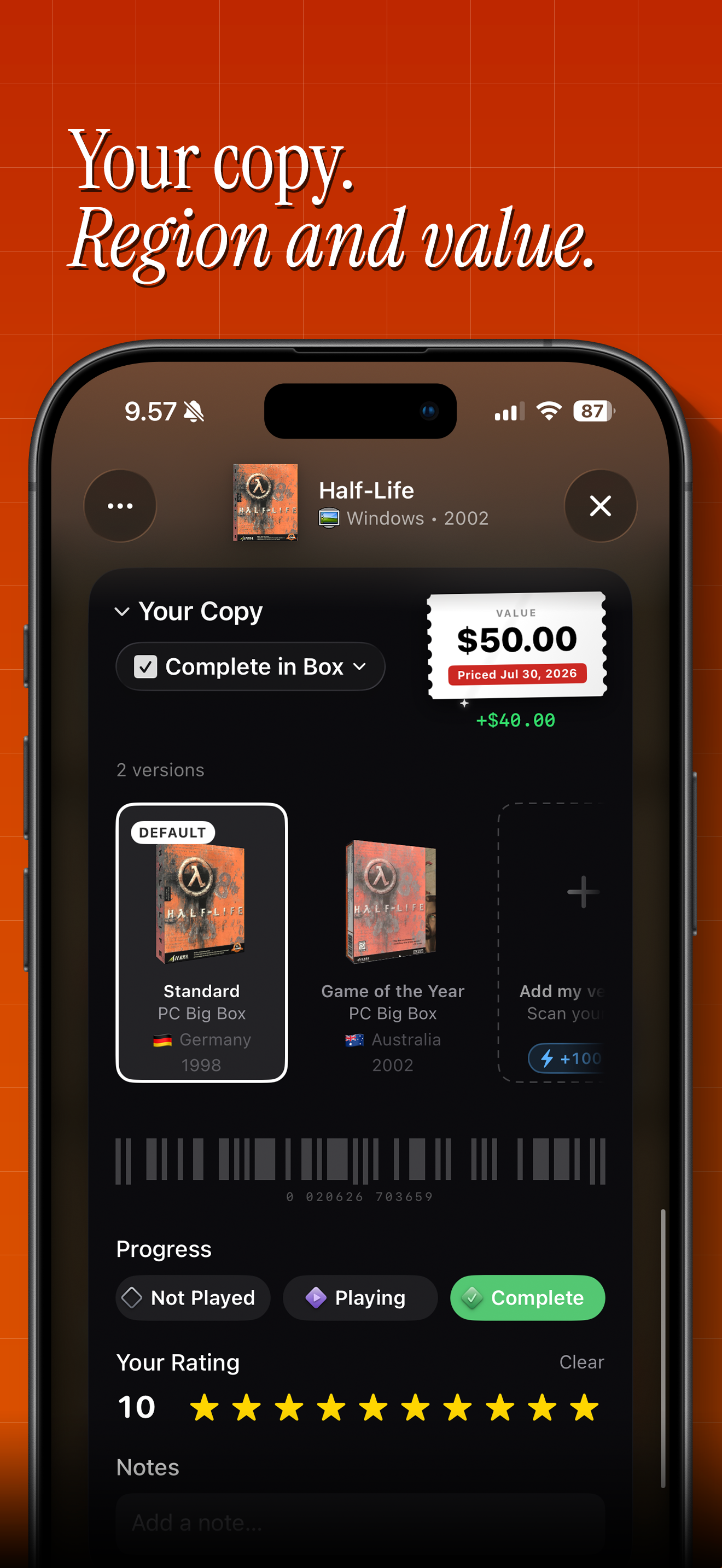
Track the edition, condition, purchase price and estimated value of each copy you own.
-
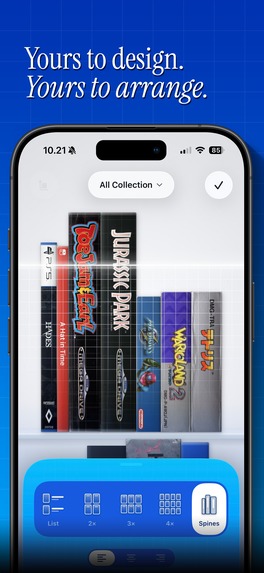
Make the shelf yours with different materials, layouts and ways to display your boxes.
-
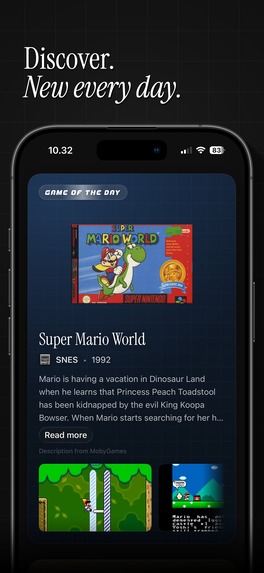
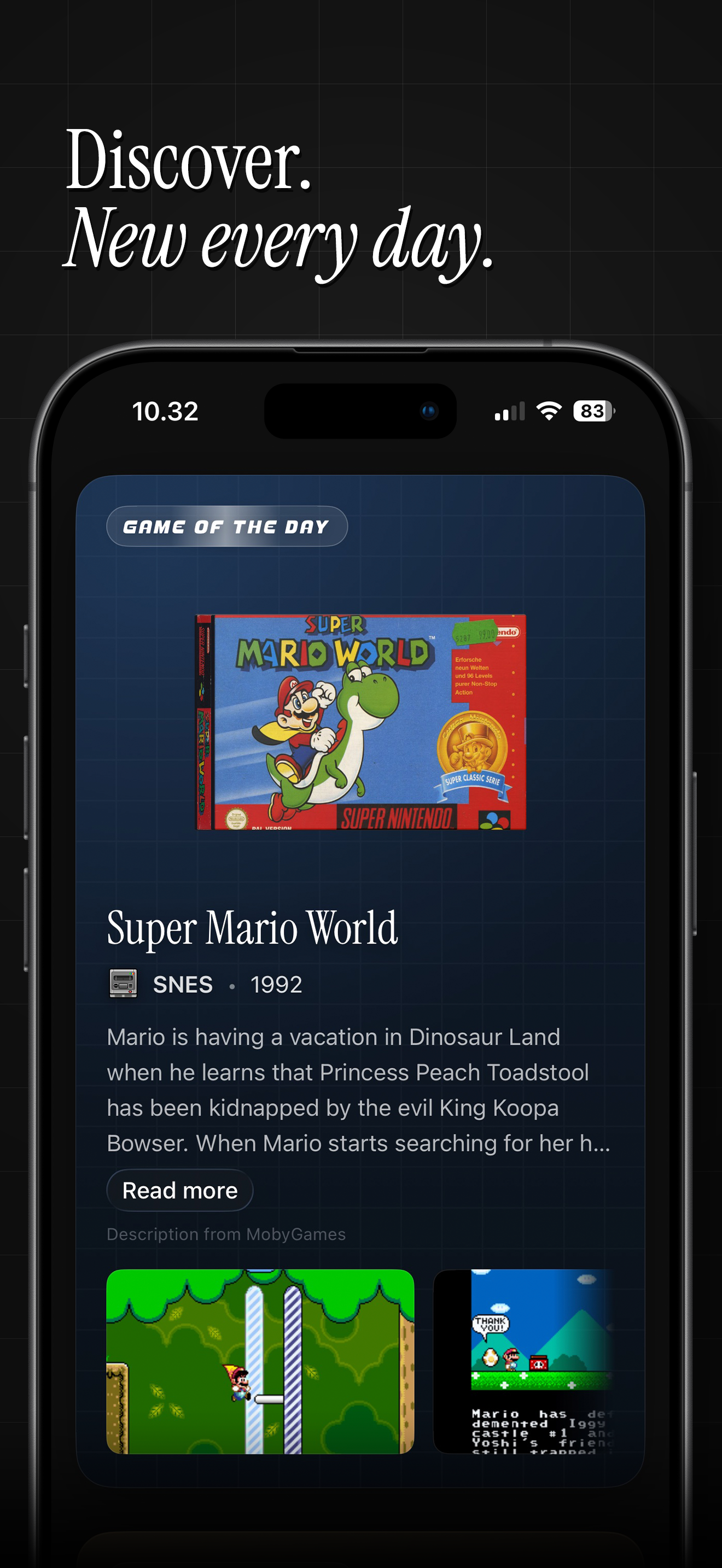
Explore featured games, quizzes and gaming history in a Discover section that refreshes every day.
-
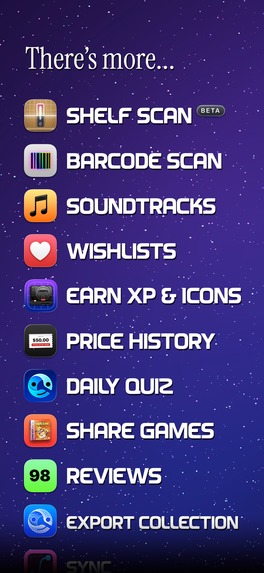
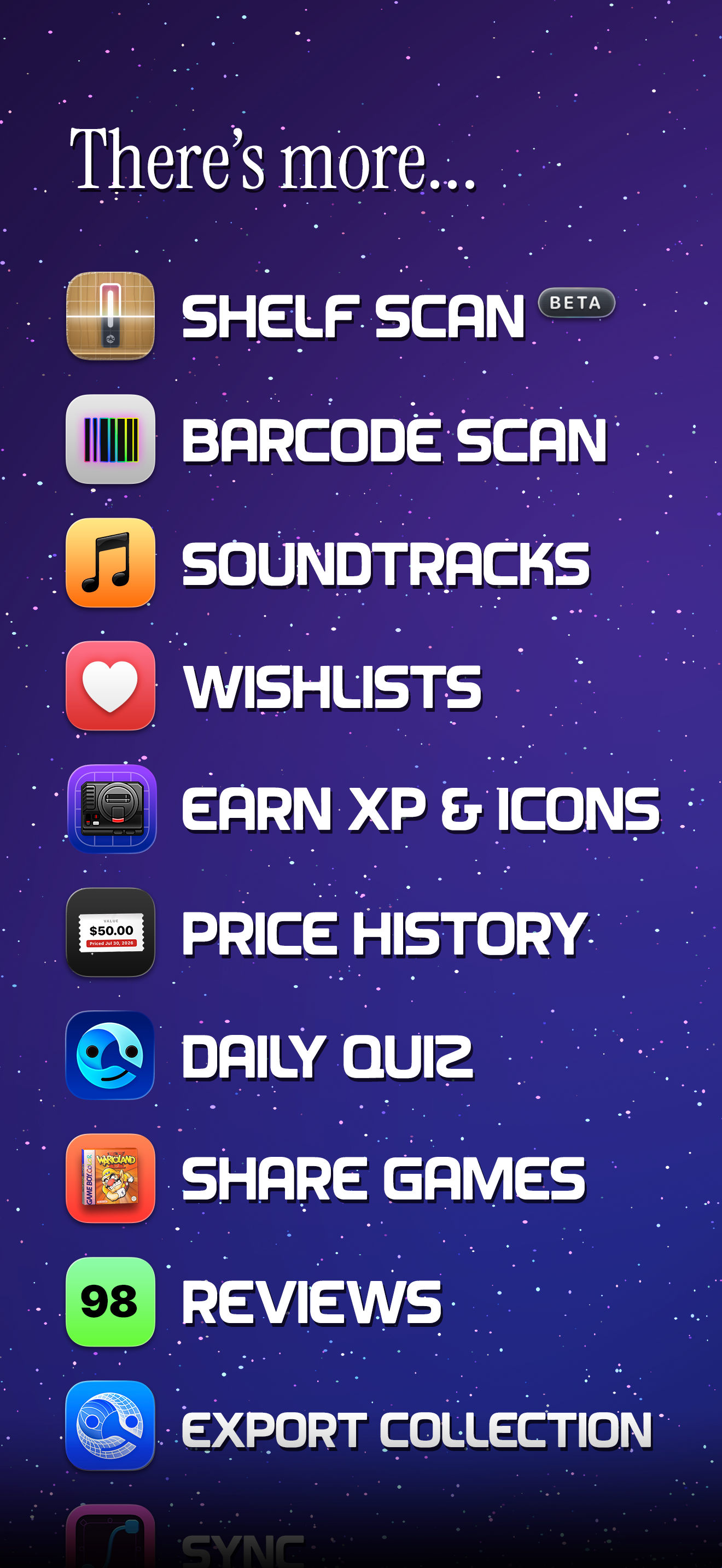
Soundtracks, wishlists, price history, unlockable icons and more ways to enjoy your collection.
-
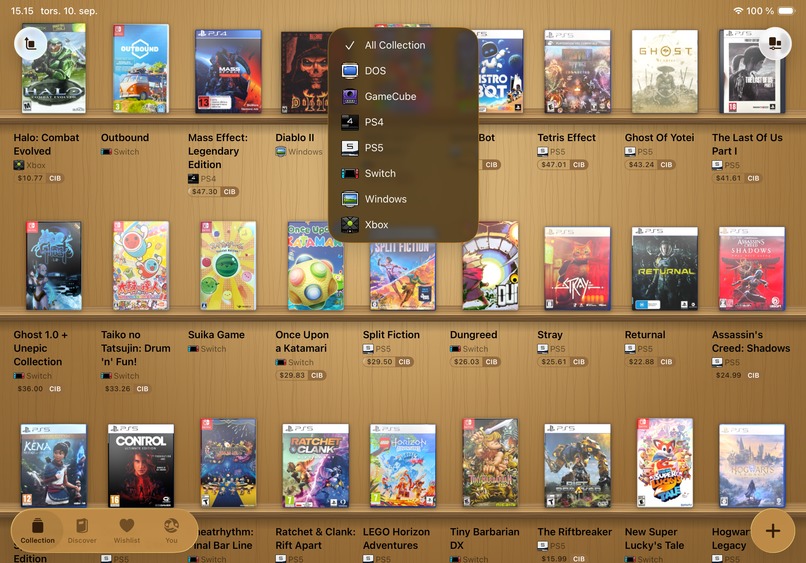
Direct capture from the iPad App
-
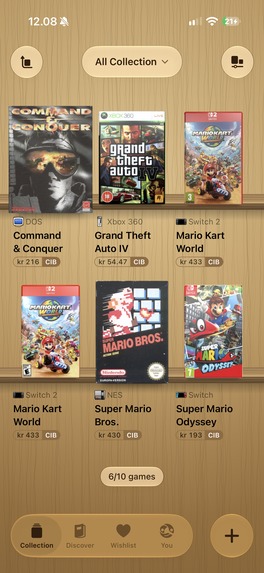
Direct capture from the iOS App
-

App Icon
-
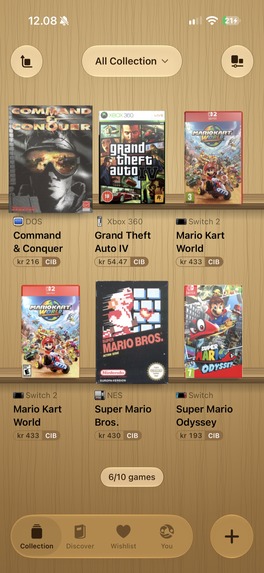
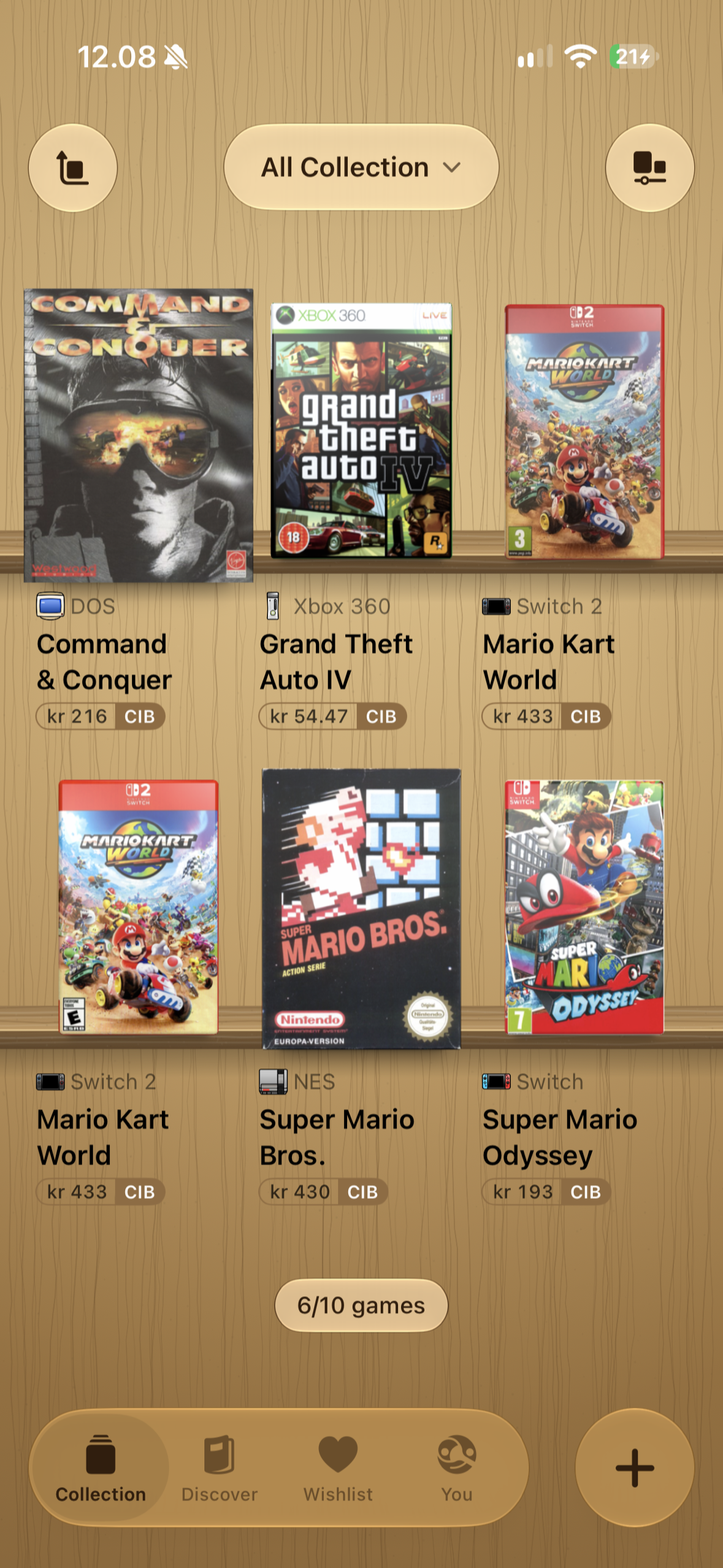
Direct capture from the iPhone app.

Inspiration
I have been collecting video games for many years. Physical games take me back to being a kid, but they also connect me to the history behind my work as a game designer.
For a long time I kept track of my collection in CLZ. It did the job, but I never really connected with how it looked. The app icon bothered me in particular.
As an icon designer I wrote to them and offered to design a few alternatives for free. They declined, politely. Completely reasonable.
That left me with the obvious, slightly unreasonable option: make my own.
Early this year I started playing with prototypes. At first Cibby was just a nice little shelf on my phone. Then I realised the app I wanted would need a very large database. Not just names and cover art, but physical releases, regions, editions, box dimensions, materials, fronts, backs and spines.
At that point it became a much bigger project. Possibly one of the largest 3D archives of physical games anyone has attempted. It dawned on me that I wanted to build a different kind of game collection app. One that rightfully celebrated these cherished physical items. In a time with physical media disappearing this seemed like a worthwhile use of cutting edge technology.
What it does
There are already good collection trackers. I wanted Cibby to feel less like a database and closer to the physical act of collecting these objects.
Keeping a treasured physical collection as rows in a spreadsheet has always felt like missing the point. So Cibby is built around the objects themselves. Your collection lives on a shelf. You can pick up a game, rotate it and inspect the box you actually own.
At launch the catalogue covered 83,901 games across 47 physical platforms, with 61,385 designed boxes. You can search, scan a barcode, photograph a shelf or import a collection from another service. Then organise it by platform, region, edition, play status and rating. Wishlist the things you are still hunting. Share the shelf when it finally looks right.
The first 10 games are free. Cibby Pro is for larger collections.
Cibby also features a 'Discover' section that refreshes every day with new interesting facts about physical games and even a quiz. Like a daily games-magazine on your device.
How I built it
Cibby is a native iPhone & iPad app built with SwiftUI. SwiftData handles the local collection, while Supabase runs the shared catalogue, accounts, sync and contributions.
The shelf and boxes are rendered live with SceneKit and Metal shader work. I researched more than 60 physical case standards and tried to get four decades of retail packaging reasonably right. Cardboard has to look like cardboard. A PlayStation jewel case needs clear plastic and hard reflections. A Switch case cannot simply be the same rectangle with a different texture.
I paid for access to existing APIs, connected open databases, sorted through physical releases and ingested hundreds of thousands of available assets. Then I built systems to assemble, check and improve boxes at a scale I could never manage one by one.
Apple's Vision framework handles barcode and box scanning. Shelf Scan reads several spines from a single photograph and tries to match them locally. The image stays on the phone. Collectors can also photograph missing boxes and choose to contribute those scans, so the catalogue gets better as people use it.
RevenueCat runs Cibby Pro. Purchases and RevenueCatUI handle the monthly, yearly and lifetime options, the Cibby Pro entitlement, restores, a remotely configurable paywall and Customer Center. RevenueCat identity is linked to the signed-in Cibby account, so Pro follows the collector across devices.
Challenges
There were plenty.
Game data is messy. Editions are inconsistent. Regions overlap. Artwork is missing, mislabeled or the wrong shape. Some games have a lovely front and nothing usable for the spine. Some cases are translucent. Some are cardboard. Some are strange enough to need their own geometry. Some games shipped with special materials or had important regional differences that matter to collectors.
Building the catalogue took a lot of digital archaeology. Finding usable artwork, identifying the right releases and understanding their packaging was a project in itself. Then I needed a backend that could keep improving as collectors added their own knowledge and scans.
There are still catalogue gaps. Some boxes will be wrong. Barcode coverage is uneven, and camera recognition is never magic. Cibby has fallbacks, contribution tools and review queues because this archive will need years of care. Building these systems has been challenging and getting the most out of user-contributed scans has taken many attempts, 700 active TestFlight users and months of builds.
Performance was another fight. A shelf can contain hundreds of independently rendered objects, all loading artwork and reacting to light. I spent a lot of time profiling older phones, tuning image delivery and calming motion without flattening the whole experience. I have built special performance and reduced motion modes to support the experience on older devices.
Cibby has a decidedly opinionated and highly custom interface. Creating many of the novel interactions, animations and flourishes has been challenging. There are too many examples to mention but just to pick one: scanning a barcode traces the quadrant and draws a rainbow version of that barcode on top of it. Vision detects the game box that the barcode sits on and draws a wireframe around it. The wireframe is turned into a 3-dimensional rotating object that cleanly animates on to the rotating 3D box of the scanned game. This happens while the view changes underneath and is closely coordinated to create a seamless experience that feels like the actual box just flew in and became the 3D object in scene. This is just one of the many (admittedly) over engineered interactions in Cibby and making them took all of my 20 years of experience as an interface designer.
What I learned
The iOS app is a love letter to the kind of interaction design I want to see more of. Small, fun interactions. Dimensional design. Modern functionality in a nostalgic package. More than 40 unlockable app icons, because apparently I cannot help myself.
But the delightful details only work when the boring systems underneath them work. Catalogue provenance. Sensible fallbacks. Camera ergonomics. Fast media. Purchase state you can trust. The moment a new box lands on the shelf is satisfying because a lot of unglamorous machinery got it there.
I have been sharing the process of building Cibby in public, with updates on X and longer behind-the-scenes videos in my Building Cibby series on YouTube. A look at the work along the way, the design decisions and the many little details that go into making an app like this.
I also learned to think of monetisation as an ongoing part of the product. The paywall is not a finished screen baked into a release. It is something I can adjust carefully as I learn what works.
Launch and what comes next
Cibby launched on September 1, 2026. After months of building and testing, people are now putting their own collections on its shelves.
The reception has been really encouraging. Between the first announcement in June and the launch post in September, Cibby has received over 700,000 views on X. Seeing something I spent months building find its way to other people who care about physical games has been a very rewarding part of the process.
I would like Cibby Pro to turn this into a sustainable little business I can keep working on for years. There are still boxes to find, gaps to fill and plenty of details I want to get right.
I started by making a shelf for my own games. Now other collectors are putting theirs on it, and helping build something much bigger. An archive of the games we grew up with, the artwork we remember and the boxes we still go looking for.
Those things deserve care. So does the software we use to collect them.
Built by one designer in Denmark. cibby.app
Built With
- cloudflare
- ios
- metal
- revenuecat
- revenuecatui
- scenekit
- supabase
- swift
- swiftdata
- swiftui
- vision


Log in or sign up for Devpost to join the conversation.