-
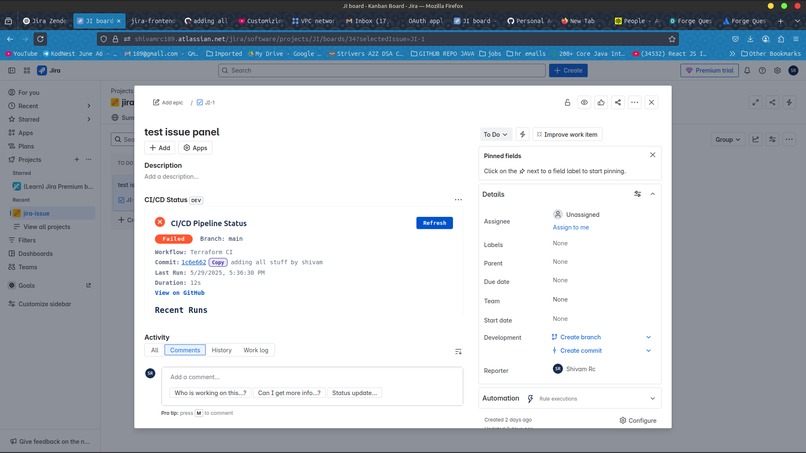
this is the frontend for the issue panel i built
Inspiration
Streamlining DevOps workflows inspired me; I wanted the CI/CD pipeline status visible in Jira issues, reducing context switching for developers during hackathons.
What it does
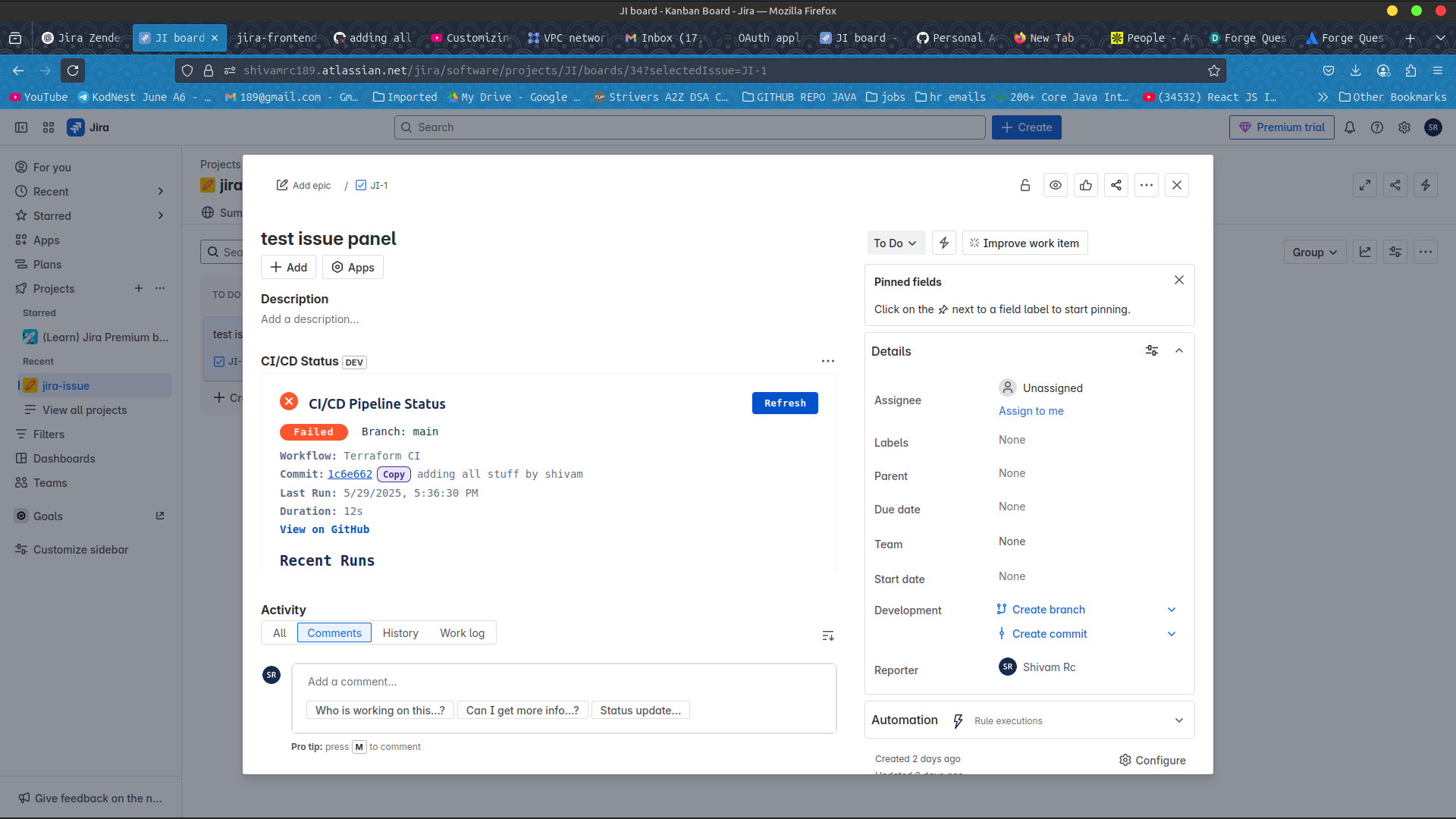
The Jira CI/CD Status Panel displays mock GitHub Actions status (Success/Running/Failed), commit info (SHA, message, author), and a refresh button in a Jira issue panel.
How I built it
I built it with Atlassian Forge UI Kit, using static JSON for mock CI/CD data. Components like StatusLozenge, Text, and Button create a clean UI, deployed via forge deploy.1
Challenges I ran into
Simplifying the UI for hackathon constraints was challenging, as it involved removing live GitHub API calls and ensuring Forge’s serverless setup worked smoothly on Linux with ngrok.
Accomplishments that I proud of
I'm proud of creating a sleek issue panel that mimics CI/CD status, integrating seamlessly with Jira, and delivering a demo-ready app for the hackathon.
What I learned
I learned to build custom Jira integrations with Forge UI Kit, manage state for interactivity, and align DevOps tools like CI/CD with project management.
What's next for CI/CD Issue Panel
Next, I'm thinking of adding live GitHub API integration for real-time pipeline data, supporting user-configured repos, and enhancing the UI with recent runs and detailed logs.


Log in or sign up for Devpost to join the conversation.