-
-
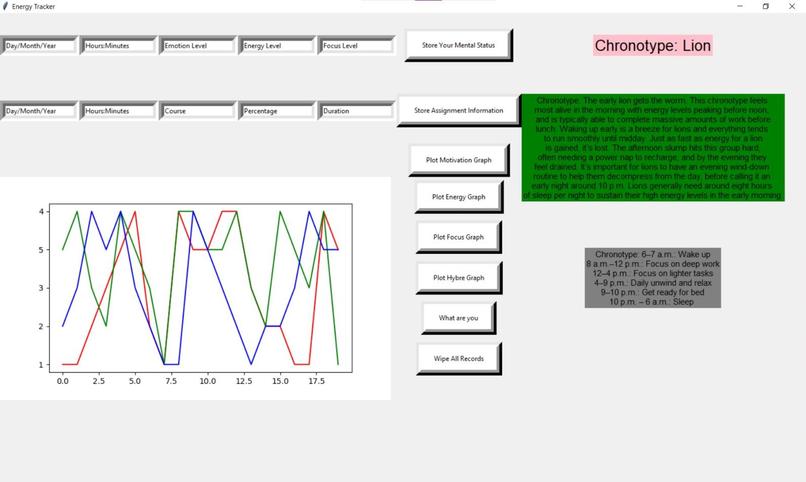
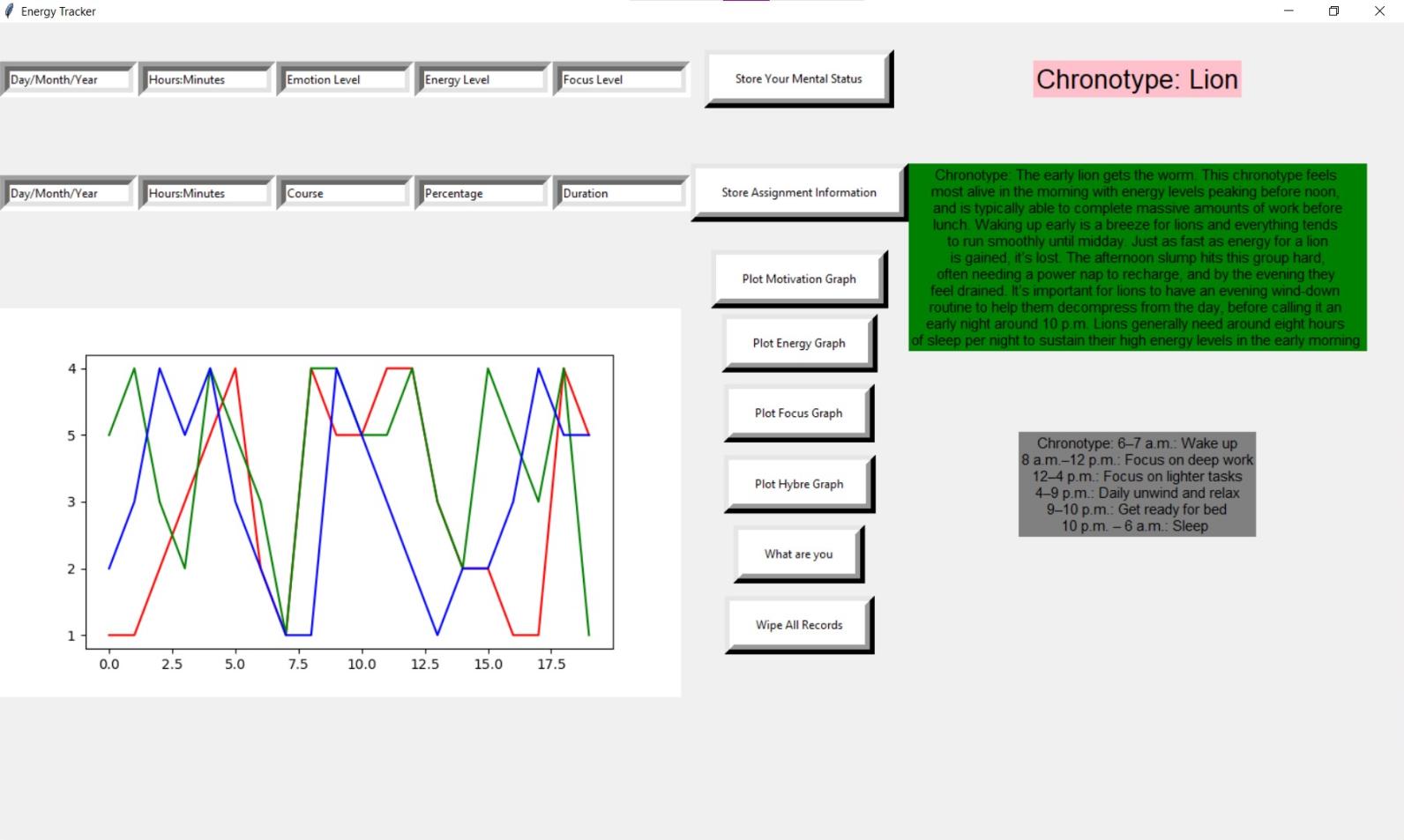
Chonotype generated
-
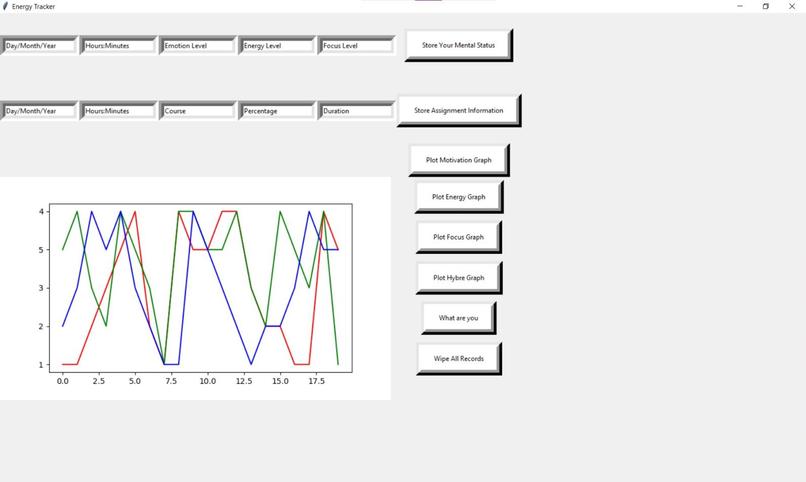
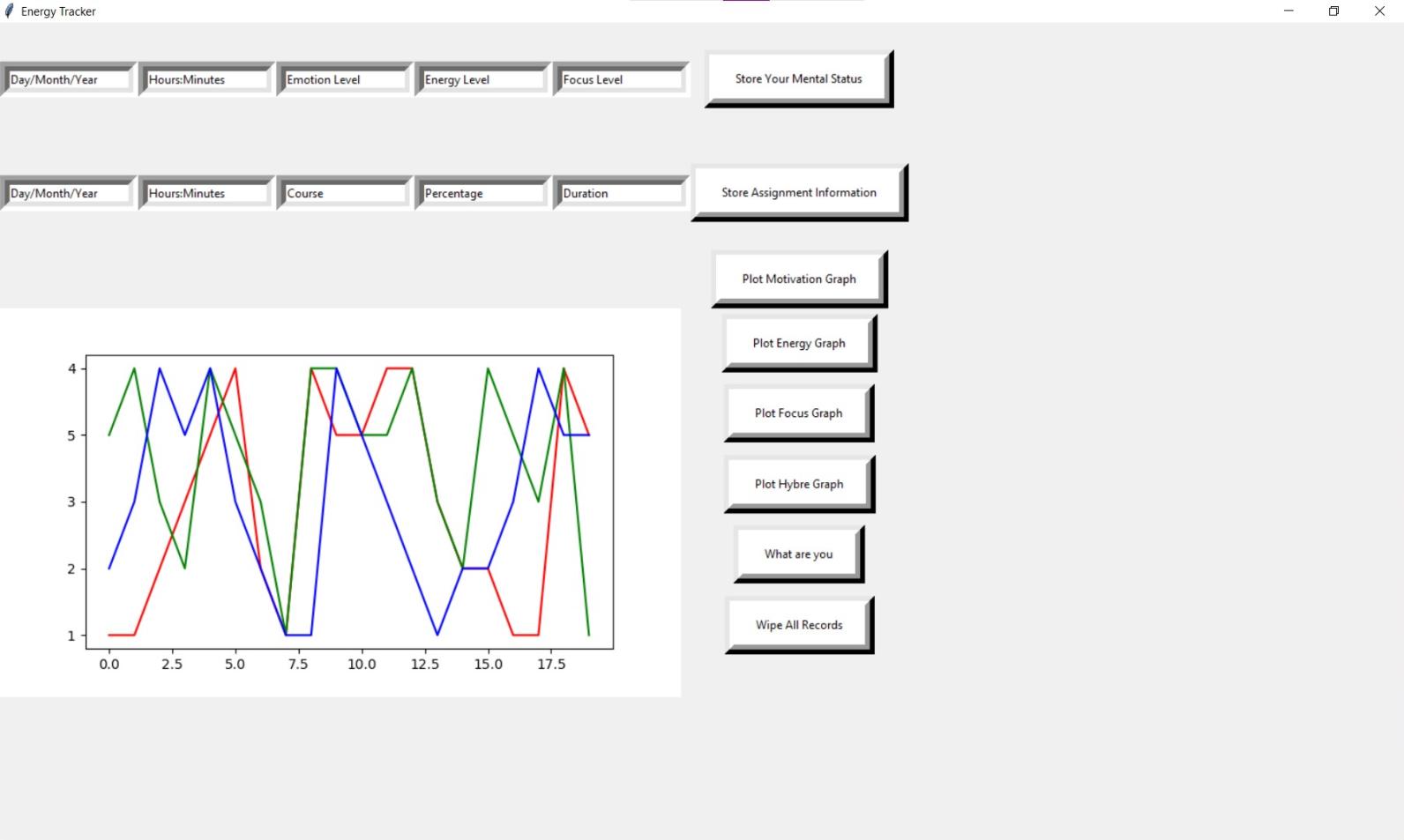
All variable to determine Chronotype and peak energy window
-
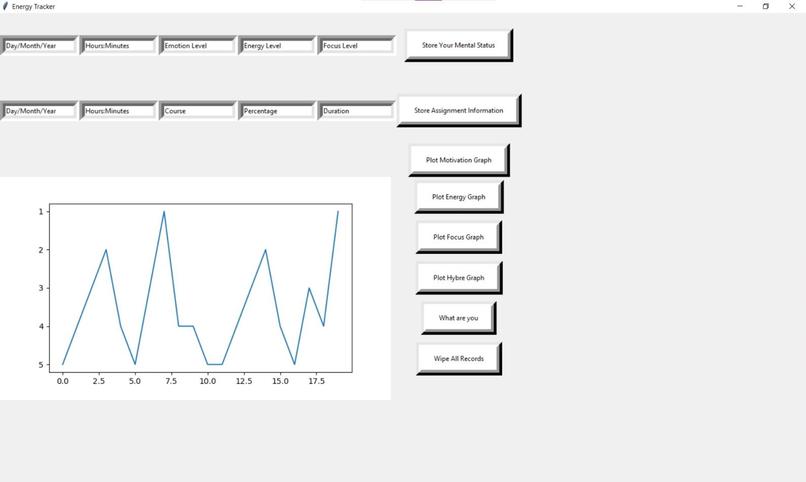
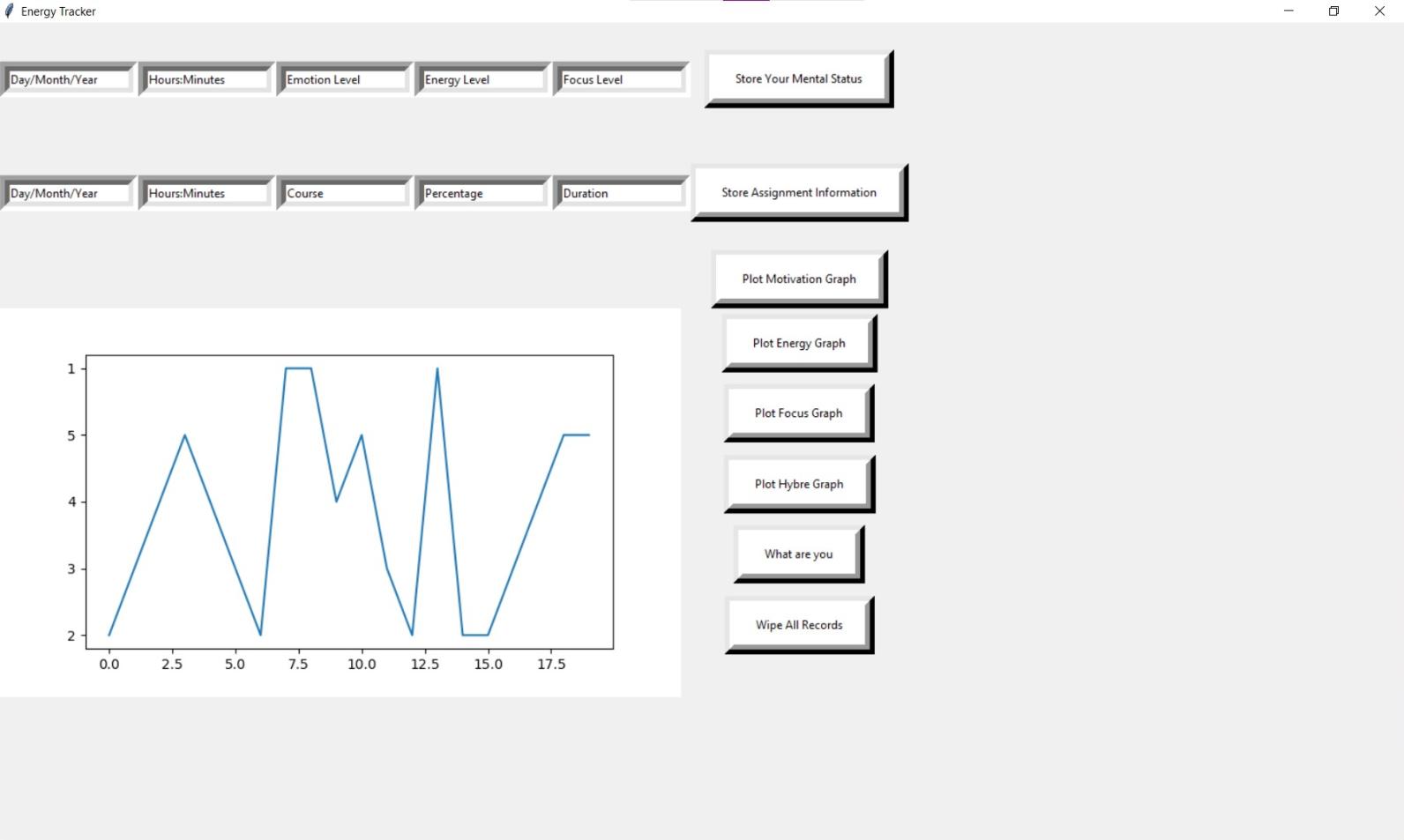
Focus log
-
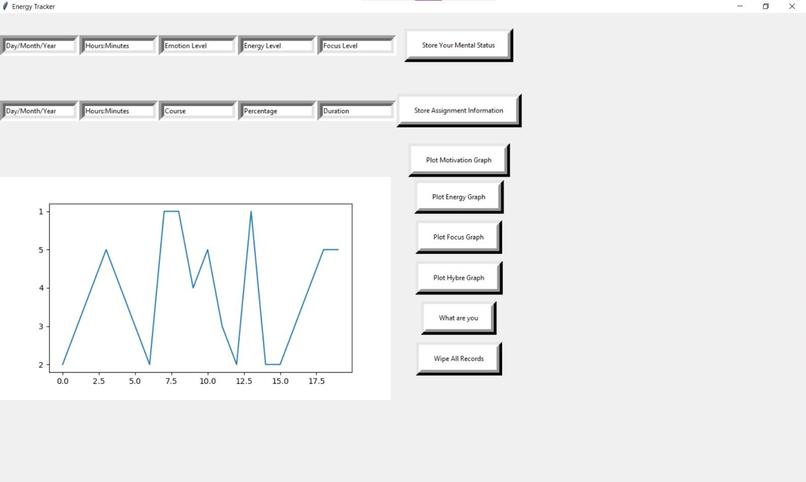
Energy log
-
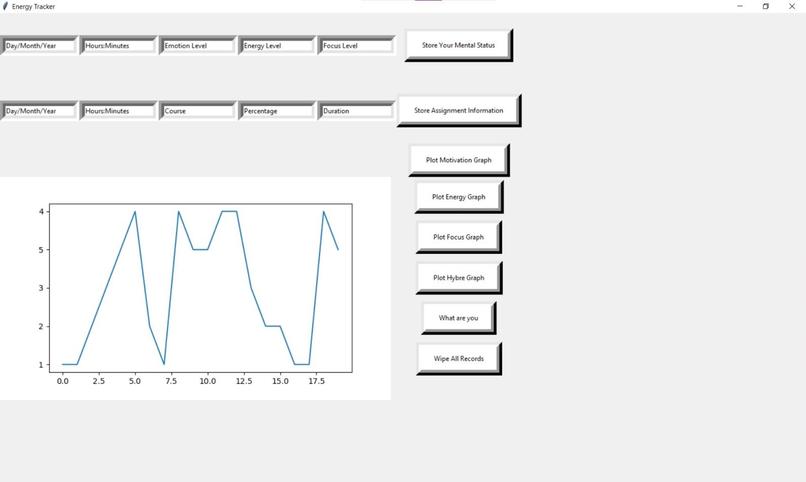
Motivation log

Inspiration
“Energy management is the process of tracking and optimizing energy consumption to conserve usage in a building. There are few steps for the process of energy management: Collecting and analyzing continuous data. Identify optimizations in equipment schedules, set points and flow rates to improve energy efficiency.”
Taking this principle in reference to our bodies, the pandemic brought forth a number of challenges when it comes to energy management. Productivity for some took a dip, while for others it surged, and for many their levels ebbed and flowed. But for most, there was very little insight into how to control this very important facet of our lives. While most productivity management tends to revolve around managing completion of tasks, we decided to play with the ideology of energy management which focuses on the right time frame for you to do the most fitting tasks according to when you’re most energetic, focused, and motivated.
Identifies activities that give us energy & drains our energy So that we understand our fluctuating energy levels and seasonality of life Choose when to focus on and when to do it So that we can replenish our energy and take better care of ourselves Time management is what you're doing, energy management is when you’re going to do it
What it does
Chronotivity allows for users to log their energy, focus, and motivation levels and given enough data, it will present insights that help the user better understand the times where their energy peaks based on the popular animal chrono-types: Bear, Lion, Dolphin, and Wolf.
How we built it
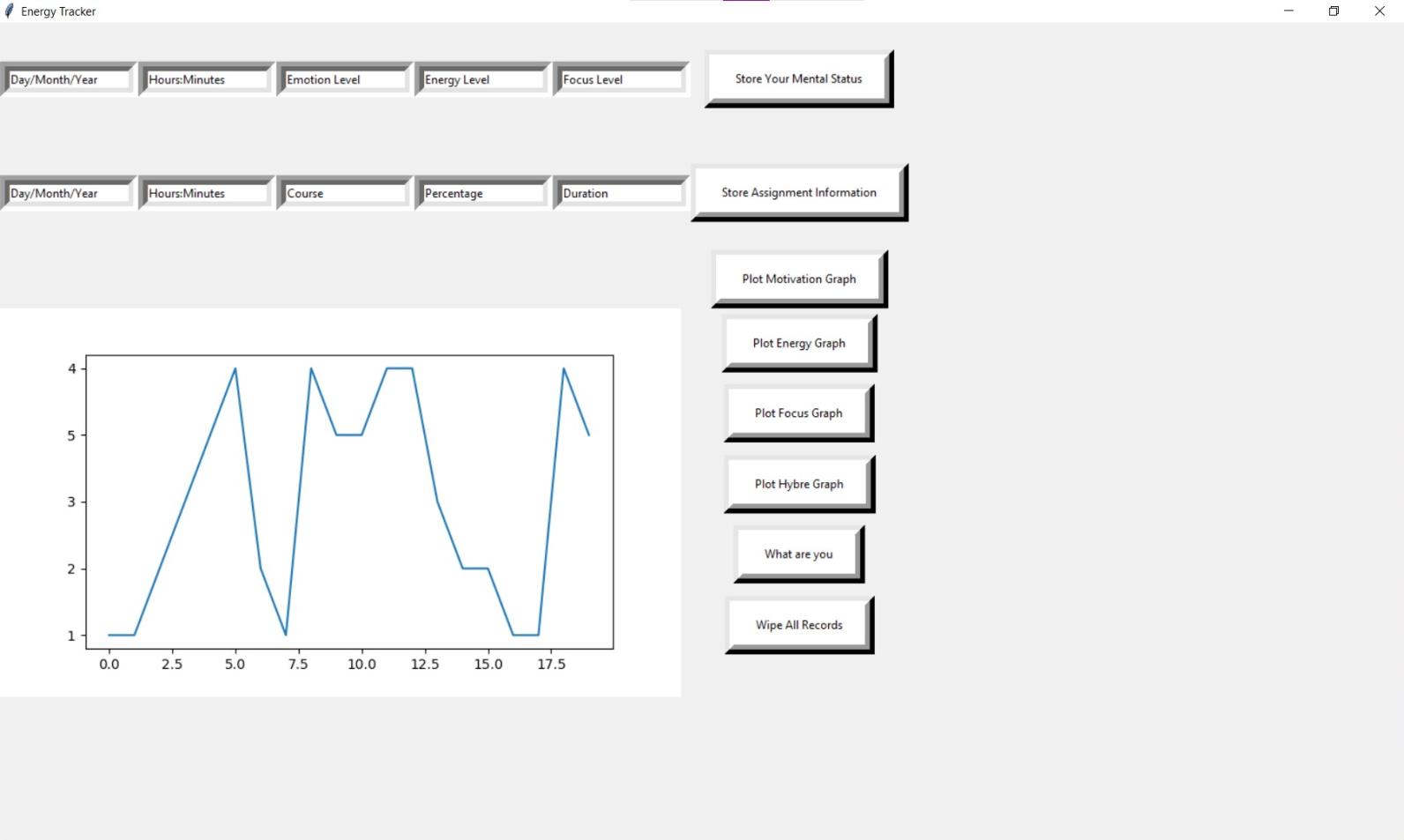
We created a database that allows the users to log mood, focus and motivation levels at any time, without the need to keep the tracker open indefinitely, as the data is stored locally and will be available even after closing.
We created python classes to help build the database up, creating Time class, Course class, Assignment class, which were meant to be specific to students and allow Chronotivity to suggest times for when each assignment is to be done for courses, but we did not get the opportunity to fully implement that.
Challenges we ran into
Initially we were working with separate html, css files that would be the base of our web app, but due to issues with git and the trouble of integrating it with the python backend, we opted to demonstrate the interface through our prototype and further develop the interface at a later time. We created a UI using the Tkinter python library.
Accomplishments that we're proud of
It’s fantastic that we were able to create a product all of us on our team could benefit from, indicating that many other students could really enjoy this tool as well.
We’re definitely proud to have been able to accommodate the issues we faced and managed to find alternative solutions such as our implementation of the idea using python rather than html and css.
Some of our team members have never done projects outside of classes, and this Hackathon was a great way to show the development of one on our own.
What we learned
There is always a way if we put our mind to it. We learned quite a lot about the powerful nature of python and the numerous libraries that are available to our disposal.
What's next for Chronotivity
We are focused on implementing the student features of suggesting when certain assignments should be done based off of the user’s estimation of how long the assignment will take. With that, we are hoping to establish an optimal suggestion of when to work on courses and when it may be best to focus on self-care and allow for the replenishing of energy. We're also hoping to expand variables of the recommendation algorithm to include other factors that impact energy such as meal-time, productivity, and hours of sleep.
Watch this for presentation bloopers🥴


Log in or sign up for Devpost to join the conversation.