-
-
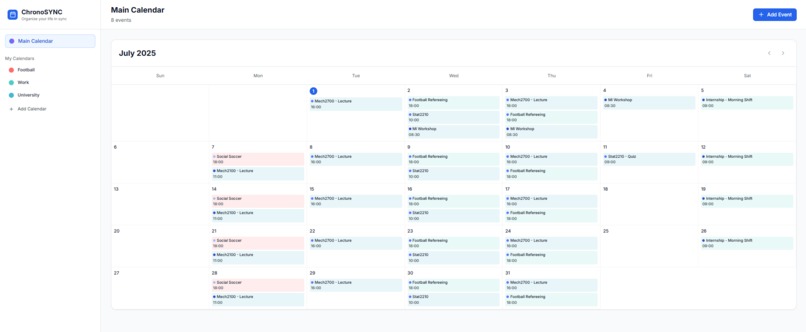
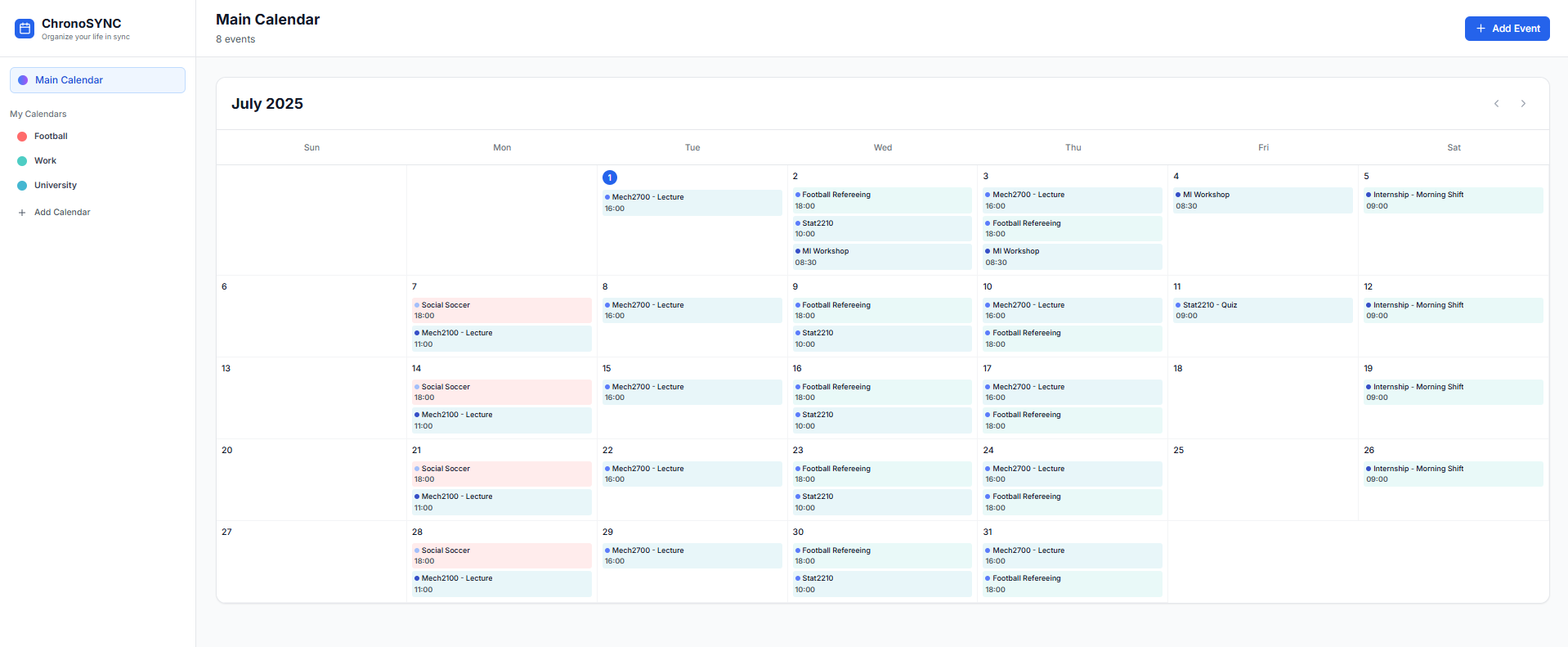
University Schedule for upcoming semester, using ChronoSYNC
Inspiration
I’ve always found it frustrating to juggle separate calendars for work, study, and personal life. I wanted to build something that brings everything together: clean, intuitive, and actually helpful.
What it does
ChronoSYNC lets me create custom calendars, add events with flexible options, and see everything in one place. It updates instantly and uses AI to clean up entries and fill in missing details.
How we built it
I used Supabase for authentication and data storage, and built the frontend with React and Tailwind. I implemented real-time syncing using Supabase’s channel subscriptions and managed state with hooks.
Challenges we ran into
Making sure the UI updated in real time after adding or editing calendars and events was the toughest part. I had to set up listeners and carefully manage state to avoid flickers or stale data.
Accomplishments that we're proud of
I'm proud that everything feels smooth and instant: no page refreshes, just a clean, responsive experience. The AI-enhanced formatting also adds a polished touch I’m really happy with.
What we learned
I learned how to integrate Supabase real-time features properly, structure a multi-calendar system, and refine the UI for responsiveness and clarity. It was a great full-stack learning experience.
What's next for ChronoSync
Next, I want to add shared calendars, natural language event input, and maybe even mobile reminders. I see ChronoSYNC becoming a smart personal assistant for anyone managing a busy life.
Built With
- bolt
- supabase

Log in or sign up for Devpost to join the conversation.