Inspiration
I've always been fascinated by the gap between what a place looks like today and what it was. Standing in front of the Colosseum, you're looking at ruins — but in 80 AD, it was the most sophisticated entertainment venue in the world, packed with 50,000 people. I wanted to close that gap. Not with a Wikipedia article, but with your own eyes and ears, in real time, pointed at the actual place.
The moment I saw Gemini's Live API demo — native audio, real-time vision, natural interruption — I knew that was the missing piece. Not a chatbot. A companion that sees what you see and speaks to you about it.
What it does
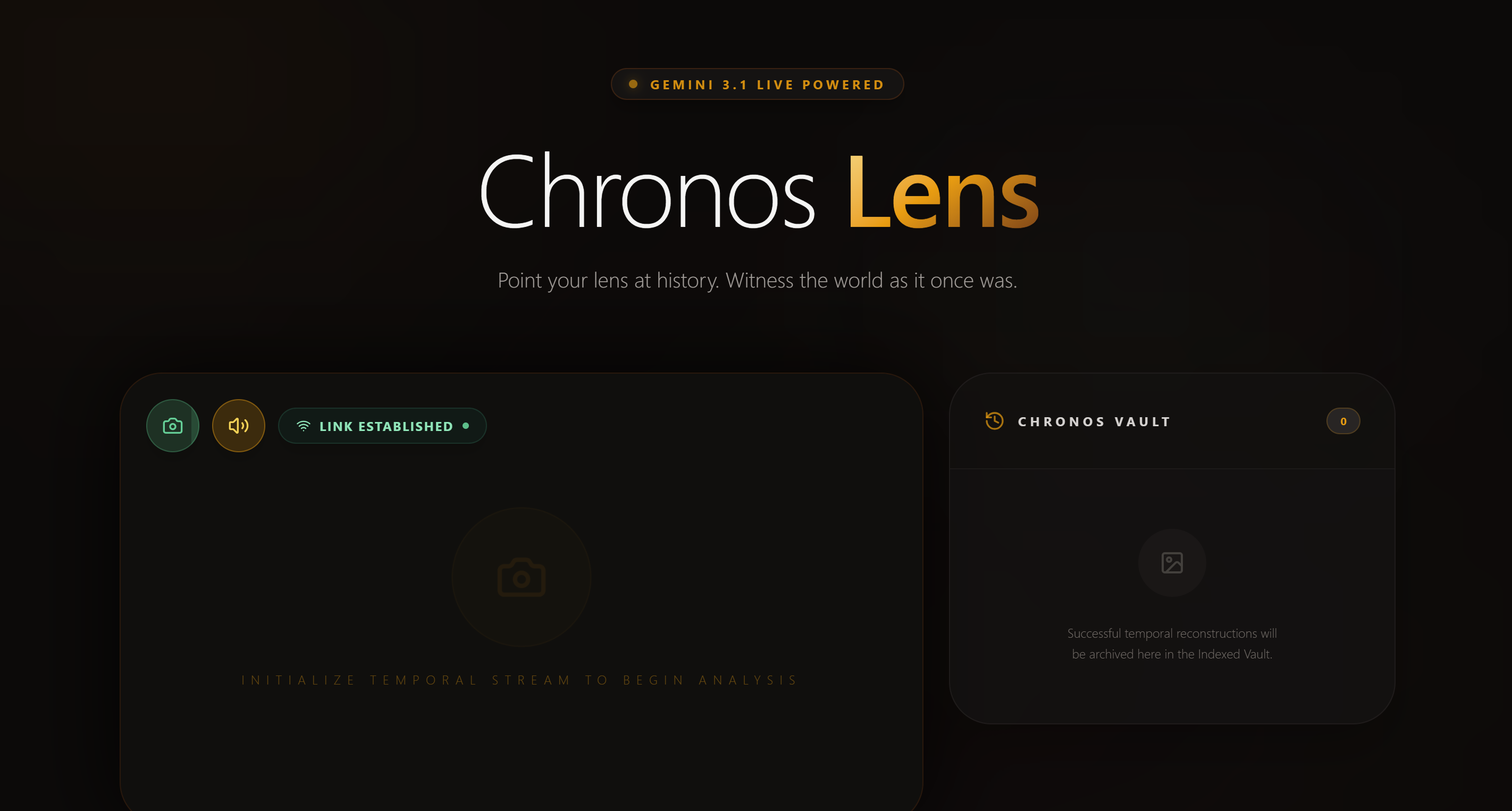
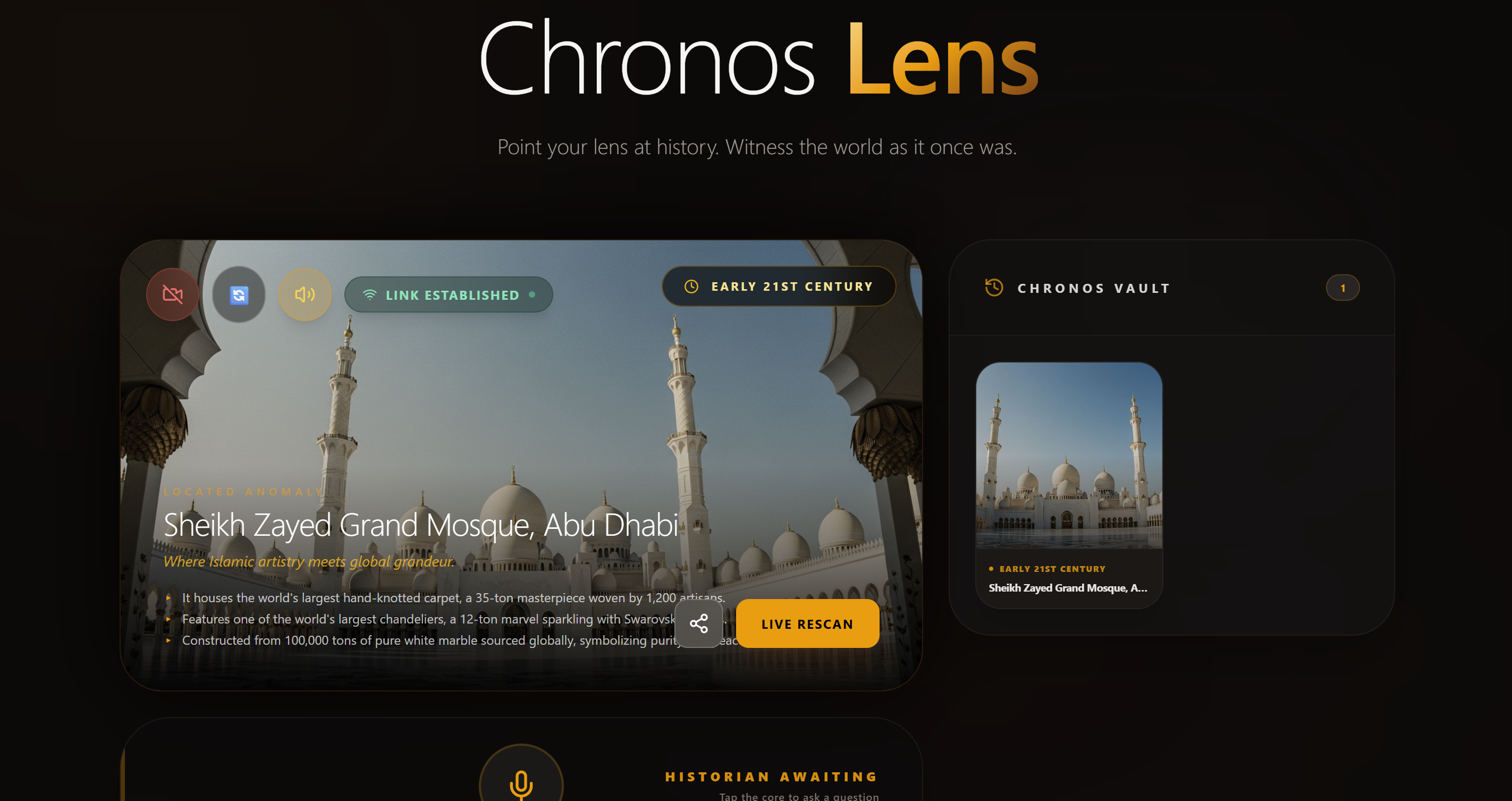
Chrono Lens turns your camera into a time machine. Point it at any architectural landmark — a cathedral, a monument, a tower — and within seconds:
- Identifies the landmark using Gemini 2.5 Flash vision
- Reconstructs it in its most historically significant era using Imagen 4, overlaying the generated image on your live camera feed
- Narrates its history through Gemini's native audio voice (Puck), speaking warmly and enthusiastically like a knowledgeable friend
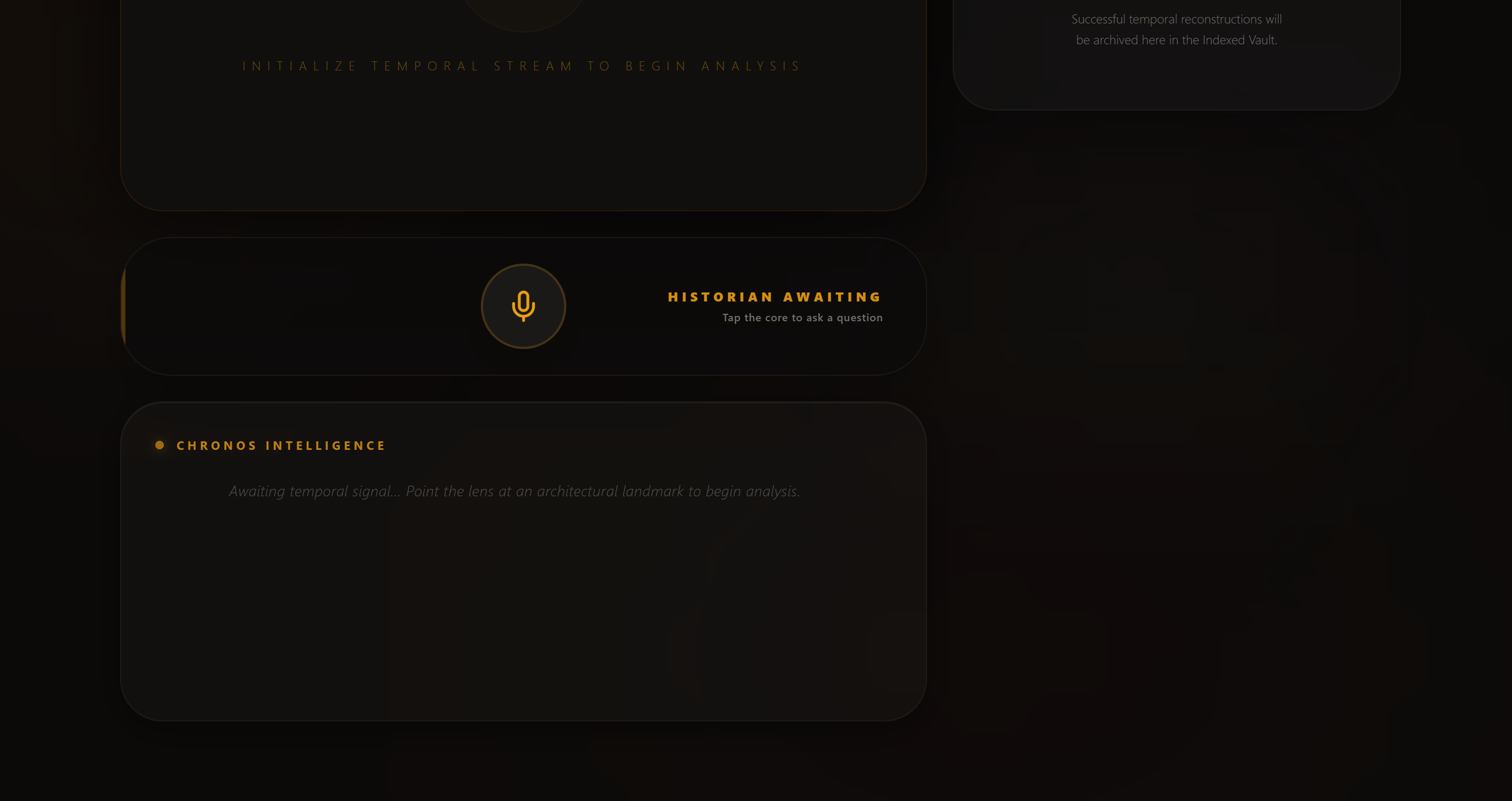
- Answers questions — tap the mic and ask anything. "Who built this?" "When was it destroyed?" "What happened here?" The agent answers from full historical context
- Archives every discovery to the Chronos Vault, a persistent gallery of every place you've ever pointed your lens at
The output is genuinely interleaved — audio narration, generated historical image, contextual fact cards, and ambient music all arrive together as a single cohesive experience.
How we built it
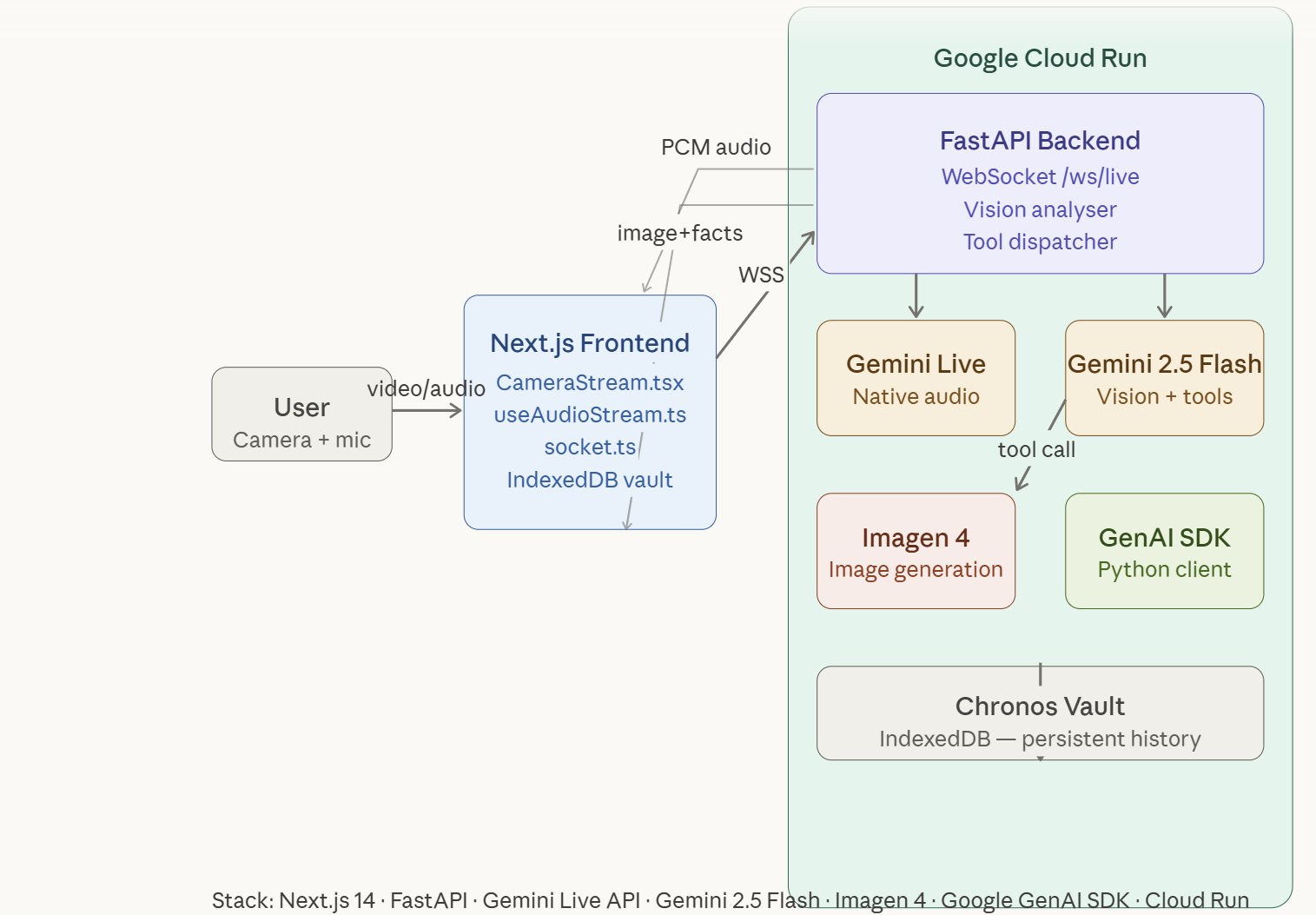
The architecture is a hybrid multimodal pipeline:
Frontend: Next.js 14 with TypeScript. The camera stream is captured via getUserMedia, frames are JPEG-compressed and sent over WebSocket at 1 frame per 5 seconds. Browser SpeechRecognition handles voice input. PCM audio from Gemini streams back and is decoded at 24kHz via the Web Audio API.
Backend: FastAPI on Google Cloud Run, connected to the frontend via persistent WebSocket. Two separate Gemini clients run in parallel:
gemini-2.5-flash-native-audio-preview(v1alpha) — handles all voice narration and Q&A via the Live APIgemini-2.5-flash— handles vision analysis and function calling via the standard generate API
The key architectural insight was that the native audio model does not support function calling or sequential send_client_content turns. So we use a fresh Live session per voice question, injecting the full conversation history and landmark context into each prompt. This gives unlimited back-and-forth conversation with zero state persistence issues.
Image generation: When the vision model identifies a landmark, it calls trigger_historical_reconstruction — a custom tool that prompts Imagen 4 with a cinematic, era-accurate scene description. The result streams back to the frontend alongside AI-generated fact cards and a music tag that triggers ambient audio.
Deployment: Backend on Google Cloud Run with Secret Manager for API keys. Frontend on Vercel.
Challenges we ran into
The native audio model turned out to have significant undocumented limitations that we discovered the hard way:
Sequential turns don't work. The native audio model (gemini-2.5-flash-native-audio-preview) only responds to the first send_client_content turn per session. Every subsequent message is silently ignored. We tested every combination — send_realtime_input, manual VAD with ActivityStart/ActivityEnd, turns=[] list syntax — nothing worked. The solution was to open a fresh Live session per question, which sounds heavy but opens in ~300ms and works perfectly every time.
Automatic VAD and keepalive interference. Sending silent audio as a keepalive signal confused the VAD into thinking the user was always speaking, which prevented Gemini from ever detecting end-of-speech and generating a response. Removing the keepalive entirely resolved the issue.
API key handling on Windows. The echo -n flag doesn't exist on Windows CMD — it stores -n as a literal prefix in the secret. Cost us an hour of debugging invalid API key errors on Cloud Run.
409 Conflict errors. Hot reloading during development caused rapid reconnection storms that hit the concurrent session limit. Solved with exponential backoff and session deduplication.
Accomplishments that we're proud of
The moment it first worked end-to-end — camera pointed at a photo of the Taj Mahal, Imagen 4 rendering it in 1650 Mughal glory, Puck's voice narrating Shah Jahan's grief — that was genuinely moving. We built something that makes history visceral.
Technically, the hybrid architecture that separates voice from vision without the user ever noticing the seam is something we're proud of. The fact cards, taglines, and ambient music arriving simultaneously with the image creates a genuinely cinematic experience that feels more like magic than software.
The Chronos Vault — 26 landmarks and counting from a single testing session — is a beautiful side effect. It's become a travel journal.
What we learned
The Gemini Live API is powerful but opinionated. It excels at continuous audio streaming and natural conversation — but it was not designed for structured request-response patterns. Working with its streaming nature rather than against it was the key lesson.
Gemini 2.5 Flash's function calling is remarkably reliable. It identified the Fairmont Hairpin at Monaco, the Motherland Calls statue in Volgograd, and Diskit Monastery in Ladakh without hesitation — landmarks that would stump most people.
Imagen 4 produces genuinely photorealistic historical scenes. The cinematic prompt engineering — specifying film grain, lighting conditions, era-appropriate crowds — makes the difference between a generic render and something that looks like a recovered photograph.
What's next for Chrono Lens
- Walking tour mode — continuous scanning as you walk through a city, with Gemini narrating each building you pass
- Timeline slider — scrub through different eras of the same landmark, watching it be built, flourish, and change
- Social sharing — export your Chronos Vault as a visual travel journal
- AR overlay — project the historical reconstruction directly onto the live camera feed using WebXR
- Multilingual narration — Gemini Live supports multiple languages; make history accessible everywhere
Built With
- browser
- fastapi
- gemini-2.5-flash
- google-cloud-run
- google-gemini-live-api
- google-genai-python-sdk
- google-secret-manager
- imagen-4
- indexeddb
- next.js-14
- python
- speechrecognitionapi
- tailwind-css
- typescript
- vercel
- web-audio-api
- websockets

Log in or sign up for Devpost to join the conversation.