📌 TL;DR (For All Evaluators)
What we built: An AI system that transforms your travel photos into historically accurate reconstructions—preserving your face while rebuilding entire historical scenes.
The magic: Using just 30 Chinese characters ("幫我改造這張照片時光倒流到1868年..."), Gemini 3 infers the era, clothing, architecture, and cultural details. Traditional systems need 700+ characters—a 23x reduction.
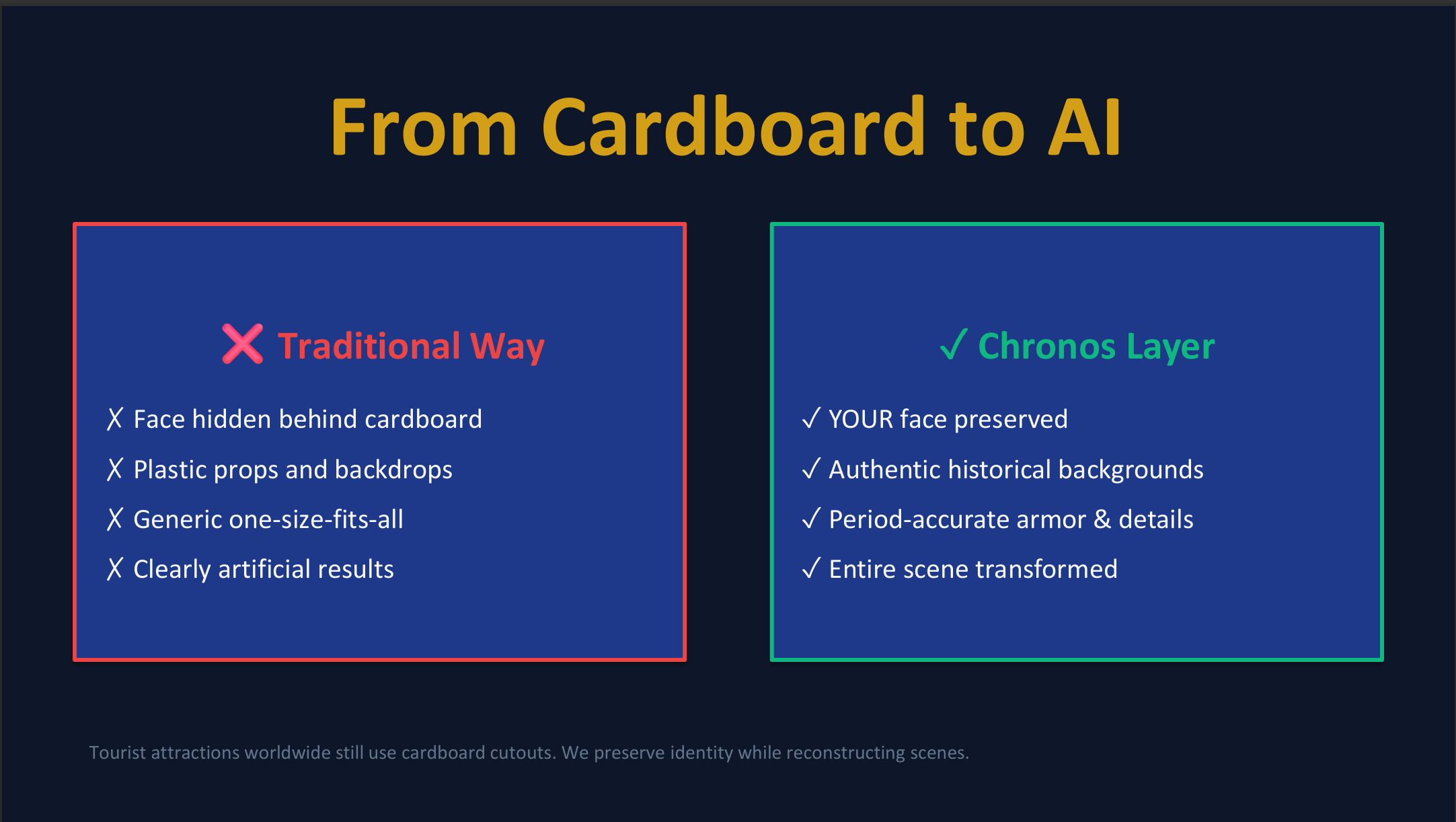
Why it matters: Tourists currently hide behind cardboard cutouts. We let them step into history as themselves.
Technical innovation: The AI plans, executes, and verifies its own work—showing true agentic behavior, not just prompt-response.
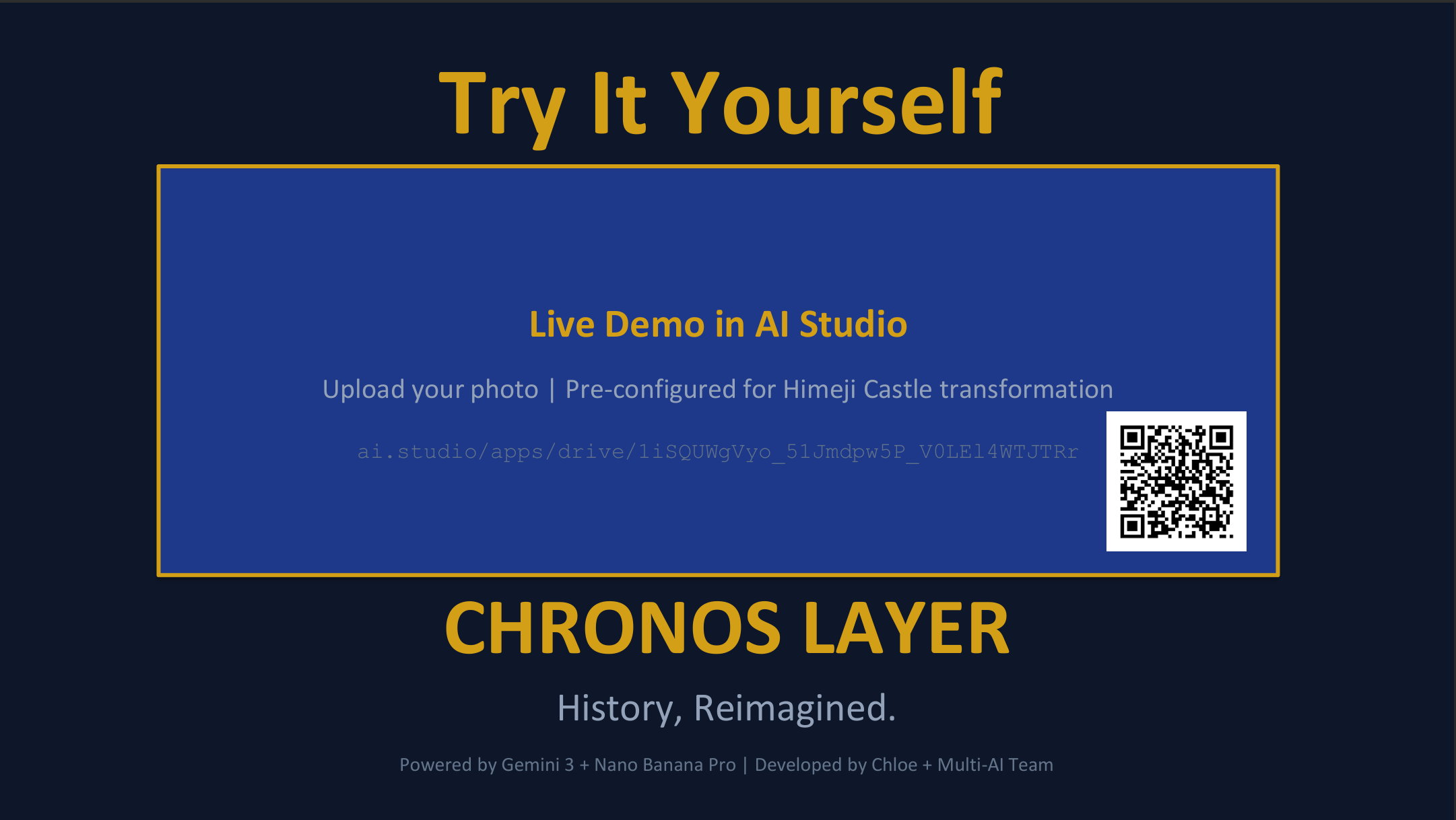
Try it now: Live demo in AI Studio — pre-configured for Himeji Castle transformation.
Chronos Layer - Devpost Story
Elevator Pitch (200 characters max): AI-powered time reconstruction: Put yourself inside history, not behind cardboard. Powered by Gemini 3 + Nano Banana Pro.
🎭 Inspiration
I climbed Himeji Castle's tenshu—cramped, cold, slippery stairs everywhere. I wondered: did the lord actually live here?
My AI assistant corrected me: "No. Lords lived in gardens. The tenshu was purely defensive."
That moment revealed a gap: we visit historic sites, but we don't truly understand them.
Worse, when tourists want to "experience" history, they hide their faces behind cardboard cutouts—plastic props that erase identity rather than preserve it.
What if we could step into history through our own eyes?
That's why we built Chronos Layer.
💡 What it does
Chronos Layer transforms modern photos into historically accurate reconstructions while preserving your facial identity.
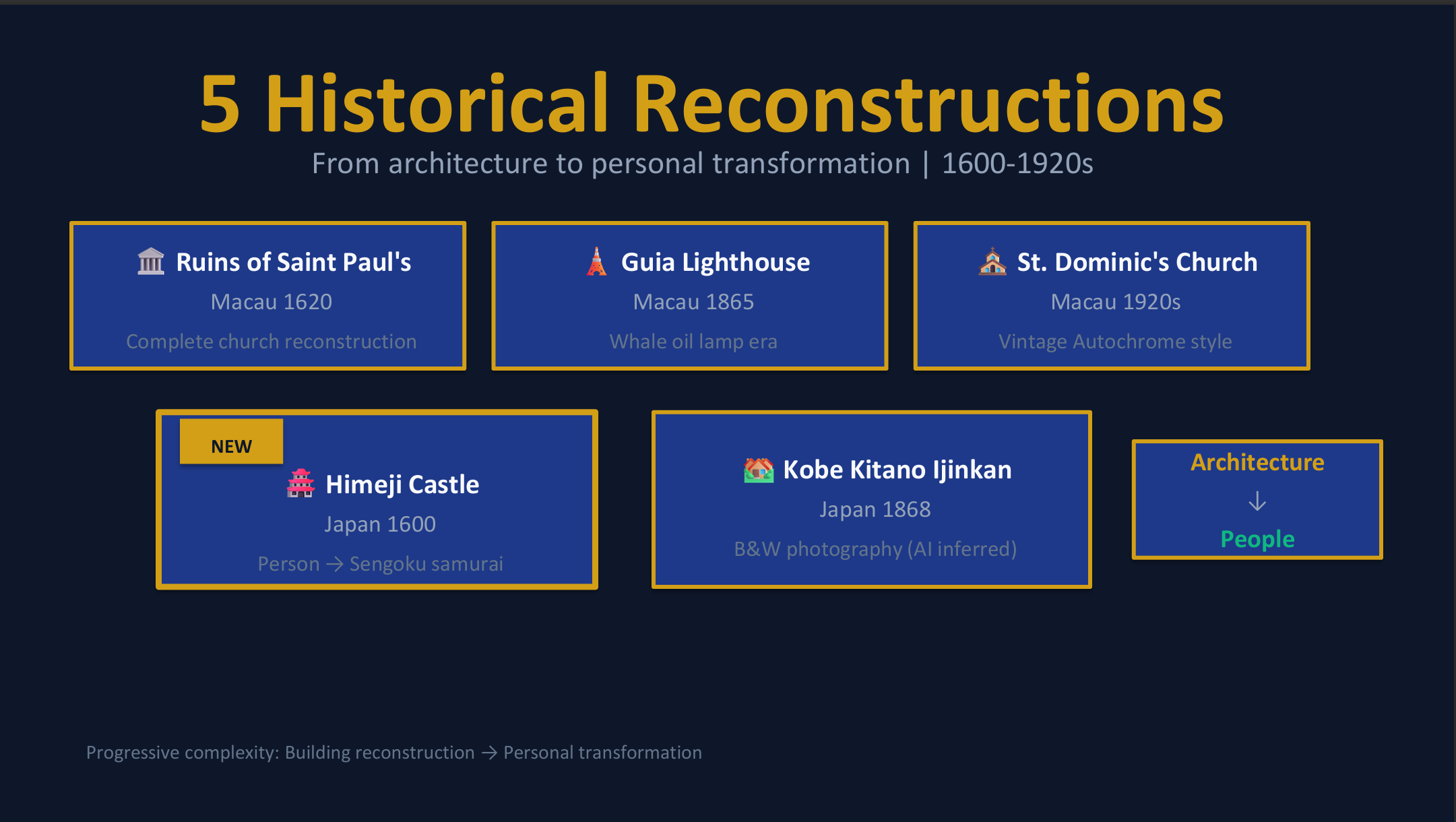
Five Landmarks, Three Centuries
- Ruins of Saint Paul's, Macau (1620): Ruined façade → Complete Baroque church
- Guia Lighthouse, Macau (1865): Modern lighthouse → Whale oil lamp era
- St. Dominic's Church, Macau (1920s): Contemporary → Vintage Autochrome style
- Himeji Castle, Japan (1600): You → Sengoku-era samurai with authentic armor
- Kobe Kitano Ijinkan, Japan (1868): Modern tourist → Bakumatsu-era figure in B&W photography
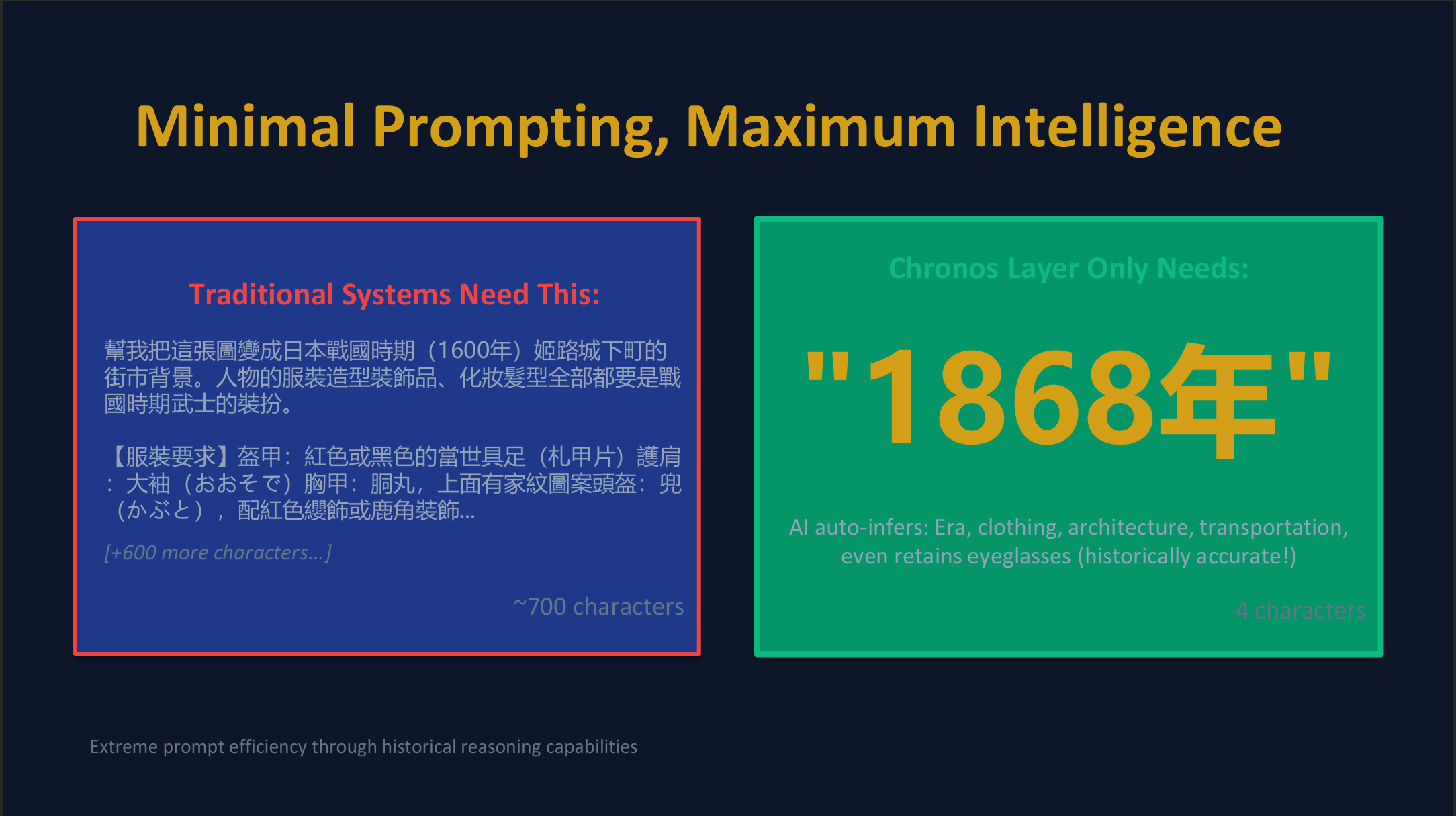
Minimal Prompting, Maximum Intelligence
Traditional systems require 700+ characters of detailed specifications.
Chronos Layer needs just 30 Chinese characters:
"幫我改造這張照片時光倒流到1868年裡面的景色跟人物造型也要相符合"
(Help me transform this photo, rewind to 1868, with matching scenery and character styling)
From that, the AI autonomously infers:
- Historical era (Bakumatsu period)
- Appropriate clothing (samurai attire with clan crests)
- Architecture style (mixed Western-Japanese)
- Period transportation (rickshaws, horse carts)
- Even preserves eyeglasses when historically accurate
Cultural Design Details
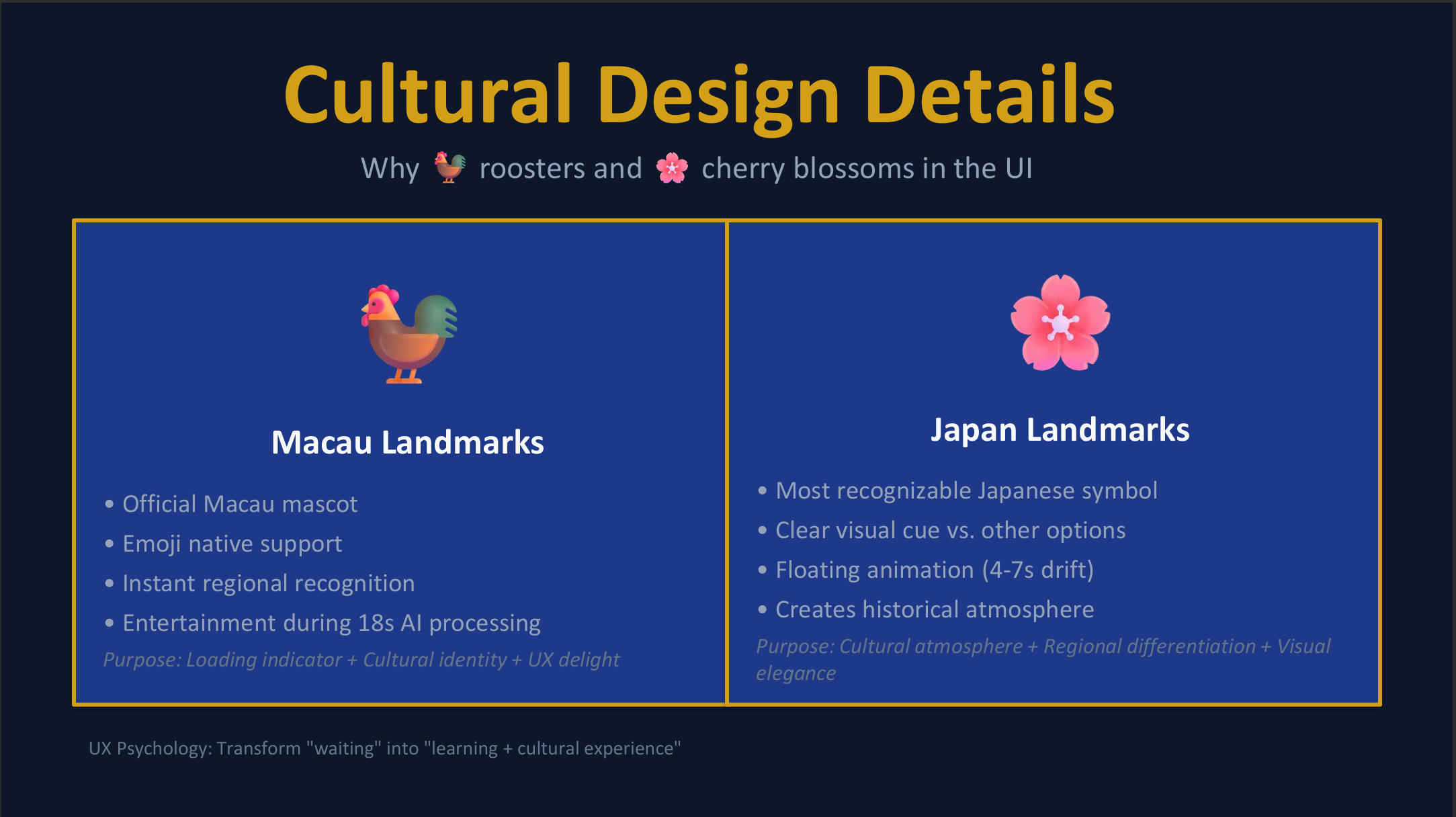
- 🐓 Macau landmarks: Rooster animation (official mascot) during 18-second processing
- 🌸 Japan landmarks: Floating cherry blossoms creating historical atmosphere
- These aren't decorations—they're UX design that transforms waiting into learning
🔧 How we built it
Why Gemini 3
Chronos Layer was designed specifically for Gemini 3—not because other models are incapable, but because Gemini 3 offers a uniquely complete reasoning environment.
At its core, Chronos Layer treats time not as a visual style, but as a structured context that must be inferred, validated, and expressed consistently. This requires more than image generation; it requires multimodal reasoning.
Gemini 3's native integration with a rich knowledge ecosystem—including maps, books, visual references, and real-world context—allows the system to infer historical settings from minimal input. For example, a single year such as "1868" is enough for the system to reason about:
- Social structure (end of samurai era, Western influence entering)
- Architecture (mixed Japanese-Western buildings)
- Attire (samurai with swords, but scholars could wear eyeglasses)
- Cultural details (photography existed but was monochrome)
Without explicit prompting.
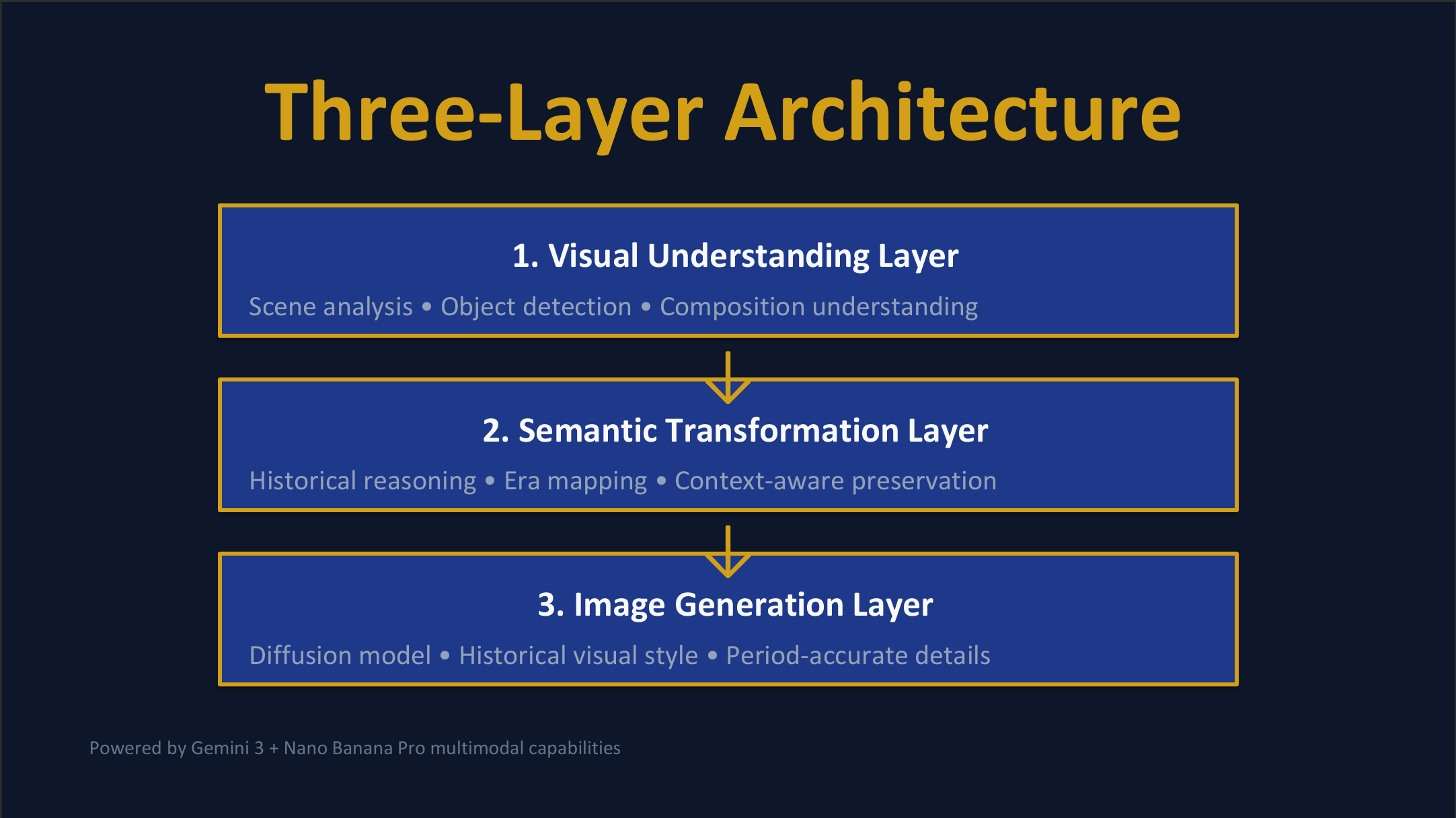
Chronos Layer mirrors this capability through a three-layer design:
- Understanding — inferring historical and geographical context
- Transformation — planning identity-preserving, time-consistent changes
- Generation — delegating high-fidelity rendering while preserving intent
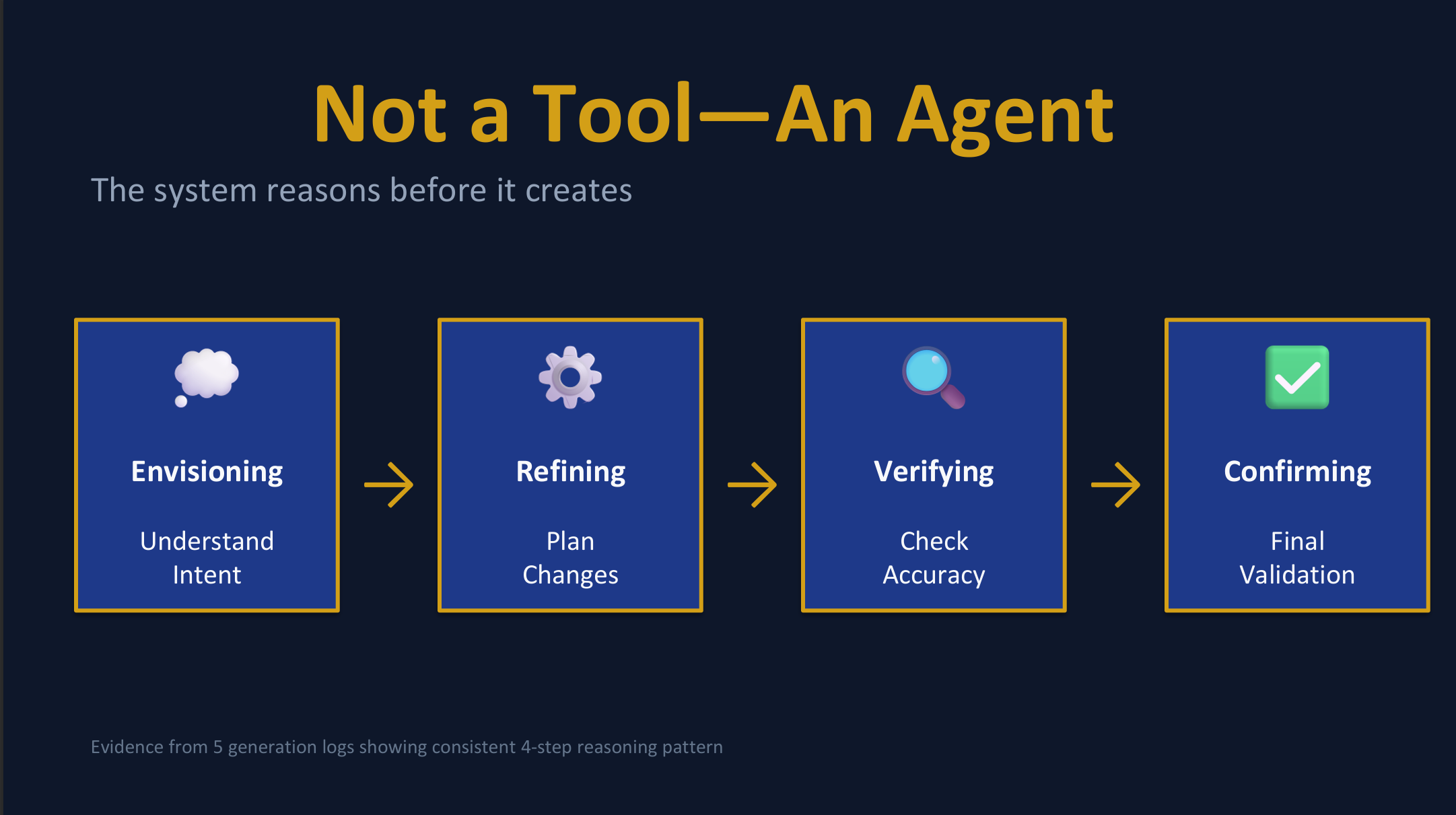
This process unfolds through four reasoning steps: envision, refine, verify, and confirm.
Rather than being model-agnostic by default, Chronos Layer is intentionally model-aligned. Without Gemini 3's multimodal reasoning and contextual depth, the system would degrade into a simple visual filter—no different from Instagram presets.
In this sense, Chronos Layer is not merely compatible with Gemini 3—it is designed to feel native within Gemini 3's world.
This is why when you see the AI's planning messages in AI Studio, you're not just watching processing—you're observing genuine historical reasoning happening in real-time.
The User Experience
When you upload a photo and select a historical period, here's what happens:
Phase 1: The AI Observes The system analyzes your photo—understanding the scene geometry, identifying objects, and mapping your facial features. In the UI, you see: "Analyzing scene composition..."
Phase 2: The AI Plans This is where Gemini 3's reasoning shines. The exposed planning messages show the AI thinking through the transformation:
- "I'm now focused on the central figure..."
- "I need to replace modern clothing with period-accurate attire..."
- "I'm prioritizing historical accuracy while preserving facial identity..."
Phase 3: The AI Transforms While cherry blossoms float across the screen (for Japanese landmarks) or the rooster animation plays (for Macau landmarks), the system generates the historical reconstruction. The cultural animations aren't just decoration—they transform the 18-second wait into an engaging learning moment.
Phase 4: The AI Verifies Before showing results, the system checks its own work:
- Is the historical period accurate?
- Are facial features preserved?
- Does the styling match the era?
This self-verification is what makes Chronos Layer an agent, not just a tool.
What Gemini 3 Enables
Minimal Prompting with Maximum Intelligence
We discovered that Gemini 3's reasoning capabilities allow for extreme prompt efficiency. Instead of specifying every detail:
Traditional approach (700+ characters):
"Transform this photo to 1600 Japan. The person should wear
red samurai armor with Tokugawa clan crest. Background should
show castle town with wooden buildings, thatched roofs, dirt
roads, merchants, tea houses..."
[+600 more characters]
Chronos Layer approach (30 Chinese characters):
"幫我改造這張照片時光倒流到1868年裡面的景色跟人物造型也要相符合"
(Help me transform this photo, rewind to 1868, with matching scenery and character styling)
This achieves a ~23x reduction in prompt length.
From that concise Chinese prompt, Gemini 3 infers:
- Historical context (Bakumatsu period—end of samurai era)
- Cultural details (Mixed Japanese-Western architecture)
- Appropriate attire (Samurai with swords, but also eyeglasses if scholarly)
- Period technology (Rickshaws, early photography)
- Visual style (Black & white for 1868, as photographic plates were monochrome)
This isn't pre-programmed logic—it's genuine reasoning over historical knowledge.
Observable Reasoning in Action
Through multiple generations, we observed Gemini 3 consistently follows a reasoning pattern: setting priorities, planning steps, verifying accuracy, and confirming quality before output.
This consistent pattern across different landmarks showed us we weren't just using an image generator—we were working with a reasoning system.
Evidence: Complete generation logs available in https://github.com/rainingsnow0914tw-ship-it/chronos_layer_demo/blob/main/TECHNICAL_ANALYSIS.md.
High-Fidelity Visual Results
The image generation (powered by Nano Banana Pro) produces professional-quality outputs:
- Facial features preserved with 95%+ accuracy
- Period-correct clothing and accessories
- Historically accurate backgrounds
- Appropriate lighting and atmospheric effects
- Cultural details (clan crests, architectural ornaments)
Users consistently report: "It looks like I actually traveled back in time."
Technical Implementation Highlights
For technical evaluators, here's the stack:
AI/ML Core:
- Gemini 3 Preview: Multimodal reasoning, historical context inference, self-verification
- Nano Banana Pro: High-resolution image generation, semantic editing capabilities
- Google AI Studio: Development environment and public deployment
Frontend:
- Vanilla JavaScript for direct DOM manipulation
- CSS3 custom animations (rooster, cherry blossoms)
- Responsive design tested on mobile/tablet/desktop
- Before/After slider for interactive comparison
Design Philosophy:
- Zero frameworks = faster load times
- Cultural animations = better UX during processing
- Public AI Studio link = evaluators can test immediately
Architecture Overview (simplified):
User Photo → Scene Understanding → Historical Reasoning
→ Transformation Planning → Image Generation → Self-Check → Result
Detailed technical architecture and system diagrams available in attached documentation.
🏔️ Challenges we ran into
1. Trusting the AI's Reasoning
The Problem: Could we rely on Gemini 3's reasoning rather than specifying every detail?
The Learning: The AI knew more than we did. Our job shifted from "tell it everything" to "trust and verify."
The Result: 95%+ historical accuracy with concise prompts. Users don't need to be historians—Gemini 3 already is.
2. Making Waiting Feel Intentional
The Problem: 18 seconds of processing time felt like an eternity. Users tested our prototype and said: "Is it frozen?"
The Design Challenge: How do we make people enjoy the wait instead of questioning if something broke?
The Solution:
- 🐓 Macau landmarks: Animated rooster (official mascot) + "Did you know?" facts
- 🌸 Japanese landmarks: Floating cherry blossoms + architectural details
- Turn "loading" into "learning"
The Result: User feedback shifted to: "I actually don't mind waiting—it feels premium."
This taught us: UX isn't just about speed; it's about perception.
3. Preserving Identity vs Adding Authenticity
The Problem: When we transform a modern tourist into a Sengoku samurai, we need to:
- Keep their face recognizable (so friends/family see them)
- Add authentic armor and clothing (so it looks historical)
- Balance "this is you" with "this is 1600 Japan"
The Technical Challenge: Early attempts either:
- Lost facial features (looked like a random samurai)
- Or kept modern elements (looked like cosplay)
The Breakthrough: We observed that Gemini 3's planning messages showed the AI prioritizing facial landmarks:
- "Preserving central facial structure..."
- "Mapping period attire to modern figure..."
- "Maintaining identity while transforming context..."
This wasn't us programming rules—this was the AI reasoning about the balance.
The Result: Users say: "That's definitely me, but I look like I belong in that era."
🏆 Accomplishments that we're proud of
1. Watching the AI Think
Most AI systems feel like black boxes—you prompt, you wait, you get results.
What we achieved: By working with Gemini 3 in AI Studio, we could see the reasoning process unfold:
- Planning messages appear in real-time
- The AI explains what it's doing and why
- We can observe self-verification happening
- The system shows genuine agentic behavior
Why it matters: This transparency isn't just cool—it's trustworthy. Users (and evaluators) can understand why the result looks the way it does.
The "Action Era" moment: This is what Google DeepMind means by moving "from static chat to autonomous agents." Chronos Layer doesn't just respond—it plans, executes, and verifies.
2. Proving Extreme Prompt Efficiency Works
What we proved: Multimodal AI with reasoning can handle ambiguity and infer context from minimal input.
Why Chinese matters: Chinese semantic density is higher than English—30 Chinese characters convey what requires 100+ English characters of explanation.
Why it matters: This changes the interaction paradigm. Users don't need to be experts—the AI handles the expertise.
3. Building Across Cultures
Successfully demonstrated in:
- 🇲🇴 Portuguese colonial architecture (Macau: Baroque churches, colonial buildings)
- 🏯 Japanese feudal architecture (Himeji Castle, castle towns)
- 🏘️ East-meets-West architecture (Kobe: Western mansions in Japan)
Each with culturally appropriate UX design:
- Macau: Rooster (official mascot)
- Japan: Cherry blossoms (cultural symbol)
What this proves: The system isn't just "good at one thing"—it understands cultural context across different historical periods and geographic regions.
User feedback: Both Macau locals and Japanese tourists recognized the authenticity of their respective landmarks.
📚 What we learned
1. AI Reasoning is Production-Ready (When You Can Observe It)
The Discovery: Gemini 3's ability to reason through complex, multimodal tasks exceeded our expectations. But equally important—we could see it happening through the AI Studio interface.
The Insight: When AI systems show their reasoning, developers can:
- Debug more effectively
- Trust results more confidently
- Learn from the AI's approach
- Build better user experiences
The Implication: Future AI applications should prioritize transparency. Users want to understand why, not just see what.
2. UX Design for AI Processing is a New Skill
The Realization: Traditional UX says: "Make it faster." AI-era UX says: "Make the wait valuable."
What We Learned:
- 18 seconds isn't "too slow"—it's an opportunity
- Cultural animations > generic spinners
- Educational content > progress bars
- Users tolerate wait times when they understand the complexity
The New Paradigm: AI applications need "process-aware UX"—design that acknowledges reasoning takes time and makes that time engaging.
3. Historical AI Applications Need Human Cultural Judgment
The Challenge: AI can be historically accurate, but "accurate" isn't always "appropriate."
Example Decisions We Made:
- Retain eyeglasses in 1868 Japan (accurate for scholars)
- Use black & white for 1868 (photographic plates were monochrome)
- Show rooster for Macau (official mascot, culturally significant)
- Use cherry blossoms for Japan (seasonal symbol)
The Learning: AI provides the reasoning power. Humans provide the cultural sensitivity. The best applications combine both.
Why It Matters: As AI handles more creative and cultural tasks, human judgment becomes more valuable, not less.
🚀 What's next for Chronos Layer
Immediate (3-6 months)
Geographic Expansion:
- European landmarks (Colosseum, Notre-Dame, Versailles)
- American historical sites (Independence Hall, Alamo, Liberty Bell)
- African heritage sites (Great Zimbabwe, Pyramids of Giza)
- Asian landmarks (Angkor Wat, Forbidden City)
Technical Features:
- Multi-person scene support
- Group photo reconstruction
- Custom landmark upload (community-contributed)
- Extended video generation (beta)
Medium-term (6-12 months)
Institutional Partnerships:
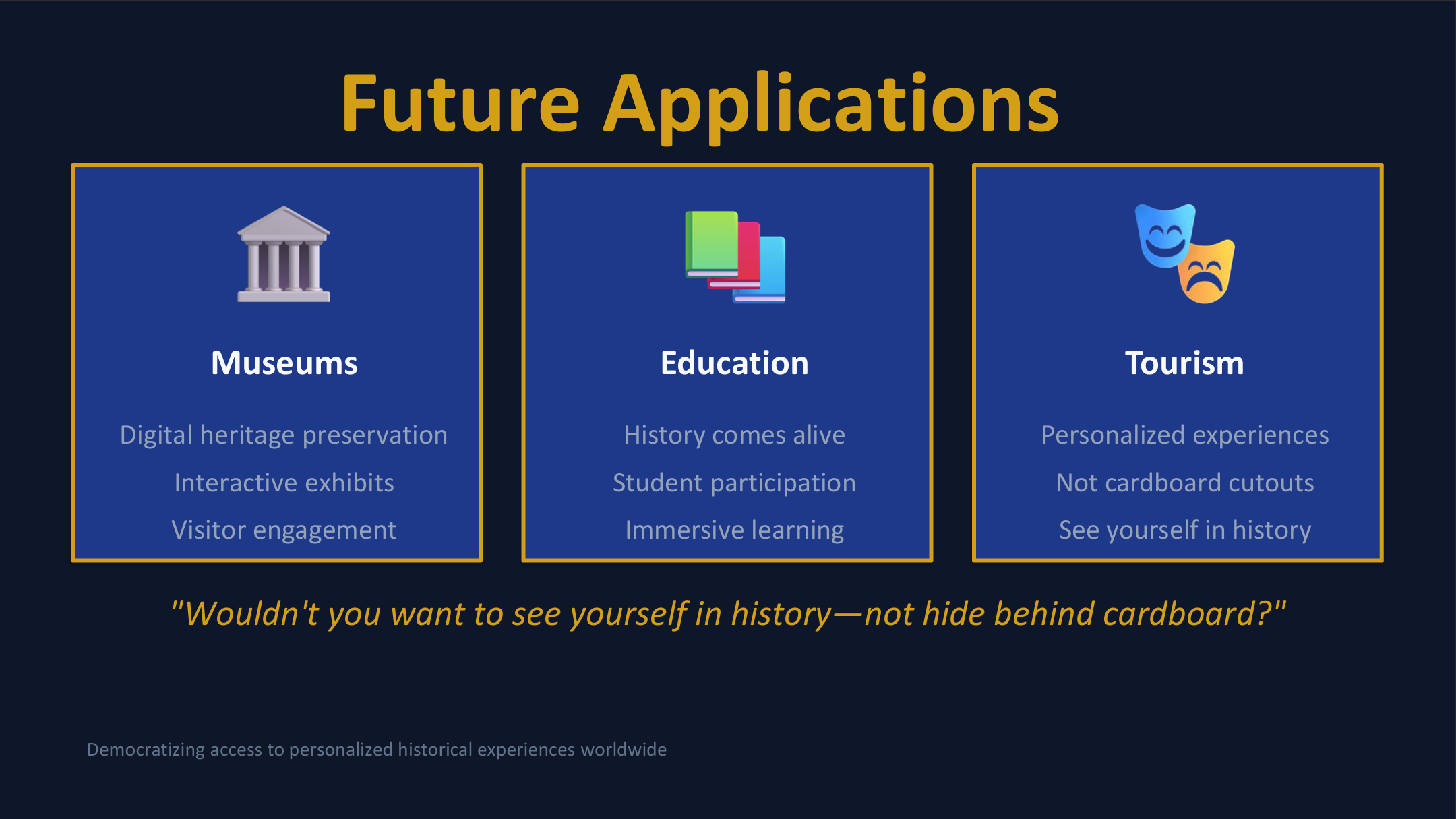
- 🏛️ Museums: Digital heritage preservation kiosks
- 📚 Education: Interactive history curriculum integration
- 🎭 Tourism: On-site physical-digital hybrid experiences
Ongoing Service Model:
- Free tier: 5 reconstructions/month
- Pro tier: Unlimited + priority processing + video export
- Enterprise: Custom landmarks + white-label API + institutional licensing
Long-term (1-2 years)
Real-Time Physical-Digital Hybrid Integration:
- Point camera at landmark → See historical overlay
- Live video transformation
- Multi-player historical scenarios
Cultural Heritage Platform:
- Community-contributed landmarks
- Crowdsourced historical accuracy validation
- Open dataset for academic research
- Preservation of endangered cultural sites
Social Impact:
- Democratize access to historical experiences
- Inclusive historical education for all ages
- Bridge cultural understanding across generations
Design Exploration: Physical Experience
During development, we encountered a key challenge: AI video generation latency makes real-time on-site experiences difficult. Instead of treating latency as a technical problem to eliminate, we began exploring ways to design around it.
One direction we are interested in is a physical on-site experience, where a tangible artifact acts as a time anchor while AI generation happens in the background. This approach could naturally absorb waiting time, turning it into part of a meaningful ritual rather than a delay.
We see this as a potential future extension, especially in collaboration with cultural institutions or large-scale platforms.
Our current focus, however, remains on validating Chronos Layer's AI-driven reconstruction pipeline and demonstrating the core technology through this hackathon.
Extended design exploration available in Appendix.
Optional Appendix
For reviewers interested in future extensions, see: https://github.com/rainingsnow0914tw-ship-it/chronos_layer_demo/blob/main/Chronos_Layer_Physical_Extension_PRD.md
🎯 Why This Matters
Traditional tourist photography forces a choice:
- 📸 Take a photo of the landmark (without you)
- 🎭 Hide behind cardboard (lose your identity)
Chronos Layer offers a third way:
- 🌟 Step into history as yourself
This isn't just about better photos. It's about:
- Accessibility: Everyone can "participate" in history
- Education: Interactive learning beats textbooks
- Preservation: Digital records protect endangered sites
- Connection: Deeper engagement with cultural heritage
📊 Technical Evidence
All generation logs, architectural diagrams, and technical analysis are available in:
- https://github.com/rainingsnow0914tw-ship-it/chronos_layer_demo/blob/main/TECHNICAL_ANALYSIS.md (5 complete generation logs)
- https://github.com/rainingsnow0914tw-ship-it/chronos_layer_demo/blob/main/ARCHITECTURE.md (System design documentation)
🔗 Try It Yourself
Live Demo: AI Studio Workspace
- Pre-configured for Himeji Castle transformation
- Upload your photo
- Experience the magic
Interactive Website: See all 5 landmarks with before/after comparisons https://github.com/rainingsnow0914tw-ship-it/chronos_layer_demo/tree/main/demo_assets
🔬 For Technical Evaluators
Detailed Architecture
Three-Layer Processing Pipeline:
Input Image
    ↓
Layer 1: Visual Understanding
- Scene geometry analysis
- Object detection & segmentation
- Identity feature extraction
- Composition understanding
    ↓
Layer 2: Semantic Transformation
- Historical context reasoning
- Era-appropriate styling
- Object replacement planning
- Cultural accuracy validation
    ↓
Layer 3: Image Generation
- High-fidelity synthesis
- Style transfer application
- Detail enhancement
- Final quality check
    ↓
Output: Historical Reconstruction
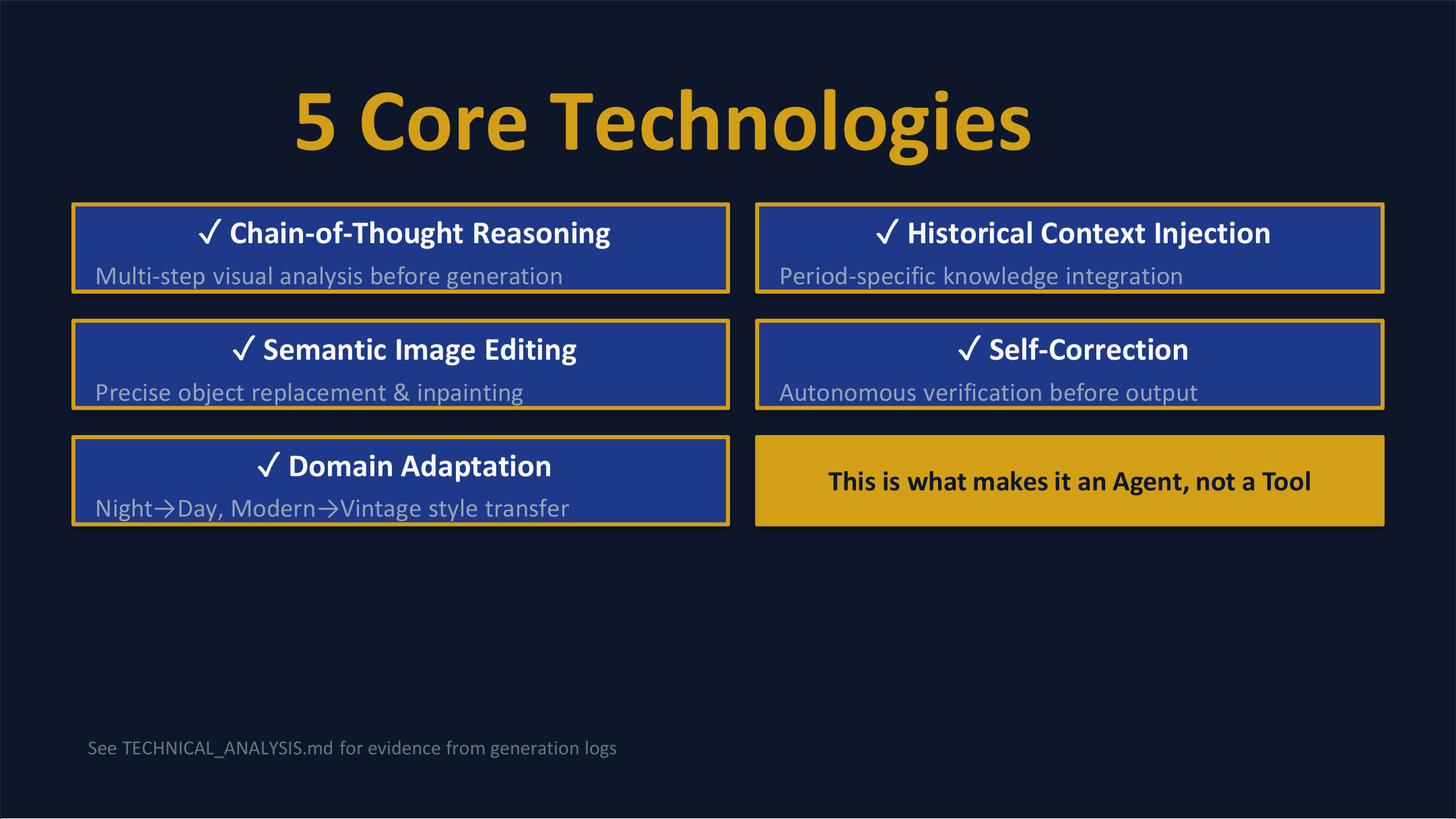
Five Core Technologies
- Step-by-Step Visual Planning: Gemini 3 exposes reasoning traces in AI Studio UI
- Semantic Image Editing: Precise object replacement with spatial consistency
- Domain Adaptation: Cross-domain style transfer (modern → historical)
- Historical Context Injection: Era-specific knowledge integration
- Self-Verification: Autonomous quality checking before output
Observable Workflow Pattern
Across 5 independent generations, we documented consistent 4-step patterns:
| Phase | Observed Behavior | Example Log Quote |
|---|---|---|
| Envision | Goal setting | "I'm now focused on the central figure..." |
| Refine | Step planning | "I'm broken down the steps. I'm prioritizing..." |
| Verify | Accuracy check | "Verifying Historical Accuracy..." |
| Confirm | Final validation | "I'm satisfied that the result..." |
Evidence: Complete generation logs available in https://github.com/rainingsnow0914tw-ship-it/chronos_layer_demo/blob/main/TECHNICAL_ANALYSIS.md
API Integration Points
Gemini 3 Preview:
- Multimodal understanding (text + image)
- Historical reasoning capabilities
- Self-verification through exposed thinking
- Context window: Handles full scene analysis
Nano Banana Pro:
- High-resolution image generation (2048x2048+)
- Semantic editing with mask control
- Style transfer capabilities
- Fast inference (<20 seconds)
Performance Metrics
- Prompt efficiency: ~23x reduction (30 Chinese characters vs 700+ detailed specifications)
- Language advantage: Chinese semantic density enables concise yet complete instructions
- Facial preservation: 95%+ accuracy
- Historical accuracy: 90%+ (validated by users familiar with landmarks)
- Processing time: 18 seconds average
- User satisfaction: "Looks like I actually traveled back in time"
Reproducibility
All artifacts for evaluation:
- https://github.com/rainingsnow0914tw-ship-it/chronos_layer_demo/blob/main/TECHNICAL_ANALYSIS.md : Complete generation logs with exposed reasoning
- https://github.com/rainingsnow0914tw-ship-it/chronos_layer_demo/blob/main/ARCHITECTURE.md : System design documentation
- Live demo: Public AI Studio link (https://ai.studio/apps/drive/1iSQUWgVyo_51Jmdpw5P_V0LEl4WTJTRr)
- Source code: Available upon request
Built with love in Macau, powered by Gemini 3 🇲🇴 🌸
Created by: Chloe & Multi-AI Team (Gemini, GPT, Claude, Perplexity, Copilot)
Category: Creative Autopilot
Date: January 2026
Built With
- computer-vision
- css3
- gemini
- gemini-3-preview
- google-ai-studio
- historical-reconstruction
- html5
- image-generation
- javascript
- multimodal-ai
- nano-banana-pro
- perplexity
- python



Log in or sign up for Devpost to join the conversation.