Inspiration
I built ChronoFS around a painful developer moment: deleting the wrong files and instantly regretting it.
Normally, recovery means checking Git history, backups, recycle bins, or recovery tools. I wanted to explore a different idea: what if deletion was not the end of a file’s story? What if the filesystem itself remembered the moments before the mistake?
What it does
ChronoFS is a Windows user-space filesystem that mounts as a normal drive in File Explorer.
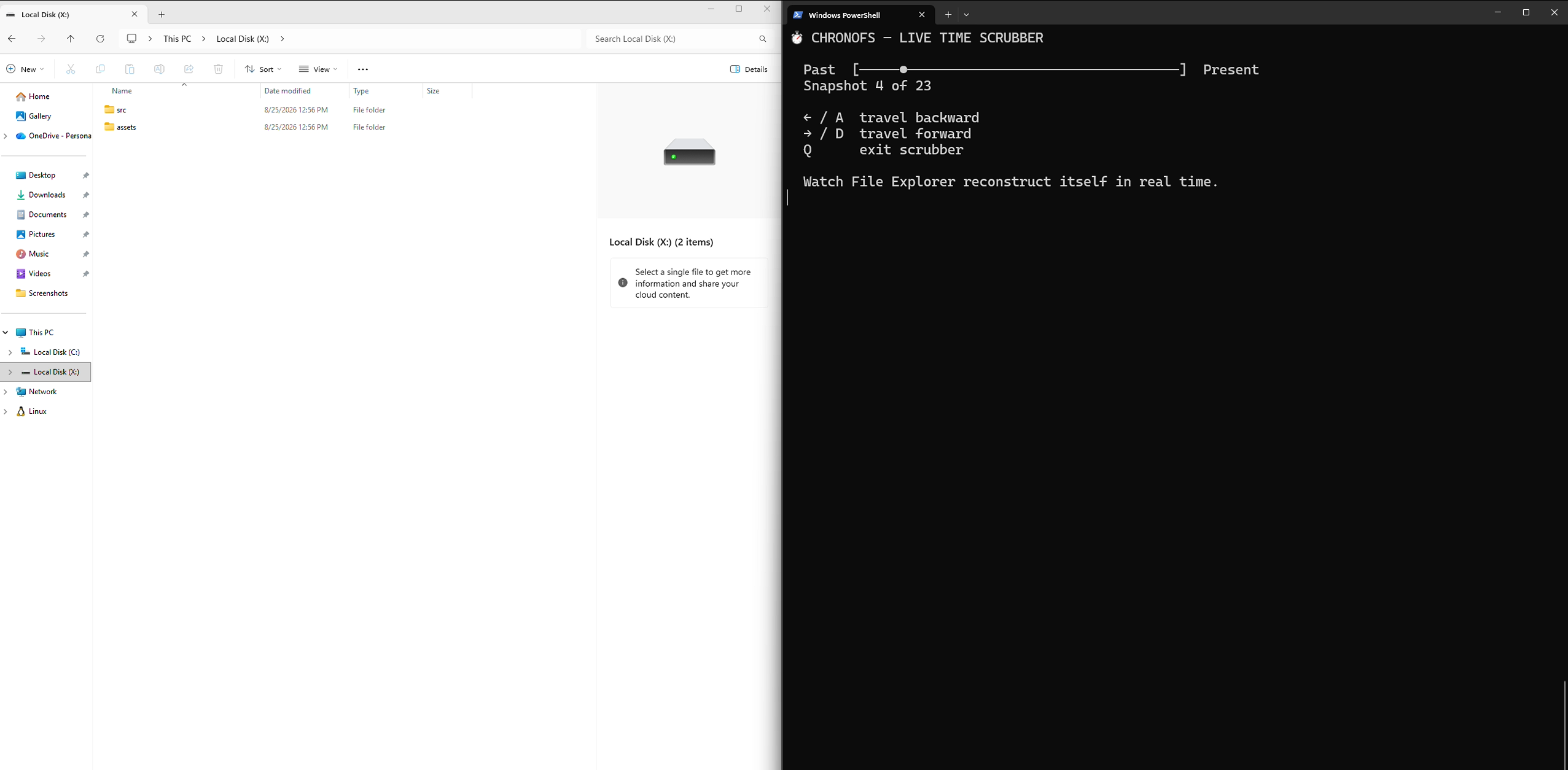
Inside the mounted drive, I can create files, edit them, create folders, rename files, and delete an entire project. ChronoFS records each filesystem state in an in-memory timeline.
Then I open a live terminal scrubber and move through time:
- Left Arrow moves backward through filesystem history.
- Right Arrow moves forward again.
- Deleted files and folders reappear directly in Windows File Explorer.
- Moving forward makes them disappear again.
undo,redo, andrewindcommands are also available.
The main demo is simple: open the mounted drive, delete a full project, launch the scrubber, and watch the project reconstruct itself live.
How I built it
ChronoFS is written in Go.
I used WinFsp and cgofuse to mount ChronoFS as a native Windows drive. The filesystem handlers capture file creation, writes, truncation, renames, deletes, directory creation, and directory removal.
Each change creates a timestamped in-memory snapshot. A bidirectional timeline cursor moves backward or forward through those snapshots.
When the cursor changes, ChronoFS sends Windows file-change notifications through WinFsp. That makes File Explorer update automatically when files or folders are restored.
Challenges and lessons
The hardest part was making the filesystem feel real in Windows, not just simulating it in a terminal. I had to handle normal file operations, directory state, timeline movement in both directions, and keeping Explorer synchronized with the restored state.
This project taught me how user-space filesystems work, how WinFsp connects Go code to Windows, and why a strong demo needs to make the feature visible immediately.
What's next
This prototype keeps history in memory while the drive is mounted. Next, I would add persistent disk-backed timelines, memory limits, named restore points, a graphical timeline, encrypted history, and support for larger real-world projects.


Log in or sign up for Devpost to join the conversation.