-
-
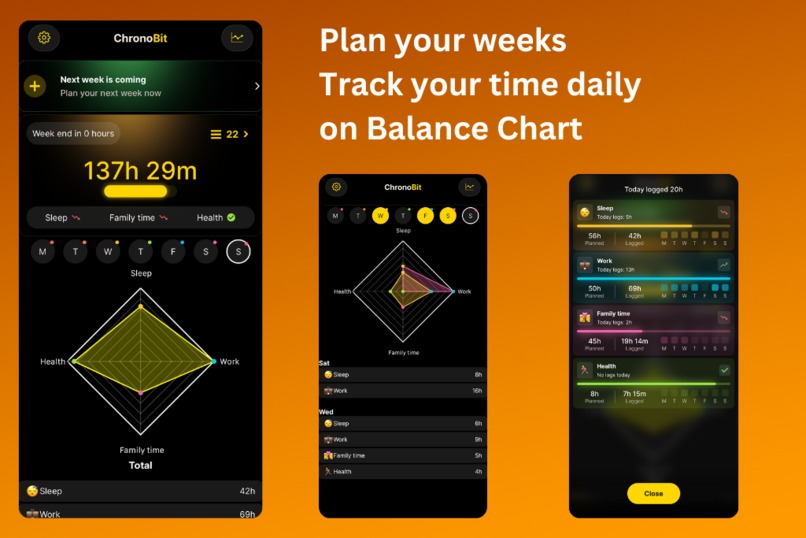
Balance Chart
-
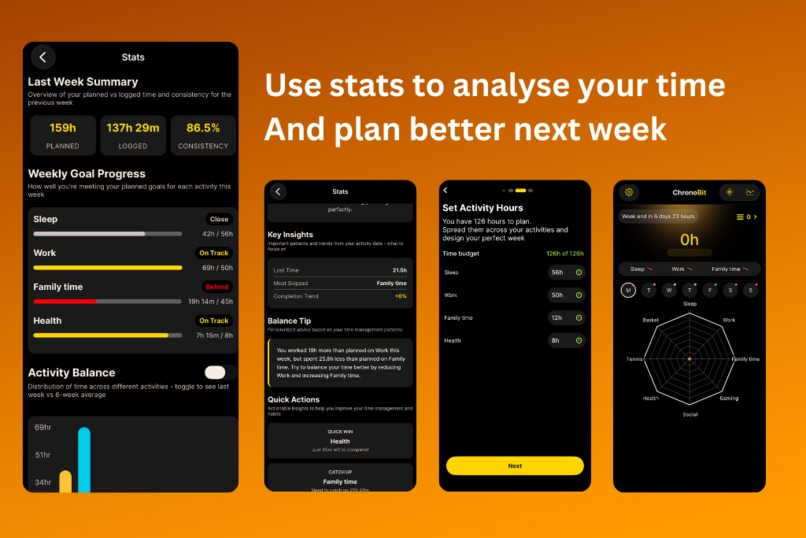
Stats
-
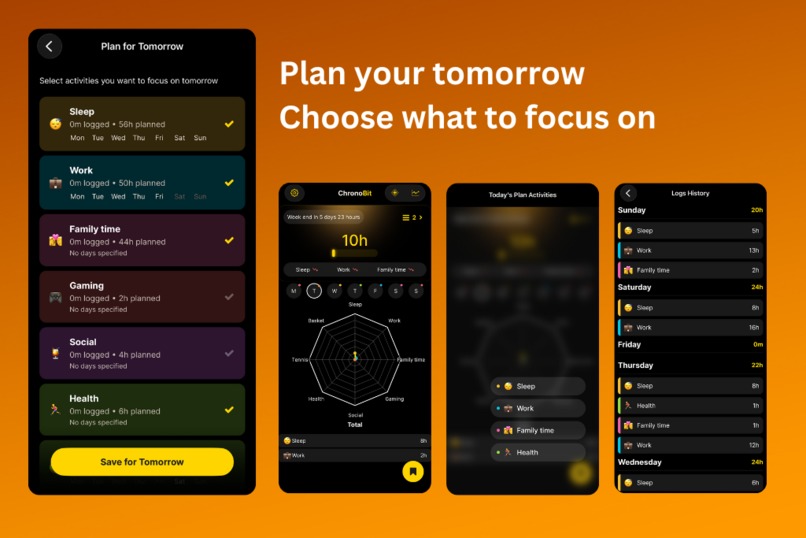
Plan tomorrow
-
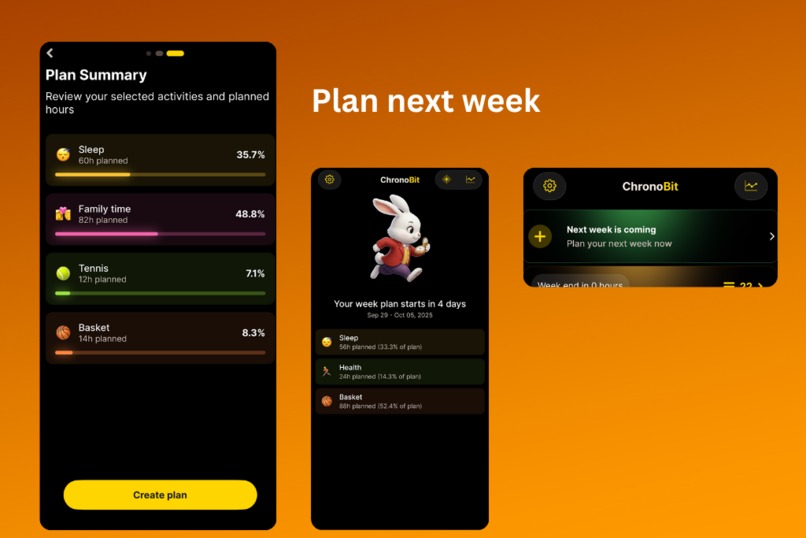
Plan next week on time
Inspiration
About a year ago, I watched a YouTuber demonstrate how he manages his time using spreadsheets (https://www.youtube.com/watch?v=OmKMGXvIJoA). I eventually forgot about it — until recently.
I’m the kind of person who usually never plans his time, and as a result, I rarely finish everything on schedule. When I started thinking about new ideas, I looked back, connected the dots, and remembered that video. I rewatched it — and that’s when the idea for ChronoBit was born.
This time, I decided to add a character to the app that would be instantly recognizable. The character, along with the app’s name “ChronoBit,” was inspired by the White Rabbit from Alice in Wonderland — the one who is always running late.
What it does
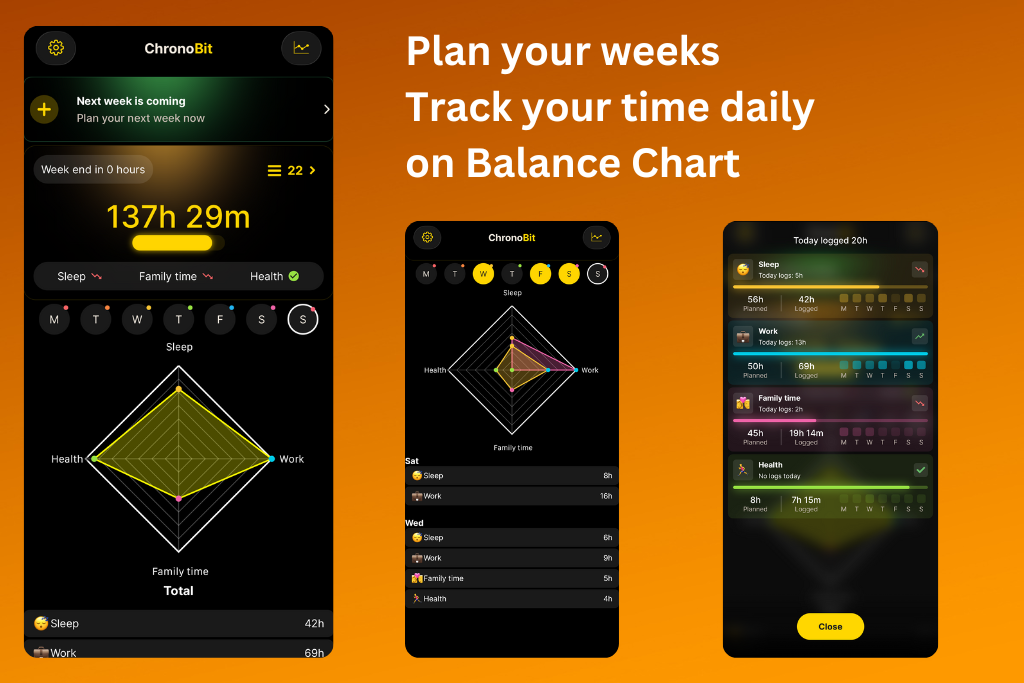
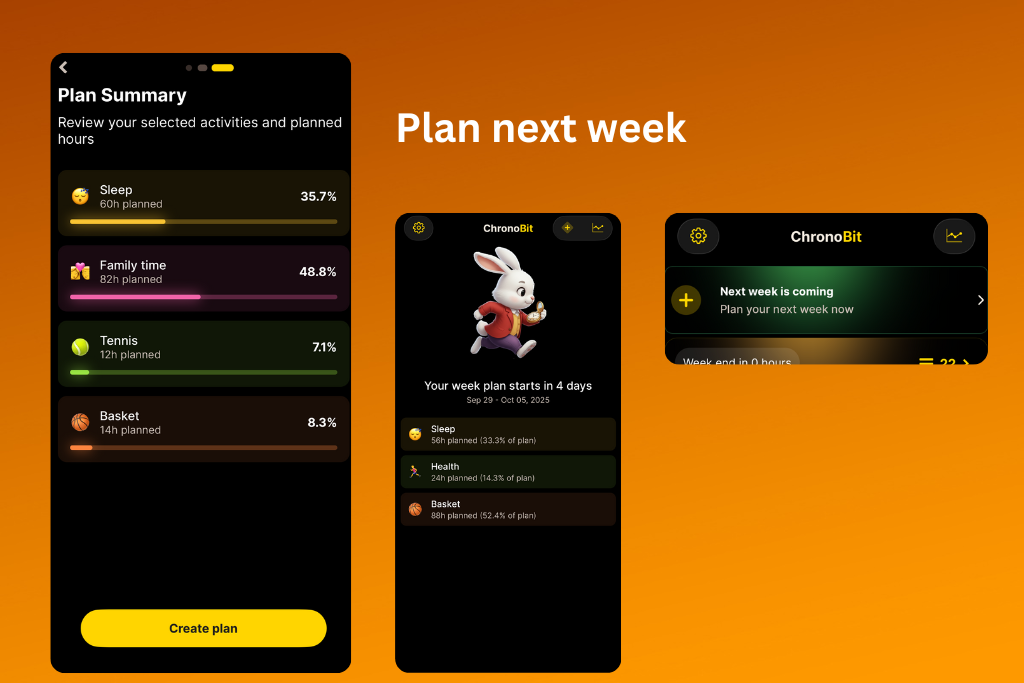
ChronoBit allows users to define their weekly activities and organize them into a weekly plan. At the end of each week, users are prompted to plan for the next one. This process helps them enter a focus mode, encouraging them to decide what truly matters for the upcoming week.
Each day, the home screen displays a radar chart reflecting the time they’ve logged so far. The values on the chart represent their time balance compared to the planned hours for the week.
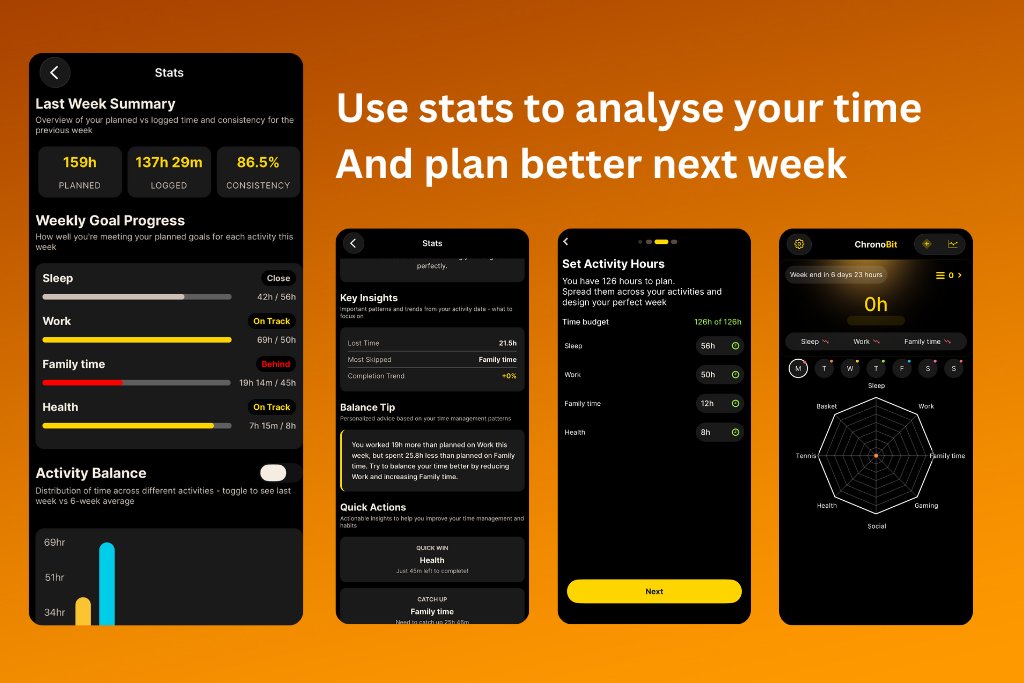
The app provides powerful insights, such as where users spend too much time, where they lose time, what they missed, and what changes they could make to have a more balanced week. This feedback helps users plan more effectively for the following week and, over time, discover what’s truly important to them — as well as why they may be failing to complete certain goals.
Every day, users can log their entire 24 hours across any activities they do. These logs are then used to create detailed final statistics.
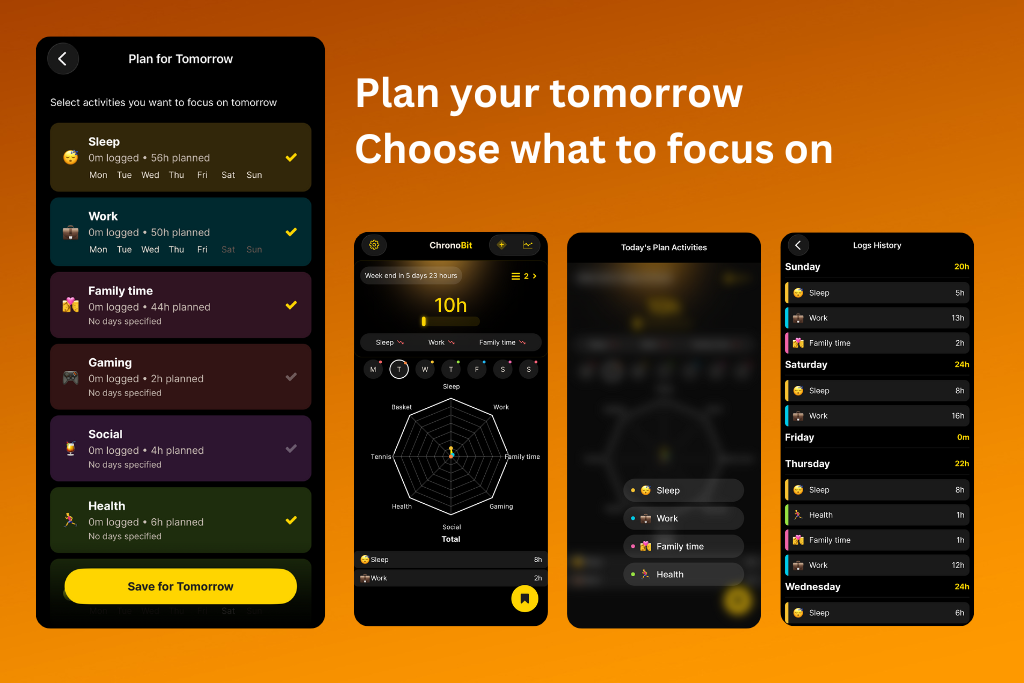
ChronoBit also features a Plan Tomorrow option, which sends a notification reminding users to plan the next day. Here, they can select the activities they want to focus on. The activities planned for today are displayed as a floating button on the home screen for quick access.
How we built it
I built ChronoBit using React Native with Expo. The choice was simple — I joined the Shipaton very late, and Expo offered the best developer experience and the fastest way to get a fully functional app running.
I wanted the app to feel polished and premium, so I chose a fixed dark theme with gold accents for a clean and elegant look. For the character design, I used AI-generated illustrations to give ChronoBit its unique and recognizable personality.
One deliberate decision I made was to avoid authentication and servers entirely. Personally, I don’t like apps that force users to sign up just to try them, so I designed ChronoBit to store all data locally on the user’s device — keeping things simple, private, and fast.
Challenges we ran into
My main focus was to make the user experience as smooth as possible. I iterated through many database schema designs until I finally achieved exactly what I wanted.
Onboarding was another big challenge — at first, it had 12 steps! After several iterations, I identified what was truly important and removed unnecessary complexity to make the experience simpler.
The hardest part was ensuring the app was extremely easy to use, so users never have to stop and think, “What do I need to do next?”
During development, Expo SDK 54 was released, so I spent some time upgrading to stay on the latest version. Around the same time, iOS Liquid Glass was introduced, which caused some UI inconsistencies that I had to fix before finalizing the design.
Accomplishments that we're proud of
I’m proud that I was able to finish and submit the app despite joining the hackathon very late. Building ChronoBit from scratch in such a short time — while keeping it polished, functional, and user-friendly — was a big achievement for me.
What we learned
Since this was my first time setting up subscriptions with free trials, I learned the entire process from start to finish. Fortunately, it was easy to configure on the App Store, and integrating it with RevenueCat was really smooth.
What's next for ChronoBit
UX - Due to late night development not every message and screen contains all I wanted to contain. But now I will plan those details and put them in next version.
AI - stats balance tip but I want to make it to use on device LLM.
Plan for Today – Since there’s already a “Plan for Tomorrow” feature, I plan to add a way for users to plan their current day as well.
ChronoTimer – The timer feature is implemented but not yet released, as it still needs testing. It will allow users to start and stop a timer to automatically log their time.
Live Activities – Integration with ChronoTimer to provide real-time updates on the lock screen.
Widgets – Quick access to key stats and activities directly from the home screen. Widgets will be designed to be visually appealing and informative.
Promotion – I plan to promote ChronoBit on social networks and other platforms to reach more people.
I originally built ChronoBit for myself, but I hope that others will find it just as useful.
Built With
- drizzle
- expo-router
- expo.io
- ios
- mmkv
- react-native
- reanimated
- revenuecat
- skia
- sqlite
- typescript
- vexo

Log in or sign up for Devpost to join the conversation.