-
-
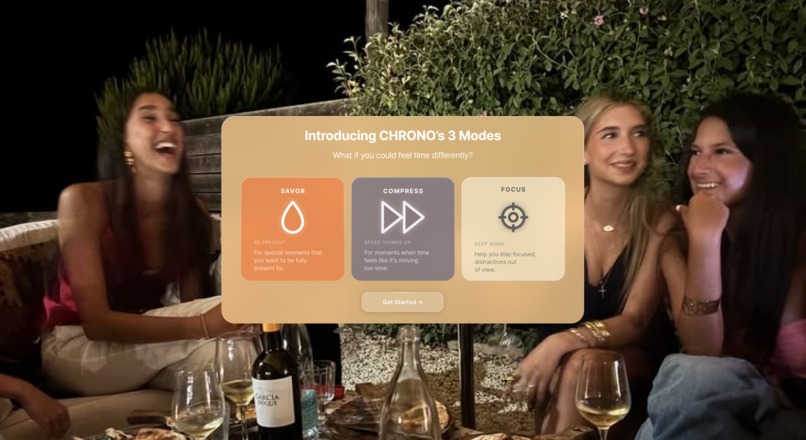
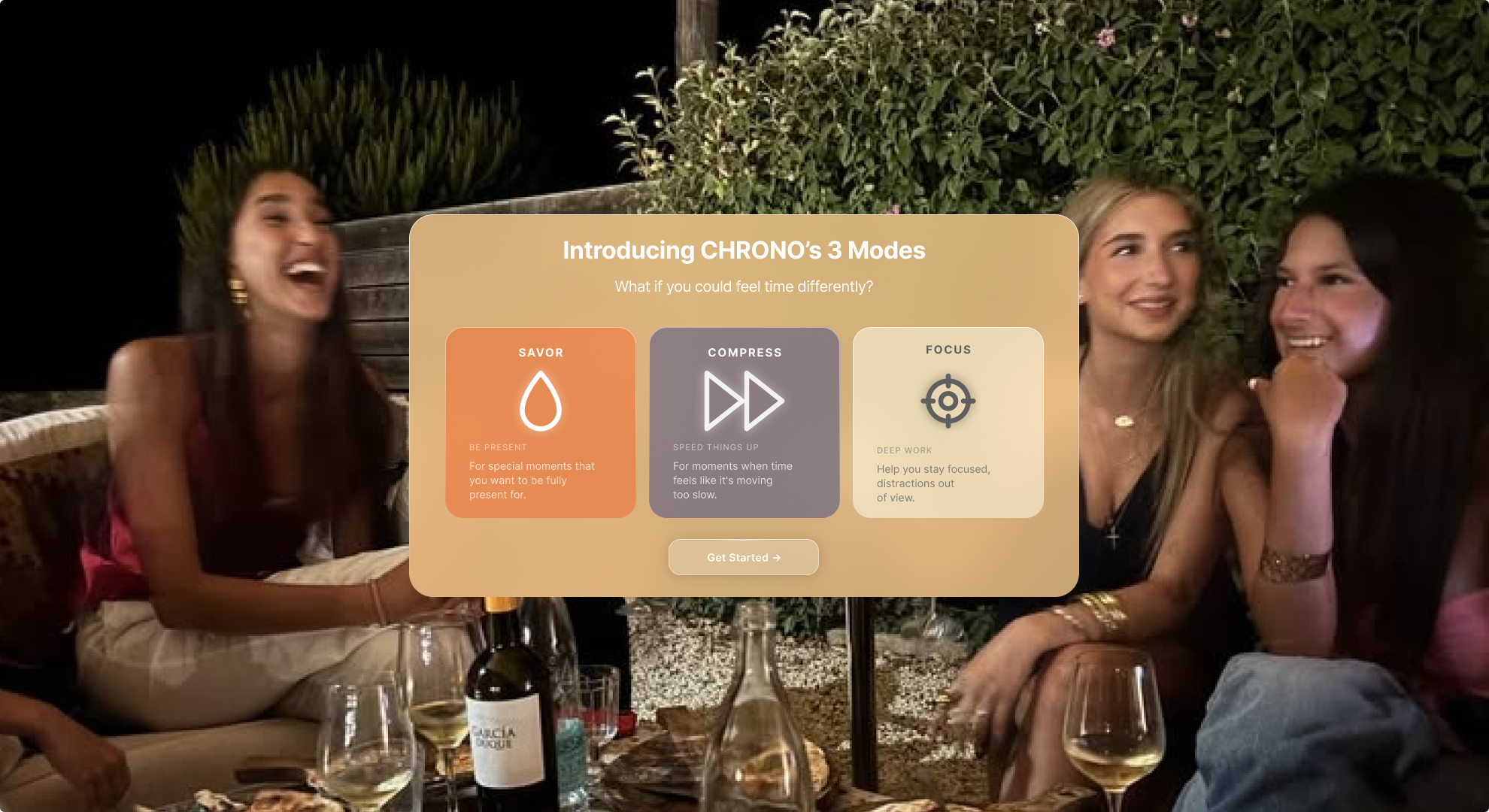
CHRONO 3 Modes
-
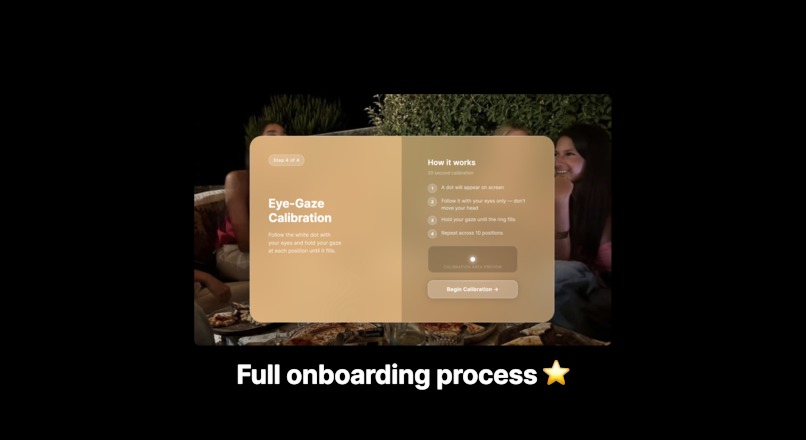
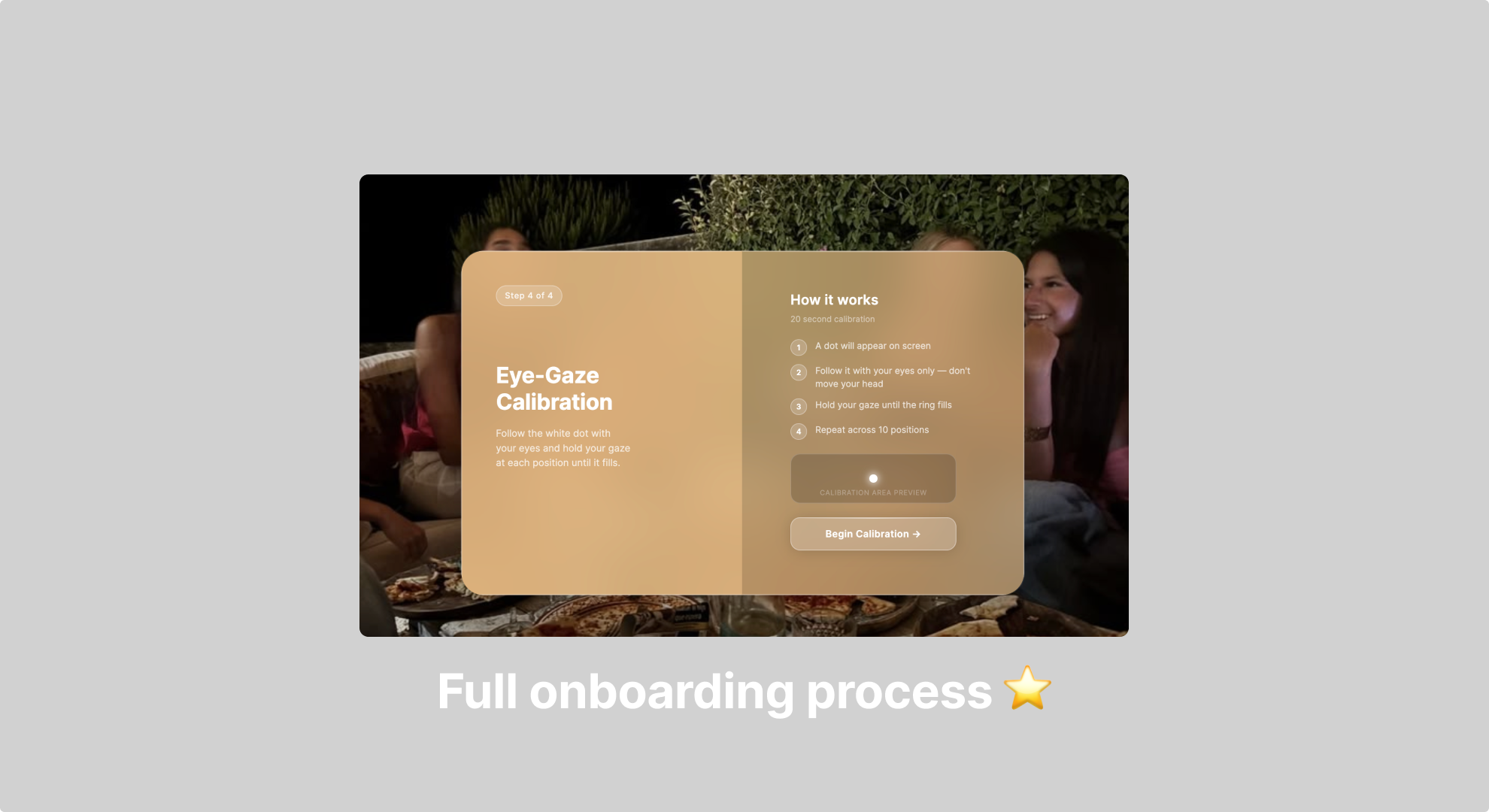
Onboarding Process
-
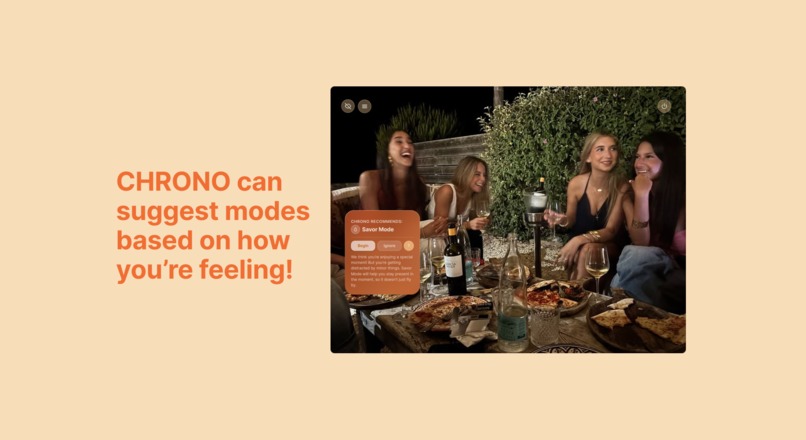
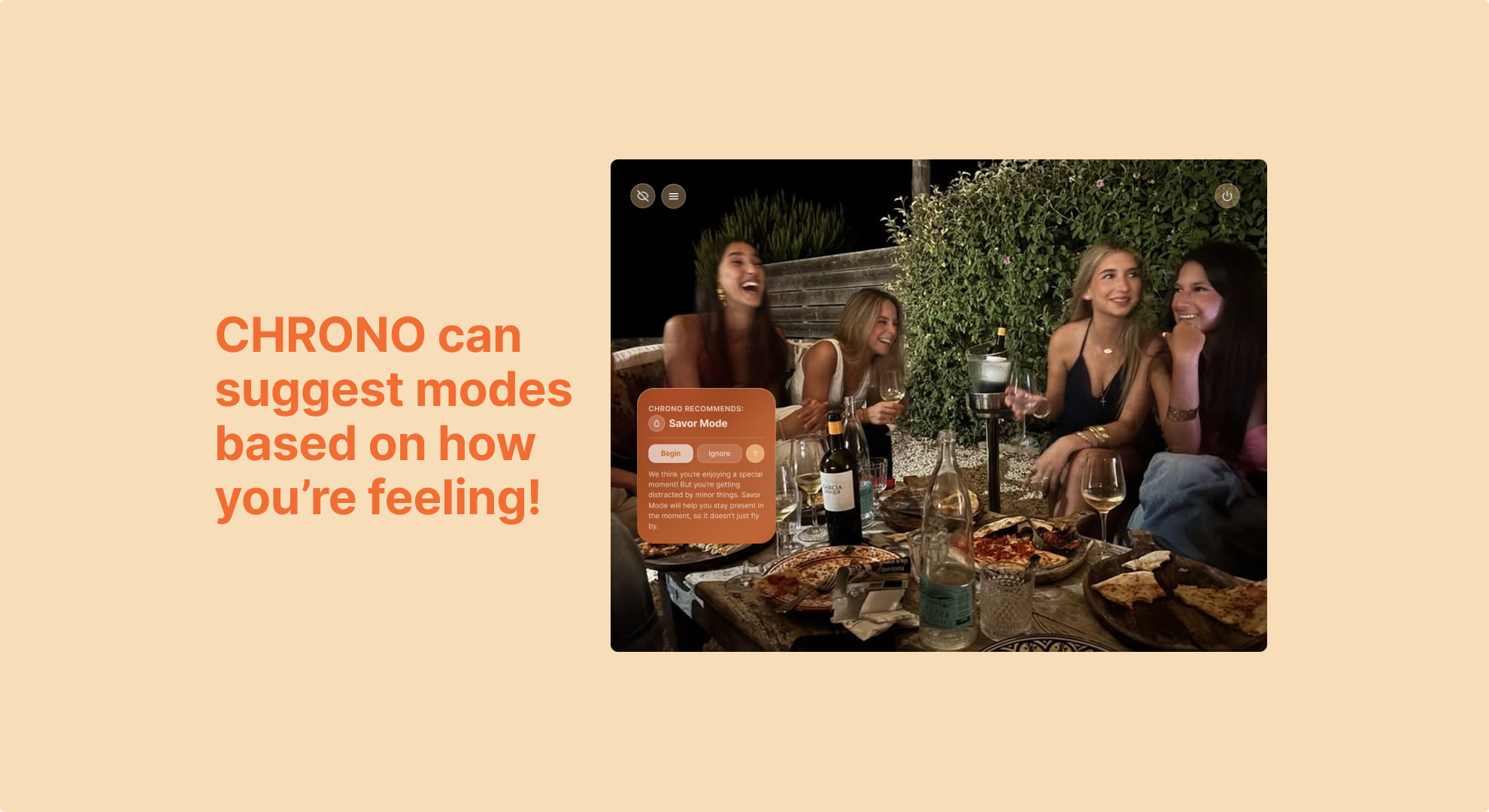
Suggestion of Mode
-
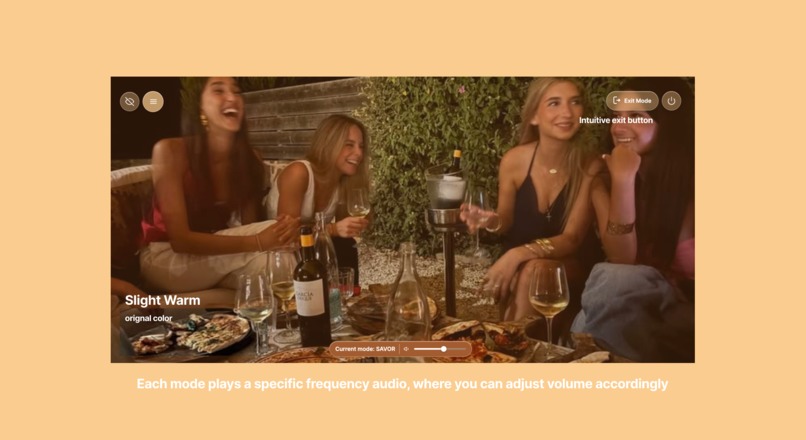
Savor Mode
-
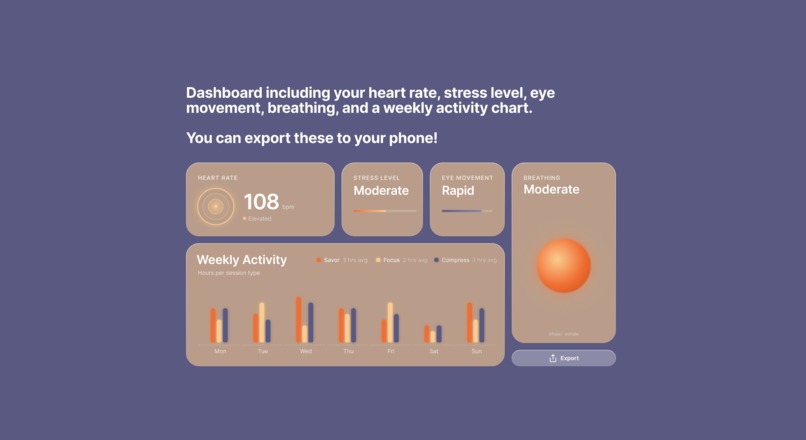
Dashboard View
Inspiration
When discovering the hidden senses, one sense caught our attention: Chronoception. Chronoception is the subjective perception or sense of time, referring to how we experience, interpret, and process the passage of time. Our group asked ourselves, have we had moments where time feels like it's passing by too fast and vice versa. Then we asked, what if we could change that? That's exactly how CHRONO came to life, your new solution to manipulate your sense of time.
What it does
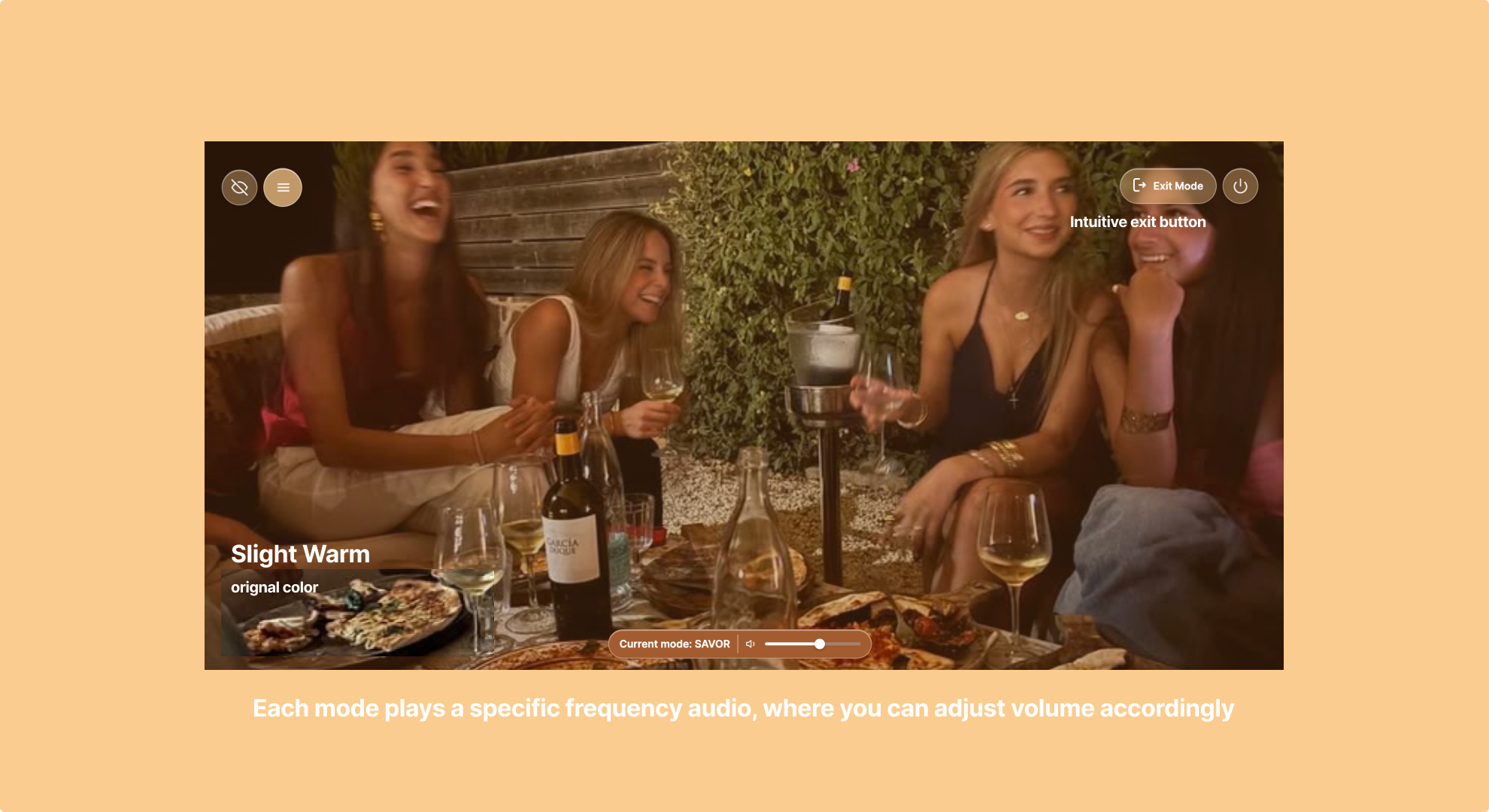
CHRONO is a software built in AR glasses, to interact with buttons and text you stare and click to take action. It has 3 different modes, Savor, Compress, and Focus, which makes time slow down, fly by, and disappear respectively. In each mode, we use scientifically backed visual and audio cues to manipulate time perception. Based on your biometrics, CHRONO will also suggest modes that you may be interested in.
How we built it
After mapping out our information architecture & lo-fi designs. We created our hi-fi using Figma & Figma Make. For prototyping, we wrote a full PRD of every page and interaction, then put respective instructions and frames into Figma Make. This helped the prototyping progress go smoothly with minimal back and forth.
Challenges we ran into
When we first came up with CHRONO, we decided the best way for this idea to come to life was not through an app or website, but to work in AR. That exact moment was also when we encountered our main challenge: How do we design for that? As it was all of our first times exploring such thing, we looked into different examples, and designed our product in a way where there is the necessary information visible enough that it does not majorly impair the user's original visual field.
Accomplishments that we're proud of
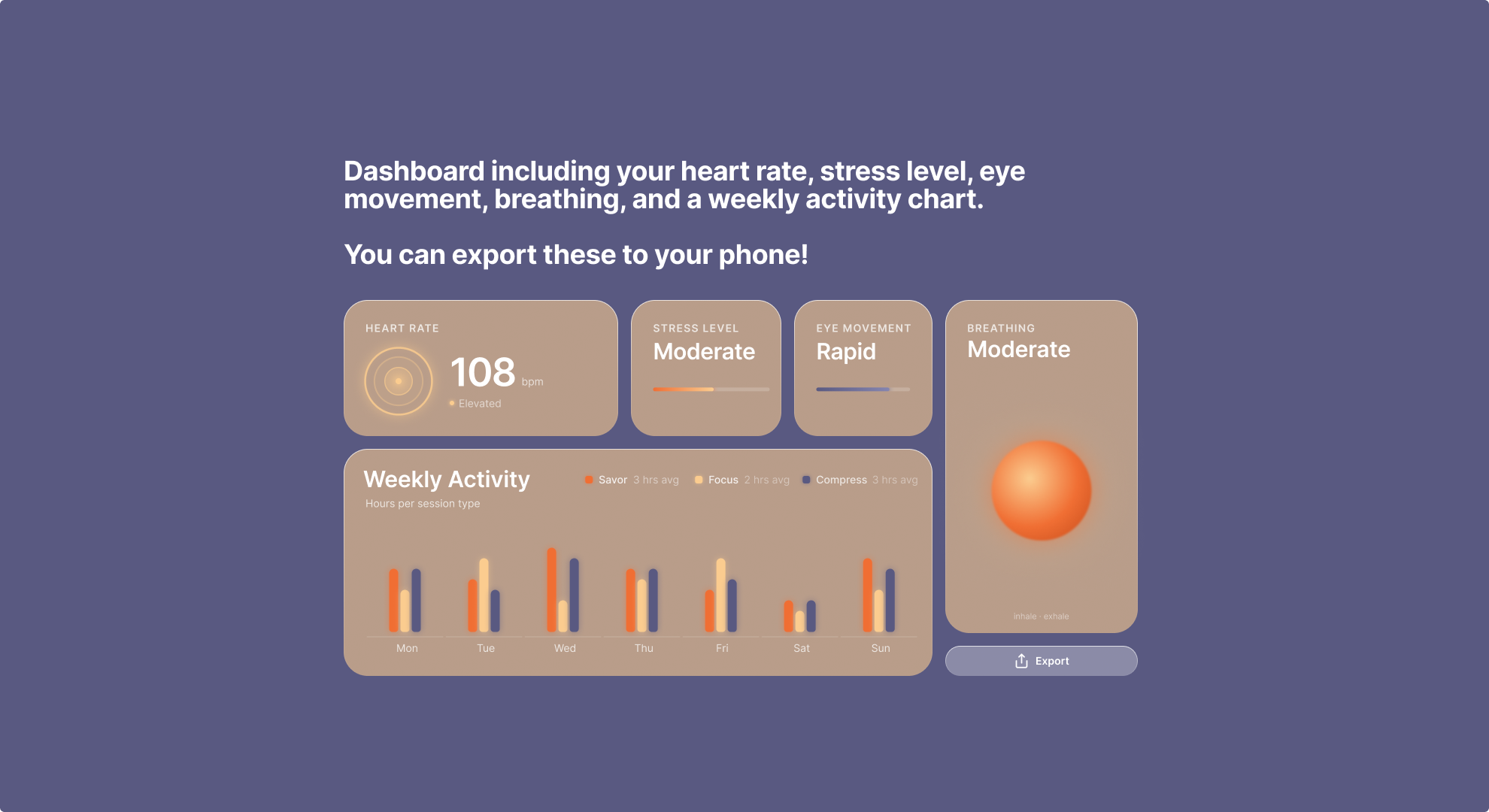
We really like how our design turned out :) In a short amount of time, we were able to design a full onboarding process, 3 mode scenarios, as well as a biometrics dashboard that you can save to your phone as well. Though we were able to take this project fully to AR, we're still really proud of how we managed to tackle and execute this project, designing something that even we would want to use for ourselves.
What we learned
Visual experiences are not easy to design (haha.) There’s definitely still a big learning curve on how AR interfaces should look like. As we were designing, we learnt a lot on how overlays enhance the visual experience, but also had to work while considering visual accessibly and ensuring that the experience does not obstruct the user’s real world view. Through this process, we learnt a lot about effective onboarding for adaptive systems, and managing visual opacity to balance information. We also explored how biometric signals could help detect these states and adapt the experience accordingly. Finally, we learnt A LOT about chronoception, like how people perceive time and how visual and audio cues can influence that.
What's next for CHRONO
Our currently prototype does not include audio, so that's one step. We also want to work more on fleshing out the visuals and audio for each mode to be more natural and effective. In our onboarding, we allow users to select if they require accessibility help like larger text, which we have yet to implement. On the other hand, we want to see how these interfaces work IRL! Possibly testing out with Apple Vision Pros and AR glasses would be exciting.
Built With
- claude
- figma
- figmamake


Log in or sign up for Devpost to join the conversation.