Chrono
Chrono is a tool that reveals the difference between the day you think you had and the day you actually lived.
Time is not just something we measure with clocks — it's something we experience. Two people can experience the exact same 10 minutes completely differently. One person might feel like time is dragging, while another feels like it disappears instantly.
This phenomenon is known as chronosensation, the brain’s internal sense of time. While we track steps, sleep, and heart rate, we rarely track how time actually feels. Chrono explores that invisible layer of human experience.
Inspiration
Have you ever finished a day and wondered:
"Where did all my time go?"
Modern technology constantly competes for our attention. Small interactions — checking Instagram for a few seconds, opening a notification, or scrolling for a minute — feel insignificant in the moment. But over the course of a day, those small moments accumulate and shape how time feels. We realized that while many apps track productivity or activity, almost none help people understand their perception of time. That idea inspired us to build Chrono.
What it does
Chrono helps users understand their sense of time by comparing two perspectives:
Perceived Time: how users remember their day Actual Time: how their attention actually moved throughout it
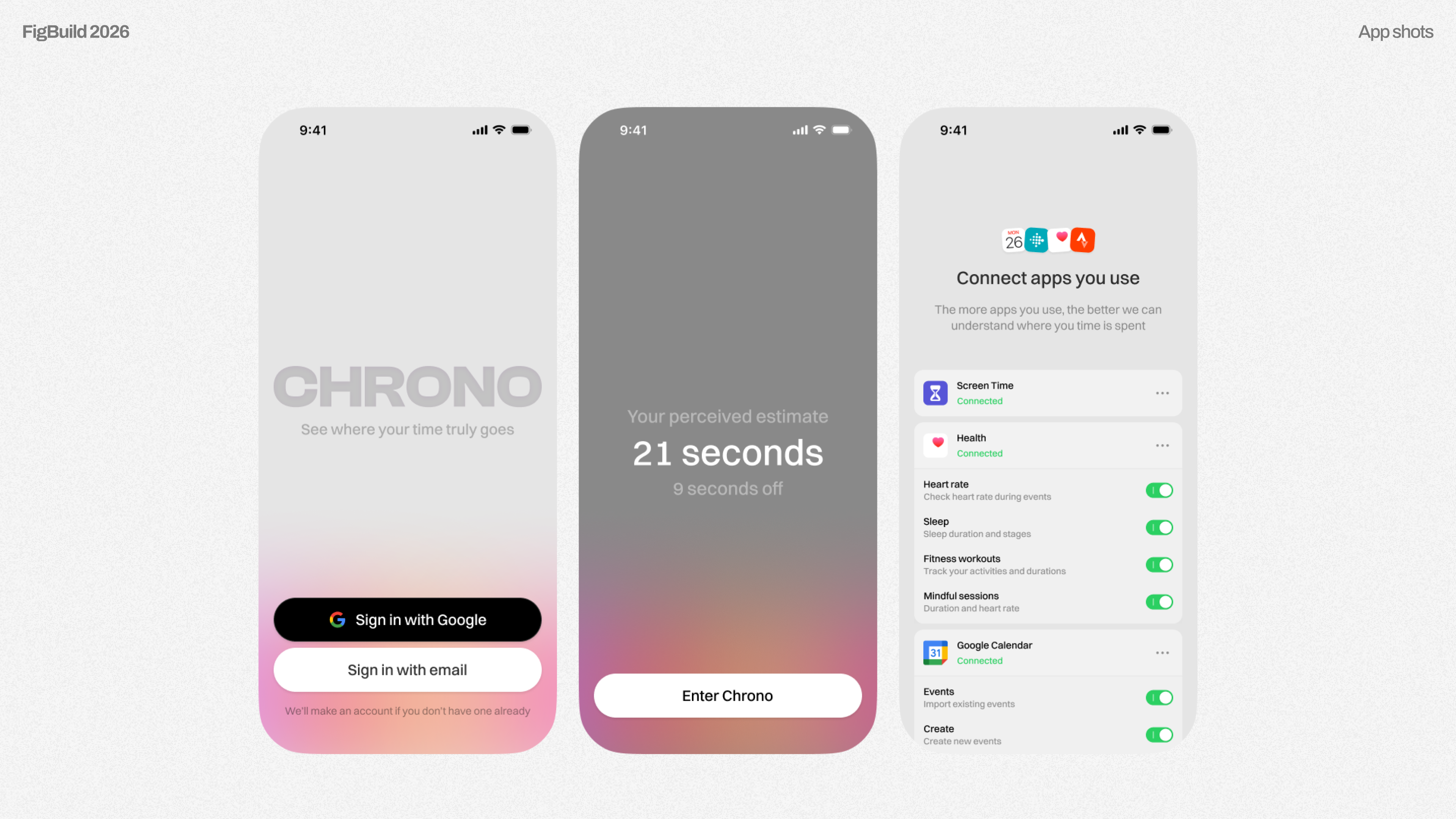
During the day, Chrono quietly collects signals such as:
- screen time
- app usage
- calendar events
- short bursts of phone interaction
The app stays mostly invisible, allowing users to go about their day naturally.
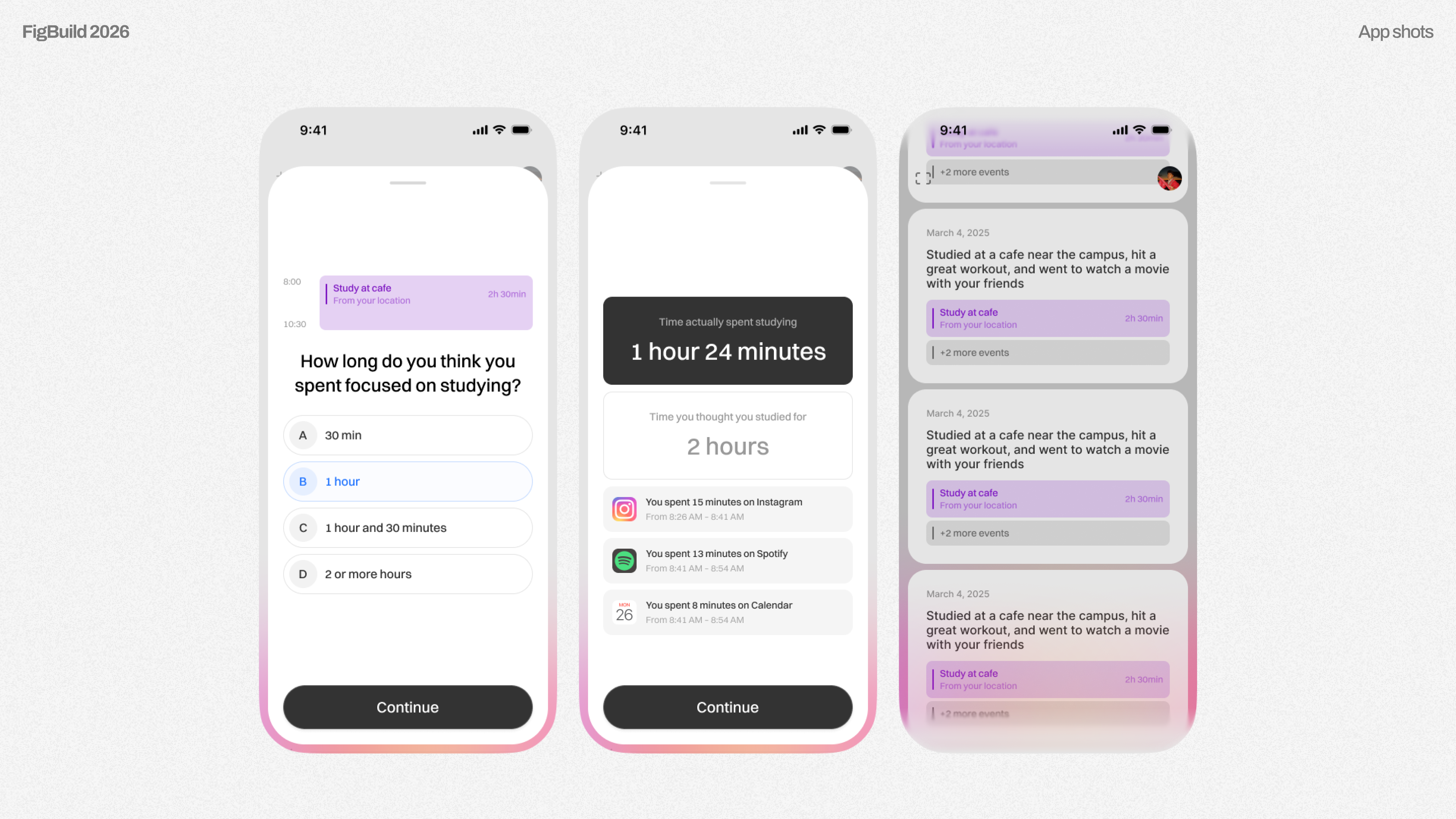
At night, Chrono enters reflection mode. Before revealing any data, the app asks users questions such as:
- How much time do you think you spent on Instagram today?
- When did you feel most focused?
- When did the day move the fastest?
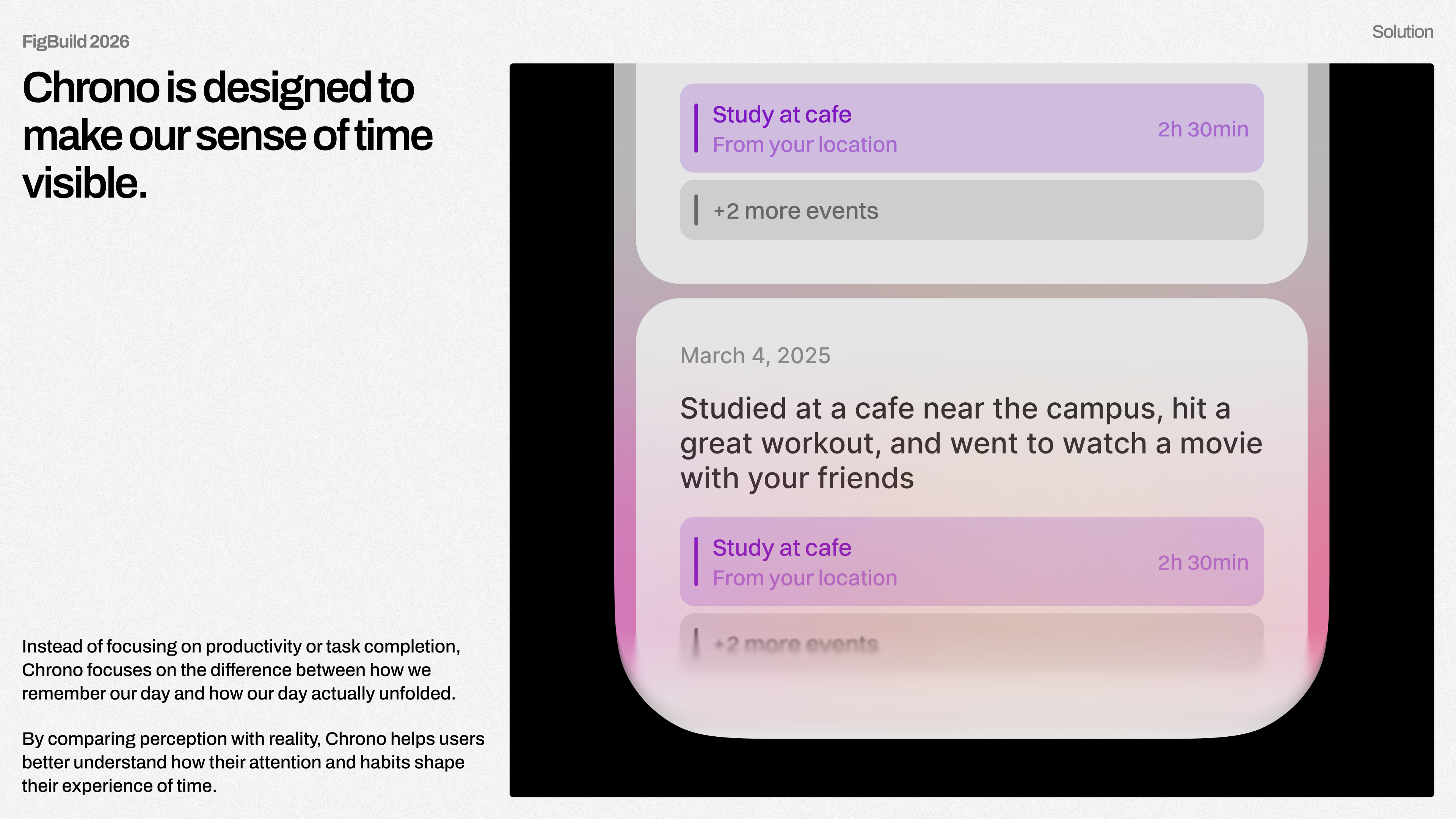
Only after capturing the user’s perception does Chrono reveal the actual timeline of the day, allowing users to compare perception with reality.
How we built it
Chrono was designed and prototyped using:
- Figma Jam: storyboarding, product ideation
- Figma Design: product, brand, ui/ux design
- Figma Make: prototyping, interactive flows
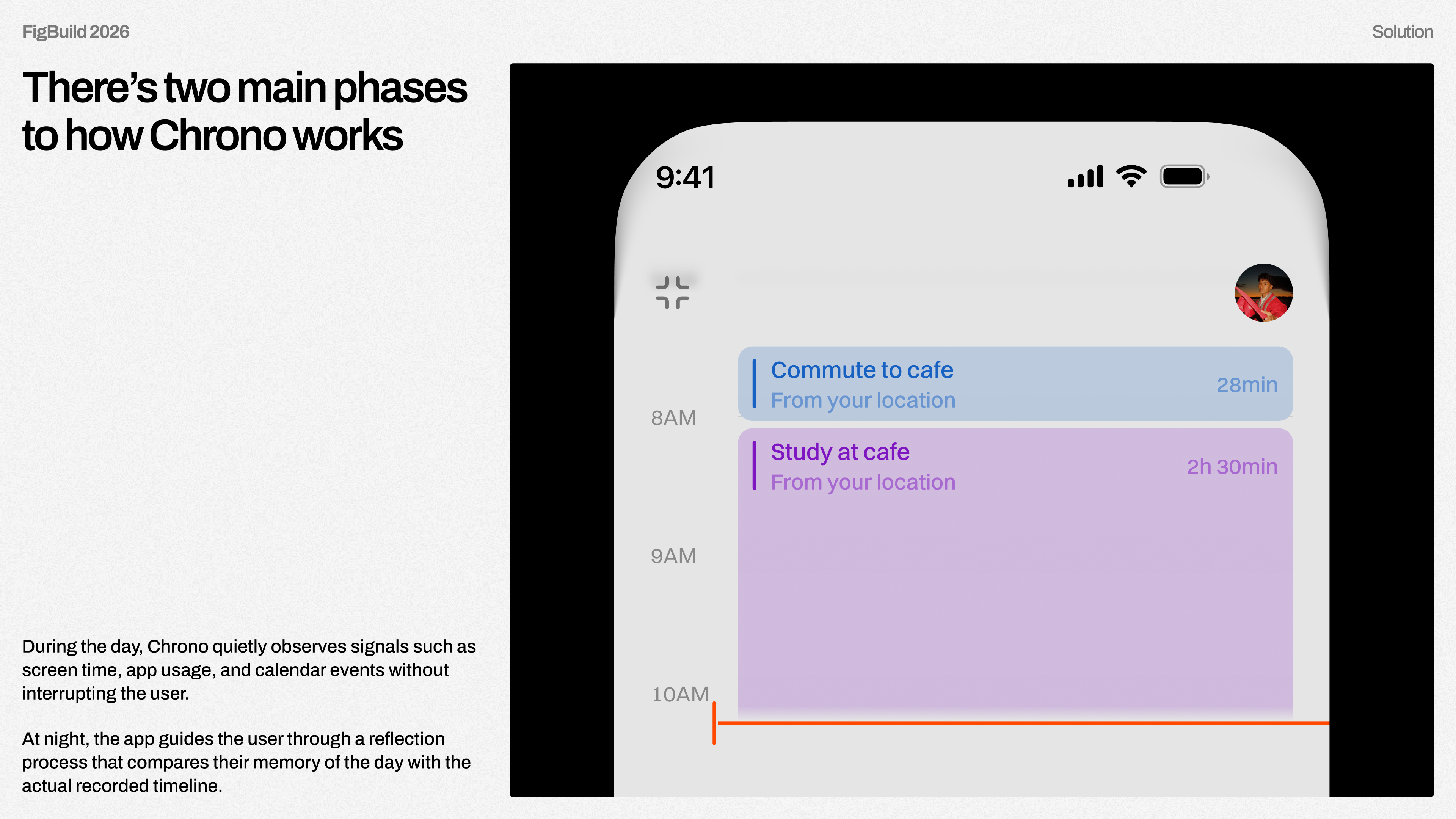
The core interface is an interactive timeline that reconstructs the user’s day using contextual signals such as calendar events and phone interactions. Users can tap into moments throughout the timeline to understand how their attention shifted across the day. The experience was intentionally designed to feel calm, reflective, and insightful, rather than productivity‑focused.
Challenges we ran into
Building Chrono over a single weekend came with a lot of chaos.
We lost an hour to daylight savings during the hackathon. We all had work or class the morning of Monday. Our entire storyboard was accidentally deleted midway through production. And in the middle of all of this, one of our teammates was involved in a car accident on Sunday and had to go to the hospital, but still continued contributing to the project afterward. We also had to quickly learn and experiment with Figma Make while designing and prototyping the app.
Despite all of this, we managed to design, prototype, and produce the entire project within a single weekend.
What we learned
This project taught us a lot about designing for invisible experiences.
Chrono isn't about optimizing productivity, it's about helping people understand how they experience their time. We learned that even simple reflection prompts, when paired with contextual data, can reveal powerful insights about attention and distraction. We also learned how important storytelling is when presenting speculative design ideas. Because Chrono explores a new way of thinking about time perception, communicating the concept clearly through visuals and narrative was just as important as building the prototype itself.
Most importantly, this weekend reminded us how powerful it can be when a small team comes together with a strange idea and a tight deadline. Sometimes the best projects come from a little chaos. 🚀
Built With
- figma


Log in or sign up for Devpost to join the conversation.