ChronicCare Companion — Our Story
The AI that actually knows you.
Not just your diagnosis — your medications, your daily patterns, your target ranges, and your history. It checks in with you every day, understands when your numbers are off, and talks to you like a knowledgeable friend who never forgets a detail. Because managing a chronic condition is a full-time job, and you shouldn't have to do it alone.
Inspiration
This one is personal.
I have anxiety. Not the kind people casually mention — the kind that sits with you every day, quietly affecting how you sleep, how you eat, how you feel in your own body. For a long time, I didn't fully understand what was happening to me. So I started doing the only thing that made me feel in control: I opened a notepad and started writing things down.
Every day I'd jot down how I was feeling, what I ate, whether I slept well, whether something felt off. Over weeks, I started seeing patterns I never noticed before. "Every time I skip breakfast, the anxiety spikes by afternoon." "Three bad nights of sleep in a row always leads to a rough week." Small observations, but they changed how I managed my own health.
Then it hit me — millions of people with chronic conditions like diabetes and hypertension are doing the exact same thing. Scribbling numbers in notebooks. Trying to connect the dots between their glucose readings, their medications, and how they feel. Doing it alone, between doctor appointments, without any real guidance.
That notepad became the blueprint for ChronicCare Companion.
What We Learned
The biggest thing we learned: people don't need more health information — they need someone to make sense of their information.
We also learned that when it comes to health, tone matters as much as accuracy. A response that's technically correct but cold or alarming can do more harm than good. Every message the AI sends had to feel like it came from a calm, knowledgeable friend — not a clinical report.
On the technical side, we learned that the real magic isn't just the chat — it's the trend detection. A single glucose reading of $180 \text{ mg/dL}$ doesn't tell you much. But when you look at a week of readings and the numbers are quietly climbing every day, that's a story worth catching early. We built a simple math engine that spots these patterns automatically:
$$\hat{\beta} = \frac{\sum(t_i - \bar{t})(x_i - \bar{x})}{\sum(t_i - \bar{t})^2}$$
In plain terms: it checks whether your numbers are trending up or down over time, and flags it before it becomes a problem.
How We Built It
ChronicCare Companion runs entirely in the browser — no backend, no server, no data leaving your device.
The Wellness Score combines four things — medication adherence, glucose readings in range, blood pressure safety, and symptom severity — into a single number from 0 to 100. It updates every time you log something new.
The Trend Engine runs quietly in the background, looking at your last 7 days of data. If it spots something worth flagging, it surfaces a plain-language insight card. Not "your β coefficient is 6.2" — something like "Your fasting glucose has been rising steadily this week. Worth keeping an eye on."
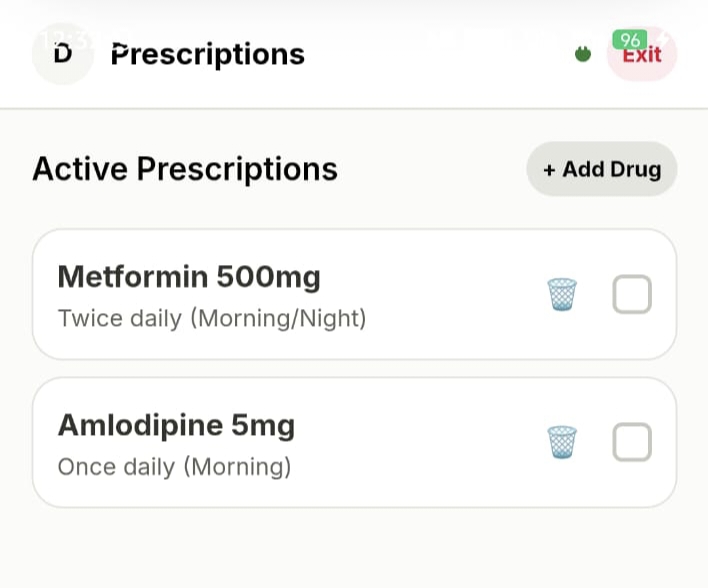
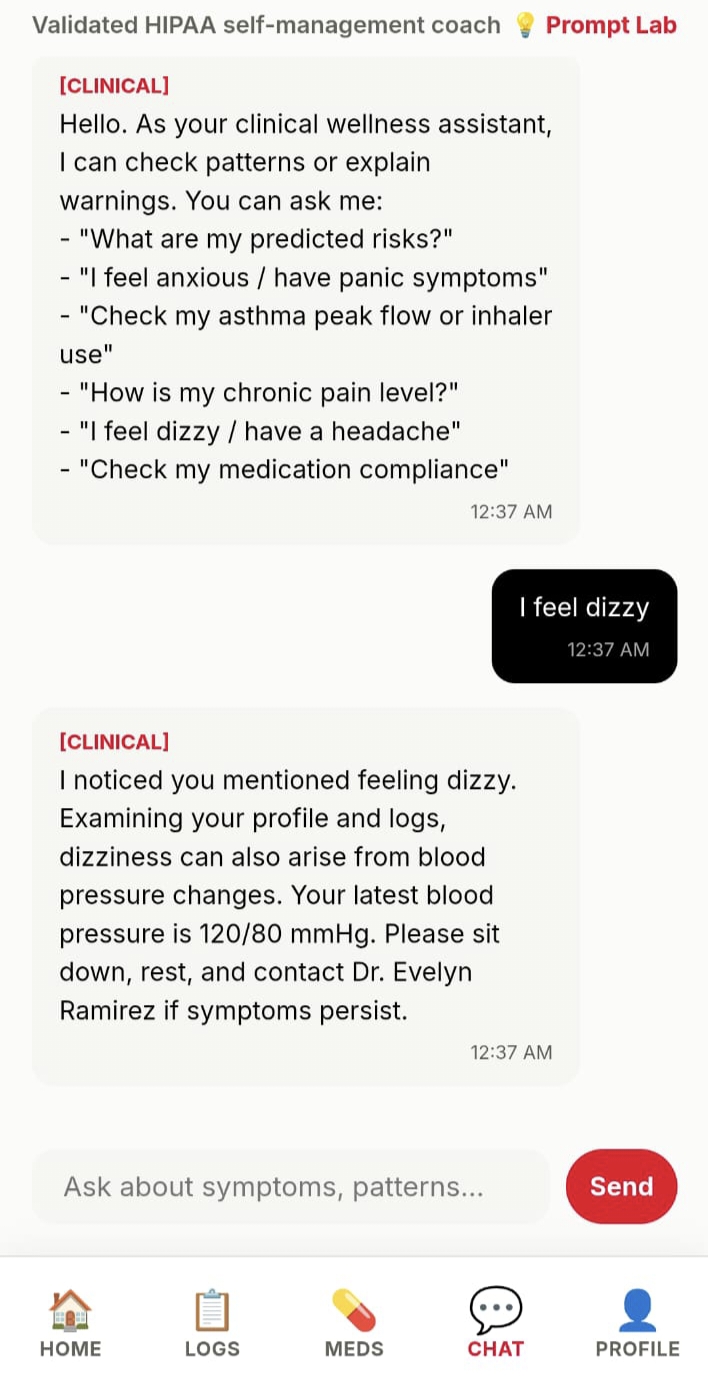
The AI knows your name, your medications, your targets, and your history before you even say hello. Every response is tailored to you specifically, not to a generic patient profile.
The calendar always shows the real current date — no hardcoded values anywhere.
Challenges We Faced
Knowing when to speak up — and when not to
The hardest design problem was deciding what the AI should and shouldn't say. Too cautious and it's useless. Too confident and it's dangerous. We solved this by building a strict intent classifier that puts every message into one of four buckets — general info, reading question, symptom concern, or urgent — and responds differently for each. Urgent messages trigger an immediate escalation, no exceptions.
Making the data feel human
Trend analysis sounds impressive on paper but means nothing if the output is confusing. We spent a lot of time turning math into plain sentences that a non-technical person would actually find helpful, not stressful.
Privacy without a backend
All your health data stays on your own device, stored locally. That's a real privacy win. The tradeoff is that the AI has no memory between sessions — so we solve it by loading your profile and recent logs into every conversation automatically, keeping it personal without touching a server.
Designing for people who are already stressed
Someone opening a health app after a bad glucose reading is not in a calm headspace. Every color choice, every alert, every word of AI copy had to be designed to reduce anxiety, not add to it. Amber warnings instead of red. Short responses by default. Always ending on an encouraging note.
What's Next
- Wearable integration — CGM, Apple Health, Google Fit
- Hindi and regional language support
- Doctor-friendly 30-day trend export as PDF
- Daily check-in reminders via PWA notifications
- Expanding beyond diabetes to hypertension, PCOS, and thyroid conditions
Built by someone who knows what it feels like to manage your health one notebook entry at a time — and believed there had to be a better way.
How We Built It
ChronicCare Companion is a fully client-side web application — no backend, no database, no server costs. Just a browser, the Anthropic Claude API, and thoughtful engineering.
Architecture
chronicare/
├── index.html          # Single-page app shell
├── style.css           # Design system & animations
├── js/
│   ├── main.js         # App logic, chat, calendar, state
│   └── analytics.js    # Wellness score & trend engine
├── README.md
└── pitch.md
The Wellness Score
The composite wellness score $W$ is calculated as a weighted average across four health dimensions:
$$W = w_1 \cdot A_{\text{med}} + w_2 \cdot C_{\text{glucose}} + w_3 \cdot C_{\text{bp}} + w_4 \cdot S_{\text{symptom}}$$
Where:
- $A_{\text{med}}$ = medication adherence rate over 7 days $\in [0, 1]$
- $C_{\text{glucose}}$ = fraction of glucose readings within target range $\in [0, 1]$
- $C_{\text{bp}}$ = fraction of BP readings within safe range $\in [0, 1]$
- $S_{\text{symptom}}$ = inverse symptom severity score $\in [0, 1]$
- Weights: $w_1 = 0.30,\ w_2 = 0.35,\ w_3 = 0.25,\ w_4 = 0.10$
The final score is scaled to $[0, 100]$ and rendered as an animated SVG radial gauge.
The Trend Engine
For each health metric, we run a simple ordinary least squares regression over the last $n$ days:
$$\hat{\beta} = \frac{\sum_{i=1}^{n}(t_i - \bar{t})(x_i - \bar{x})}{\sum_{i=1}^{n}(t_i - \bar{t})^2}$$
If $|\hat{\beta}|$ exceeds a clinical threshold (e.g. $> 5 \text{ mg/dL/day}$ for glucose), the system fires a proactive insight card — before the patient even asks.
The AI Layer
Each conversation message is enriched with live user context before being sent to Claude:
- Current wellness score
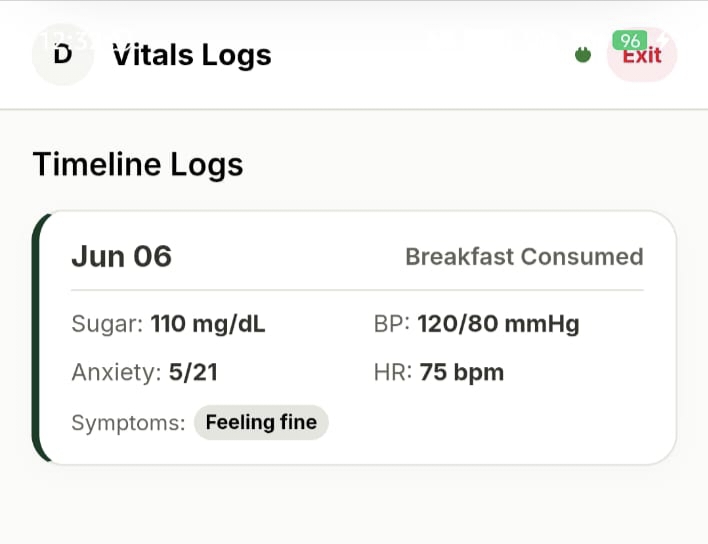
- Today's check-in readings
- Active trend warnings
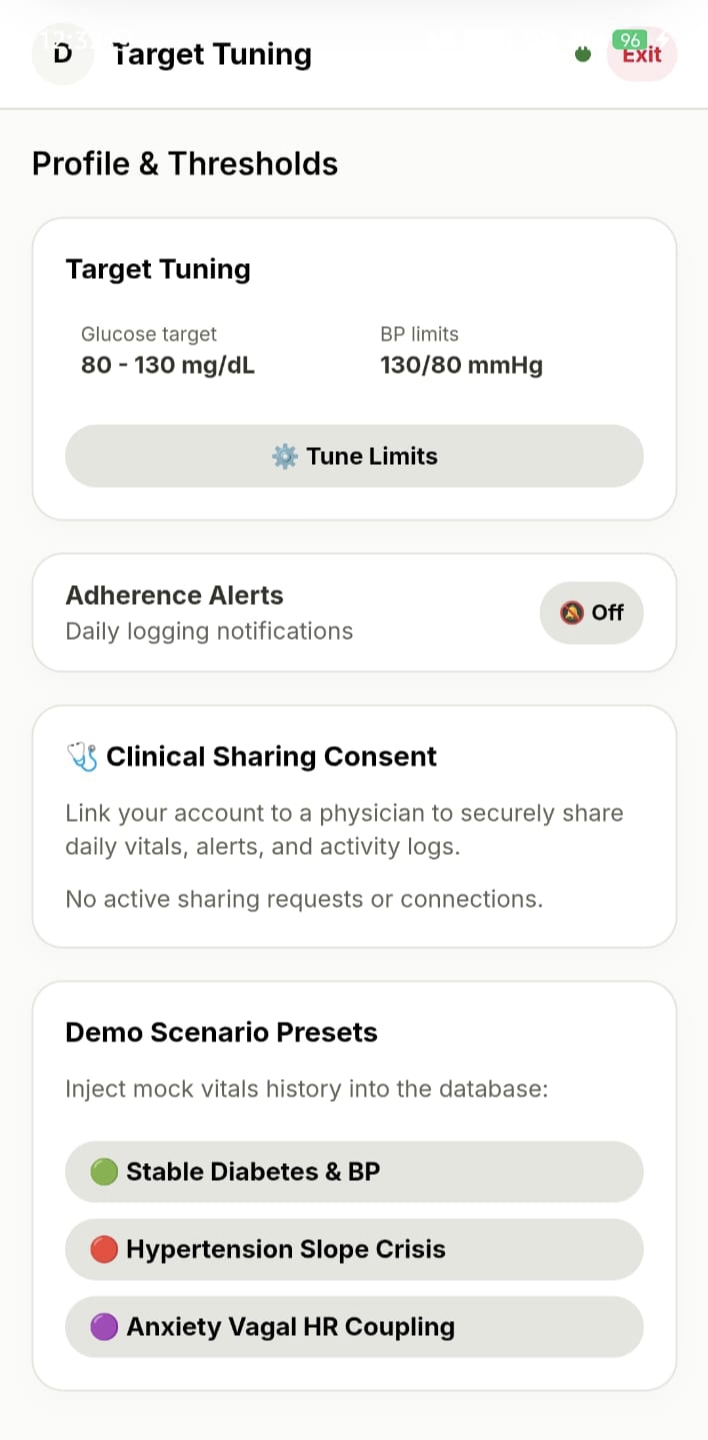
- Full medication list and targets
This means the AI always responds relative to this patient, today — not a generic diabetic persona.
Dynamic Dates
All calendar and date logic uses native JavaScript Date objects relative to new Date(), so the 14-day log grid always reflects the actual current date — no hardcoded values anywhere in the codebase.
Challenges We Faced
1. Drawing the line between helpful and dangerous
Healthcare AI has a razor-thin margin for error. We had to be genuinely useful — not just a disclaimer machine — while never crossing into diagnosis or prescription territory. We solved this with a strict 4-class intent classifier built into the system prompt ([INFO], [READING], [SYMPTOM], [URGENT]), with escalation logic that fires immediately on any red-flag keyword regardless of context.
2. Making math feel human
Linear regression is powerful, but "your $\hat{\beta} = 6.2$" means nothing to a patient. The hardest engineering challenge was translating statistical signals into plain, calm, actionable language. We wrote a dedicated narrative layer in analytics.js that converts every trend output into a sentence a non-technical person would actually understand.
3. Personalization without a backend
Storing sensitive health data client-side (localStorage) is a deliberate tradeoff — it means zero data leaves the device, which is a privacy win. But it also means the AI has no persistent memory between sessions. We solved this by serializing the user profile and last 14 days of logs into the system prompt context on every request, keeping full personalization alive without a server.
4. Designing for anxiety
People checking a health app are often already stressed. Every visual and copy decision — color choices, alert language, tone of AI responses — had to reduce anxiety, not amplify it. We chose clinical amber over stark red for warnings, kept AI responses under 150 words by default, and always ended non-urgent replies with an encouraging sentence.
What's Next
- Integration with wearables (CGM, Apple Health, Google Fit)
- Hindi and regional language support for India-first rollout
- Doctor-facing summary export (PDF of 30-day trends)
- Push notification check-ins via PWA
- Condition expansion beyond diabetes — hypertension, PCOS, thyroid
Built with care, caffeine, and the conviction that everyone deserves a health companion that actually knows them.
Built With
- gradle
- javascript
- kotlin


Log in or sign up for Devpost to join the conversation.