-
-
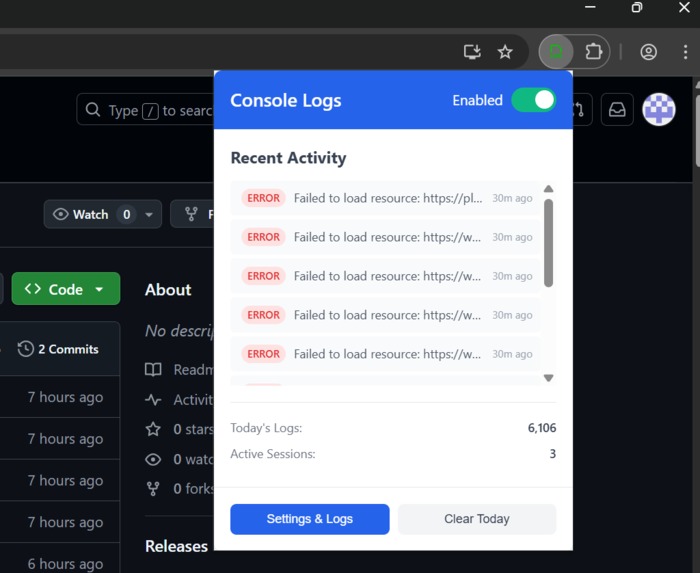
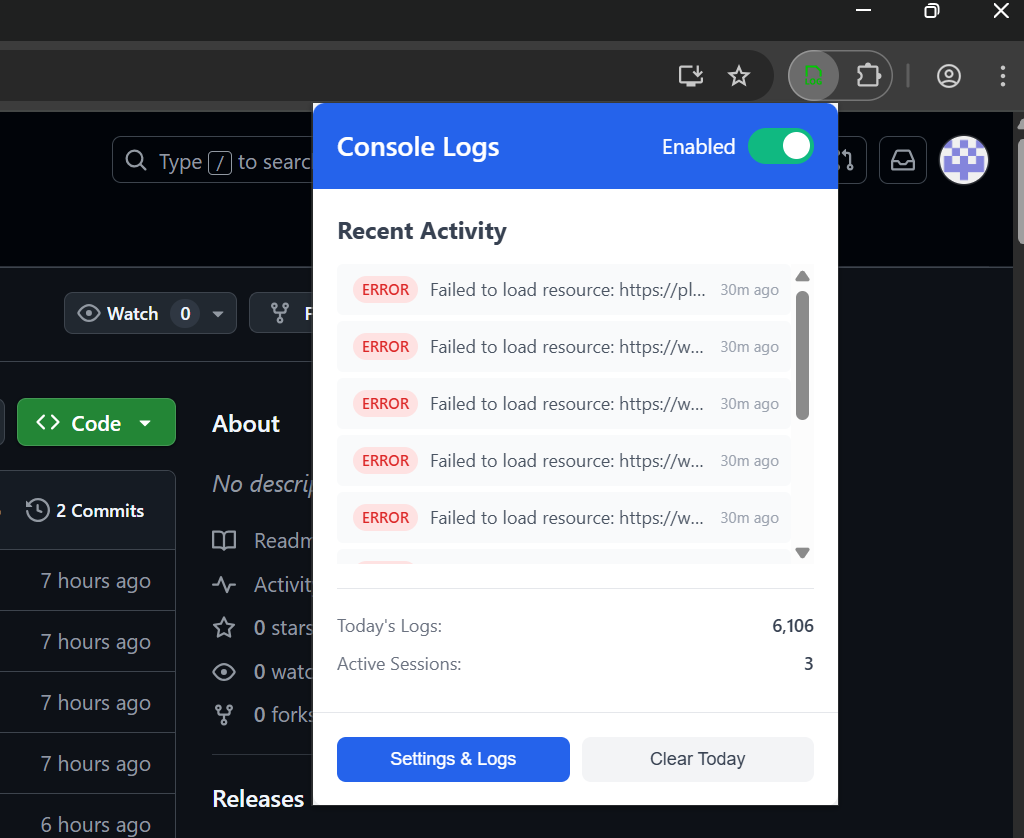
Browser pop-up
-
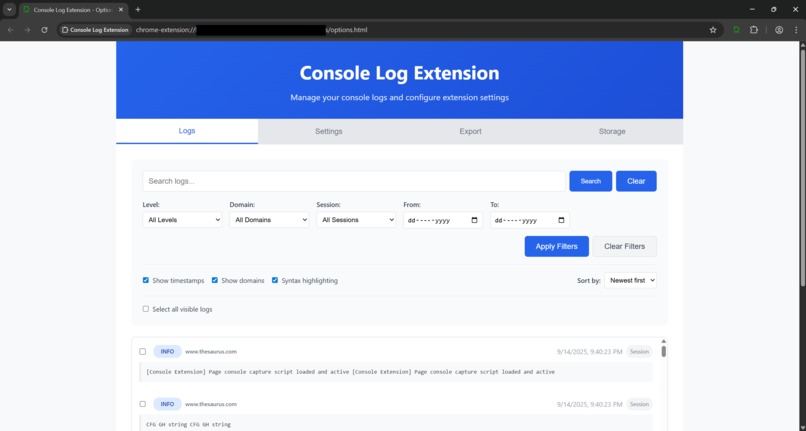
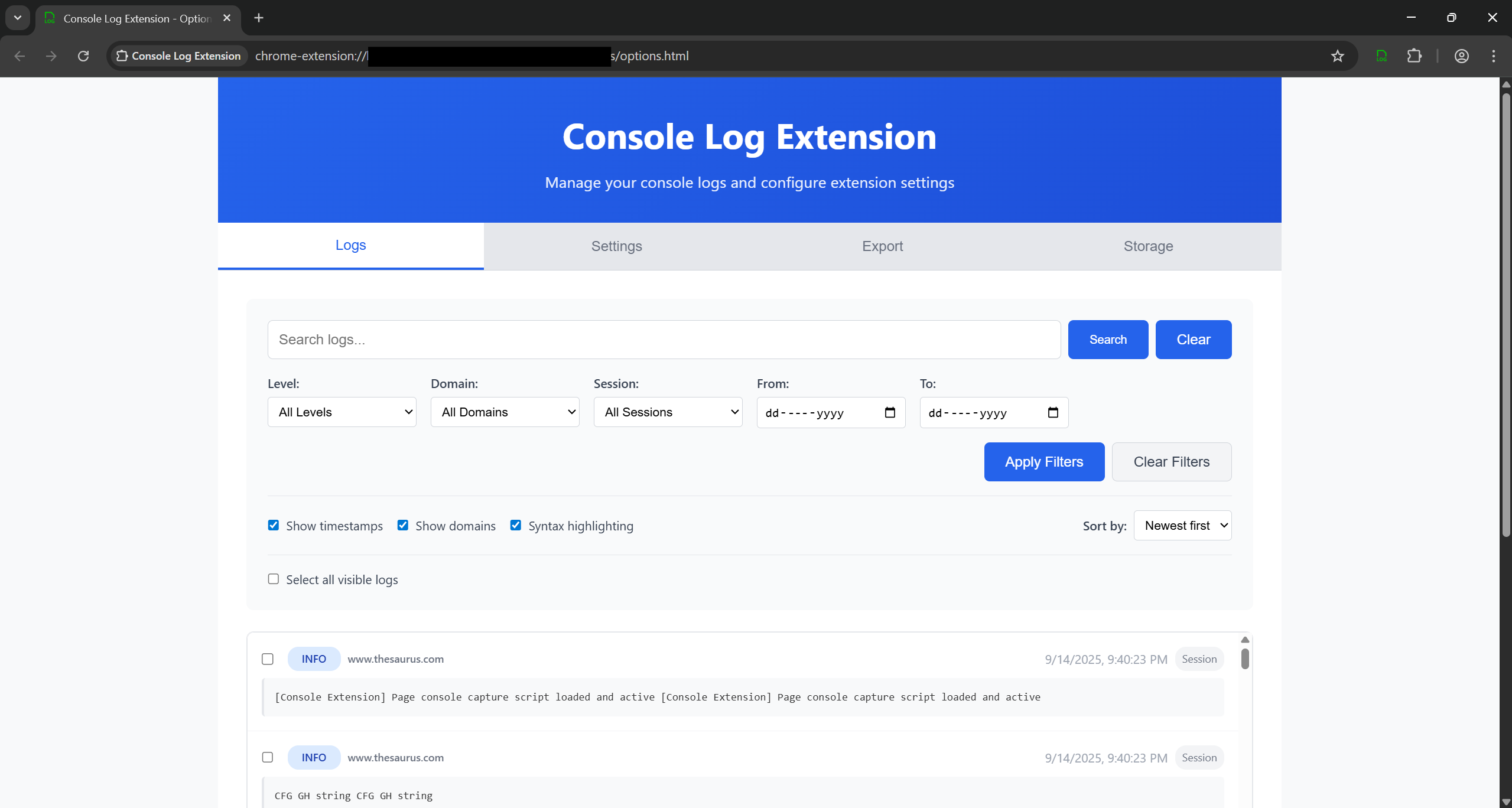
Log page vew
-
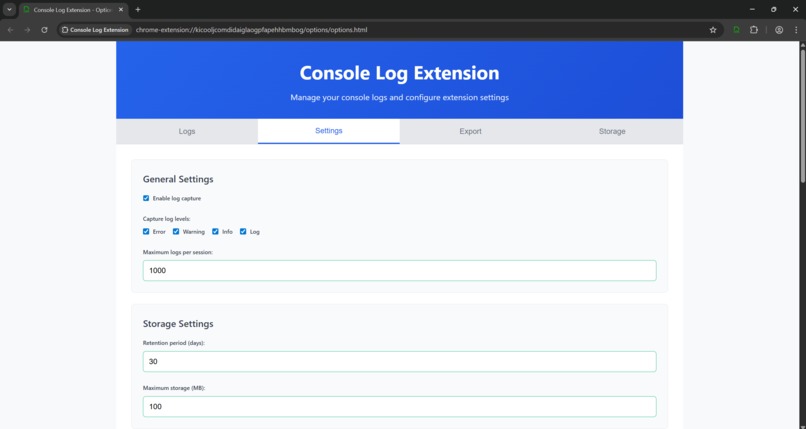
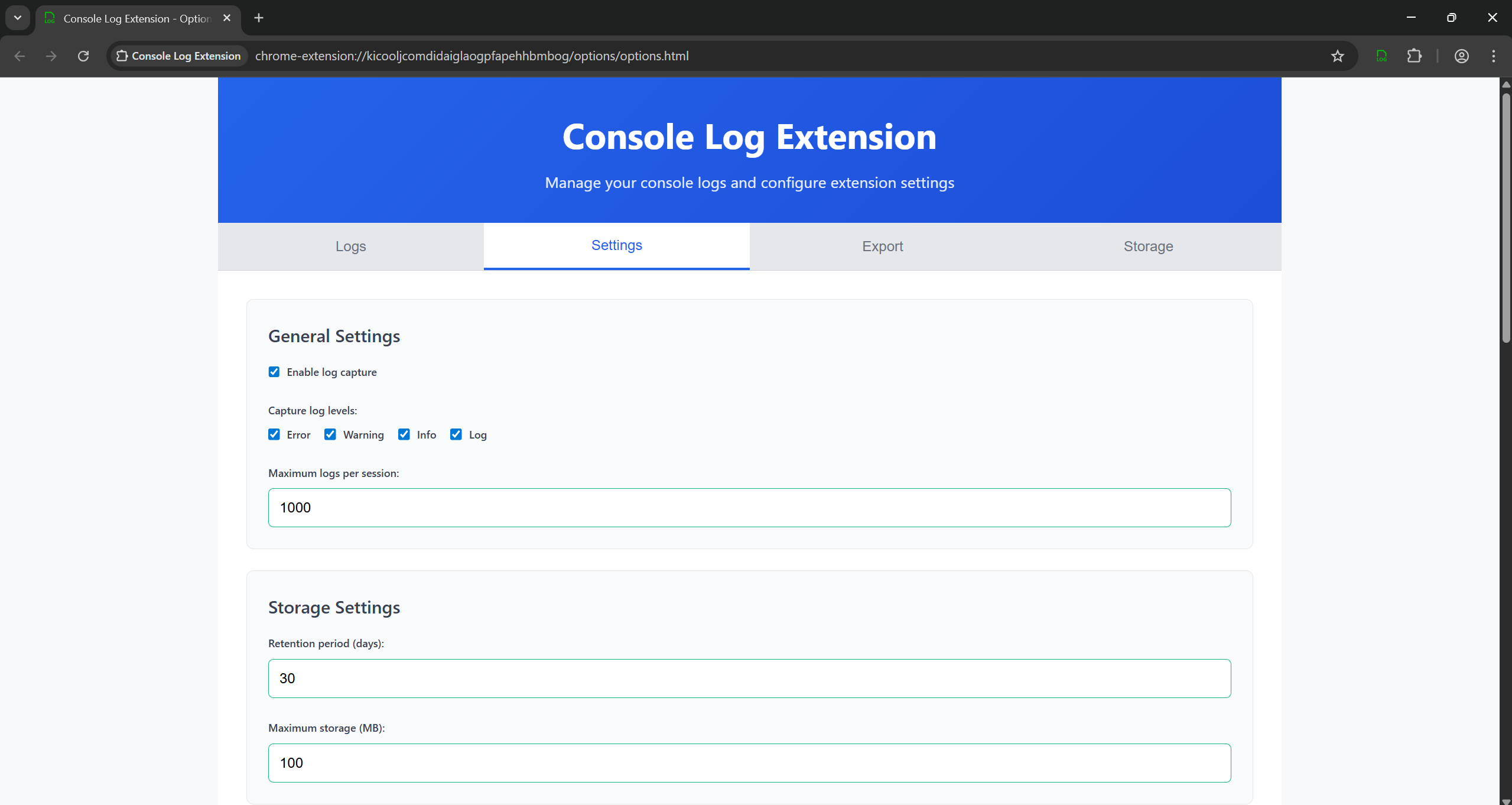
Extension settings and configuration
-
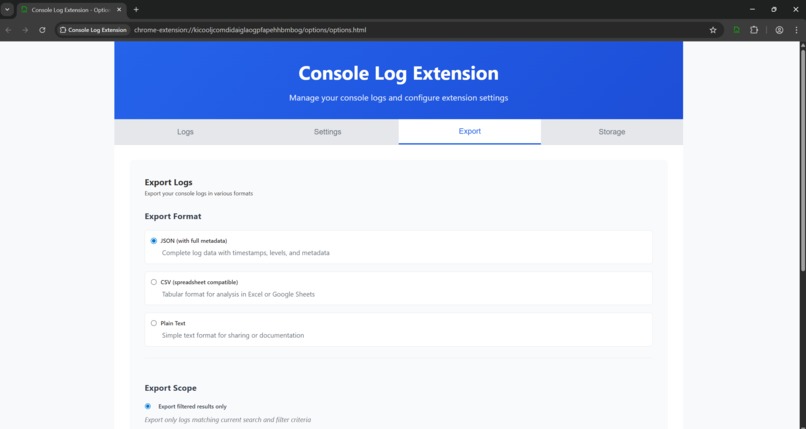
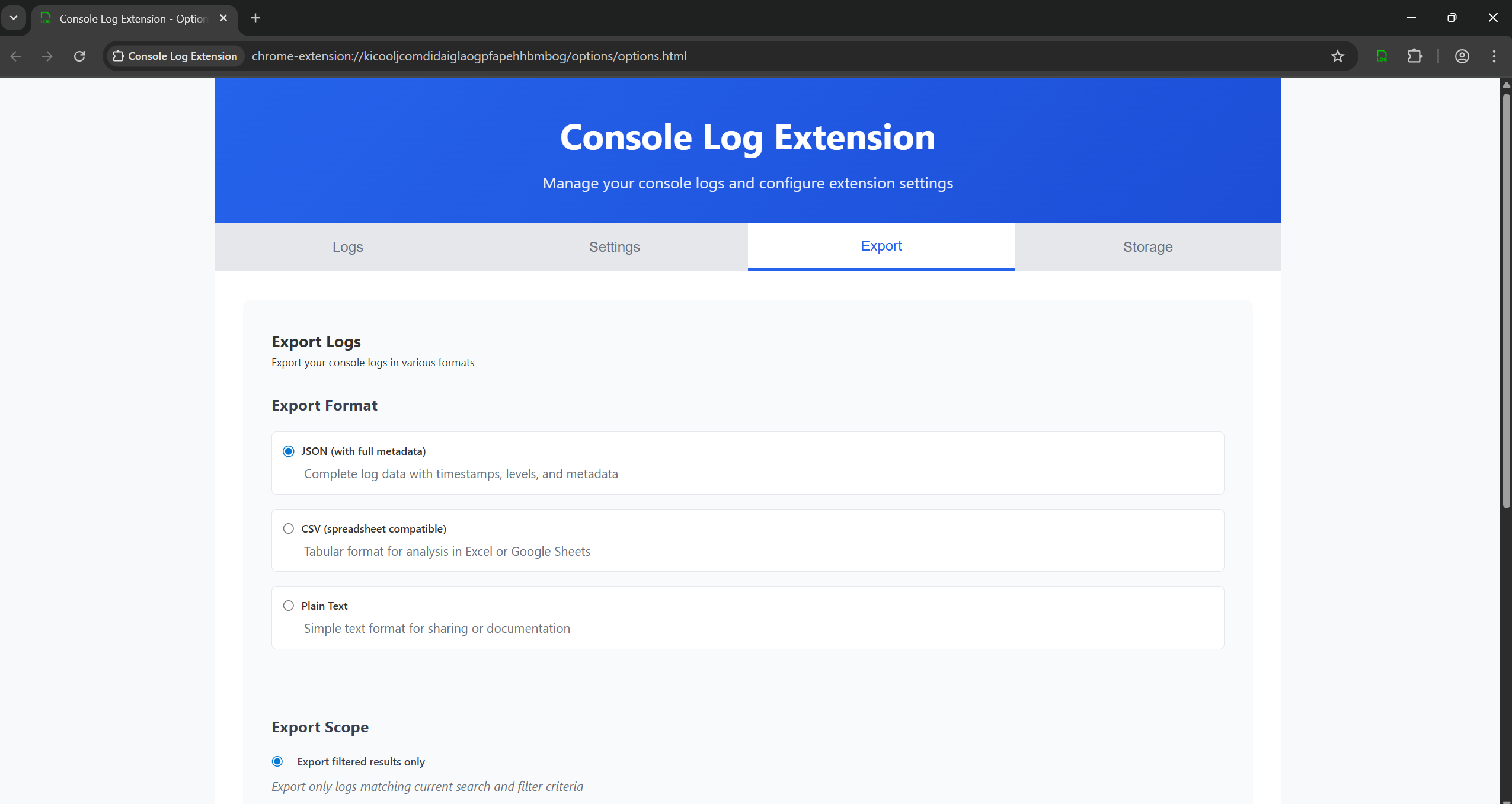
Export console logs
-
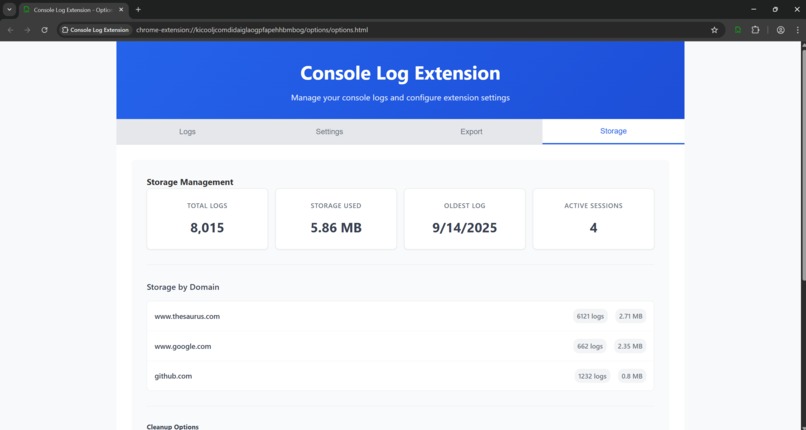
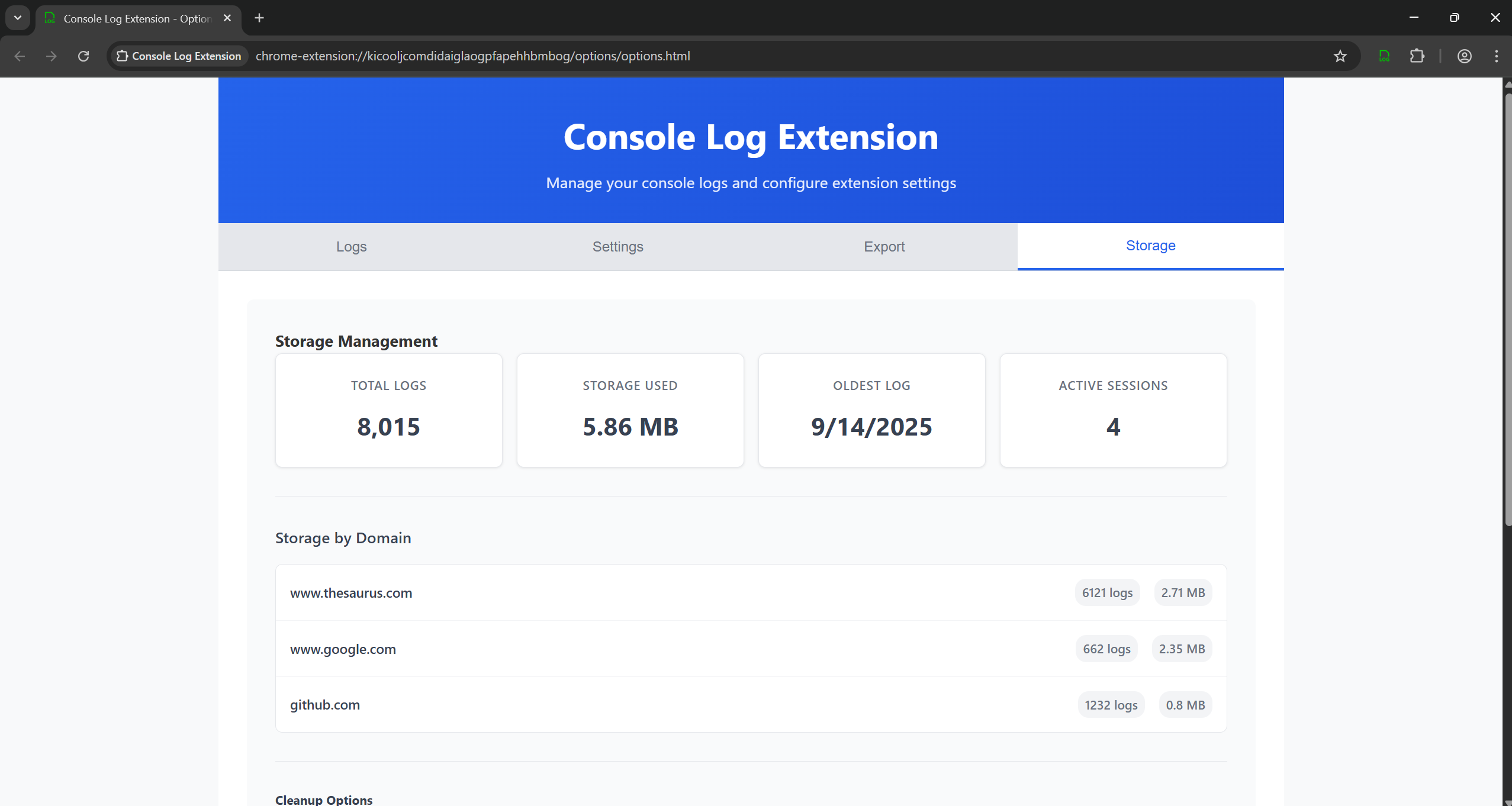
Storage information and management
From Frustration to Innovation: The Birth of Console Log Manager Extension
It all started with a late-night debugging session that felt like wrestling a ghost. I was knee-deep in a React app I'd been building for weeks, a sleek e-commerce dashboard for a side hustle. The console was my best friend and worst enemy: logs flying by like confetti in a storm, console.errors mocking me from the shadows, and just when I'd spot that one golden console.log that cracked the case, poof, refresh the page, and it was gone forever. I'd copy-paste into Notepad, switch tabs a dozen times, and by morning, my "notes" were a chaotic mess of half-remembered timestamps and garbled stack traces. "There has to be a better way," I muttered to my screen, for the umpteenth time. That frustration? It was the spark. I wanted, not needed, wanted, a tool that turned console chaos into a superpower. A place where logs lived on, organized, searchable, like a personal debugging vault. That's how the Console Log Extension was born: my quest for a "superb solution" to wrangle the wild world of web app logs.
What I learned first and foremost was the raw power of turning pain into purpose. Debugging isn't just fixing code; it's about reclaiming your sanity in a sea of ephemeral data. But more than that, I discovered how ripe the market was for something truly comprehensive. I dove into research, scouring the Chrome Web Store and developer forums, and uncovered a landscape of half-measures. Tools like Capture.dev were great for quick shares but lacked the depth for solo warriors like me, no persistent storage, no smart filtering. Console Ninja? A VS Code gem, but who wants to tether browser logs to an IDE every time? Extension Log offered basic exports, yet it was clunky, with zero search or organization. The built-in Chrome DevTools? A one-and-done save button that left me exporting the same junk session after session. None nailed the trifecta: capture, organize, persist. That gap screamed opportunity, a tool for devs who build and break things daily, one that could save hours and headaches. Suddenly, my personal itch felt like a universal one, backed by a community starving for structure in the log wilderness.
Armed with that insight, I turned to gathering requirements, but not in isolation. I leaned on tools like UserVoice surveys and Reddit threads (shoutout to r/webdev) to poll fellow devs: "What's your biggest console gripe?" Responses poured in, "Lost logs kill momentum!" "Need domain-specific buckets!" "Search across sessions, please!" It was eye-opening; what started as my solo rant echoed in a chorus. Patterns emerged: 70% wanted keyword filters, 85% craved export variety, and everyone dreaded sensitive data leaks. These weren't just features; they were lifelines. With raw insights in hand, I funneled them into Kiro IDE, my secret weapon for turning chaos into clarity.
Kiro became my co-pilot from day one. Documenting requirements there was a breeze, its spec-driven magic let me outline everything in structured Markdown, complete with user stories like "As a dev, I want session grouping so I can replay debugging journeys without the fog." No more scattered Google Docs; Kiro's AI-assisted refinement polished my drafts, suggesting edge cases like "What if storage hits quota mid-capture?" It felt like having a senior dev peer-review my brain dump in real-time.
Planning the MVP? Pure Kiro sorcery. I sketched the architecture, content scripts for interception, IndexedDB for storage, a popup for quick peeks, in Kiro's visual planner. The spec-driven approach shone here: I defined core specs like "LogEntry model with timestamp, level, and domain," and Kiro auto-generated boilerplate code, tests, and even a manifest.json skeleton. It was largely hands-off; I'd tweak a spec, hit generate, and bam, functional prototypes emerged. Protoptyping was ridiculously rapid, from wireframe to working capture in under two hours. Sessions organized by tab? Spec it, generate, test. Search with fuzzy matching? Ditto. Kiro handled the grunt work, letting me focus on the soul of the extension: making devs feel empowered, not overwhelmed.
But no epic tale skips the dragons. Challenges hit hard, mostly in the debugging trenches. Early on, IndexedDB quirks had logs vanishing like Houdini, turns out, transaction scopes were too narrow. I spent nights manually stepping through chrome://extensions, console open in a meta-tab (ironic, right?), tracing race conditions between content and background scripts. Research binges followed: Stack Overflow deep dives on Manifest V3 pitfalls, MDN docs on secure storage. Sensitive data detection? My regex patterns caught false positives on every UUID, so I pivoted to other tools, prototype testing in Figma for UI flows, then Postman mocks for export APIs. Refining meant falling back on humble heroes: VS Code for hot-reloads, Lighthouse audits for perf tweaks. Each hurdle taught resilience; what felt like dead ends were detours to better designs, like adding real-time UI updates that turned static logs into a living dashboard.
Through it all, Kiro's spec-driven flow kept momentum alive. That initial hands-off dev phase? It bought me breathing room to iterate without burnout. What began as a frustrated midnight fix evolved into a polished MVP: auto-capture across domains, filters that slice logs like a surgeon, exports that whisper "share securely." Launching it felt electric, not just code shipped, but a bridge built from my pain to others' relief.
Today, as I watch devs star the repo and share war stories in issues, I grin at that ghost in the machine. Console Log Extension isn't just an app; it's proof that one dev's "why me?" can spark a toolkit for thousands. If you're wrestling logs right now, grab it, your future self will thank you. And hey, what's your next itch? The world's waiting for you to scratch it.
- The Dev Who Debugged the Debugger*
Built With
- css
- html
- javascript
- kiro
- node.js
- spec-driven

Log in or sign up for Devpost to join the conversation.