-
-
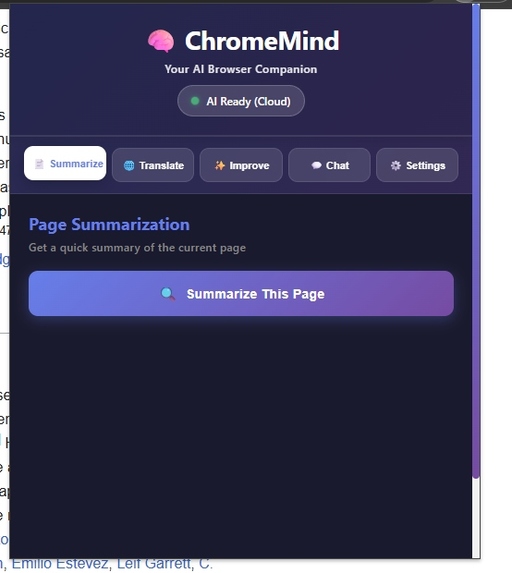
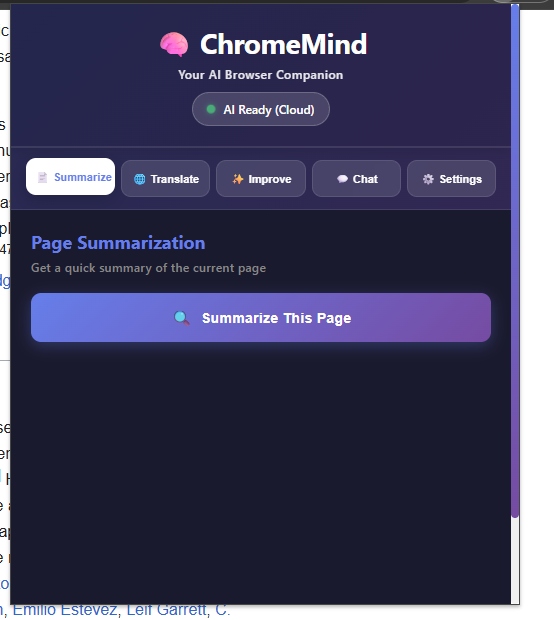
ChromeMind popup: Summarize, Translate, Improve, Chat, Settings. Status: AI Ready (Cloud).
-
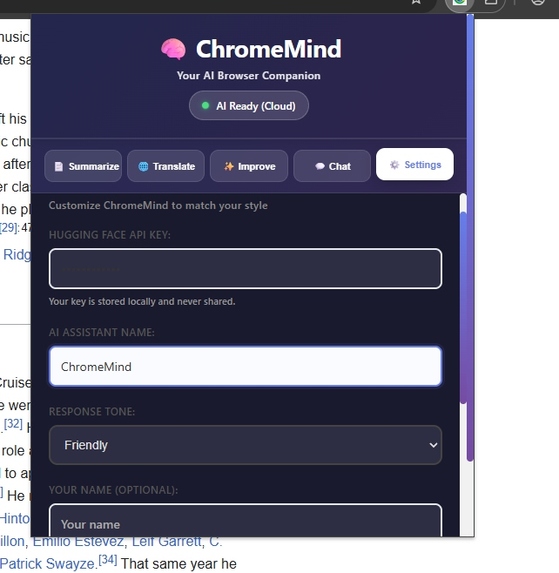
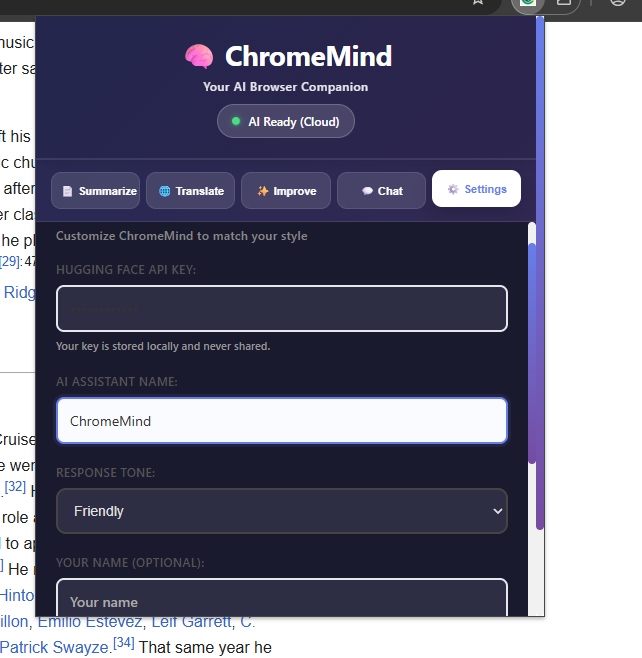
ChromeMind settings: add API key, customize assistant, and pick AI response tone (private, friendly).
-
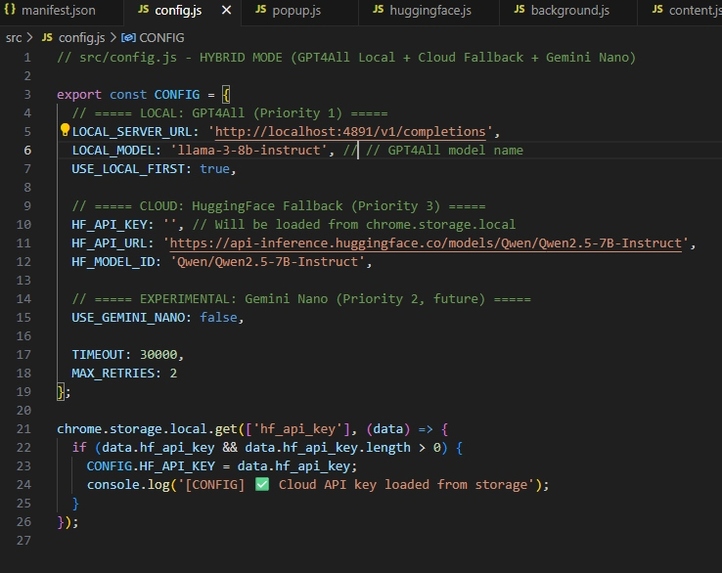
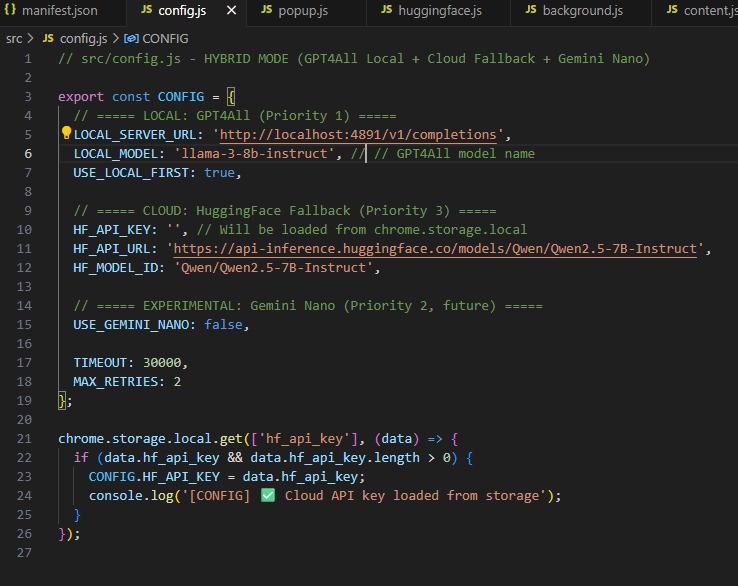
Flexible config: switches between local LLM, Gemini Nano (future), and HuggingFace cloud fallback.
-
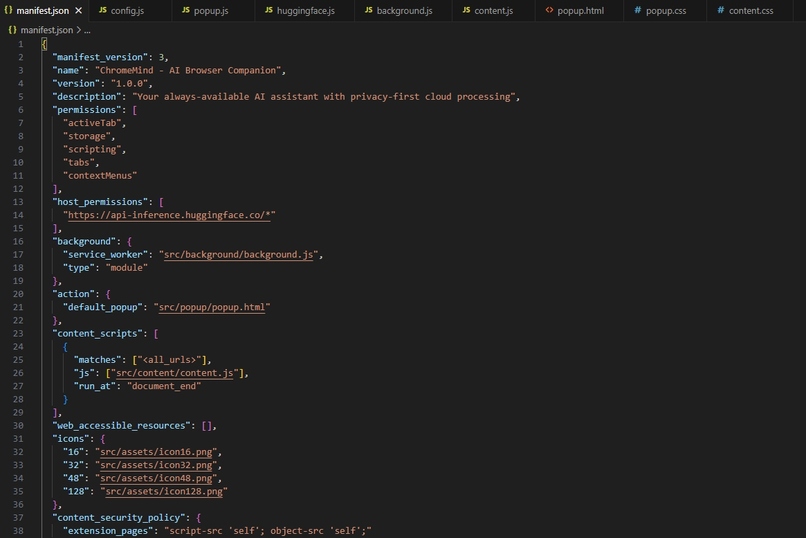
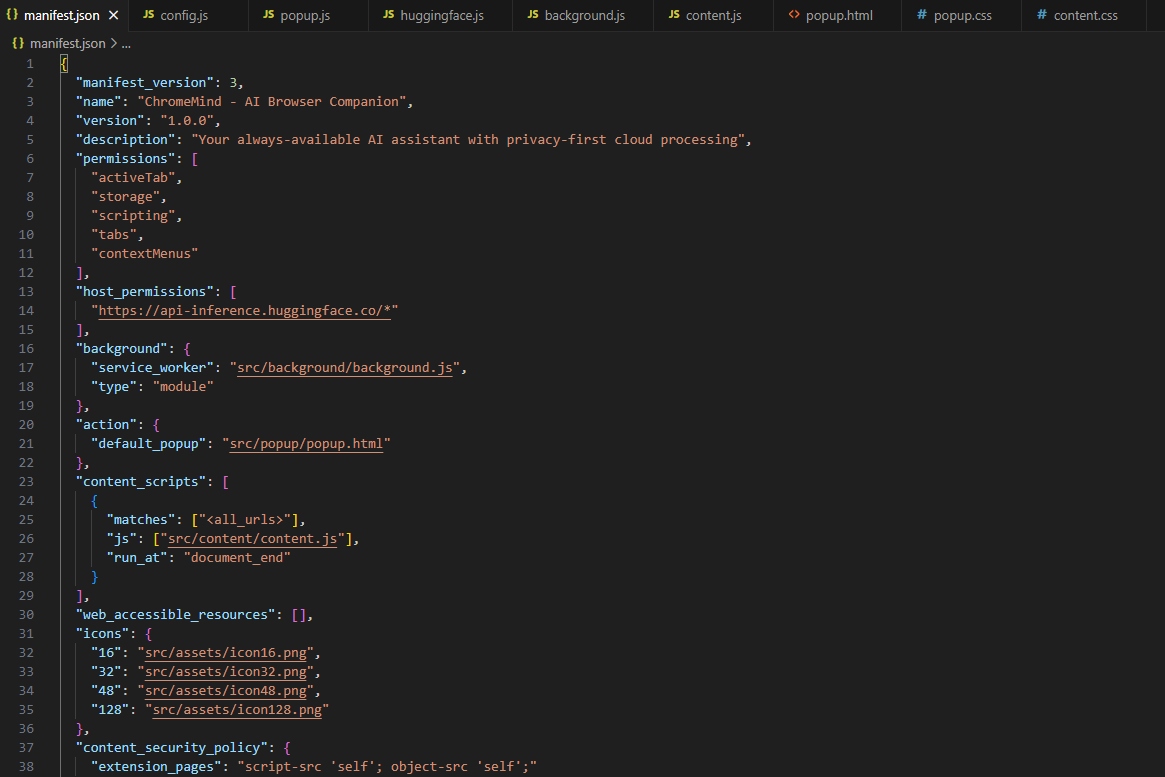
Extension manifest: permissions, popup, service worker, and API hosts for ChromeMind hybrid AI.
-
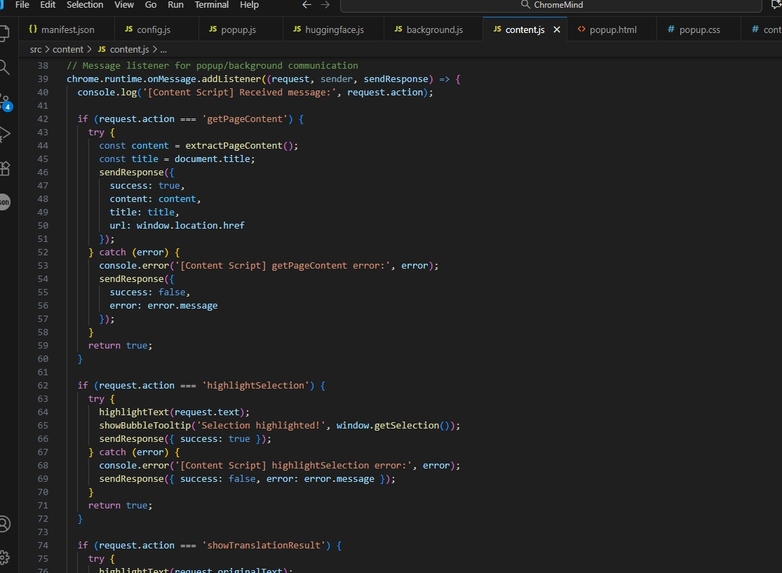
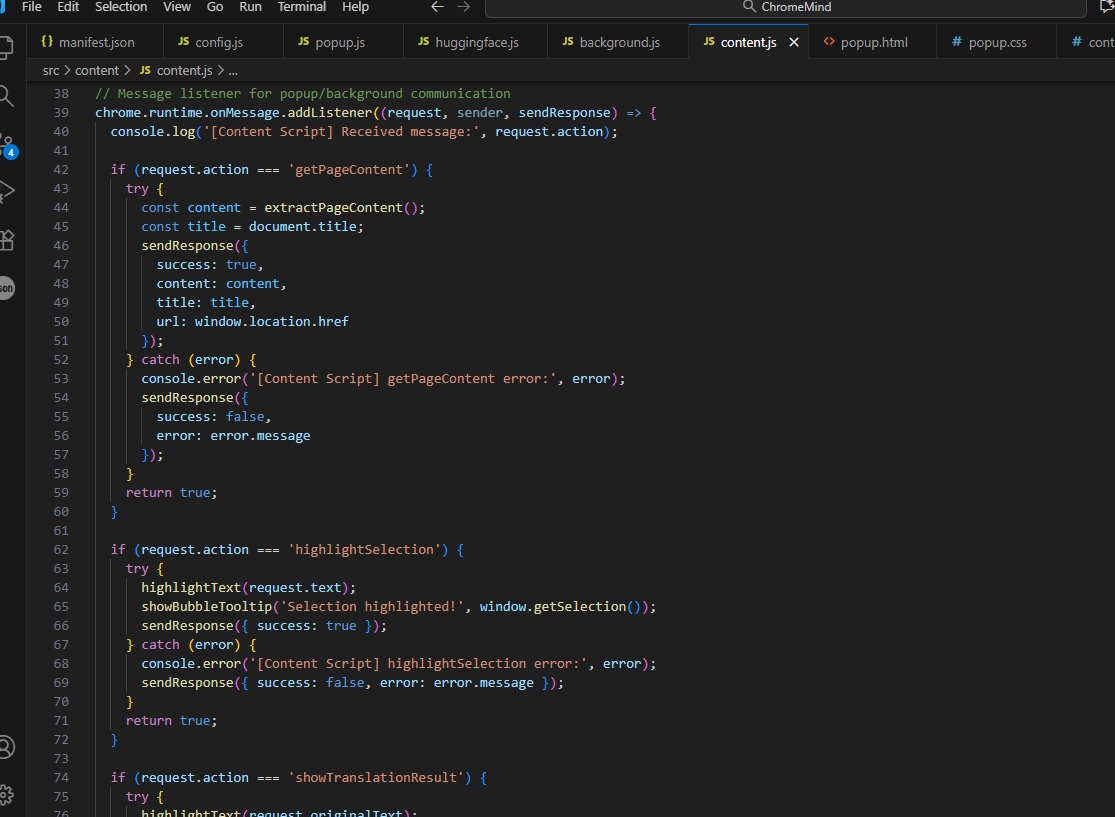
Content script: extracts, summarizes, and translates page content via messages and events.
-
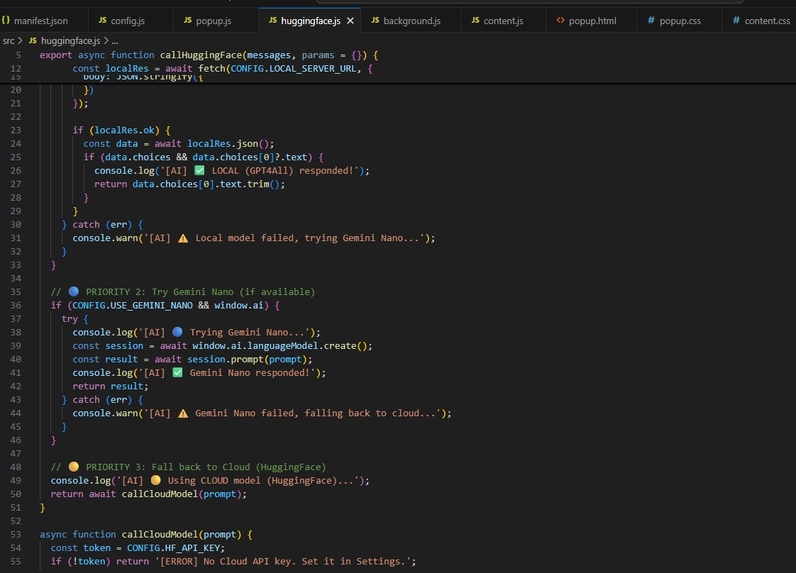
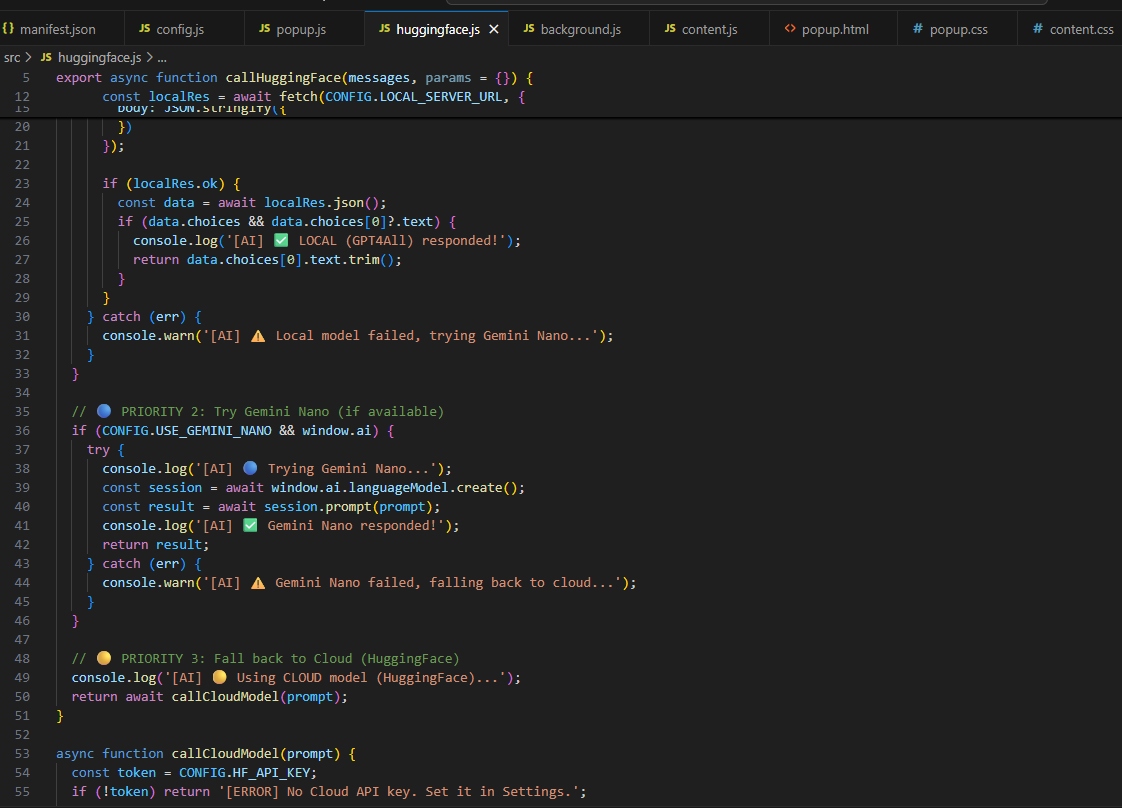
LLM router: tries local model, Gemini Nano, then HuggingFace API — seamless, smart failover.
-
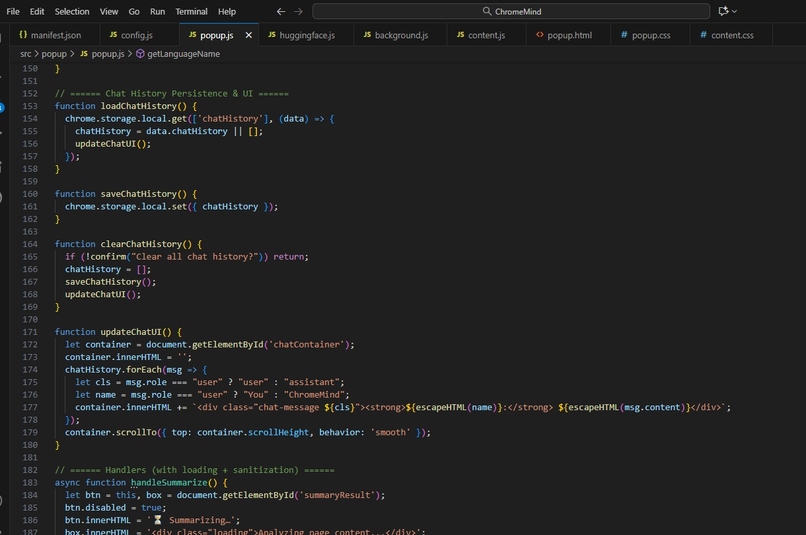
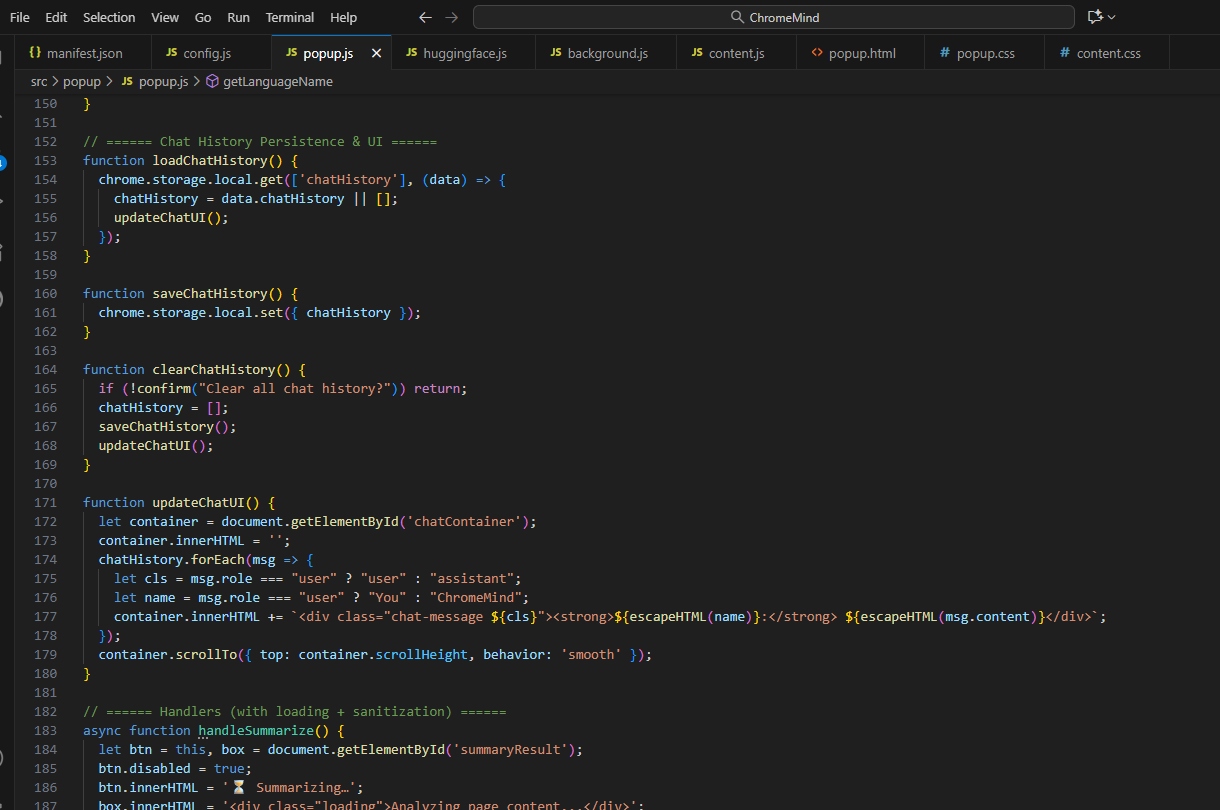
Popup code: chat history, message styling, and real-time UI for ChromeMind conversations.
-
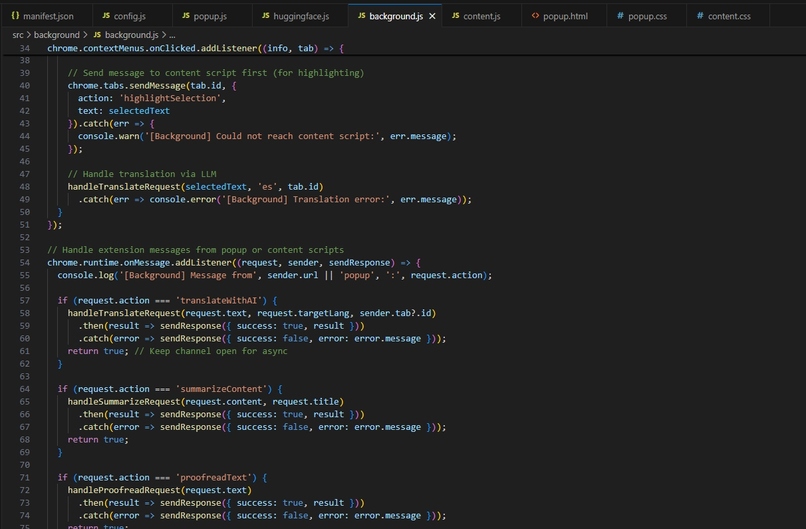
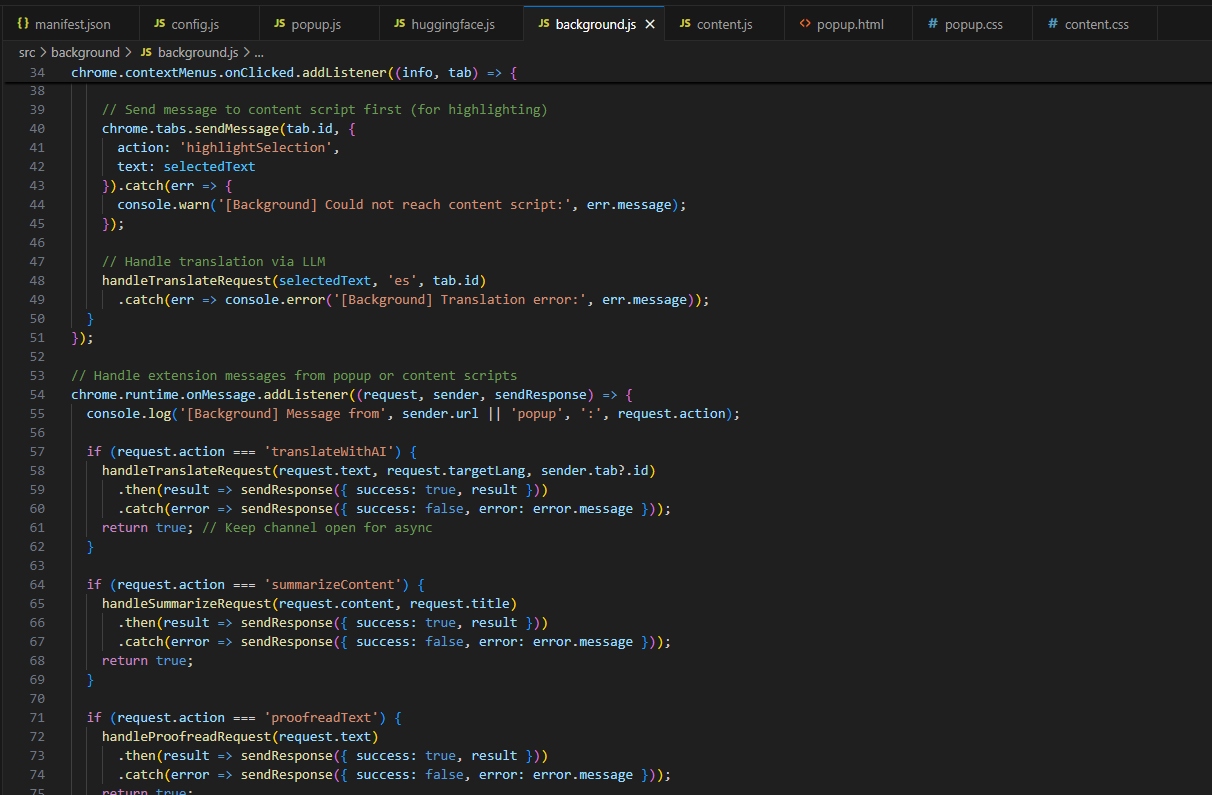
Background: routes requests for translation, summarization, and all extension tasks reliably.
Inspiration I’m passionate about making privacy-first, always-available AI accessible for everyone—not just those with cloud credits or powerful hardware. After seeing the hype around in-browser LLMs like Gemini Nano, I wanted to create a Chrome extension that gives people AI summaries and chat “right in the tab,” no matter their device or connection.
What it does ChromeMind is a first-of-its-kind hybrid Chrome extension:
It checks for Gemini Nano (if available, for true local, streaming AI!).
If not found, it automatically connects to any local LLM (e.g., GPT4All, Mistral, Llama 3) or falls back to HuggingFace API in the cloud.
The result: You get page summaries, translation, and chat using the fastest, most private AI possible on your setup.
How I built it Designed and coded in JavaScript/TypeScript, using Chrome extension APIs.
Integrated a flexible config for fast fallback: Gemini Nano → Local LLM → Cloud.
Built a responsive, modern popup UI for summarization, chat, and translation.
Wrote documentation, included system diagrams, and made upgrade paths for future Gemini Nano API releases.
Challenges I ran into Gemini Nano support in Chrome wasn’t prod-ready, forcing lots of fallbacks.
Local LLMs (via GPT4All/Ollama) were sometimes slow or had CORS/API quirks in-browser.
Cloud fallback was added last, and balancing true privacy with usability took extra time.
UI/UX: Making it all “feel fast,” even with slow APIs or big documents.
What I learned Practical multi-backend AI app design.
Browser extension API nuances.
Prompt routing and error handling across local/cloud.
That docs and error messages matter—judges, users, (and future me) need clarity!
What’s next Polish streaming/async for local models.
Realtime Gemini Nano support the moment Google’s public API lands!
Add more languages and pro features (memory, integrations).
Built With
- async/await
- chrome-extensions-api
- css3
- gemini-nano-(planned)
- git
- gpt4all
- html5
- huggingface-api
- javascript
- llama-3
- markdown
- mistral
- node.js
- ollama
- rest
- typescript
- vs-code

Log in or sign up for Devpost to join the conversation.