Inspiration
We noticed how many websites don't have built-in translation options, making it hard for people to access content in different languages. We wanted to create a simple tool that could break down language barriers and make the internet more accessible to everyone, regardless of what language they speak.
What it does
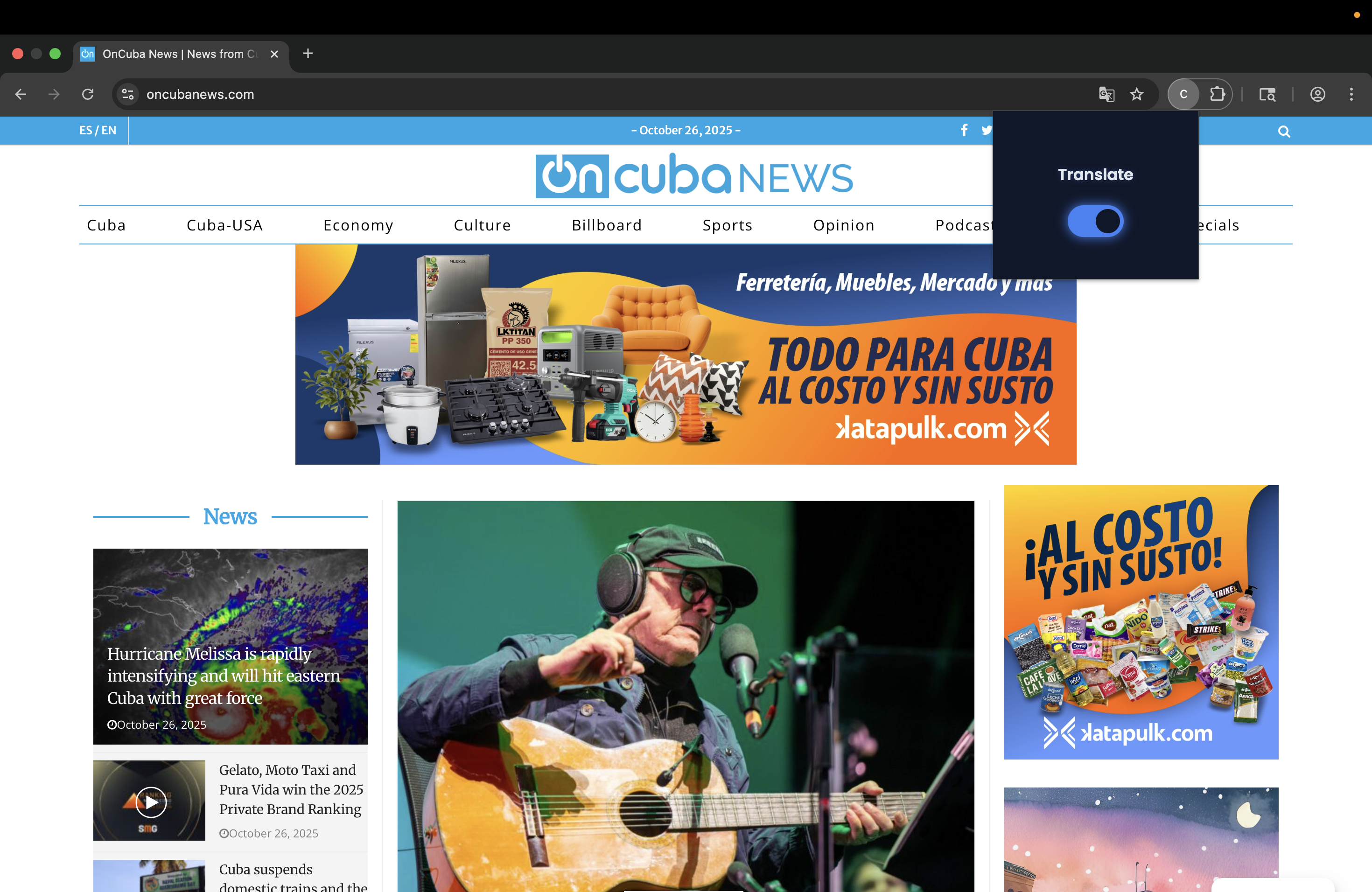
Chrome Translator Extension translates all the text on any webpage with just one click. Users can select their target language, and the extension automatically converts everything on the page using the Google Translator API. It's designed to be quick and easy to use.
How we built it
We used HTML, CSS, and JavaScript to build the extension, integrating the Google Translator API to handle the translations. Since we were more familiar with building traditional websites, we had to learn the Chrome extension architecture from scratch, including how to structure manifest files, content scripts, and popup interfaces. We spent a lot of time reading documentation and watching tutorials to understand how extensions interact with webpages.
Challenges we ran into
The biggest challenge was wrapping our heads around how Chrome extensions work. Unlike regular websites, extensions have a completely different structure with background scripts, content scripts, and strict permissions. We also struggled with getting the API calls to work smoothly across different types of webpages. We started working on an image translation feature but ran out of time to fully implement it.
Accomplishments that we're proud of
We're really proud that we built a working Chrome extension for the first time! Getting the text translation to work across entire webpages felt like a huge win. We also learned how to work with APIs effectively and managed to create a clean, user-friendly interface despite being new to extension development.
What we learned
We learned a ton about Chrome extension architecture and how different it is from building regular websites. We also got better at reading technical documentation and debugging unfamiliar code. Working under time pressure taught us how to prioritize features and make quick decisions about what to focus on.
What's next for Chrome Translator Extension
Our main goal is to publish the extension to the Chrome Web Store, so people can actually use it. We also want to finish the image translation feature, which would let users translate text within images on webpages. Eventually, we'd like to add support for more languages and improve the translation speed to make the experience even smoother.

Log in or sign up for Devpost to join the conversation.