-
-
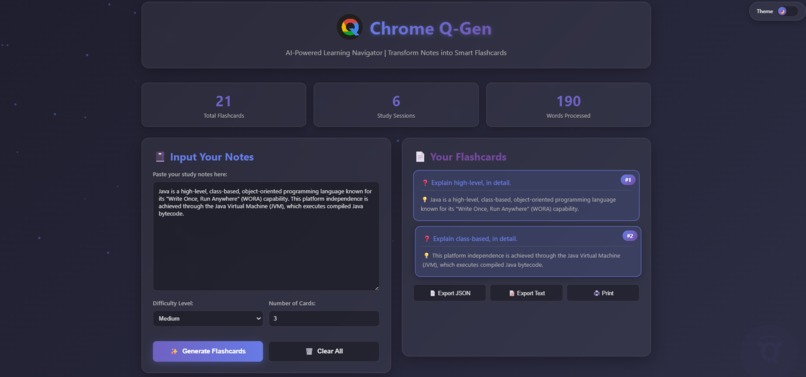
Chrome Q-Gen AI-Powered Learning Navigator | Transform Notes into Smart Flashcards
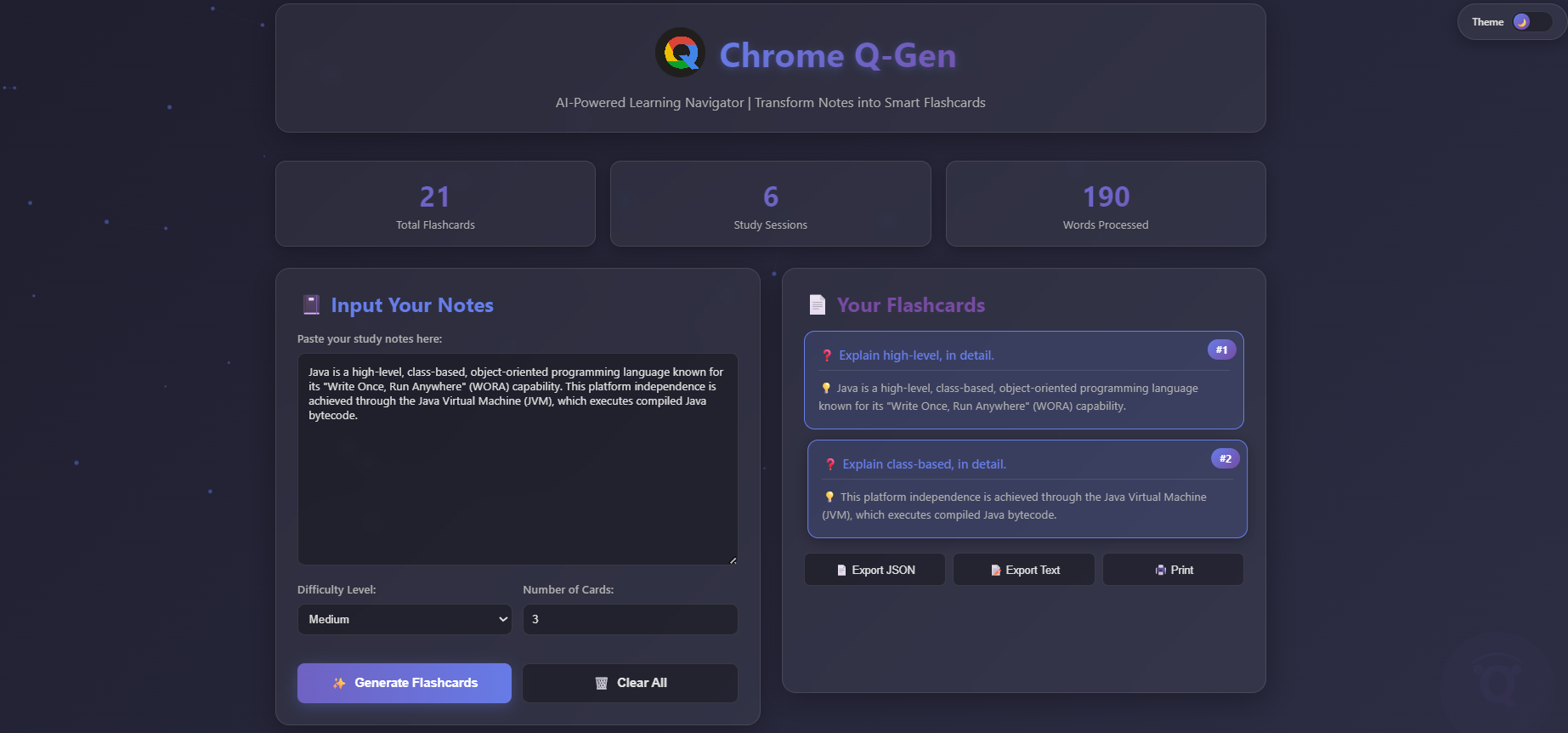
Chrome Q-Gen: AI-Powered Flashcards (Data Structures Focus) 💡 Inspiration and Goal As a BCA student deeply engaged in Full Stack development, I am constantly dealing with large amounts of technical notes—especially complex subjects like Data Structures and Algorithms. The traditional method of manually creating flashcards is time-consuming and often inefficient.
My inspiration was simple: I wanted a tool that leverages the power of AI to instantly convert unstructured study notes into highly structured, review-ready flashcards. This saves study time and optimizes the learning process, directly addressing a common student pain point.
🛠️ How I Built It This project is a single-page Full Stack application, demonstrating my skills in fundamental web technologies and AI integration:
Frontend (Structure & Styling): Built using a clean HTML structure and modern design principles achieved with Tailwind CSS. I focused on creating an intuitive, dark-themed UI (User Interface) to minimize eye strain during study sessions.
Backend (Functionality): The core logic is handled by vanilla JavaScript. This includes input validation, dynamic rendering of flashcards, and robust error handling with exponential backoff for the API calls.
AI Integration (The Brain): The application uses the Gemini API via a structured call (using responseSchema). This is the most crucial part, as it forces the LLM to return data in a predictable JSON format (Question, Answer), making it easy to parse and display the flashcards accurately.
🧠 What I Learned This project was a deep dive into practical, modern web development:
Structured AI Output: I learned how to use JSON Schema to guarantee that the AI output is reliable and easily consumed by the frontend, which is critical for building production-ready applications.
API Resilience: I implemented Exponential Backoff and comprehensive try-catch blocks to handle potential network issues or rate-limiting errors (like HTTP 429), ensuring the application is robust.
Modern Front-End Workflow: Mastering the utility-first approach of Tailwind CSS allowed me to focus on functionality while still achieving a clean, professional aesthetic quickly.
🚧 Challenges I Faced The main challenge was consistently receiving perfectly formatted JSON from the AI. The model sometimes included introductory text or slight structural errors outside the required JSON array.
Solution: I solved this by implementing a stronger try...catch block around the JSON.parse() function and ensuring the System Prompt was extremely strict ("You MUST ONLY output a JSON Array..."). This combination drastically improved reliability.
🚀 Future Plans (Full Stack Vision) As I transition to learning technologies like React and Node.js, the next steps for Chrome Q-Gen will be:
User Authentication (Node/Spring Boot): Allowing users to sign up and save their generated flashcards to a database (Firestore).
Advanced UI (React): Rebuilding the frontend in React for better state management and a more interactive user experience (e.g., swiping between cards).
This project represents the foundational steps of my goal to become a proficient Full Stack developer, blending intelligent backend services with responsive front-end design.

Log in or sign up for Devpost to join the conversation.