The Journey of Building Chrome Copilot
Inspiration
The idea for Chrome Copilot was born out of a simple yet profound realization: the web is vast, and navigating it efficiently can be overwhelming. During a late-night browsing session, I found myself juggling multiple tabs, each filled with valuable information, yet struggling to keep track of it all. I thought, "What if there was a way to have a personal assistant right in my browser, helping me make sense of all this information?" This thought sparked the creation of Chrome Copilot.
What We Learned
Building Chrome Copilot was an enlightening experience. It taught us the intricacies of browser extension development and the power of integrating AI into everyday tools. We delved deep into the Chrome Extension APIs, learning how to interact with browser tabs, execute scripts, and manage permissions. The project also reinforced the importance of user experience design, as we aimed to create an intuitive interface that seamlessly blends with the browsing experience.
How We Built It
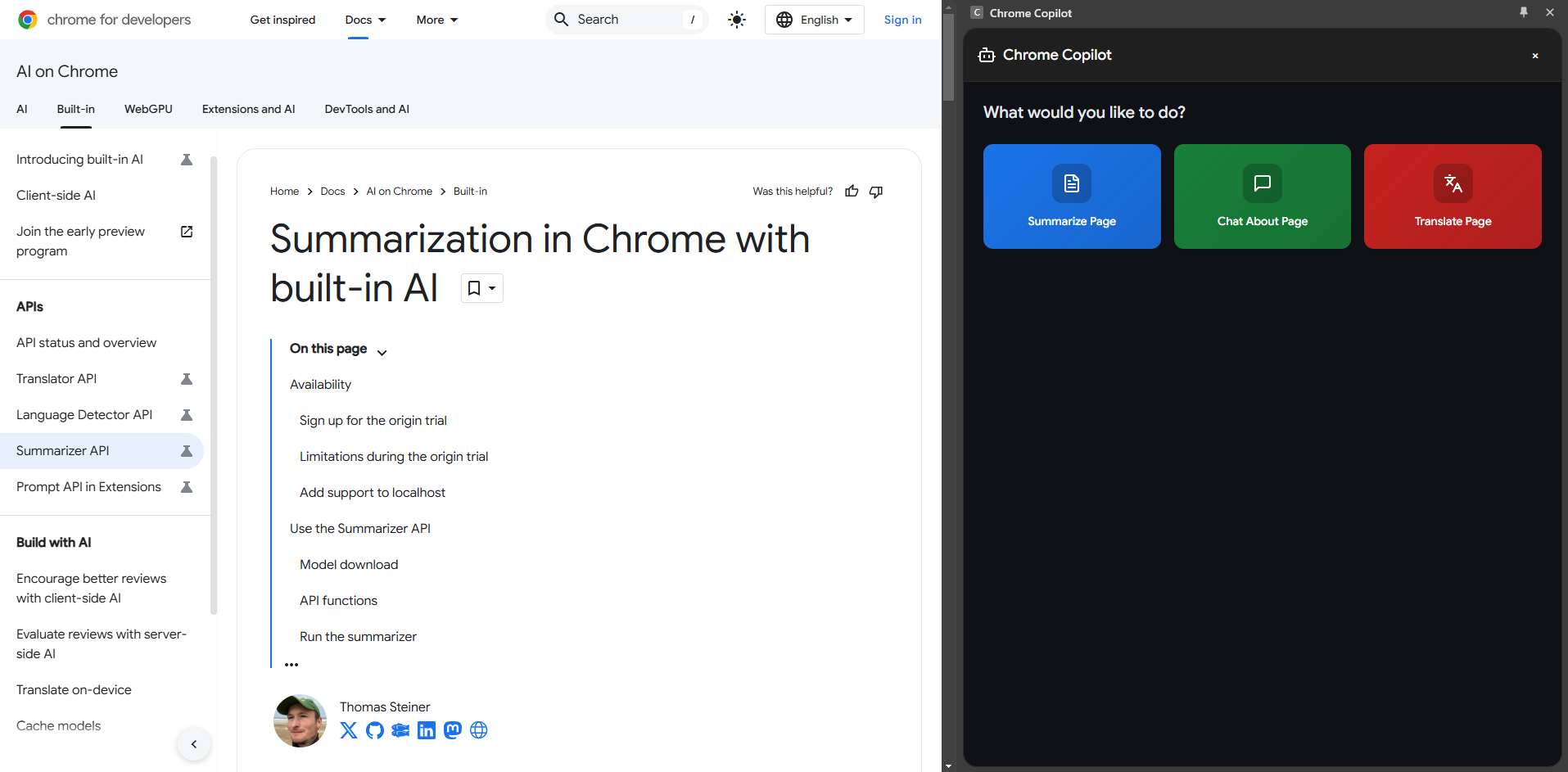
Chrome Copilot was crafted using a modern tech stack. We chose React and TypeScript for their robustness and scalability, ensuring our extension could handle complex interactions smoothly. Tailwind CSS was our go-to for styling, allowing us to create a sleek, responsive design that adapts to both light and dark modes. The AI capabilities were powered by integrating with existing APIs, providing users with intelligent insights and assistance.
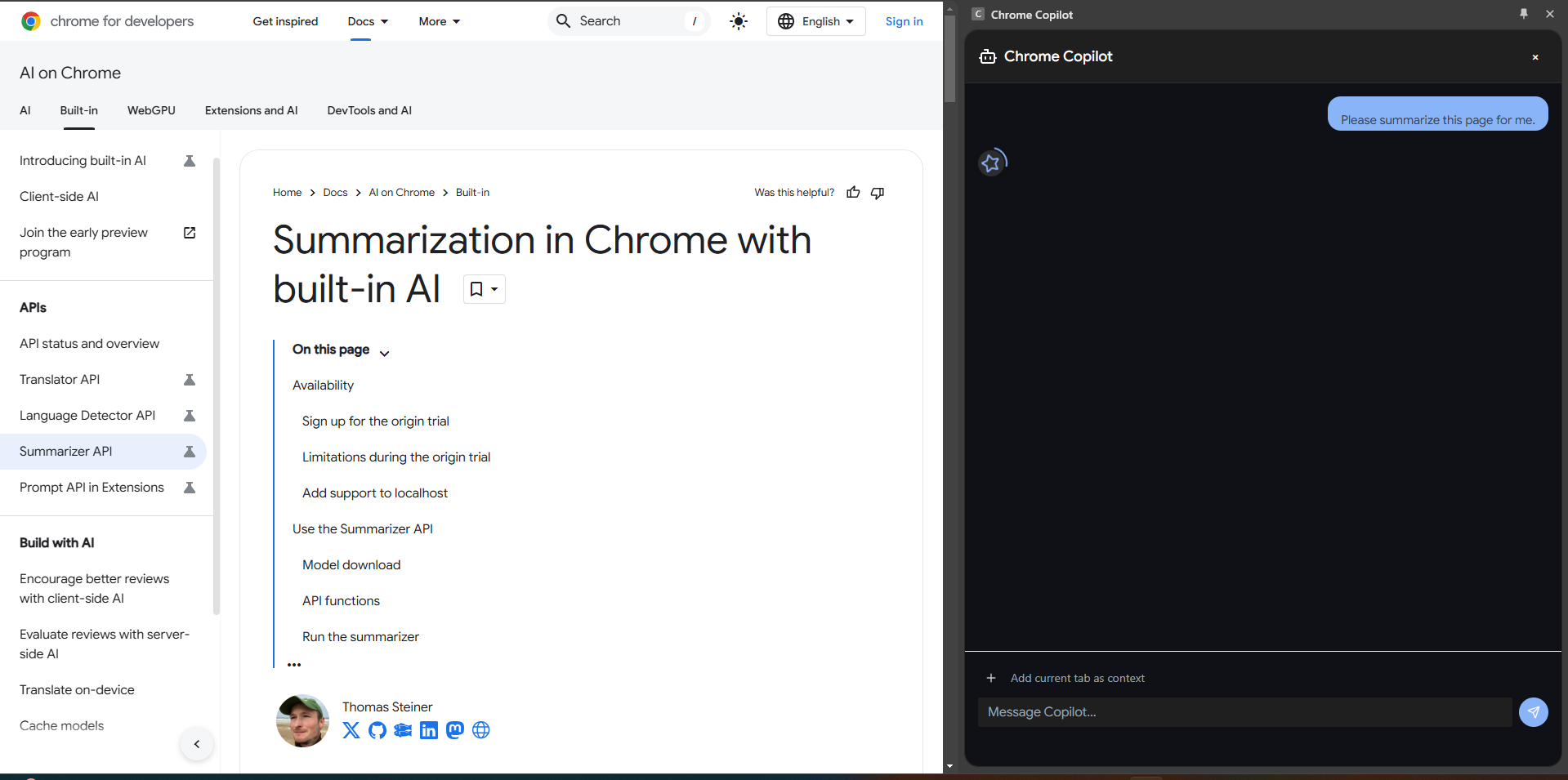
The development process was iterative. We started with a basic chat interface, gradually adding features like multi-tab context support and markdown rendering. Each feature was carefully tested to ensure it met our usability and performance standards.
Challenges We Faced
Building Chrome Copilot was not without its challenges. One of the biggest hurdles was managing permissions and ensuring the extension could access the necessary tab content without compromising user privacy. We spent considerable time understanding Chrome's security model and finding ways to work within its constraints.
Another challenge was implementing real-time markdown rendering and syntax highlighting. Ensuring that code blocks and other markdown elements displayed correctly across different themes required meticulous attention to detail.
Conclusion
Participating in this hackathon and building Chrome Copilot was a rewarding journey. It pushed us to explore new technologies, solve complex problems, and ultimately create a tool that enhances the way we interact with the web. We hope Chrome Copilot will empower users to navigate the digital world more efficiently, just as it has empowered us to push the boundaries of what's possible with browser extensions.
Thank you for joining us on this journey. We can't wait to see how Chrome Copilot evolves and continues to make a difference in the lives of its users.

Log in or sign up for Devpost to join the conversation.