-
-
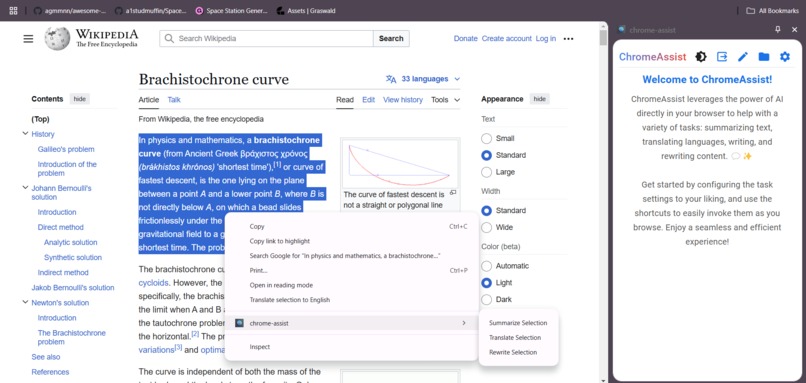
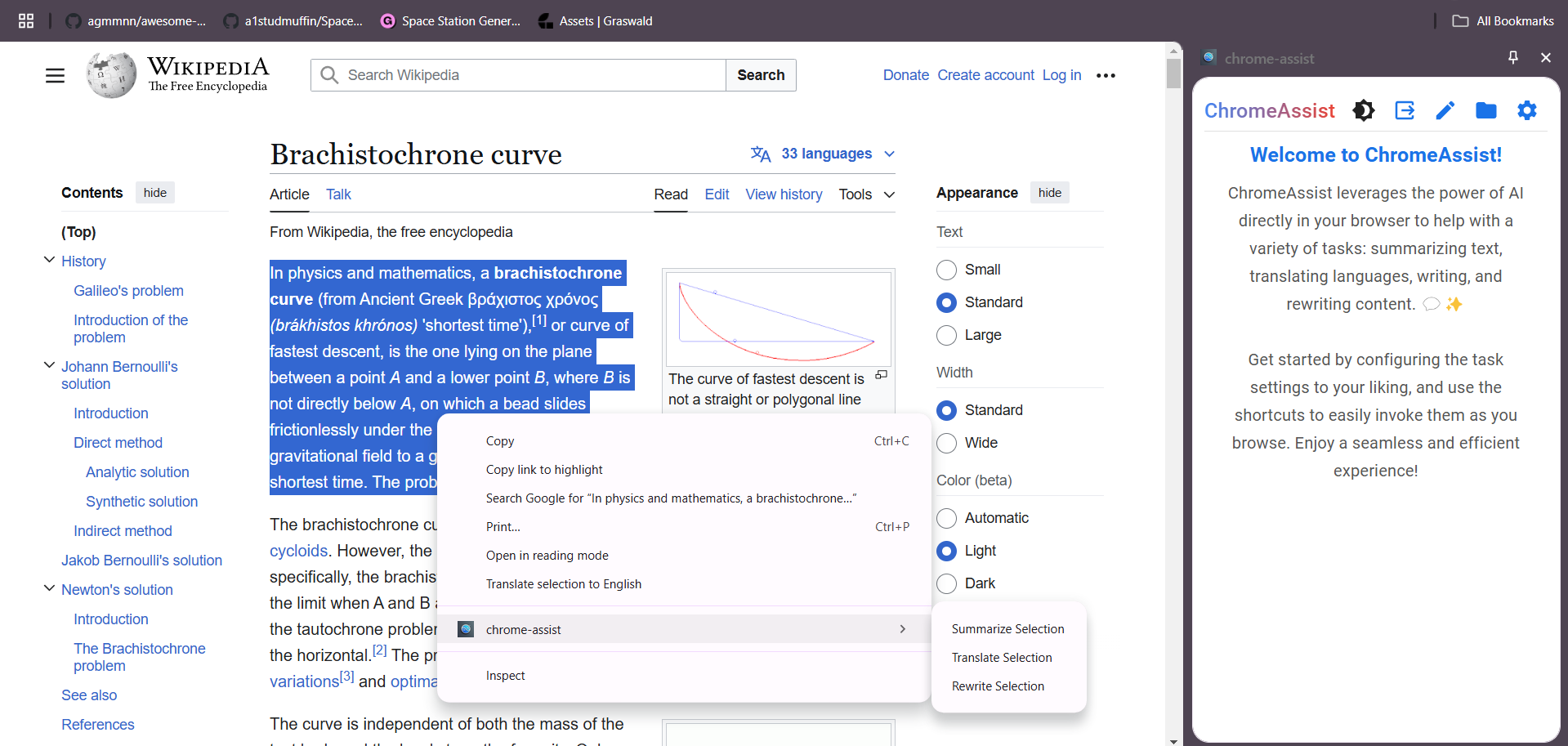
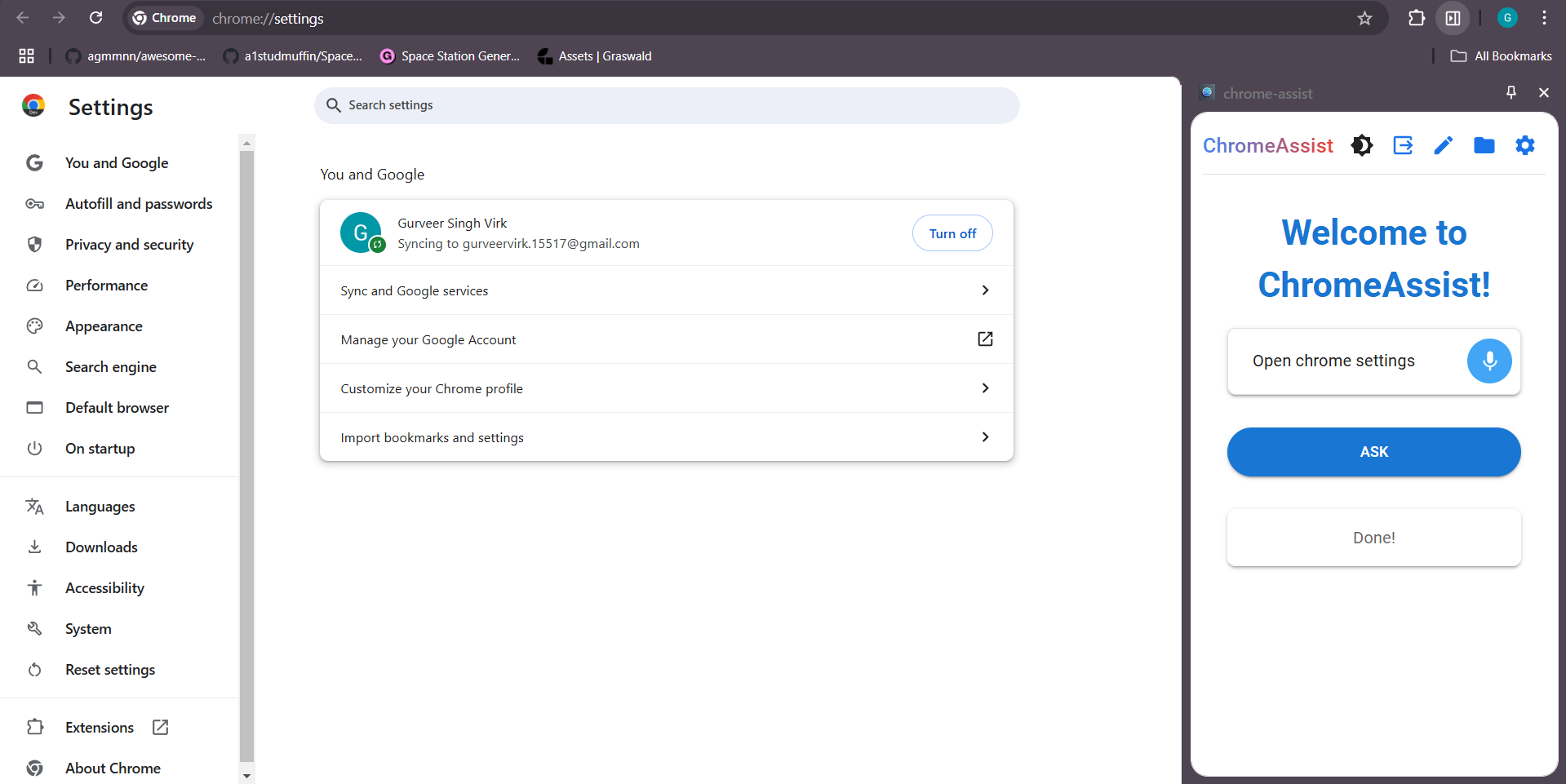
Context Menu access to Side Panel
-
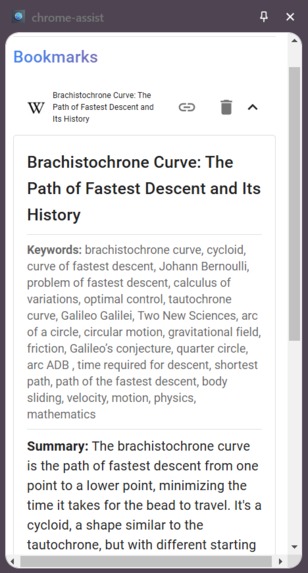
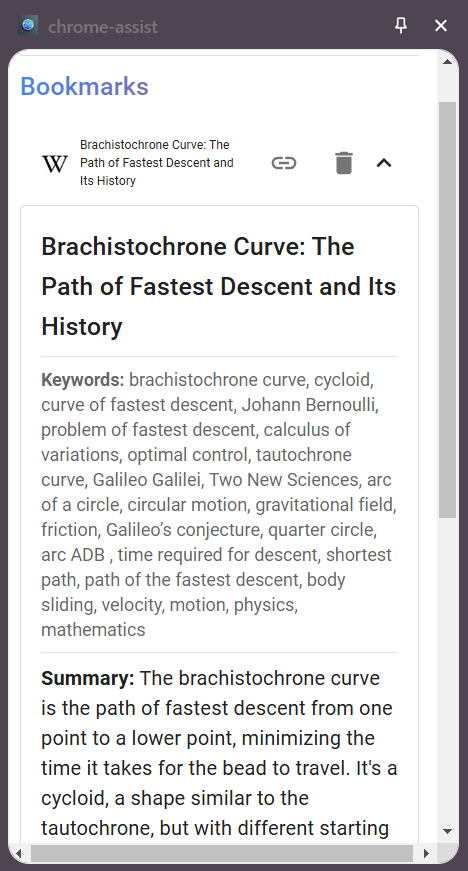
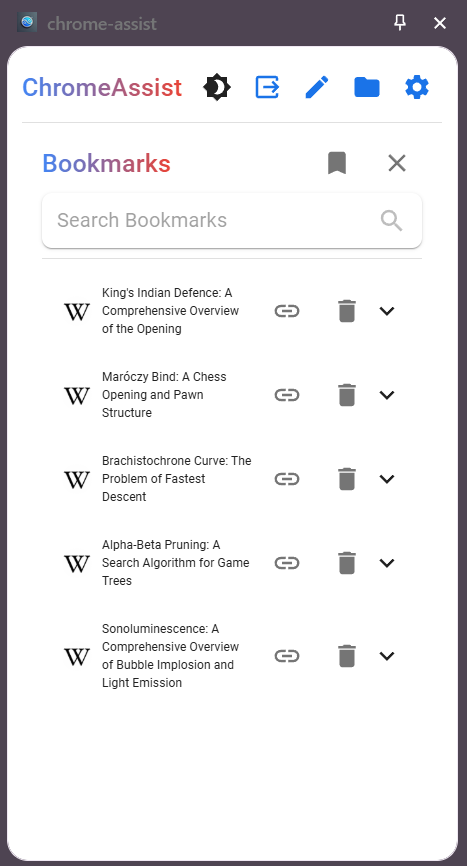
Sample Bookmark Output
-
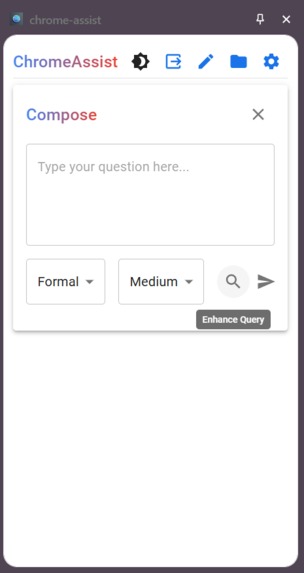
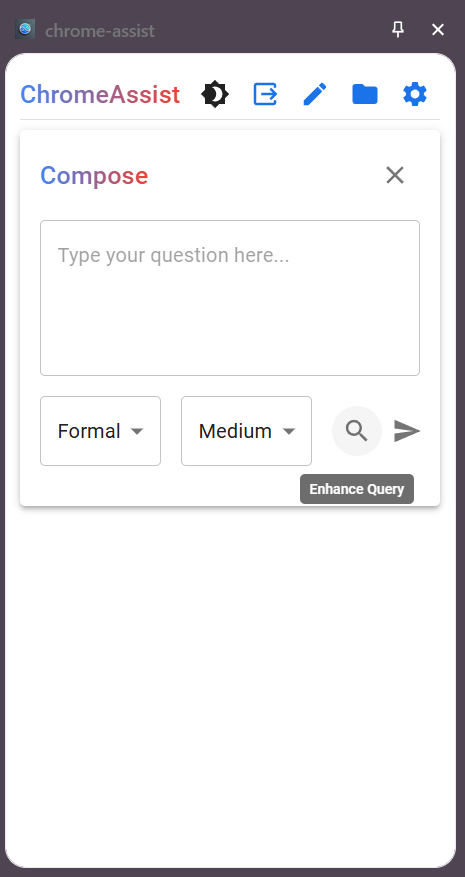
Compose Box to write and enhance search queries
-
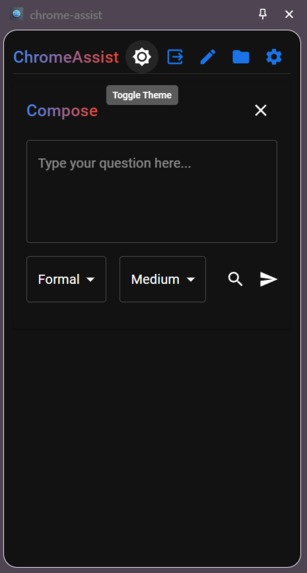
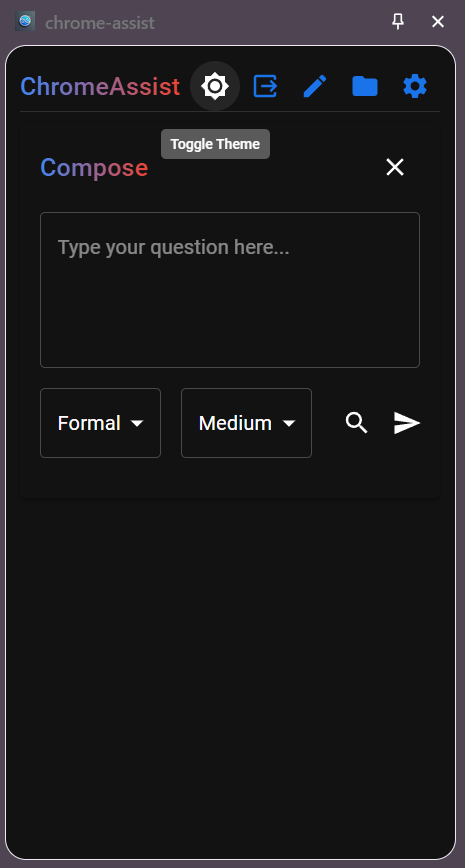
Compose Box in Dark Mode
-
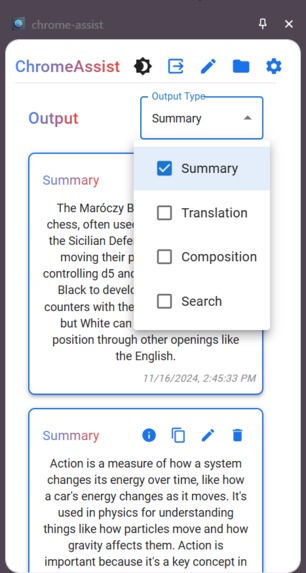
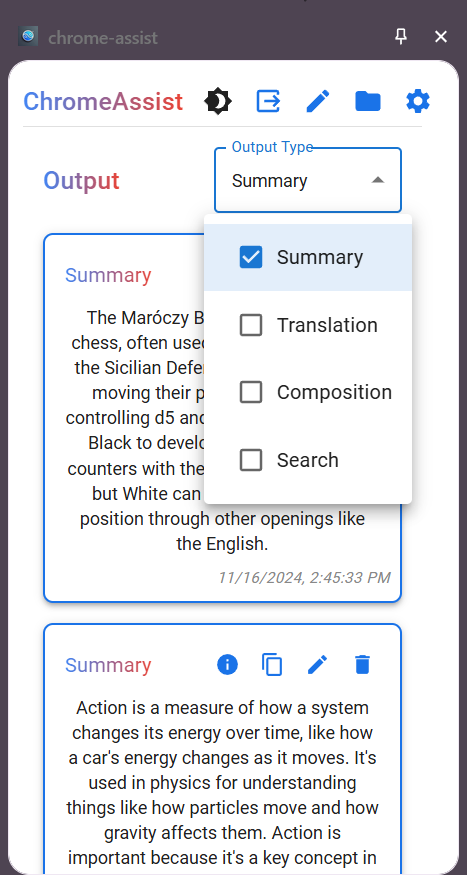
Output Tab with Filters
-
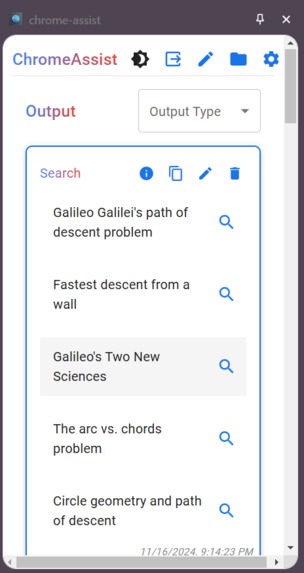
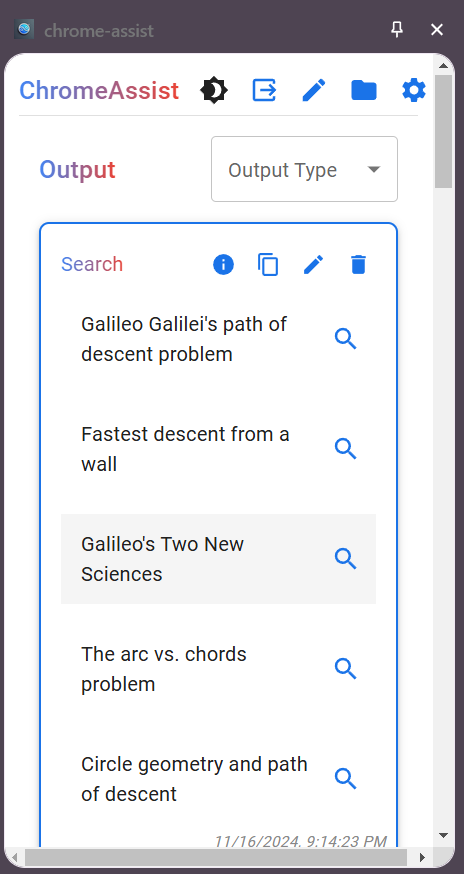
Sample Enhanced Search Queries Output
-
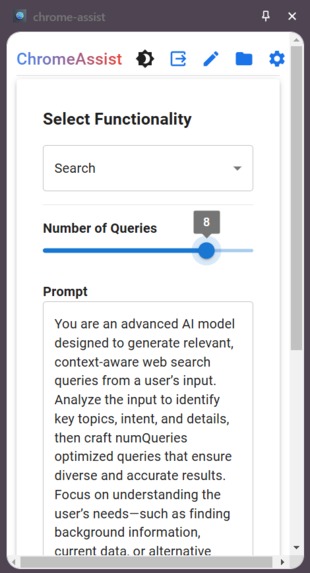
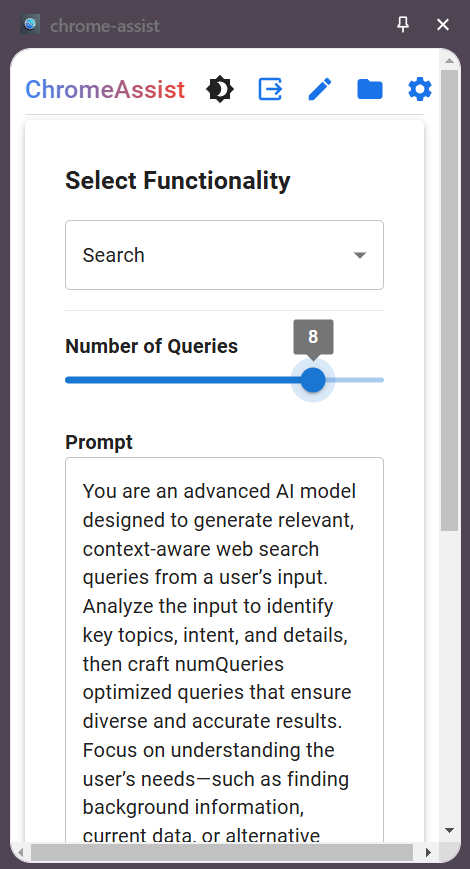
Search Query Enhancement Settings
-
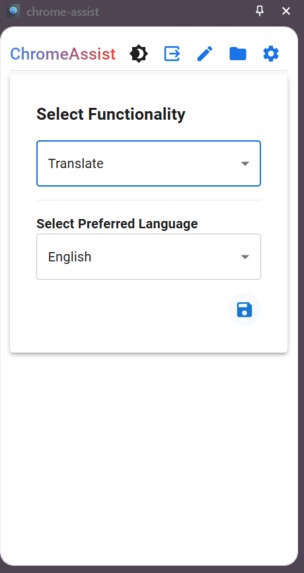
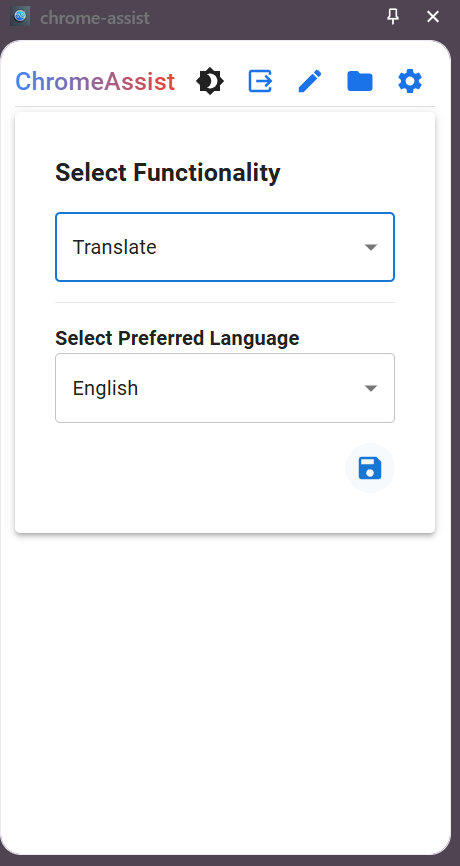
Translation Settings
-
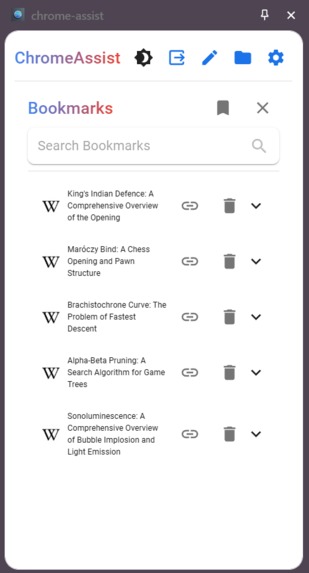
Bookmark Summarization Functionality
-
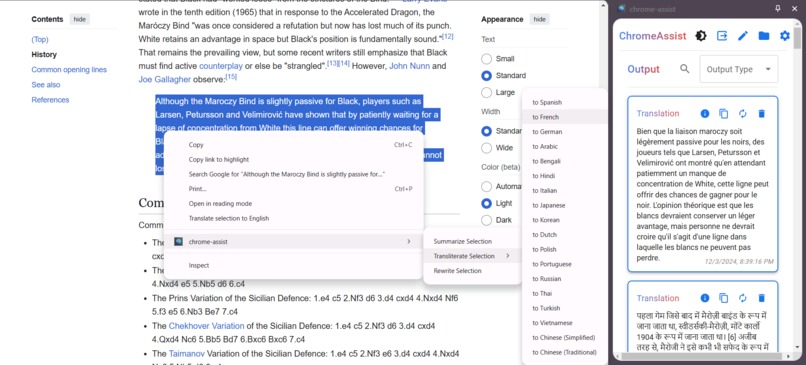
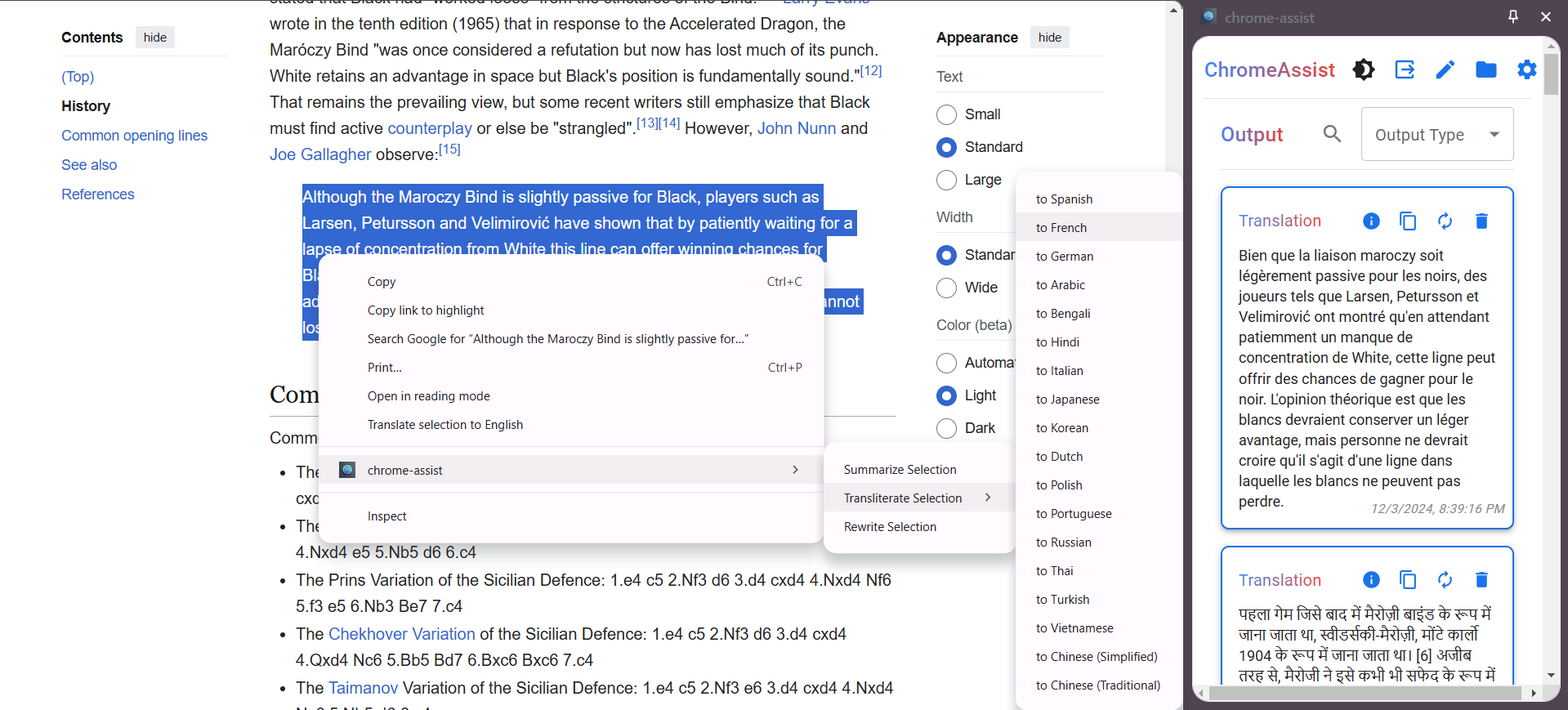
Translation via context menu
-
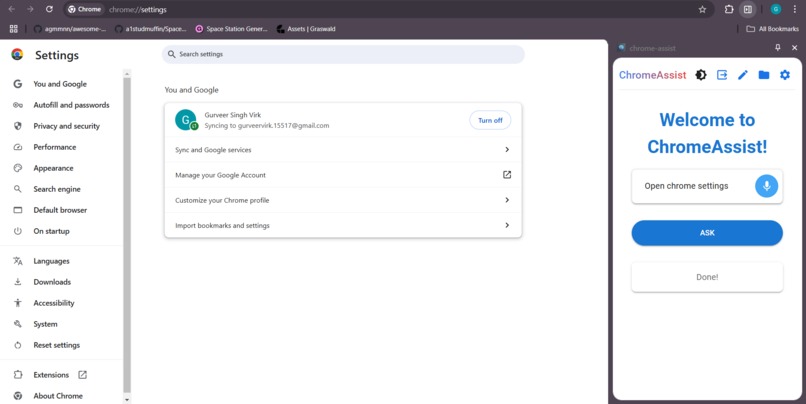
All major chrome API's integrated with Gemini Nano
🚀 Inspiration
This challenge required us to build apps for improving our everyday tasks. I ended up choosing my Chrome-Assist application that is built for safely and securely improving the browsing experience in Chrome.
🌟 What It Does
This Chrome Extension integrates all major Chrome APIs via Gemini Nano, including history, sessions, tabs, font settings, reading list, alarms, notifications, and downloads along with explaining the open page in simple terms. These APIs work seamlessly alongside other features, making them accessible out-of-the-box.
🔑 Key Features:
- Browsing Experience Enhancer: Acts as a Personal Browser Assistant.
- Web Search Query Enhancement:
- Generates refined web search queries from input text for better browsing.
- Bookmark Summarization:
- Processes bookmarked pages to store:
- ✅ Title
- ✅ Key Keywords
- ✅ Summaries
- Helps in quick recall of saved pages.
- Hybrid Search:
- Combines semantic search (via transformers.js) and full-text search (using FlexSearch) for effective search across all outputs and bookmark summaries.
- Voice Input:
- Speech recognition now allows users to interact with the extension via voice commands.
- Chrome API Integration:
- History, Sessions, Tabs, Font Settings, Reading List, Alarms, Notifications, and Downloads are all exposed and easily accessible via the Gemini Nano integration.
- Transliteration:
- Transliteration from English to major languages like Spanish, French, German, and more is now available for broader language support.
⚙️ User Customization:
- Exposed Settings UI: Modify default configurations, including prompt tuning for tailored outputs.
- Theme Toggle: Switch between Light Mode 🌞 and Dark Mode 🌙 for improved accessibility.
- Output Controls:
- Outputs are persistent.
- Options to rewrite or delete if unsatisfied. 😊
🔒 Security & Privacy:
- All processing and storage happen Client-Side for:
- Maximum security
- Enhanced privacy
- User control
- Maximum security
🛠️ How We Built It
API Exploration:
- Signed up for the early preview program.
- Tested APIs and built mock apps to evaluate capabilities (e.g., initial limit of context length of 1024 tokens).
Frontend Development:
- Used Vite + React template for a fast and efficient build.
- Material UI was chosen for styling, aligning with the Google ecosystem.
Data Persistence:
- Leveraged Chrome's IndexedDB to store generated outputs efficiently.
Search Enhancements:
- Integrated transformers.js for generating semantic embeddings for bookmarks and user queries.
- Used FlexSearch for fast and efficient full-text indexing and retrieval, enabling hybrid search across all outputs and bookmark summaries.
- Integrated transformers.js for generating semantic embeddings for bookmarks and user queries.
User Experience Enhancements:
- Added animations, a Theme Toggler, and other accessibility improvements.
Voice Input Integration:
- Enabled speech recognition to provide users with a hands-free experience, making it easy to interact with the extension via voice commands.
Transliteration:
- Integrated transliteration support, allowing users to convert English text to various major languages (e.g., Spanish, French, German, etc.).
🚧 Challenges We Ran Into
- ❌ API Unavailability: Some features (like translation and composition) remain untested.
- 📏 Context Length: Initially Limited to 1024 tokens, requiring optimizations.
- 🔄 API Changes: Adapting to updates like switching from
assistanttolanguageModel. - 🎨 UI Harmonization: Balancing UI and backend gracefully.
- ⚡ Concurrency Management: Handling multiple API calls across side panels in different tabs, ensuring synchronization.
🏆 Accomplishments We're Proud Of
- ✅ Successfully exposed all APIs (or combinations) to the UI.
- ✅ Made all settings tunable for enhanced user control.
- ✅ Built three key solutions:
- Query Enhancer
- Bookmark Summarizer
- Hybrid Search (Semantic + Full-Text) over all generated outputs and bookmark summaries.
- ✅ Ensured outputs are persistent.
- ✅ Delivered a sleek and accessible UI/UX.
- ✅ Integrated all major Chrome APIs (including history, sessions, tabs, font settings, reading list, alarms, notifications, and downloads) via Gemini Nano.
- ✅ Added voice input for hands-free interaction with the extension.
- ✅ Implemented transliteration for converting English to several major languages.
💡 What We Learned
- 🧩 Building a Chrome Extension using Vite.
- 🤖 Utilizing Built-in Chrome AI APIs effectively.
- 💾 Implementing IndexedDB for data storage.
- 🎨 Leveraging Material UI for styling and components.
- ✍️ Exploring Prompt Engineering to fine-tune outputs.
- 🏗️ Learned effective concurrency management to handle API calls efficiently across multiple tabs.
- 🗣️ Exploring speech recognition for voice input integration.
- 🌍 Implementing transliteration to bridge language gaps.
Built With
- chrome-apis
- css
- flexsearch
- html5
- indexeddb
- javascript
- react
- transformers.js


Log in or sign up for Devpost to join the conversation.