Inspiration
Creating multilingual WordPress sites with Polylang can take time since it doesn’t automatically translate content. Most translation plugins offer automation, but they’re often paid, have limited editor support, or require complex setup.
When Chrome launched its built-in AI Translator API, I saw a way to simplify this process. That’s how Chrome AI Translation for Polylang was created — a free addon that uses Chrome’s local AI to instantly translate WordPress pages.
What it does
Chrome AI Translator for Polylang Translate your WordPress site content instantly with Chrome’s on-device AI. This plugin lets you translate:
- Posts, pages, menus, and categories
- Media titles, descriptions, and alt texts
- Meta fields
Key Features
- 100% Secure – Translations run locally in your browser
- Free Forever – No external APIs or subscription fees
- Easy Integration – Works seamlessly with the Polylang plugin
- Instant Bulk Translation – Translate multiple pages with one click
How to Use
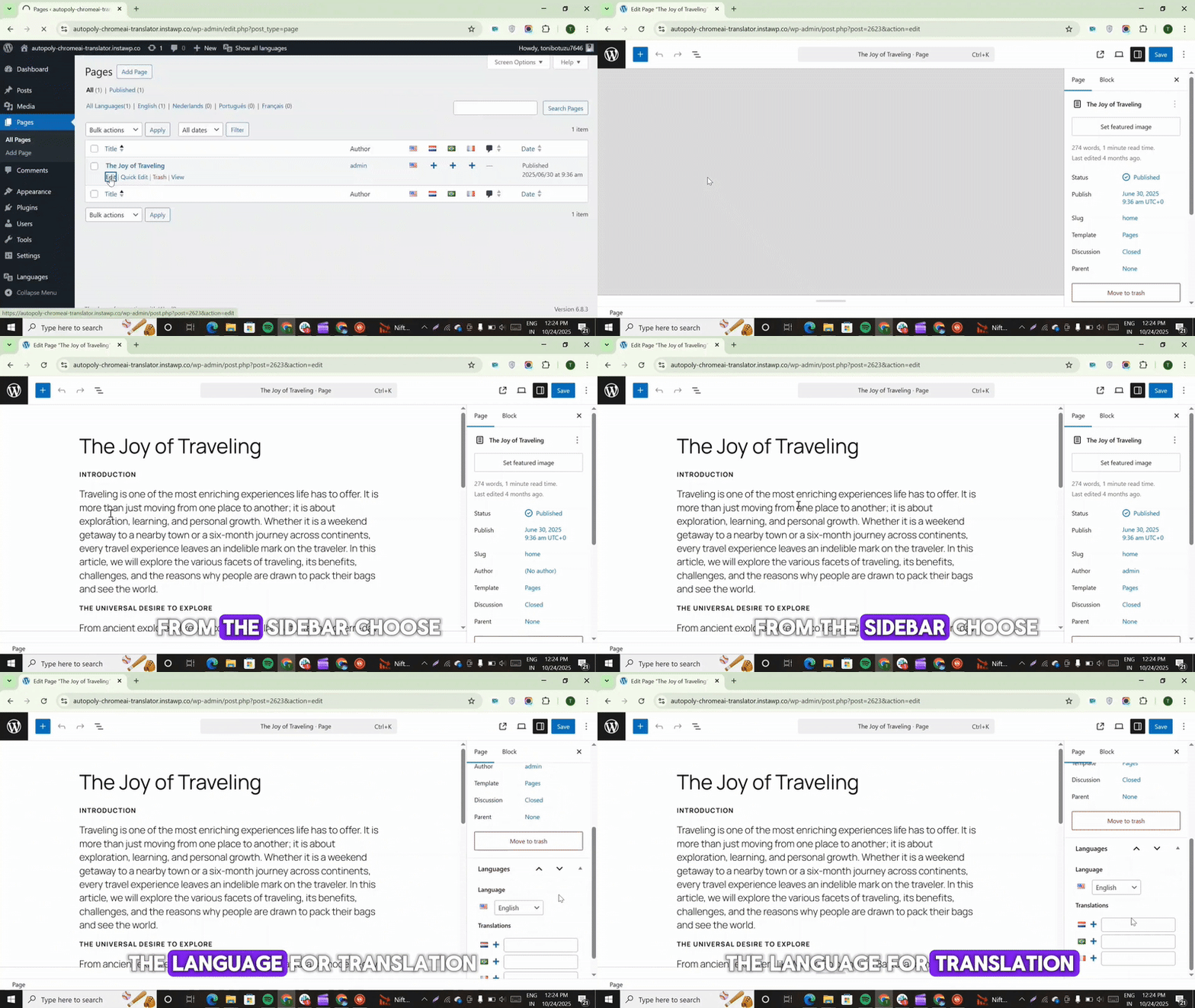
- Go to any post or page in your WordPress dashboard.
- Click the Bulk Translate button.
- Select your target languages.
- Your multilingual site is ready within moments.
Experience fast, private, and cost-free website translation — powered by Chrome’s AI, designed for WordPress and Polylang.
How we built it
Integration with Polylang: This addon builds on Polylang’s multilingual features and adds automatic translation using Chrome’s AI, so you can translate content with just one click.
Editor Compatibility & UI: It works smoothly with Gutenberg, Classic Editor, and Elementor, with a simple, modern popup that feels like part of WordPress itself.
Error Handling System: If something goes wrong, the addon shows a clear message to help you enable Chrome’s Translation API or install missing language packs, so you’re never stuck.
Challenges we ran into
API Integration Errors: Initially, it was tricky to enable the Chrome Translation API and manage missing language packs. This was fixed by adding clear error popups with helpful documentation links.
HTML and Formatting Issues: Some translations messed up the page layout. To solve this, a React-based filter system was added to keep the structure and formatting intact.
Exploring Browser AI: Working with on-device AI was a challenge at first, but it turned out to be a great learning experience — showing how local AI can make WordPress automation faster and smarter.
Accomplishments that we're proud of
I created a plugin that connects Chrome AI Translation for Polylang directly with WordPress, enabling instant, private, and automatic translations in Polylang.
Seeing full pages translate in seconds — without external APIs or costs — was a major milestone. This saves users time, money, and effort while keeping translations secure within their browser.
What we learned
During this project, I learned how to:
- Integrate browser-based AI into WordPress workflows.
- Build automation tools that are both smart and simple.
- Balance performance and innovation while keeping everything lightweight.
I also refined my skills in UX design, error management, and AI-powered plugin development
What's next for Chrome AI Translation for Polylang
Glossary & Custom Rules: Let users define words or phrases (like brand names) that shouldn’t be translated.
Custom Block & Meta Field Translation: Add support for Gutenberg blocks and custom meta fields for full translation coverage.
Bulk Translation: Enable translation of multiple posts or pages in one click — ideal for large sites.
With these updates, the goal is to make Chrome AI Translation for Polylang a complete, fast, and intelligent multilingual automation solution for WordPress.


Log in or sign up for Devpost to join the conversation.