ChroMarx: Your AI-Powered Bookmark Manager
Inspiration
Overwhelmed by a sea of unmanaged bookmarks and inspired by the potential of AI, I developed ChroMarx to transform digital bookmarking into a structured, insightful tool that maximizes productivity and manages digital resources efficiently.
What I Learned
Building ChroMarx allowed me to explore the integration of advanced AI within a Chrome extension, specifically Google's Gemini Nano for real-time AI processing. This journey included challenges such as API integration, local data handling, and creating a user-friendly interface that efficiently utilizes AI capabilities.
How I Built It
ChroMarx combines HTML, CSS, JavaScript, and Google Chrome APIs, leveraging the power of Google's Search API and AI capabilities to categorize, summarize, and manage bookmarks effectively. Each bookmark is analyzed and processed directly within the browser, ensuring privacy and speed.
Challenges Faced
Initial hurdles included securing access to Gemini Nano API and ensuring that the AI could accurately categorize and summarize information swiftly and accurately while adhering to strict privacy standards.
Features
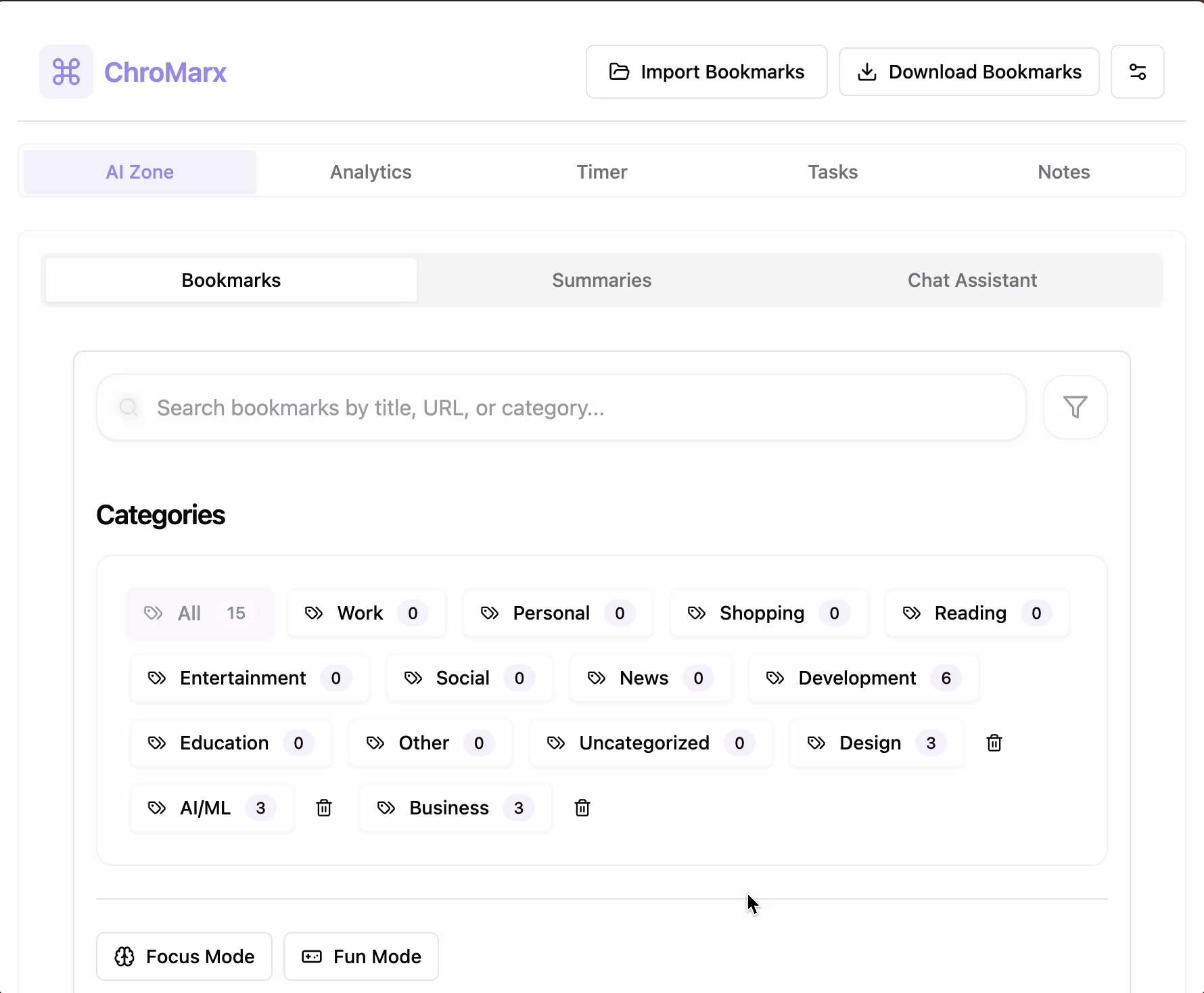
Bookmarks Tab Features
- Smart Search & Filter: Utilize real-time search through titles and URLs, category-based filtering with AI suggestions, and advanced search with tag support.
- Organization Features: Drag-and-drop sorting, hierarchical folder structure, auto-categorization, smart folder suggestions, duplicate detection, and batch management.
- AI Integration: Content relevance scoring, automatic tag generation, category predictions, and URL analysis.
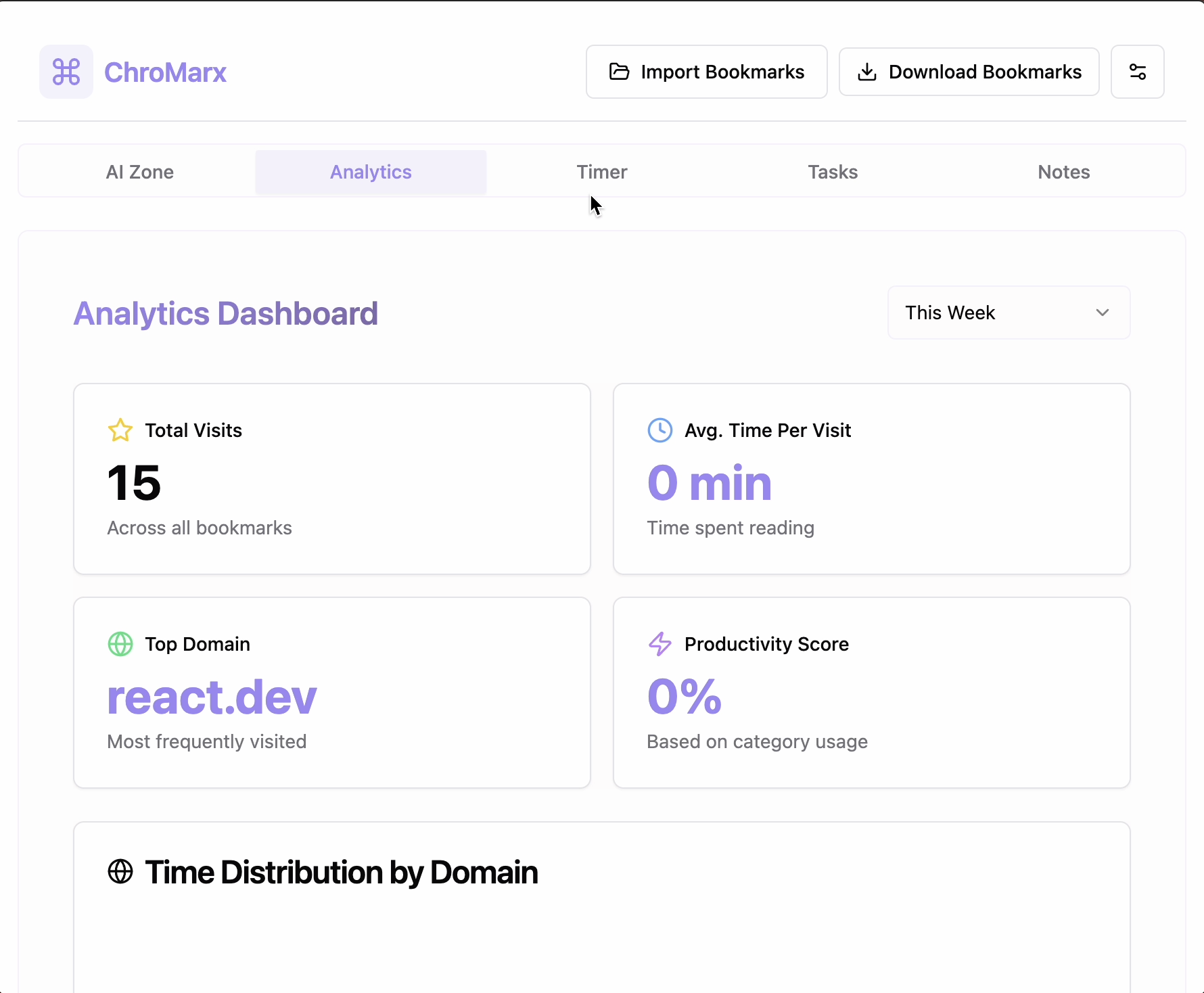
Analytics Tab Features
- Productivity Insights: Daily productivity scores, algorithm-based on usage patterns, AI-generated productivity tips.
- Usage Pattern Analysis: Tracking of most visited bookmarks, time-based usage patterns, and interactive data visualizations.
AI Zone Tab Features
- Smart Features: AI-powered bookmark suggestions, content-based recommendations, and intelligent categorization.
- Chat Interface: Natural language search, context-aware recommendations, and AI-powered productivity advice.
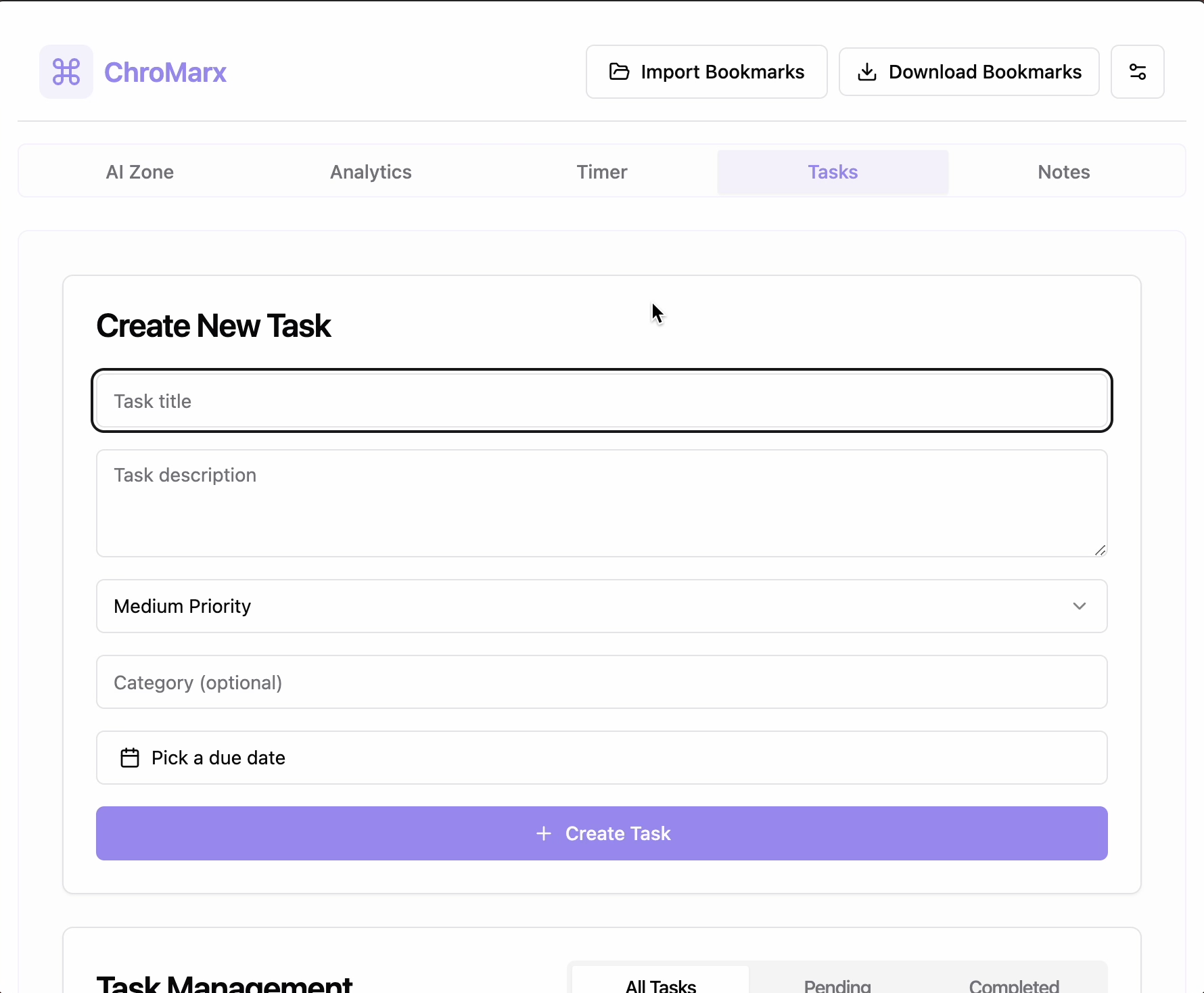
Tasks Tab Features
- Task Management: Bookmark-linked tasks, content-based task creation, priority management, and progress monitoring.
- AI Analytics: Task completion analysis, productivity metrics, and AI-suggested improvements.
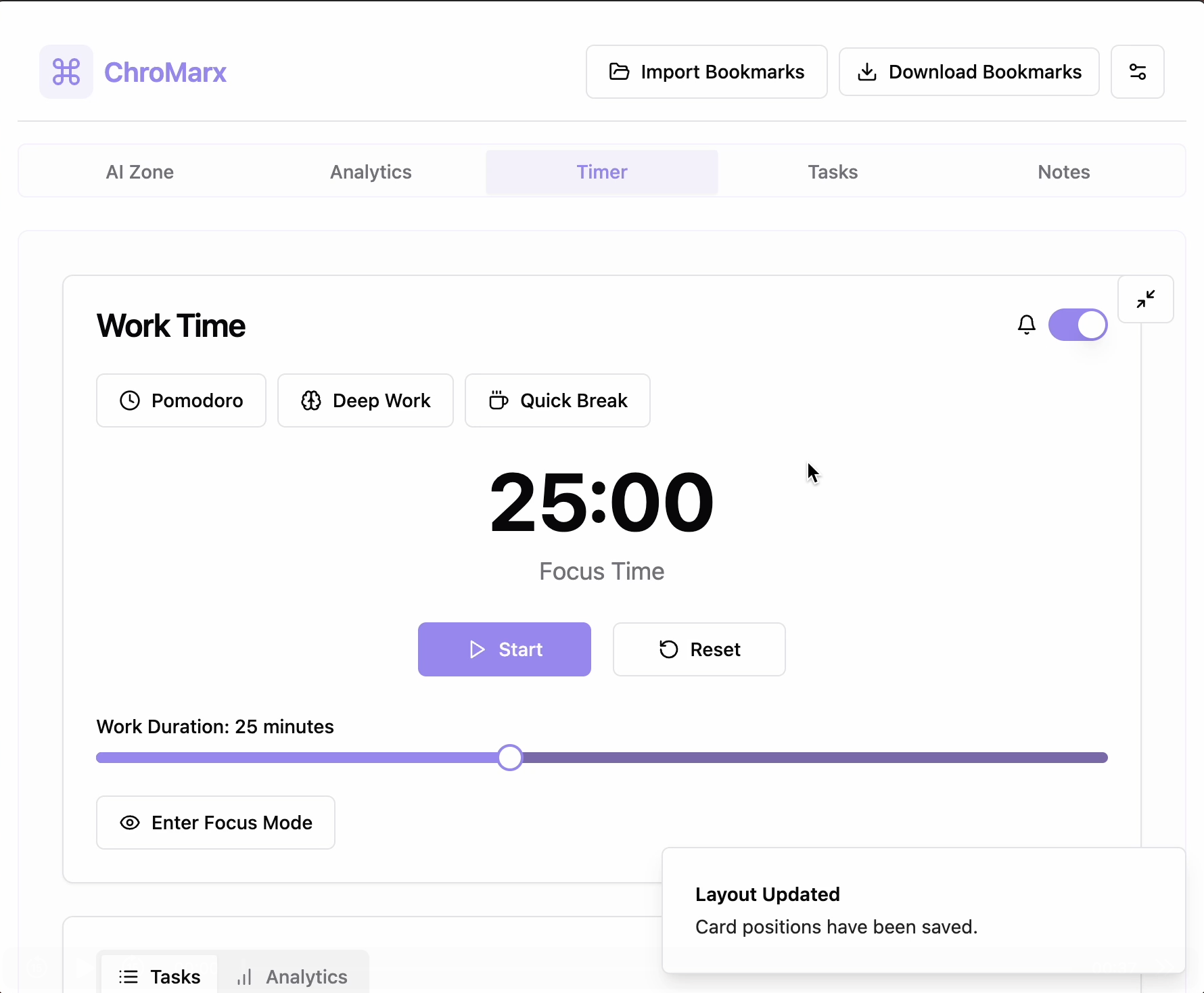
Timer Tab Features
- Focus Tools: Pomodoro timer, customizable intervals, session tracking, and focus mode.
- Productivity Features: Session tracking, task time estimation, and productivity statistics.
Technologies Used
- Frontend Stack: React 18 with TypeScript, Tailwind CSS, and Lucide React for icons.
- Chrome APIs: Bookmarks API, Language Model API, AI Summarizer API, Storage API.
- Libraries: shadcn/ui for UI components, Recharts for visualizations, React Query for state management.
Impact and Future Directions
ChroMarx is designed to enhance the way professionals and students manage their digital resources by organizing bookmarks efficiently. Future updates include daily summary notifications and seamless sharing with other Google users.
Built With
- css
- react
- shadcn-ui
- tailwind
- typescript
- vite


Log in or sign up for Devpost to join the conversation.