Inspiration
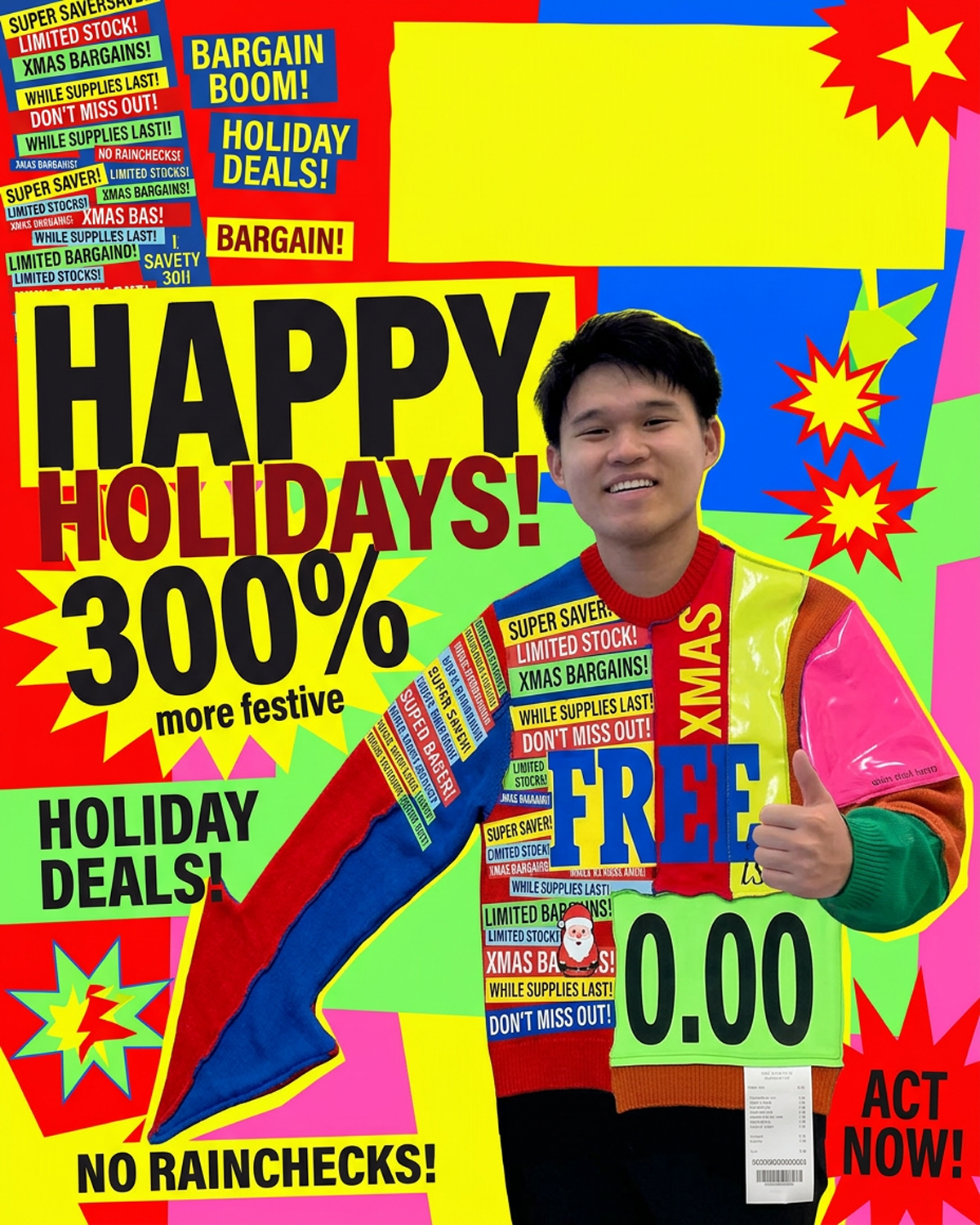
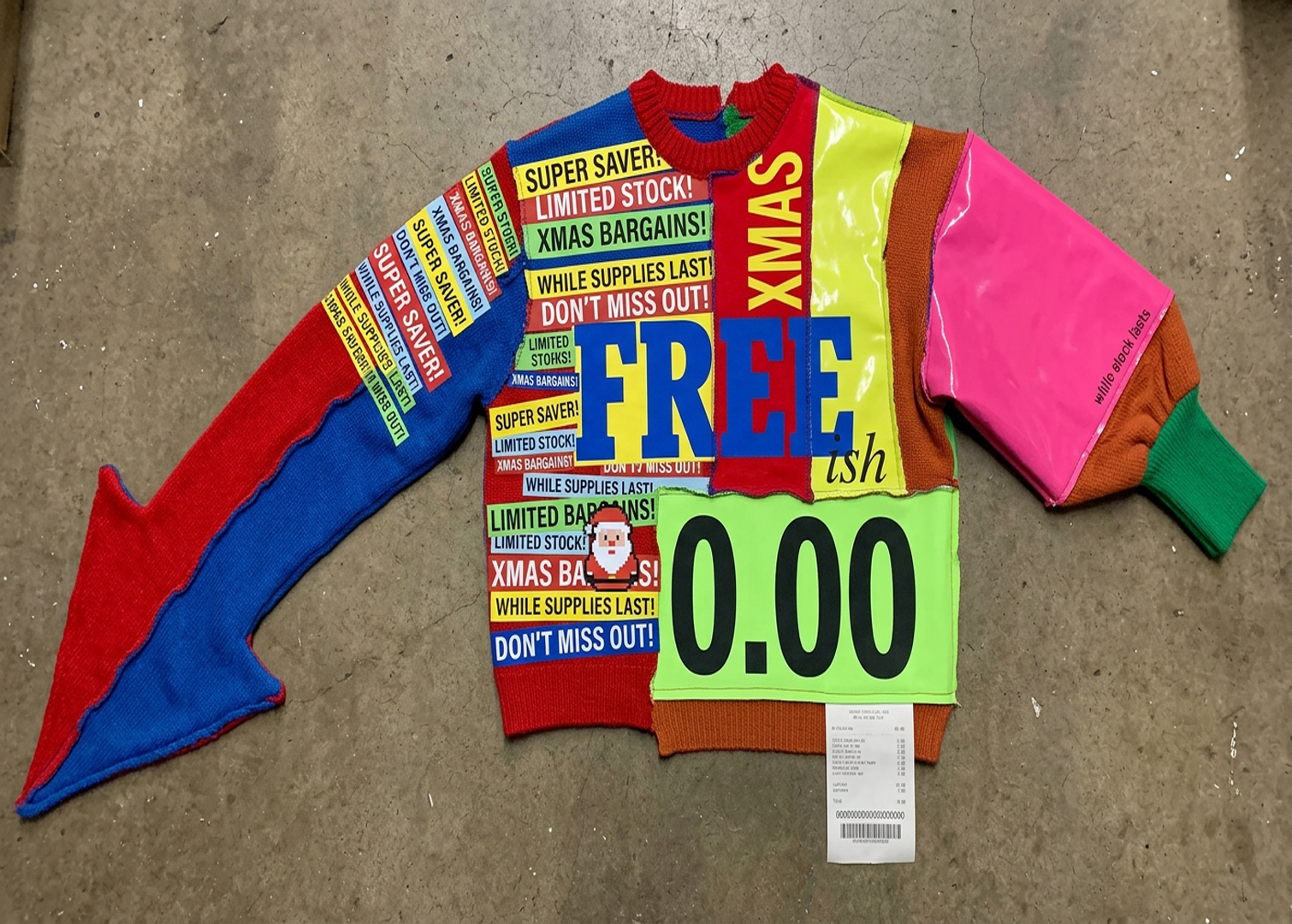
Imagine the clearance aisle trying to sell you Christmas from every direction at once. I turned that feeling into a sweater. The left sleeve stretches into a crooked red-and-blue arrow. The right shoulder looks like a bright pink parcel, almost empty except for a tiny stock warning. A giant blue FREE crowds out its own italic “ish”, a black 0.00 sits on fluorescent green, and a receipt drops from the chopped hem. On the card, I’m giving a thumbs-up next to a 300% festive sticker and a greeting fighting for space with the sale labels.
Making the sweater
I used Nano Banana 2, listed as Gemini 3.1, through AI Markup in Photoshop on the web. I revised the prompt to set the silhouette and give the ad copy deliberately uneven spacing. Tiny labels crowd one chest and sleeve while the opposite shoulder is almost bare. I kept the resulting variation as a generated layer in Photoshop and exported the standalone sweater at 1510 × 1080 pixels as a PNG.
Turning it into a card
I brought a reference sheet with my cropped portrait and the revised sweater into Photoshop on the web. With Nano Banana 2 in AI Markup, I guided the model to keep my likeness and thumbs-up pose, fit the arrow-sleeve sweater onto me, and turn the background into a Christmas clearance flyer. I asked for crammed ad labels beside large empty blocks, with “HAPPY HOLIDAYS!” large enough to read at a glance. I kept the final composition on a generated layer, hid the reference sheet layer, and exported the 1200 × 1500 card as a PNG.
What I learned
The first sweater looked too coordinated. Giving the model separate instructions for the garment cut and the density of the sale copy made the second version feel like the flyer I had in mind. The card carried over the same uneven spacing while keeping the greeting and my thumbs-up readable.
Built With
- adobe
- nano-banana
- photoshop
