-
-
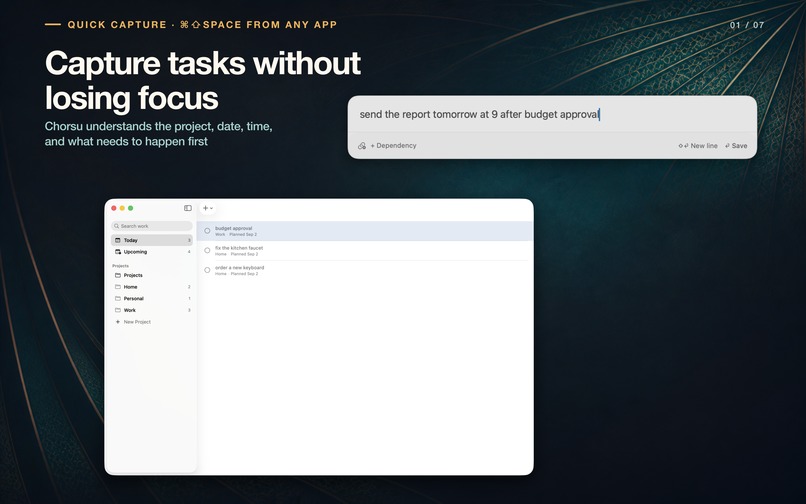
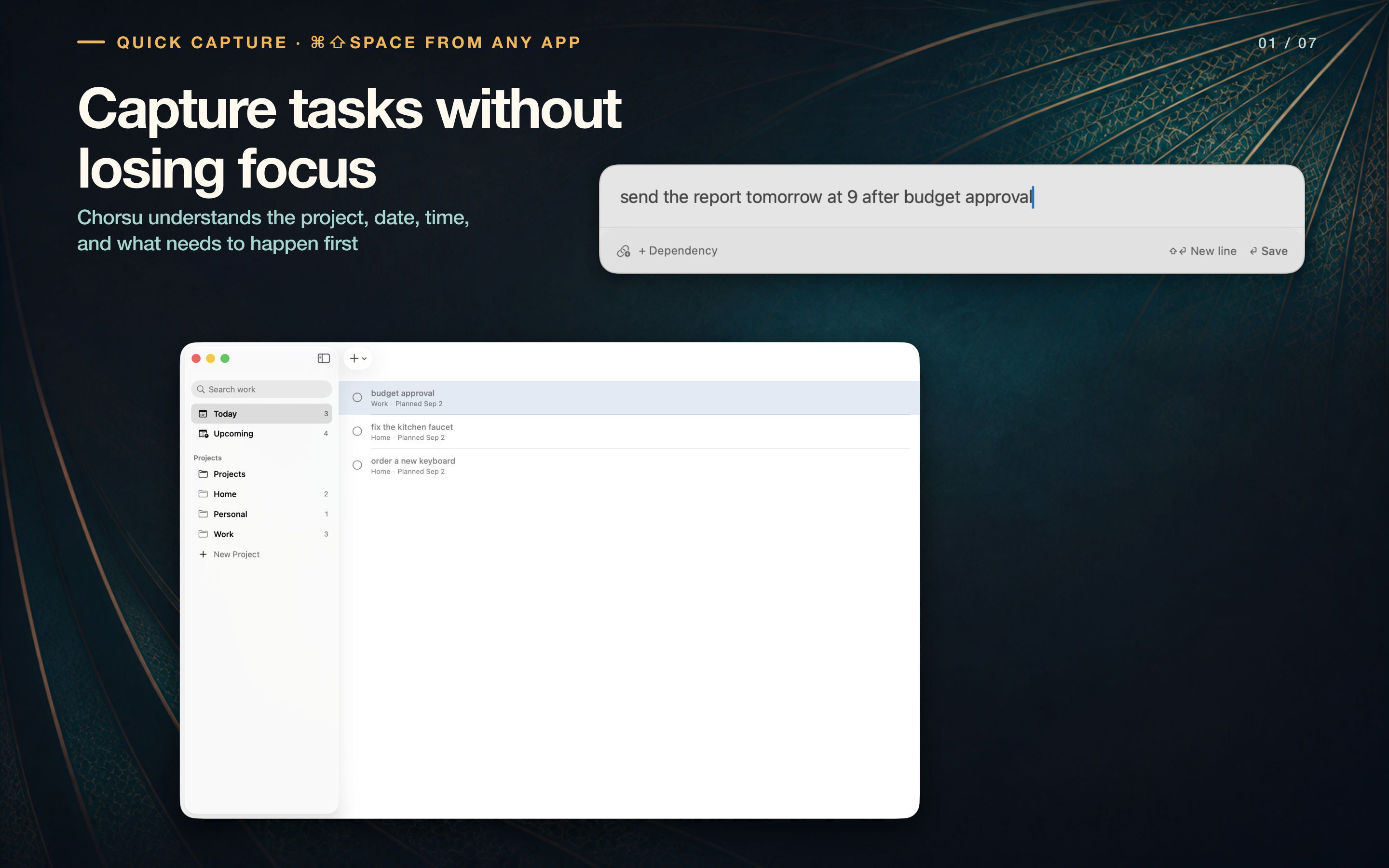
Quick Capture: type a task, reminder time, and prerequisite without leaving the current app.
-
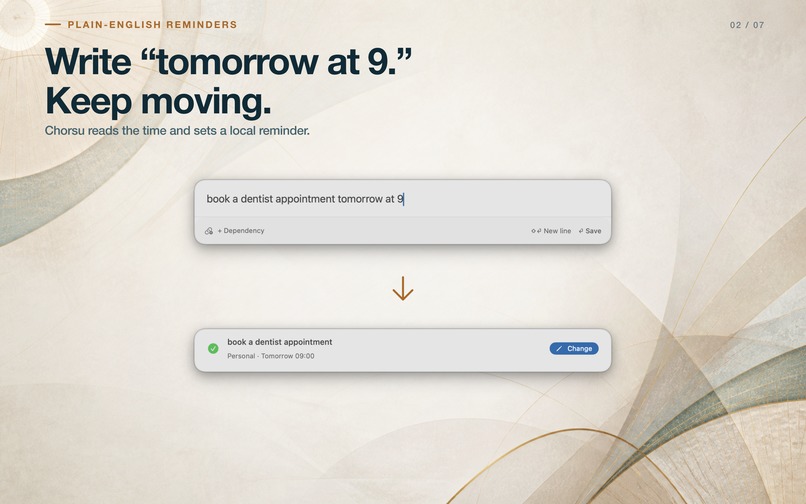
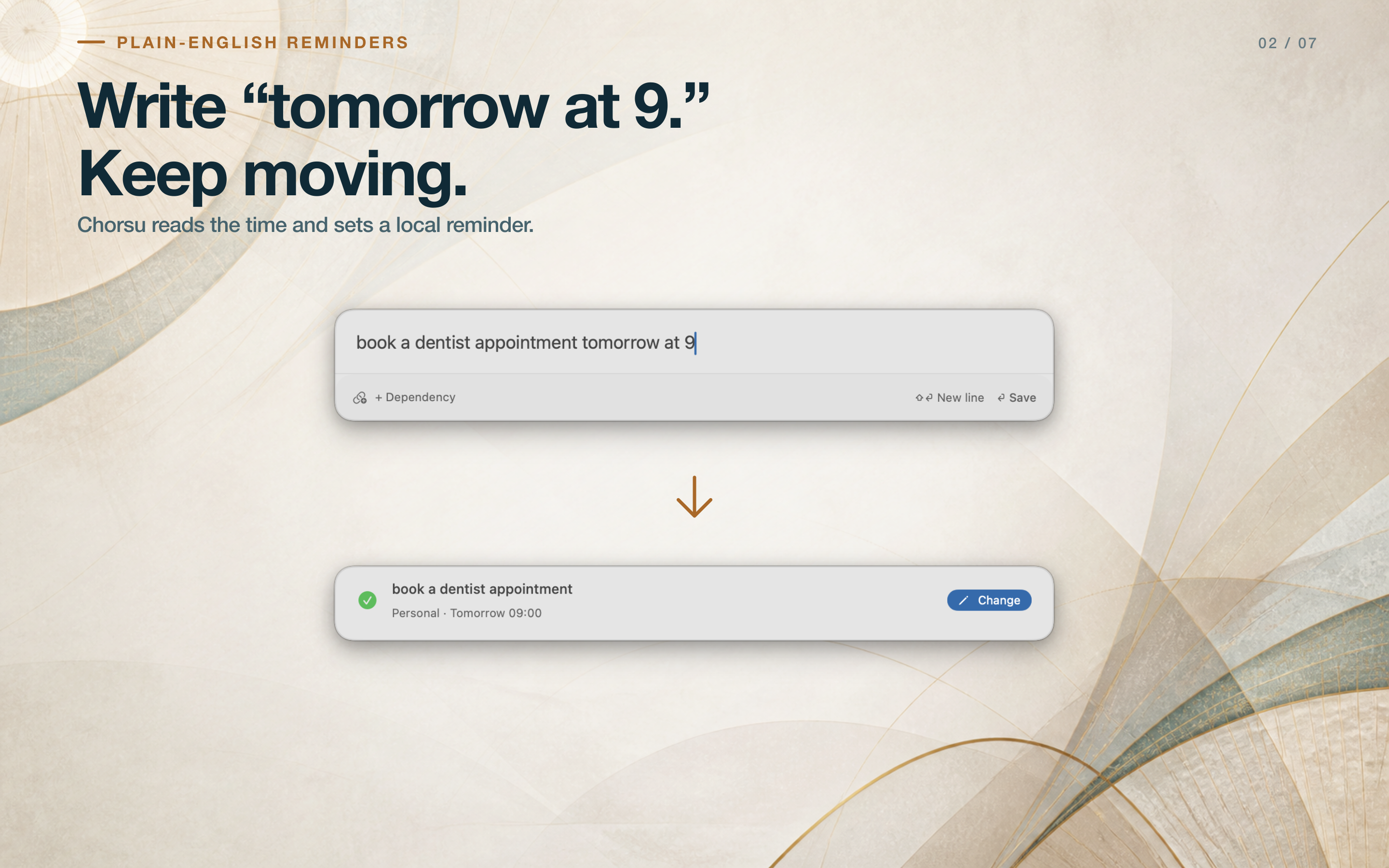
Plain-English reminders: inspect the resolved project and time before returning to work.
-
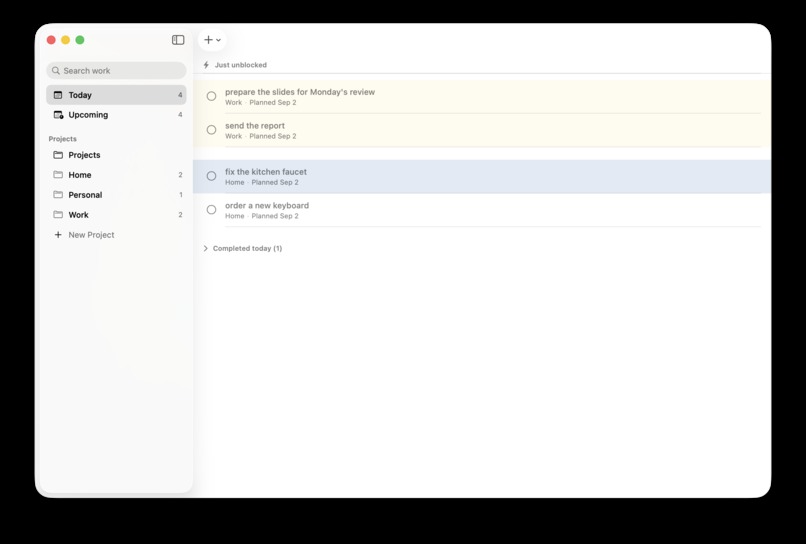
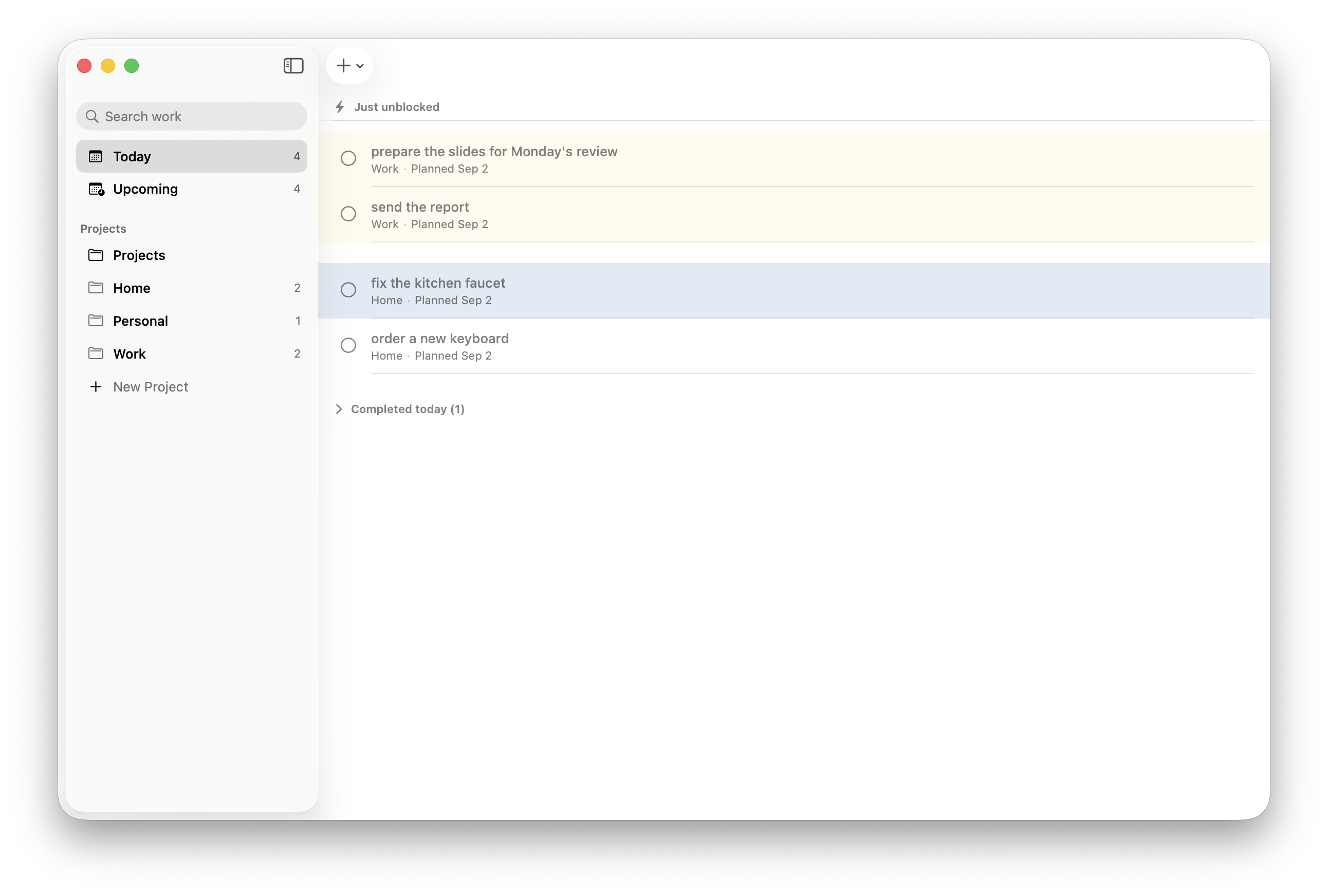
Today: dependent tasks appear under Just unblocked after their prerequisites are completed. Native Mac screenshot with sample tasks.
-
Chorsu app icon — original 1024 × 1024 image.

Inspiration
I work on several side projects. While fixing a bug in one app, I might remember a release task for another or think of a marketing idea. I want to capture that thought without losing my place in the code and be reminded at a time I choose.
That's why I built Chorsu: an app that understands tasks and reminder times written in plain English. I can type "review the release tomorrow at 9," confirm the project and reminder, and get back to work.
What it does
Press Command-Shift-Space anywhere on your Mac and type one task. Chorsu helps put it in the right project, resolve a reminder, and connect any prerequisite in that same capture interaction.
- Put the task in its place. Clear routing evidence sends it to a project. When the destination is uncertain, the panel expands into a keyboard-friendly chooser with your text preserved. You finish the decision while the thought is fresh.
- Make the reminder visible. Type "review the release tomorrow at 9" and inspect the resolved date and time in the confirmation. A nearby Change action keeps correction part of capture.
- Bring tasks back when they're unblocked. Create "Submit sprint," then capture "publish the results after Submit sprint." Chorsu connects the prerequisite, asking for clarification when needed. The dependent task stays out of Today while blocked; completing its prerequisite makes it actionable again.
- Finish work where you already are. Complete tasks from Today, the menu bar, keyboard controls, or a reminder notification.
- Start your day with Daily Review. Check unfinished work, adjust your plan, and preview each change before applying it.
Tasks stay on the Mac. No Chorsu account is required. Optional Apple Foundation Models assistance runs on compatible Macs; saving a capture never waits for the model.
The design
Chorsu is built around a short interruption with a clear ending. The capture panel begins with one text field and reveals choices when a decision needs your input. Project and reminder confirmations make the result visible before you move on. Each capture becomes one task, resolved in place, with no inbox to sort later.
The same principle shapes Today: blocked work waits until its prerequisites are complete. The transition from "waiting on something" to "ready to do" is part of the task's behavior. The menu bar gives that workflow a compact home.
How it was built
SwiftUI and AppKit provide the native Mac interface. SwiftData stores the workspace, NaturalLanguage supports local routing, and UserNotifications handles reminders. A single persistence actor owns changes; creating a project and its first task commits as one operation. Completing a prerequisite updates the dependent task's state in storage, so it remains actionable even if a notification is missed.
RevenueCat powers Pro purchases, entitlement checks, and restoration on the Mac App Store. The launch version includes three active projects in Free. Chorsu Pro Lifetime unlocks unlimited active projects for one $19.99 US purchase, with localized App Store pricing.
Challenges and what I learned
The hardest part was making capture fast without silently putting tasks in the wrong project. Chorsu files a task automatically when the evidence is clear and asks in the same panel when it isn't.
I learned that automation needs an easy way to check and correct its decisions. That's why Chorsu shows the chosen project and reminder time and keeps corrections within the capture flow.
Available now
Chorsu 1.0.0 launched on the Mac App Store on September 4, 2026. It requires macOS 26 or later. Natural-language parsing is English-only in version 1.0; optional Apple Intelligence assistance requires a compatible Mac.