-
-
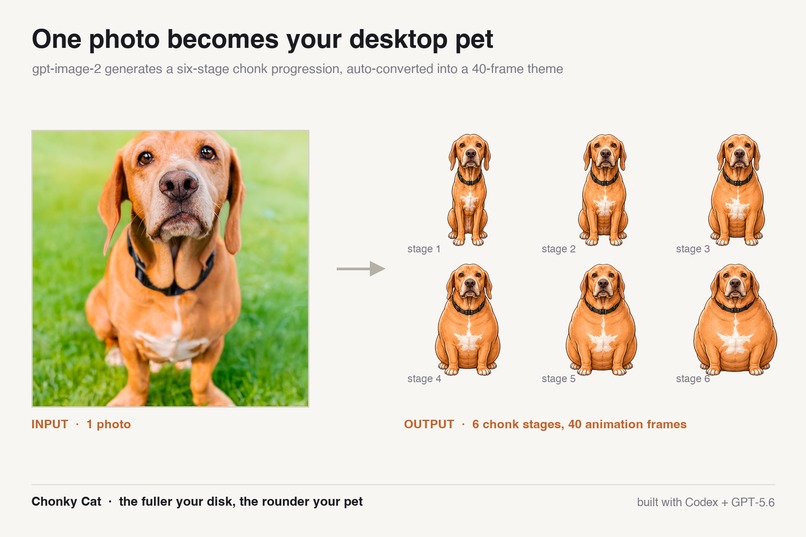
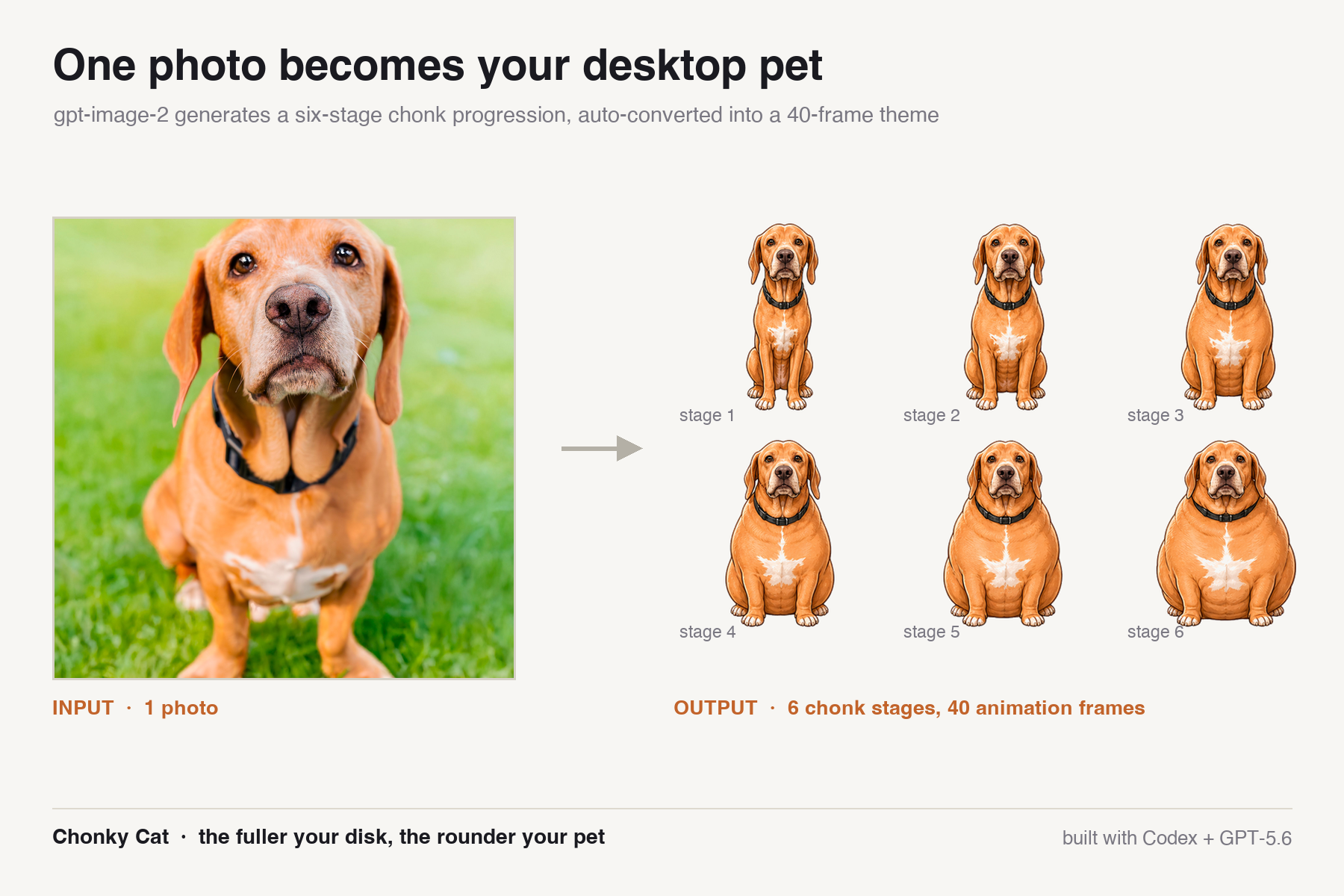
One photo → six chonk stages → a 40-frame custom theme, generated by gpt-image-2
-
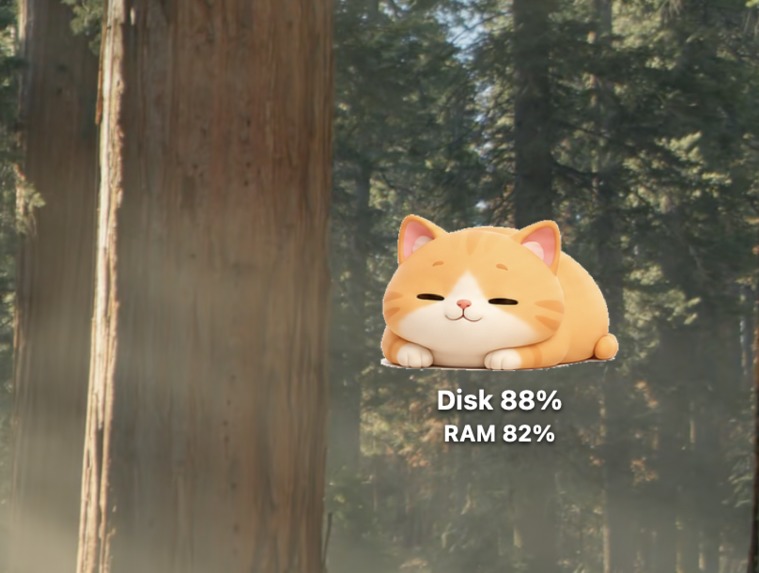
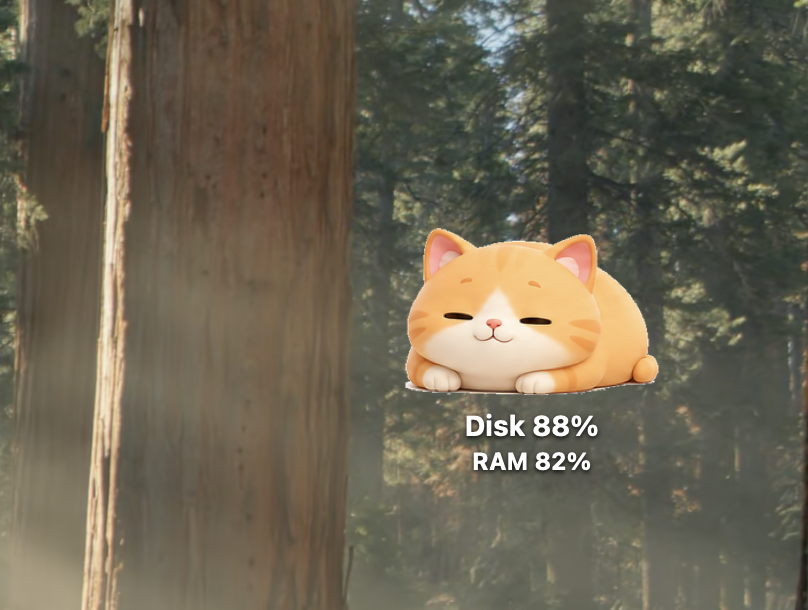
Your disk usage, always visible. 88% full means she's officially a HEFTYCHONK
-
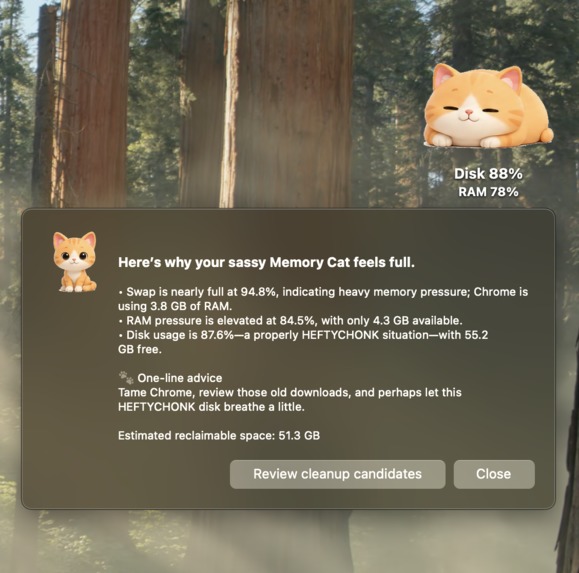
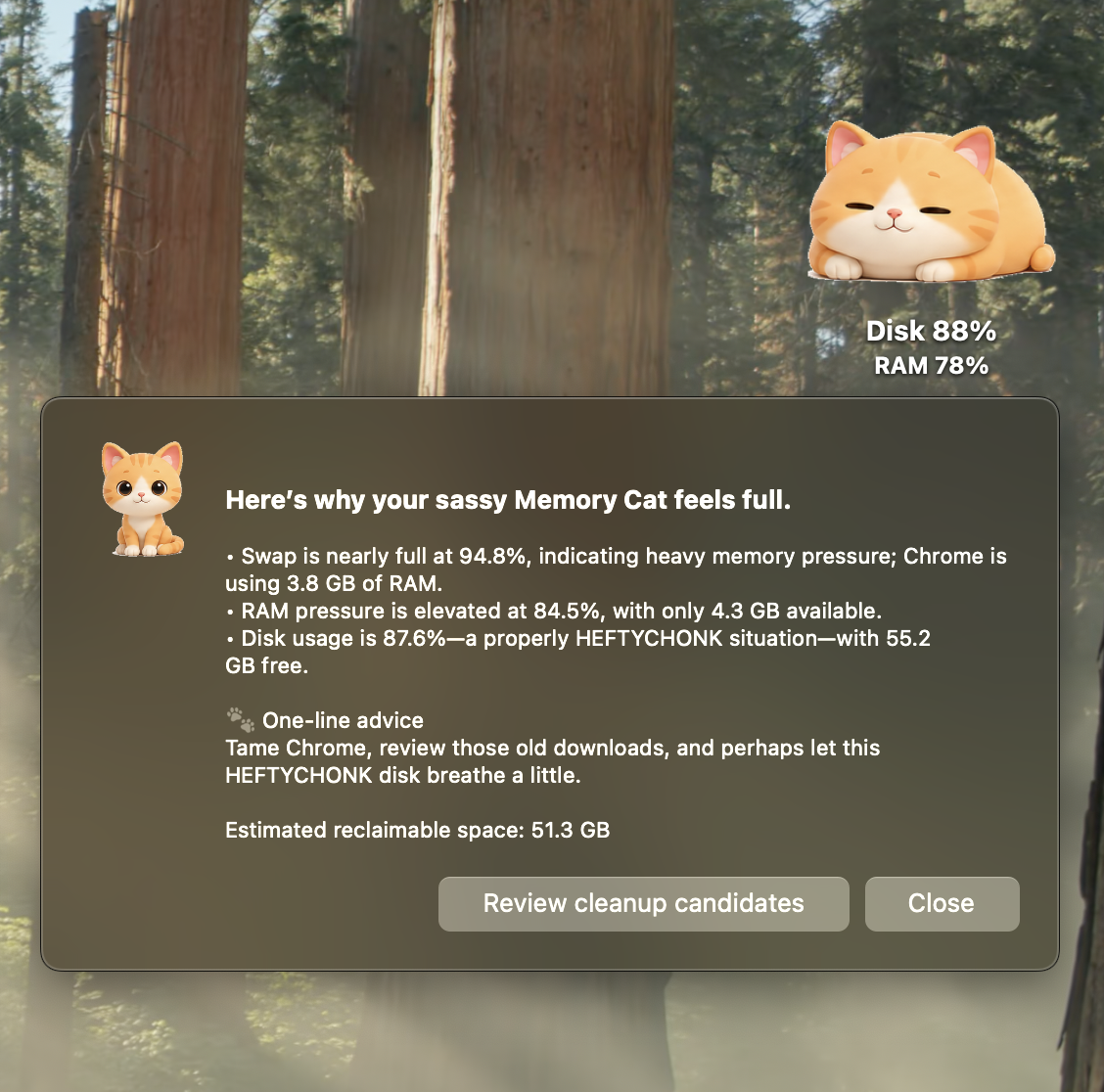
GPT-5.6 explains why your Mac feels slow — in your cat's chosen personality
-
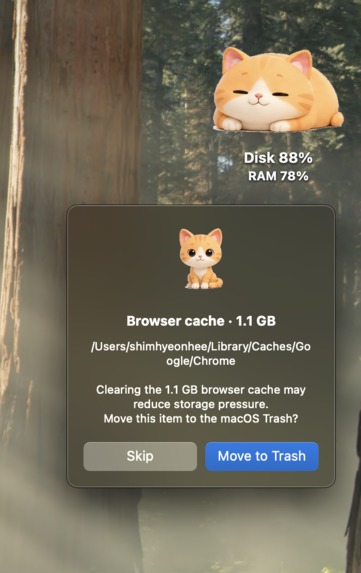
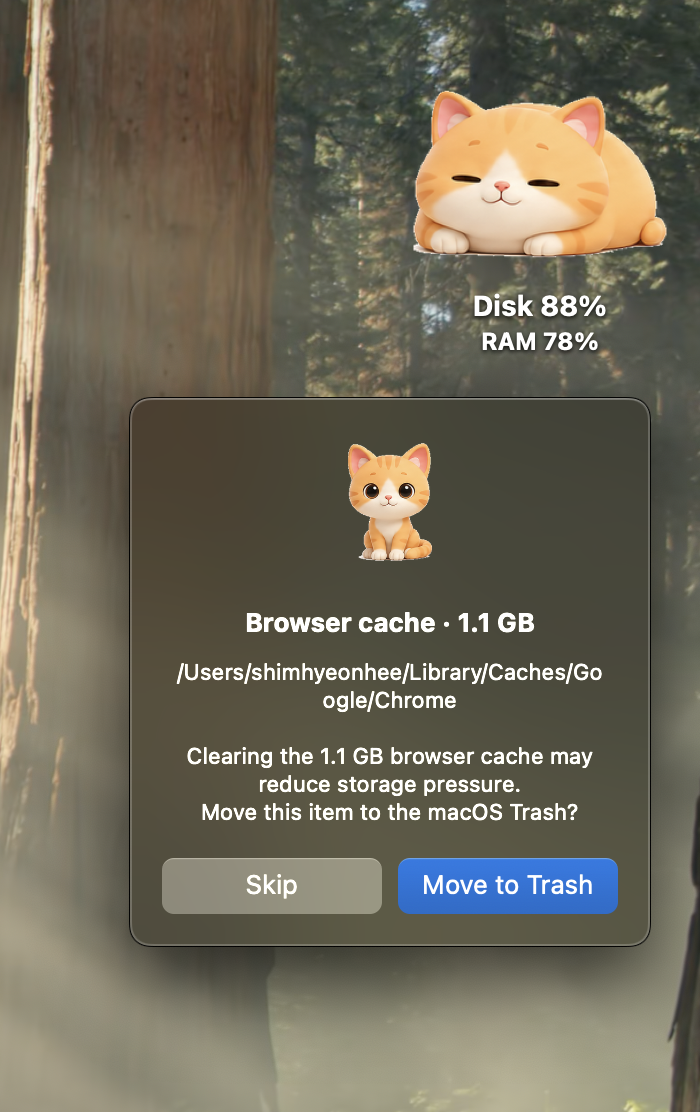
Whitelisted paths only, macOS Trash only, and every item needs your approval
Inspiration
A friend messaged me: "My disk keeps filling up and I have no idea why." My answer was, honestly, terrible: "Just ask an AI."
But it stuck with me. So I looked into it — and the culprit was the AI tooling itself. Virtual environments, package caches, model downloads, desktop app data: all quietly piling up while you work. (That's also how I found out my own drive was sitting at 88%. 🫠)
Last month I'd built a tiny weekend toy — a desktop cat that gets chubbier as your disk fills up. It could show the problem, but not solve it. My friend still wouldn't know what to delete.
Build Week was the push to give the cat a brain.
What it does
Chonky Cat (뚱냥이) is a macOS desktop pet with three tricks:
- Ask it what's wrong → right-click and GPT-5.6 diagnoses why your Mac is slow — which apps hog memory, what's safe to clean, and how many GB you'd get back.
- Approve its diet plan → the diagnosis proposes a cleanup (browser caches, old downloads, Xcode junk — whitelist only, moved to macOS Trash, never permanent, always reversible). You approve each item, and it reports exactly how many GB it freed.
- Hatch your own → pick a single photo of your real pet, and gpt-image-2 generates a 6-stage chonk sprite sheet in ~30 seconds, auto-converted into a full 40-frame desktop theme. Your actual cat or dog now lives on your desktop, from "a fine boi" to "OH LAWD HE COMIN".
How I built it
The original shell (June): Python + PyObjC, hand-drawn themes, no AI.
During Build Week, Codex built the entire AI layer in one session thread:
brain.py (diagnosis + safe-trash engine), personality.py (three voices —
sassy butler, warm auntie, stoic samurai), i18n.py (English/Korean, auto-detected
from system language), and vision_theme.py (photo → sprite pipeline), plus the
68 tests that keep all of it honest.
At runtime the app calls GPT-5.6 (gpt-5.6-luna) for diagnosis and
gpt-image-2 for sprite generation — so GPT-5.6 is both the tool that built
this and the brain that runs it.
Challenges
- Making file deletion trustworthy: whitelist-only targets, macOS Trash (never permanent), explicit approval for every single item. On my machine it found 51.3 GB of safely reclaimable space — but it won't touch a byte without a click.
- Mapping a fun metaphor to real utility without breaking the charm — the "diet plan" approval step is the safety review.
What's next
Direct-touch gestures (pet the cat to diagnose, play to clean), a Windows port of the AI layer, and a chonk-chart leaderboard for friends' pets.
Built With
- codex
- gpt-5.6
- gpt-image
- macos
- openai
- pillow
- pyobjc
- python


Log in or sign up for Devpost to join the conversation.