-
-
Chisel WebMCP
-
WebMCP Surface
-
Consent Gate
-
Gate Step Export
-
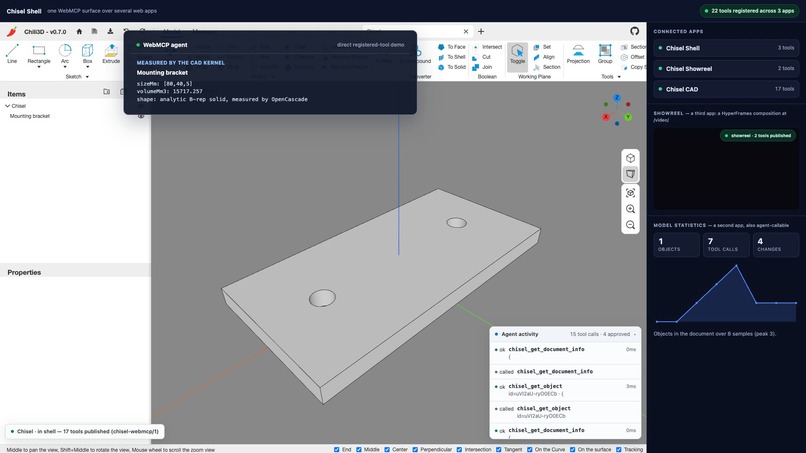
Measured by Kernel
-
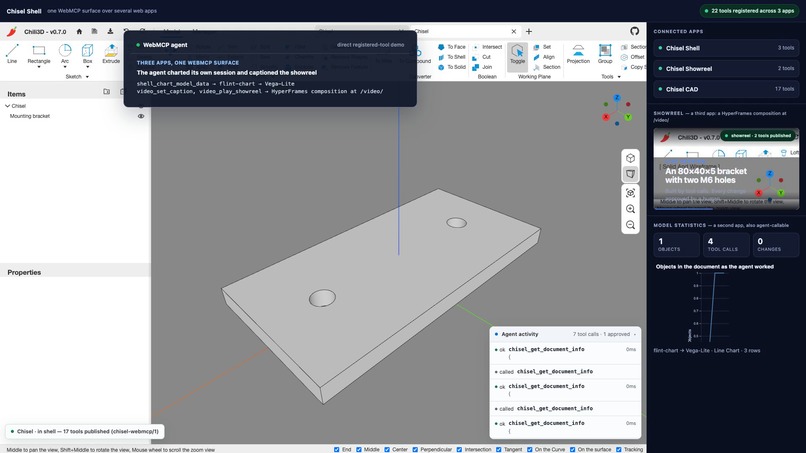
Three Apps
Inspiration
WebMCP starts from a simple problem: agents often operate websites by scraping the DOM and simulating clicks. That is brittle even for ordinary web apps. In a 3D CAD viewport, it is worse—there is no DOM representation of a solid, and clicking pixels cannot reliably express “subtract these cylinders from this plate” or verify the resulting volume.
That made CAD a strong test for WebMCP. If an agent could inspect a real parametric model, call exact modelling operations, verify the geometry, and export a manufacturing format—all inside the browser—then WebMCP would be doing something that UI automation alone cannot.
What it does
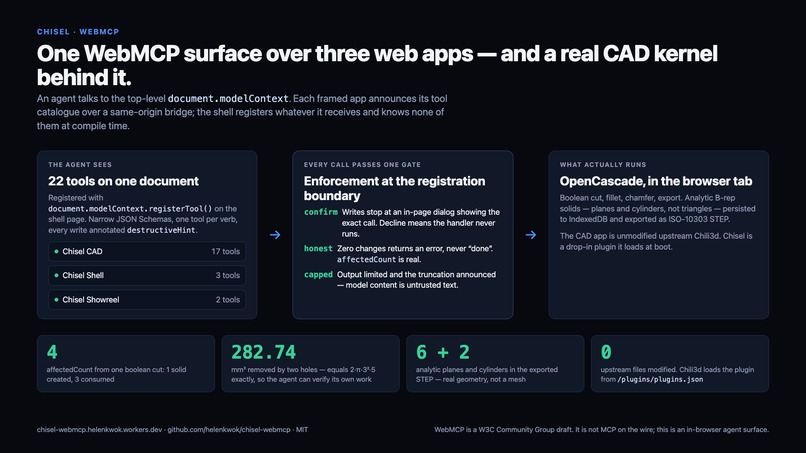
Chisel gives an in-browser agent structured access to a real OpenCascade B-rep CAD kernel.
A user can ask:
Make a mounting bracket 80 × 40 × 5 mm with two 6 mm holes, 50 mm apart.
The agent can then:
- Inspect the active document and its unit system.
- Create an exact box and two cylinders.
- Subtract the cylinders with a real boolean operation.
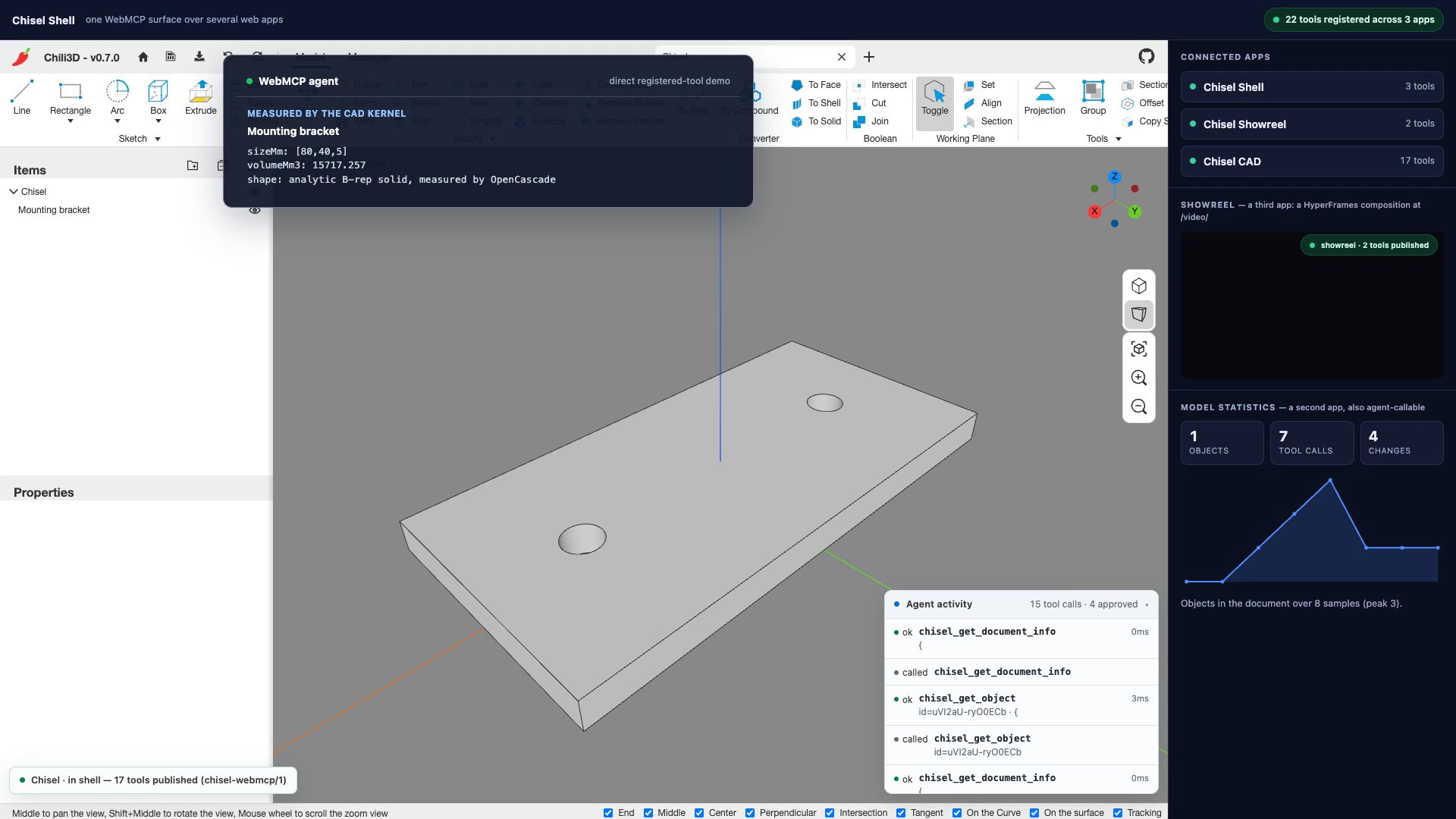
- Read back the bounding box, volume, surface area, scene tree, and undo history.
- Export the result as STEP, IGES, BREP, STL, or OBJ.
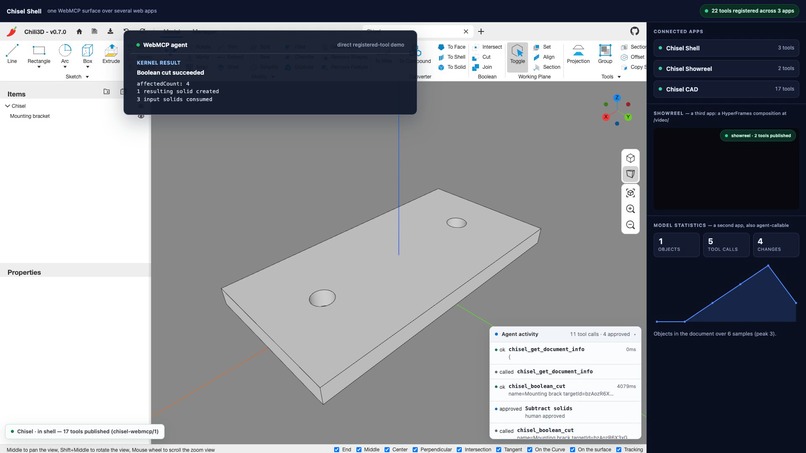
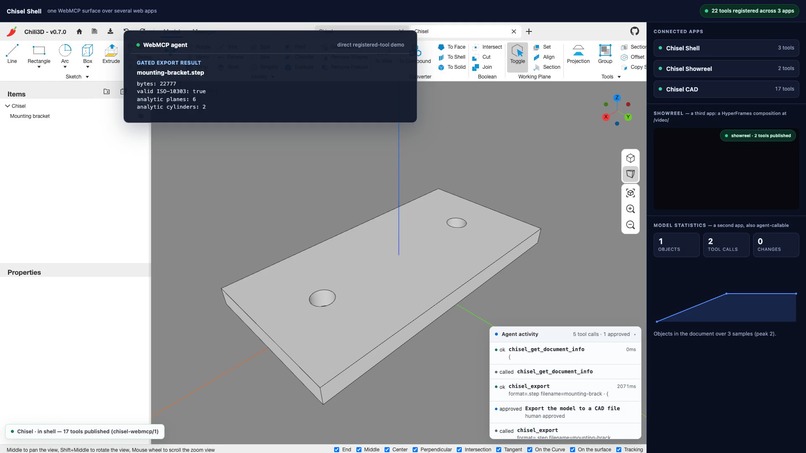
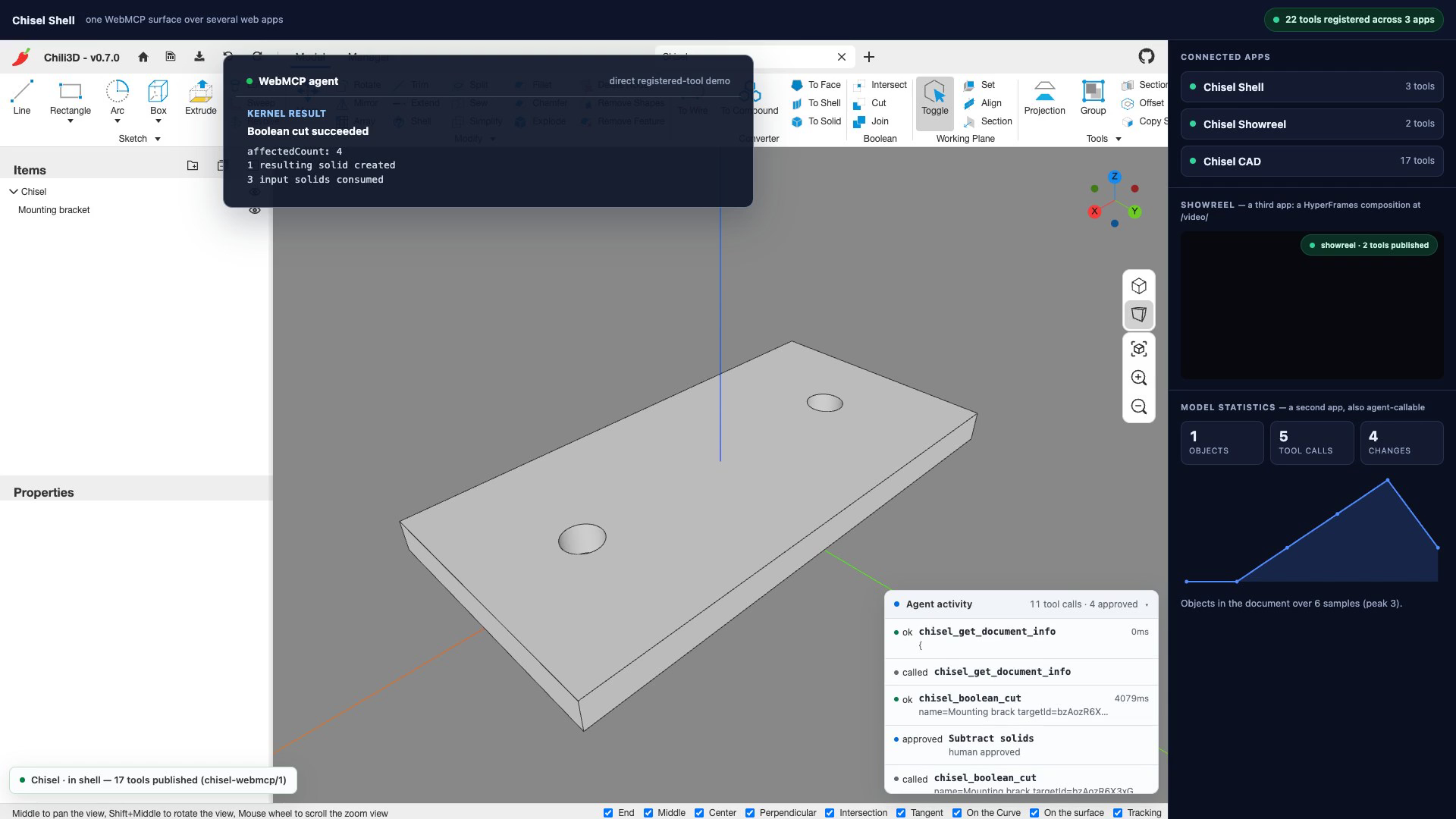
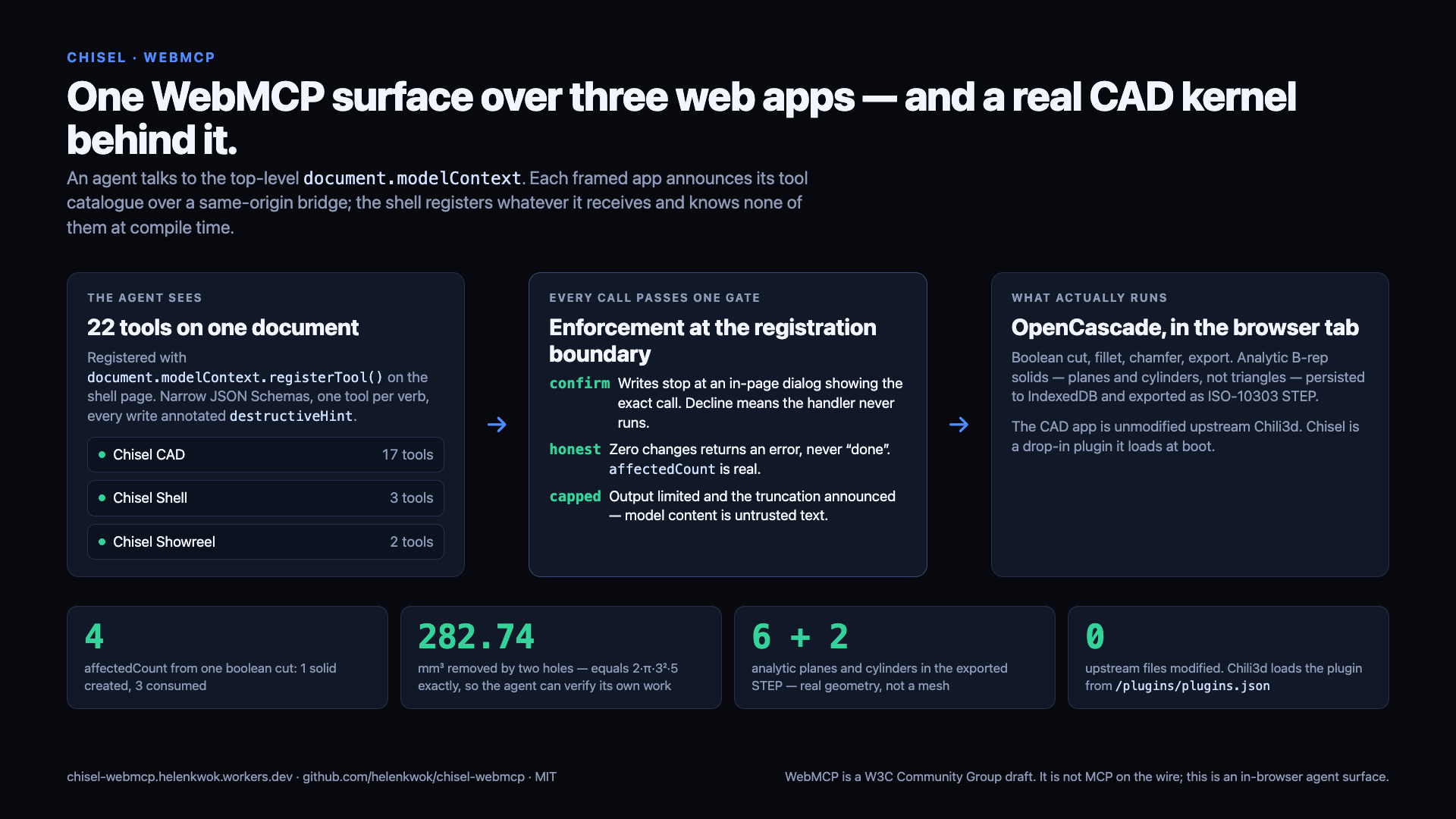
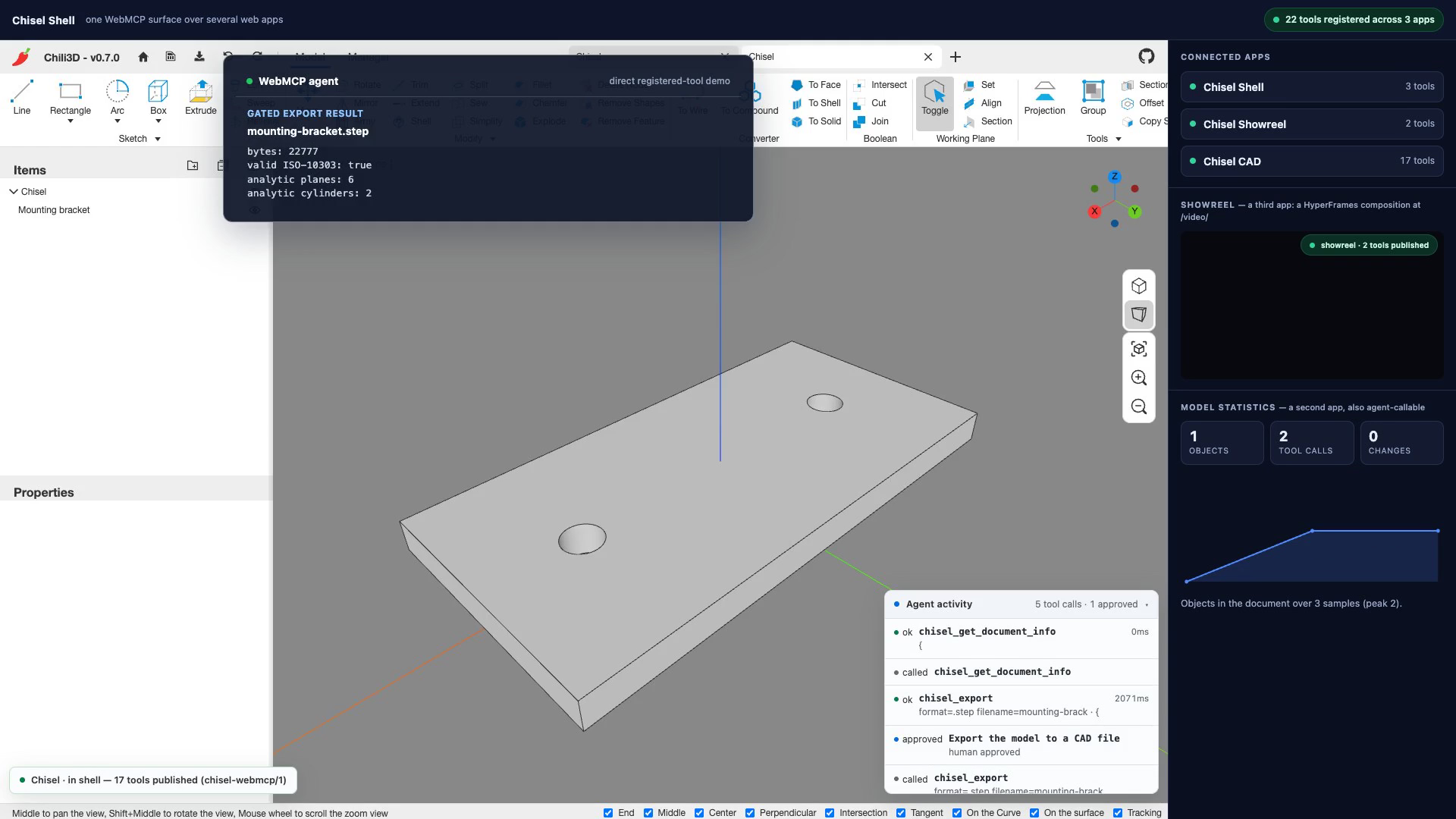
The demonstrated bracket measures exactly 80 × 40 × 5 mm. Its boolean operation reports affectedCount: 4: one resulting solid created and three input solids consumed. STEP export verifies the ISO-10303 envelope, B-rep solid count, and analytic plane and cylindrical surfaces before reporting success.
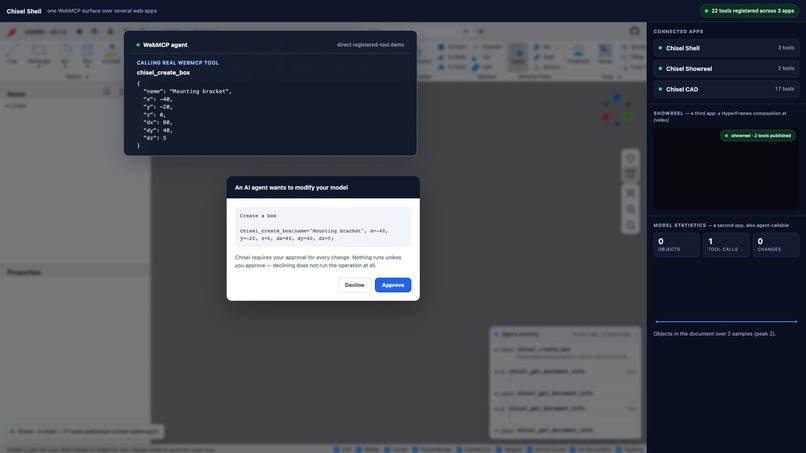
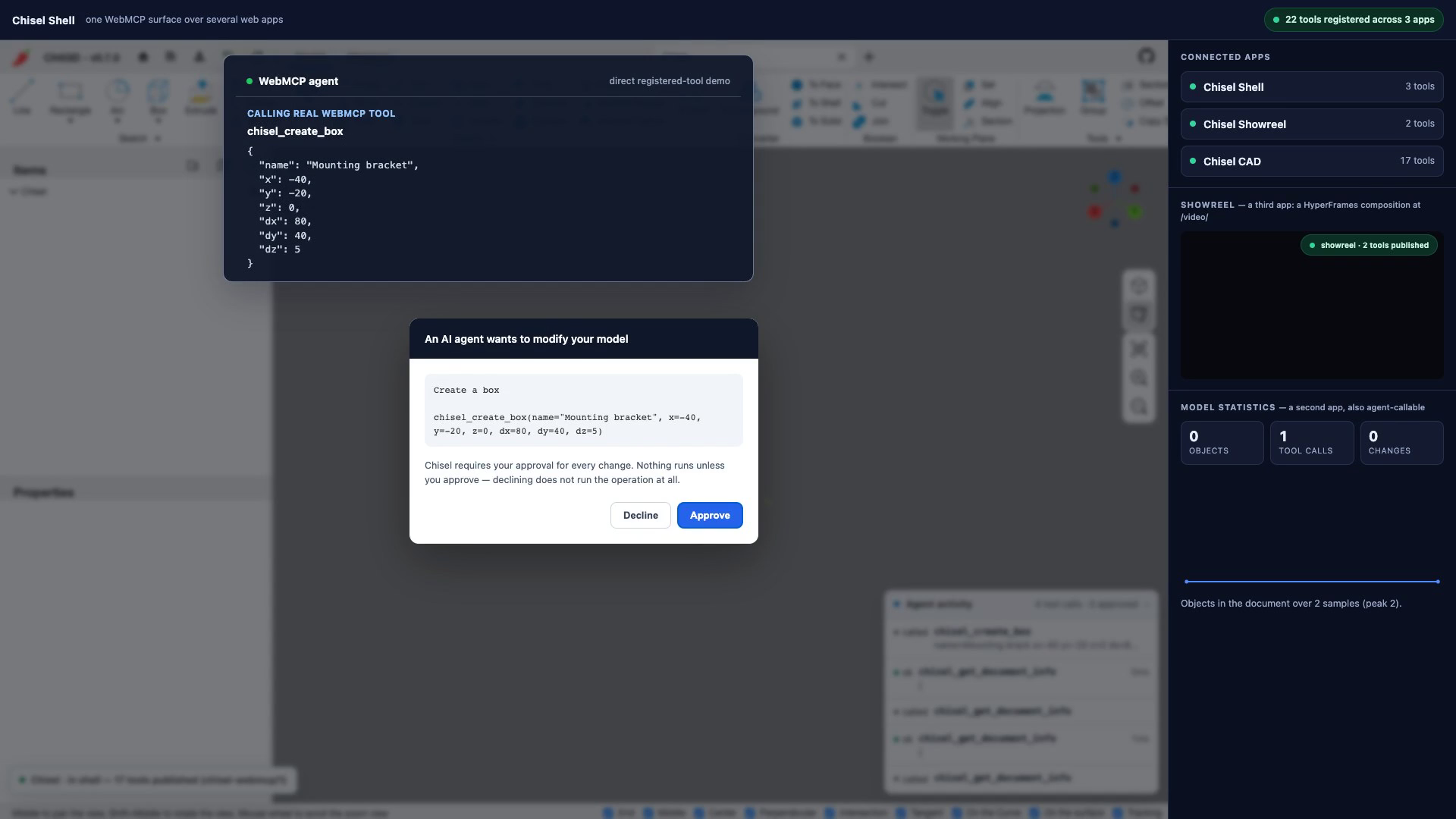
Every consequential operation passes through one shared approval gate. The page shows the exact requested call, and the handler does not run unless the human approves it. Declining is not “run and roll back”; the operation never executes.
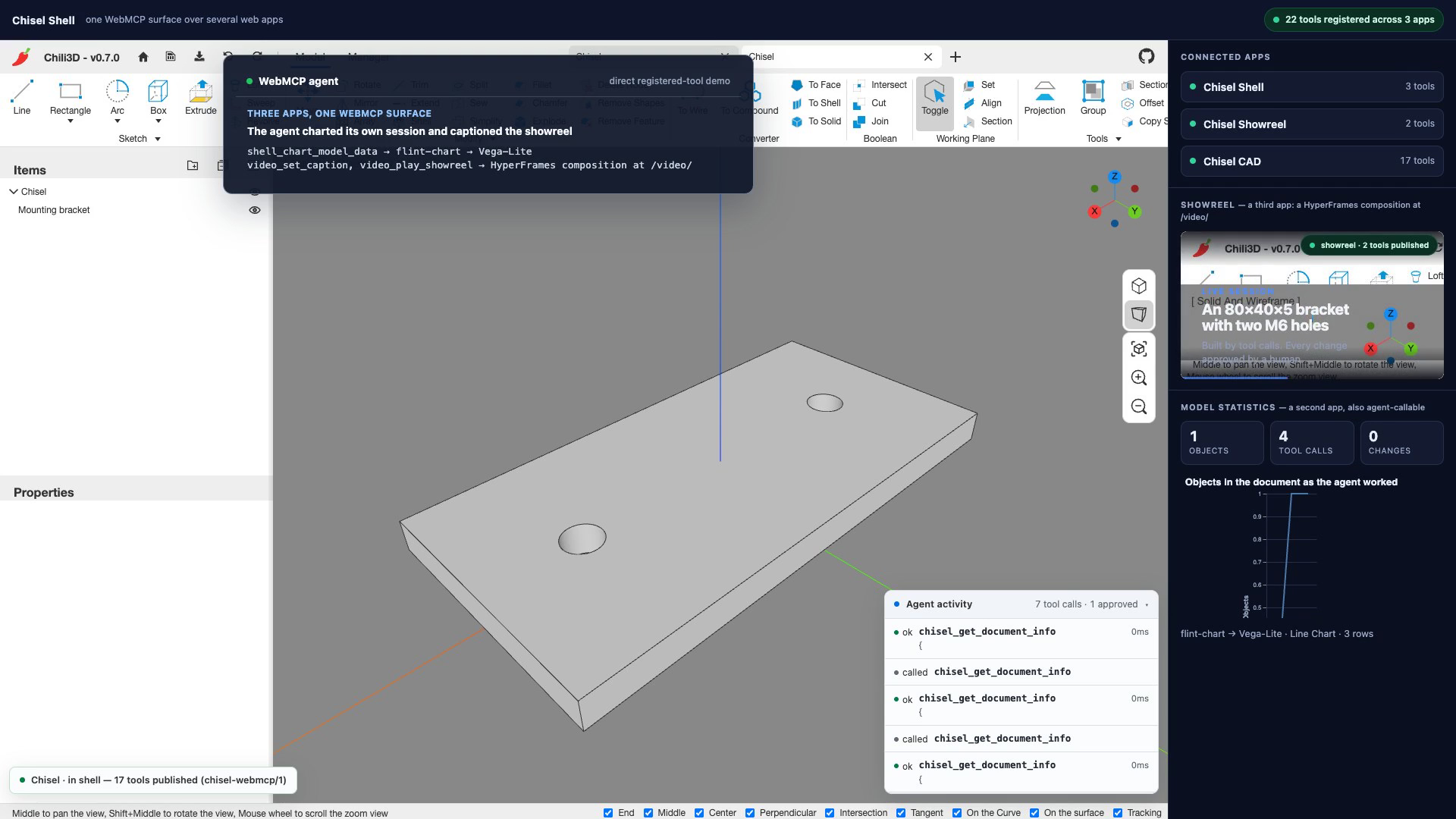
Chisel also explores WebMCP composition. Its top-level shell combines tools published by independently owned same-origin apps:
- The CAD application contributes modelling, inspection, undo, finishing, and export tools.
- The shell contributes application discovery, session statistics, and agent-authored charts using
flint-chartand Vega-Lite. - A HyperFrames composition at
/video/runs as an interactive browser showreel with a deterministic timeline.
Calls are routed back to the frame that announced each tool, so the CAD consent dialog stays inside the application that owns the model.
How I built it
Chisel is a new WebMCP integration built around the existing open-source Chili3d CAD application.
Chili3d supplies the OpenCascade 8 WebAssembly kernel, Three.js viewport, document model, IndexedDB persistence, and CAD exporters. I did not build or modify that kernel, and I do not claim the upstream application as my work.
The new work is the complete agent surface:
- JSON Schema tool definitions registered through
document.modelContext - Read tools for document state, selection, scene hierarchy, geometry, and history
- Named modelling tools for primitives, booleans, movement, deletion, undo, fillets, and chamfers
- Gated export with format-level verification
- One registration-boundary authorization wrapper
- A visible activity log showing calls, approvals, failures, duration, and affected counts
- A same-origin catalogue and invocation bridge for framed applications
- A multi-app shell that merges independently published tools
- An agent-queryable statistics and charting surface
- A HyperFrames browser composition for the showreel
- A reproducible build that checks out a pinned Chili3d commit and adds Chisel through its existing plugin system
The combined static application is deployed on Cloudflare Workers.
Challenges I faced
The WebMCP API changed
A large amount of existing material still uses navigator.modelContext and provideContext(). The current API uses document.modelContext and registerTool().
There is also no unregisterTool(). Tools are removed by aborting the AbortSignal supplied during registration.
Tool shape affected agent reliability
The first design exposed one large apply_operation tool with an operation enum. An adversarial review correctly challenged the claim that this was safer: an enum is not a sandbox. Multiple operations hidden behind one dispatcher still have the same authority, while discriminated-union inputs are harder for agents to call reliably.
I replaced it with narrowly scoped named tools while keeping the real safety property: every callable write still passes through the same mandatory gate.
WebMCP exists on the top-level document
In the in-app browser, document.modelContext is available on the top-level page but not necessarily inside an iframe. The framed CAD application therefore publishes plain tool metadata to the shell through a versioned same-origin bridge. The shell registers the catalogue at the top level and forwards calls back to the frame.
This was tested end to end in production: agent → top-level WebMCP tool → shell → postMessage bridge → application gate → OpenCascade.
Success needed to be independently checkable
A tool returning “done” is not enough. Chisel reports exactly what changed, exposes numerical geometry metrics, records the operation in undo history, and treats zero affected objects as an error.
Tool output is capped and announces truncation, because model names and document content are untrusted text that becomes agent context.
Accomplishments
- Drove a real B-rep CAD kernel through production WebMCP calls.
- Built and verified a two-hole mounting bracket with exact dimensions.
- Added human approval without relying on advisory WebMCP annotations.
- Made agent actions visible through an in-page activity trail.
- Added undo, fillet, chamfer, numerical geometry verification, and gated STEP export.
- Composed multiple web applications into one top-level tool surface.
- Added agent-authored session charts and an interactive HyperFrames showreel.
- Kept the integration separate from upstream Chili3d application code.
- Verified the deployed app in Chrome and the the ChatGPT in-app browser".
What I learned
The most interesting part of WebMCP is not converting functions into tool schemas. It is designing everything the standard intentionally leaves to the site:
- Where authorization is enforced
- How refusals are represented
- Whether success messages are truthful
- How agents recover from mistakes
- How much untrusted output enters context
- How tools from multiple applications compose
- How an agent verifies its own work instead of trusting itself
WebMCP becomes valuable when the website exposes domain operations that are more precise than clicking—and when the human can still see, understand, and control what the agent does.
What’s next for Chisel
- Address individual selected edges instead of applying fillets and chamfers to an entire solid.
- Add sketch-and-extrude workflows for profile-driven modelling.
- Show before-and-after geometry in approval dialogs.
- Let the HyperFrames app render and return an MP4 on request.
- Add a camera-orbit bridge so the showreel can present the live model directly.
What is new
All Chisel integration code was created during the challenge period. Chili3d is pre-existing third-party open-source software used under AGPL-3.0. Chisel’s WebMCP plugin, safety gate, activity interface, multi-app bridge, shell, charting integration, and HyperFrames showreel are the new work.
Built With
- chili3d
- cloudflare-workers
- hyperframes
- opencascade
- three.js
- typescript
- webassembly
- webmcp

Log in or sign up for Devpost to join the conversation.