Inspiration
We wanted to use some hardware to make a project based off what we saw from past winners. We asked around but had no luck, so we decided to use our devices’ native compute to make something interesting: an accessibility app that needs nothing but the phone you already own.
What it does
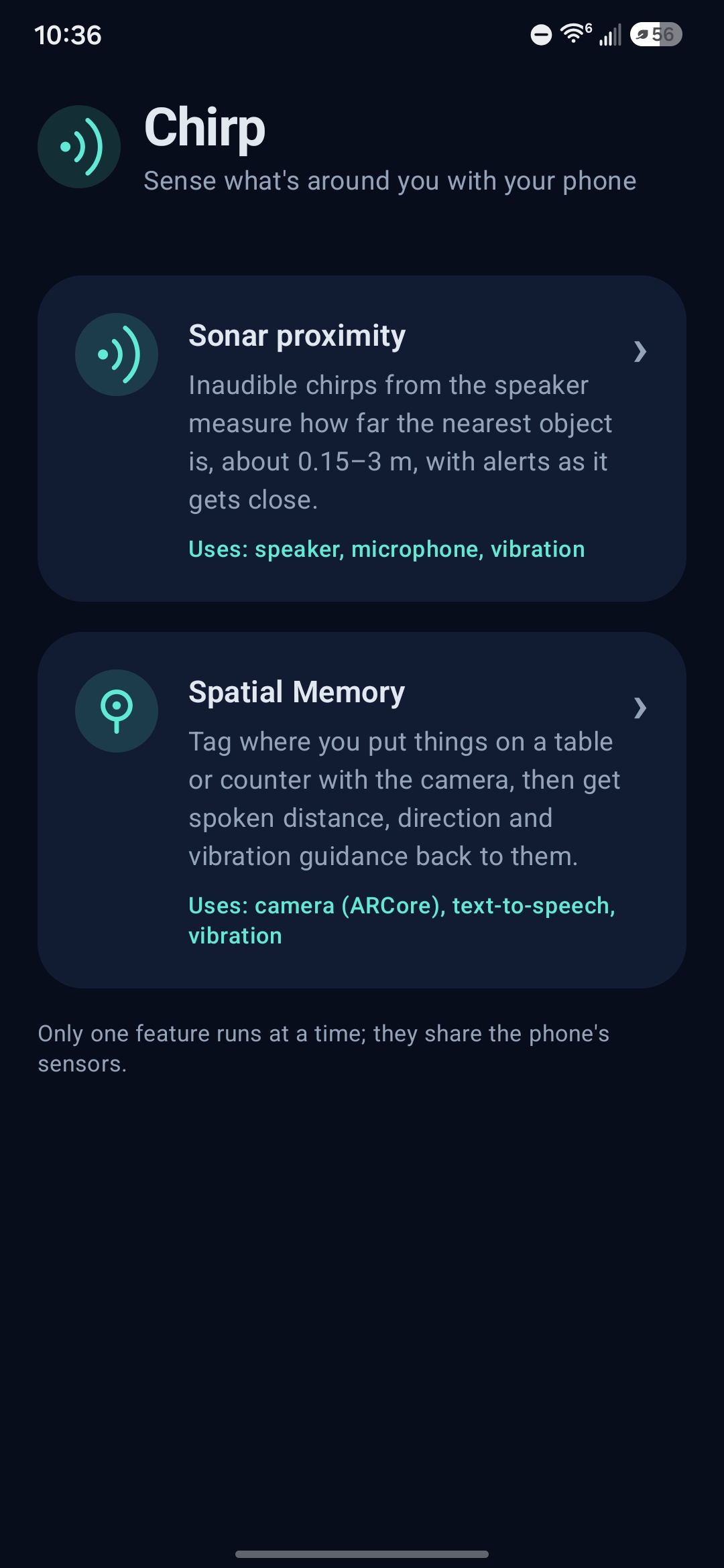
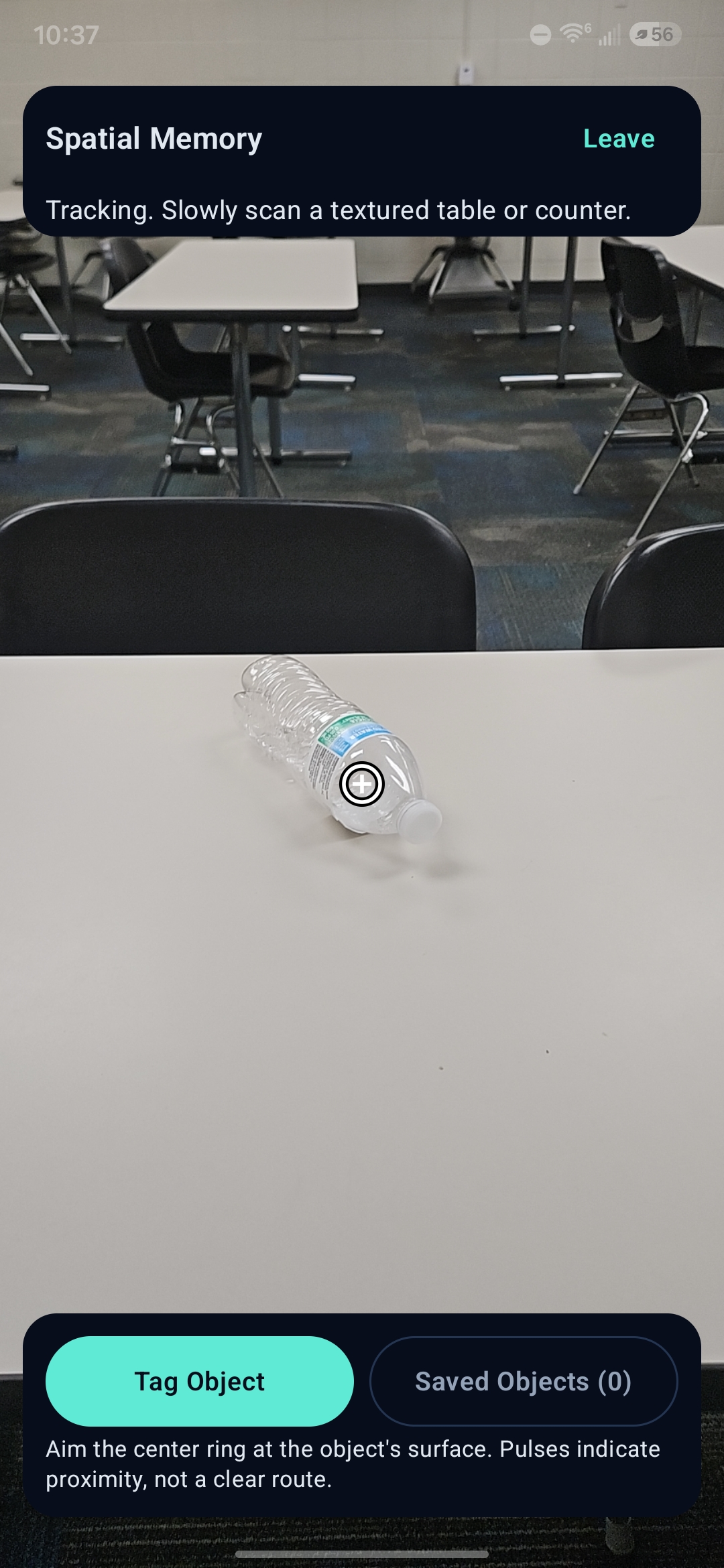
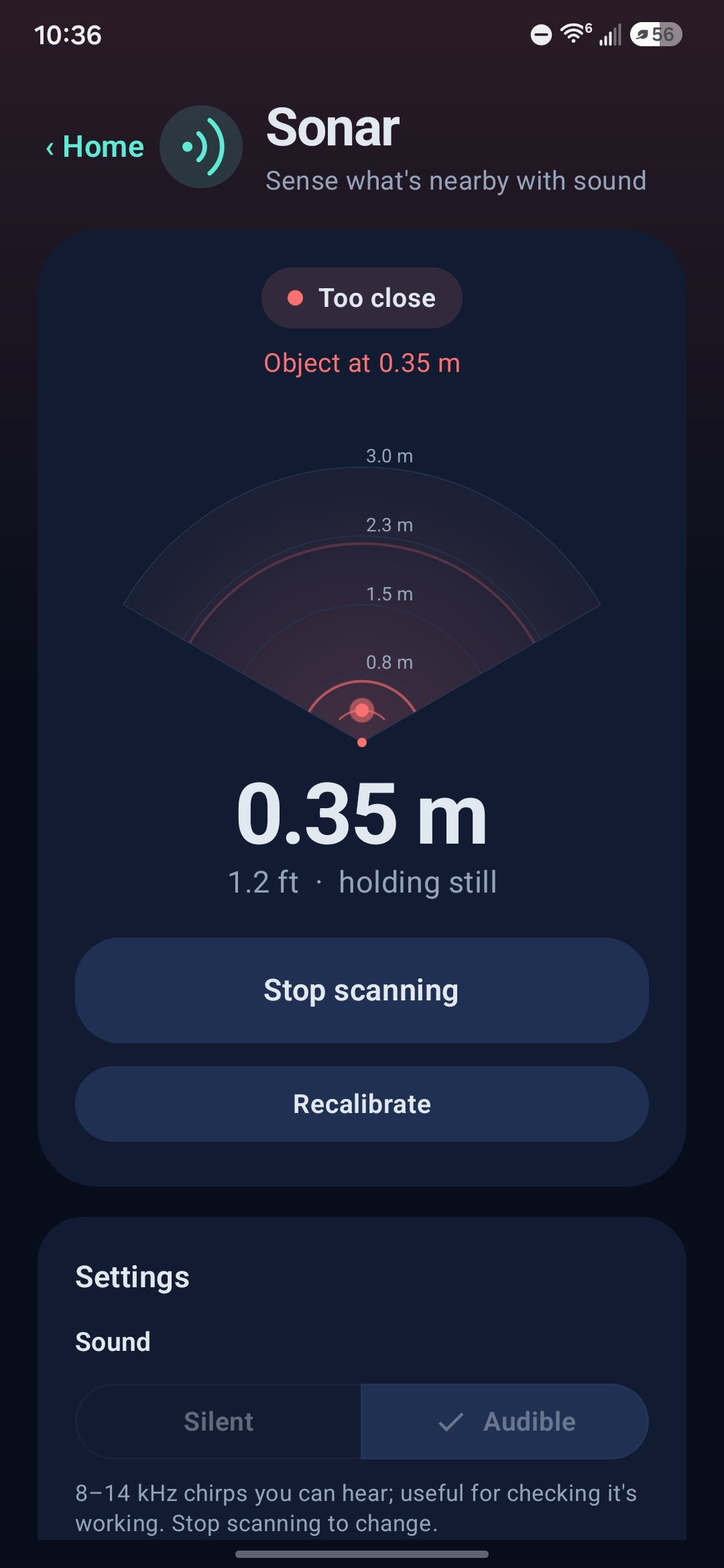
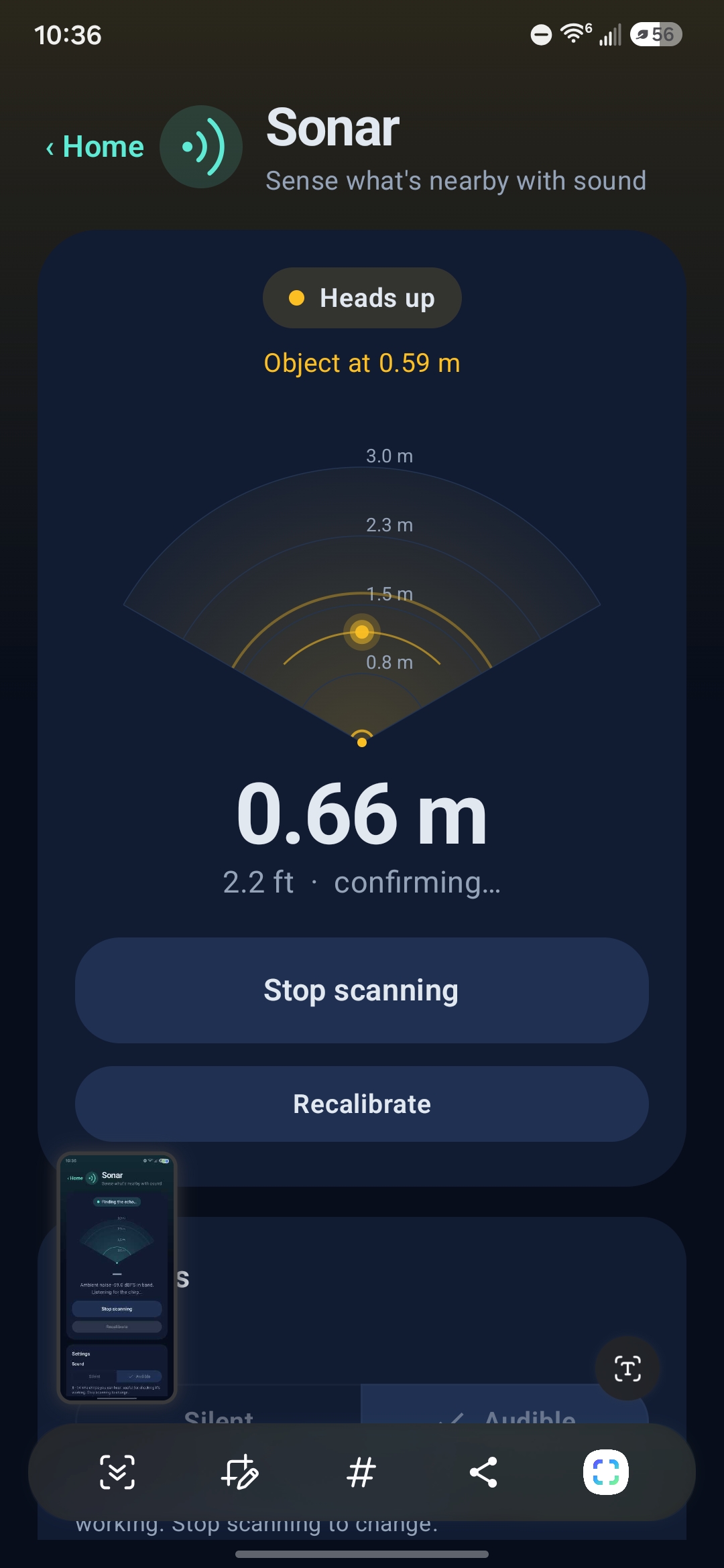
Chirp is an on-device digital cane for blind and low-vision users. The phone’s speaker emits short, near-inaudible chirps (15–20 kHz), the microphone records the returning echoes, and the app works out how far away the nearest obstacle is and whether it is getting closer. As an obstacle approaches, Chirp escalates from CAUTION to WARNING based on distance and time to contact, delivered through vibration so it never interferes with the sonar band. It works in the dark, with no camera and no internet. Alongside the sonar, Chirp builds a 3D map of a building and lets you tag items and locations, so you can find your things later. Where Lookout-style tools tell you what is in front of you, Chirp tells you how close it is and where your stuff is, and everything runs offline on the phone.
How we built it Platform: native Android (Kotlin), developed and tested on a Galaxy S23+.
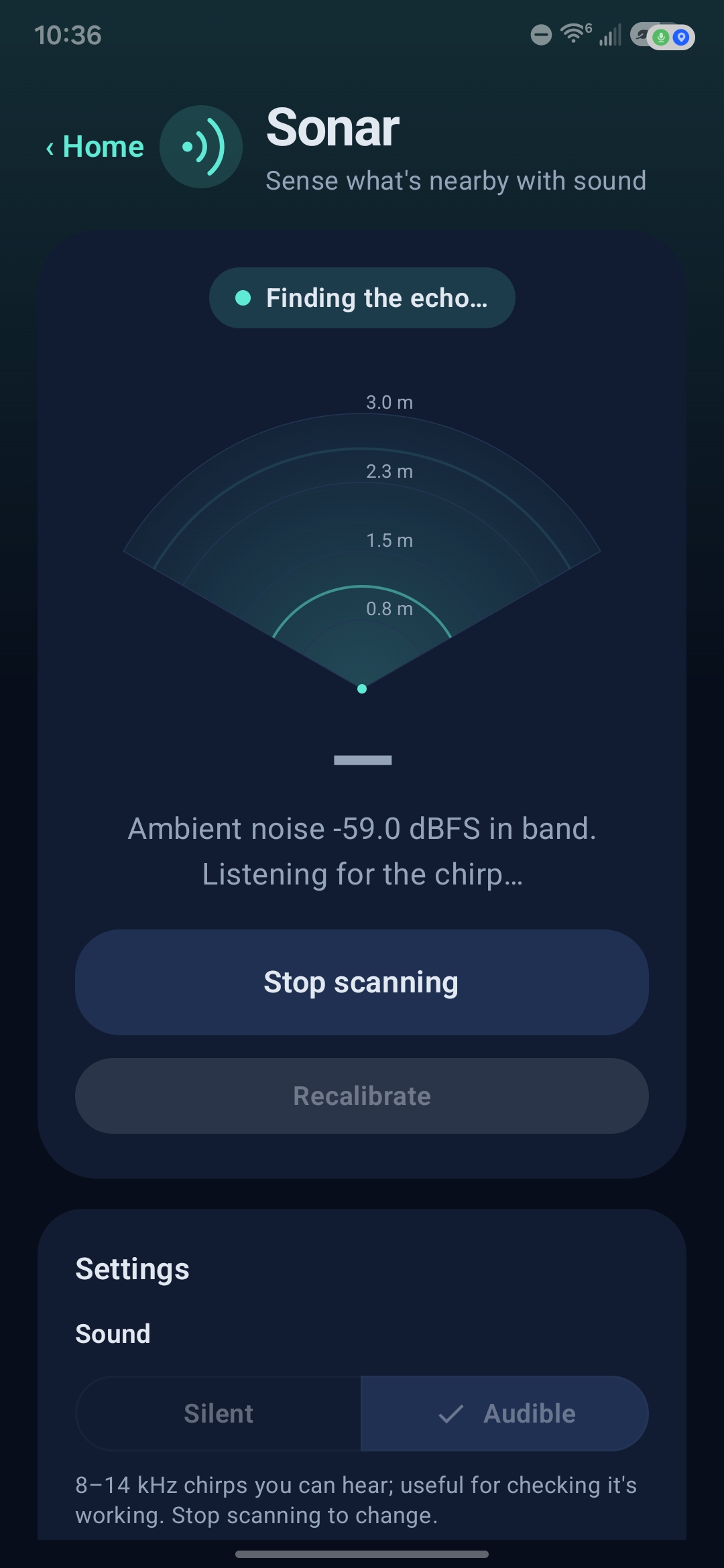
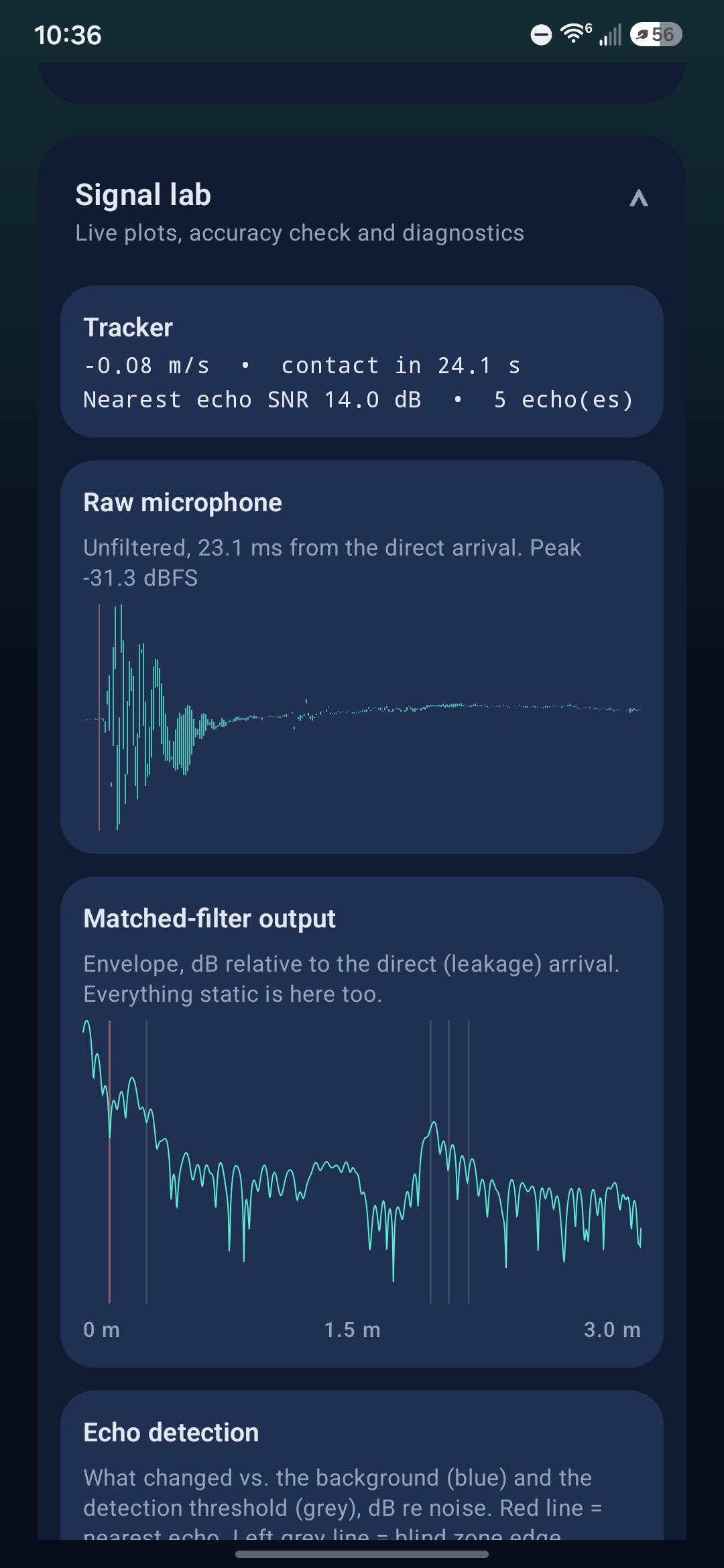
Sonar pipeline: a looping chirp from the speaker and a raw (UNPROCESSED) mic capture, a high-pass filter, and a matched filter (FFT cross-correlation plus envelope) to pull echoes out of noise, with about 24 dB of processing gain.
Calibration: direct speaker-to-mic leakage is 30–50 dB louder than an echo, so we calibrate on a clear scene and subtract it, then set a per-range detection threshold from measured noise. Ranging and tracking: distances are measured from the direct speaker-to-mic arrival to cancel Android’s variable audio latency. An alpha-beta tracker needs 3 agreeing hits before it confirms an object, which rejects noise and gives approach and receding trends. Handheld mode: an adaptive background fades out things that move with the phone (your hand, your body) while keeping approaching obstacles visible. Alerts: distance and time-to-contact thresholds with hysteresis, so alerts don’t flicker. Validation: a built-in tape-measure accuracy check that reports bias, repeatability, and detection rate, then fits a correction. 3D mapping and tagging: Roberto built an on-device mapping module that scans a space and stores tagged locations.
Testing: the core DSP is plain Kotlin, unit-tested on the JVM with synthetic echoes.
Challenges we ran into
Leakage drowns out echoes. The speaker-to-mic bleed is tens of dB louder than any reflection, so detection only became reliable after calibrate-then-subtract with per-range thresholds. Android audio timing. Output and input latency is tens of milliseconds and varies run to run, so we referenced the direct path instead of trusting timestamps. Phone hardware limits. Small speakers roll off near 18–20 kHz, vendor audio processing can interfere, and the speaker drifts as it warms up. We had to measure and compensate for each. Motion. A phone in a moving hand is a moving sensor, which led to handheld mode with an adaptive background. No audio feedback. Any tone from the speaker would corrupt the sonar band, so all feedback had to go through haptics. Combining two systems (sonar and 3D map) on one phone at the same time, within a hackathon timeline.
Accomplishments that we’re proud of
A full sonar pipeline running live on a stock phone, with no added hardware, that detects and ranges objects from 0.15 to 3 m.
Approach-aware alerts based on time to contact, not just distance. A tested, modular codebase where the DSP runs and is verified without a phone. Putting obstacle sensing and an item-finding map into one offline accessibility app. What we learned How acoustic ranging works end to end: chirp design, matched filtering, calibration, and tracking. How much of the work in real-world signal processing is dealing with hardware (latency, leakage, drift) rather than the algorithm. Android’s audio stack, including raw capture, effects, and routing. How to scope a project and integrate two independent features under time pressure.
What’s next for Chirp
Direction, not just distance: use the second microphone to estimate which side an obstacle is on. Pocket and background use: a foreground service so Chirp keeps running with the screen off. Map-guided navigation: combine the tagged map with sonar so haptic guidance leads you to an item while warning you about obstacles on the way. Testing with blind and low-vision users to tune alerts, ranges, and haptic patterns. Wider device support and longer-range chirps for outdoor use.
Built With
- kotlin

