-
-
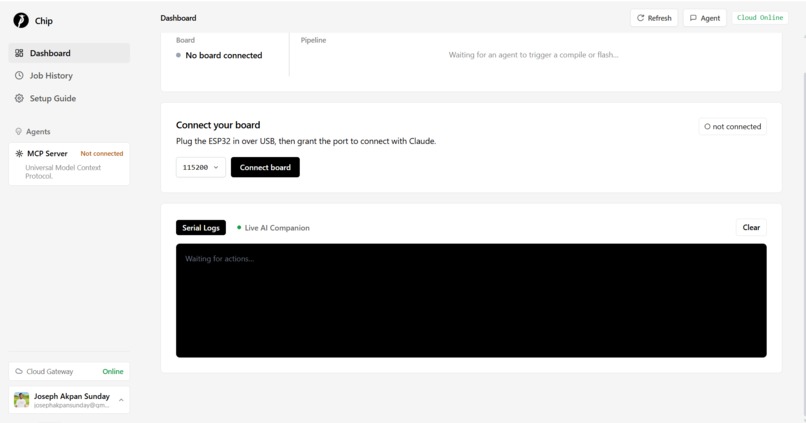
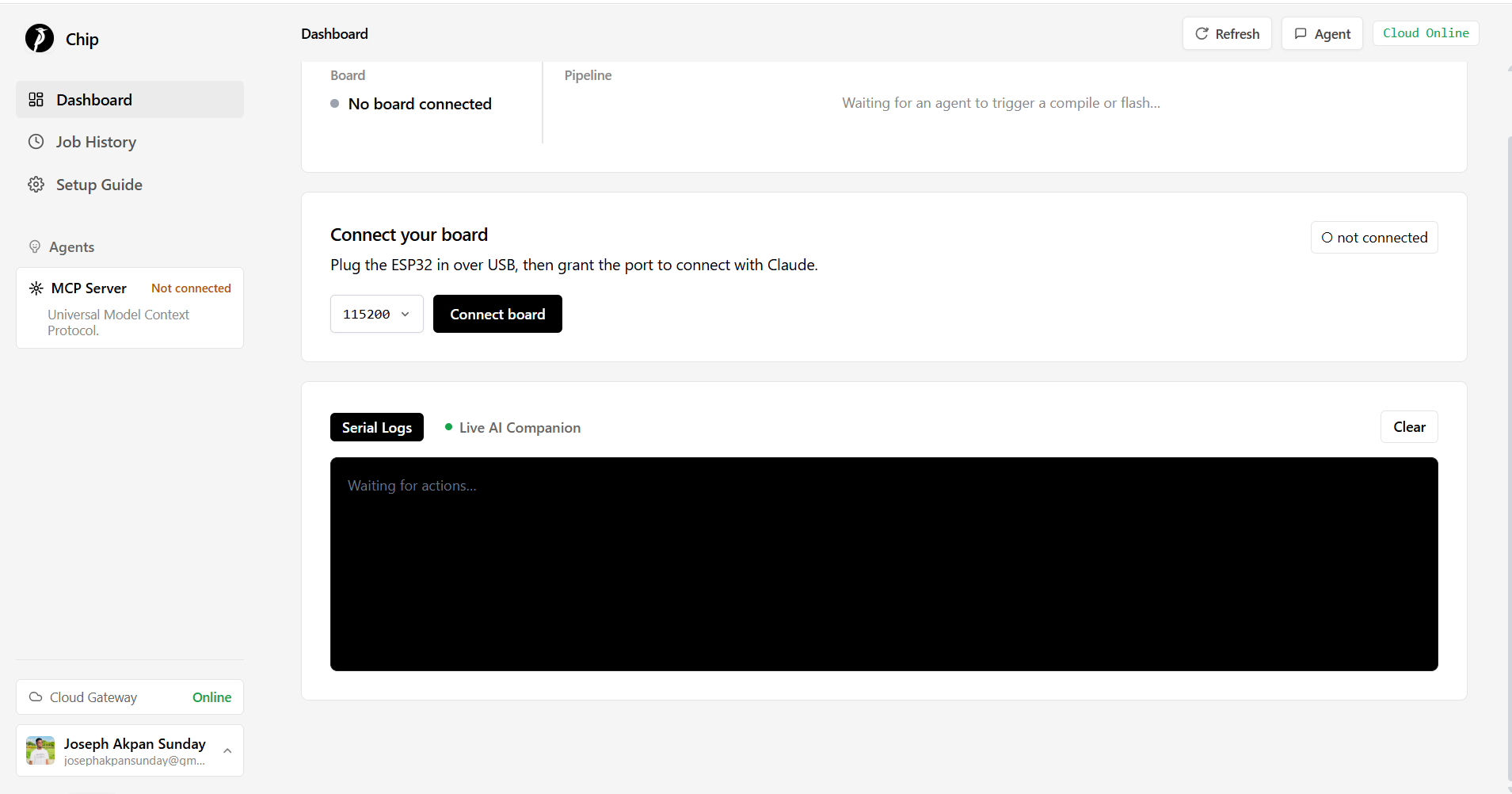
Dashboard page: Connect microcontroller, view live firmware flashing
-
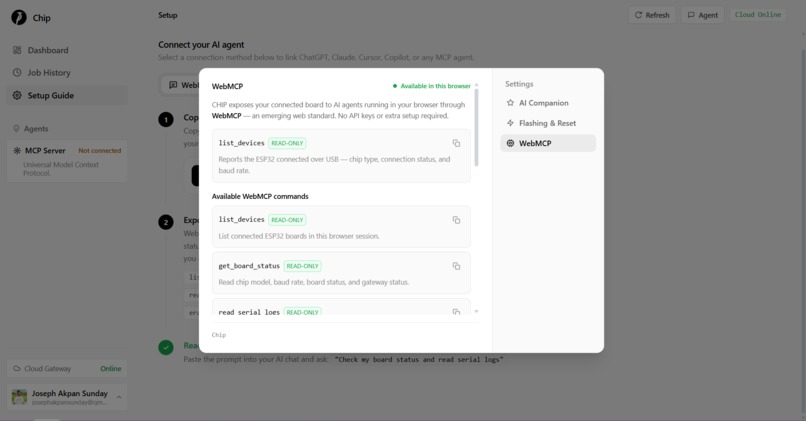
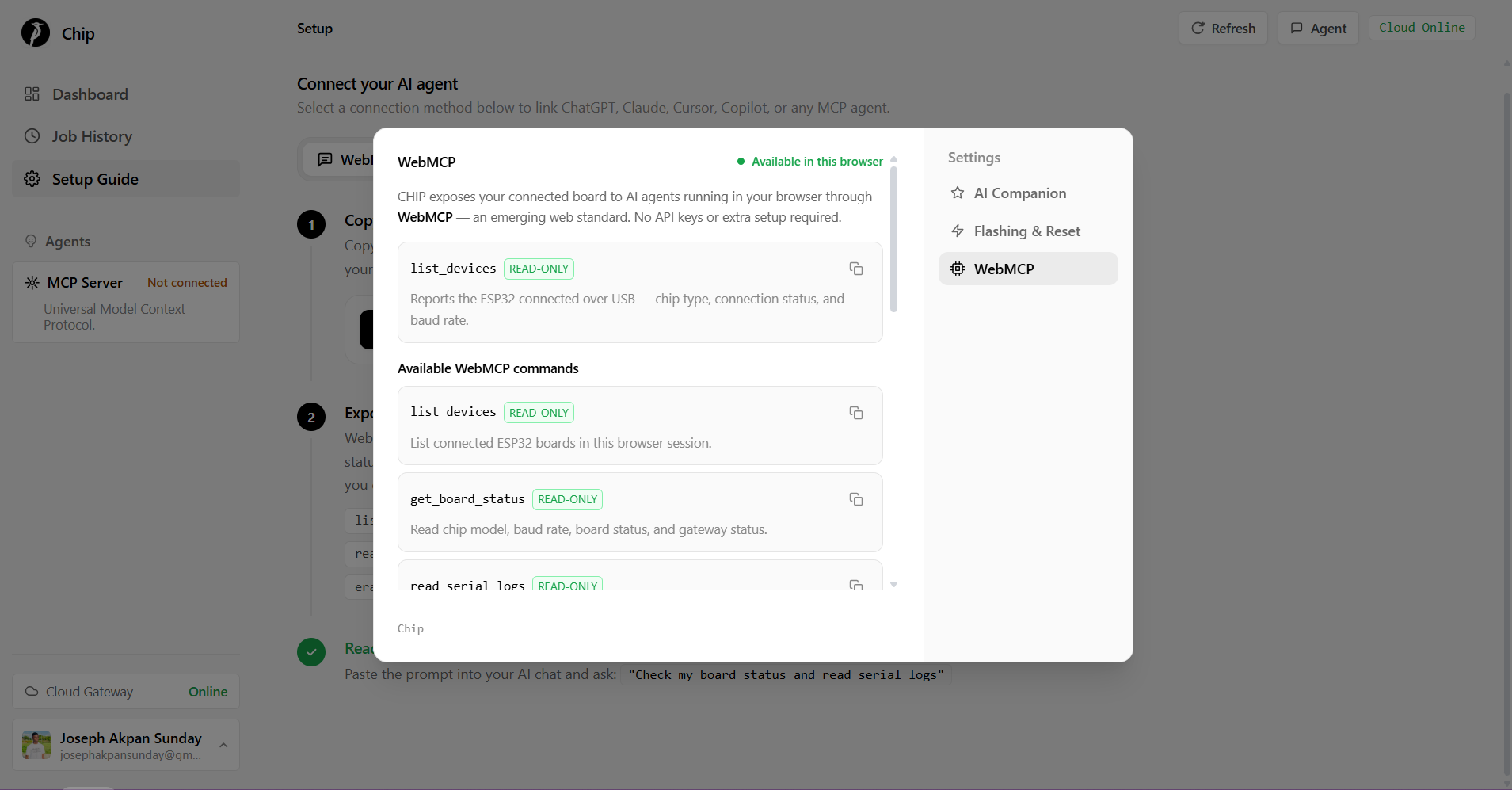
Setting: See all available Webmcp tools and also copy
-
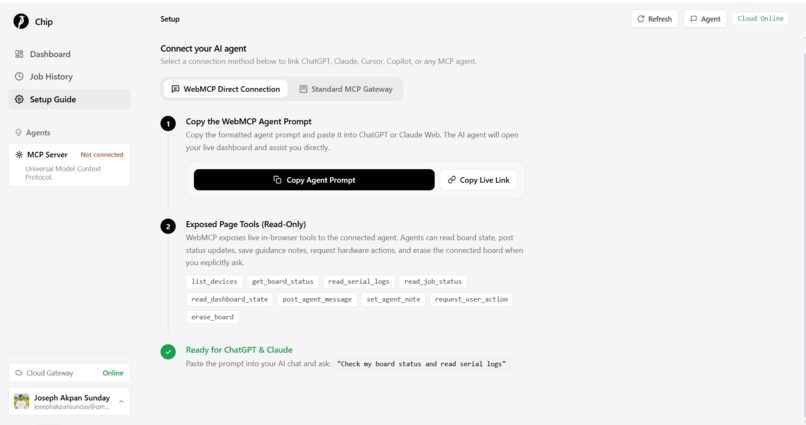
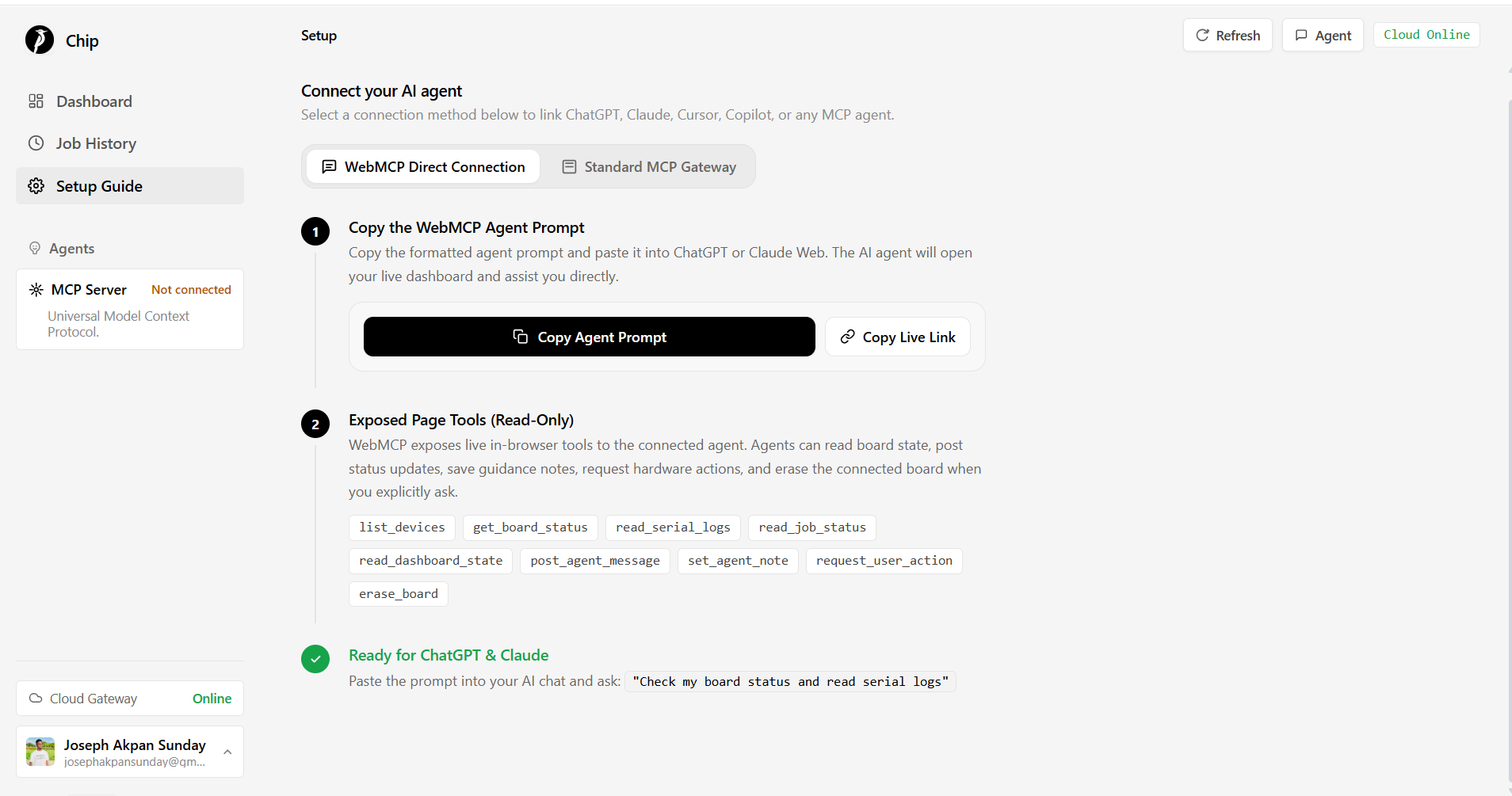
Setup: Copy agent prompt / Live url or Setup Standard MPC
Inspiration
Building hardware with AI still has a missing link. An agent can write firmware, explain wiring, and debug errors, but the real ESP32 is sitting on the user’s desk, connected by USB to an IDE. Chip was inspired by that gap: how do we let an AI assistant move beyond “here is some code” and actually help with the real compile, flash, and debug loop?
ESP32 development is powerful, but the beginner experience is long and requires process. Users often need an IDE, board drivers, local toolchains, flashing commands, serial monitors, and a lot of context just to blink an LED. Chip asks a simpler question: what if the user could plug in a board, open a dashboard, and let an AI agent guide the rest?
What it does
Chip connects AI agents directly to live ESP32 hardware through a browser dashboard. The user plugs in an ESP32, grants browser USB access through Web Serial, and Chip becomes the bridge between the agent and the physical board.
Chip uses two kinds of MCP-style integration:
Standard MCP connects the AI agent to the cloud/backend side of the system. Through the standard MCP server, the agent can work with higher-level project tasks like compiling firmware, starting flash jobs, checking job status, and coordinating the build pipeline.
WebMCP connects the AI agent to the live browser session. This is the unique part: the browser actually has access to the USB-connected ESP32. Chip exposes browser-side WebMCP tools such as list_devices, get_board_status, read_serial_logs, read_job_status, read_dashboard_state, post_agent_message, set_agent_note, request_user_action, and erase_board.
Beyond firmware, Chip includes Circuit Studio, allowing the AI agent to visually design, inspect, and modify hardware circuits directly on an interactive canvas. Through WebMCP and backend SKiDL integration, the agent searches real KiCad symbols on demand, inspects pinouts, places components like microcontrollers, passives, and sensors, wires nets, and runs Electrical Rules Checking to keep the schematic valid across versions.
Together, Standard MCP handles cloud-side intelligence and workflow, while WebMCP gives the agent eyes and hands inside the browser session that is physically connected to the board.
How we built it
Chip is built as a three-part system: a React/Vite client dashboard, a backend service for compile, relay, and circuit synthesis workflows, and a standard MCP server for AI tool access.
The client dashboard uses Web Serial and esptool-js to communicate with the ESP32 over USB. This is important because cloud servers cannot access a USB cable plugged into the user’s laptop. The browser owns the physical connection, so the browser performs board operations like flashing and erasing.
On top of that, the client registers WebMCP tools through document.modelContext. These tools expose live browser state to the agent: connected devices, board status, serial logs, dashboard state, active jobs, and user-visible messages. The agent can also post notes into the dashboard and request physical actions from the user, like connecting the board or pressing reset.
The result is a loop where the AI agent can reason, the backend can build, and the browser can safely touch the real hardware.
Challenges we ran into
The biggest challenge was the physical boundary between cloud AI and local hardware. An AI agent running in the cloud cannot directly access an ESP32 plugged into a user’s computer. Browser security also correctly prevents silent USB access, so the user must grant Web Serial permission.
AI cannot directly generate a binary file accessible by Microcontrollers.
That forced a better architecture: the backend should not pretend to flash the board. Instead, Chip makes the browser the active hardware bridge. The cloud compiles and coordinates, but the browser performs the physical write.
Another challenge was separating Standard MCP and WebMCP cleanly. Standard MCP is useful for cloud/backend tools, while WebMCP is useful for live browser state and hardware access. Chip uses both instead of forcing one protocol to do everything.
Handling schematic generation also required solving symbol storage constraints. Bundling full KiCad symbol libraries into production containers is heavy, so we built an on demand symbol loader using Cloudflare R2 to stream lightweight part definitions during synthesis without bloating backend storage.
We also had to think carefully about destructive actions. Erasing a board is powerful, so the WebMCP erase_board tool checks for a connected board and is described as something that should only happen after the user clearly asks for it.
Accomplishments that we're proud of
We are proud that Chip is not just an AI code-generation demo. It creates a real bridge between an AI agent, a browser, and physical microcontroller hardware.
The WebMCP implementation is especially important. The client exposes browser-side tools that let an agent inspect live board state, read serial logs, understand job progress, post messages into the UI, save guidance notes, request user actions, and erase the connected ESP32 when appropriate.
We are also proud of the architecture split. Standard MCP handles the cloud workflow. WebMCP handles live browser interaction. Web Serial handles the actual USB connection. Each part does what it is naturally good at.
The result is a more believable path toward AI-assisted hardware development: not just “copy this code into Arduino IDE,” but “connect your board and let the agent help you iterate.”
What we learned
We learned that connecting AI to hardware is less about making the model powerful and more about designing the right bridge between digital reasoning and physical constraints.
The key insight was that the browser is not just a frontend. In Chip, the browser is the hardware runtime. It holds the USB permission, talks to the board, streams logs, flashes binaries, and exposes that live state back to the agent through WebMCP.
We also learned that Standard MCP and WebMCP solve different problems. Standard MCP is great for remote services, build systems, and backend workflows. WebMCP is powerful when the agent needs to interact with the user’s live browser context, especially when that browser has access to local capabilities the cloud does not.
What's next for Chip
Next, we want to make the full agent-to-hardware loop smoother: ask for a firmware change, compile it, flash it, read the serial output, and let the agent debug the result automatically.
We want to link Circuit Studio schematics directly to code generation, automatically assigning firmware pin definitions based on the visual wiring.
We also want to improve safety and trust around hardware actions, especially destructive actions like erasing flash. Clear user confirmation, better action history, and stronger board/session pairing will make the system safer.
Future work includes richer serial-log analysis, support for more boards, PCB layout export, saved project history, and a cleaner demo path for WebMCP-capable browsers.
Long term, Chip could become a general bridge between AI agents and physical computing: a way for students, makers, and hardware teams to build with real devices using natural language, while still respecting the security boundaries of the browser and the real world.
Built With
- ai
- circuit-design
- cloudflare-r2
- eda
- esp32
- esptool-js
- express.js
- firebase
- hardware
- javascript
- kicad
- model-context-protocol
- mongodb
- node.js
- platformio
- python
- skidl
- tailwind-css
- typescript
- vite
- web-serial-api
- webmcp
- websocket


Log in or sign up for Devpost to join the conversation.