-
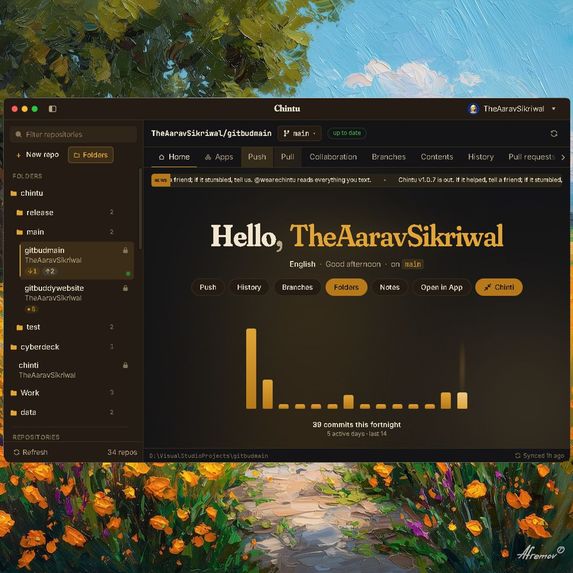
Git is hard and GitHub is confusing. Two very powerful systems yet both struggle on being simple
-
-
-
-
-
Try out a demo of the app on my website! wearechintu.com
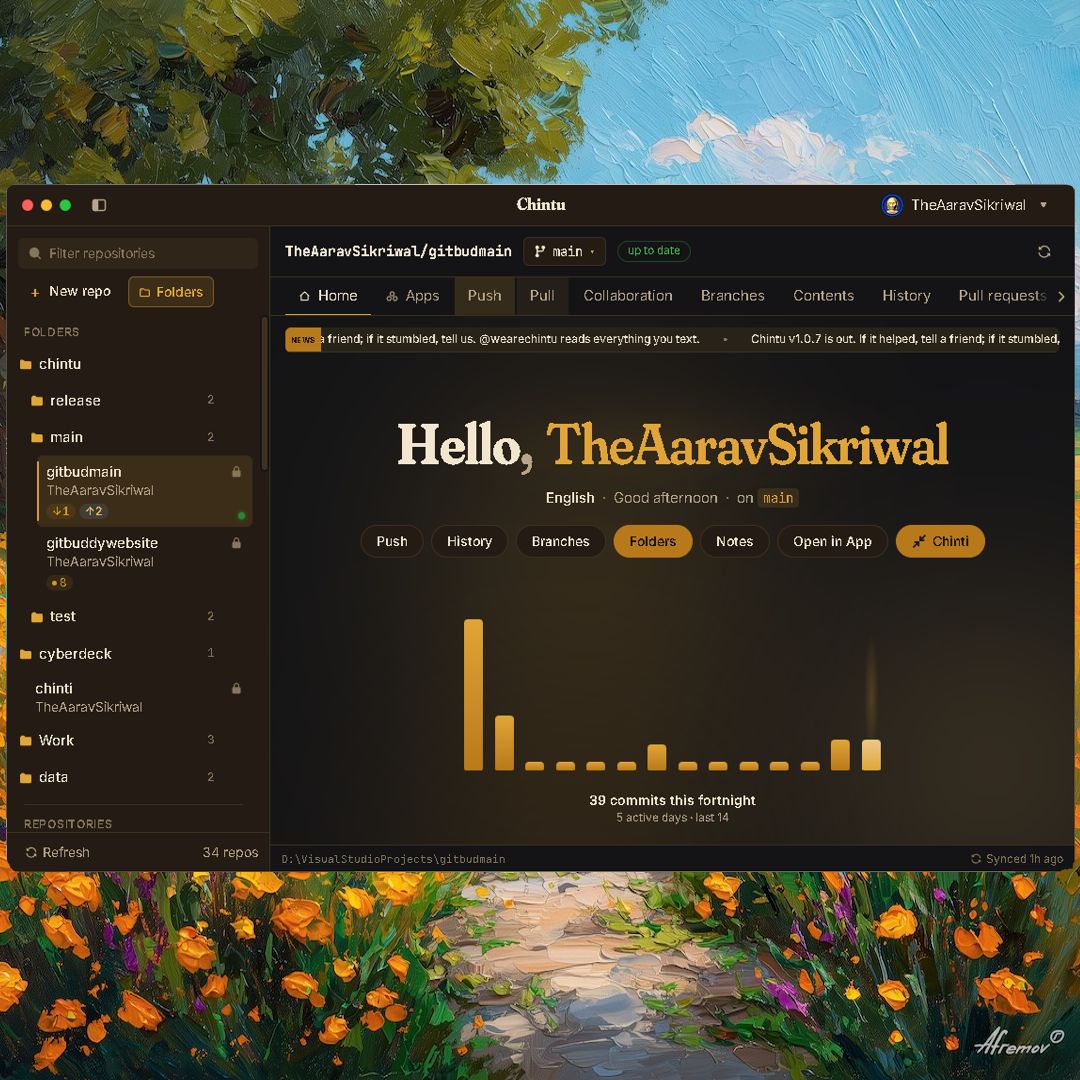
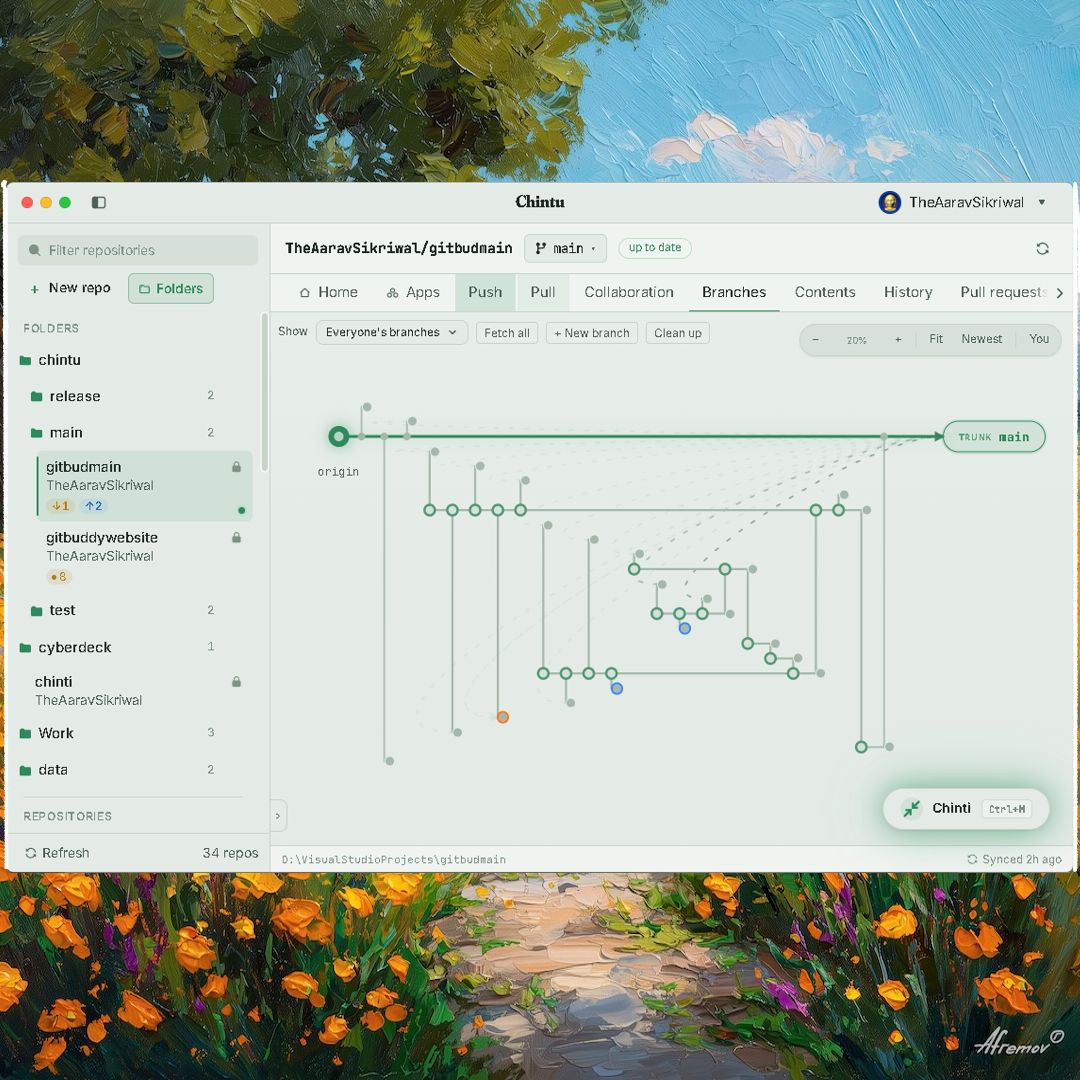
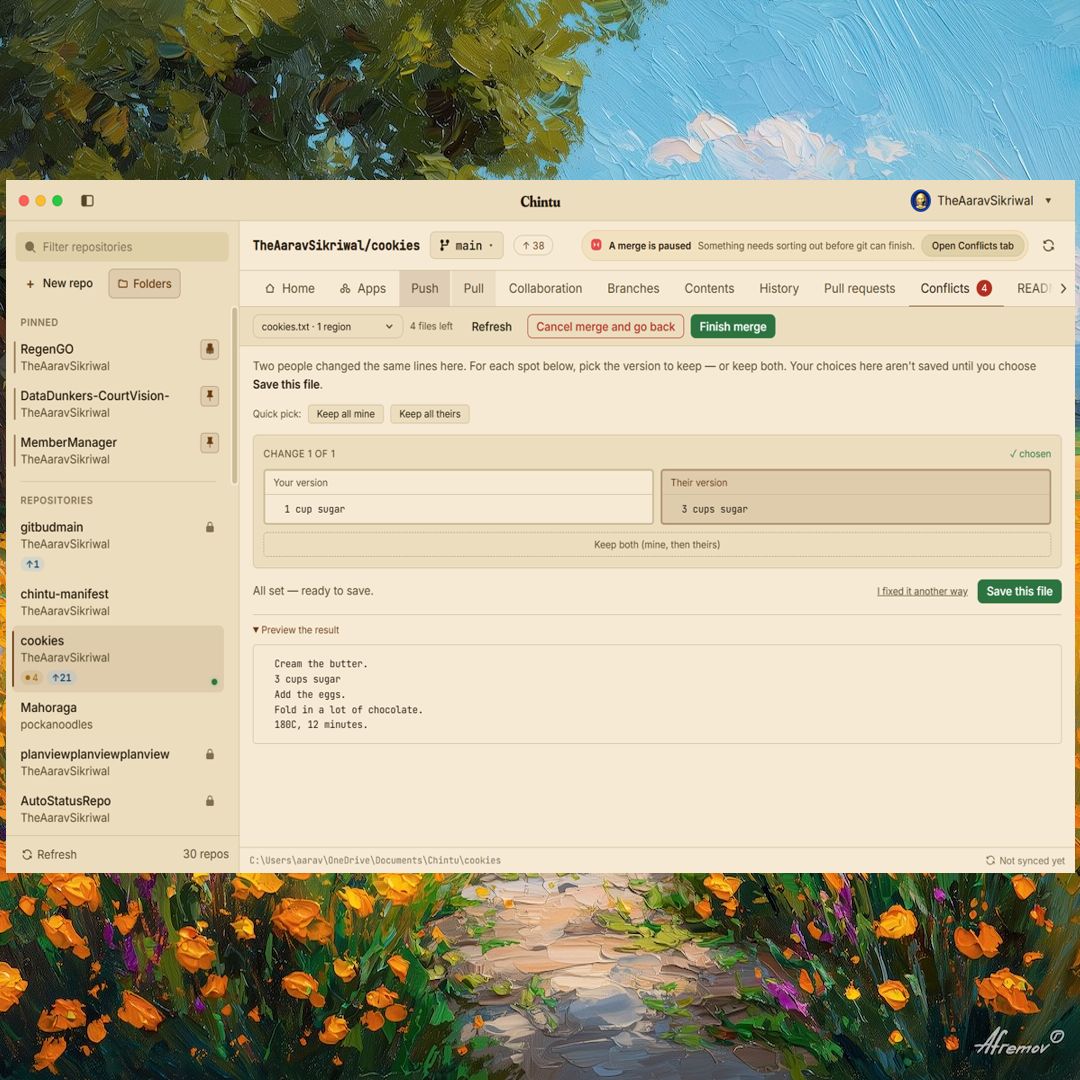
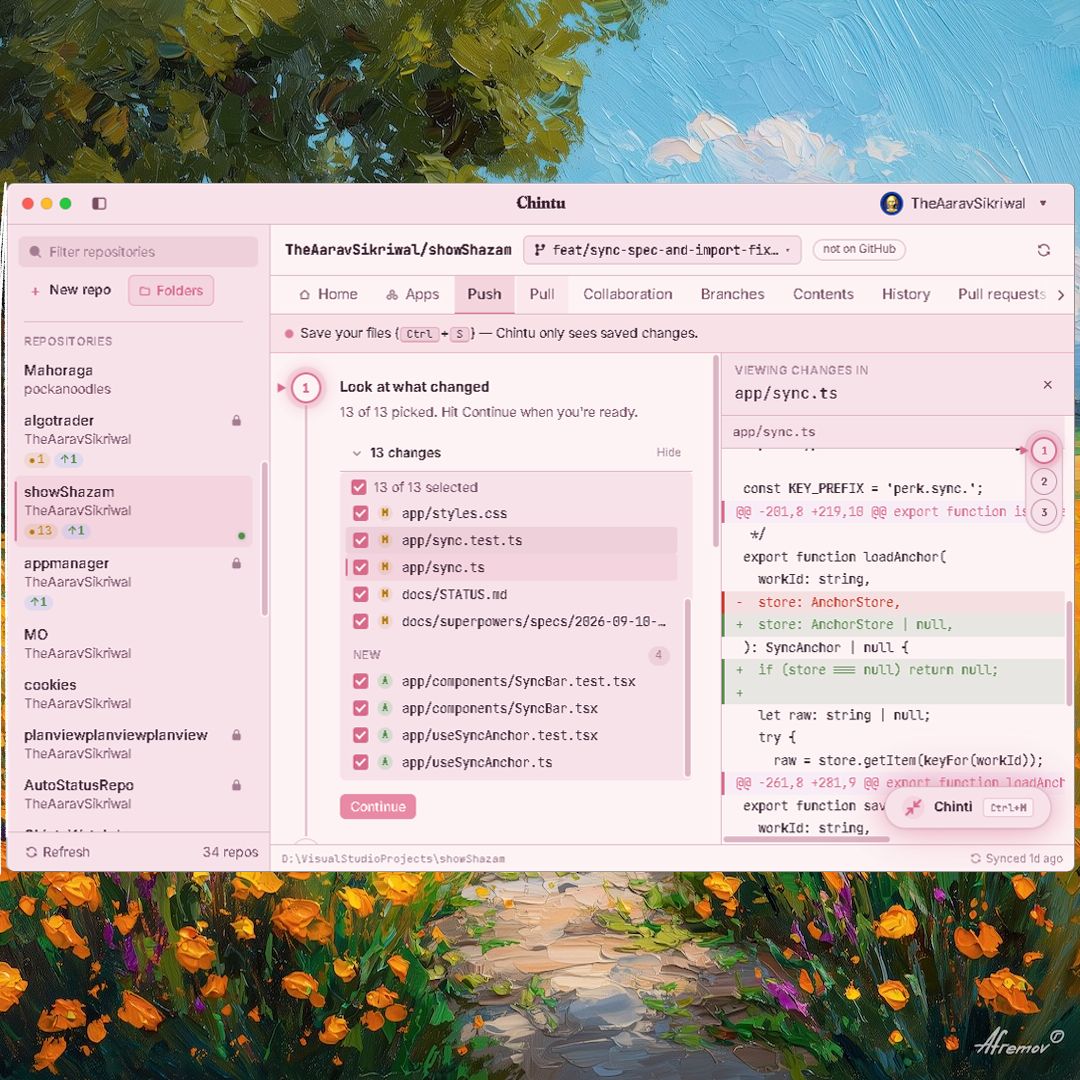
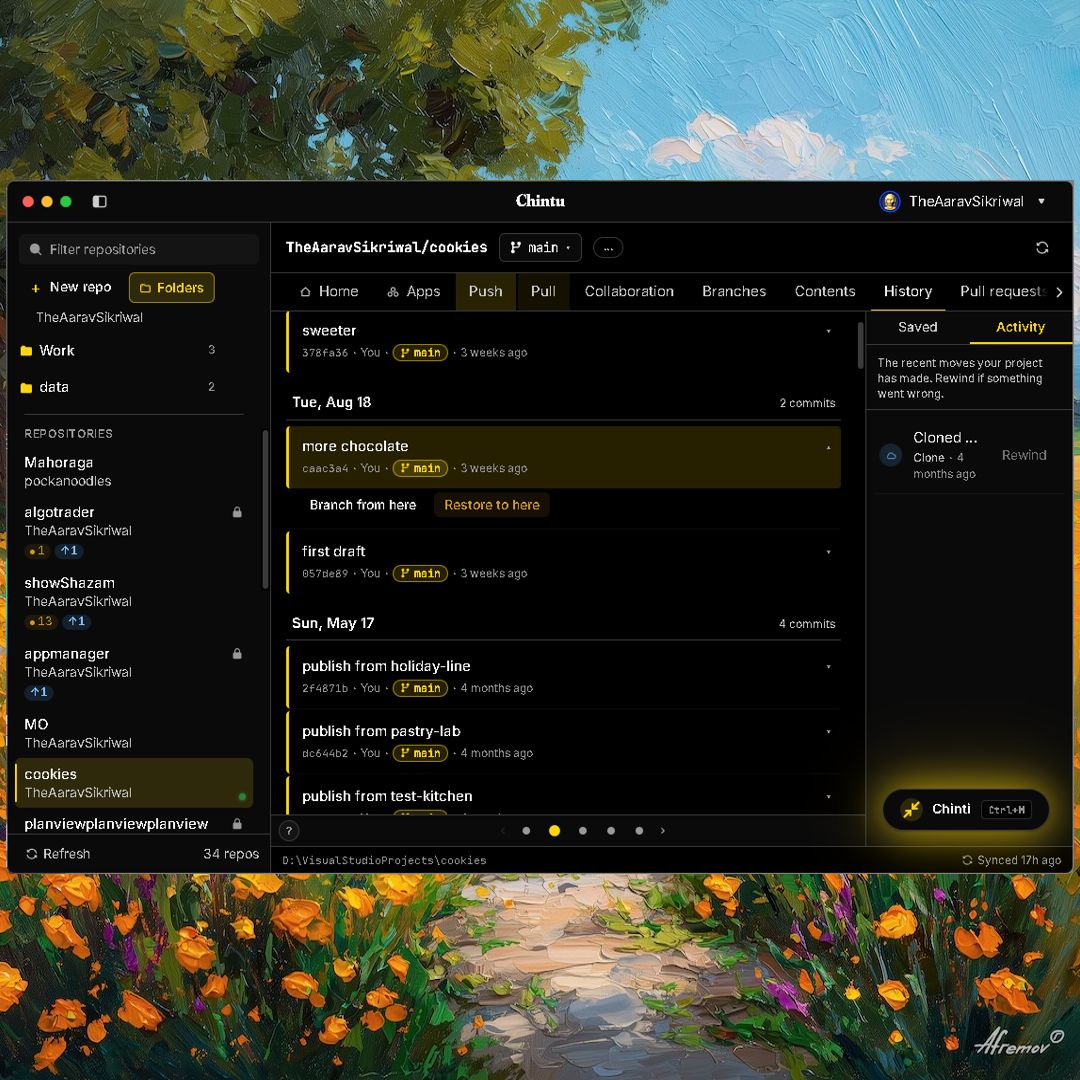
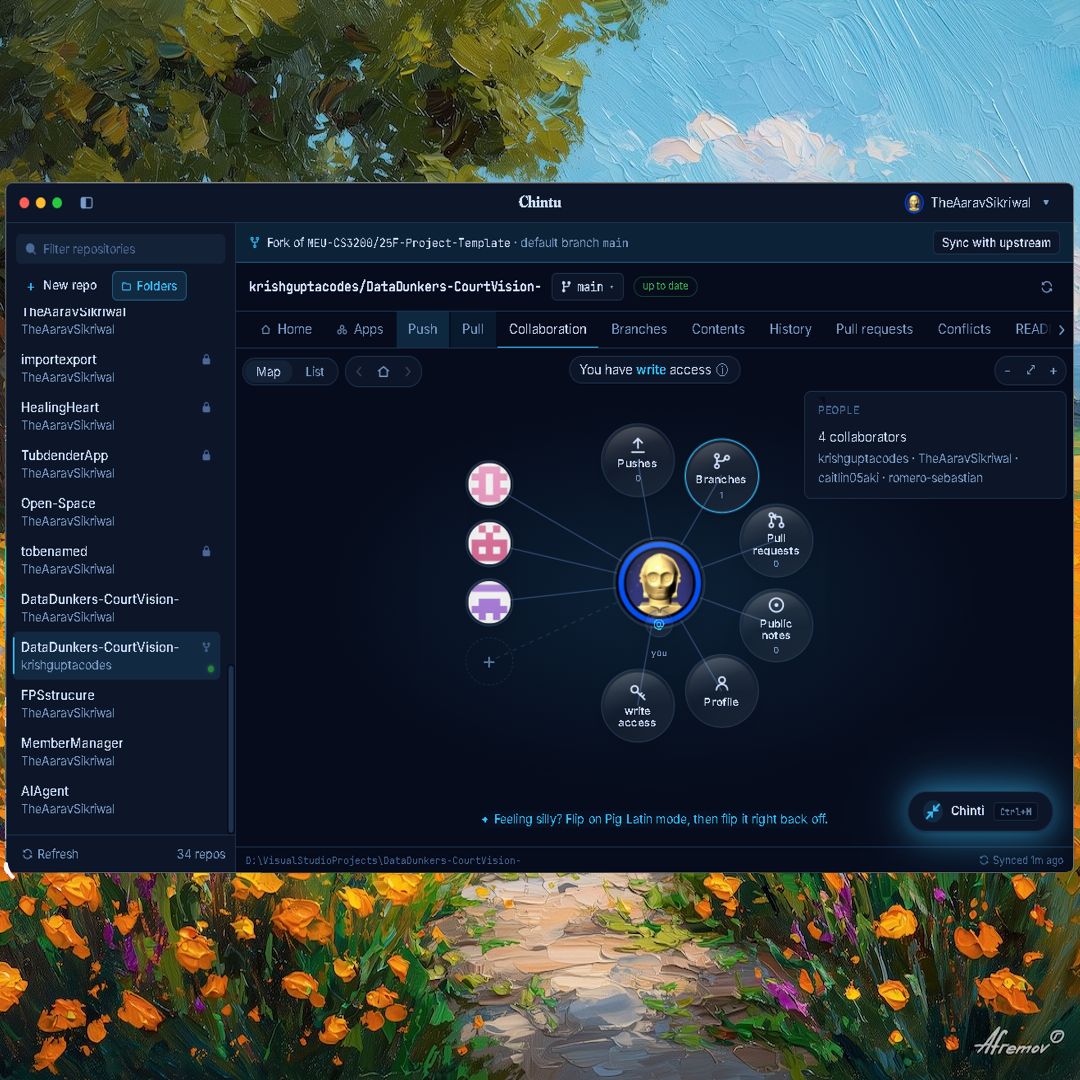
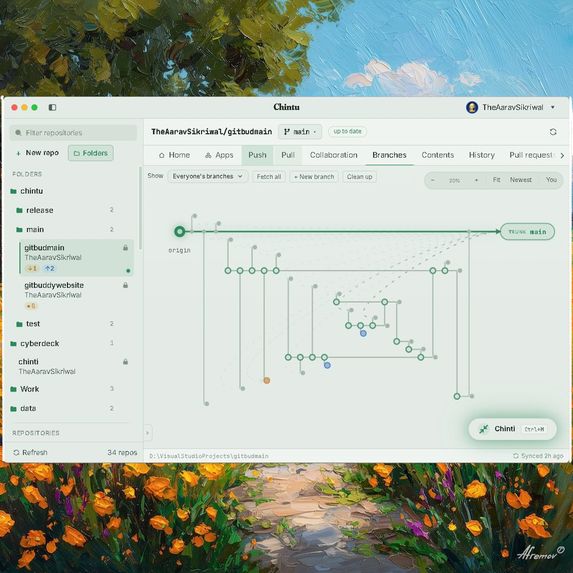
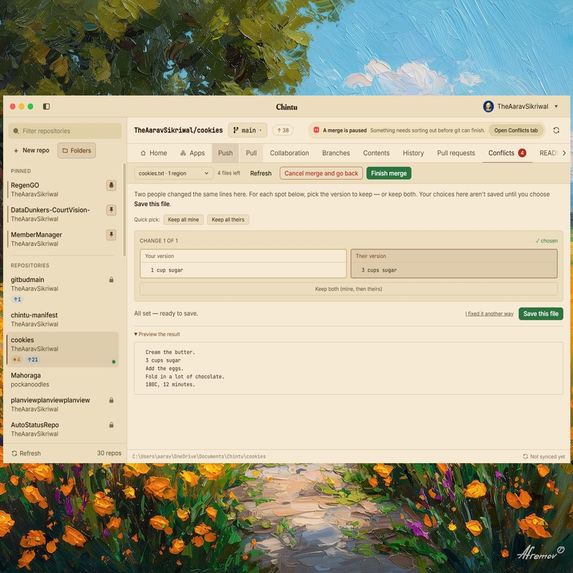
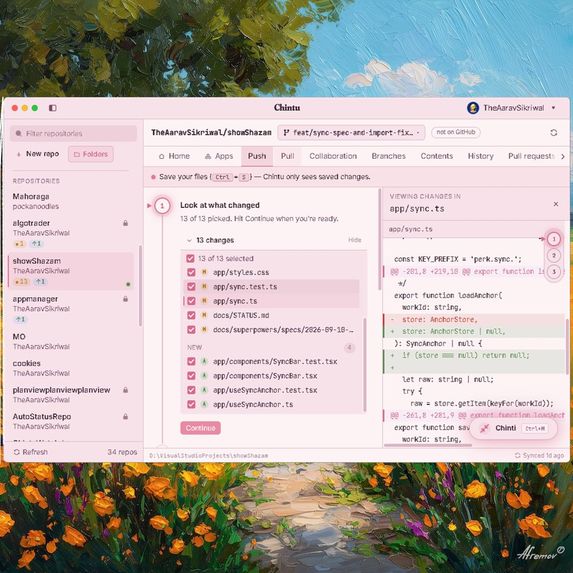
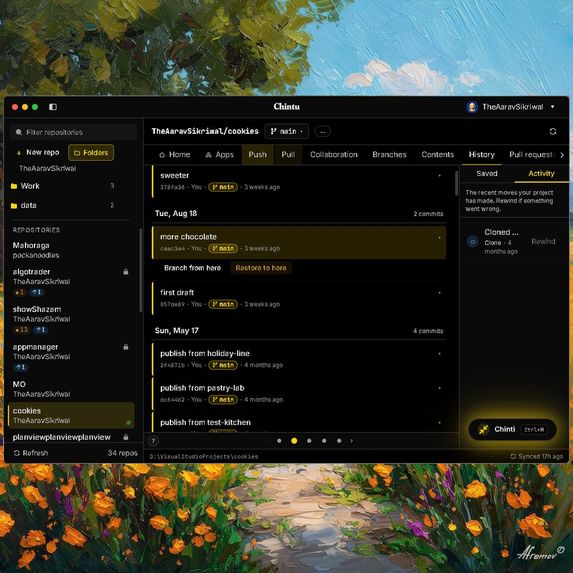
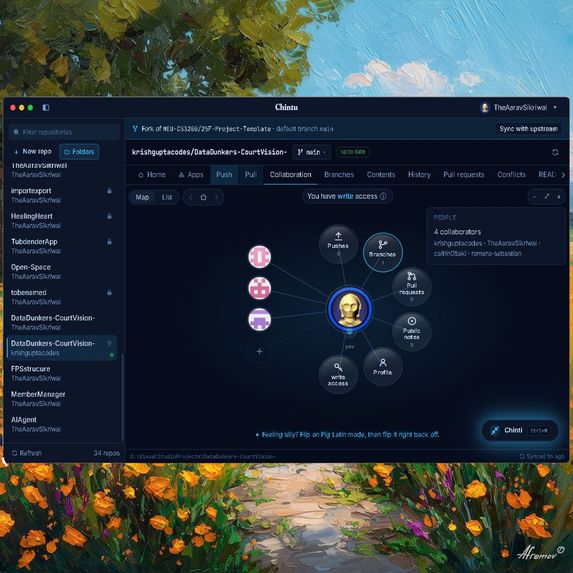
What it is - Chintu is a desktop Git client for people who have never opened a terminal. No jargon, no command line, and nothing you can break by accident. It wraps the whole everyday workflow (clone, commit, push, pull, branch, merge, resolve conflicts, review pull requests) in an interface that explains itself in plain English while running real Git underneath.
What inspired me - Version control is the single most useful skill nobody gets taught. It is the difference between "I think this used to work" and "here is exactly what changed, and here is the version that worked." Every engineer gets it handed to them in week one. Everybody else, designers, writers, students, researchers, people building their first website, never does, because the door to it is a command line and an error message that says "fatal: refusing to merge unrelated histories".
Three things pushed me to build it:
Git's ideas are beginner-friendly. Git's surface is not. Snapshots, branches, and undo are intuitive concepts. reset --hard HEAD~1 is not. Existing clients assume you already know Git. They rename the buttons but keep the mental model, so the first real conflict still strands you. AI made versioning an everyone problem. This is a pillar, not the whole pitch: files now get rewritten in bulk by tools their owners did not fully watch. The skill that makes that safe, review the diff, keep what worked, rewind the rest, is exactly version control. As more of that moves onto local machines, having your own history on your own disk stops being a developer nicety. The teaching is the part I care about most, and it is deliberately passive. You never sit through a Git lesson. The app uses honest names for real operations, and after a few weeks you understand commits, branches, and merges because you did them, not because you studied them.
It is two processes that always run together. An Electron + React 18 + Vite frontend holds the entire UI and keeps secrets in Electron's OS-encrypted safeStorage. A C++ backend runs a local HTTP server on 127.0.0.1:8765, shells out to real git for local work, calls the GitHub REST and GraphQL APIs for remote work, and keeps non-secret settings in SQLite. Launching the app starts the backend, waits for its health check, then opens the window. Closing the window shuts the backend down.
The decisions that mattered:
The backend shells out to real Git. No reimplementation, no reinterpretation. If Git can do it, Chintu does it the same way, so nothing the app produces is unreadable by any other tool. Every destructive path is audited against Pro Git, section by section. Rewind refuses to run over uncommitted work. Branch delete uses safe -d, with -D behind its own confirmation. Force-push is always --force-with-lease, and aborts outright if the remote moved since your last fetch. Raw Git errors never reach the screen. They are translated into a sentence that says what happened and what to do next. Cryptic states became one button. "Dubious ownership", filename-too-long, a stale index.lock: each surfaces as a single Fix this action instead of a Stack Overflow expedition. Repositories that live on your own computer. You can create a real remote on your own disk and push and pull to it with no account and no internet, then bind it to GitHub later if you ever want to. Version control should not require signing up for anything. The local API is defended like it is on a hostile network, because a browser on the same machine could otherwise reach it: a random per-user auth secret required on every request, Host-header pinning against DNS rebinding, and a strict CORS allowlist. GitHub tokens live only in safeStorage, are passed per request, and are never written to the database. Git ships with the app. Windows builds bundle MinGit, so a first-time user installs one thing and it works. GitHub is built in: OAuth device-flow sign-in, repositories, pull requests (merge, squash, rebase, respecting what the repo actually allows), issues, collaborators, and invitations. AI review is optional and bring-your-own-key. It is a feature, not the foundation, and the app is fully usable with it switched off.
Challenges I ran into The credential popup that would not die. New users kept getting a Windows "select your account" dialog mid-operation. The cause was not my code: the bundled MinGit was inheriting the user's global credential.helper and waking up their system credential manager. The fix had to happen at the environment level for the Git processes the backend spawns, without ever touching the user's real Git config. It now has a regression test guarding it, because I lost a full day to it once.
Shipping a signed Mac build without owning a Mac. Getting a macOS release built, code-signed, notarized, and stapled entirely on CI from a Windows machine took multiple rounds of failures that only reproduce in the cloud. It works now, and the auto-updater is verified end to end, but nothing teaches you Apple's toolchain faster than debugging it blind.
Hiding Git without lying about Git. This was the hard design line all the way through: simplify the surface, never the truth. A wrong-but-friendly abstraction is worse than a scary-but-honest one, because the moment a user touches the real repository the fiction collapses. Every plain-English phrase had to map exactly onto what Git actually did.
Being the only person on it. C++ backend, React frontend, security model, release pipeline, code signing, copy writing, icon. What saved me was testing the risky parts hard (Git edge cases, error translation, conflict handling) and accepting rough edges anywhere that could not lose a user's work.
What I learned Safety is a feature you can feel. Once undo is guaranteed, beginners stop hesitating and start experimenting, which is when they actually learn. Error messages are product surface, not exhaust. Rewriting them changed how usable the app felt more than any screen I designed. Reading the manual beats guessing. Auditing my own Git logic against Pro Git found real correctness bugs I would never have caught from the UI. Wrapping a 20-year-old tool means inheriting its whole environment: the user's config, their credential manager, their locale, their OS. Most of the hard bugs lived there, not in my code. What's next Forking, made a single step. This is the big one. Forking is how a newcomer contributes to a project they do not own, which makes it the most important workflow in open source and also the most intimidating: fork, clone your fork, add a second remote for the original, branch, push to your fork, then open a pull request across two repositories. Every one of those steps is a place to give up. I want it to be one click that leaves you sitting in your own copy, correctly wired to the original, ready to propose a change.
Organization repositories. Personal repos work today. Team and org repos bring real roles and permissions, so the app needs to show you what you are actually allowed to do before you try it, instead of letting GitHub reject you afterwards.
Watching automated changes land live, so when a tool edits your project in bulk you see it happen in reviewable pieces instead of one unexplained pile.
More one-click rescues. Every cryptic Git state a beginner cannot fix alone is a bug in my app, not a gap in their understanding.

Log in or sign up for Devpost to join the conversation.