-
-
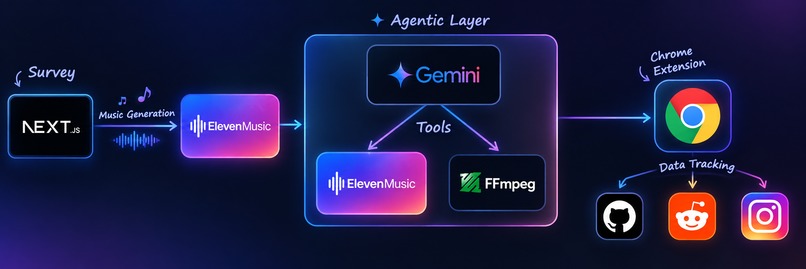
Architecture
-
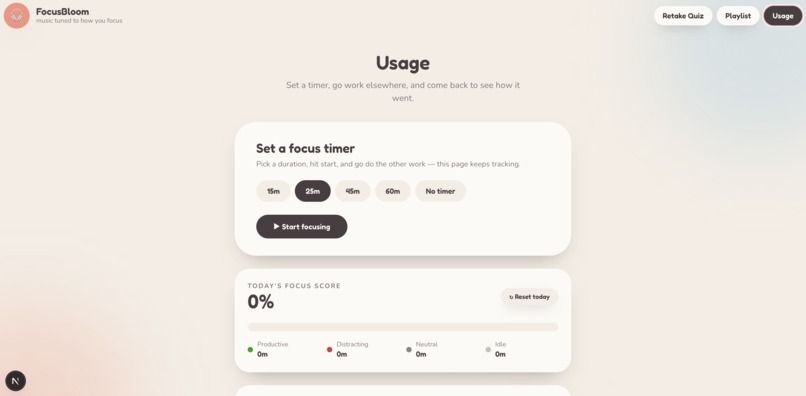
Usage Trends
-
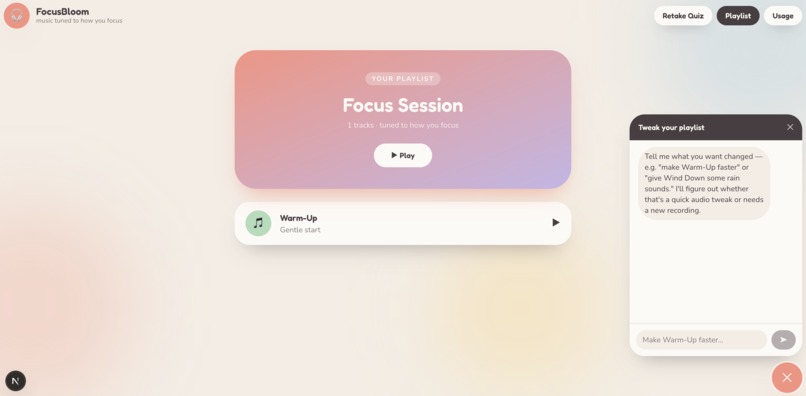
Playlist with Chatbot
-
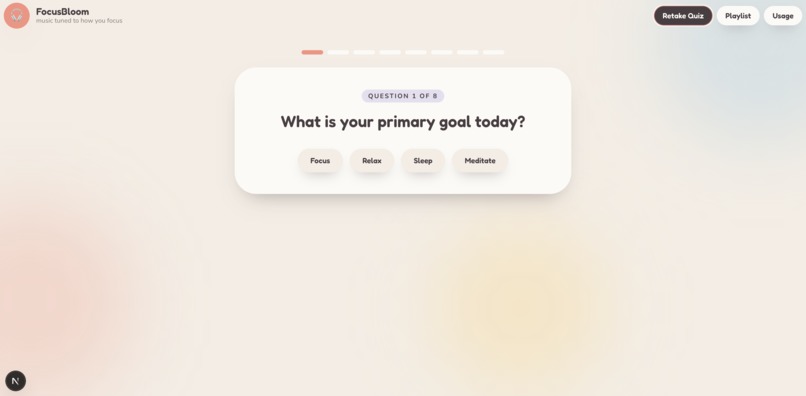
Quiz
-
Chrome Extension
Inspiration
We set out to solve a major productivity trap: when your attention isn't locked onto a task, your brain shifts into a wandering mode and actively hunts for distractions: a primary reason ADHD brains get bored so fast.
While scientists can track this attention drift in real time using expensive, clunky EEG headsets, nobody is going to strap on lab equipment just to get through a work block. We wanted to deliver some level of that targeted focus, completely hardware-free. Music is a powerful lever for this. A strong, steady beat gives an understimulated brain something rhythmic to anchor onto, whereas an easily overwhelmed brain needs quiet, low-intensity audio.
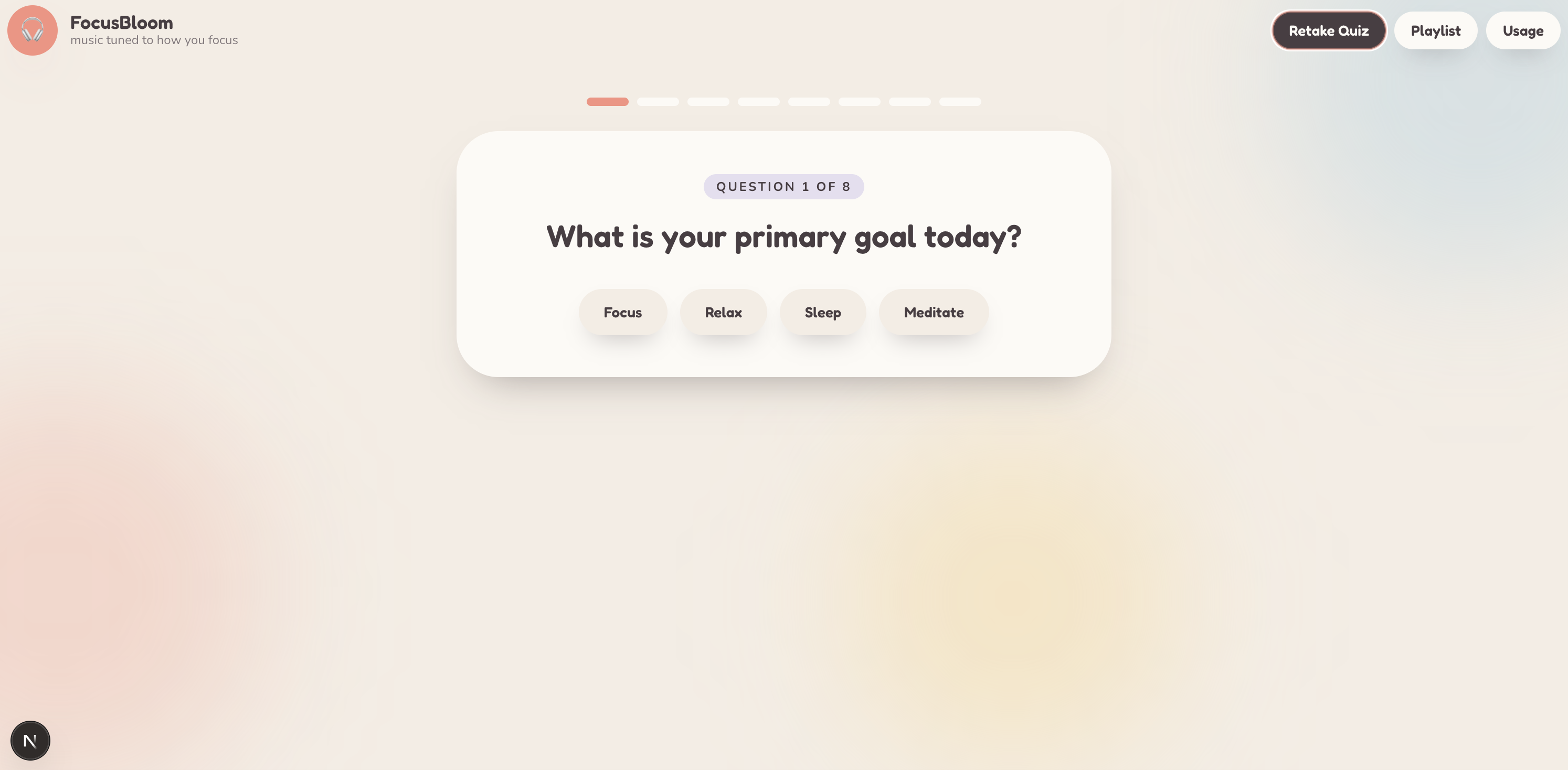
Our quiz assesses your attention drift, ADHD traits, and sensory needs to estimate your baseline. Then, we generate personalized audio designed to keep your brain in the optimal zone for deep work. It does the job of the EEG data, but through an accessible tool aimed specifically at the people generic focus playlists leave behind.
What it does
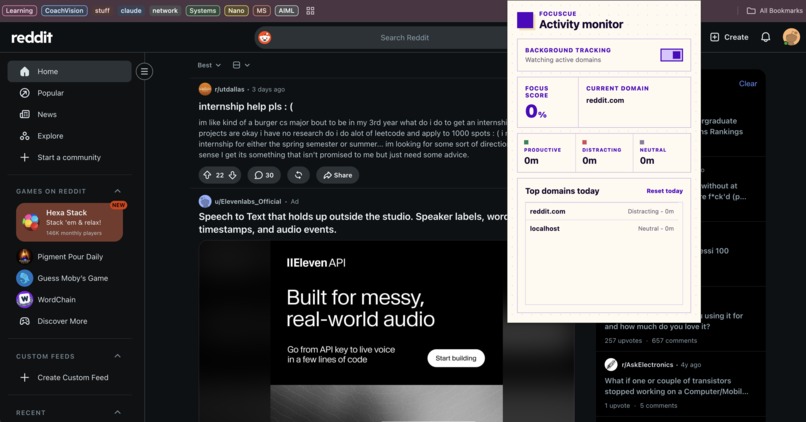
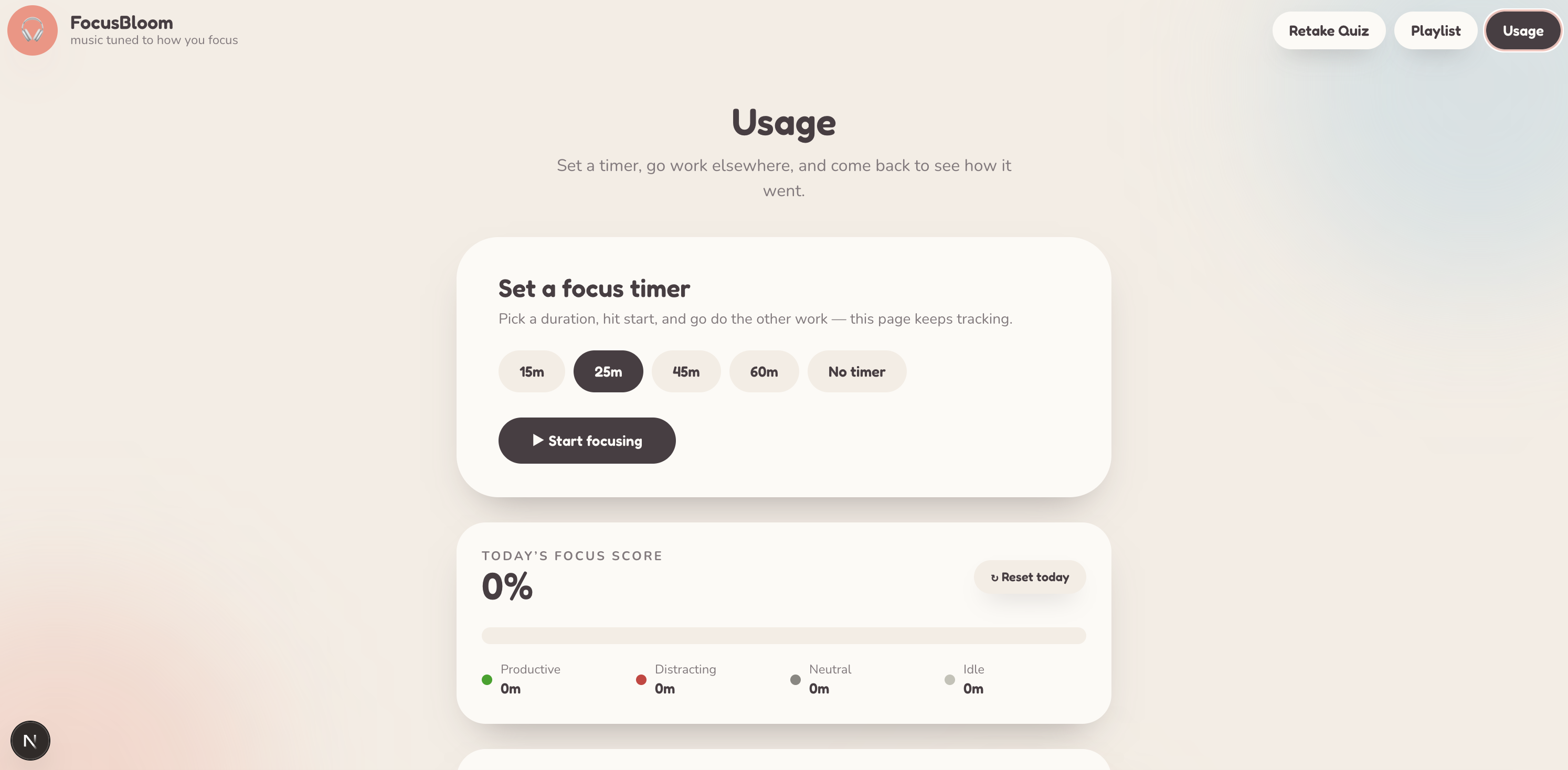
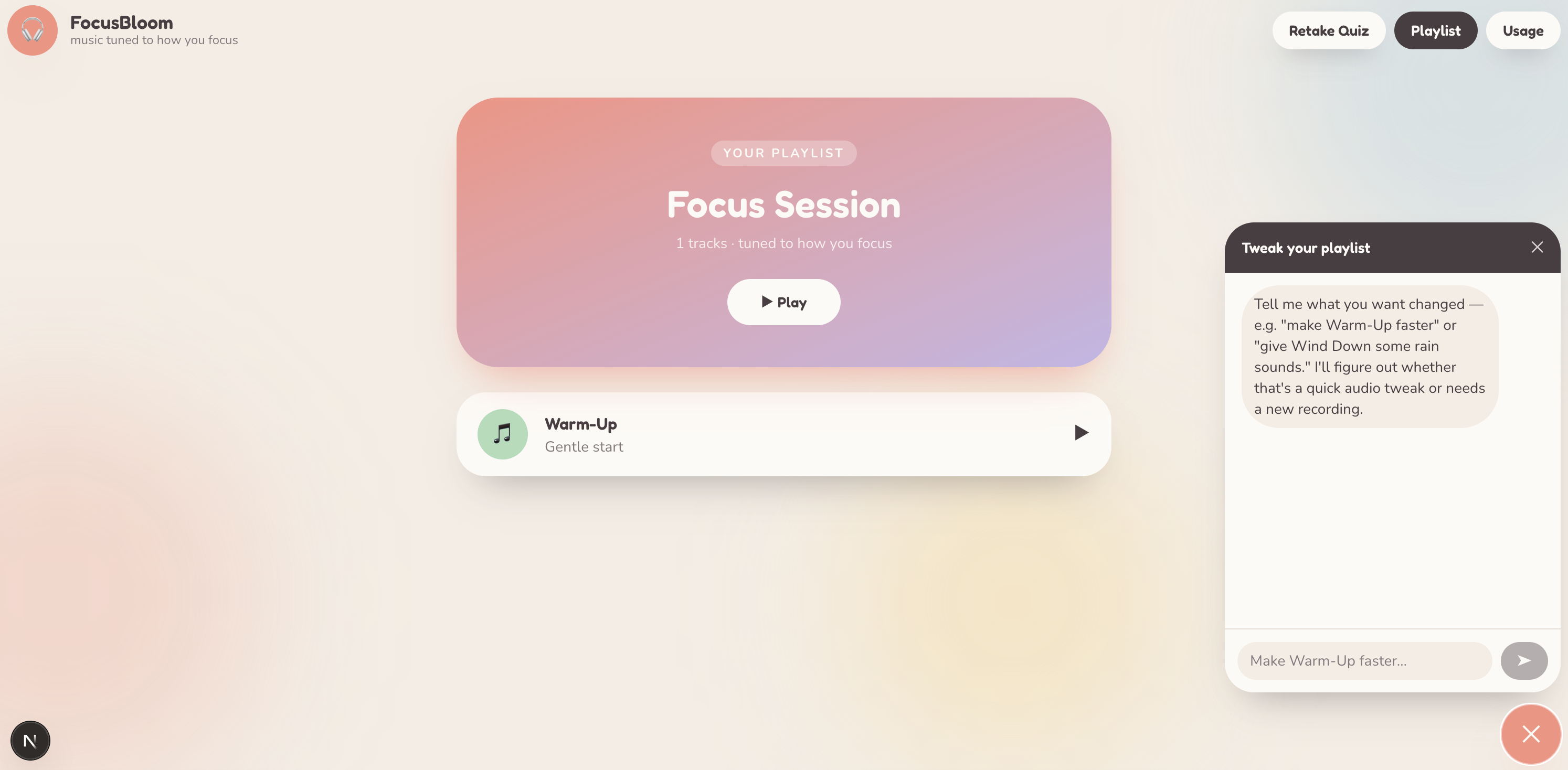
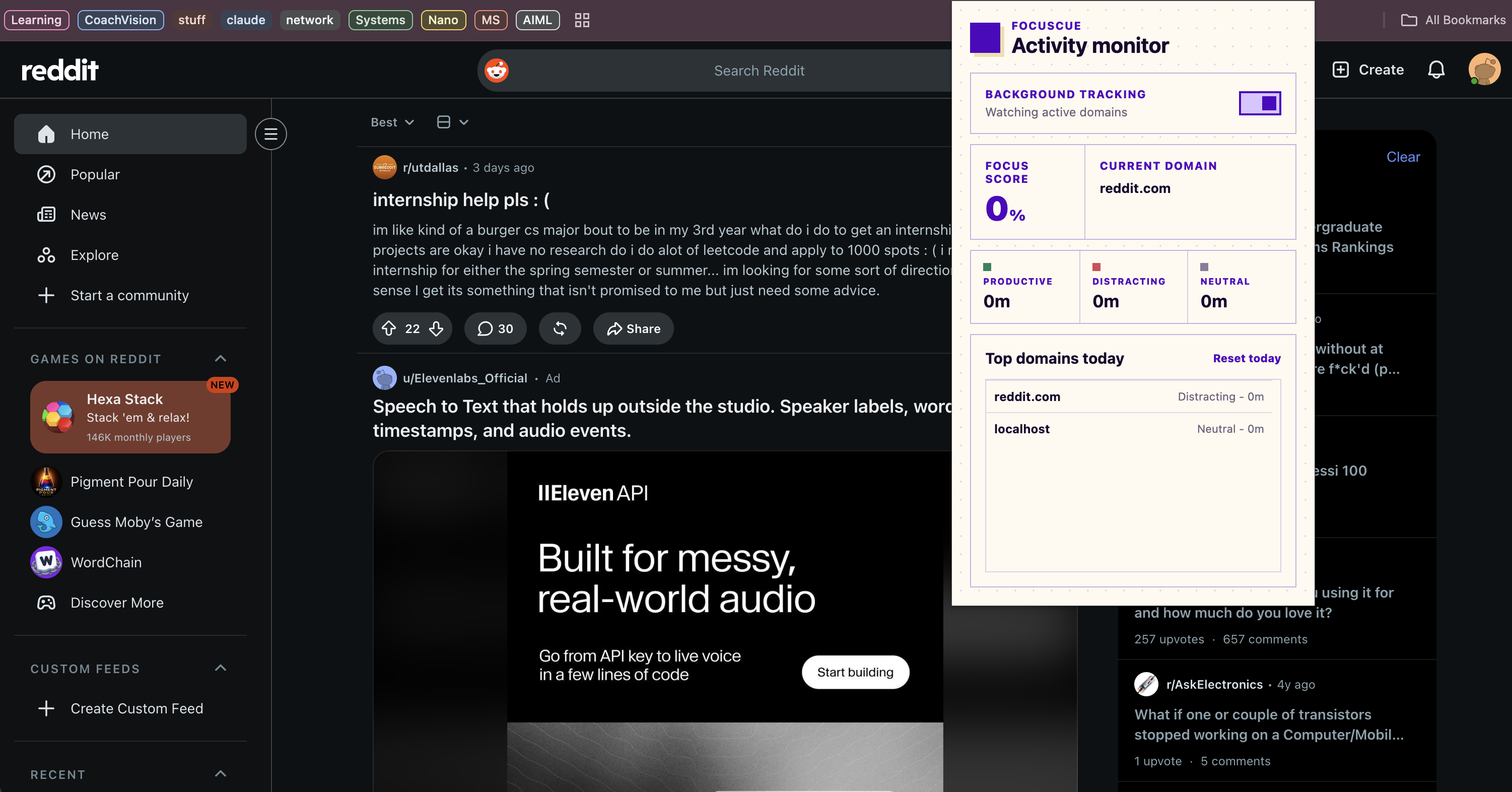
Chill Pill is a focus session tool built around getting real work done, not just playing music. A short quiz classifies how the listener's attention behaves during work, prone to overstimulation, under stimulated and drifting, or balanced, and generates a work session playlist tuned to that profile instead of a generic one. The listener sets a timer, goes back to their actual work, and the session runs quietly in the background. If they go idle for too long, the app notices and crossfades in an attention catching cue to pull them back on task. When the timer ends, a companion Chrome extension has been tracking which sites the browser was actually on during that session, productive, distracting, or neutral, and the Usage dashboard turns that into a focus score, a category breakdown, and a session history, so the output of a session is not "did music play" but "did I actually stay on task." The playlist stays editable by chat mid session too, so a track that stops working can be tweaked or swapped without breaking flow.
How we built it
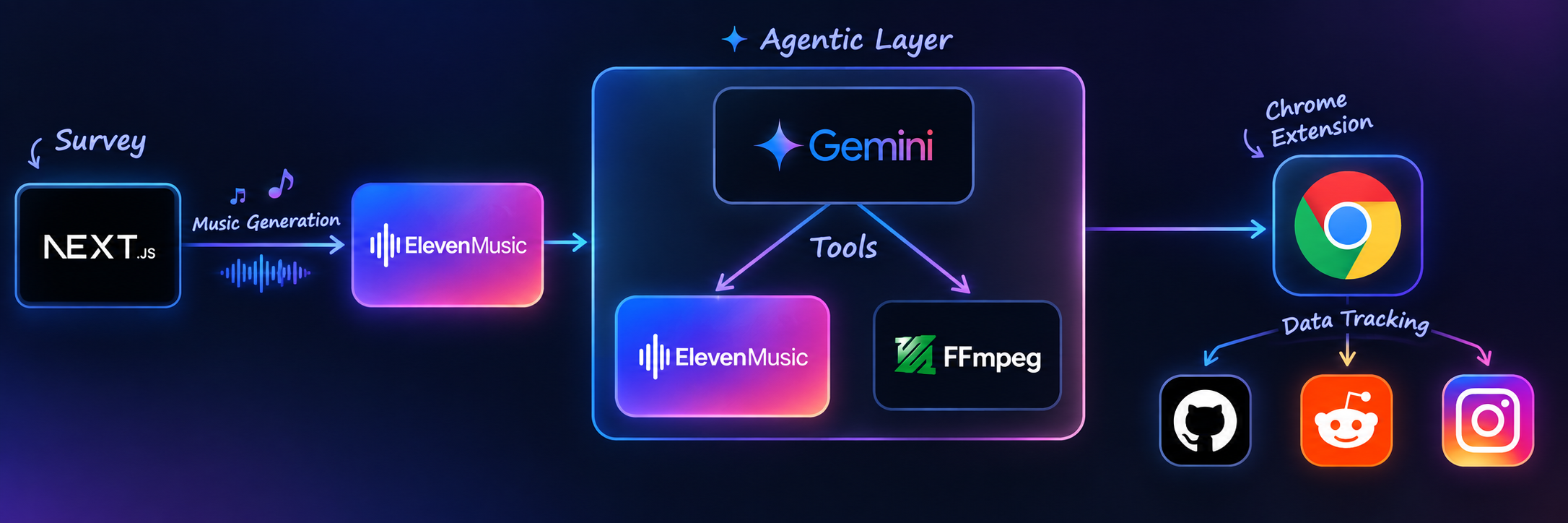
Next.js 16 with the App Router and React 19 for the app, Tailwind v4 for styling. ElevenLabs music model generates every piece of audio: the quiz driven work session playlist, chat driven edits, and one hardcoded attention cue used to interrupt idle drift. Google's Gemini model powers the chat agent, given two tool definitions, one for direct audio adjustment and one for generation, plus the current track list as context, and it picks the right tool and target track on its own. Real signal processing runs through ffmpeg. The productivity tracking side is a Manifest V3 Chrome extension that measures real work session outcomes with chrome.idle and chrome.tabs, classifying time spent by site and reporting it to the web app through a postMessage bridge. Quiz progress, the playlist, the usage session, and the shared audio player all run on small custom stores built with useSyncExternalStore and localStorage instead of a state management library.
Challenges we ran into
A plain web page cannot see what other tabs or sites are open, and measuring whether a work session was actually productive requires exactly that. That is a real browser security boundary, so honest usage tracking meant building an actual Chrome extension instead of faking it with a page visibility hack.
Generating four playlist tracks in parallel hit ElevenLabs' concurrency limit and returned 429 errors. We reproduced it directly to confirm the exact cap, then fixed it with a concurrency limited queue and retry logic.
ffmpeg-static resolves its own binary path using __dirname at require time, and Next.js's bundler rewrote that path during dev, breaking every ffmpeg call with an ENOENT error. We had to explicitly exclude it from bundling. We also found the popular fluent-ffmpeg wrapper library is deprecated, so we drive ffmpeg directly through child_process instead.
Our idle to attention track crossfade, the mechanism that actually pulls someone back into a work session, quietly broke from a floating point timing bug. The very first animation frame could compute a volume fraction just under zero, which threw an error and killed the fade permanently with no visible symptom. Only a real, full length idle wait test caught it, a shortened test would not have.
Next.js's router unmounts page components on navigation, so switching from the playlist page to the usage dashboard killed the audio element and stopped the session's music. We moved the actual audio element up into the root layout so playback survives across pages.
Accomplishments that we're proud of
Building a system that measures whether a focus session actually worked, not just whether music played, by pairing real browser usage data with the session timer.
Getting a real two tool AI agent to reliably choose between adjusting existing audio and generating something new from plain English, and having it pick the right track from context with no manual track selector.
Shipping genuine crossfade audio with live idle detection, so the app actively intervenes mid session instead of passively playing in the background.
Building and wiring up an actual Chrome extension for real cross tab tracking instead of settling for a workaround that would not hold up as a real productivity metric.
What we learned
That a productivity tool is only as credible as its measurement, and that measurement runs straight into real browser security boundaries, the honest fix is often a browser extension, not a clever workaround.
That routing between cheap local processing and an expensive generative call is a genuinely good pattern for keeping an AI feature both fast and affordable, which matters if this is something people would use every work session.
That newer framework tooling, Next.js 16's stricter React lint rules in our case, can catch real timing bugs and not just style preferences, if the warnings are taken seriously instead of suppressed.
That floating point edge cases in animation code are real and will find you eventually, always clamp your ranges.
What's next for Chill Pill
Team or workplace level reporting, for people who want to share focus trends with an accountability partner or manager.
Persisting quiz results, playlists, and usage history server side so a person's focus profile follows them across devices instead of living in localStorage.
Multi day and multi week usage trends, since the extension already retains history the dashboard does not show yet, which matters more for a productivity tool than a single session snapshot.
Built With
- chrome
- css
- elevenlabs
- ffmpeg
- gemini
- next.js
- react.js
- typescript


Log in or sign up for Devpost to join the conversation.