-
-
-
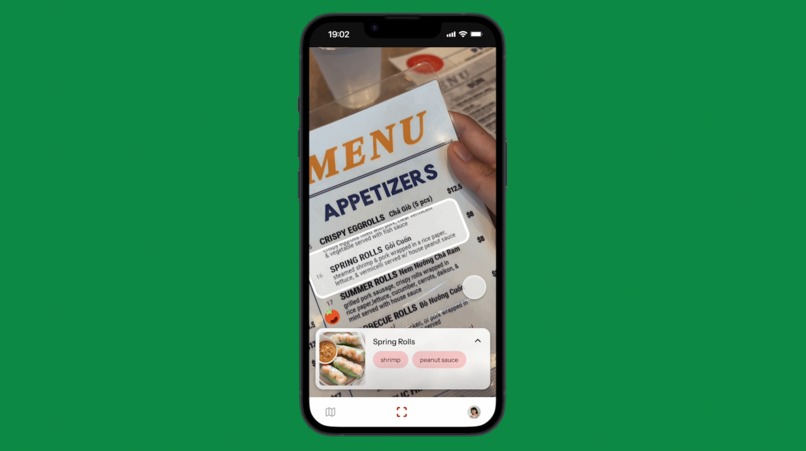
AR menu scan
-
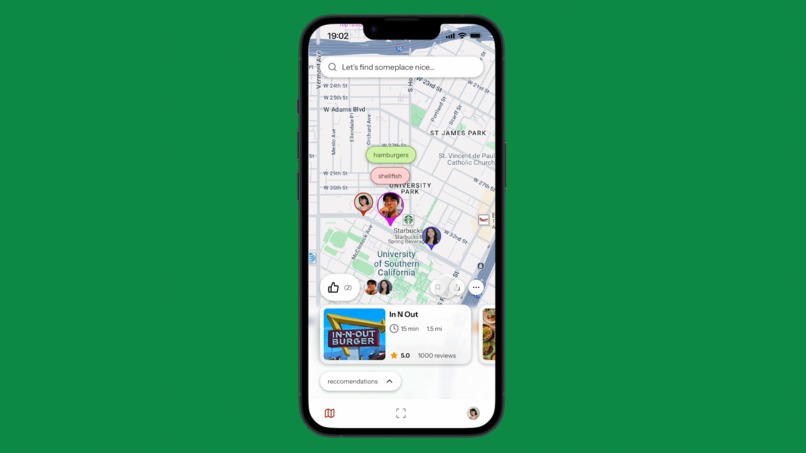
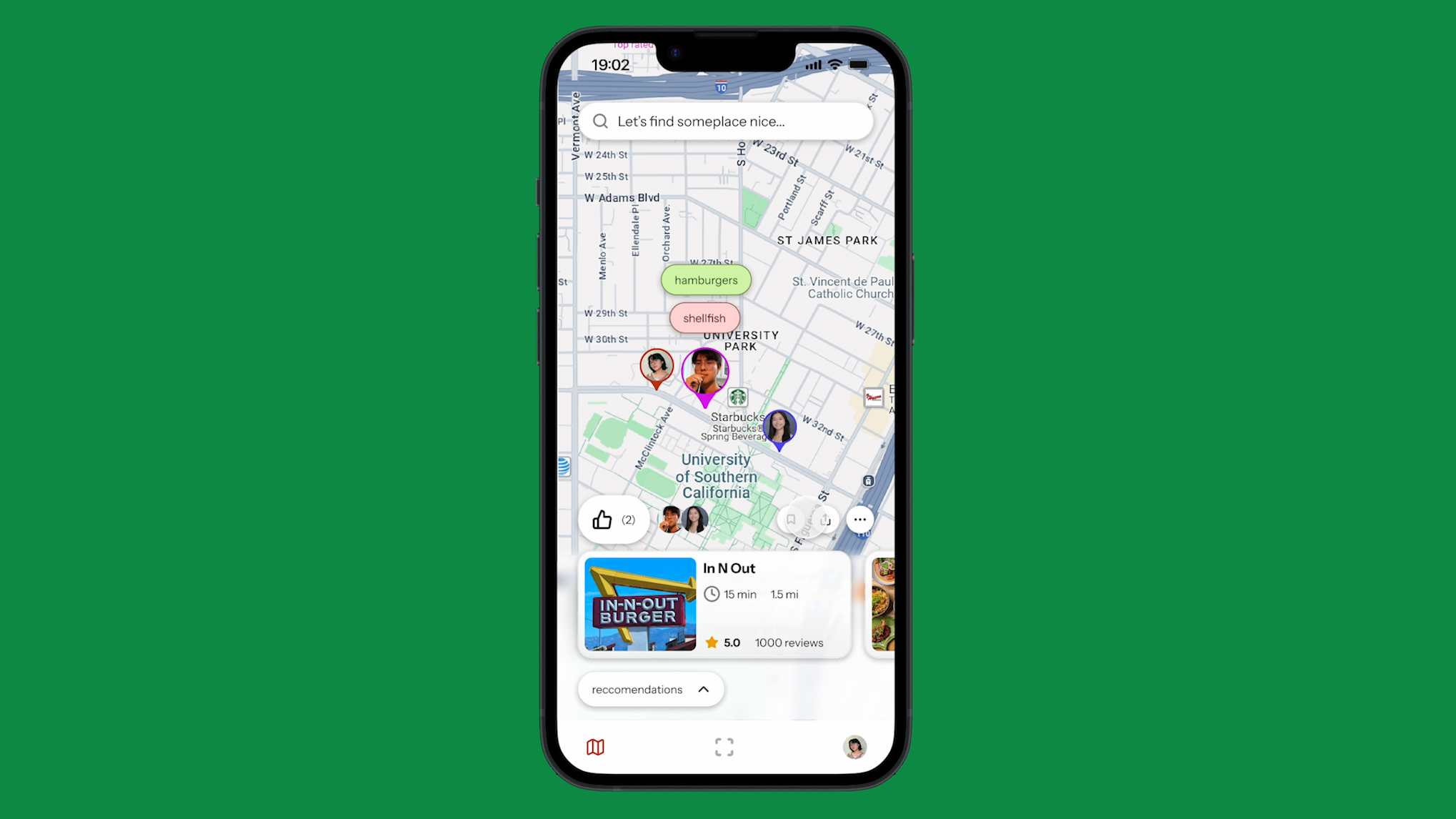
Community Map
-
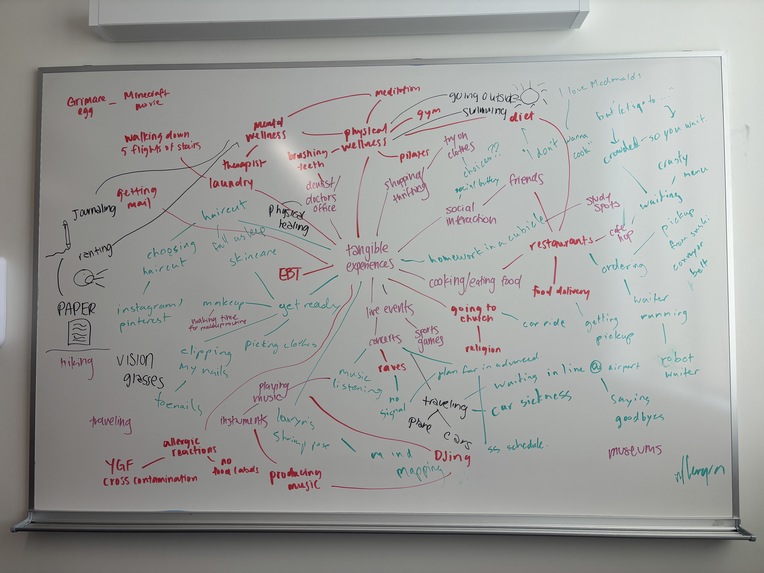
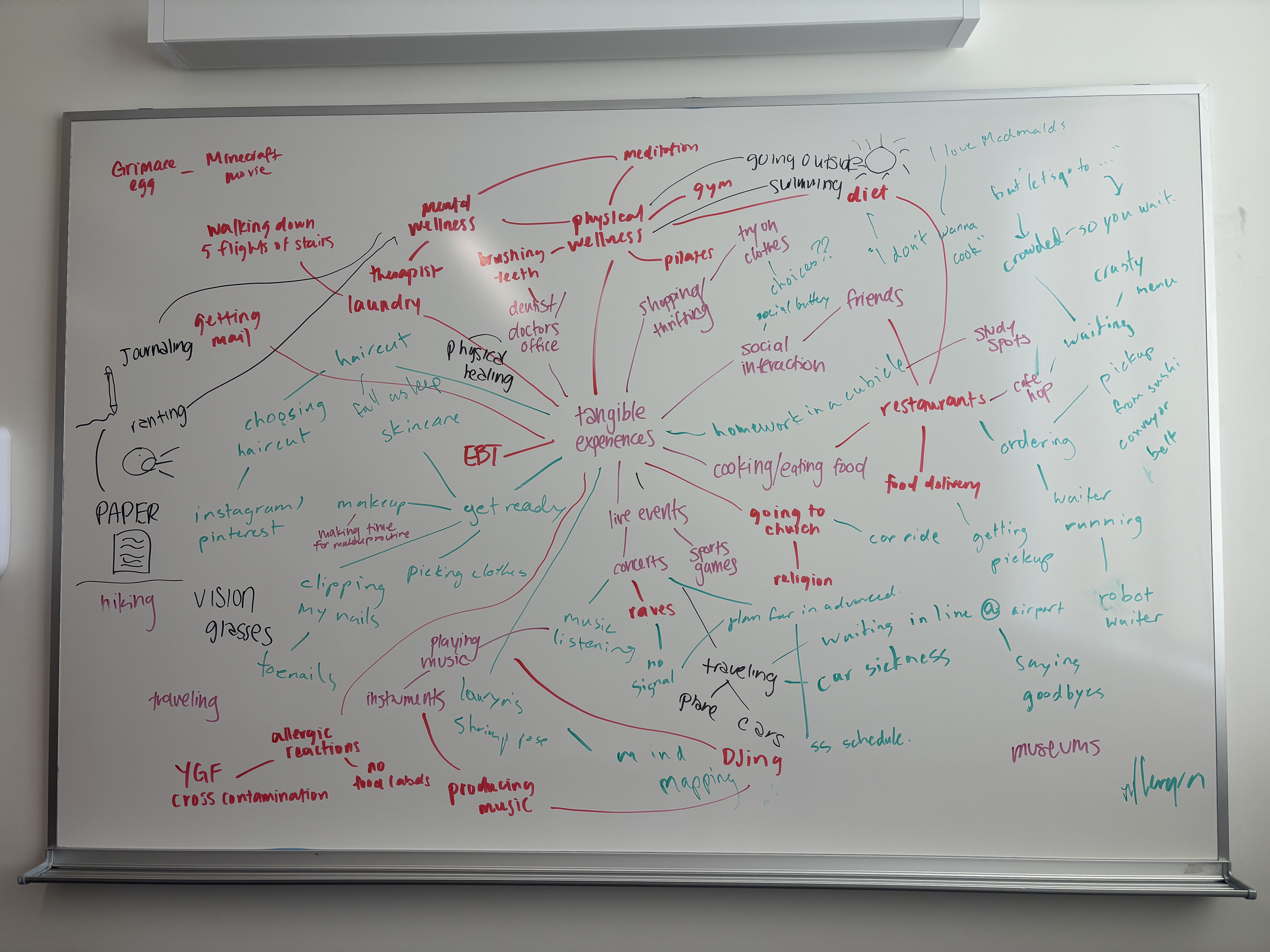
Whiteboard Brainstorm
-
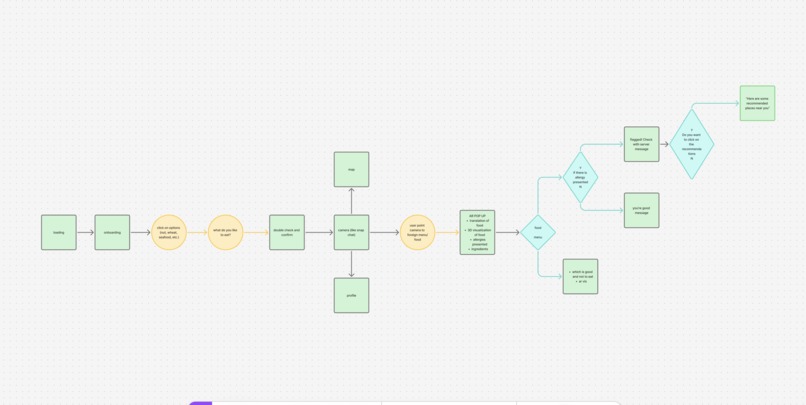
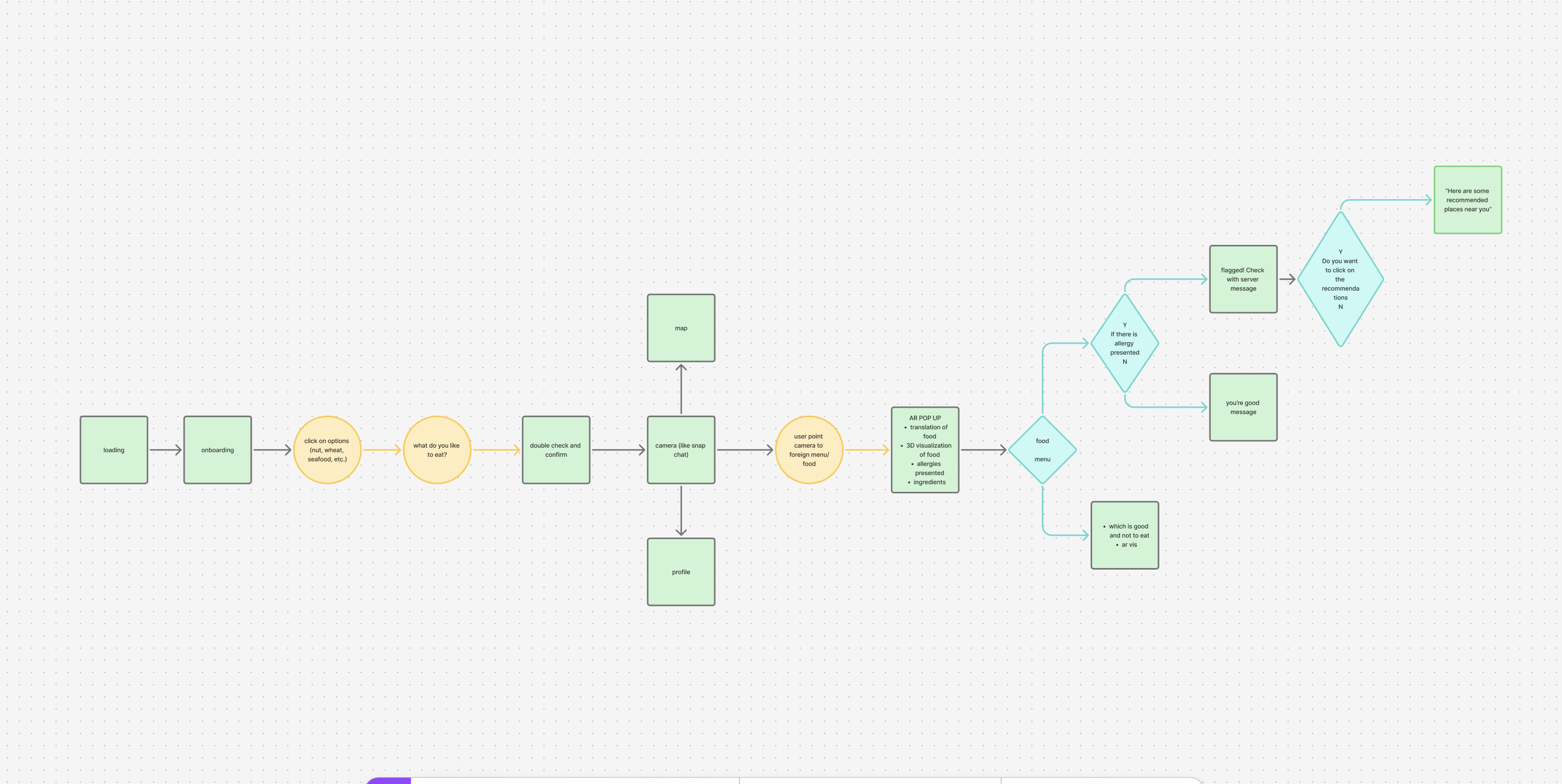
Initial User Flow Map
-
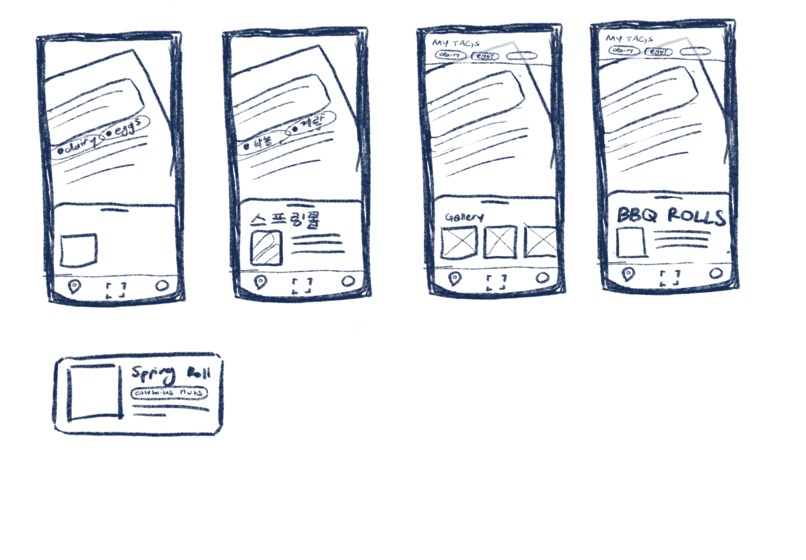
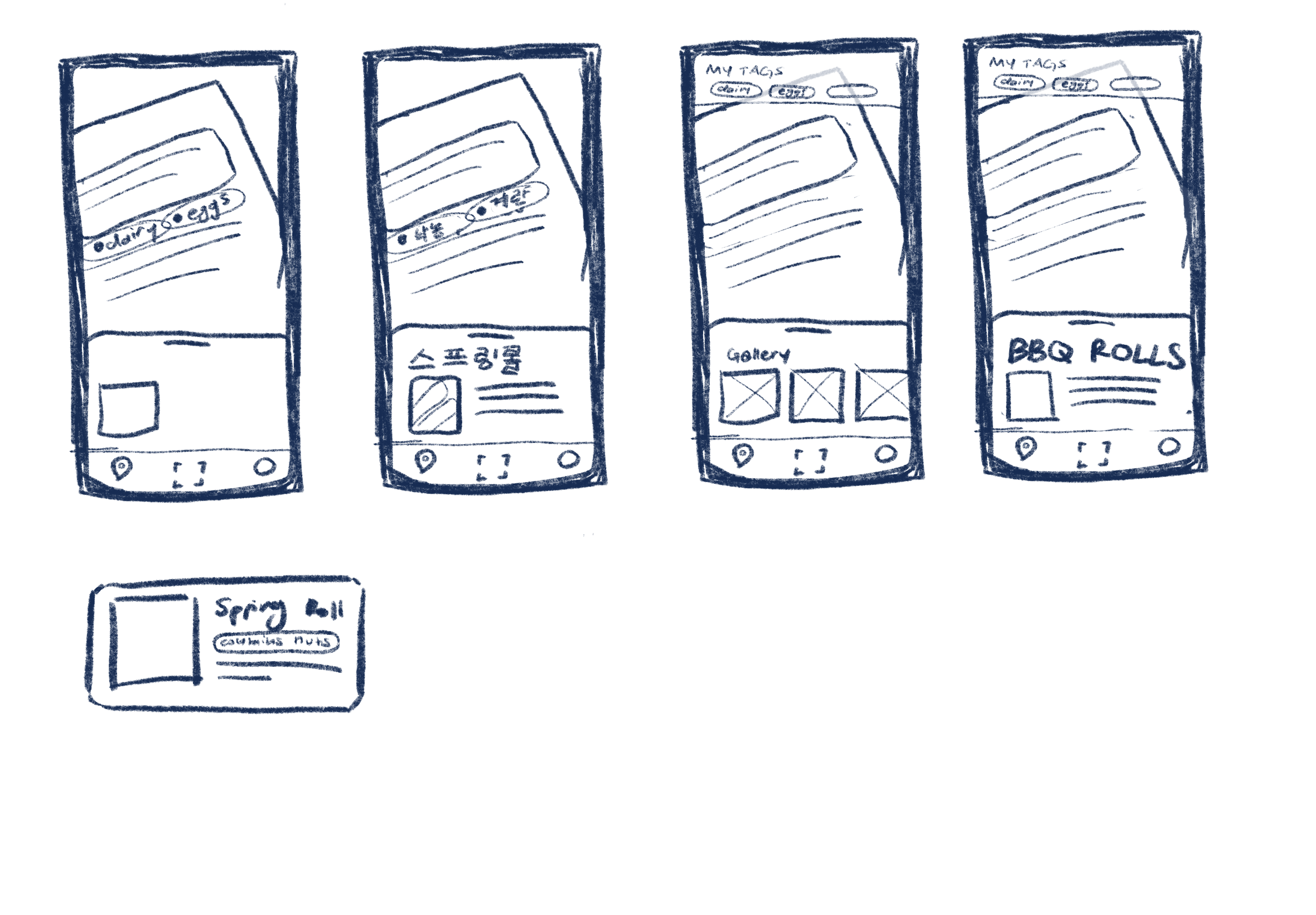
Wireframe Sketches for AR menu scan
Inspiration
Have you ever felt excited to try a new dish while traveling—only to feel anxious because you weren’t sure what was in it? Maybe the menu was in a different language, or you didn’t recognize the dish, and suddenly that joyful, spontaneous moment turned into stress. When we formed as a team, we all shared our love for exploring new foods and cultures. Food makes up a big part of a culture, from your own to other foreign ones. We all believe in the power of eating as a way to understand a culture’s story, rituals, and context. However, one problem that came up when we were brainstorming was the dietary restrictions that many people face when trying new foods. Questions like: "What’s in this?" "Does it contain cashews, peanuts, dairy, or gluten?" "Is it vegetarian?" "How do I ask about allergens if I don’t speak the language?" "Can I even eat this safely?" These worries often take away from the joy of the moment. Our team wanted to build something that keeps the spirit of exploration alive, without putting anyone’s health or comfort at risk. We were inspired to create Chewsy because we believe everyone deserves to explore and enjoy food, no matter their dietary restrictions or background.
What it does
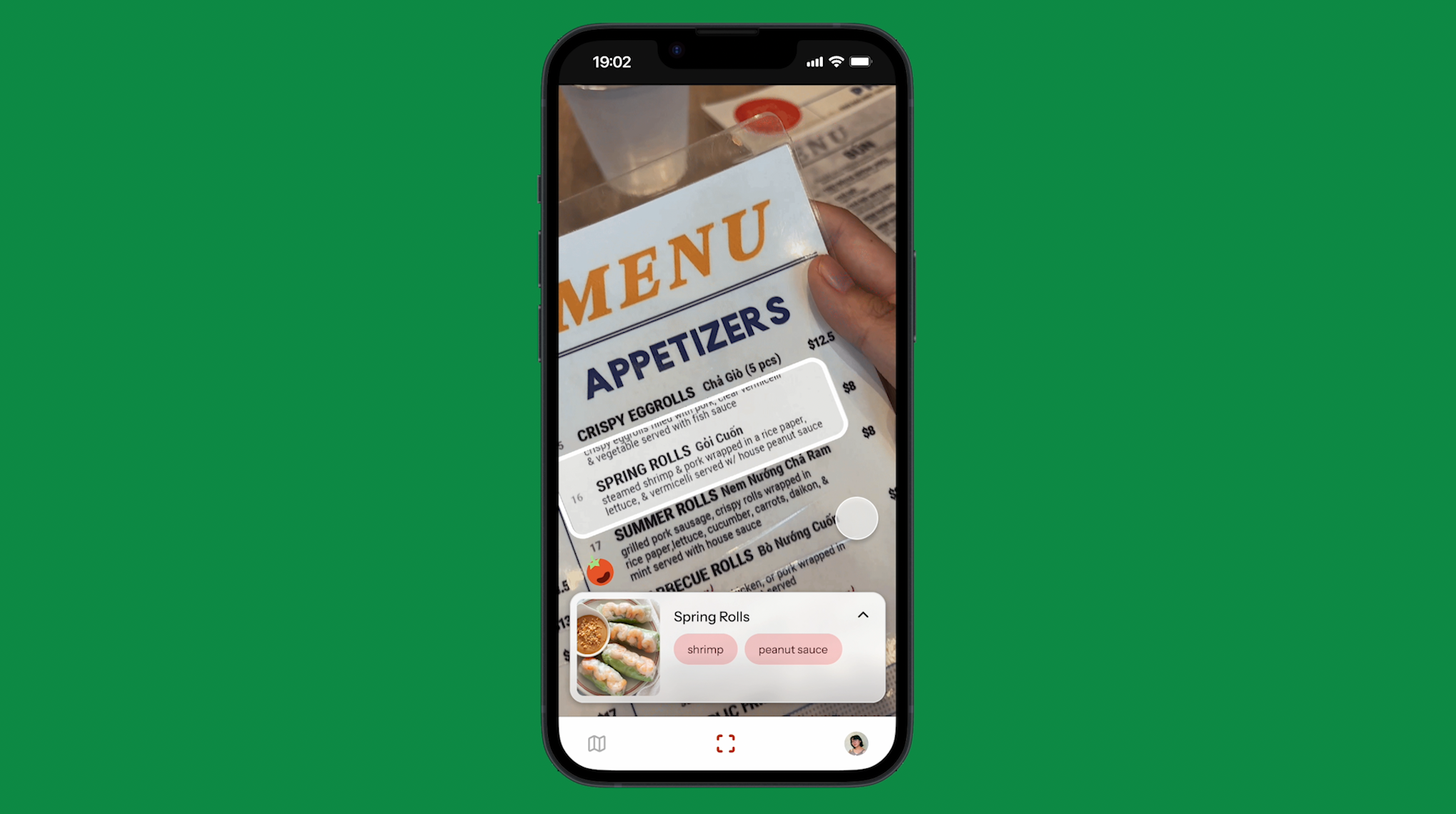
Chewsy is a mobile app that helps users with dietary restrictions explore new cultural foods with confidence and ease. It scans menus, especially those in foreign languages or featuring unfamiliar dishes, and breaks down the ingredients in real time. Based on your saved allergies, dietary preferences, and dislikes, Chewsy alerts you if a dish contains any restricted ingredients. If it does, the app recommends similar, safer dishes or nearby spots that better suit your needs. By combining smart menu translation, ingredient detection, and personalized recommendations, Chewsy allows users to focus on the joy of food, spontaneity, and cultural discovery, without the fear of allergic reactions or dietary conflicts.
How we built it
We began our process by whiteboarding and moodboarding initial ideas to explore visual and thematic directions and identify common threads in our concept. From there, we moved to FigJam to map out the user flow—detailing specific user actions, decision points, and outlining each individual screen of the app. Midway through building our flow, we conducted user interviews to better understand what features and experiences users actually wanted. These insights helped us refine our flow and prioritize functionality that addressed real user pain points. With a solid foundation in place, we transitioned to Figma, where we created wireframes and began prototyping our interface—translating our ideas into a tangible, interactive experience.
Built With
- aftereffects
- figma

Log in or sign up for Devpost to join the conversation.