🐺 ChefCam: The AI Sous-Chef for the Busy Student
Inspiration
ChefCam was born from a real-life survival story. Our teammate, Tona, moved from Morelos to Puebla to study, living away from home for the first time. Like many students, he often faces "fridge paralysis"—staring at a random tomato and half an onion between classes with no idea how to turn them into a meal. We realized that for thousands of students, cooking isn't just about food; it's about making the most of limited resources and time. We built ChefCam to be the digital "older brother" that helps students like Tona survive and thrive in the kitchen.
What it does
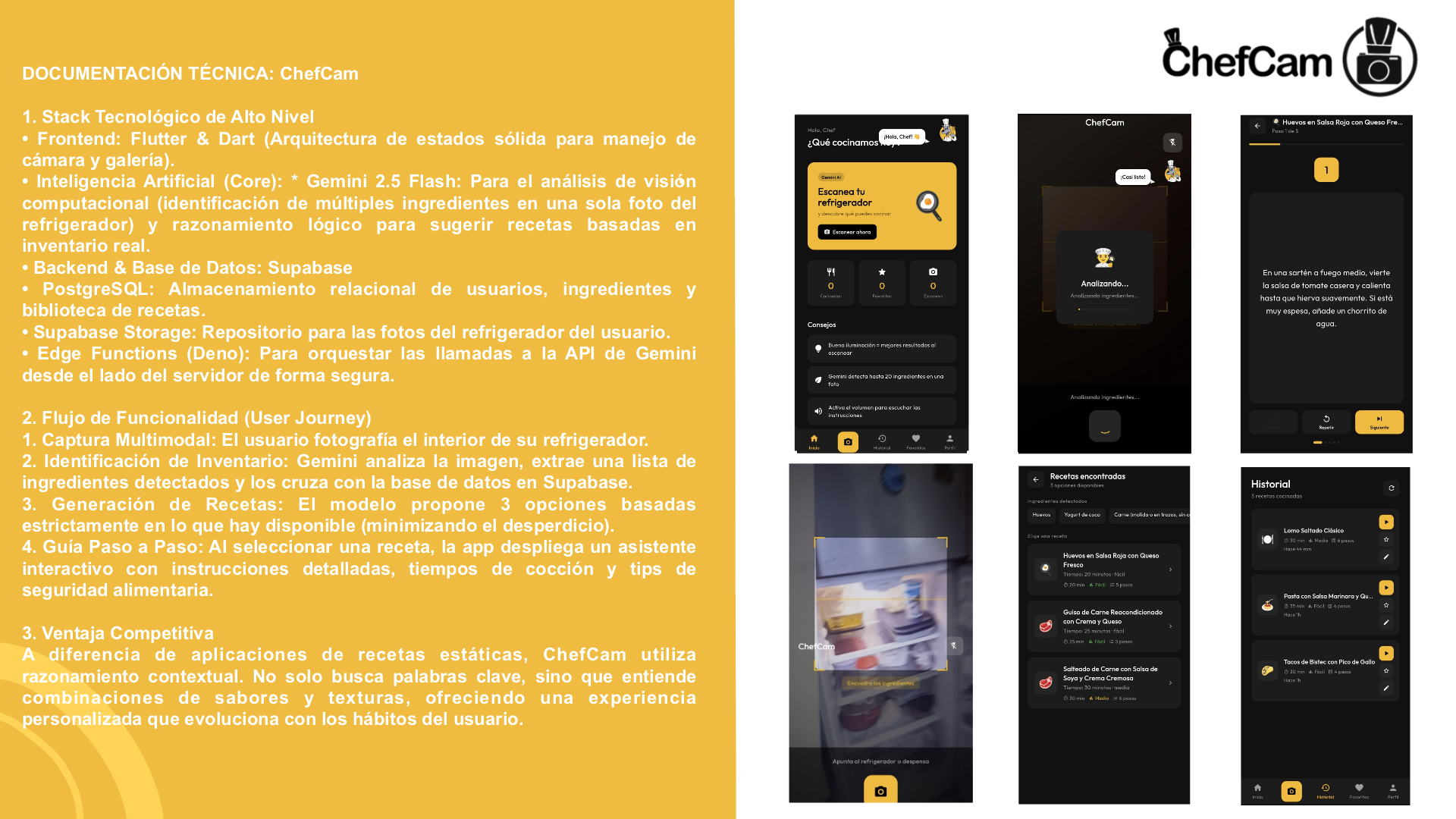
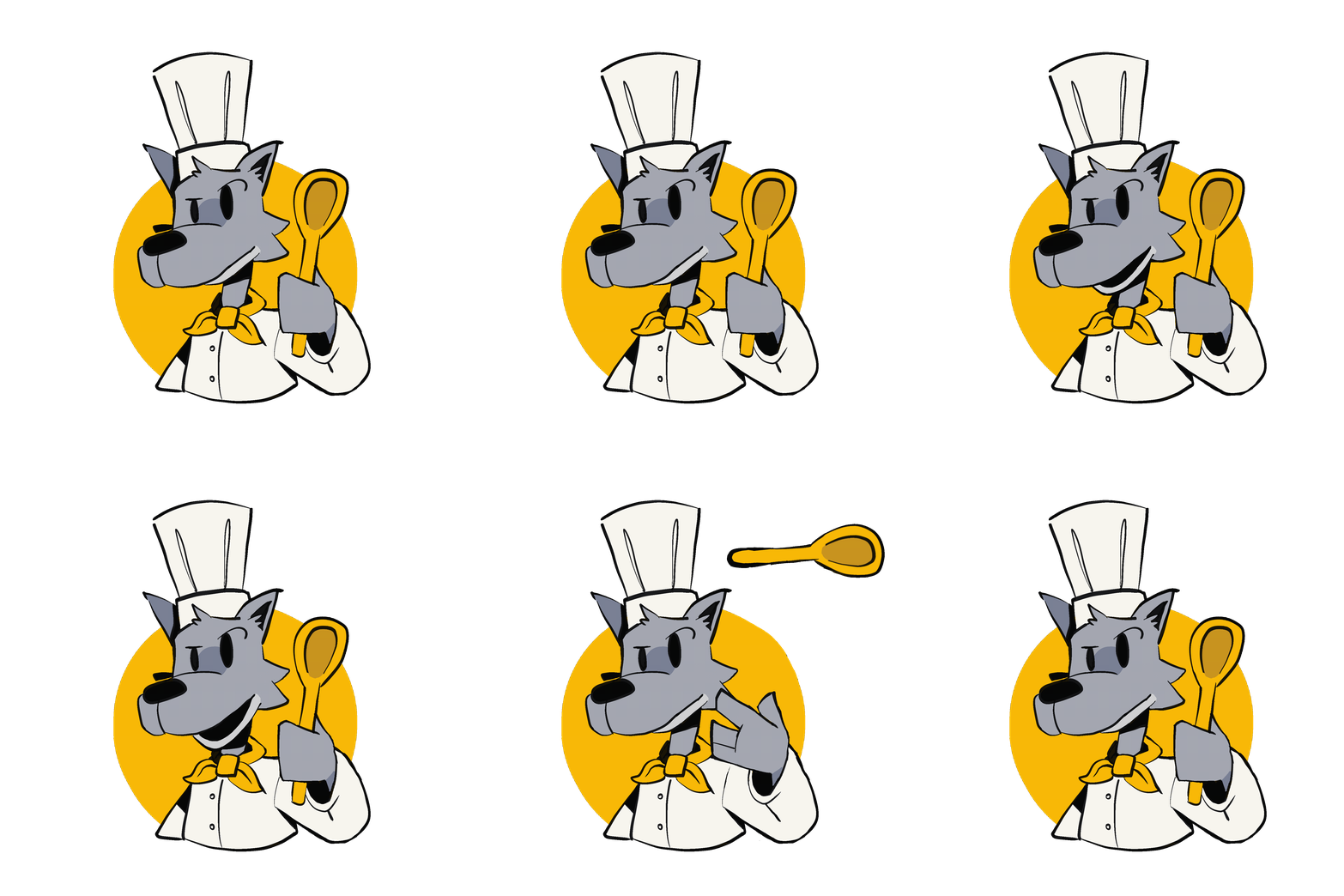
ChefCam transforms your smartphone into a culinary expert. Users simply take a photo of their ingredients, and the app identifies them using Gemini 1.5 Flash. It then generates creative, student-friendly recipes. To make the experience human and engaging, our hand-animated "Wolf Chef" guides you through the process, while the Pexels API fetches high-quality visuals for every step, ensuring you know exactly what your dish should look like.
How we built it
- Frontend: Developed with Flutter for a fast, responsive mobile experience.
- Backend: A serverless architecture powered by Supabase and Deno Edge Functions.
- AI Intelligence: Leveraged Google's Gemini 1.5 Flash for multimodal vision and structured recipe generation.
- Strategic Decision Making: We utilized Gemini as an active collaborator to iterate on our system design, troubleshoot complex SQL Row Level Security (RLS) issues, and optimize our data schemas in real-time.
- Security: Implemented PostgreSQL with RLS to keep every user's recipe history private and secure.
- Dynamic Content: Integrated the Pexels API to inject real-time, high-definition culinary imagery for a professional UX.
Challenges we ran into
- Database & Security Hurdles: One of our biggest technical "headaches" was configuring the RLS in Supabase. We initially struggled with duplicate policy errors; however, by using Gemini to audit our SQL scripts, we learned to properly "drop and recreate" policies using
DROP POLICY IF EXISTS. - Prompt Engineering & JSON Parsing: Getting Gemini 1.5 Flash to return a clean, structured JSON was a challenge. We used Gemini to peer-review our prompts, preventing "hallucinations" and ensuring the Flutter app could parse data without crashing.
- Asset & Binary Management: In "Big 2026," we moved away from old-school methods like Mediafire. Guided by the need for professional delivery, we opted for a GitHub Releases workflow to host our APK securely.
- Animation Syncing: Integrating Tona’s traditional frame-by-frame animation into Flutter required precise state management. We had to ensure the "Wolf Chef" provided meaningful visual feedback during AI processing.
- The "Caveman" Workflow: Coordinating updates via WhatsApp was chaotic. We had to quickly transition to a structured GitHub repository in the final hours to unify Jean's backend logic with the UI assets.
Accomplishments that we're proud of
- 100% Manual Animation: In an AI-focused hackathon, we chose to go "old school" for art. Tona hand-drew every frame of the Wolf Chef without using generative AI. This traditional approach gives the app a unique soul.
- A Rock-Solid Backend: What used to be a major "headache" was solved by our strategic use of Supabase. We implemented a complex architecture involving Edge Functions and secure database triggers in record time.
- Full Integration in <12 Hours: We built a functional, secure, and visually stunning AI application from scratch. Seeing the "Wolf Chef" react to ingredients identified by Gemini was a huge win.
What we learned
We mastered building Serverless AI pipelines and learned that the best technical solutions often come from solving simple, everyday problems. We also discovered that Generative AI is not just a tool for the end-user, but a powerful "Co-Pilot" for developers to solve infrastructure and security roadblocks on the fly.


Log in or sign up for Devpost to join the conversation.