-
-
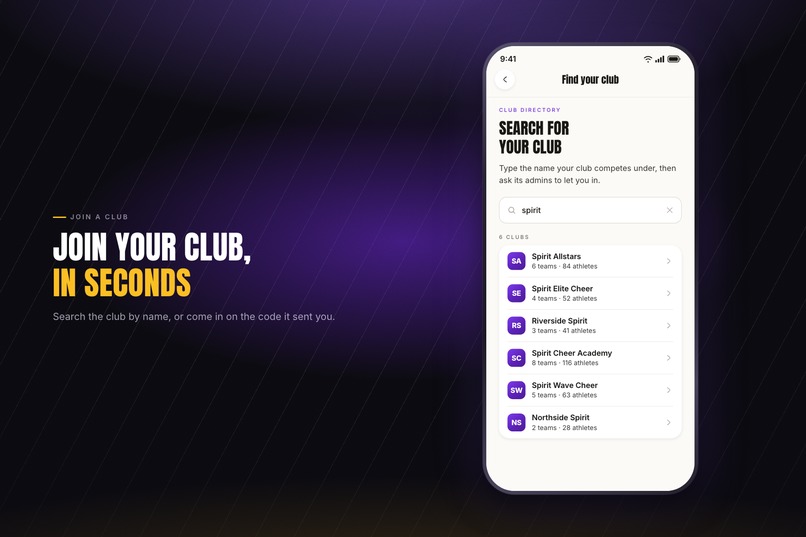
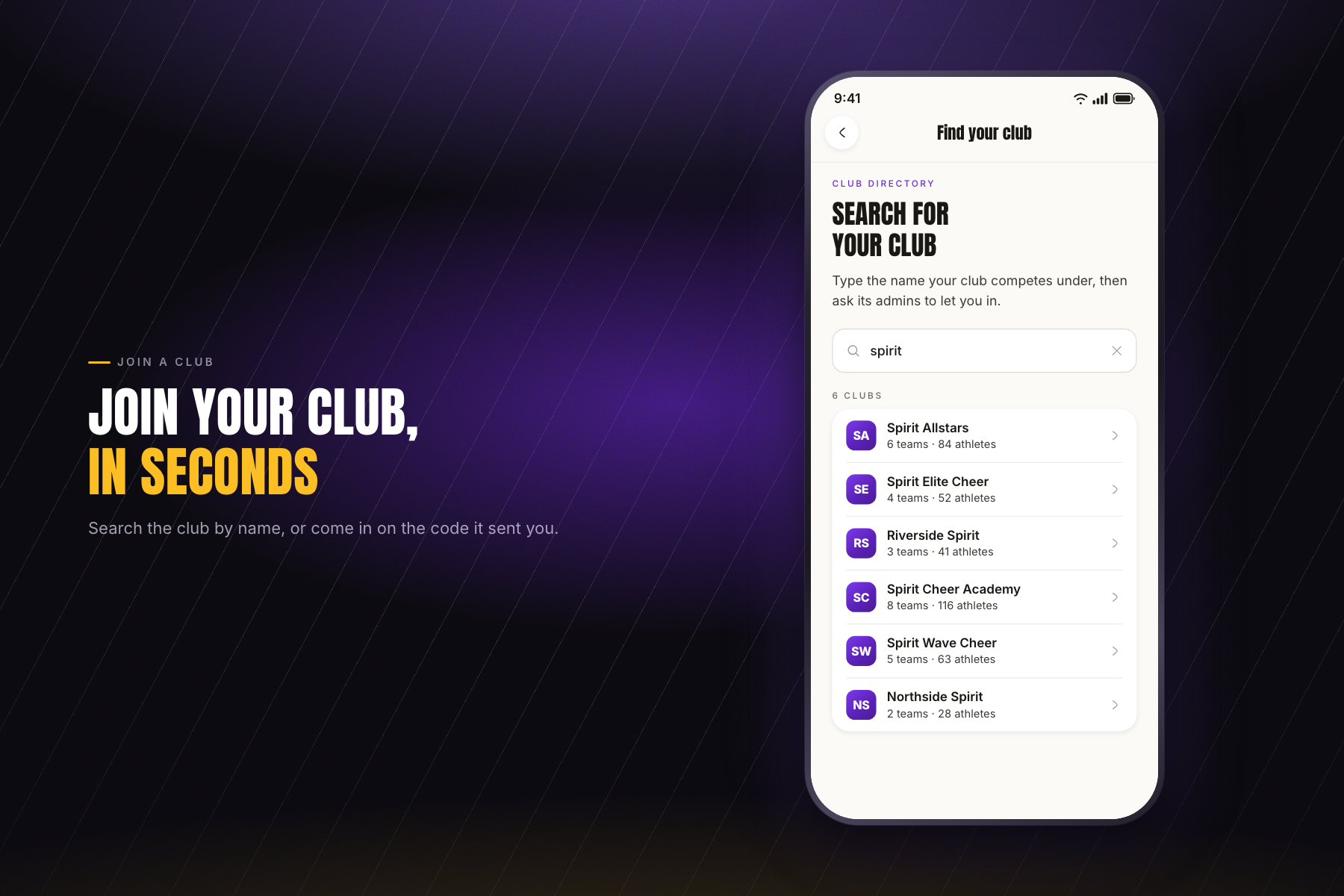
Finding a club: search the directory or redeem an emailed code. Either way the request lands in that club's approval queue.
-
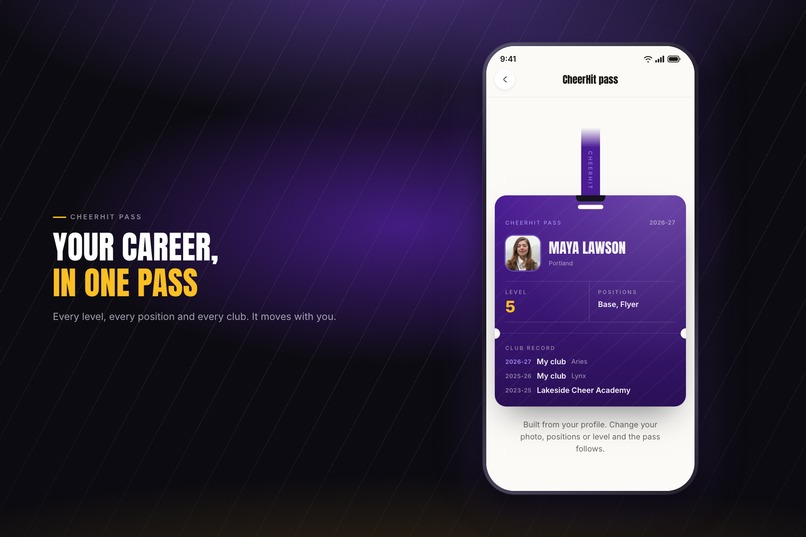
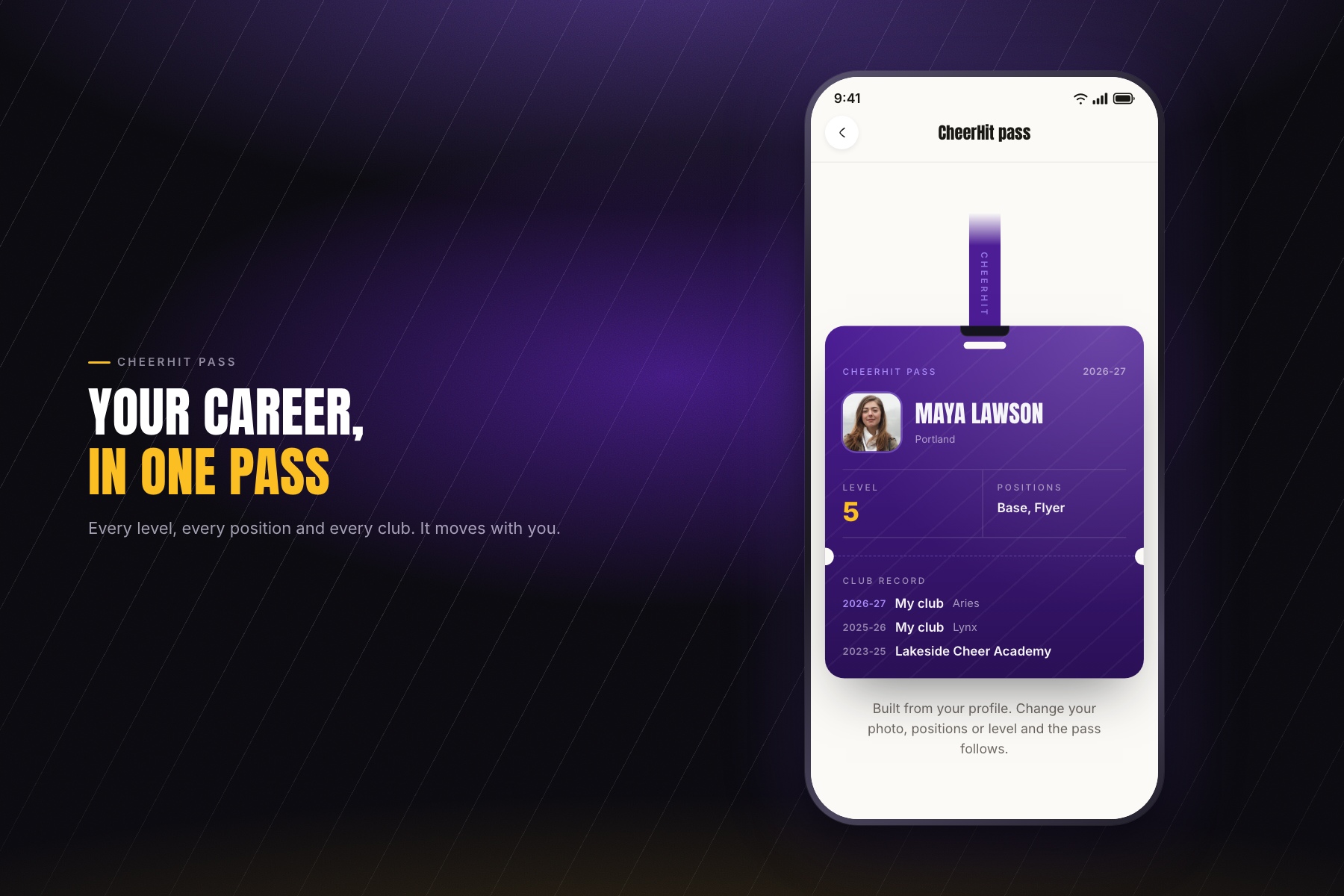
The CheerHit pass: an athlete's level, positions and club record, season by season. It spans clubs, so it moves with them.
-
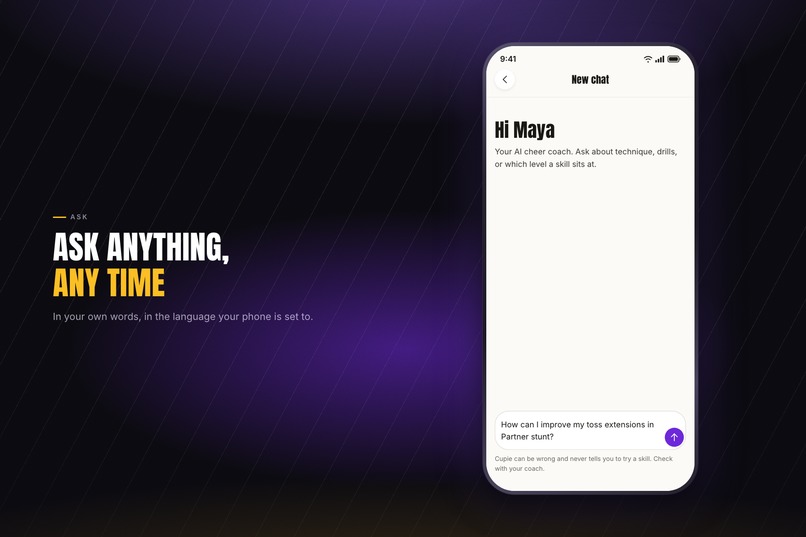
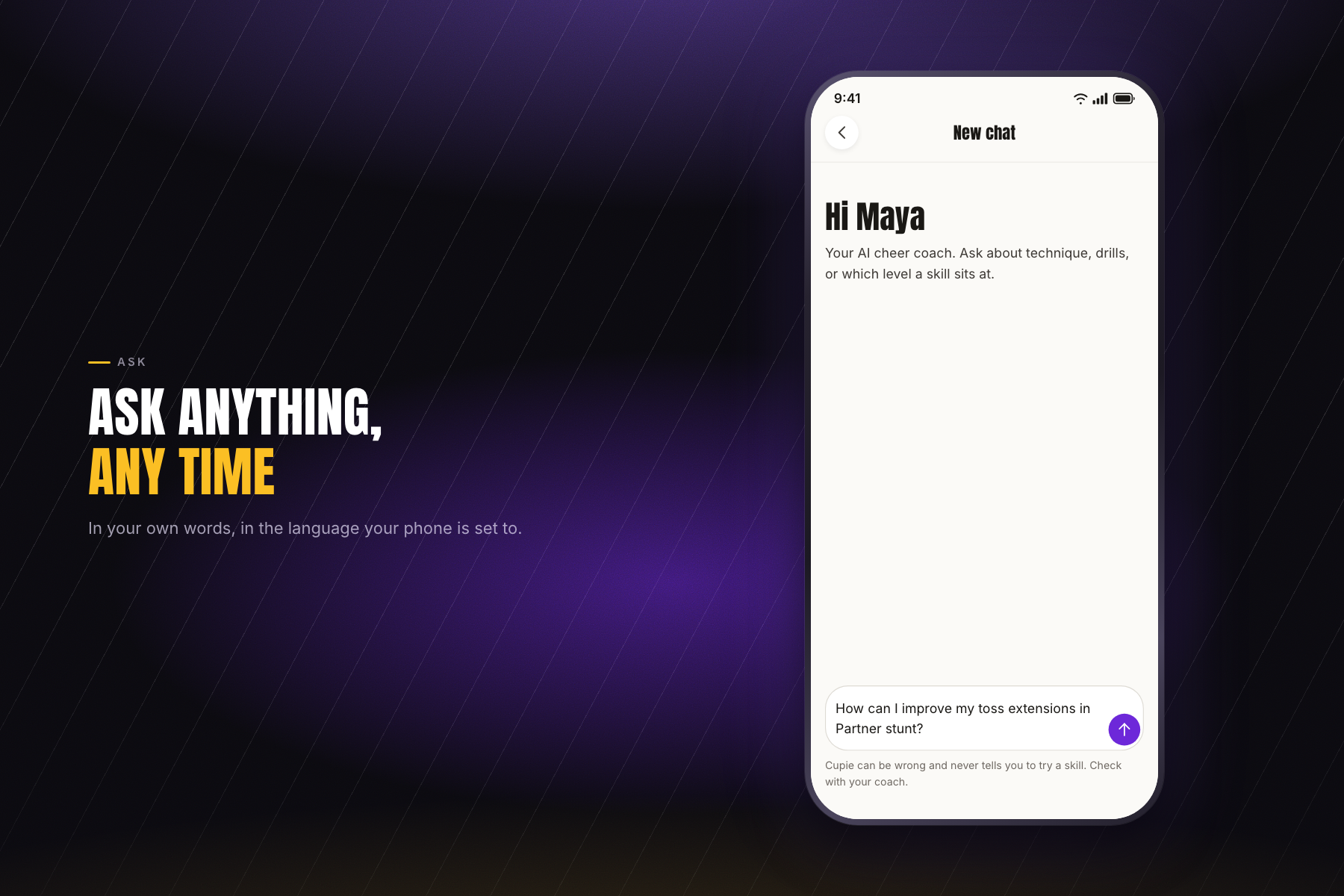
Asking Cupie, the AI cheer coach sold with Pro. It answers in the language of the handset rather than the account.
-
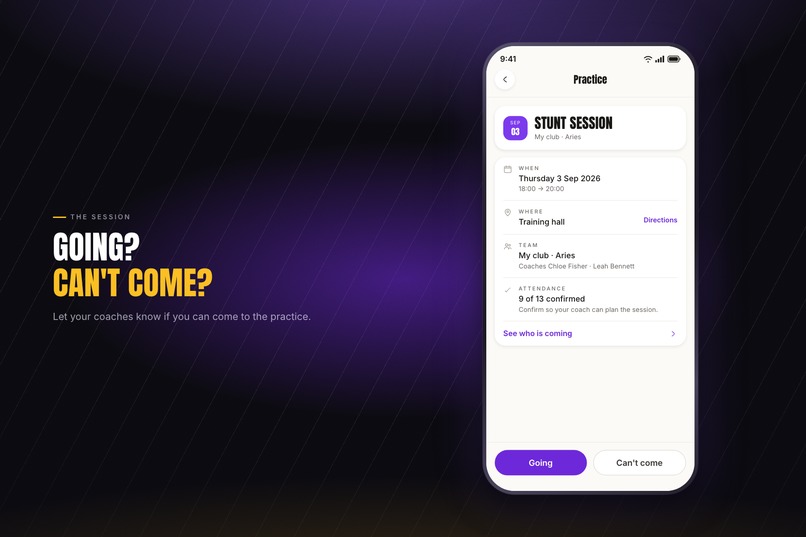
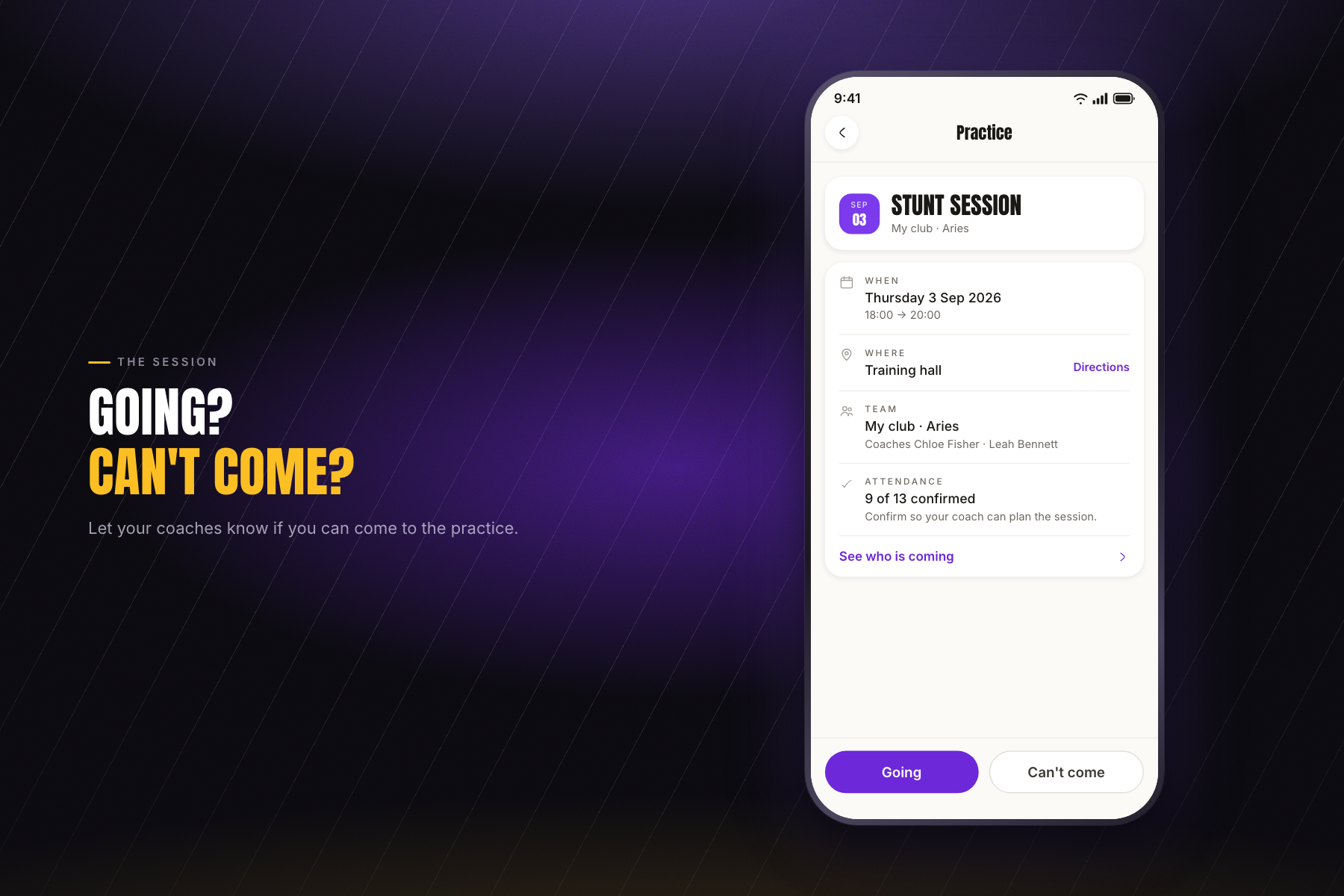
Telling the coaches whether you are coming: the date, the venue, the team, and how many have confirmed. Declining asks for a reason.
-
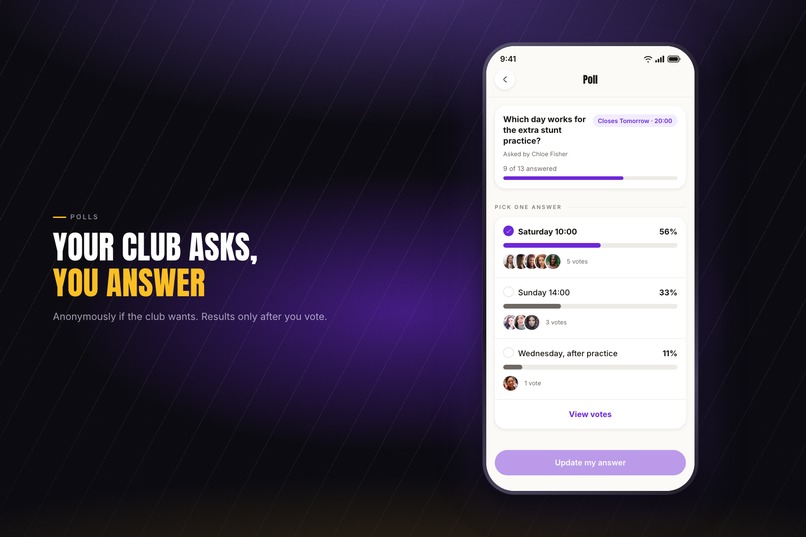
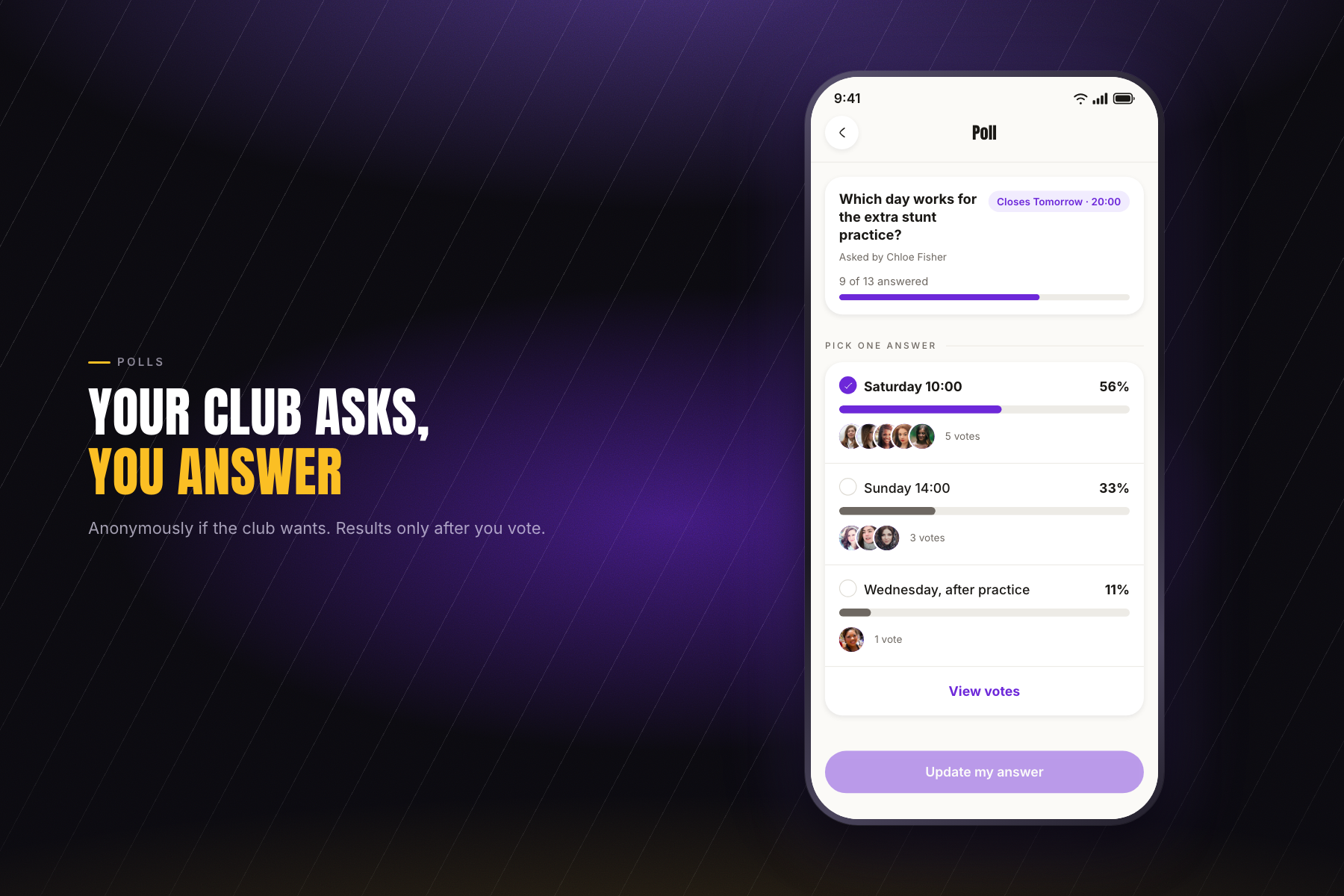
A poll put to a team, the staff or the whole club. Results stay hidden until you have voted, and it can be anonymous.
-
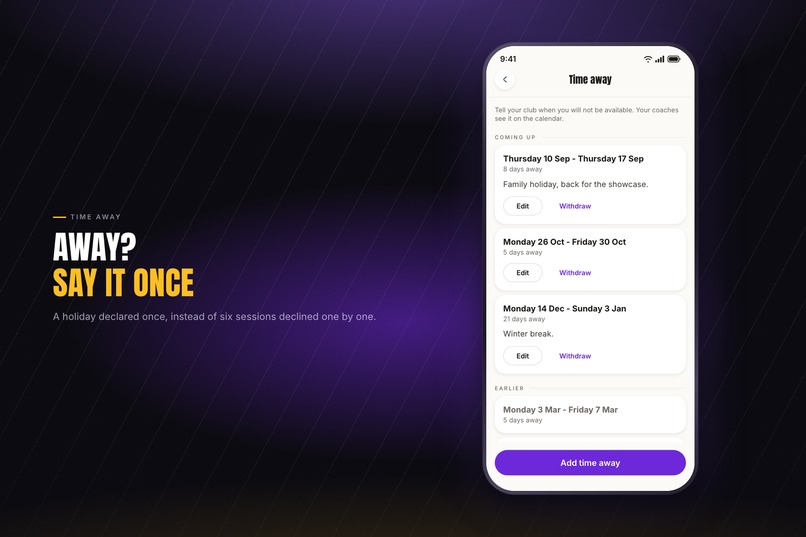
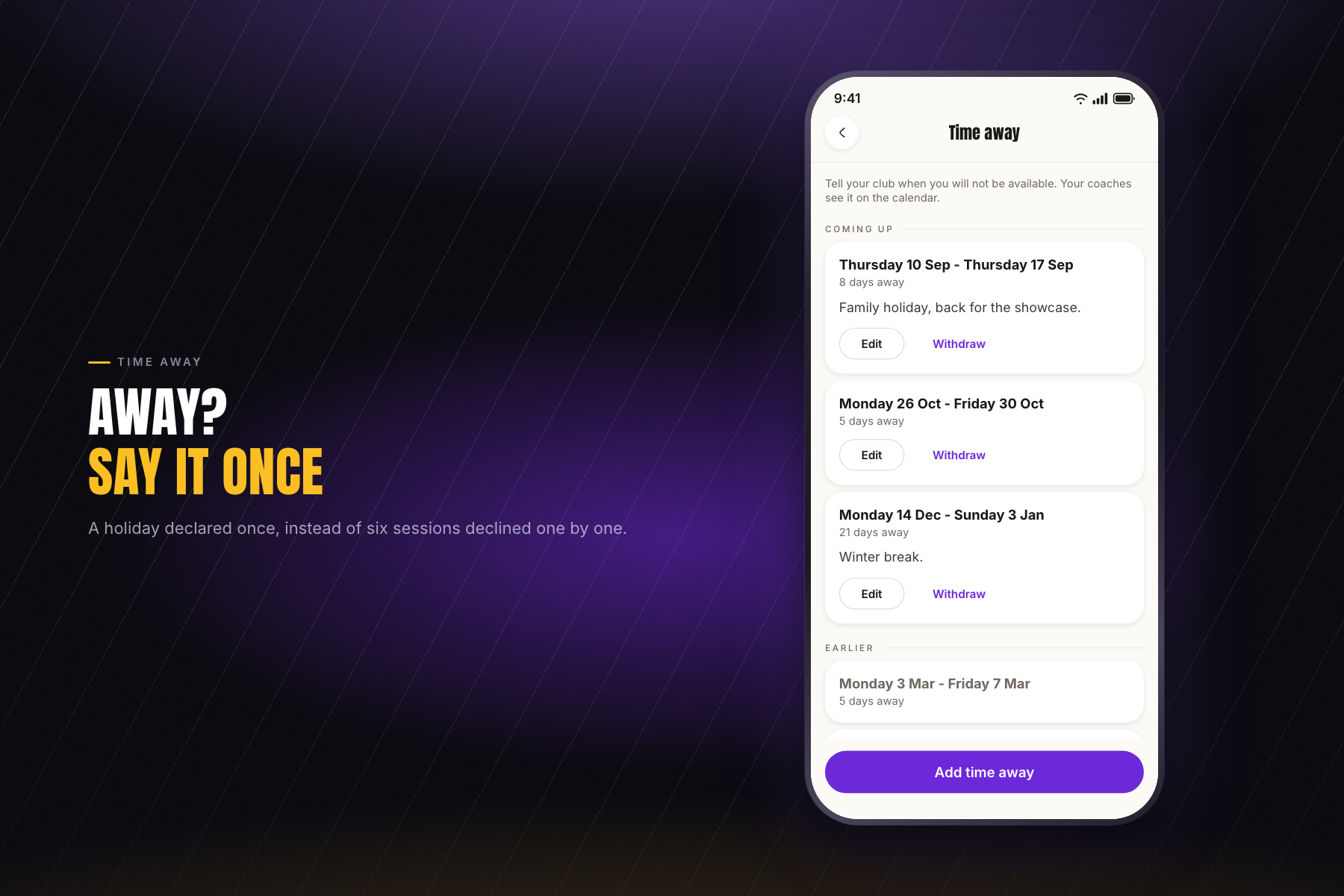
Declaring time away: one run of dates instead of six separate declines. The app never asks why, because that is nobody else's business.
-
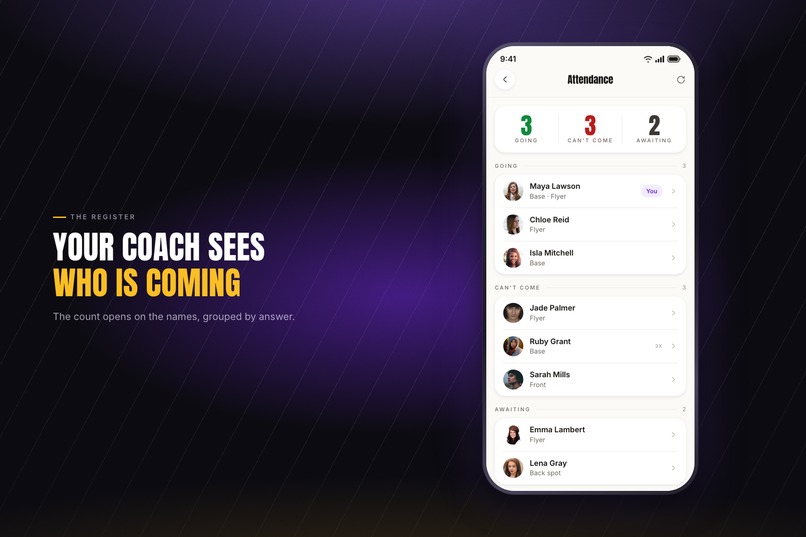
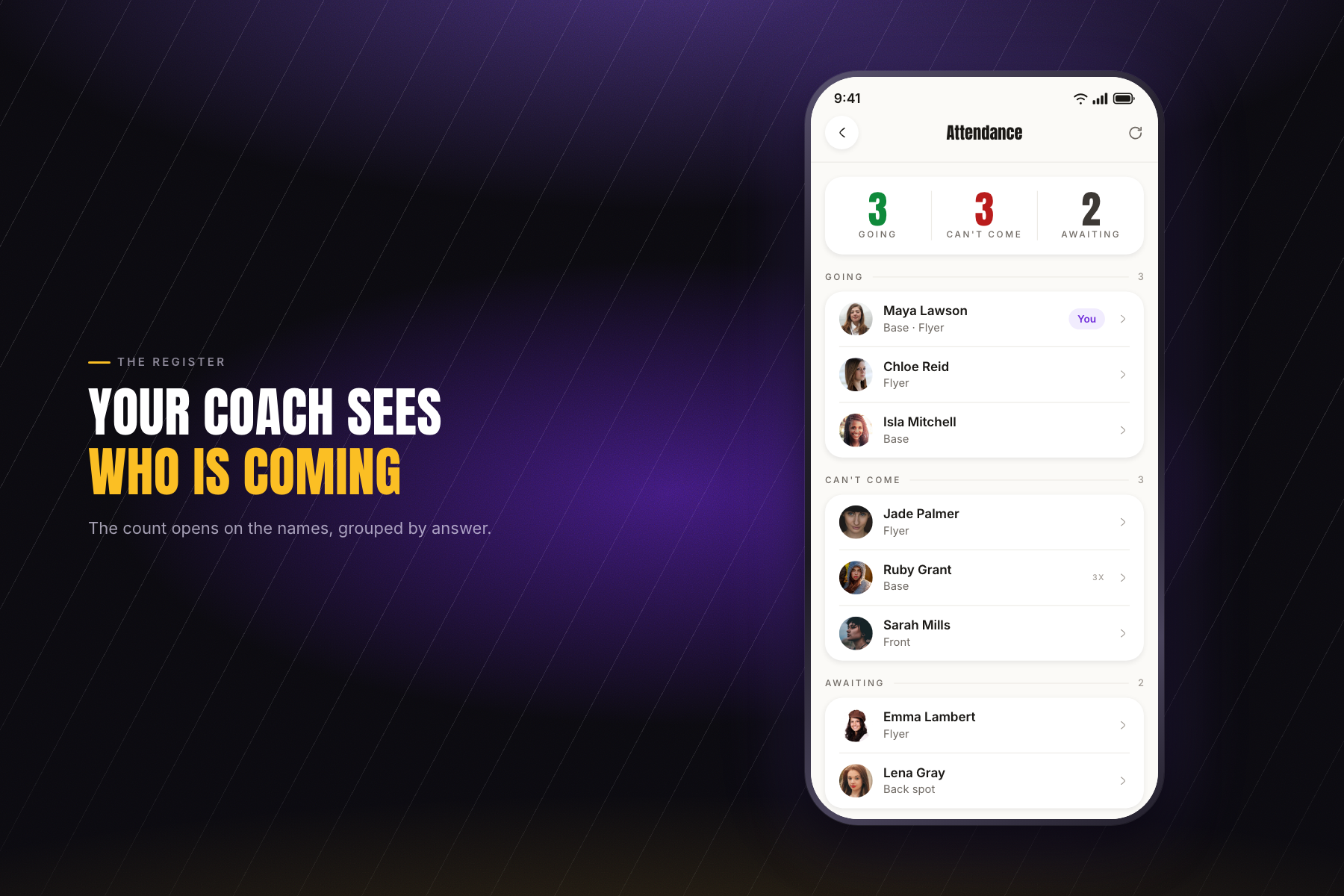
The coach's register: the tally opens on the names, grouped by going, can't come and still awaiting, with every change kept behind it.
-
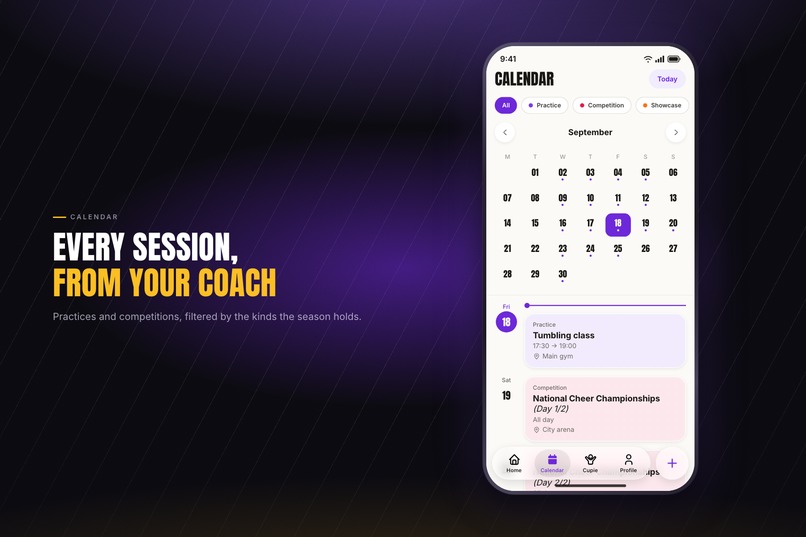
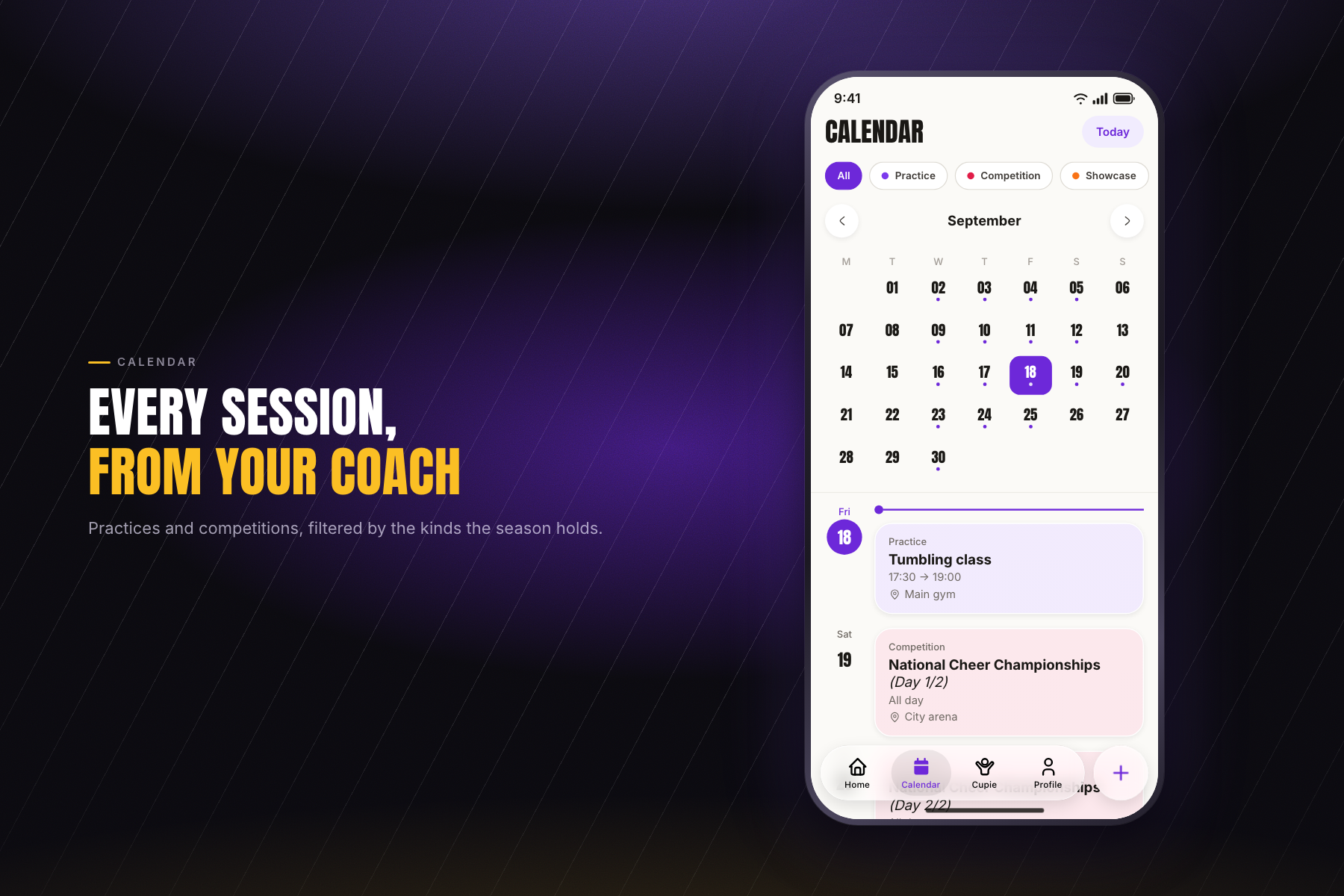
Every practice and competition the athlete is invited to, coloured by type. The same sessions sync into the phone's own calendar app.
-
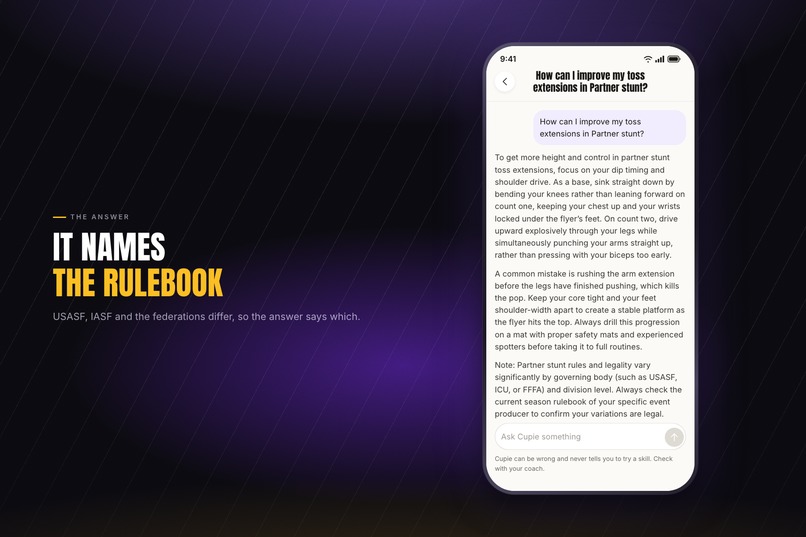
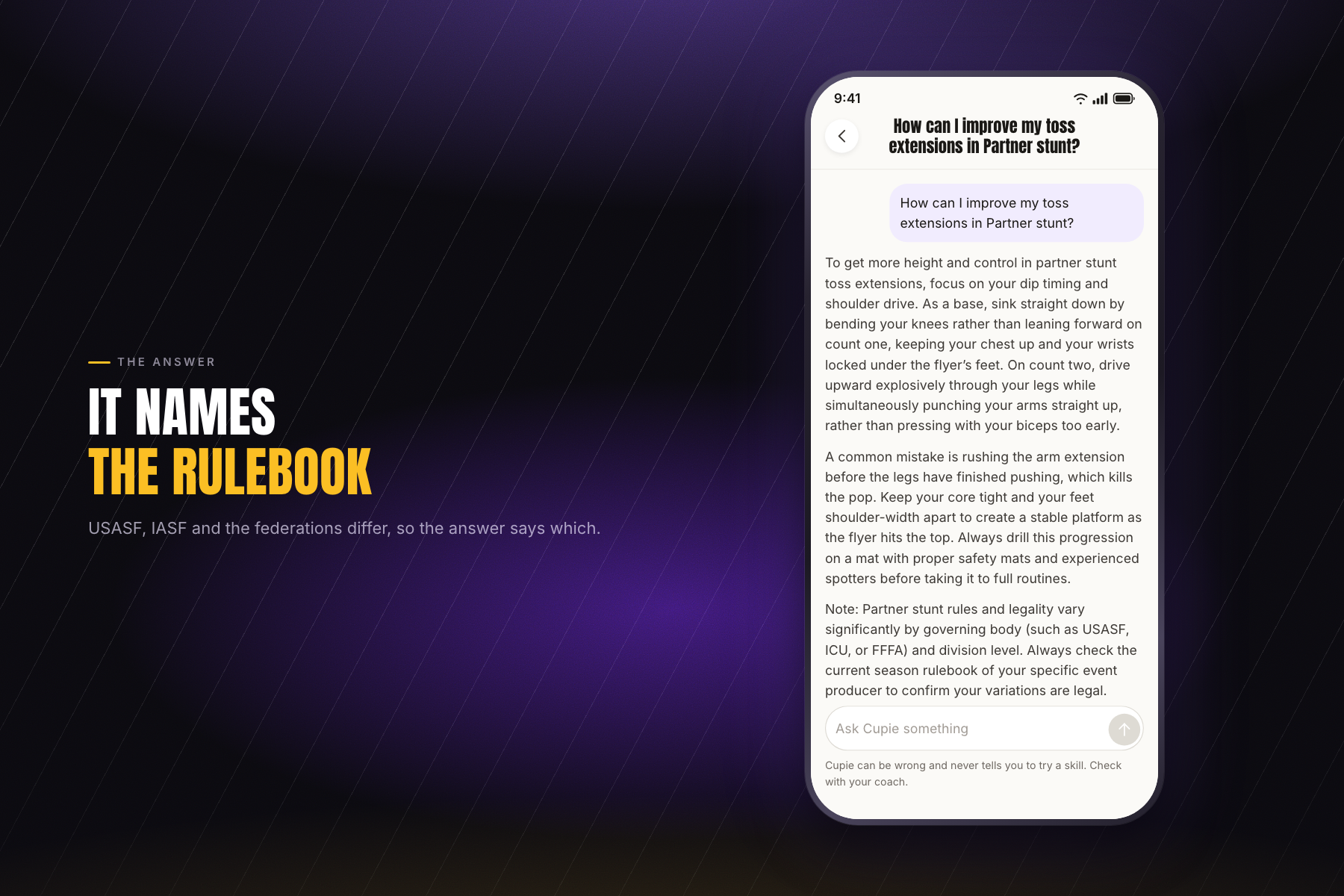
A real answer from the app. It never tells anyone to attempt a skill, never assesses an injury, and always names the rulebook it used.
-
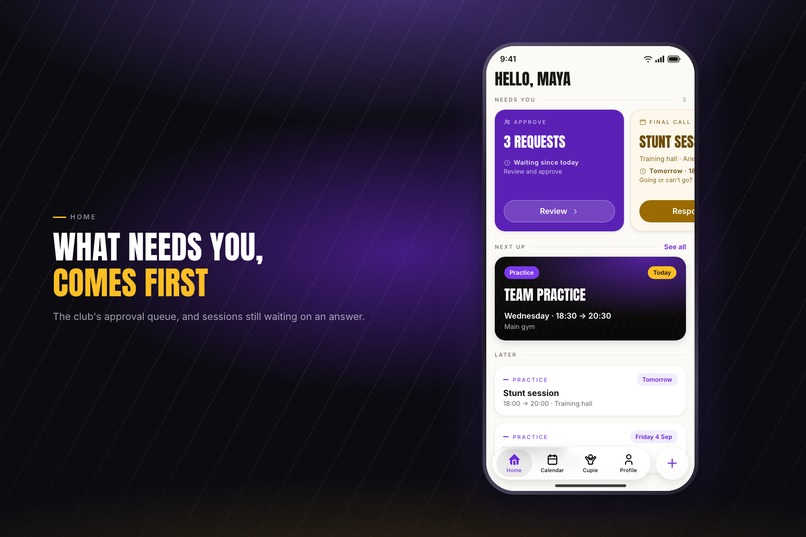
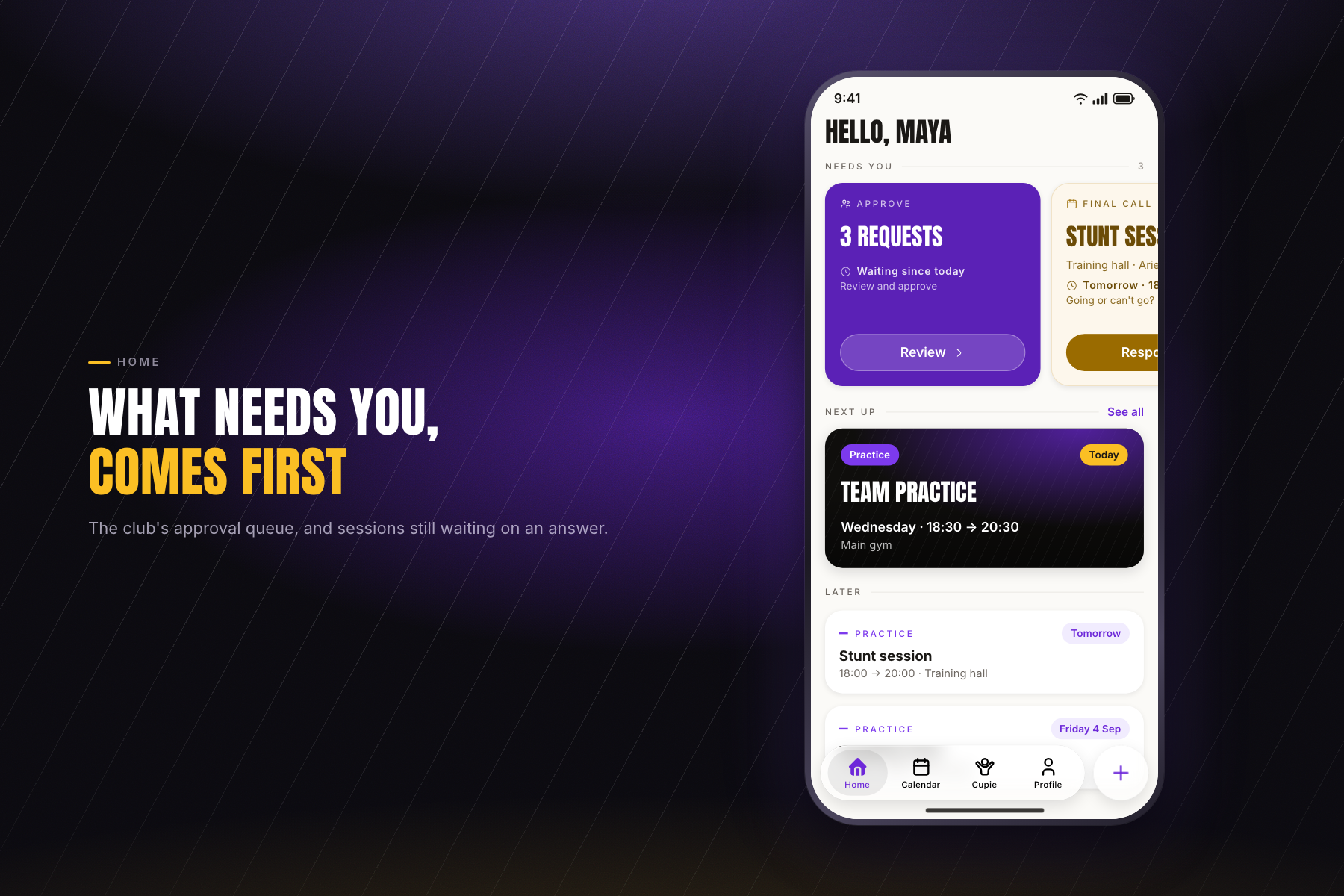
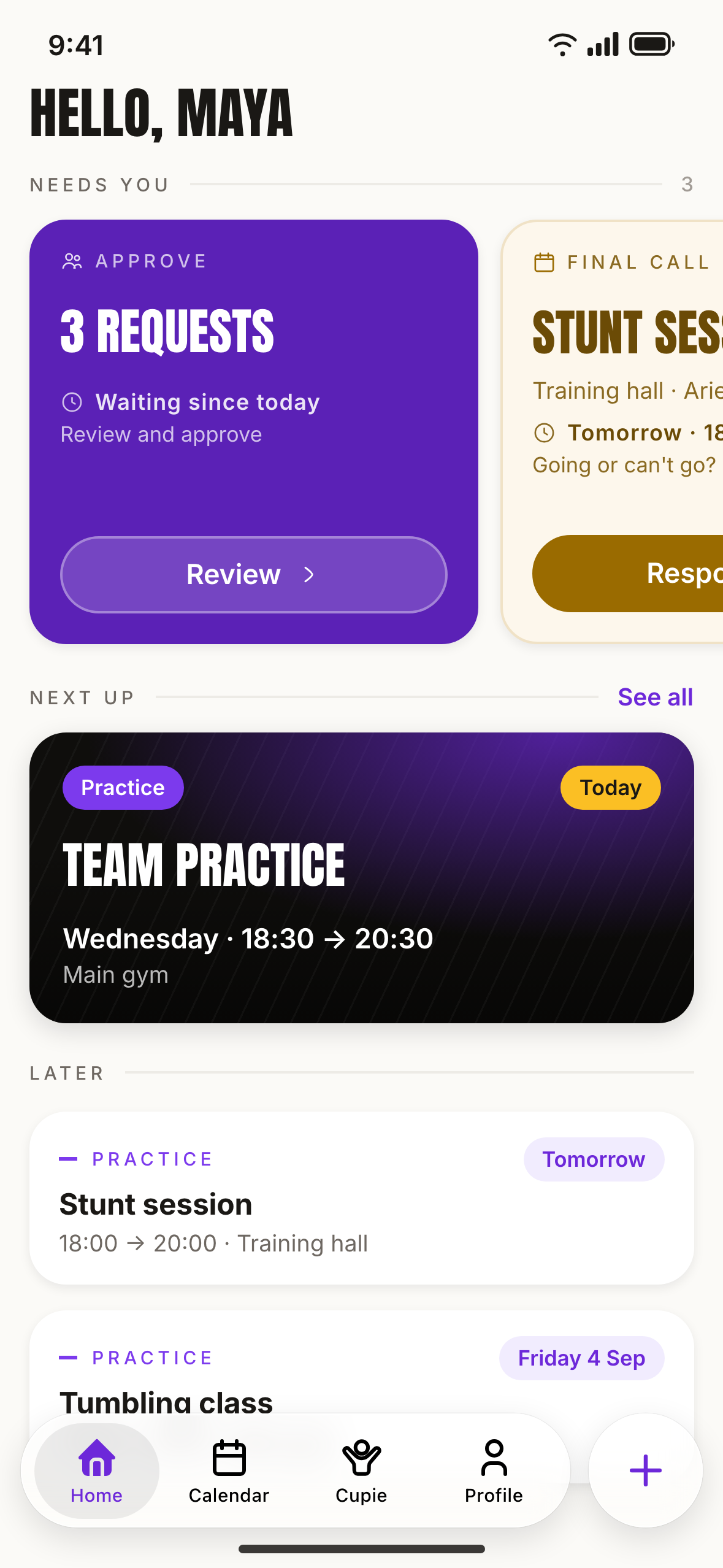
Home leads with what is waiting: the approval queue for staff, unanswered sessions, then what is on now and the week ahead.
-
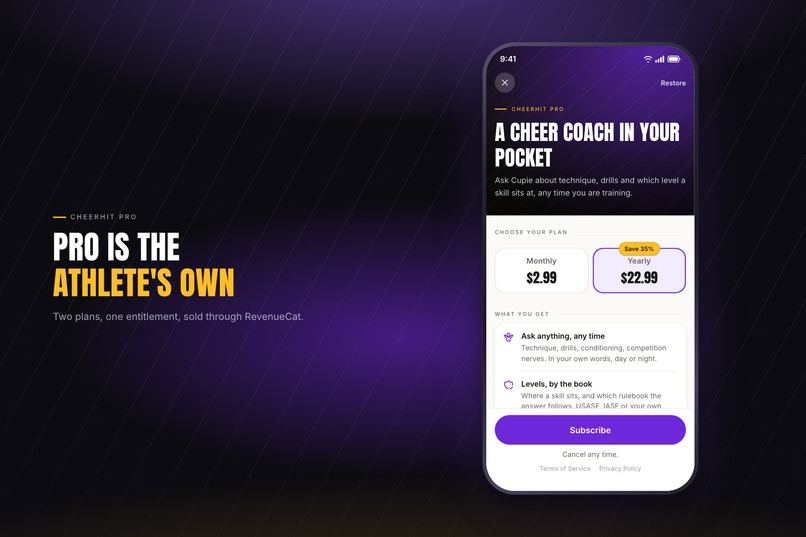
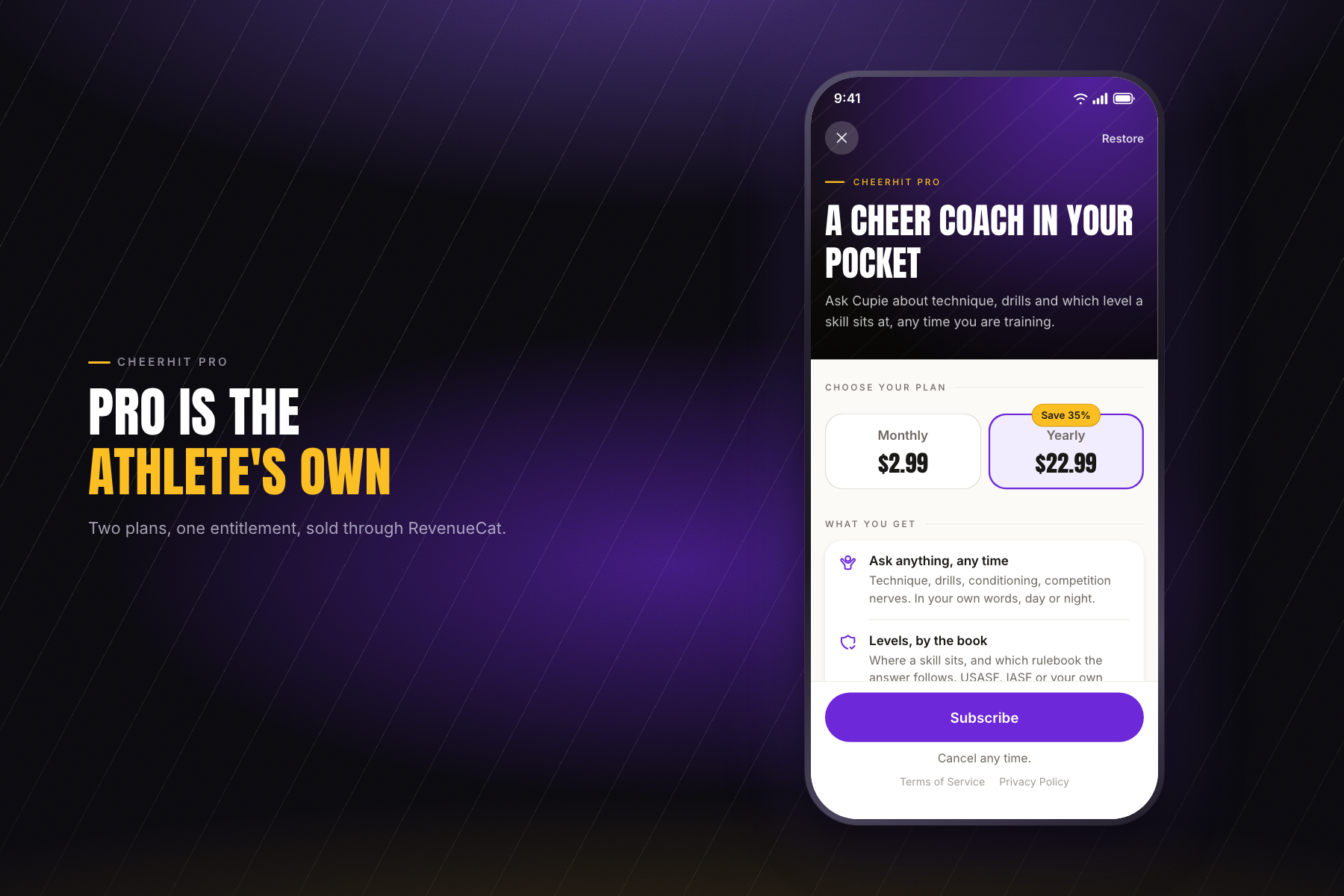
The paywall for CheerHit Pro, the personal plan that buys Cupie. Two plans through RevenueCat, monthly or yearly, cancel any time.
-
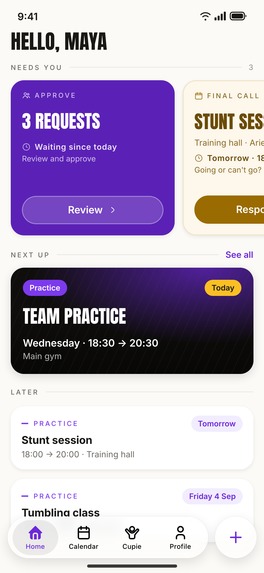
Screenshot of the home screen without device frame
-

CheerHit logo 1024x1024

Inspiration
I have been doing cheerleading for four years and worked as a staff member in two different clubs. Through that I got to know people in a lot of other clubs, so I have a pretty clear picture of how clubs are actually run: WhatsApp groups, spreadsheets and paper sign-up sheets. Questions and info get lost in the chat, the roster lives in someone's Excel file, and attendance is a surprise every time practice starts, because you never really know who is going to show up. Documents get sent straight to one person, or dropped in a Drive that half the staff cannot open and nobody keeps up to date.
The generic team apps do not help. They were built for football or other sports and repainted: they ask for jersey numbers, which cheerleading does not have, and they know nothing about bases, flyers, back spots, All Star levels or a 14 year old whose account is run by a parent. I wanted an app that speaks the sport's own language.
Cheerleading is a niche, and that is exactly why I think this can work. It is small enough that nobody has built the proper tools for it, and big enough that every club I know is struggling with the same things. There is a lot left to do in this space.
What it does
CheerHit runs a whole cheerleading program from one place.
- Coaches get a web dashboard: teams, seasons, rosters, a calendar of practices and competitions, and attendance taken per session.
- Athletes and parents get a mobile app on iOS and Android: their schedule, a tap to say whether they are coming to each session, and their own cheer profile.
- Cupie, an AI cheer coach, on a tab of its own. Athletes ask it about technique, drills, how to fix a stunt that is not working, or which level a skill sits at under their rulebook. It always names the federation its answer follows, because USASF, IASF, ICU and the national bodies disagree and an unattributed answer gets quoted at a competition. It never tells anyone to attempt a skill and never assesses an injury: that is the coach's call, and the app says so under the composer. Cupie is what CheerHit Pro sells.
- Declining a session asks for a reason, so a club can finally see why people miss training instead of guessing.
- An athlete declares a holiday once instead of declining six sessions one by one.
- Polls: ask a team, the staff or the whole club a question, anonymously if you want. Nobody sees the results before they have voted.
- Attendance rates by week and by athlete, with the reasons behind the absences.
- The club's sessions land in the phone's own calendar app, beside everything else in someone's life, and stay current with CheerHit closed.
- Train with two clubs, or coach at one and compete at another, and it is one account and one calendar. Which club you are looking at is always on screen, so nobody answers the wrong practice.
- Staff upload the club's documents and share them with each other, instead of keeping them in a folder on somebody's laptop.
- Push notifications for new sessions, changes, cancellations and polls, plus a reminder when a session still needs an answer.
- Clubs pay per team on the web, so the price follows the club rather than the size of the roster. On the phone, CheerHit Pro is a personal subscription sold through RevenueCat: it belongs to the athlete rather than to the club, and what it buys is Cupie.
How I built it
CheerHit is not just a mobile app. It is a mobile app, its own backend, and a web dashboard the clubs actually run their season from.
The backend and the dashboard are Next.js on Vercel, with MongoDB. Stripe is there for the club owners, who pay per team from the dashboard, and never for the athletes.
The mobile app is Kotlin Multiplatform: the logic and view models are shared, the UI is written natively twice, Compose on Android and SwiftUI on iOS.
RevenueCat handles subscriptions through its KMP SDK, so the whole purchase stack lives in shared code and both apps got it at once: offerings, purchase, restore and entitlements. I set the RevenueCat user ID to the account ID from my own backend, so a subscription belongs to the CheerHit account rather than to a store account, and it works the same whether someone signs in on an iPhone or an Android phone. It also means my webhook already knows whose subscription it is. Entitlement is exposed as a stream the app observes, so a purchase, a restore or an expiry updates the UI on its own instead of every screen asking the question itself.
The backend mirrors that entitlement rather than trusting the app for it, which matters the moment a subscription unlocks something that costs money per call. The webhook is the writer; a restore that RevenueCat sees as no change fires no webhook at all, so after a purchase or a restore the app asks the backend to look again and the backend re-reads RevenueCat's own API. A client never asserts that it is Pro.
Cupie, the AI coach, runs on Gemini 3.5 Flash-Lite, with the athlete's own cheer profile in context, so the answers are about her positions and her level rather than generic ones. Its persona and its limits live in the database rather than in the code, so I tune the prompt by reading real answers instead of shipping a release.
Notifications go out on two channels: Firebase Cloud Messaging for push, Resend for email. Both are sent at the same time rather than one after the other. A push is written in the language of the phone it lands on and an email in the language of the account, and both link straight to the session or poll they are about. Cupie follows the same rule: it answers in the language of the phone it is being typed on.
I designed both the web and the mobile app with the Mobbin MCP, using it to look up how other products solve a given screen and to follow the patterns people already know rather than inventing my own.
Challenges I ran into
I started with a clean split: the web app for club staff, the mobile app for athletes. It did not survive contact with reality. A coach wants to take attendance from her phone at the gym, and she wants to create a poll without opening a laptop. So I moved to one product that does the same things wherever you are, which also meant a single account and a single login across both. The auth side is done and a good part of the features now exist on both, but I have not closed the gap yet.
Attendance was the next one. A recurring practice is not one thing to answer, so every response is keyed to a specific date. And storing only the current answer threw away the interesting part, so there is now an append only history behind each one: a decline that changed on Friday night reads very differently from a plan made a week ago.
Roles were harder than they looked. In a club the people running it are usually competing in it too: an owner on her own roster, a coach who is also an athlete, a treasurer who coaches. I started with a single role field and it broke immediately. It became a set of capabilities instead, scoped to the teams a coach actually coaches, so it covers the real cases rather than a tidy org chart.
Then there is belonging to more than one club in the same season, which is normal here: coaching at one and competing at another. The app has to handle that, and it has to be obvious at all times which club you are looking at, so nobody answers the wrong practice.
Notifications were less about sending and more about timing. A competition added in September should not notify anyone in September, so the reminder is tied to the session rather than to the moment it was created. And an edit has to say different things to different people: whoever was already invited hears that it moved, whoever was just added hears about it as new.
Calendar sync had one requirement, that it keeps working with CheerHit closed, and that single requirement forced two completely different builds. On iPhone it is a subscription: one tap opens iOS's own subscribe sheet on a personal link, and Apple refreshes it from then on. On Android there is no equivalent, because adding a calendar by URL is a desktop-only feature of Google Calendar, so the app keeps a CheerHit calendar on the phone itself and reconciles it on a schedule and on silent pushes. Two roads, and the athlete is supposed to notice neither.
Selling an AI feature was its own problem. A subscription that costs me money every time somebody uses it cannot be gated on the client, and it cannot be unbounded either, so there are daily caps, and new chats are counted from what is stored so that clearing your history does not buy you more. The other half was not technical: an AI that tells a 14 year old to go and try a full is a real injury, so refusing to authorise a skill, refusing to assess an injury and always naming the rulebook are rules the prompt cannot be edited out of.
Accomplishments that I'm proud of
The design. I wanted something that looks world-class and feels like a sports app, not like admin software, while still being easy enough that a coach picks it up without being shown how.
My own club is running on CheerHit. All the staff and all the athletes are onboarded, and everything works. I get feedback almost immediately, from people I see at practice, which is the fastest loop I could ask for and has already changed how parts of the app work. They are happy with it, and that is the signal I wanted before opening it up to other clubs.
Kotlin Multiplatform turned out to be the right call. I share everything below the UI and save a lot of time doing it, but each platform still gets a real native interface, SwiftUI on iOS and Compose on Android. I want this app to be world-class, and a shared UI was not something I was willing to trade for.
And CheerHit now has something to sell on the phone. Until Cupie, everything the app did belonged to a club and was paid for by a club, and an athlete had nothing to buy. Pro is the first thing that is the athlete's own, and it shipped end to end during the Shipaton: the coach, the paywall, the entitlement and the backend that mirrors it.
What I learned
I should have written down what I wanted CheerHit to be before writing any code. Which roles exist and how they combine, one app or two: those are decisions I ended up making twice, and I was refactoring before I had even shipped a first release. An afternoon of thinking would have saved weeks.
I am building a SaaS for people who are not tech people. Cheerleading coaches and parents did not sign up to learn software, so I had to stop designing for someone like me and think like them instead. UX is not a finishing touch on this project, it is most of the work.
And selling to the athlete is a different business from selling to the club. The club buys a tool it has to run its season on, and it decides once a year. An athlete buys something for herself, on a phone, in a minute, and she keeps it only as long as it is worth it every week. That is the part I want to get good at next.
What's next for CheerHit - Run your whole cheerleading program from one app
- Close the feature gap between the mobile app and the web app, so it really is one product wherever you open it.
- Take Cupie further: a coach that knows the team, the sessions and what the squad has actually been working on, not just the athlete's profile.
- Payments and billing, to help clubs keep track of the money: licence fees, competition registrations, who has paid and who has not.
- Competition results, so a season ends with a record.
- More languages beyond English and French.
- Open it up to other clubs. I am still in a test phase with my own, but I am nearly ready. I have a lot of contacts in France, in other clubs and in the French federation, so I think it can spread quickly once I open the door. I am looking forward to onboarding clubs I have never met.
- Turn CheerHit into a community. Athletes could look at each other's profiles, see a competition record, see the stunts somebody has just hit. The sport is social and the app is not yet.
- Make it a standard for the sport. Checking in to a competition by scanning the QR code on your CheerHit profile, federations handling registrations and licences through it. That is the version of this I really want to build.

Log in or sign up for Devpost to join the conversation.