-
-
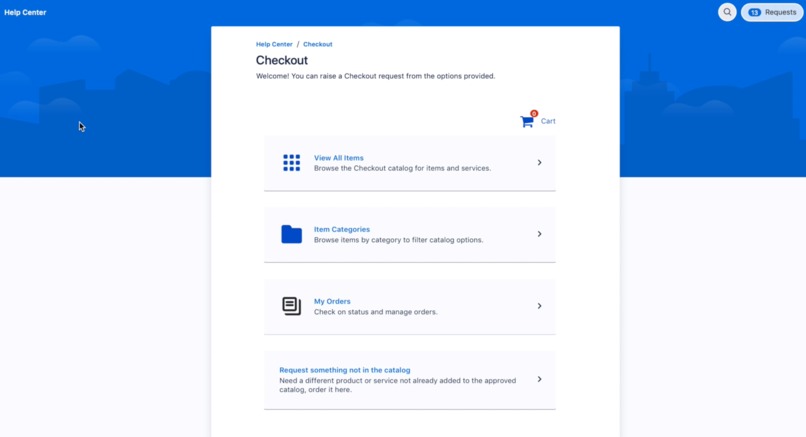
Catalog landing page in JSD help center using custom Checkout Request Type.
-
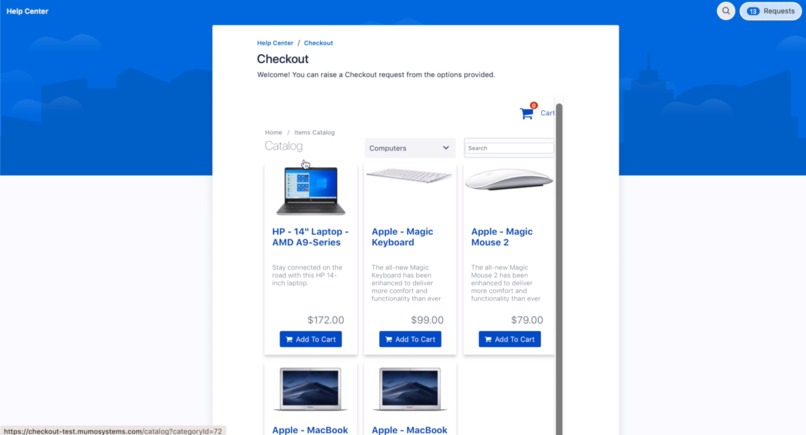
Catalog item browser showing item in the org store front.
-
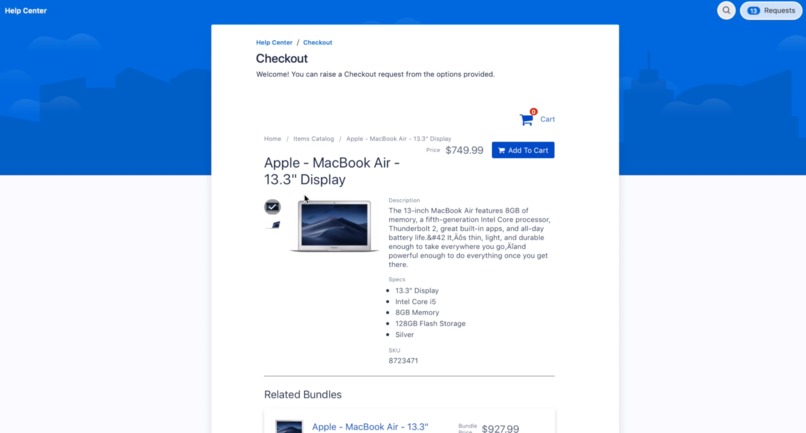
Item detail showing price, description, image and specs.
-
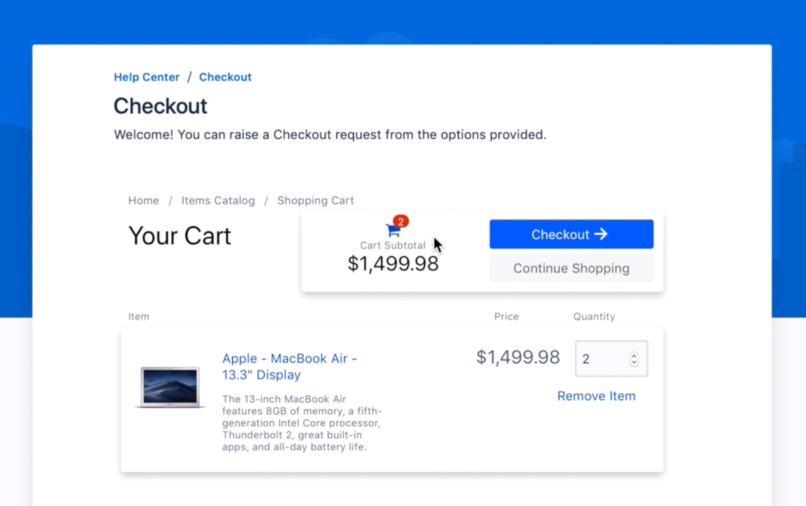
Checkout Cart.
-
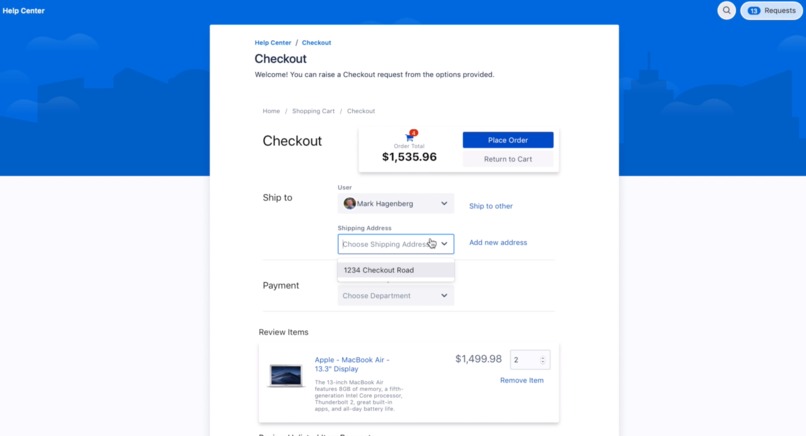
Checking out and making payment using department funds.
-
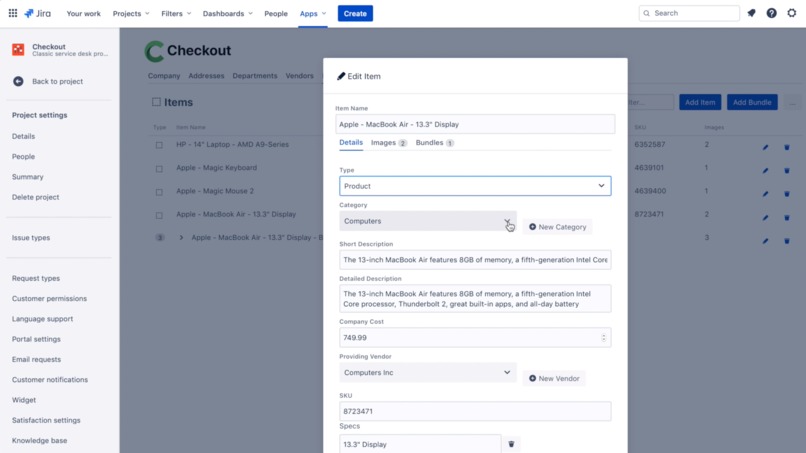
Item creation / editing in Checkout administration.
-
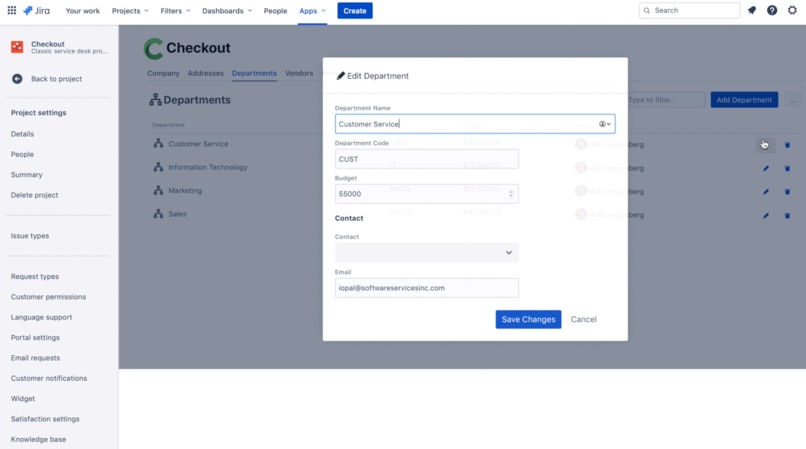
Department creation / editing in Checkout administration
-
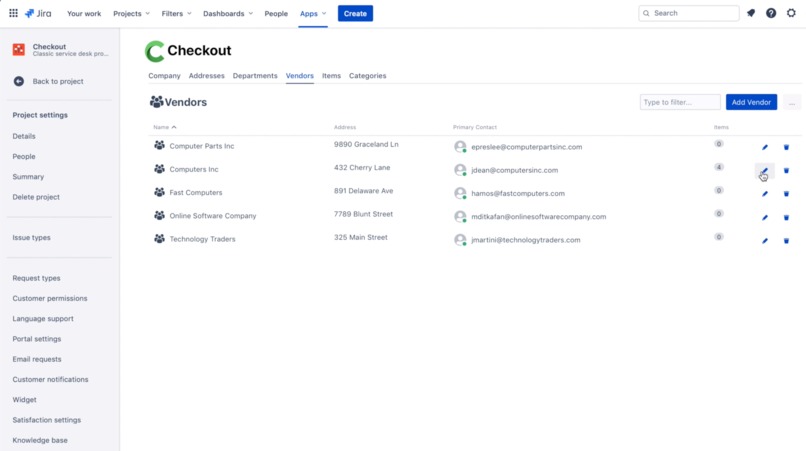
Vendor creation / editing in Checkout administration
-
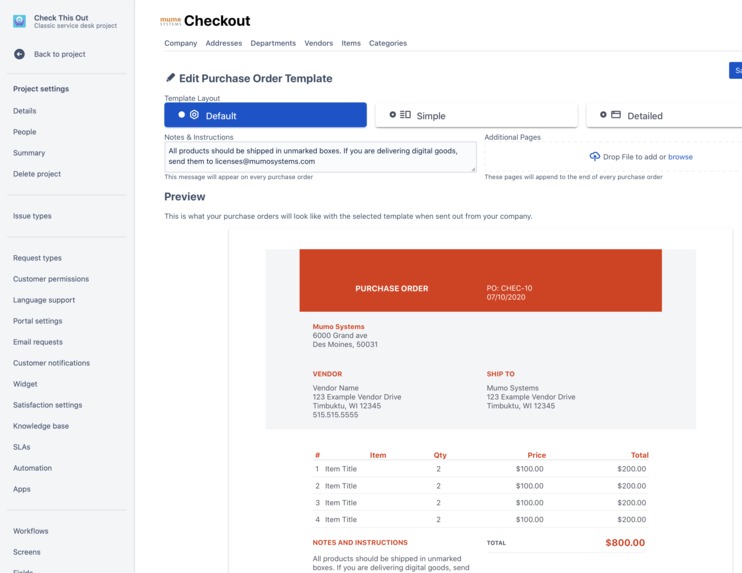
Purchase order template selection and customization in Checkout administration.
-
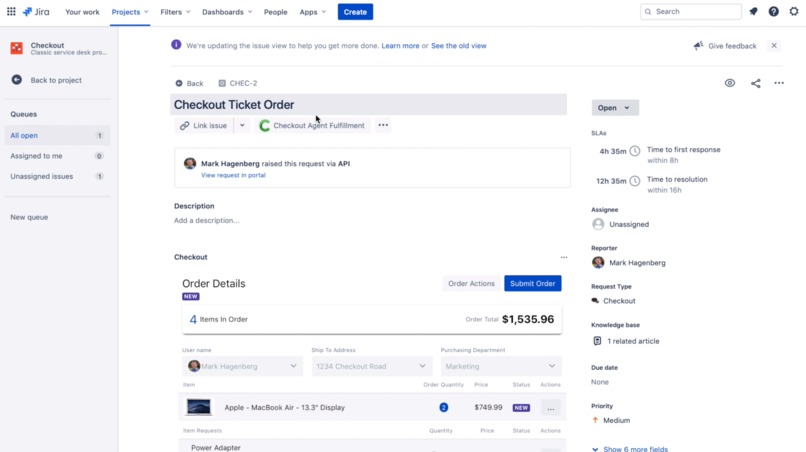
Agent fulfillment of a Checkout purchase request from user.
-
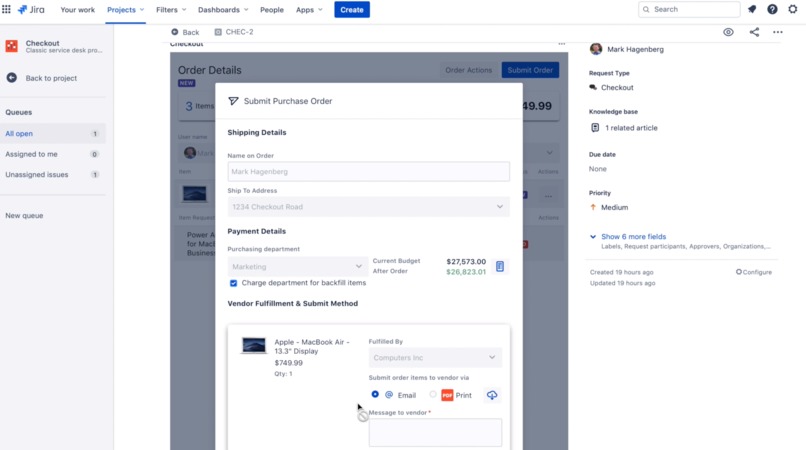
Sending a purchase order to a vendor via email. PDF is created and added to the ticket as well.
-
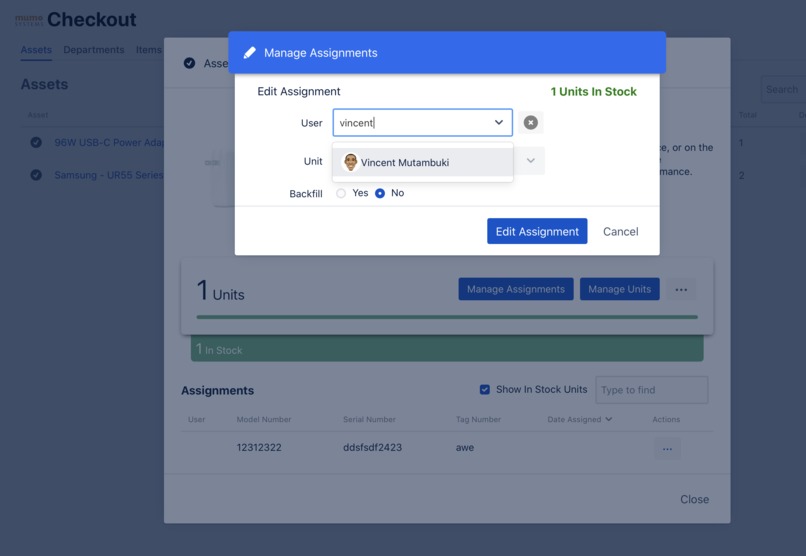
Assigning an existing item to user from Asset manager.
-
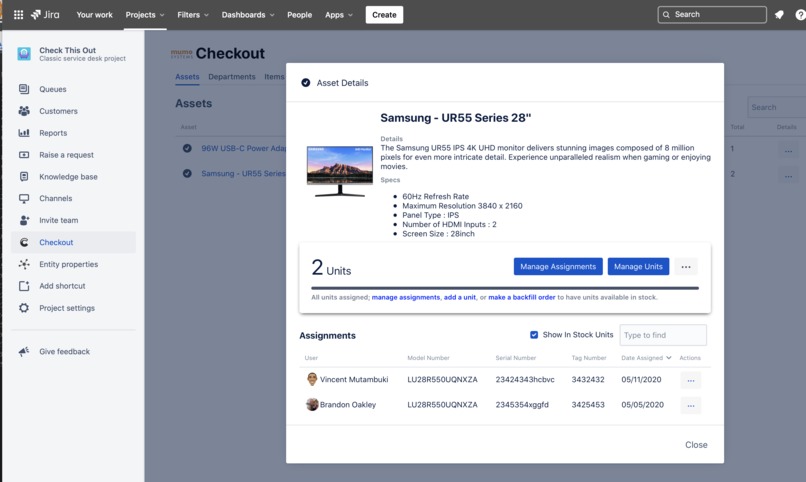
Assessing item assigned to users from Asset manager. Displays items in stock as well.
-
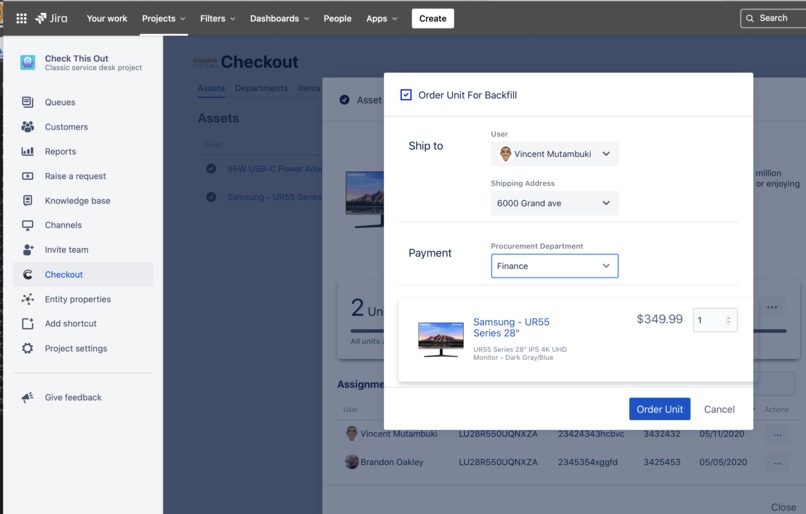
Ordering a backfill item after assigning asset to user.
-
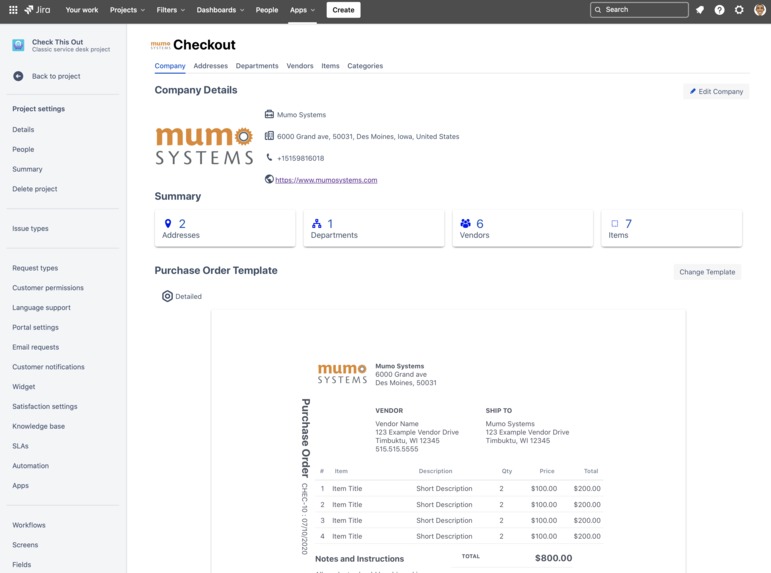
Company details overview.
-
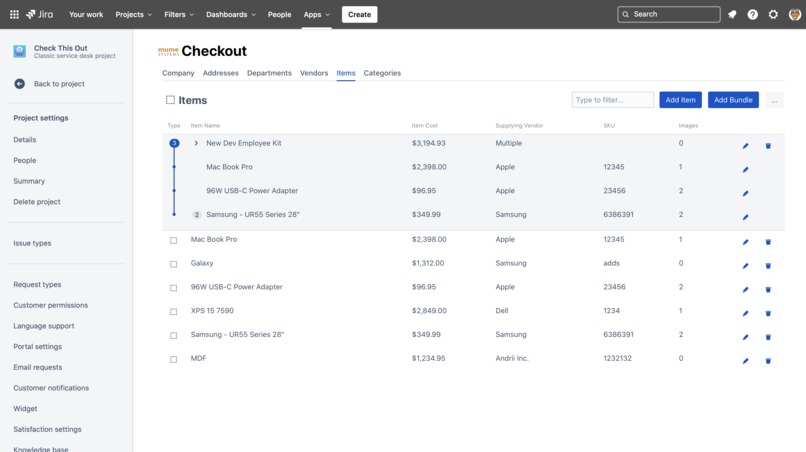
Items overview in administration. Displays item bundle capability.
-
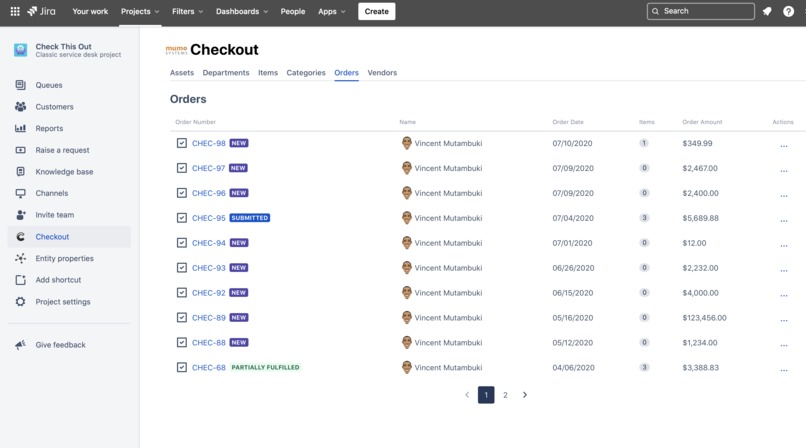
Item Order view including status and requester from procurement agent view.
-
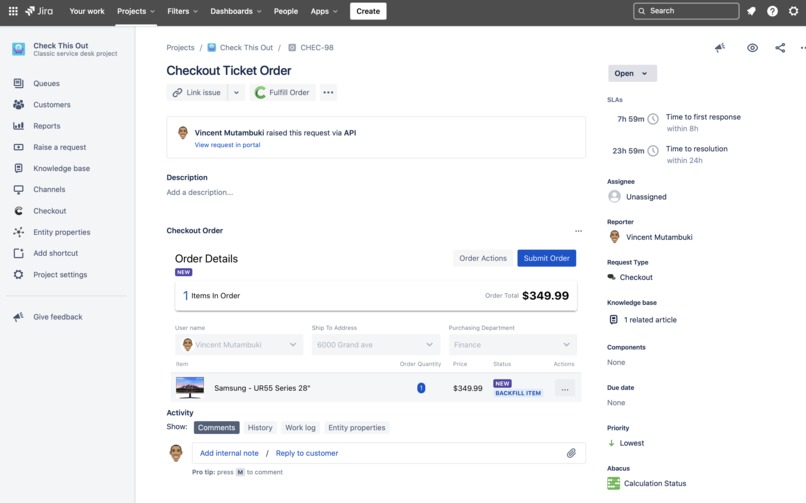
Agent view of the order request. Agent can edit, decline or submit order to vendors as well as receive items from vendors.
-
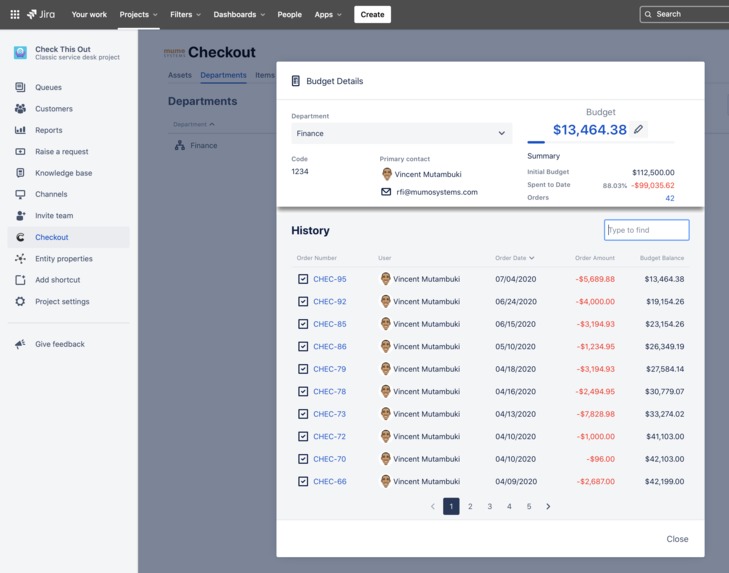
Department budget audit view listing procured items and remaining budget.
-
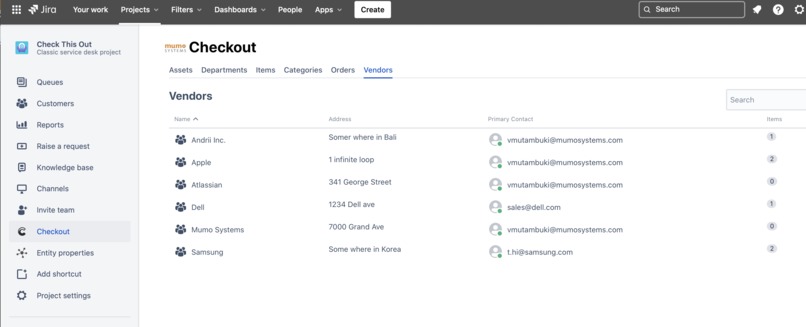
Vendor list in Agent View.


Inspiration
After working with several customers, we noticed that the procurement process was broken in their organizations. Multiple channels were used to make purchasing requests causing confusion and unnecessary repetition in communication. Additionally, it was hard to track budgets related to purchasing and keep all stake holders informed.
What it does
- Manage items that organization users can order.
- Manage vendors.
- Create Purchase orders and email them to vendors for fulfillment.
- Manage department budgets by keeping a log of all procured items for departments.
- Manage assets in stock and assigned to users using Atlassian asset management API.
How I built it
Checkout is built using Atlassian Springboot framework, Atlassian React Kit and designed using Atlassian template in Sketch. Other than the items in Checkout, all data is stored as entity properties in customers Jira. All images are stored in a secured AWS S3 bucket. We use Postgres SQL to store all item descriptions and metadata for the store. We utilize AWS Fargate to host the products. The product can scale automatically to meet demand.
Challenges I ran into
The biggest challenge was trying to figure out where to store the data. We wanted to store all data in Jira but we were not getting great response from the Asset API. Ultimately, this is where we want all data to reside.
Accomplishments that I'm proud of
Biggest accomplishment is creating and moulding a product to fit into the Atlassian ecosystem by overcoming limitation in the UI and API and yet make it feel like it is an Atlassian product.
What I learned
It takes a great team to build a great product. Without my teammates it would have been impossible to build this product. It required a wide range of skillsets to accomplish.
What's next for Checkout - Procurement for Jira Service Desk
We are going to build an automation engine to interact with Jira and other tools as well as create ability to add custom fields into Checkout. Will add more capability to manage vendors and contracts.
Built With
- adg
- amazon-web-services
- atlas-kit
- fargate
- jira-framework
- postgresql
- react
- spring


Log in or sign up for Devpost to join the conversation.