-
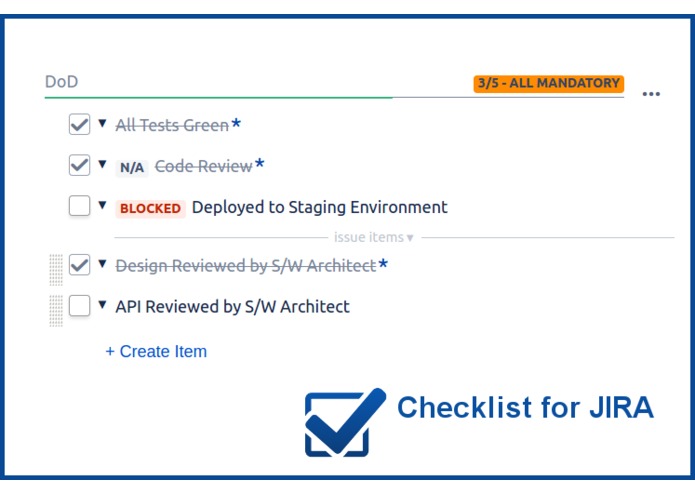
Stop using sub-tasks for simple tracking!
-
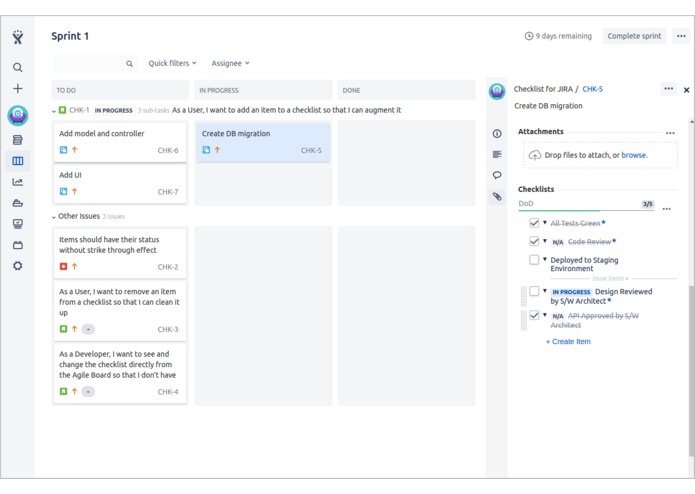
Works in Agile Boards
-
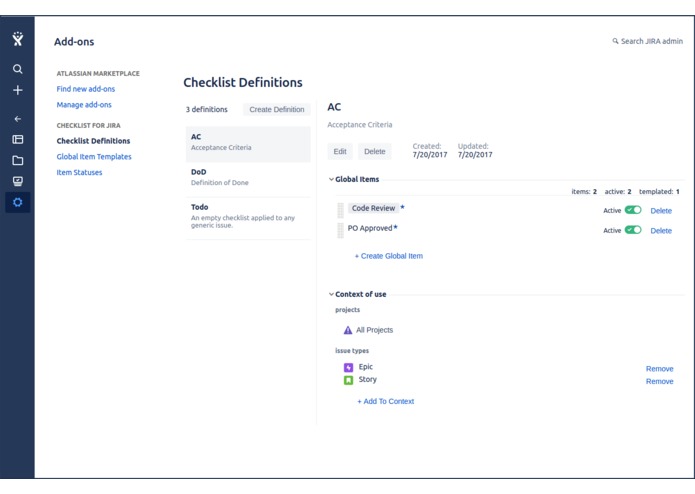
Multiple Checklists with their contexts
-
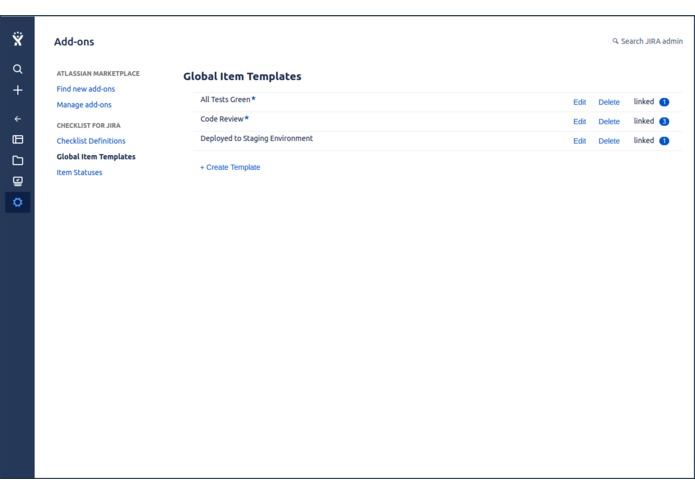
Standardize global items via templates
-
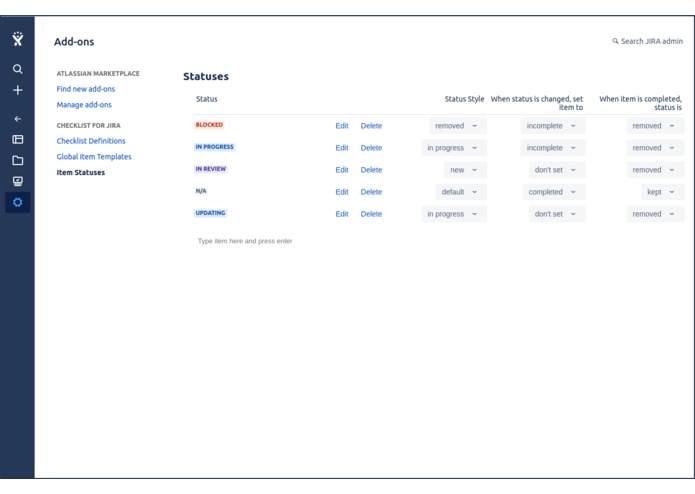
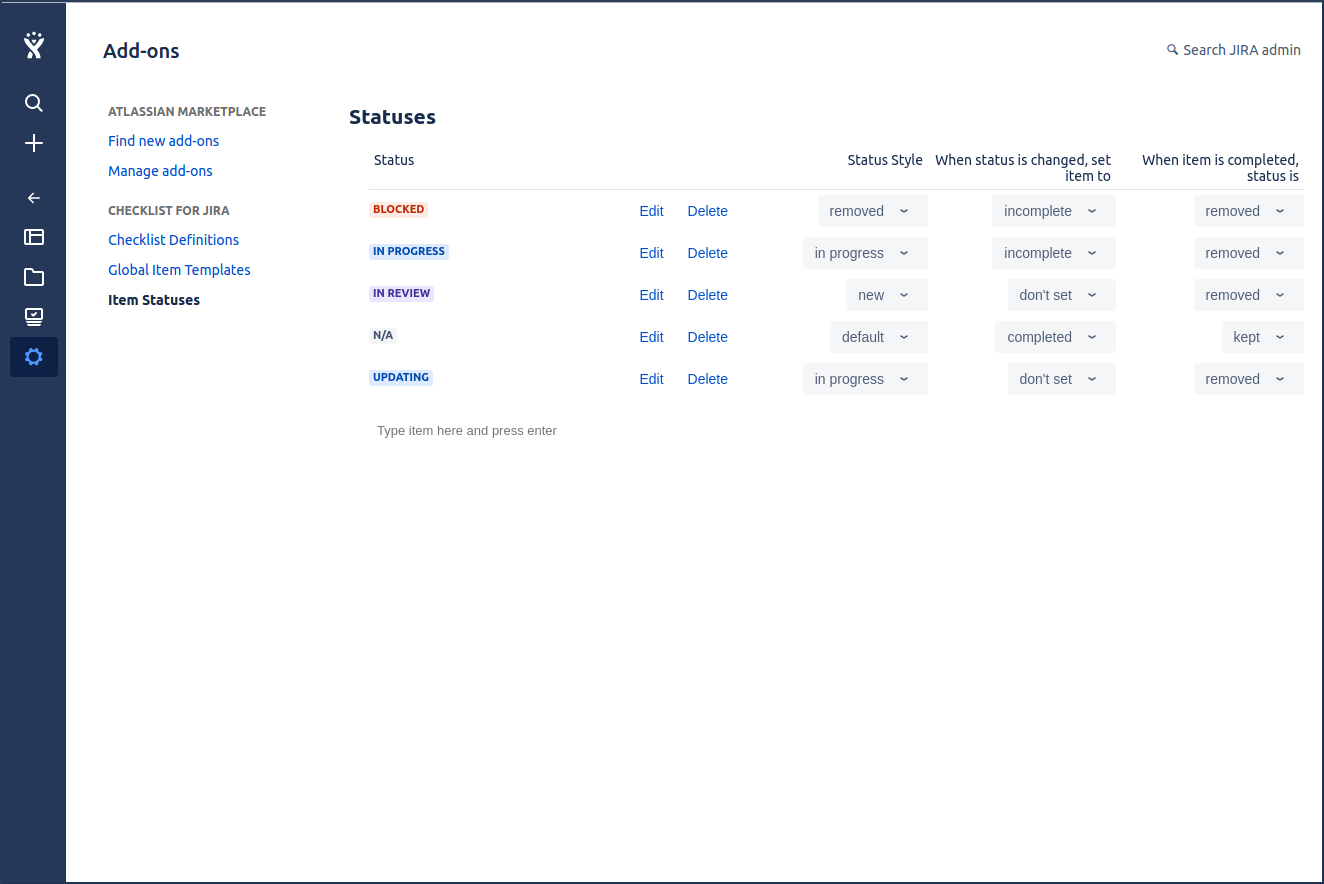
Use statuses to provide more details on the resolution process

Inspiration
Well, Checklist for JIRA has been offered on the server side for quite a while now. During that time, we have received numerous requests for porting it to the cloud but never really acted on it. Over time some competitors released their own versions of the tool but, in our opinion, none really harnessed the power of JIRA.
One of the main advantage of using JIRA is its powerful workflow mechanisms. A user creates an issue and makes progress on it according to his company’s business processes. Most of the time, different issue types are used to mimic different tasks within the company. In that context, having one unique checklist that applies to everything doesn’t make sense. Companies must also often enforce specific tasks within a process and these tasks may change over time. Here again, having a single checklist that can only change from the issue level doesn’t make sense.
Although we love JIRA, it also has some limitations and particularly for admins. One of the most common problem that admins face is when they are dealing with customfield contexts and options. Currently, in JIRA Server, a customfield can have multiple contexts but it requires the admin to create a new set of options for the new context while, in reality, the options are the same thing in each context.
So, with all of this in mind, we decided to give a kick at the can and release our own version of Checklist for JIRA – Cloud version.
What it does
First, you can create as many checklists as you want. By default, every newly created checklist is applicable to all issues in the JIRA instance. However, if you want to limit the visibility of a checklist you can assign it a context which, like the server version, is a mix of project(s) and issue type(s).
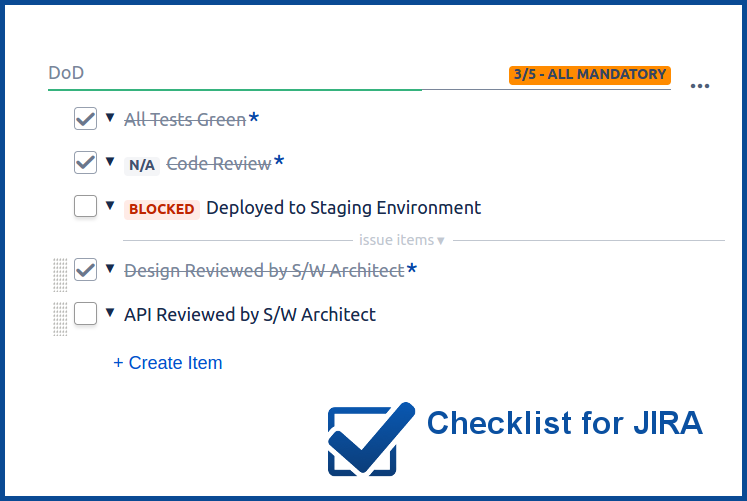
While you can create different checklist items directly in an issue, you can also create, for each checklist, a set of global items that will be displayed in every issue. You can add, remove and modify global items and the changes will be immediately reflected in all issues. This is a great mechanism for enforcing tasks in a process like a Definition of Done (DoD).
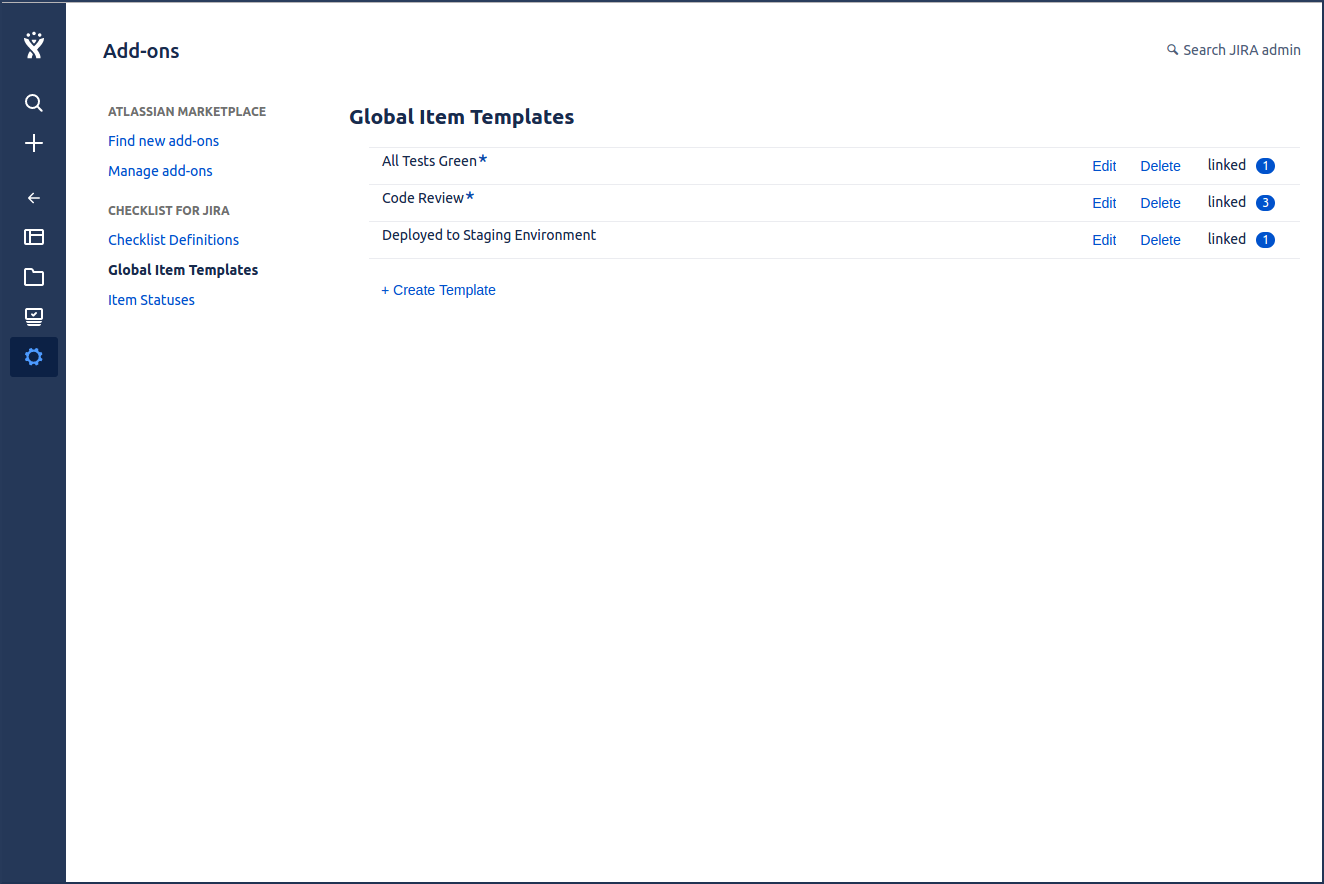
If you need to create multiple checklists that only differ by a few global items, you can create global item templates and use them in each checklist. The benefit of using templates is that you just need to change the details of the item in one single place and all checklists using that template will be updated.
Finally, Checklist aims at replacing sub-tasks for simple tracking. However, it may happen that you want to provide more details while working on resolving an item. For that purpose, Checklist offers a list of statuses such as “n/a”, “in progress” or “blocked”. You assign the status directly on the item you’re working on. Even better, you can customize the list of available statuses to fit your workflow!
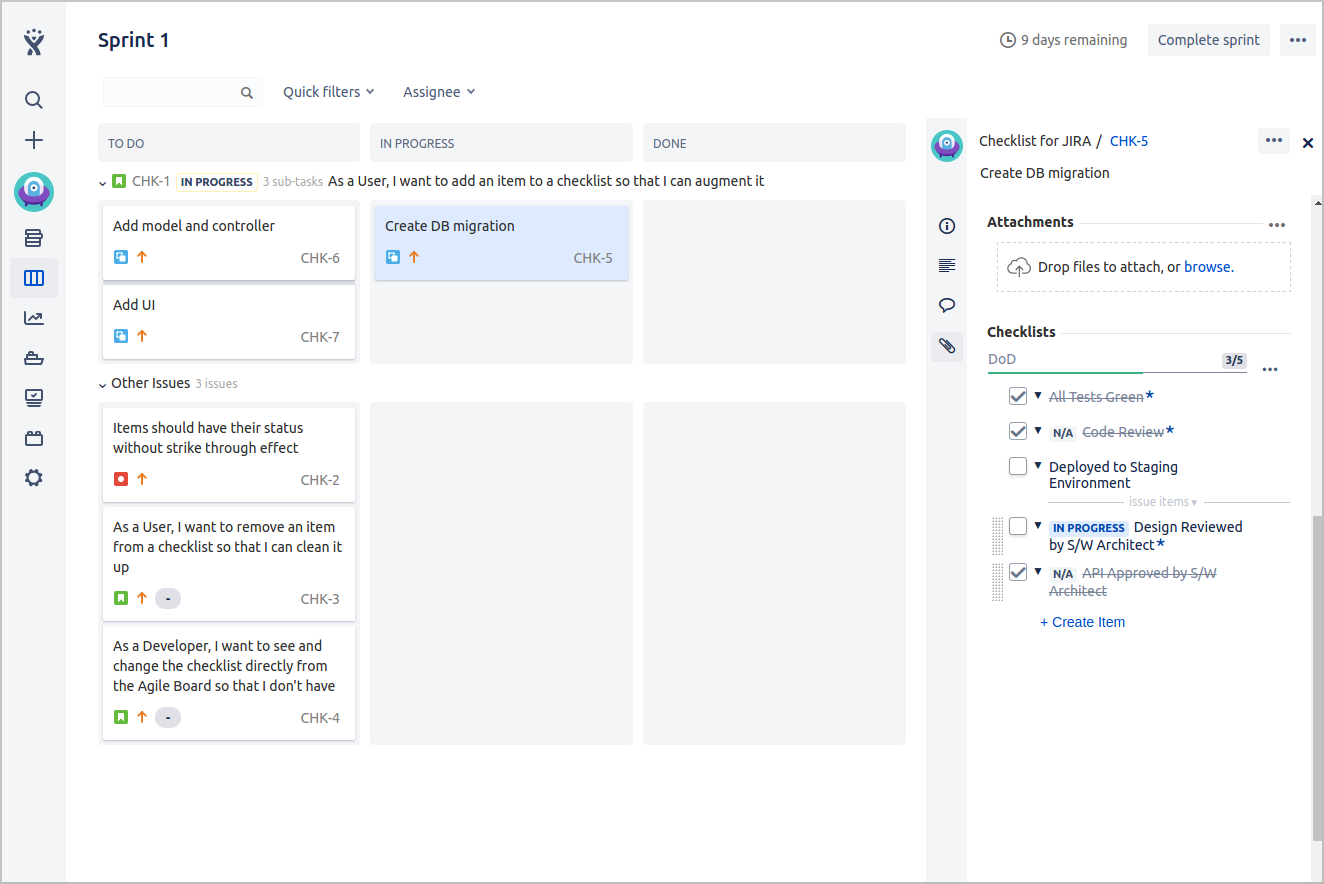
And yeah, all of this is available from the Agile Board’s Details View as well.
Challenges we ran into
We needed to learn the Atlassian Connect API in a very short amount of time. Two months for learning a new framework, producing tested and secure code as well as documentation for an add-on like this is challenging.
Also, generating a UI inside an iframe within a limited real-estate brings its own lot of challenges. Take for example dropdowns. Our first attempt was a complete failure. The popup of the dropdown would be barely visible because it was clipped by the iframe. Then we learned that Connect offers a way to display dropdowns outside the limits of the iframe. However, it turned out that it wasn’t really the experience that we were looking for our customers so we had to devise a new control that would mimic a dropdown while allowing to be displayed in confined spaces.
Finally, ADG3 is a great library that we like using but some controls fell short of our expectations on how we could use them. However, by carefully reading the design guidelines provided by Atlassian, we found how to properly use these controls and the context in which they should operate. We also found a few bugs that were reported and some were even fixed!
Accomplishments that we're proud of
Beside being a great tool for any team, we love to be able to offer an add-on which will, hopefully, make JIRA admins’ life easier. I think that we forget (or sacrifice) them too much at times.
What we learned
That the Connect API is much richer and powerful than we initially thought. We’re really glad that this Codegeist gave us the opportunity to look at it in more details.
What's next for Checklist for JIRA – Cloud
Trying to make it more at par with the server version; two months is too short for that. So we hope to offer:
- A preference page where you can configure the behavior of checklists; not every one needs its full power.
- Markdown syntax to create richer items with hyperlinks and text formatting.
- Some filtering mechanisms for dealing with larger lists or just for finding an item quickly.
- Searching for completed checklists
Our bigger ambitions:
- Create new checklists at the project level so that project admins can create their own checklists.
- Allow a project admin to augment a checklist created by a system admin. Could be useful for project managers wishing to add one or two items specific to their project in an existing checklist.
- Support post-workflow functions to change a checklist after a status transition occurred.
But we also have a lot more stories in our backlogs.
Built With
- adg3
- atlaskit
- css3
- heroku
- html5
- react
- ruby-on-rails


Log in or sign up for Devpost to join the conversation.